Weekly ecommerce tips, deals & news.
We know how hard it is to run a WooCommerce store. It’s even tougher to make it succeed on your own. However, with the help of the top WooCommerce plugins on the market, you can stop wasting energy on manual chores and start focusing on hitting your revenue goals.
As industry veterans, we’ve used and tested hundreds of WooCommerce extensions to see what actually works. In this guide, we recommend six of the best tools you can use to boost your sales. These picks will help you build a successful business.
Excited to learn more? Then read on!
WooCommerce is a fantastic platform, but it’s effectively a blank canvas. To be specific, it gives you the basics to sell products, but it doesn’t include every marketing tool you need to succeed. Therefore, to turn a simple shop into a sales machine, you need to add extra functionality.

The top WooCommerce plugins bridge that gap perfectly. They let you add advanced features—like popups, loyalty programs, or detailed analytics—without hiring a developer. They make your store look and feel professional, which builds trust with your visitors immediately.
Most importantly, these tools save you massive amounts of time. They automate tasks that would take hours to do manually, like sending abandoned cart emails or updating product feeds.
Remember, when you use the right WooCommerce extensions, you can work smarter, not harder. As a result, instead of spending hours on challenging, repetitive tasks, you can focus on what matters most: growing your business.
With thousands of cool WooCommerce plugins available, it’s hard to know which ones are safe. You don’t want to install something that breaks your site.
We use a simple checklist to decide if a tool is worth using. Here are the main things you should look for:
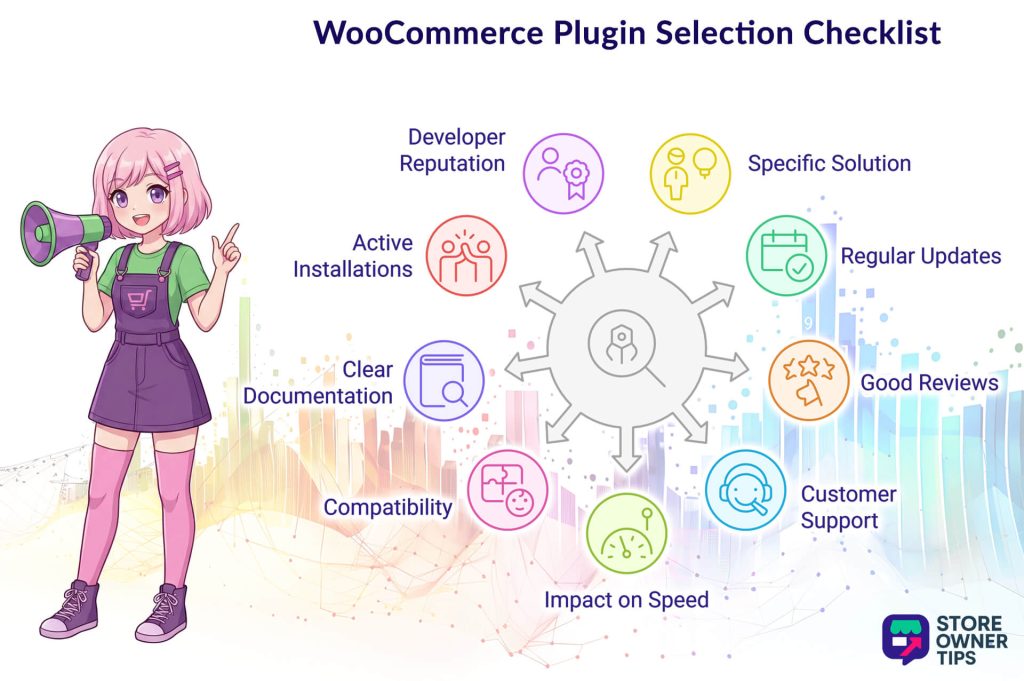
You need to fix a real problem affecting your store and your business. Thus, don’t install plugins just because they look cool or have many features. Instead, make sure the tool directly helps you sell more, work faster, or solve a specific pain point immediately.
You need to keep your store safe. Therefore, check the “Last Updated” date on the download page. Reliable Woocommerce extensions are updated often to fix bugs and close security holes.
See what other store owners are saying. Look for a high star rating and read the recent comments. If many people complain about the same bug, you should probably stay away.
Things will go wrong eventually. You need to know there’s a team ready to help you. Check if the developer offers email support or a help forum before you buy.
A slow site loses sales. Some tools add too much code and slow down your pages. Thus, you want lightweight plugins that add features without slowing down your store.
You don’t want your site to crash. Therefore, you should ensure the plugin works with your version of WordPress and your specific theme.
You need to know how to use it. The top WooCommerce plugins come with easy-to-read guides and tutorials so you don’t get stuck.
There’s safety in numbers. If a tool has thousands of active users, it’s usually a safer bet than one with just a few.
Sometimes a great tool is new and has few installs. In that case, look at the developer’s other WooCommerce plugins. If they have other top-rated items with many downloads, their new tool is likely safe and high-quality.
We used these exact standards to select the top WooCommerce plugins below, so you can be confident they’re safe and effective for your business.
OptinMonster is a powerful tool designed to turn your visitors into subscribers and paying customers. It lets you use smart popups and targeted offers to capture attention right when it matters most. Therefore, you can stop people from leaving your site without taking action.

One of the most impressive features is the Exit-Intent Technology. This smart tool tracks when a user moves their mouse to close the browser tab. Just as they’re about to leave, it displays a special offer or discount to encourage them to stay and buy.
We also value the TruLead Verification feature for keeping your marketing data clean. This automatically checks email addresses to ensure they’re real, filtering out spam bots and fixing common typing errors. The result? Your email list stays full of actual people who are genuinely interested in your products.

Here’s a sampling of OptinMonster’s game-changing tools:
🚀 Power Tip: Use the Floating Bar to easily increase your average order value. Simply set it to display a “Free Shipping” message at the top of the screen. As customers add items, the bar can update to tell them exactly how much more they need to spend to qualify for the deal.
The premium plan starts at $9 per month (billed annually).
Advanced Coupons gives you much more control than the standard WooCommerce settings. We find it perfect for running complex sales and keeping customers loyal. Furthermore, this plugin lets you easily set up the kind of deals that usually need expensive custom coding.

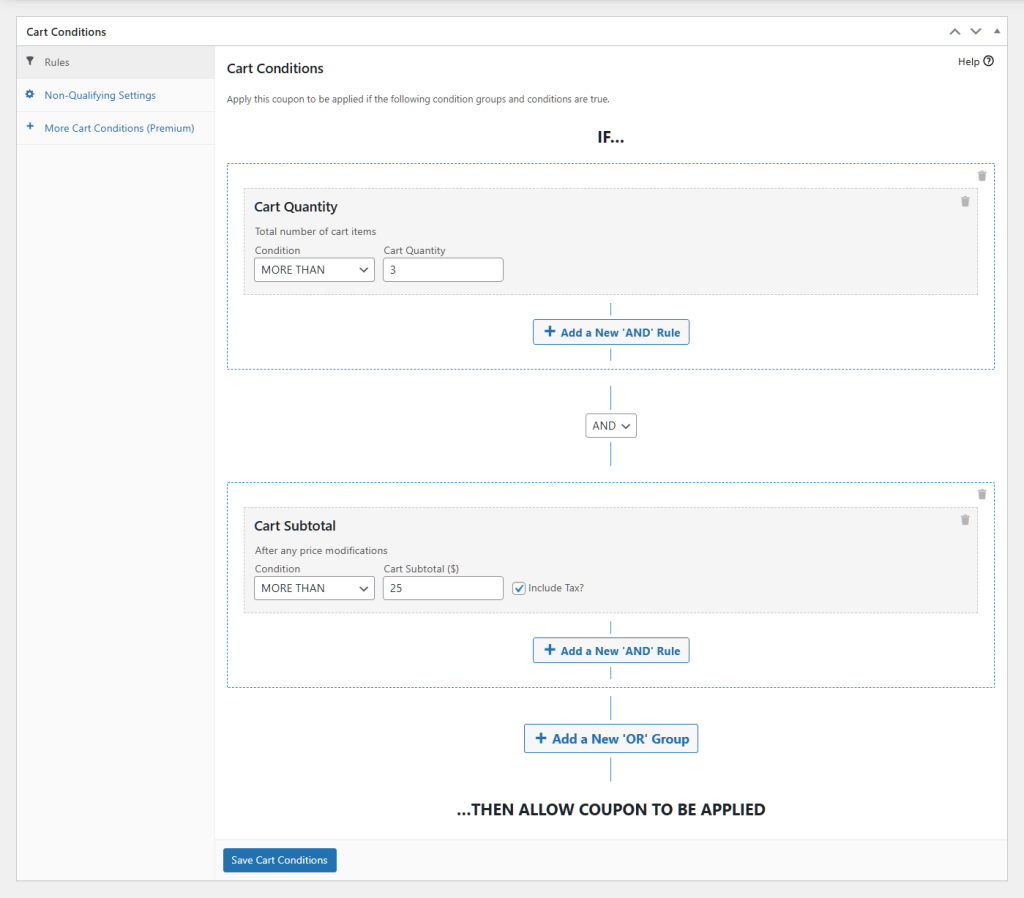
The Cart Conditions feature is particularly robust. Basically, this lets you check for specific rules before a coupon works. For instance, you can require a minimum spend or force certain items to be in the cart, which protects your profits while offering discounts.
Another favorite is the flexible BOGO (Buy One, Get One) system. You can easily create deals like “Buy a shirt, get a hat for free.” The plugin can even add the free item to the customer’s cart automatically so they don’t miss out.
Advanced Coupons’ tools include but are not limited to:
🚀 Power Tip: You can use the BOGO feature to clear out old stock without losing money. For example, you can create a deal that gives away a slow-selling item for free when someone buys a popular product. This moves the inventory and makes the customer feel special.
The premium plan starts at $59.50 per year.
MonsterInsights is the best way to see exactly how people are using your store. We find it extremely useful because it connects your site to Google Analytics without the confusion. Thus, you get clear, easy-to-read reports right inside your WordPress dashboard.

The User Journey Report is incredibly useful for understanding buyer behavior. It shows you every single step a customer took before they finally bought something. You can see which pages they visited and how long they stayed, helping you spot what works.
Another standout feature is the Popular Products widget. It uses your real data to automatically show your best-selling items to new visitors. You can place this on your blog posts to guide shoppers straight to the products they’re most likely to want.
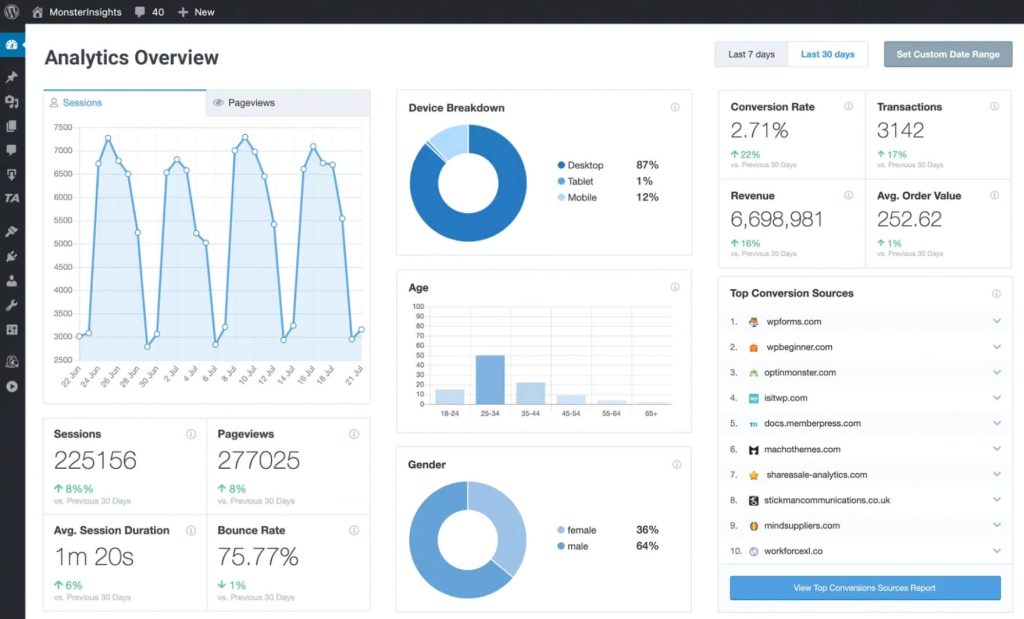
Some of MonsterInsights’ features are:
🚀 Power Tip: We recommend using the User Journey Report to fix leaks in your sales funnel. Look for the specific pages where many people leave without buying anything. Then, you can improve those pages to keep them shopping longer.
The premium plan starts at $199.50 per year.
SaveTo Wishlist is much more than just a simple “save” button; as a growth engine for your store, it tracks what your customers want to buy. Thus, instead of letting potential sales slip away, it gives you the data and tools to bring those shoppers back. As a result, it turns passive wishlists into active sales.
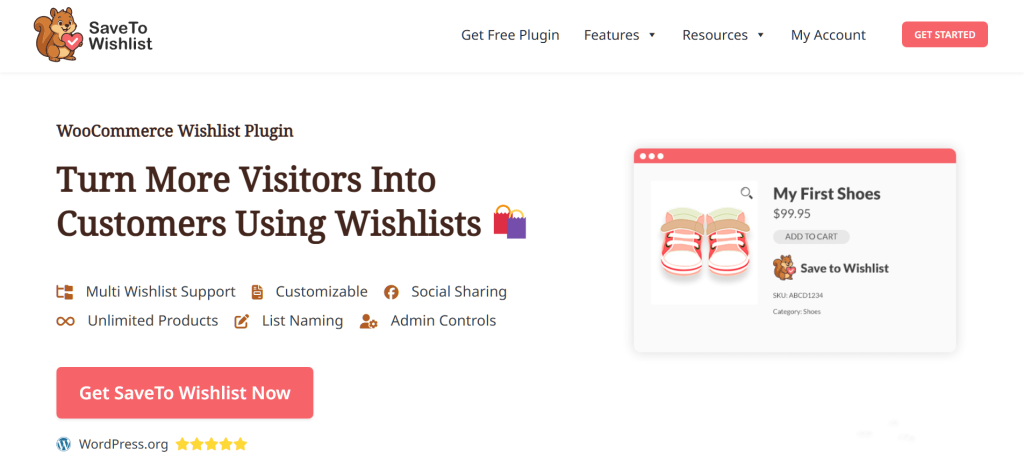
The advanced Wishlist Analytics feature is a game-changer for understanding buyer intent. It shows you which products are “trending” in wishlists, revealing what customers are interested in but haven’t purchased yet. This lets you make smarter decisions about stock levels and future sales based on real demand, not just guesses.
Meanwhile, the Wishlist Automations let you automatically send price-drop or back-in-stock alerts to customers who saved specific items, giving them the perfect nudge to buy. Plus, it connects seamlessly with tools like Mailchimp and Klaviyo, so you can sync this high-value data to your email marketing campaigns instantly.
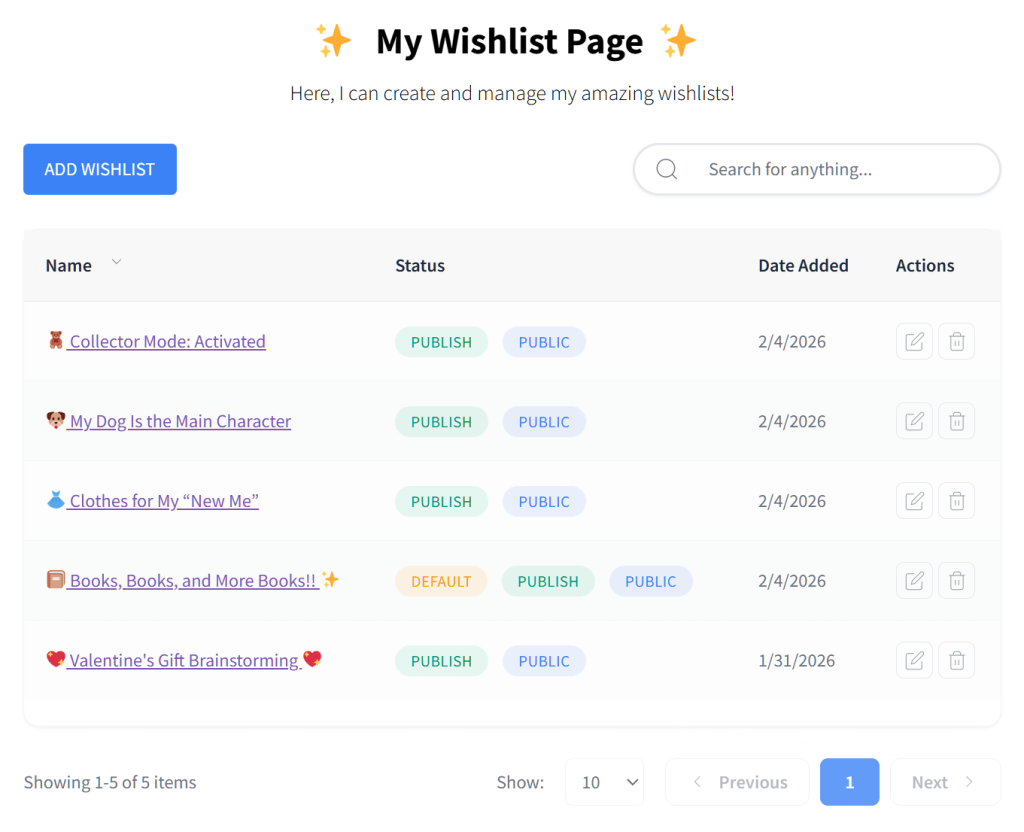
Here’s a glimpse at what to expect from SaveTo Wishlist:
🚀 Power Tip: Use Wishlist Automation to boost sales during slow periods. If you see a product is sitting in many wishlists, lower the price slightly. The plugin will automatically email everyone who saved it, creating an instant rush of sales from people who were already interested.
The premium plan starts at $49.50 per year.
All-in-One SEO (AIOSEO) is among the best WooCommerce extensions to help your store rank higher in search results like Google. We love it because it handles the complicated technical parts of SEO automatically, so you can focus on selling products instead of worrying about code.

One of our favorite features is the Dynamic Attribute Integration (Smart Tags). Instead of writing a unique title and description for every single product manually, you can set up “smart” rules that do it for you. For instance, if you update a price or product name, the search listing updates automatically to match.
We’re also impressed by the Schema Markup tools. This feature helps Google understand exactly what you’re selling, allowing it to show star ratings, prices, and “In Stock” labels right in the search results. This extra detail makes customers much more likely to click on your store over a competitor’s.

Take a peek into AIOSEO’s toolset:
🚀 Power Tip: Use the Link Assistant (available in Pro) to boost sales on new items. It will automatically suggest links from your older, popular blog posts to your new product pages. This sends high-quality traffic from pages that already rank well directly to the items you want to sell.
The premium plan starts at $49.50 per year.
AdTribes is the best tool for getting your products seen on other big shopping sites. It connects your WooCommerce store to platforms like Google Shopping, Facebook, and TikTok, putting your items in front of millions of new customers.
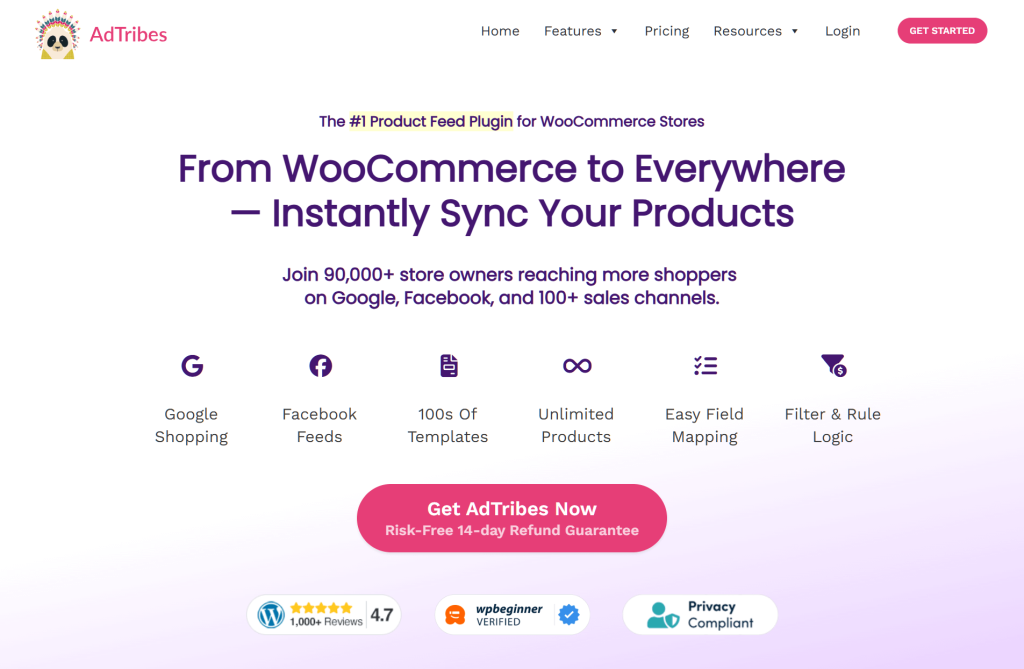
We love how the Pre-made Feed Templates make the setup process incredibly simple. You don’t need to be a developer to create the complex files these platforms require; just select one of the 100+ ready-to-use templates, and the plugin does the heavy lifting for you.
One of our favorite features is the Filters and Rules system. It gives you total control over which products you send to other sites. You can easily set a rule to exclude products that are low on stock or have a low profit margin, ensuring you never waste money advertising items that don’t make you a good return.
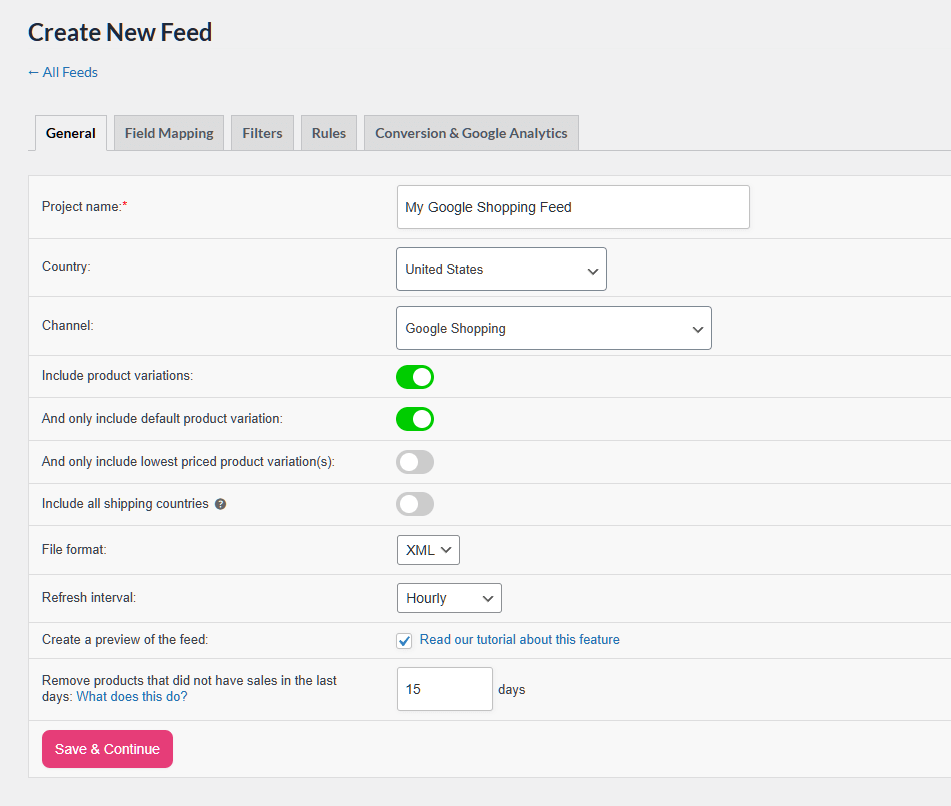
Here are some of AdTribes’ powerful features:
🚀 Power Tip: You can use Filters and Rules to highlight specific products. For example, you can prominently display Halloween items during Halloween month, or create a specific feed just for your bestsellers to push them to social media catalogs.
The premium plan starts at $99.50 per year.
Finding the right tools doesn’t have to be hard. We hope this list of the top WooCommerce plugins helps you take your store to the next level. Whether you need better SEO, smarter coupons, or a powerful wishlist, these options deliver real results.
To recap, this article covered 6 top WooCommerce plugins:
We recommend that you don’t need to install these WooCommerce extensions all at once. Just pick the one that solves your biggest problem today and watch your sales grow!
The best WooCommerce plugins add essential features that help you market, analyze, and boost sales. In other words, they transform a basic store into a professional-looking, efficient sales machine.
Look for plugins that solve specific problems, are regularly updated, have good reviews, offer reliable customer support, are compatible with your site, and have clear documentation and many active users.
Yes, the top WooCommerce plugins are usually designed to be easy to set up and use, even if you don’t have advanced technical skills. In short, they help beginners maximize their store’s potential.
Yes, most of the best WooCommerce extensions are designed to work well together. However, it’s best to check for compatibility and avoid installing too many plugins at once to keep your site fast and stable.

Copyright © StoreOwnerTips.com. All Rights Reserved.
