Weekly ecommerce tips, deals & news.
A product wishlist, or ecommerce wishlist, is a personalized digital space where shoppers can save products they like. They can keep these items for future buying, comparing, or sharing with friends.
This tool acts as a helpful middle step in the customer journey. It turns simple browsing into useful data for store owners. Furthermore, it encourages shoppers to interact with your brand over a longer period.
Today, the product wishlist has grown from a basic list into a powerful marketing system. For starters, it helps you capture early buyer interest and lower your cart abandonment rates. Moreover, because it connects directly to your store’s database, it tracks what shoppers want to buy, giving you the data you need to make smarter decisions when restocking your inventory.
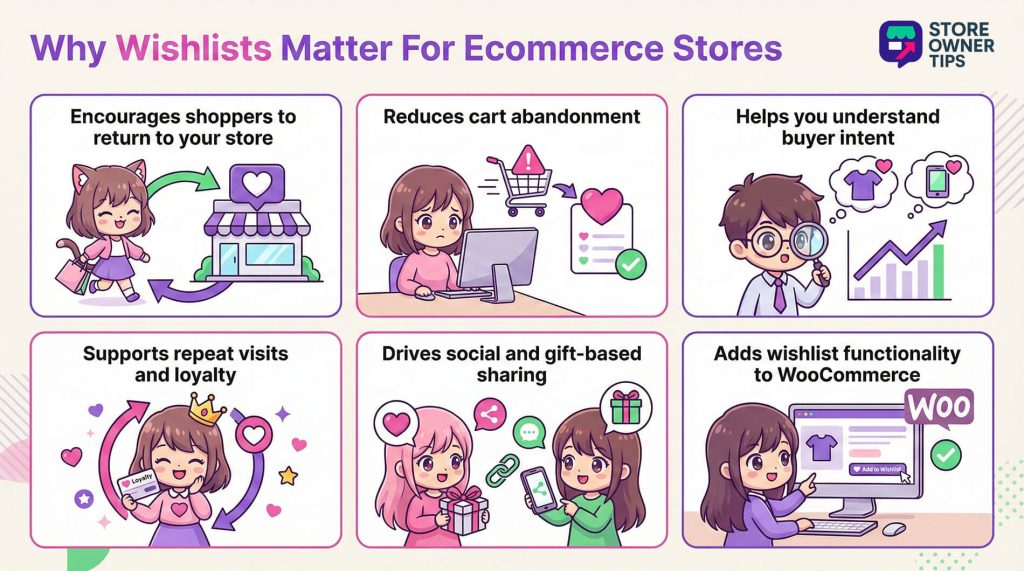
Shoppers rarely buy items on their first visit to your store. Usually, they take time to discover and compare products across different days and devices.
The product wishlist gives them a permanent record for things they want. This ensures they don’t forget the products they liked after they close their browser.
This behavior relates to the Zeigarnik effect. Basically, this is a psychological trait where unfinished tasks stick in our memory. Adding an item to an ecommerce wishlist creates an open task. As a result, the shopper feels a gentle pull to return and finish the purchase.
Creating a product wishlist is also a way for people to express themselves. Users build collections for weddings, holidays, or personal hobbies. Doing this deepens their connection with your store.
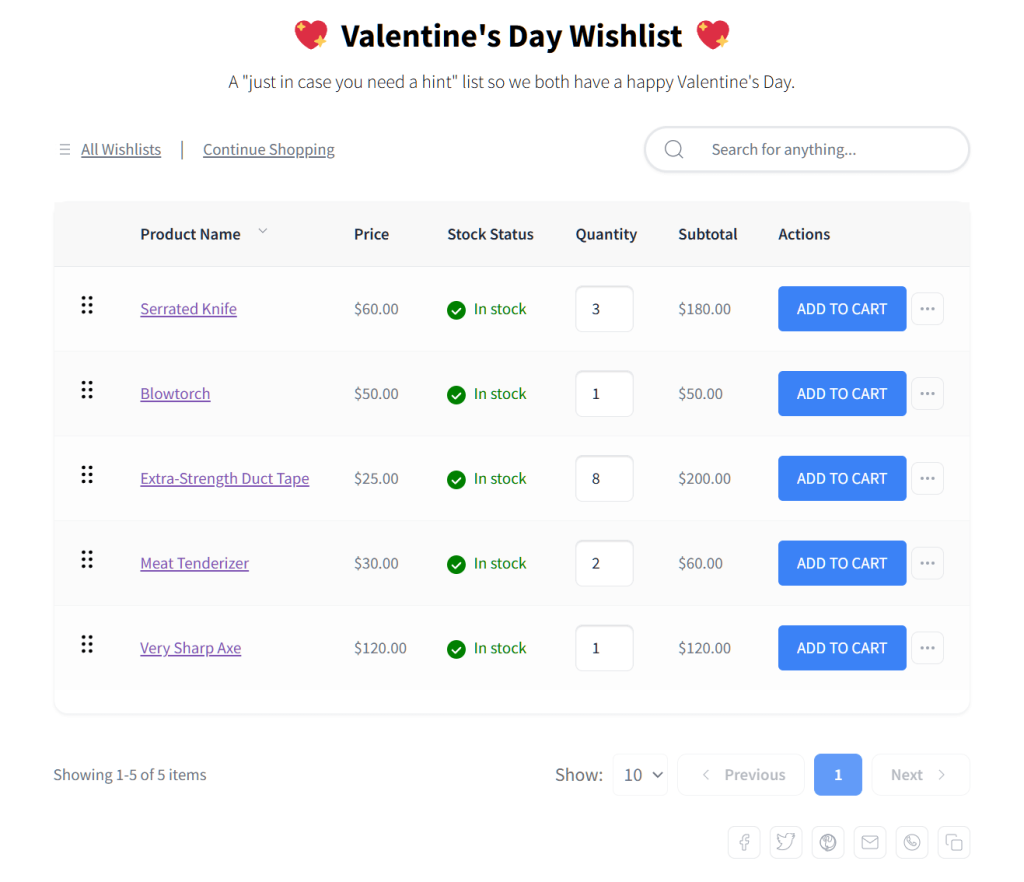
The technical side of a product wishlist links a user identifier to specific product data. This identifier can be an account ID for logged-in users. It can also be a simple browser cookie for guest shoppers.
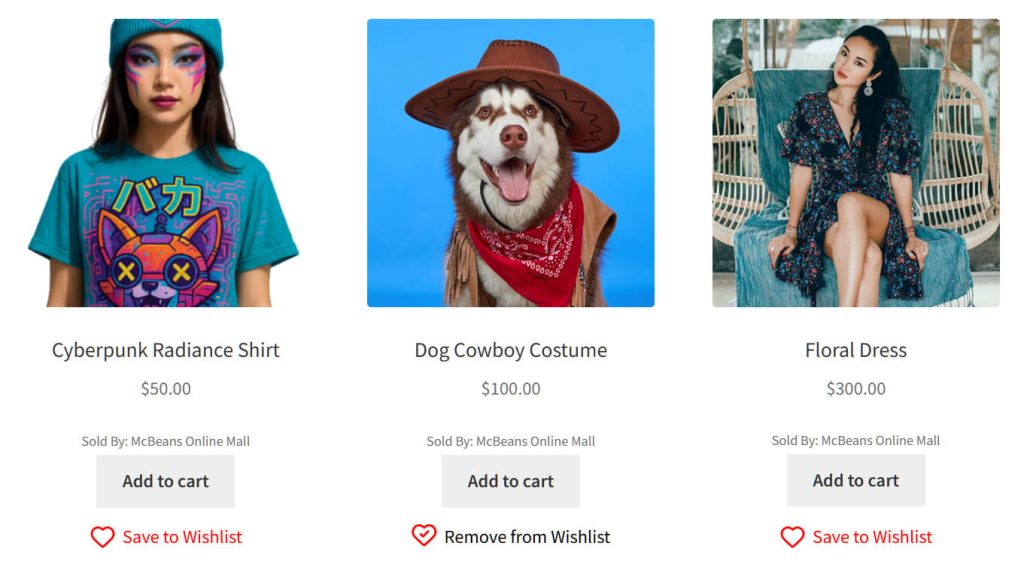
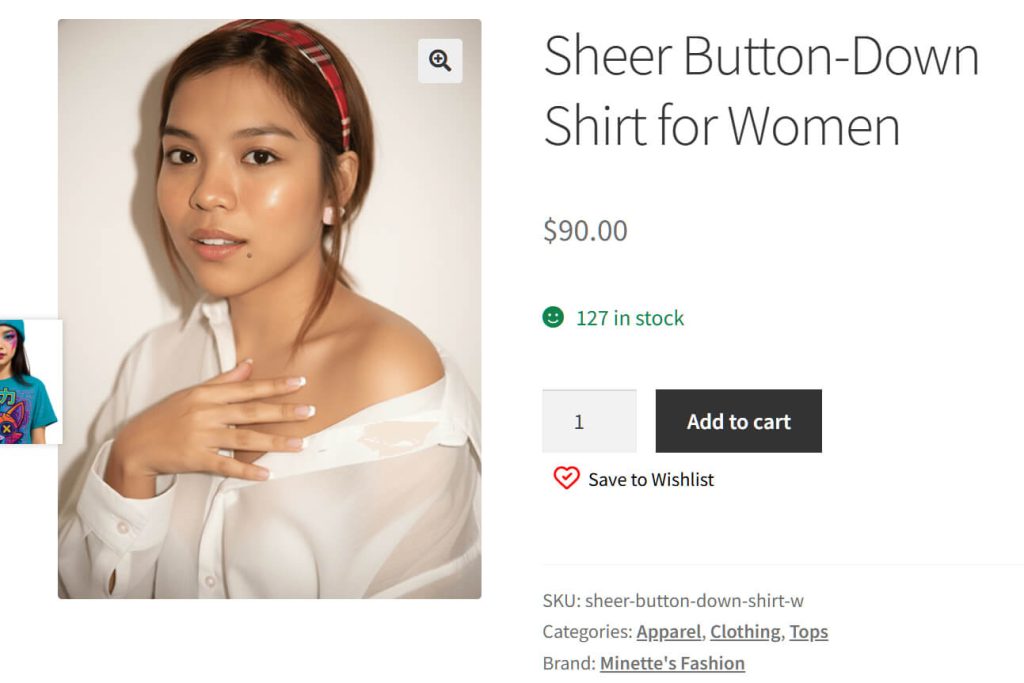
Normally, you’ll see this feature on the front end as a button or a heart icon. It usually sits right next to the add to cart button on product pages.
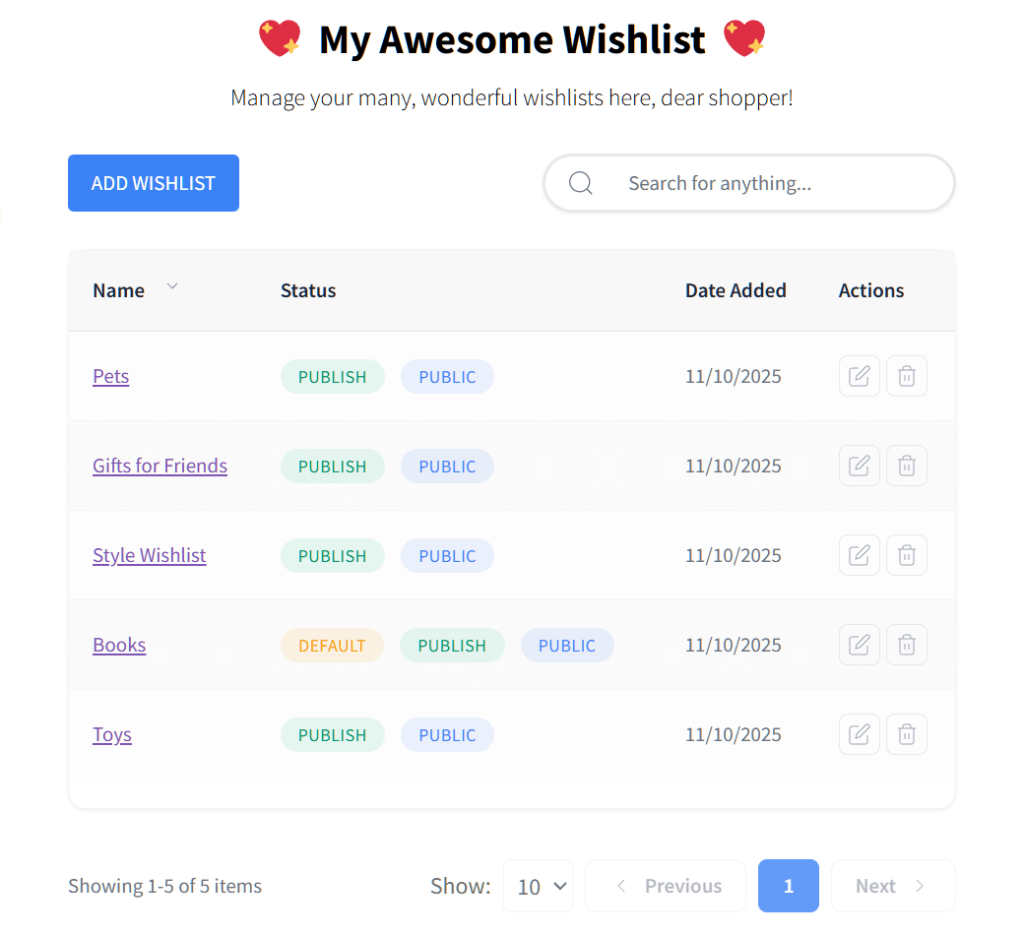
Advanced systems give shoppers a lot of control. For instance, users can pick specific product variations like size and color. They can also create multiple separate lists for different needs.
An ecommerce wishlist can help improve an online store’s sales in various ways.
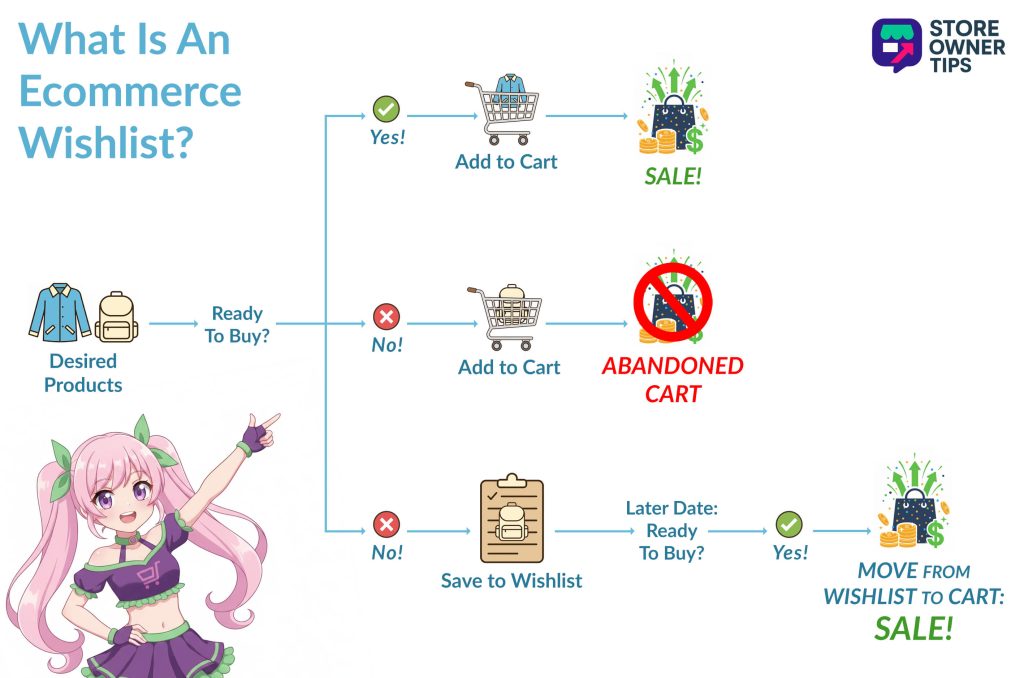
A product wishlist works as a backup tool for sales. It captures the interest of the 70% or more of shoppers who abandon their shopping carts.
People often add items to their cart without buying. Giving them an ecommerce wishlist lets them save those “maybe” items instead of abandoning those products forever.
This is because saving products encourages shoppers to return later to complete their checkout. Furthermore, it clears up the cart for things they actually want to buy right now. It also lets you target those window shoppers later.
Reducing cart abandonment is only the first step. A wishlist actively drives new sales in a few major ways:
Here is a breakdown of the specific psychological triggers that make wishlists such a powerful tool for boosting your conversion rates:
| Psychological Trigger | Mechanism in Wishlists | Ecommerce Impact |
| Zeigarnik Effect | Unfinished purchase intent creates a memory loop. | Increases return visit frequency and long-term recall. |
| Endowment Effect | Curation creates a sense of pre-ownership of the item. | Higher conversion rates as users feel a loss if they do not buy. |
| Low-Pressure Commitment | Helpful middle step bookmarking without financial risk. | Reduces friction for guest users and window shoppers. |
| Social Validation | Sharing lists for feedback or gift registries. | Drives high-intent referral traffic through social proof. |
| Curation Reward | Organizing items by category or occasion. | Increases site engagement time and average order value. |
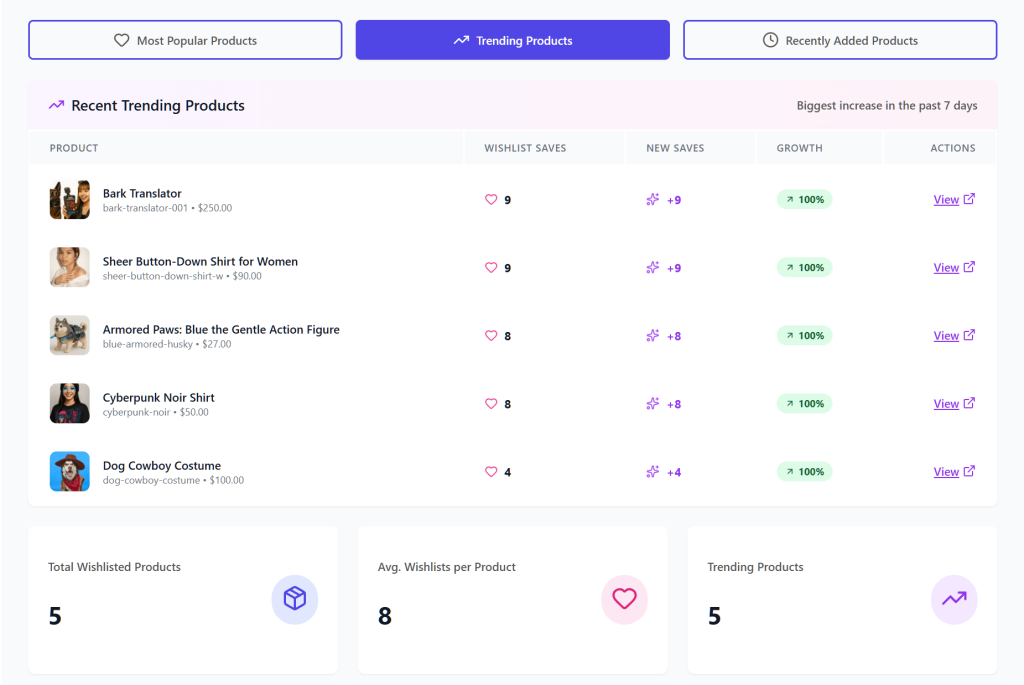
Store owners can look at total wishlist data to spot trends early. For example, if you see a lot of people adding a specific item, you know it has high demand. This helps you plan your inventory better.
If an out-of-stock product sits on many lists, you have a guaranteed audience for a restock. This justifies buying larger volumes from your suppliers.
You can even predict future money from this data. You multiply the number of items by the average price and your historical conversion rate.
Store owners get options to control the shopper experience from the backend. For instance, you can change where buttons go and who can see them. You can even rename the button to things like “Save for Later” to match your brand.
Here are some standard wishlist features and the benefits they can offer store owners:
| Technical Feature | Description | Business Utility |
| Guest Wishlist Support | Allows non-logged-in users to save items via cookies. | Lowers the barrier to entry and increases early funnel engagement. |
| Smooth Merge | Automatically moves guest items to an account upon registration. | Incentivizes account creation without data loss. |
| Multiple Wishlists | Enables users to create and name unlimited separate lists. | Facilitates advanced organization and repeat visits. |
| AJAX Loading | Updates wishlist status without a full page reload. | Ensures a fast and modern user experience. |
| Shortcode Support | Allows buttons and tables to be placed anywhere in the layout. | Provides design flexibility for custom themes and builders. |
In wholesale and business-to-business sales, a product wishlist changes into a useful procurement tool. Professional buyers handle large orders that often need approval from managers.
For these buyers, the ecommerce wishlist acts as a draft order. They can build a standard stock list over days or weeks. Once they finish, they can move the whole list to the cart for a bulk purchase.
Buyers can share these lists with department heads for review. A manager can then adjust quantities or remove items before placing the final order. Furthermore, buyers can create multiple named lists for different branch locations.
| B2B Use Case | Wishlist Application | Operational Benefit |
| Approval Workflows | Sharing lists with managers for budget sign-off. | Integrates digital commerce with corporate hierarchies. |
| Standard Stock Lists | Saving frequently ordered items as a single list. | Reduces time to order for recurring procurement. |
| Draft Order Storage | Saving complex carts to a wishlist for later finalization. | Prevents data loss during administrative delays. |
| Account-Based Pricing | Tracking price fluctuations on wholesale exclusive items. | Improves purchasing timing for cost-sensitive buyers. |
| Inventory Planning | Monitoring out-of-stock items for replenishment. | Ensures business continuity for retailers and distributors. |
You can use your product wishlist to power personal marketing campaigns. It gives you a safe and compliant way to understand what your customers want.
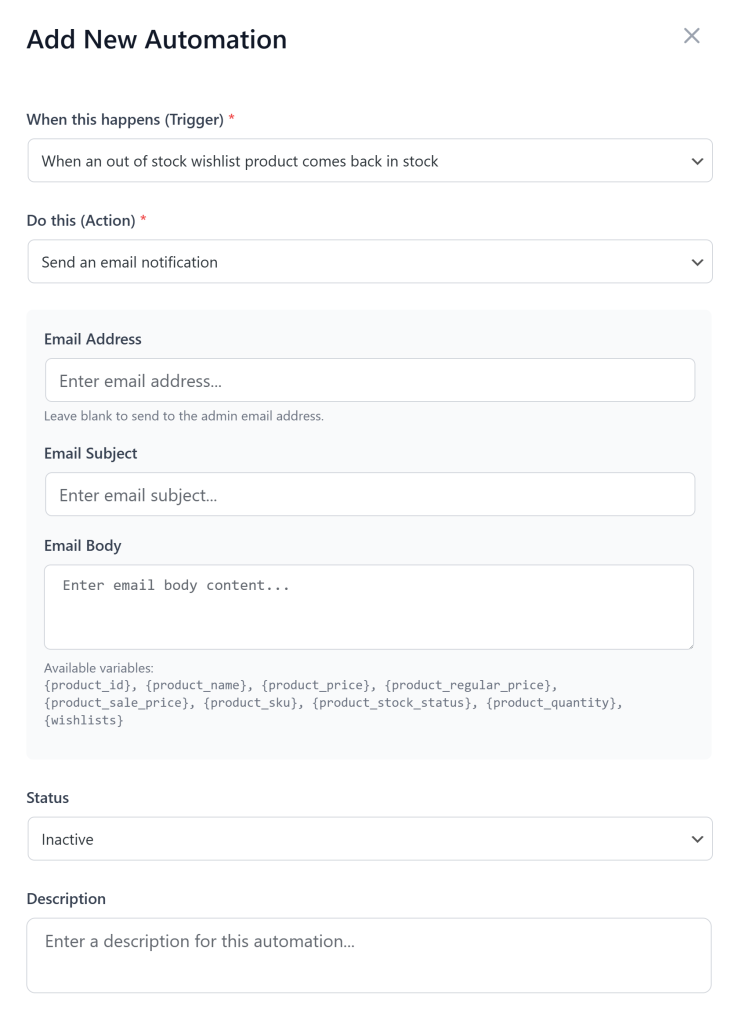
You can connect your lists to email platforms or push notifications. If a user saves an item but doesn’t buy it, your system can send an automatic reminder.
Here are a few ways to use these automatic messages:
A badly designed product list can cause high abandonment rates. Thus, you need to make your product wishlist easy to use and find.
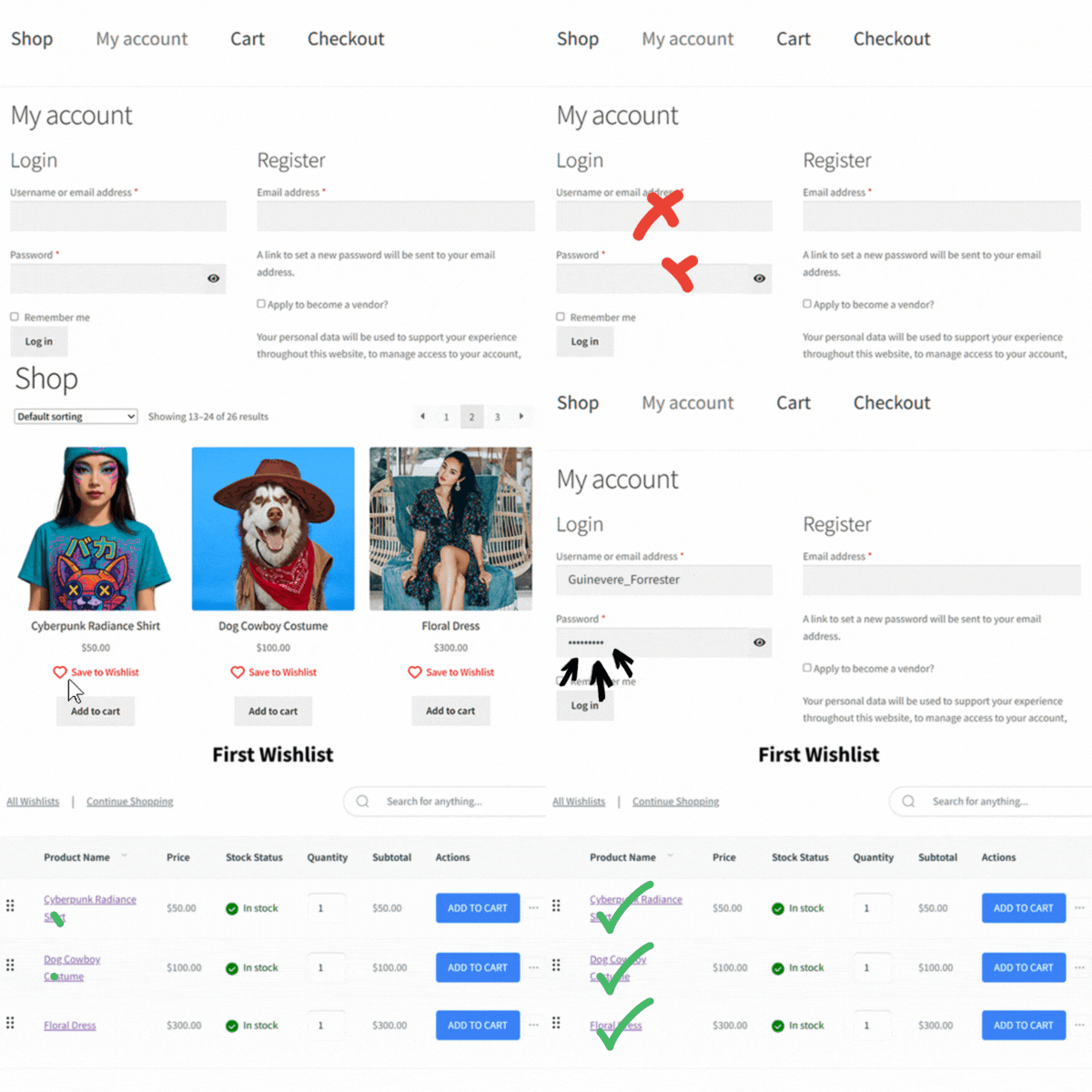
When a user clicks the button, the store should give an instant visual confirmation. You can use a popup notification or change the icon color. This shows the user that their item was saved.
The wishlist page itself needs a lot of helpful details. For one thing, it should show the product name, image, current price, and stock status. It must also display any specific variations the user chose.
Forcing people to make an account just to save an item creates friction. This often makes shoppers leave your store.
You should let guests use a product wishlist that saves via cookies. You can then ask them to make an account later on. This is much more effective for keeping shoppers around.
Here are some design and usability best practices that can make wishlists more effective:
| UX Guideline | Implementation Detail | Usability Impact |
| Prominent Button | Place near add to cart or on product image. | Increases feature discovery and engagement. |
| Instant Confirmation | Use a success popup or state change. | Reduces user uncertainty and double-clicking. |
| Variable Support | Save specific sizes and colors to the list. | Simplifies the path to checkout and reduces decision fatigue. |
| Auto Remove Logic | Clear items from the list once purchased. | Keeps the user workspace clean and relevant. |
| Social Sharing | Provide easy public links or email sharing. | Drives new referral traffic and viral growth. |
Adding a product wishlist to your store requires a planned approach. This ensures the feature works well for your shoppers.
Here is a simple structure to follow:
Moving forward, experts expect these lists to connect deeply with predictive analytics. Stores will use this data to forecast product demand with high accuracy.
Shopping assistants might even check an ecommerce wishlist to find discounts automatically. These tools could buy things as soon as the price hits a target.
Lists will also sync perfectly across physical retail stores, smart devices, and social media. A shopper could save an item in a store using a QR code. They can then finish buying it later on their home computer.
Ultimately, a product wishlist is much more than just a simple list for saving items. It is a powerful tool that helps you capture sales from window shoppers who aren’t ready to buy today. When you give customers a low-pressure way to bookmark items, you reduce cart abandonment and build a bridge for future purchases.
Wishlists also provide a goldmine of data for store owners. You can spot high-demand items before you order stock and send highly personal marketing emails, like price-drop alerts. For B2B stores, this feature transforms into a professional procurement tool that streamlines bulk ordering and approval workflows.
Ready to get started? Try adding a robust product wishlist plugin to your WooCommerce store to see how it improves engagement and helps you turn browsers into buyers.
Copyright © StoreOwnerTips.com. All Rights Reserved.
