Weekly ecommerce tips, deals & news.
Upselling is a sales tactic where you guide a shopper toward a higher-priced version of the product they’re already considering. Think of it like a barista suggesting a large coffee instead of a medium. The goal isn’t to push junk on people. Instead, it’s about matching the customer to a better-fit option. Done well, upselling lifts your average order value and builds a stronger relationship with the buyer.
Upselling sits at the heart of healthy store growth. When you use effective upselling techniques, you maximize the ad budget you’ve already spent bringing shoppers to your site. Now the real question is how to help each visitor pick the option that fits them best.
The payoff compounds over time. Bain & Company found that a 5% lift in customer retention can boost profits by up to 95%. Upselling pulls directly on that lever, because better-fit purchases create more loyal buyers.
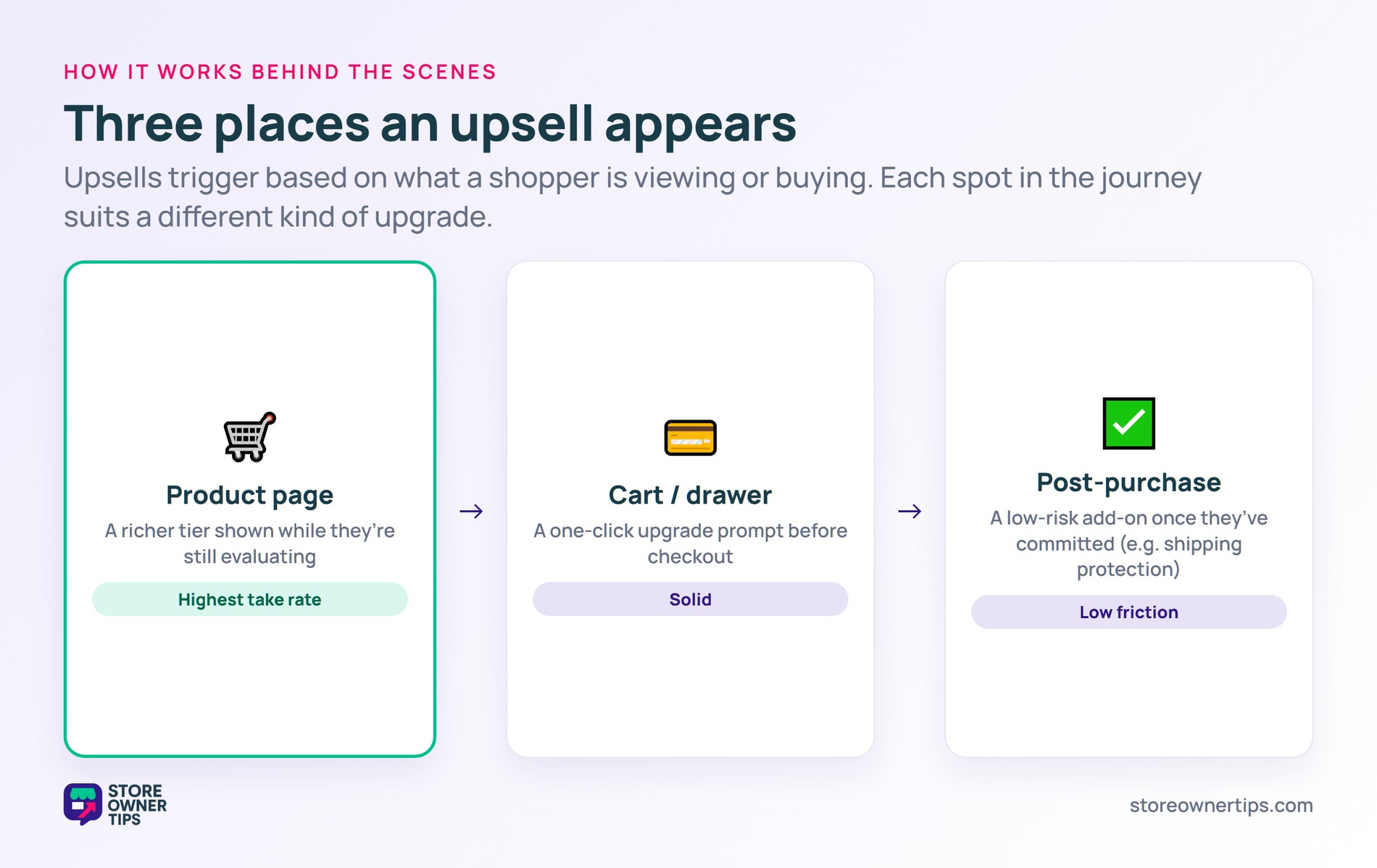
In WooCommerce, upsells live in the Linked Products tab inside each product editor. You pick a base product, search for the higher-tier item, and save. Then your theme renders the upsell below the product description as a recommended alternative.
Shopify works much the same way through related-product fields and built-in collections. However, most Shopify stores layer in an app for richer placements like cart drawers and post-purchase pages.
Cart and post-purchase upsells trigger based on what’s already in the cart or what just got bought. For example, a shipping-protection offer right after checkout is the classic post-purchase upsell. The shopper has already committed, so a small add-on feels low risk.
Upselling leans on a mental shortcut called price anchoring. Once a shopper sees the $40 starter blender, the $65 mid-tier feels reasonable by comparison. In short, the brain anchors to t
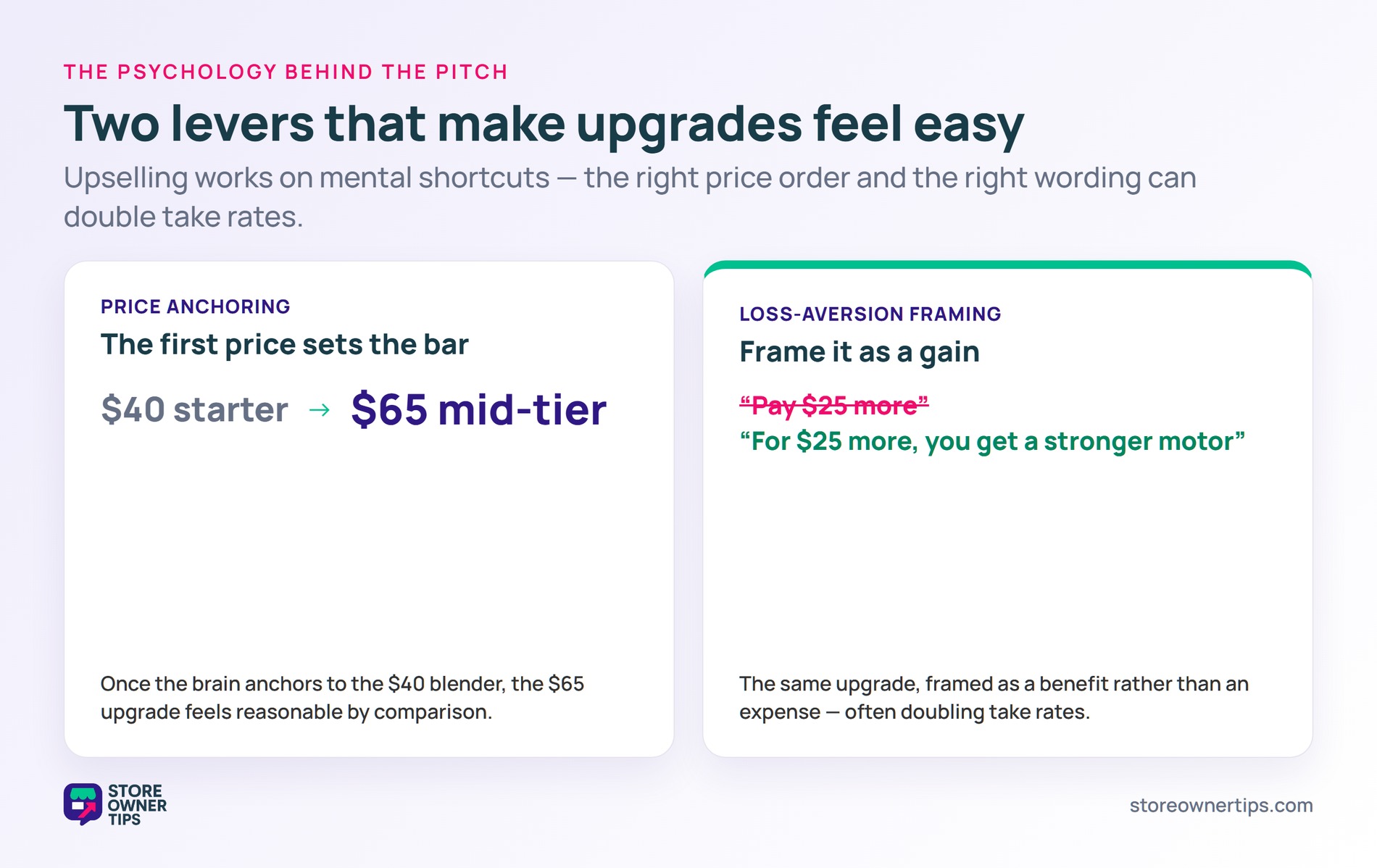
It also taps into loss aversion. Phrases like “for $25 more, you get a stronger motor” frame the upgrade as a gain, not an expense. That small shift in language often doubles take rates.
Trust matters just as much as price psychology. Shoppers say yes to upsells from stores they already believe in. As a result, your core shopping experience needs to feel smooth before you start layering on upgrade pitches.
Imagine a mid-sized coffee gear brand called Bramble Roastery. They sell a $45 starter pour-over kit and a $79 premium kit on their WooCommerce store. Most shoppers default to the cheaper option because they don’t see the upgrade clearly.
Last quarter, Bramble’s site pulled in 8,000 visitors and converted at 2%. That’s 160 orders, all on the starter kit, generating $7,200 in revenue.
Their average order value sat well below the global e-commerce AOV benchmark of around $145. The owner suspected the premium kit fit half their audience better, but nobody was clicking through to see it.
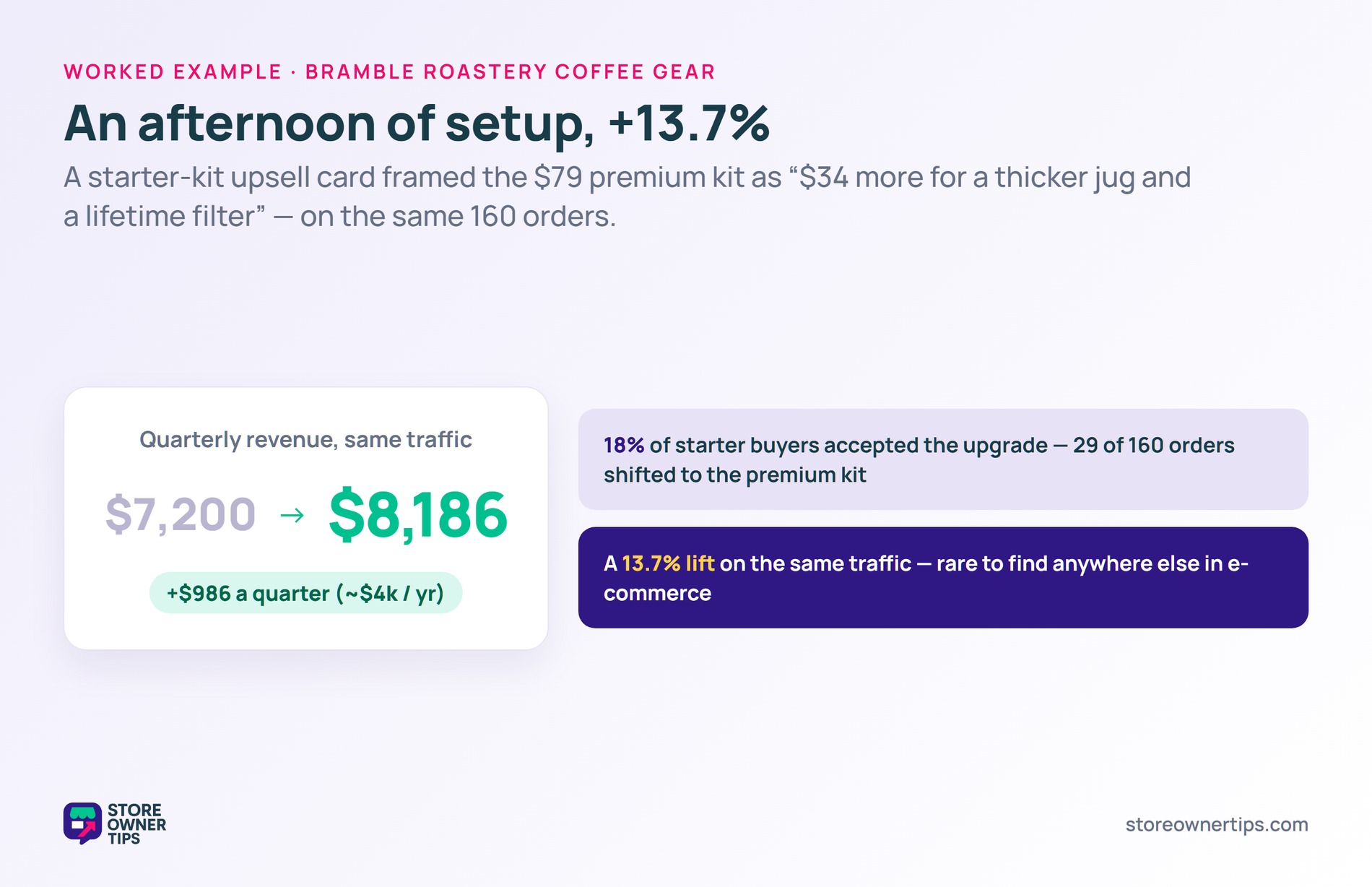
Bramble added an upsell card on every starter-kit product page. The card showed a side-by-side feature comparison. It framed the gap as “for $34 more, you get a thicker jug and a lifetime drip filter.”
They also added a one-click upgrade prompt on the cart page. The setup took one staffer about three hours to configure. No new code was needed for the rollout.
Of the 160 starter-kit buyers, roughly 18% accepted the upgrade. That’s 29 orders shifted to the premium kit.
The math worked out like this: 131 orders at $45 equals $5,895. Then 29 orders at $79 adds another $2,291. Total quarterly revenue jumped to $8,186 versus the original $7,200.
That’s an extra $986 in a single quarter on the same traffic. Stretched across a full year, it’s nearly $4,000 in incremental revenue. Plus, it came from a setting that took an afternoon to wire up.
The pattern scales beyond a small store. A 13.7% lift on the same traffic is rare to find anywhere else in e-commerce. For larger stores, the same approach can mean tens of thousands of dollars per year.
These two tactics get mixed up constantly. Both nudge shoppers to spend more, but they pull different levers in different spots.
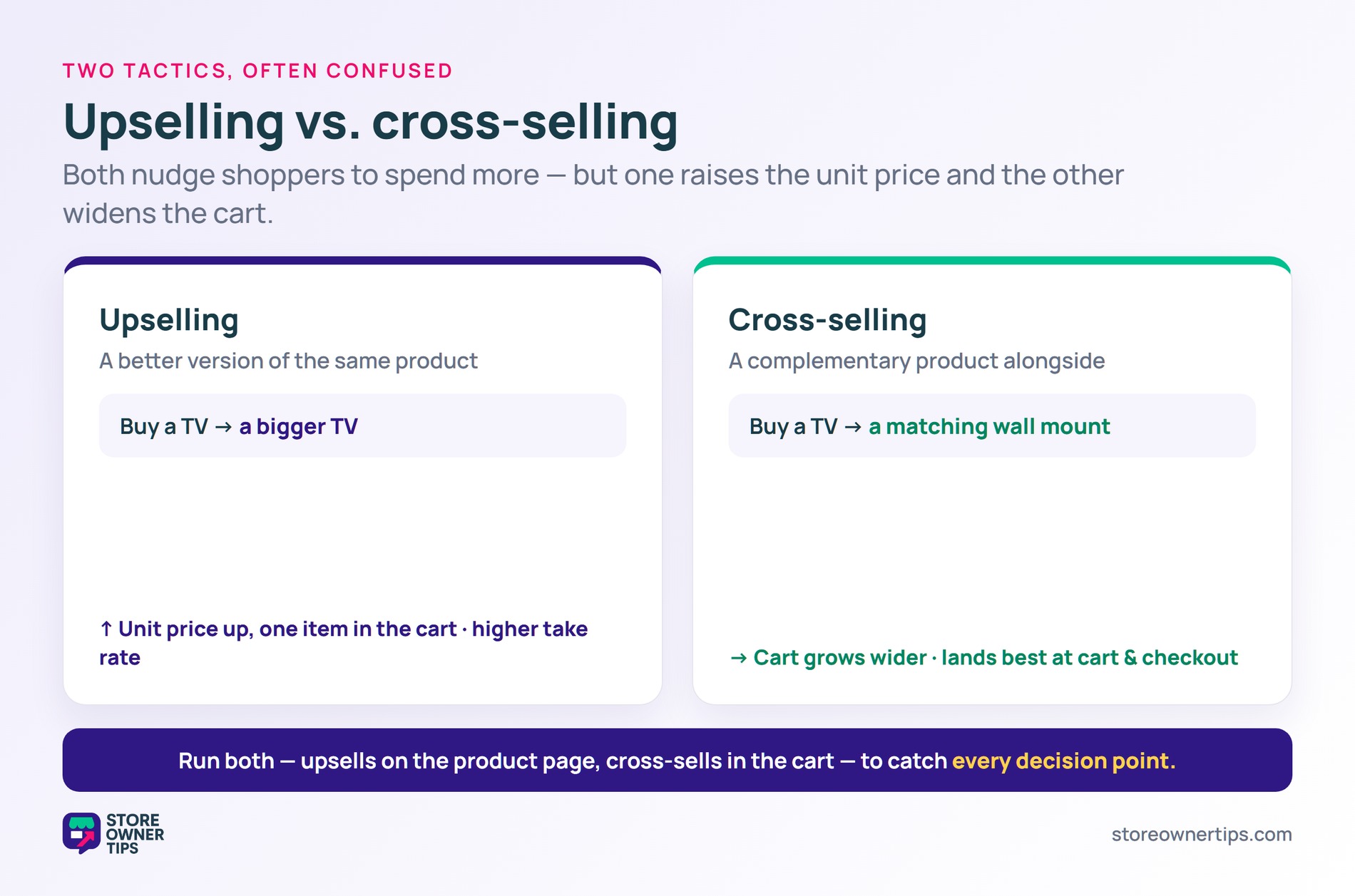
Upselling steers the shopper toward a better version of the same product. Think a bigger size, a premium tier, or an extended warranty. The customer still walks out with one item, just a more valuable one. The unit price goes up while the cart item count stays the same.
Cross-selling, by contrast, adds a separate complementary product. For example, buy a camera and get offered a strap. Order a desk and see a matching chair appear in the cart. The cart grows wider rather than the unit price climbing higher.
For most stores, the two tactics work side by side. Cross-sells tend to land best
One more nuance: upsells generally have higher take rates than cross-sells. That’s because the shopper is already evaluating the upgraded category. Cross-sells, on the other hand, ask the shopper to consider a fresh category mid-decision. As a result, cross-sells convert less often but lift average order value when they do land.
Upselling sells a more expensive version of the same product. Cross-selling, by contrast, sells a complementary product alongside the first one. For example, a bigger TV is an upsell, while the matching wall mount is a cross-sell.
Most stores run both tactics side by side for the best results. The two pull on different levers and complement each other rather than competing.
The product page is the highest-converting spot for most stores. Shoppers there are already comparing options, so a richer tier slots in naturally. As a result, the upsell feels like part of the shopping process rather than a sales push.
Cart-page and post-purchase placements work too, though usually with lower take rates. Test a few placements and let your data pick the winner.
Match the upsell to genuine value, not just to your margin goals. The best upselling techniques focus on showing the extra benefit in plain terms, rather than just pointing out a higher price tag. Plus, avoid stacking three or four offers on a single screen.
One thoughtful suggestion converts better than a wall of upgrades. Honest framing builds trust and keeps the relationship intact for the long run. The win is repeat business, not a single upsold cart.
Upselling is one of the cheapest ways to grow your store revenue. A relevant, well-timed upgrade adds margin to every order without adding to your traffic budget. Treat upselling as a service to the customer, not a sales tax, and it’ll pay back consistently for years to come.
Copyright © StoreOwnerTips.com. All Rights Reserved.
