Weekly ecommerce tips, deals & news.
You just made a sale, congrats. But what happens next? Does your customer hear from you again, or do they drift off into the void of one-time buyers?
If you’re not running automated email workflows in your WooCommerce store, you’re leaving serious money on the table. WooCommerce email automation goes beyond the default order confirmation. We’re talking strategic, behavior-triggered email sequences that nurture new subscribers, recover abandoned carts, and win back customers who’ve gone quiet.
The good news? You don’t need to be an email marketing expert to set these up. In this guide, I’ll walk you through 7 email automation workflows every WooCommerce store should have running. For each one, you’ll get the exact sequence, suggested timing, and tool recommendations.
Email marketing generates an average of $36 for every $1 spent (Litmus). However, that only works if you’re utilizing email marketing automation to send more than the basics. Let’s fix that.
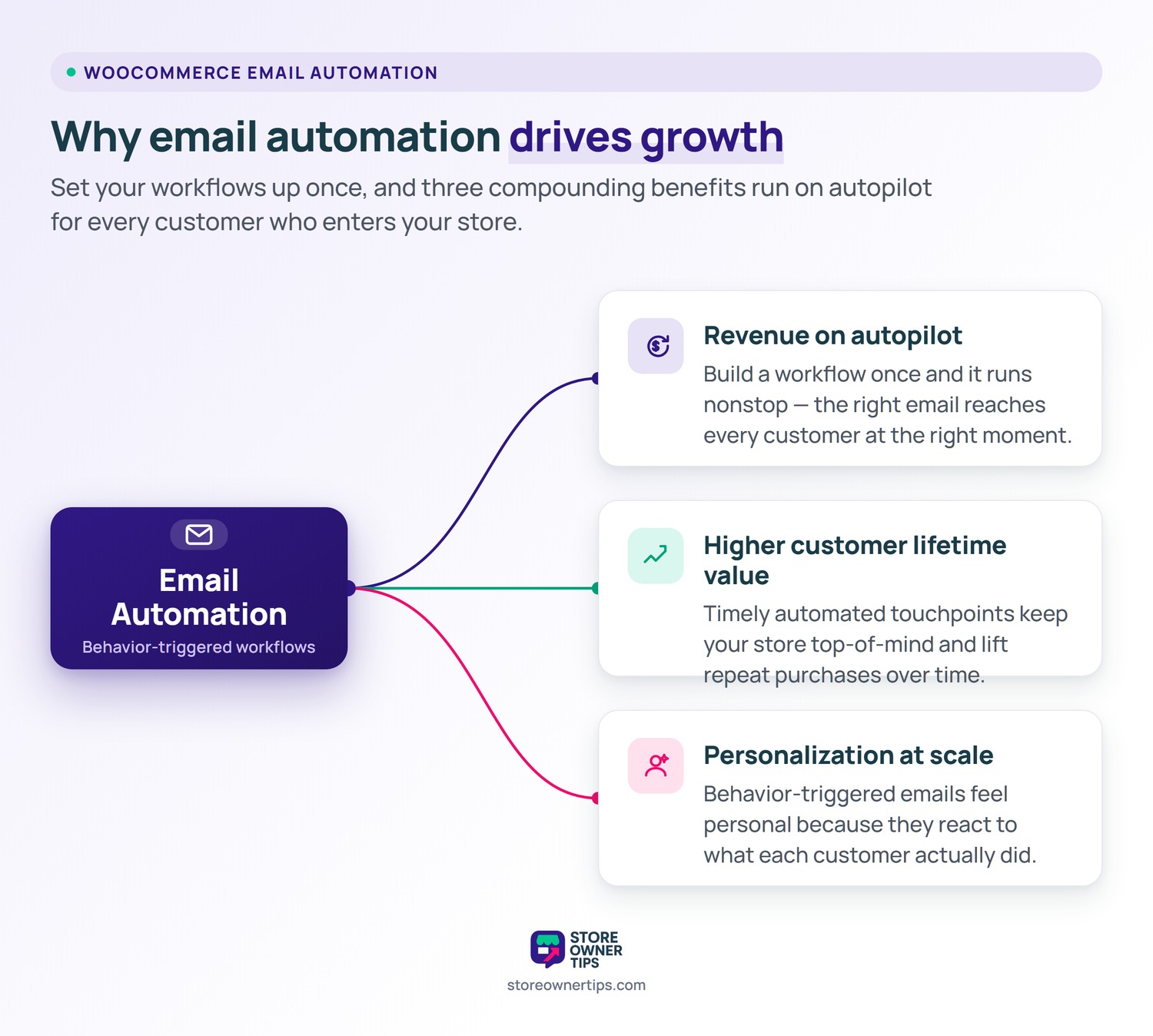
Before we get to the workflows, let’s quickly cover why automating your email marketing beats manually sending campaigns whenever you remember.
The tools we recommend most for WooCommerce email automation: FunnelKit Automations, a powerful builder made for WooCommerce. Advanced Coupons for auto-generated discount codes. Mailchimp or Klaviyo for broader campaign management.
Setting up automatic emails might sound like a lot of work, but it’s actually one of the smartest ways to make money while you sleep. Instead of typing out every single message, these automatic emails send themselves right when your customers need them.
For example, they can welcome a new subscriber, remind someone about a forgotten shopping cart, or win back a buyer who hasn’t visited in a while.
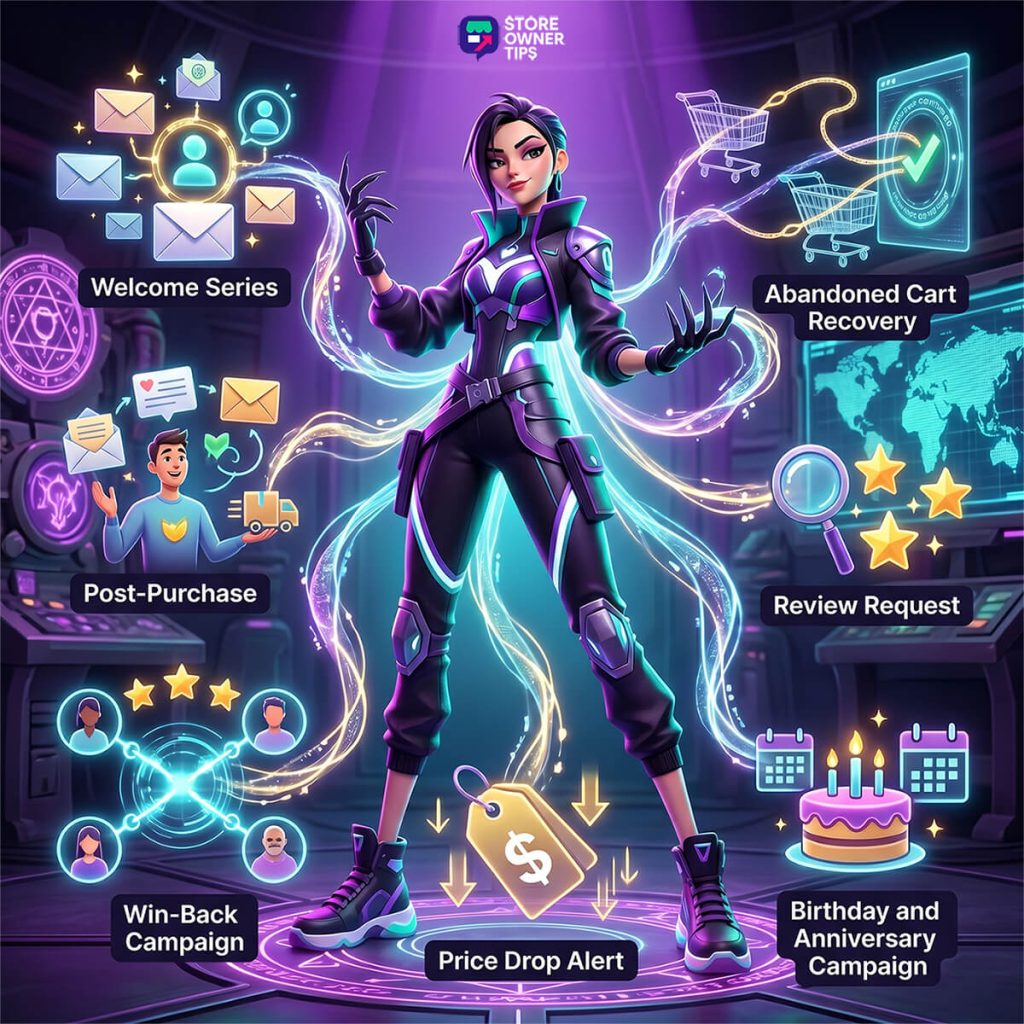
Below are the seven main email setups you should use to build relationships with shoppers, get them to buy again, and grow your sales without the daily stress. These WooCommerce email automation workflows handle the heavy lifting for you!
What it is: a 3 or 4 email sequence triggered when someone subscribes to your list or creates an account.
Why it matters: first impressions are everything. Welcome emails consistently outperform standard promotional campaigns on open rates by a wide margin. If you’re not capitalizing on that initial burst of attention, you’re wasting your warmest leads.
| Timing | Content | |
|---|---|---|
| Email 1 | Immediately | Welcome, brand story, discount code (10% to 15% off first purchase) |
| Email 2 | Day 2 | Bestsellers and curated product picks |
| Email 3 | Day 5 | Social proof: reviews, user-generated content, or a customer story |
| Email 4 | Day 7 | Reminder that the discount code is about to expire |
Setup notes: FunnelKit Automations makes this dead simple with pre-built welcome sequence templates specifically designed for WooCommerce email marketing. Mailchimp for WooCommerce also handles this well if you’re already on that platform.
🚀 Power Tip: don’t just say “welcome.” Give them a reason to buy. A small discount (10% to 15%) in the first email can dramatically lift first-purchase conversion. And make that expiration real. Urgency only works when it’s genuine.
What it is: a 3-email drip sequence (a series of automated emails sent at timed intervals). It’s triggered when a logged-in user or cookied visitor leaves items in their cart without completing checkout.
Why it matters: cart abandonment hovers around 70% across ecommerce per Baymard Institute’s documented average. A solid recovery sequence can bring back 5% to 15% of those would-be lost sales.
| Timing | Content | |
|---|---|---|
| Email 1 | 1 hour | Friendly reminder: “You left something behind” with cart contents |
| Email 2 | 24 hours | Social proof or urgency: “These items are selling fast” |
| Email 3 | 72 hours | Incentive: discount or free shipping (use Advanced Coupons for auto-generated codes) |
Setup notes: we have a full step-by-step walkthrough for this one. See our dedicated abandoned cart email guide for the complete setup.
🔍️ What we commonly see: the first email, sent within 1 hour of abandonment, consistently drives the most recoveries. Don’t skip it or delay it to the next day. Timing matters with abandoned carts. The 1-hour mark is the sweet spot. The cart is still fresh in their mind, but you’re not so fast that it feels creepy.
What it is: a 2 or 3 email sequence triggered after an order is marked as “completed” in WooCommerce.
Why it matters: the post-purchase window is when your customer’s excitement is highest. This is your chance to build loyalty, reduce buyer’s remorse, and set up the next sale.
| Timing | Content | |
|---|---|---|
| Email 1 | Day 1 after delivery | Thank you plus usage tips or care instructions |
| Email 2 | Day 5 | Cross-sell: “Customers who bought X also love Y” |
| Email 3 | Day 14 | Soft check-in: “How’s everything? Need any help?” |
Setup notes: FunnelKit Automations or AutomateWoo both handle this well. The key is triggering on the order status change to “completed,” not on order placement. You want the customer to have their product in hand before the sequence starts.
In our experience, the post-purchase sequence is the most underrated workflow on this entire list. When it comes to WooCommerce email automation, most stores skip this step entirely, jumping straight to promotional emails. However, this is where you turn one-time buyers into repeat customers.
A simple 3-email post-purchase flow can lift repeat purchase rates meaningfully. It doesn’t need to be fancy, just genuine.
What it is: a single email (or 2-part sequence) asking the customer to leave a product review.
Why it matters: reviews drive social proof and help with SEO. However, customers rarely leave reviews unprompted. Using email marketing automation ensures you ask every single customer at the right time, without you having to manually track orders or think about it.
| Timing | Content | |
|---|---|---|
| Email 1 | Day 7 to 14 after delivery | “How are you liking [product]? Leave a review” with a direct link |
| Email 2 (optional) | Day 21 | Gentle reminder for non-responders |
Setup notes: FunnelKit handles review request automation. Or you can use a dedicated review plugin that includes email functionality.
🚀 Power Tip: include a direct link to the review form, don’t make them hunt for it. Every extra click you remove lifts the response rate. A common pattern: direct-link reviews outperform “go to product page first” requests by a wide margin.
Picture this. You know that customer who bought from you six months ago and never came back? They’re not gone forever. They just need a nudge.
What it is: a 3-email sequence targeting customers who haven’t purchased in 60 to 90 days.
Why it matters: retention is dramatically cheaper than acquisition. According to Harvard Business Review, new-customer acquisition costs run 5 to 25 times more than retention. A win-back campaign (a re-engagement sequence targeting inactive customers) is one of the highest-ROI automations you can run.
| Timing | Content | |
|---|---|---|
| Email 1 | 60 days since last purchase | “We miss you” plus what’s new in the store |
| Email 2 | 75 days | Personalized product recommendations based on purchase history |
| Email 3 | 90 days | Final incentive: exclusive discount or free shipping |
Setup notes: this requires a tool that tracks last-purchase date. FunnelKit Automations handles this natively. For the discount codes in Email 3, pair it with Advanced Coupons to auto-generate single-use, time-limited codes.
Important: if a customer doesn’t engage after all 3 emails, move them to a suppression list. Maintaining a clean list is a crucial part of effective WooCommerce email marketing, as continuing to email unengaged contacts hurts your sender reputation over time.
What it is: an automated email sent when an item on a customer’s wishlist drops in price.
Why it matters: these emails convert incredibly well because they’re the ultimate permission-based marketing. The customer told you what they want, and you’re letting them know it just got cheaper. That’s not a sales pitch, it’s a favor.
Tool recommendation: SaveTo Wishlist collects wishlist data and can trigger price-drop notifications. Pair it with FunnelKit for the automation logic and you’ve got a seriously powerful combo.
🚀 Power Tip: price drop alerts feel like a personal favor, not a marketing email. That’s why they convert so well. The customer asked to be notified, and you delivered. Open rates on these wishlist-triggered emails commonly run well above standard promotional campaigns.
What it is: a single celebratory email sent on the customer’s birthday or the anniversary of their first purchase.
Why it matters: these emails feel personal and earn sky-high open rates. They also give you a natural, non-pushy reason to offer a gift. Think discount, free shipping, or a small freebie.
| Timing | Content | |
|---|---|---|
| Email 1 | Birthday or purchase anniversary | “Happy birthday! Here’s a gift for you” plus unique coupon code |
Setup notes: birthday emails require collecting the birth date during registration or checkout (add it as a custom field). The anniversary date can be automatically calculated from their first order. No extra data collection needed.
Use Advanced Coupons to generate unique, time-limited birthday discount codes that expire within a week or two.
This should feel like a gift, not a sales pitch. Keep the email warm and personal. Skip the “SHOP NOW” urgency. Try something like “This one’s on us, enjoy.”
You don’t need all 7 running on day one. That would be overwhelming, and there’s no prize for doing everything at once. Here’s how we’d prioritize:
| Workflow | Impact | Setup Effort | Priority |
|---|---|---|---|
| Welcome Series | High | Easy | Start here |
| Abandoned Cart | High | Medium | Set up next |
| Post-Purchase Follow-Up | High | Easy | Set up next |
| Review Request | Medium | Easy | Layer on |
| Win-Back Campaign | Medium | Medium | Layer on |
| Price Drop Alert | Medium | Medium | Layer on |
| Birthday or Anniversary | Low to Medium | Easy | Layer on |
Start with the top three. The welcome series, abandoned cart recovery, and post-purchase follow-up cover the entire customer journey from first touch to repeat purchase, creating a solid foundation for your WooCommerce email automation strategy. Once those are humming, layer on the rest one at a time.
Here’s a quick reference for which tools power each workflow:
| Workflow | Recommended Tool(s) |
|---|---|
| Welcome Series | FunnelKit Automations, Mailchimp |
| Abandoned Cart | FunnelKit Automations (see our full guide) |
| Post-Purchase | FunnelKit Automations |
| Review Request | FunnelKit, dedicated review plugin |
| Win-Back | FunnelKit Automations, Advanced Coupons |
| Price Drop Alert | SaveTo Wishlist + FunnelKit |
| Birthday or Anniversary | FunnelKit Automations, Advanced Coupons |
WooCommerce email automation is one of the highest-ROI activities you can invest in as a store owner. These 7 workflows cover the full customer lifecycle. From first subscription to re-engaging a lapsed buyer months later.
The best part? Once they’re set up, they run on autopilot. You do the work once, and every customer who enters your store benefits from a well-timed, relevant email experience.
Which workflow are you setting up first? For broader automation ideas beyond just email marketing, take a look at our WooCommerce automation tools roundup.
For most WooCommerce stores, FunnelKit Automations offers the best balance of ease of use, deep WooCommerce integration, and automation features. It’s a WordPress-native solution with flat annual pricing. Pre-built workflows for welcome series, abandoned cart recovery, and post-purchase follow-ups work out of the box. Klaviyo and Mailchimp are solid alternatives if you prefer a cloud-based email platform.
Start with three essential workflows. A welcome series for new subscribers, an abandoned cart recovery sequence, and a post-purchase thank-you email. These three alone cover the most critical customer touchpoints and typically generate the highest ROI. Once those are running smoothly, add review request emails, win-back campaigns, and cross-sell sequences. Building gradually lets you refine each workflow before adding complexity.
Send the first email about 1 hour after cart abandonment while the purchase intent is still fresh. Follow up at 24 hours with a reminder that includes the specific products left in the cart. If the customer still hasn’t converted, send a final email at 72 hours. That’s where a small incentive like free shipping or a modest discount can be most effective. Sending too early feels intrusive, and waiting too long means the shopper has moved on.
Yes, significantly. Campaign Monitor states that in the world of email marketing, automated emails generate up to 320% more revenue per email than standard promotional campaigns. The reason: automated emails are triggered by specific customer actions, which makes them highly relevant and timely. A welcome email after signup or a cart recovery email after abandonment lands at exactly the right moment. That drives much higher open rates, click rates, and conversions.
The biggest advantage of email marketing automation is the ability to scale personalized communication. Instead of manually writing individual messages, this approach allows you to trigger relevant, timely emails based on specific customer behaviors—like abandoning a cart or making a purchase—saving you time while maximizing revenue,
To gauge the performance of your WooCommerce email marketing, track key metrics like open rates, click-through rates, and overall revenue generated from your sequences. Most dedicated plugins and platforms provide analytics dashboards to help you see exactly how much money your automated campaigns are bringing in.

Copyright © StoreOwnerTips.com. All Rights Reserved.
