Weekly ecommerce tips, deals & news.

WooCommerce Shipping is #1 in our list of the best WooCommerce shipping plugins for most stores in 2026. It’s free, built into WooCommerce, and gives you discounted USPS, UPS, DHL Express, and FedEx labels you print right from your dashboard. For growing stores (50+ orders/month) that need multi-carrier rate comparison and batch label printing, ShipStation is the upgrade pick. If you need custom shipping rules based on weight, cart totals, or item count without coding, Flexible Shipping handles it for free. If FedEx is your main carrier, the FedEx Shipping Plugin for WooCommerce with Print Label keeps FedEx rates, labels, and freight inside WooCommerce. Below, we compare 7 shipping plugins by store size and use case.
Jump to:
Ever spent a Friday night manually calculating shipping rates or copy-pasting tracking numbers? Then you already know: shipping is the part of running an online store that nobody warns you about. But if you’re using one of the best WooCommerce shipping plugins, you can claw back hours every week and stop eating costs on misquoted rates.
We’ve tested a lot of shipping tools, and in this guide, we’re comparing seven of the most helpful for 2026, with honest pros, cons, and hands-on observations for each.
Here’s the reality: Baymard Institute research looked at shoppers who actually plan to buy something, not just window shoppers. For these ready-to-buy customers, extra costs like shipping, taxes, and fees are the number one reason they leave their carts behind. They’re behind a whopping 40% of those lost sales!
We installed each plugin on a live WooCommerce test store and evaluated it against five criteria:
What works for a store shipping 50 orders a month is very different from what works at 5,000. Thus, we’ve structured this guide around finding the right fit for your current stage, not just declaring a single winner.
Shipping can easily become the most frustrating part of running an online store. With the right plugin, you can save hours of work, send automatic tracking emails, and stop losing money on incorrect shipping rates.
Whether you need a simple free tool to print labels or an advanced system for thousands of global orders, the best setup depends on how much you ship.
With that in mind, here are seven of the best WooCommerce shipping plugins to help you pack and ship faster in 2026.
WooCommerce Shipping is the free, built-in option that comes with WooCommerce. It lets you print USPS, UPS, DHL Express, and FedEx shipping labels directly from your WooCommerce dashboard. No third-party account or monthly fee required! It’s currently available to US-based stores only.
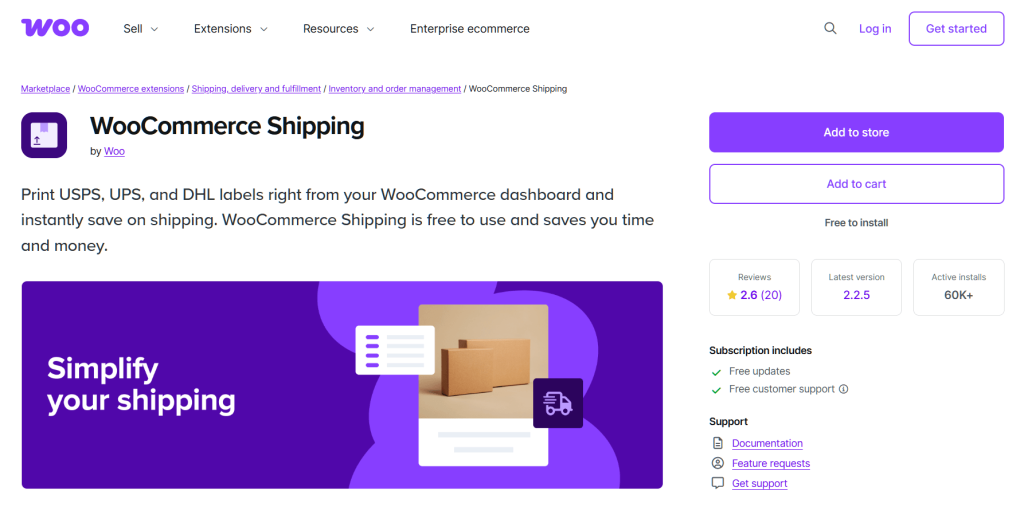
When we set it up on our test store, the process was quick and straightforward. Connect your WordPress.com account, verify your address, and you’re printing discounted USPS labels from the orders screen. For a US-based store just getting started, this is genuinely the fastest path from “I need to ship something” to “label printed.”
The limitations surface quickly once you need live shipping rates at checkout. WooCommerce Shipping handles labels after an order comes in; it doesn’t show carrier rates to customers. For that, you need a separate extension, such as WooCommerce’s USPS, UPS, or FedEx Shipping Method. We tried to set up a simple weight-based rule for Canadian shipments and had to look elsewhere. It’s a great starting point, but most growing stores outgrow it within their first year.
New stores with low volume, US-focused sellers who primarily ship via USPS. WooCommerce Shipping’s built-in label printing—simple, free, and limited to four carriers and US-based stores.
ShipStation is the cloud-based shipping platform that most mid-to-high volume WooCommerce stores end up using. It supports 200+ carriers, pulls orders from multiple sales channels, and offers powerful automation rules.
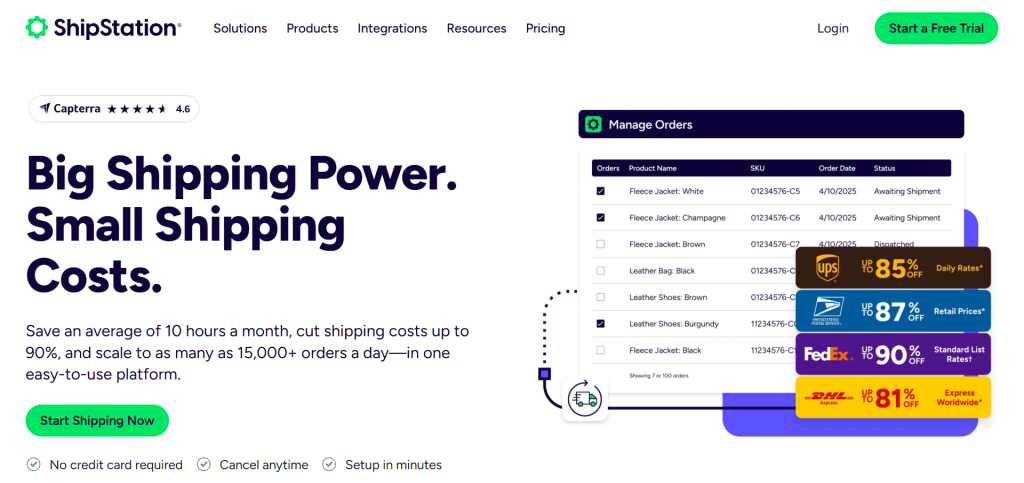
The automation rules engine is genuinely powerful, and this is where ShipStation earns its subscription fee. We set up rules to auto-assign carriers based on package weight and shipping zone, auto-apply insurance to orders over $100, and batch-print labels for the day’s orders. We’ve seen stores significantly cut their fulfillment time after implementing ShipStation’s automation. For real-world examples, see ShipStation’s customer stories.
The WooCommerce integration can occasionally lag on order sync during peak volume. During our Black Friday simulation (pushing through 200+ test orders in an hour), we noticed a short delay before new orders appeared in ShipStation. Worth testing before a big sale to make sure your workflow accounts for the sync gap.
Mid-to-high volume stores shipping across multiple carriers and sales channels. ShipStation’s automation rules let you auto-assign carriers, insurance, and packaging based on order attributes.
FedEx Shipping Plugin for WooCommerce with Print Label is a WooCommerce shipping plugin built for stores that use FedEx as their primary carrier. It brings FedEx shipping rates, fulfillment tools, and shipment management into the WooCommerce dashboard, with support for both domestic and international shipping.
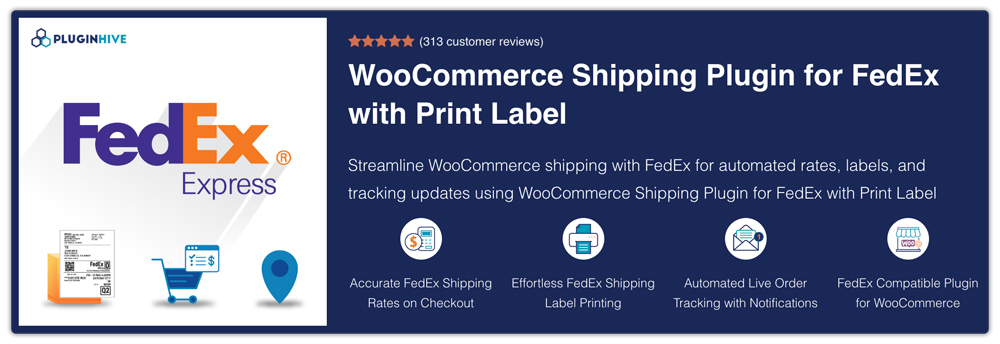
The plugin’s biggest advantage is that it keeps much of the FedEx fulfillment workflow inside WooCommerce. Store owners can calculate shipping based on package weight, dimensions, and destination, choose between available FedEx services, and configure different packing methods. It also supports features such as FedEx One Rate, address classification, estimated delivery dates, and rate adjustments, giving merchants more flexibility over how shipping is presented at checkout.
For stores with more complex shipping requirements, there are additional options beyond standard parcel delivery. The plugin supports FedEx LTL freight, scheduled pickups, insurance, commercial invoices, Hold at Location, and specialized shipping requirements such as dry ice and HazMat. It also works with WooCommerce setups involving multi-vendor marketplaces, multilingual stores, multiple currencies, and different product types.
WooCommerce stores that rely on FedEx and want to manage rates, labels, tracking, and fulfillment directly from their WooCommerce dashboard. It is particularly relevant for stores handling regular shipments or requiring features such as bulk label generation, international shipping, LTL freight, return labels, or advanced package handling.
Shippo takes a refreshingly different approach to pricing: its Starter plan is free, with no monthly subscription. That makes it especially attractive for stores that only ship a handful of orders a month.
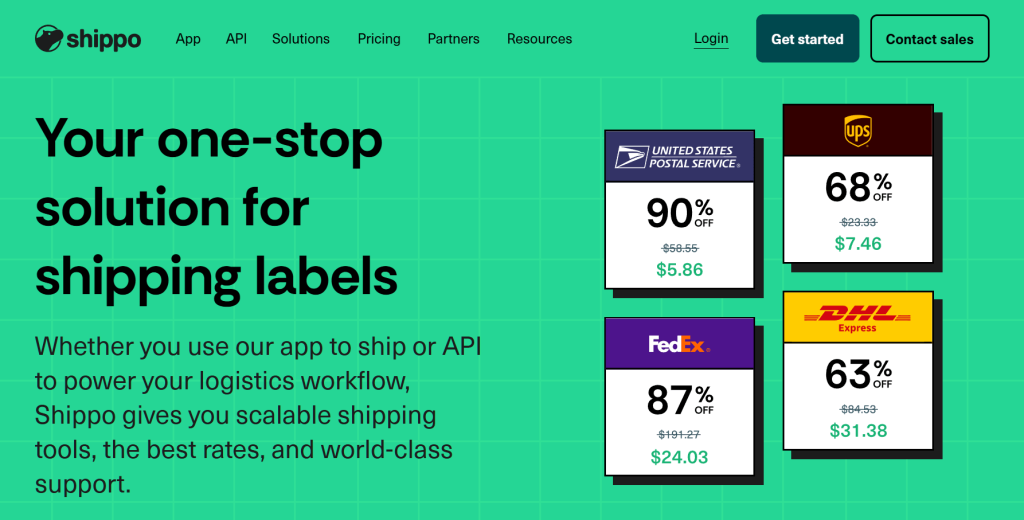
Shippo’s pricing is super simple. The free Starter plan covers up to 30 labels a month. Labels bought with Shippo’s built-in carrier accounts carry no extra fee, and you only pay a 5-cent fee per label if you link your own shipping accounts. Past 30 labels a month, you move to the Pro plan, which starts at $19/month for up to 200 labels.
For very small or occasional shippers, that free tier is hard to beat. Once you outgrow it, Shippo’s Pro plan is tiered by label volume, just like ShipStation, so compare the two at your actual monthly volume.
Carrier options outside the US are more limited than ShipStation. We tried setting up DPD and Hermes for European shipments and found the options sparse compared to ShipStation’s international carrier list. If you’re primarily shipping within the US, Shippo’s carrier coverage is solid. International sellers should verify their specific carriers are supported before committing.
Low-volume stores (up to 30 labels a month) wanting discounted rates without a subscription, and small-to-mid volume stores wanting an affordable paid plan. Shippo’s rate comparison view lets you compare carrier prices side-by-side before printing a label.
Flexible Shipping isn’t a label-printing tool. It’s a shipping rules engine. It lets you create conditional shipping rates in WooCommerce based on weight, cart total, destination, item count, and more.
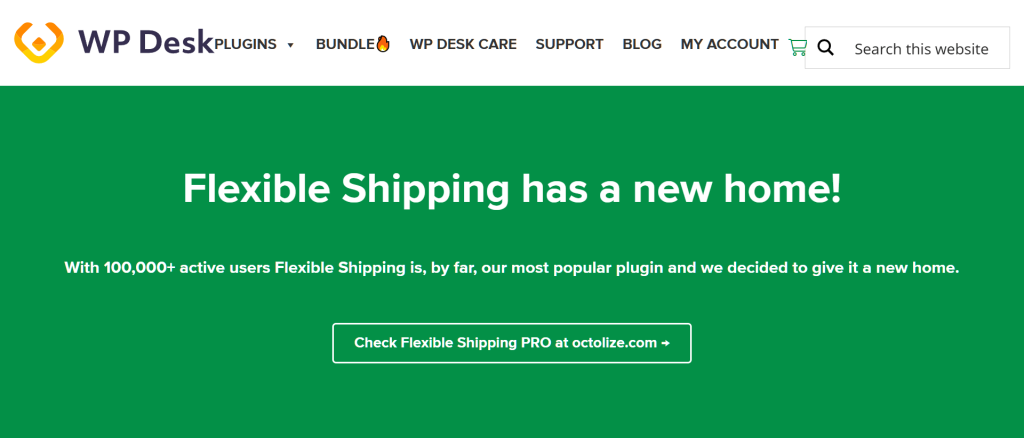
The rule builder is intuitive, allowing us to set up weight-based and cart-total-based shipping rules quickly. Want free shipping on orders over $75, flat rate $5.99 for orders under 2 lbs, and calculated rates for everything else? Flexible Shipping handles that logic without writing any code. The free version covers basic rules, and the Pro version ($99/year) adds features like shipping classes and per-product rules.
If you need live rates from carriers (real-time USPS, UPS, or FedEx quotes at checkout), you’ll need to pair Flexible Shipping with another plugin or use a different solution entirely. Flexible Shipping handles custom rules and table rates, not carrier API integrations. This is the most important thing to understand about it—it’s a rules engine, not a carrier connector.
Stores needing granular control over shipping rules (flat rate, tiered, conditional free shipping) rather than live carrier rates. Flexible Shipping’s rule builder—set conditions for weight, cart total, destination, and more.
Table Rate Shipping is a premium WooCommerce extension that handles complex rate tables. Think multi-zone, multi-weight, multi-item-count pricing matrices that WooCommerce’s built-in options simply can’t manage.
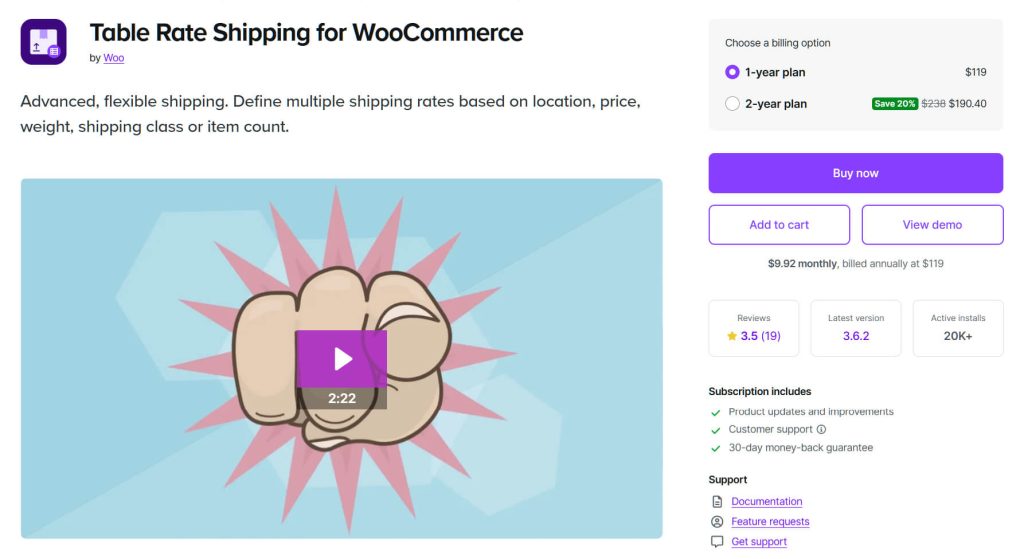
While it doesn’t fetch live rates automatically from carriers, it handles complex zone + weight + item count combinations that WooCommerce’s built-in shipping options fall apart on. We set up a rate table with 5 shipping zones, each with different rates based on order brackets and item counts. The plugin handled the logic without a hitch, and the rates displayed correctly at checkout for every test scenario we ran.
The learning curve is steeper than Flexible Shipping. Thus, plan to spend some time in the documentation the first time you set it up. The interface uses a spreadsheet-style rate table that’s powerful but not immediately intuitive. Once you understand the row/column logic, it clicks.
Stores with complex shipping zones and rate structures that need precise control over pricing matrices.
AdTribes is a different kind of shipping tool. It’s a product feed manager that ensures your shipping data is accurate across Google Shopping, marketplaces, and comparison sites, where incorrect shipping info can get your products disapproved or tank your ad performance.
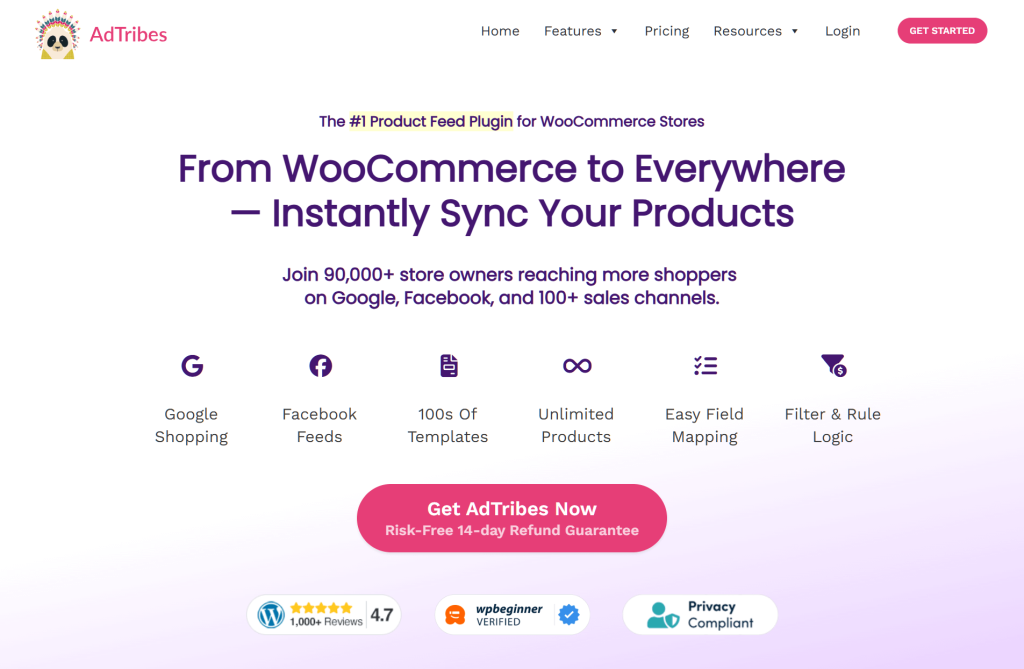
Mapping WooCommerce shipping classes to Google Shopping feed attributes is straightforward once you understand the field mapping UI. We mapped our shipping zones, rates, and delivery timeframes to Google’s required attributes on our test store. The preview feature lets you verify the feed output before publishing, which saved us from pushing incorrect data to Google Merchant Center.
Stores selling on multiple channels often overlook shipping data in their feeds, and AdTribes catches mismatches that would otherwise cause disapprovals. We deliberately set up conflicting shipping rates between WooCommerce and our test Google Shopping feed, and AdTribes flagged the discrepancy in its validation report. That kind of catch prevents wasted ad spend and marketplace listing suspensions.
AdTribes is part of the Rymera family, and we’ve seen it work especially well for WooCommerce stores managing multi-channel product feeds. The free version handles the basics just fine. If you want more advanced tools and the ability to sell on multiple sites at once, you’ll need a paid plan. Those start with the Growth plan at $99.50 a year, while the Feed Validator tool is included in the Plus and Business plans.
Multi-channel sellers who need accurate shipping data in product feeds across Google Shopping, marketplaces, and comparison sites. AdTribes’ field mapping UI—map WooCommerce shipping data to Google Shopping and marketplace feed attributes.
The following tables are illustrative and based on our testing. Pricing is approximate as of early 2026. Verify all pricing and features at each provider’s site before purchasing.
| Plugin | Best For | Price Range | Our Take |
|---|---|---|---|
| WooCommerce Shipping | Beginners, low volume | Free | Start here, upgrade when you outgrow it |
| ShipStation | High volume, multi-carrier | $14.99+/mo | The automation is worth it at scale |
| FedEx Shipping Plugin | FedEx-first stores, from parcels to freight | $99 a year (single site) | The most complete FedEx toolkit inside WooCommerce |
| Shippo | Low volume and tight budgets | Free (up to 30 labels/mo), Pro from $19/mo | Simple pricing, solid shipping rates |
| Flexible Shipping | Custom shipping rules | Free / $99/yr | Great rule builder, no live rates |
| Table Rate Shipping | Great for complex shipping rules | $119 a year (Official) or try free options | Powerful, but it takes time to learn |
| AdTribes | Syncing products to different sites | Free, or starting at $99.50 a year | A must-have for keeping shipping info accurate everywhere you sell |
| Feature | WooCommerce Shipping | ShipStation | FedEx Shipping Plugin | Shippo | Flexible Shipping | Table Rate Shipping | AdTribes |
|---|---|---|---|---|---|---|---|
| Live Carrier Rates | No (labels only) | Yes (200+ carriers) | Yes (FedEx only) | Yes (multi-carrier) | No (rule-based) | No (table-based) | N/A (feed-based) |
| Label Printing | Yes | Yes | Yes (incl. bulk and return labels) | Yes | No | No | No |
| Multi-channel | No | Yes | No | Limited | No | No | Yes (feeds) |
| Automation Rules | Basic | Yes | Yes (automated label workflows) | Basic | Yes (conditions) | Yes (tables) | Yes (feed rules) |
| International | Moderate (US-based stores only) | Strong | Strong (FedEx international + commercial invoices) | Moderate | Yes (custom rules) | Yes (custom zones) | Yes (feed attributes) |
| Free Tier | Yes (fully free) | No (30-day free trial) | No (30-day money-back guarantee) | Yes (up to 30 labels/month) | Yes (basic version) | Yes (via other creators) | Yes (basic version) |
| Plugin | Free Option | Paid Starting At | Pricing Model |
|---|---|---|---|
| WooCommerce Shipping | Yes (fully free) | — | Free |
| ShipStation | No (30-day free trial) | $14.99/mo | Monthly subscription (tiered by shipments) |
| FedEx Shipping Plugin | No (30-day money-back guarantee) | $99 a year (single site) | Yearly license (one per site) |
| Shippo | Yes (Starter, up to 30 labels/month) | $19/mo (Pro) | Free Starter plan (5¢/label with your own carrier accounts), then monthly plans tiered by label volume |
| Flexible Shipping | Yes (limited) | ~$99/yr | Annual license |
| Table Rate Shipping | Yes (if you use other creators’ versions) | $119 a year (Official version) | Yearly fee or totally free |
| AdTribes | Yes (basic features) | $99.50 a year | Yearly fee |
The right shipping plugin depends on three things: your order volume, your shipping complexity, and whether you sell on multiple channels.
Here’s the framework we recommend:
🔍️ What We’ve Seen: Most small WooCommerce stores do fine starting with WooCommerce Shipping or Shippo, then graduate to ShipStation as volume grows. The mistake we see most often is stores jumping straight to a complex (and expensive) solution before they need it. Start simple, upgrade when you feel the pain.
For more free plugin options across all categories, see our roundup of free WooCommerce plugins.
🚀 Power Tip: If you use ShipStation, set up a shipping rule that auto-selects the cheapest carrier for orders under 1 lb and your preferred carrier for everything above. We’ve seen this single rule save stores on shipping costs without sacrificing delivery speed for small, lightweight orders.
WooCommerce Shipping is the best free option — it’s maintained by the WooCommerce team, integrates directly into your dashboard, and gives you discounted USPS, UPS, DHL Express, and FedEx label rates. For custom shipping rules (weight-based or cart-total-based rates), Flexible Shipping’s free version is the most powerful option without any coding required.
Yes, and many stores do. A common setup is WooCommerce Shipping for label printing, combined with Flexible Shipping for the custom rates customers see at checkout. The plugins don’t conflict because they handle different parts of the shipping workflow. Just make sure your shipping zones are configured correctly so customers don’t see duplicate shipping options at checkout.
The most effective approach is setting a minimum order threshold (e.g., “Free shipping on orders over $75”). This increases average order value while protecting your margins. In WooCommerce, go to WooCommerce → Settings → Shipping → your shipping zone, add a “Free shipping” method, and set the minimum order amount. You can also use Advanced Coupons to create free shipping coupons that apply automatically when cart conditions are met.
For international shipping, ShipStation or Shippo are the strongest options — both support international carriers, handle customs forms, and calculate duties automatically. ShipStation has the edge with 200+ carrier integrations. If you only ship a few orders a month, Shippo’s free Starter plan (up to 30 labels a month) is more cost-effective than ShipStation’s $14.99/month minimum. If most of your international parcels go out with FedEx, the FedEx Shipping Plugin for WooCommerce with Print Label creates commercial invoices and prints international FedEx labels straight from WooCommerce.
Most carrier-specific plugins (UPS, FedEx, USPS) provide real-time rates at checkout. For example, the FedEx Shipping Plugin for WooCommerce with Print Label we covered above shows live FedEx rates based on package weight, dimensions, and destination. For multi-carrier real-time rates from a single plugin, Shippo and ShipStation both pull live rates from multiple carriers simultaneously. Install the plugin, enter your carrier API credentials, and enable “Live Rates” in your shipping zone settings. Customers will see actual shipping costs calculated based on their address, package weight, and dimensions.
Not necessarily. ShipStation and Shippo both include FedEx among their carriers, so they already cover standard FedEx rates and labels. A dedicated plugin like the FedEx Shipping Plugin for WooCommerce with Print Label makes more sense when FedEx is your main carrier and you need FedEx-specific services inside WooCommerce, such as One Rate, LTL freight, Hold at Location, or dry ice and HazMat shipments. It costs $99 a year for a single site.
The truth is that there’s no single best WooCommerce shipping plugin. The right choice depends on your store’s volume, complexity, and channel mix.
For stores selling across multiple channels, we especially recommend pairing AdTribes with your chosen shipping solution. Accurate shipping data in your product feeds prevents disapprovals and wasted ad spend—an often-overlooked piece of the shipping puzzle that can save you significant headaches down the line.
To recap, we explored the seven best WooCommerce shipping plugins:
Our advice: pick one, set it up this week, and reclaim your shipping sanity. You can always test with a free tier or trial before committing to a paid plan. And if shipping costs are eating into your profits, remember this: 40% of ready-to-buy shoppers who abandon their carts do it because extra costs like shipping are too high. That should be all the motivation you need to get this right!

Copyright © StoreOwnerTips.com. All Rights Reserved.
