Weekly ecommerce tips, deals & news.
Choosing the best WordPress page builder for a WooCommerce store shapes more than your homepage. It affects your site speed, your budget, and how easily you can hire help later. We’ve spent years helping store owners weigh these tools. Page builders come up in almost every build.
Each builder solves a different problem. The one you pick decides how much of your budget goes to the tool versus the store itself.
Most “best page builder” roundups focus on general WordPress use. However, WooCommerce stores need more than that. Your builder has to handle product pages, cart, checkout, and category layouts, not just homepages.
Here’s an honest breakdown of how each option performs for WooCommerce. I’ll flag where a builder shines and where it falls short.
Table of Contents

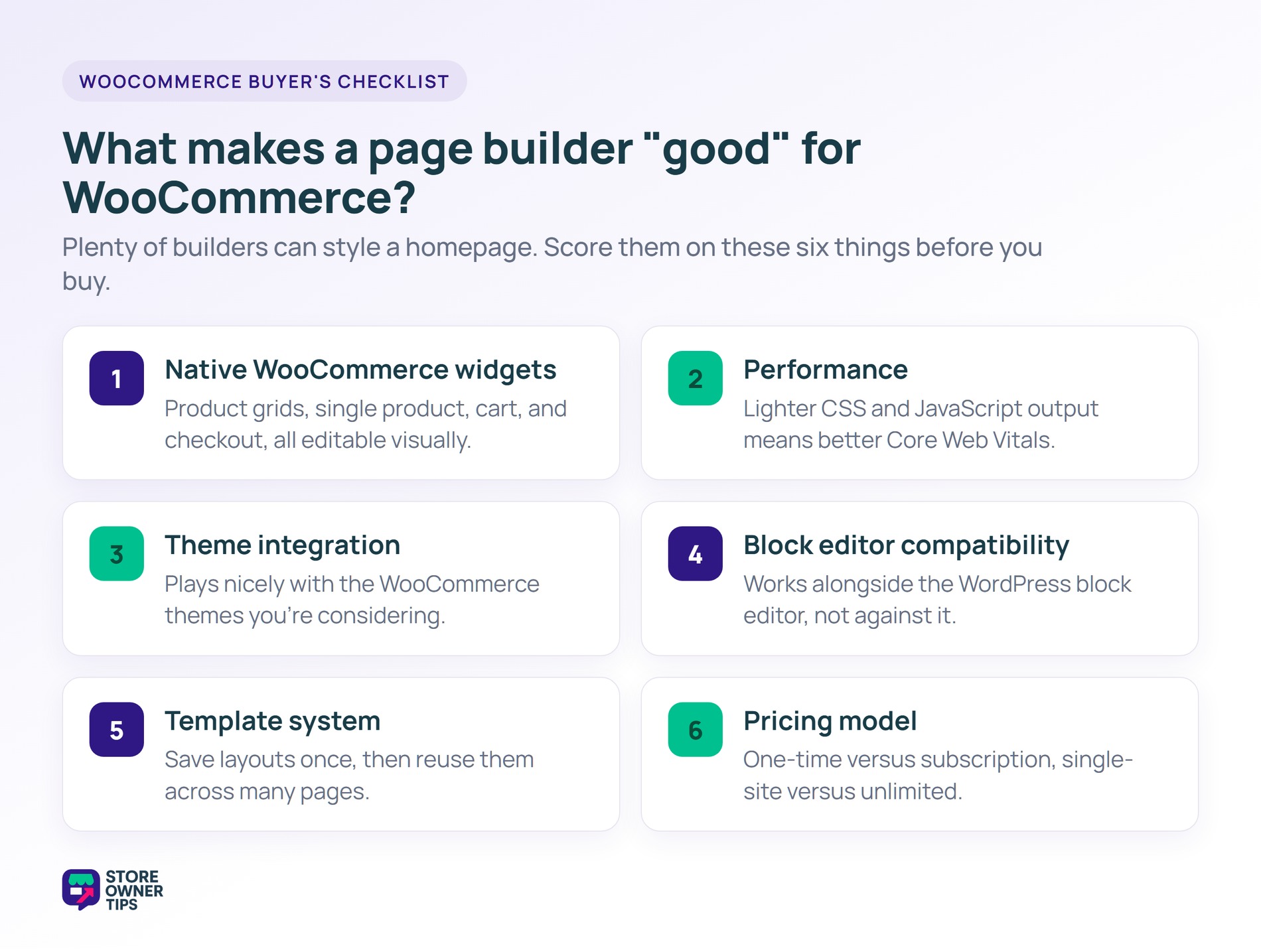
Most WordPress page builders can design a homepage. Fewer can customize WooCommerce product and cart pages. If you buy a builder that can’t edit WooCommerce templates natively, you’ll end up using code or a second plugin. That defeats the point.
So evaluate WooCommerce page builders on these six key features:
| Page Builder | Starting Price | WooCommerce Widgets | Performance Impact | Best For |
|---|---|---|---|---|
| Elementor | Free / from $49/yr Pro | Extensive (Advanced tier+) | Medium | Most WooCommerce stores |
| Divi | $89/yr or $249 lifetime | Good | Medium-heavy | Design-first stores |
| SeedProd | From ~$79/yr | Good | Lightweight | Landing pages + basic WooCommerce |
| Bricks | $79/yr or $599 lifetime | Good | Very lightweight | Performance-focused stores |
| Breakdance | From $99.99/yr | Good | Lightweight | Modern builder enthusiasts |
| Beaver Builder | From $89/yr | Limited | Medium | Agency workflows |
Pricing is approximate as of early 2026. Most builders run intro discounts, so check the current rate before you buy.
Choosing the right page builder is one of the biggest decisions you’ll make for your store. While almost any WordPress tool can make a pretty homepage, a true WooCommerce builder needs to handle complex product grids, shopping carts, and checkout pages without slowing your site to a crawl.
To help you figure out where to spend your budget, here’s an honest breakdown of how the six most popular page builders actually perform for an online store.
Elementor is the most popular WooCommerce page builder for WordPress, with over 10 million active installs. The free version handles basic page design. Elementor Pro adds the WooCommerce Builder, which lets you design product pages, cart, checkout flows, and archive templates visually.
One catch matters for stores. The cheapest Essential plan (about $49 a year) doesn’t include eCommerce widgets. You need the Advanced tier or higher to get the WooCommerce Builder.
What this means in practice:
Pros:
Cons:
Best for: Most WooCommerce stores, especially those wanting the deepest WooCommerce customization.
Divi takes a different approach. The Divi Builder is built into Elegant Themes’ Divi theme, and it also works as a plugin for other themes. It ships with a large library of pre-built WooCommerce layouts.
What this means in practice:
Pros:
Cons:
Best for: Stores that prioritize design flexibility and don’t plan to switch builders.
SeedProd started as a coming-soon and landing page plugin, then grew into a full page builder. For WooCommerce stores, it’s excellent at landing pages and sales pages. It’s less complete for full store customization.
What this means in practice:
Pros:
Cons:
Best for: Stores that want to build landing pages and sales pages without the weight of full page builders.
Bricks is a newer page builder focused on performance. It’s designed to output cleaner HTML and CSS than older builders. That results in noticeably faster pages.
What this means in practice:
Pros:
Cons:
Best for: Performance-focused stores willing to invest time in learning a newer builder.
Breakdance is another newer page builder with a modern approach. It includes WooCommerce-specific templates and key features out of the box.
What this means in practice:
Pros:
Cons:
Best for: Store owners looking for a modern alternative to Elementor.
Beaver Builder is agency-favored for its stability and clean architecture. It’s less focused on WooCommerce-specific features than Elementor Pro.
What this means in practice:
Pros:
Cons:
Best for: Agencies and developers who value stability and clean code over feature breadth.
The biggest shift in WordPress is the block editor (Gutenberg) becoming a full site editor. Modern themes like Kadence and Blocksy use the block editor for everything. That makes dedicated page builders less necessary than they used to be.
For many new WooCommerce stores in 2026, the right answer is Gutenberg plus a good block-editor theme. That keeps your store lean, which helps a lot with WooCommerce speed.
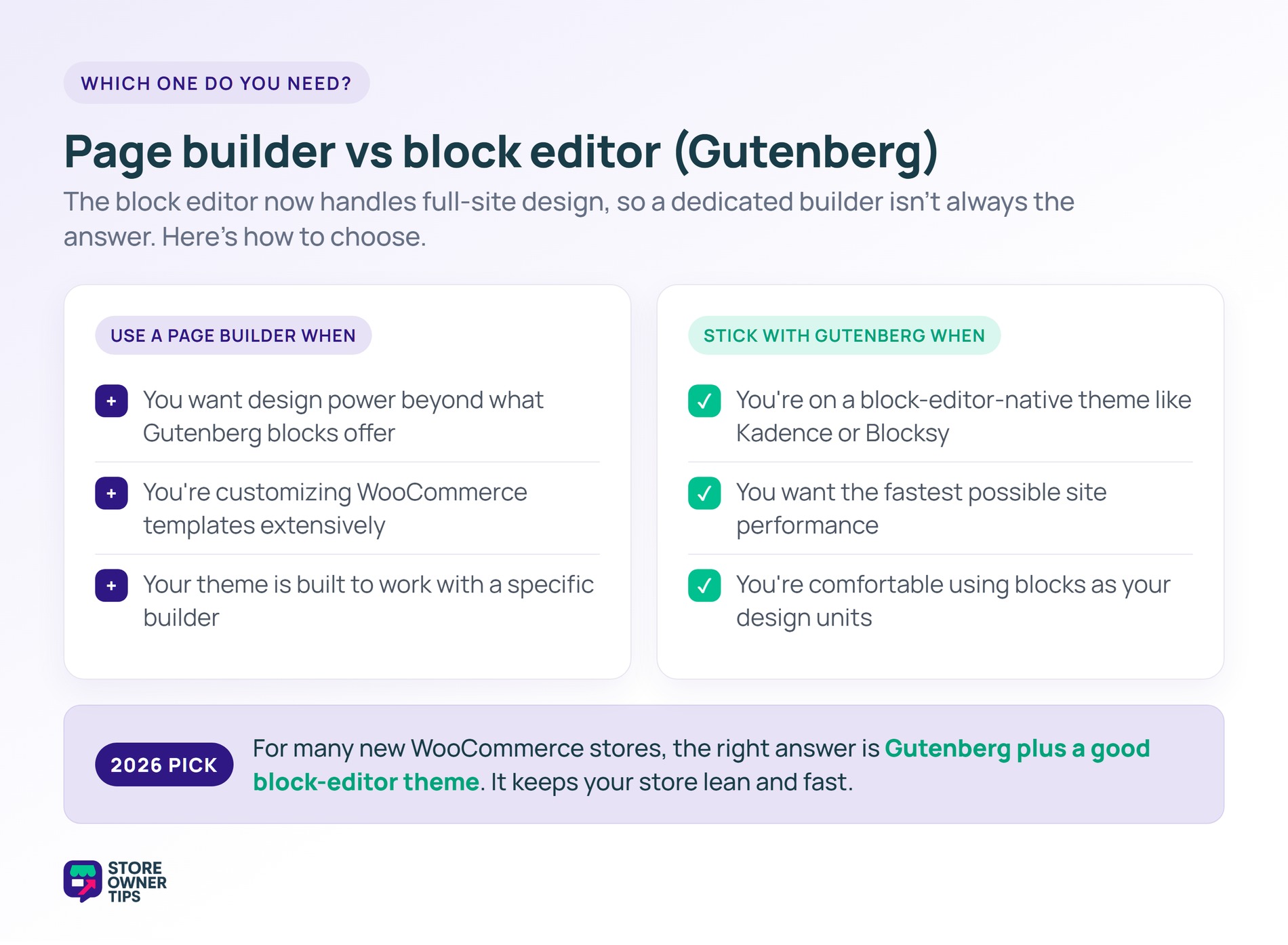
Not necessarily. Modern block-editor-native themes (Kadence, Blocksy) can design full WooCommerce stores without a separate page builder. Use a page builder if you want deeper WooCommerce template customization or pre-built design elements.
Bricks is the fastest full-featured WordPress page builder. SeedProd is fastest for landing pages specifically. Pure Gutenberg with a block-editor-native theme is faster than any page builder.
Technically yes, but it’s painful. WordPress page builder content (especially from Divi and Beaver Builder) doesn’t transfer cleanly to other builders. Pick your page builder carefully.
For WooCommerce features, SeedProd (from about $79 a year, often discounted) and Bricks ($79 a year) are among the most affordable. Elementor’s free version handles basic pages, but you need a paid Elementor plan for WooCommerce widgets.
Elementor adds some overhead compared to pure Gutenberg. Recent versions have improved a lot. Still, expect a bit more load time than a block-editor-only setup, so budget for performance tuning.
Yes. Design specific pages with Elementor, and let others use the default block editor. Most stores use a hybrid approach.

The best WordPress page builder for your WooCommerce store depends on your priorities. Elementor Pro suits most stores. Bricks wins for performance-obsessed builds. SeedProd is great for landing pages. Divi fits design-first stores. Gutenberg plus Kadence or Blocksy is the fastest, most future-proof option.
Here’s what to do next:
If you’re starting a WooCommerce store today, try Elementor free first. It handles basic pages without cost. Upgrade to a paid Elementor plan for WooCommerce customization, or explore Bricks if performance is your top priority. Once your builder is set, round out your store with the right WooCommerce plugins.

Copyright © StoreOwnerTips.com. All Rights Reserved.
