Weekly ecommerce tips, deals & news.
First-time visitors size up your store fast. Research shows people form a first impression of a website in about 50 milliseconds. In that blink, they decide if you look like a real business or a risky one.
That decision rarely comes down to your product, your copy, or your price. It comes down to WooCommerce trust signals, the small cues most stores overlook. Add them and your conversion rate climbs without new ads or a redesign.
Ecommerce trust signals work because they lower perceived risk. A shopper worried about delivery or returns hits back unless your site answers that fear first. So let’s walk through the eight that matter most.
Table of Contents

You can write the best product description in the world. If your site looks sketchy, though, shoppers won’t believe a word of it. Trust signals are what make the rest of your marketing credible.
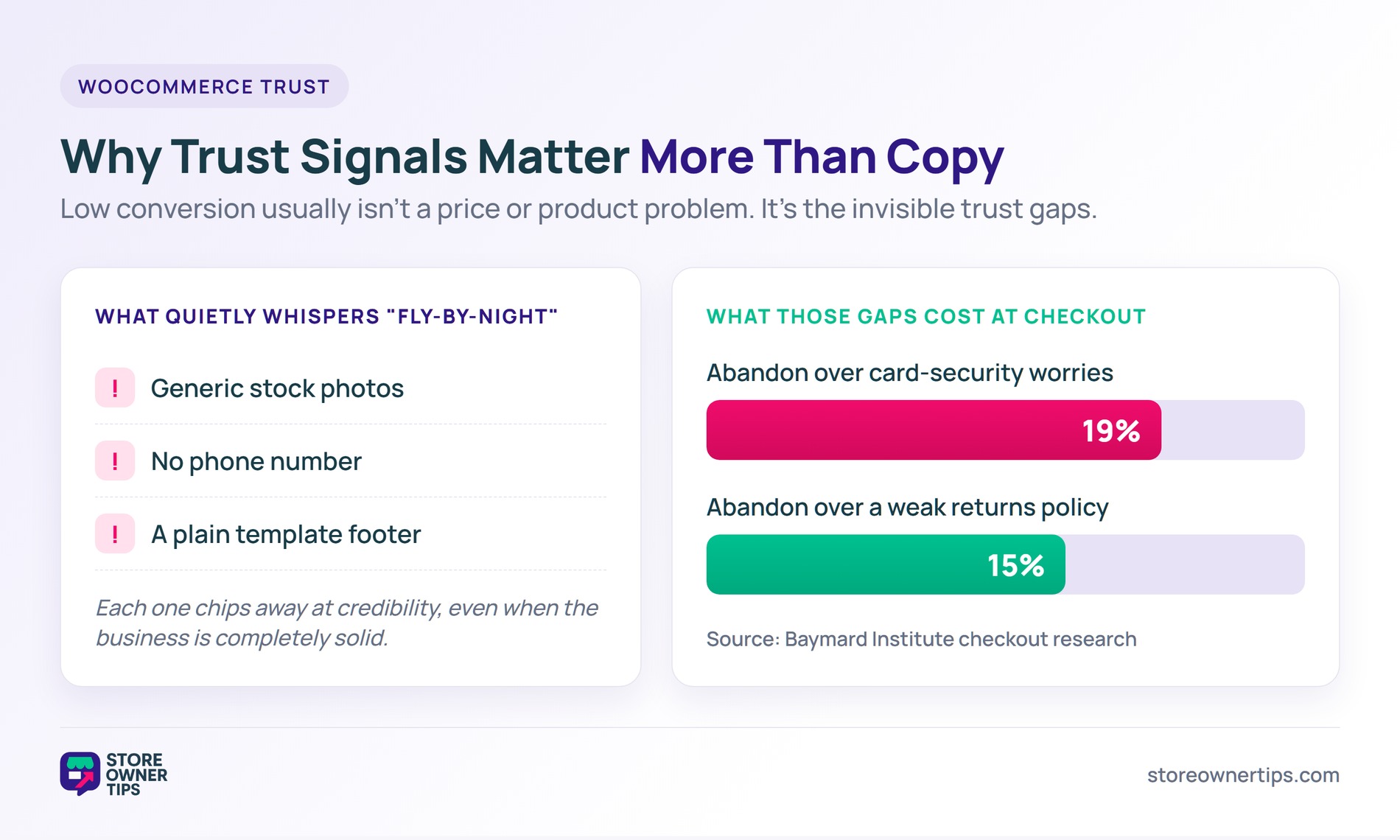
In stores we audit, low conversion usually isn’t a price or product problem. It’s the invisible trust gaps. Generic stock photos, no phone number, and a template footer all whisper “fly-by-night” even when the business is solid.
The numbers back this up. Baymard’s checkout research found that 19% of shoppers abandon over card-security worries and another 15% over a weak returns policy. Fix those signals and you plug two real leaks.
When a first-time visitor lands on your store, they hunt for quick proof you’re safe and real. Adding visual cues like trust badges prevents your site from feeling anonymous, ensuring shoppers don’t leave for a name they already trust.
Here are the eight essential ecommerce trust signals that remove buying anxiety and turn browsers into paying customers.
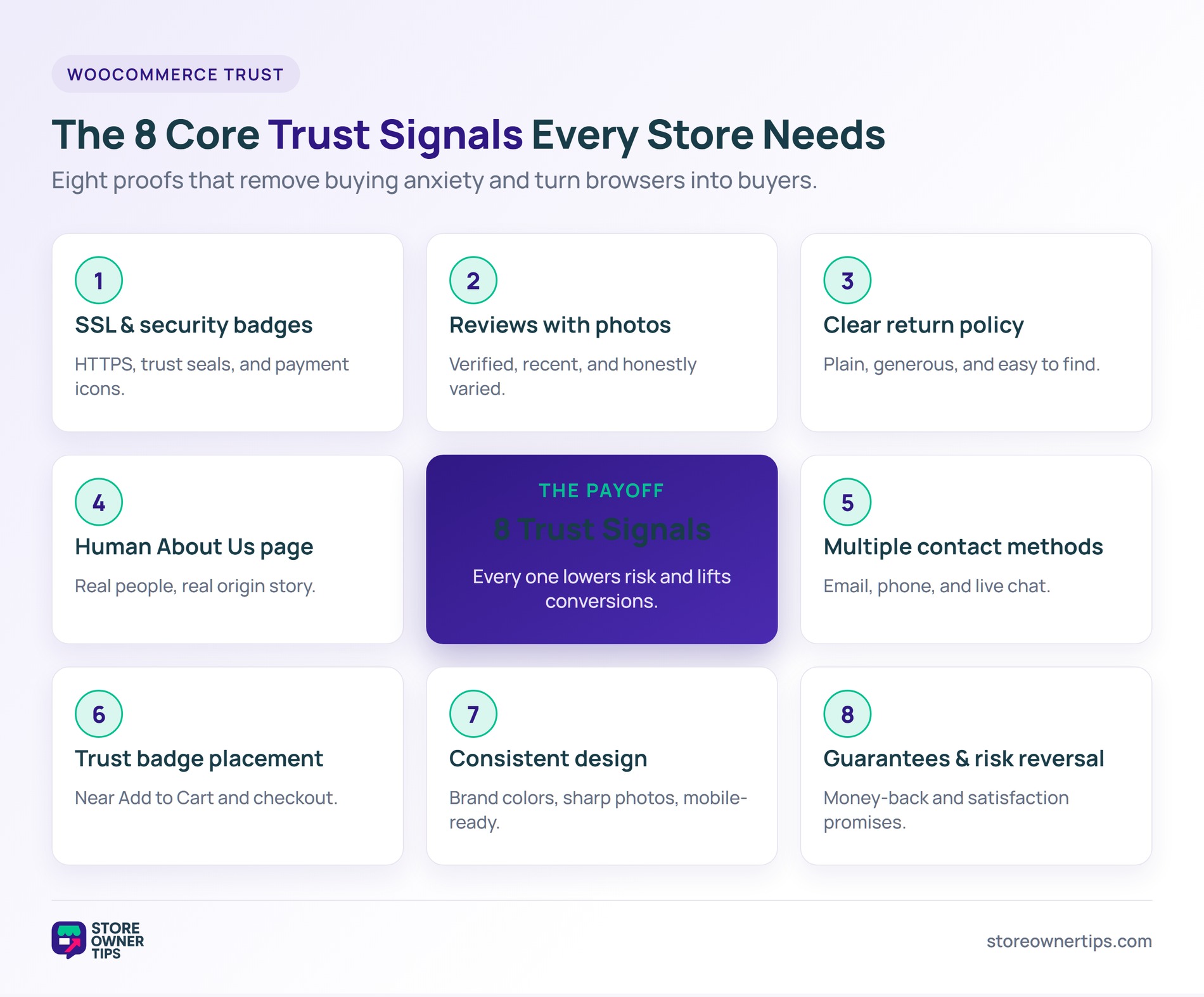
Every WooCommerce store should have:
Most hosts include free SSL through Let’s Encrypt. If your store still runs on HTTP in 2026, fix it today. Browsers now flag HTTP pages as “Not Secure”, and that label alone scares buyers off.
Nearly every online shopper reads reviews before buying. That makes reviews one of your highest-ROI trust assets. But not all reviews are equal.
What works:
Install a dedicated review plugin that supports verified badges and photo uploads. It automates review collection, so you’re not chasing customers by hand.
Plenty of shoppers check your return policy before they ever add to cart. As noted above, a weak policy is a top reason people abandon checkout.
Make your policy:
Stores with strong return policies convert better, even when few customers actually return items. A clear policy acts just like visual trust badges, signaling to buyers that their purchase is safe.
Generic “Our Story” pages quietly destroy trust. Real About pages build it.
What to include:
What to avoid:
Contact accessibility is a trust signal even for shoppers who never reach out.
Display prominently:
Put contact info in:
Stores that offer only a contact form feel less legitimate than those with direct contact methods. A customer who can’t reach you won’t trust you with their money.
Trust badges work when they’re placed correctly. Badges that matter:
Where to place them:
Avoid random badges you pay for but that represent nothing real. Customers can tell when a badge is bought rather than earned.
Template design isn’t automatically bad. Template design plus lazy customization is.
Signs of professional design:
Signs of lazy design that kill trust:
It’s worth auditing your store’s design for the small issues quietly eroding buyer trust.
Explicit guarantees reduce perceived purchase risk. So use them prominently.
Effective guarantees:
Place guarantees on:
Guarantees that back up real policies work. However, pasting fake trust badges and guarantees that you won’t actually honor will destroy trust the moment they’re tested.
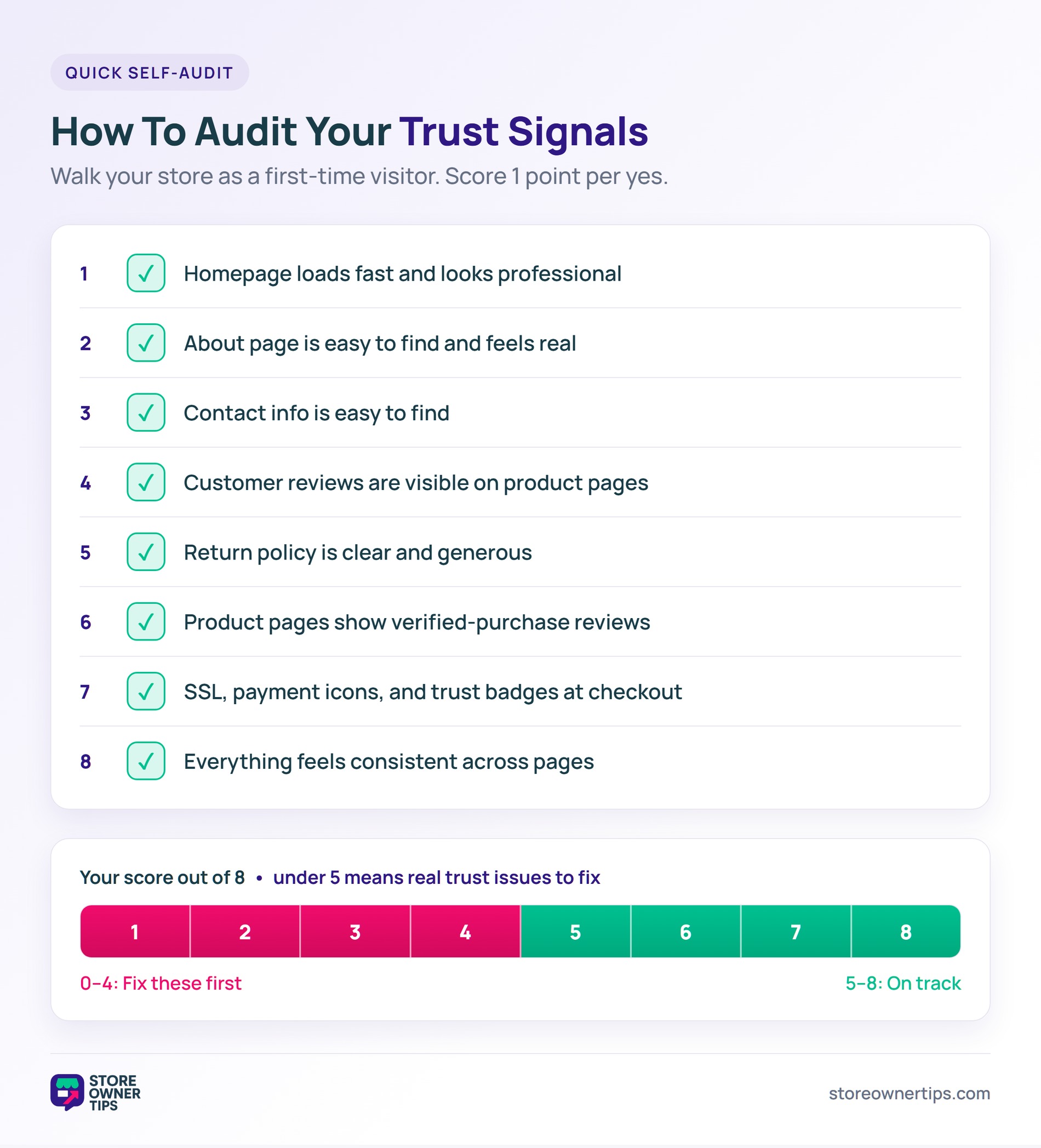
Walk through your WooCommerce store as a first-time visitor. Then check:
Score 1 point per yes. Under 5 out of 8? You have real trust issues to fix.
Yes, when they’re credible. Real payment icons, verified ratings, and legitimate certifications build trust. Random “trust seals” that shoppers don’t recognize add little.
Generic stock photos paired with missing contact information. Together they signal a fly-by-night store, even when the business is completely legitimate.
Not strictly, but it helps. Even a Google Voice number routed to your cell builds trust. Stores with no phone feel less legitimate to cautious shoppers.
If you have a physical address, yes. It builds trust and is required in many regions, including the EU and UK. PO boxes work for home-based businesses.
Studies suggest shoppers read around 10 reviews before they trust a business. So aim for at least 10 per product. Below that, each review carries outsized weight.
Almost always, yes. The conversion lift from a visible guarantee usually beats the cost of extra refunds. Plus, generous guarantees attract confident, higher-quality buyers.

Trust signals compound. Each one adds a little more credibility. Stores that use all eight consistently outperform those that only polish product and copy, and they do it without spending more on ads.
Here’s what to do next:
If you’re ready to add WooCommerce trust signals, start with the audit. Then fix the highest-impact gaps first, usually SSL, review display, and clear contact info. Each fix lifts conversion without touching your product or price.

Copyright © StoreOwnerTips.com. All Rights Reserved.
