Weekly ecommerce tips, deals & news.

SaveTo Wishlist is #1 in our list of 2026’s best WooCommerce wishlist plugins! This plugin is incredibly fast and offers premium features—like unlimited multiple wishlists, saving an entire cart, and smart guest account syncing—all in its free version. Because it’s built with modern WordPress blocks, it keeps your store running quickly without hurting your page speed.
For stores looking for more traditional options, YITH WooCommerce Wishlist is the most feature-rich but requires a premium upgrade for multiple lists and runs much heavier code. TI WooCommerce Wishlist and WPC Smart Wishlist are solid middle-ground choices. However, they also reserve their best organization tools for their premium versions.
You’ve spent months building your WooCommerce store. The products look great, the checkout runs smoothly, and traffic is finally picking up. But here’s the problem: visitors browse, leave, and never come back. Without a reliable way to offer WooCommerce wishlists, you’re losing those “almost ready to buy” shoppers every single day.
The tricky part? There are dozens of WooCommerce wishlist plugins in the WordPress ecosystem, and they’re not all created equal. Some rely on larger scripts that can noticeably impact your page speed. Others reserve certain core features for their premium annual subscriptions. A few aren’t fully optimized for modern WordPress block themes.
Picking the wrong one costs you more than the plugin price. It costs you page speed, customer trust, and sales. We tested four of the most popular WooCommerce wishlist plugins head-to-head to help you make the right call. Here’s what we found.
A wishlist plugin touches every product page on your store. That means every extra kilobyte of JavaScript it loads gets multiplied across your entire catalog.
Google’s Core Web Vitals now directly affect your search rankings. A slow-loading wishlist plugin can push your Largest Contentful Paint (LCP) and Interaction to Next Paint (INP) scores into the red. Think of it like adding weight to every page of your store: the heavier the plugin, the slower every page becomes.
Beyond speed, the features you get in the free version matter a lot. Some plugins give you one wishlist per customer for free but charge $80 to $120 per year for multiple wishlists. Others include multiple wishlists at no cost. Knowing which features are free and which are paid will save you from surprise upgrade costs later.
🔍️ One thing we commonly see: Store owners install a wishlist plugin, notice their speed score drops by 5 to 10 points, and assume “that’s just how it is.” It’s not. The right plugin adds wishlist functionality with barely any performance hit.
We installed each plugin on a clean WooCommerce test store running a default block theme. For every plugin, we checked:
We used GTmetrix and Chrome DevTools to measure performance. All tests were run with no caching plugins active to get raw numbers.
SaveTo Wishlist is the lightest WooCommerce wishlist plugin we tested, adding just 2.5 KB to your frontend. That’s not a typo. While other plugins load hundreds of kilobytes of scripts, SaveTo Wishlist keeps things minimal.
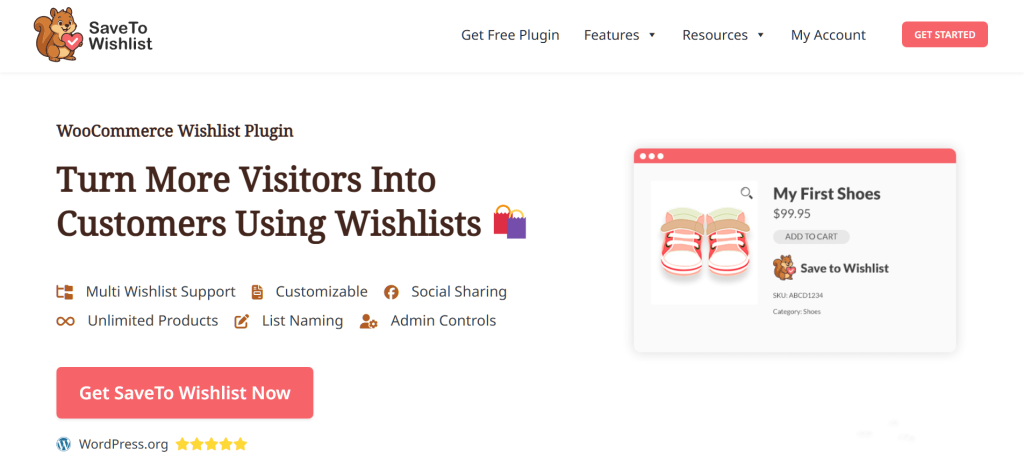
The free version of SaveTo Wishlist includes features that are often reserved for paid plans by other WooCommerce wishlist plugins:

SaveTo Wishlist’s biggest advantage is its modern, lightweight architecture. In our testing, it added just 1 additional server request per page. For comparison, YITH WooCommerce Wishlist added 21 requests and was 124 times heavier in code weight.
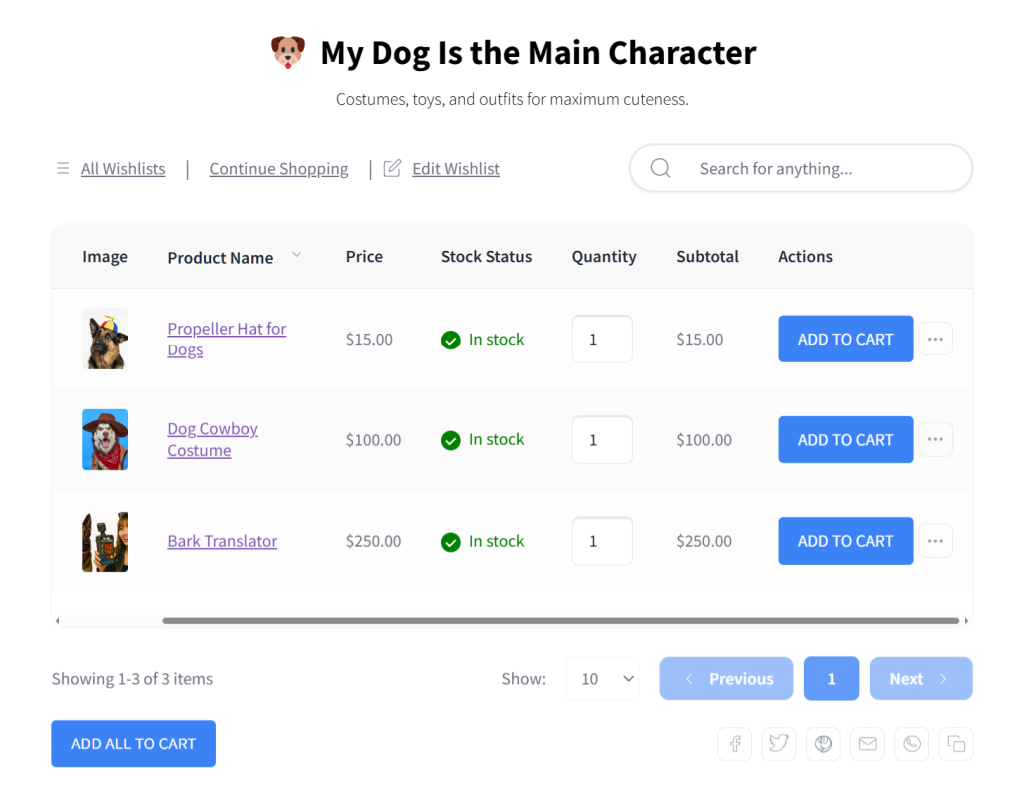
Furthermore, SaveTo Wishlist is the only plugin on this list that gives you multiple wishlists for free. YITH WooCommerce Wishlist charges about €99.99 a year for this. TI WooCommerce Wishlist charges $79 a year. WPC Smart Wishlist charges $32.48 a year. Meanwhile, SaveTo Wishlist gives it to you for $0.
SaveTo Wishlist also gives you cutting-edge developer tools (REST API access) and a wishlist importer right out of the box.
For stores that want wishlists to actively drive sales, SaveTo Wishlist Pro adds automated back-in-stock and on-sale email alerts plus wishlist analytics, so saved items turn into repeat purchases rather than sitting idle.
SaveTo Wishlist Pro is relatively new. It doesn’t yet have every advanced wishlist feature you’d find in a more established plugin like YITH WooCommerce Wishlist. Nevertheless, if your store prioritizes speed and a clean user experience over a massive feature list, it’s the strongest option we tested.
Pricing: SaveTo Wishlist offers core wishlist features at no cost. SaveTo Wishlist Pro starts at $49.50 for the first year, then $99 per year for renewal. It includes a 14-day money back guarantee.
YITH WooCommerce Wishlist is the most feature-rich wishlist plugin on this list. If you need every possible wishlist option available today, this is the one to look at.
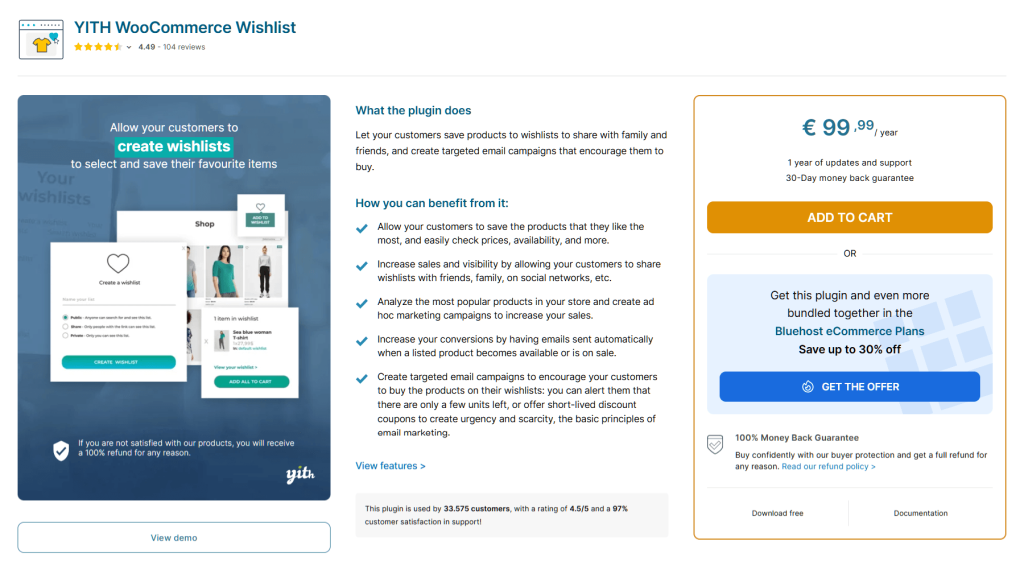
The free version of YITH WooCommerce Wishlist includes:
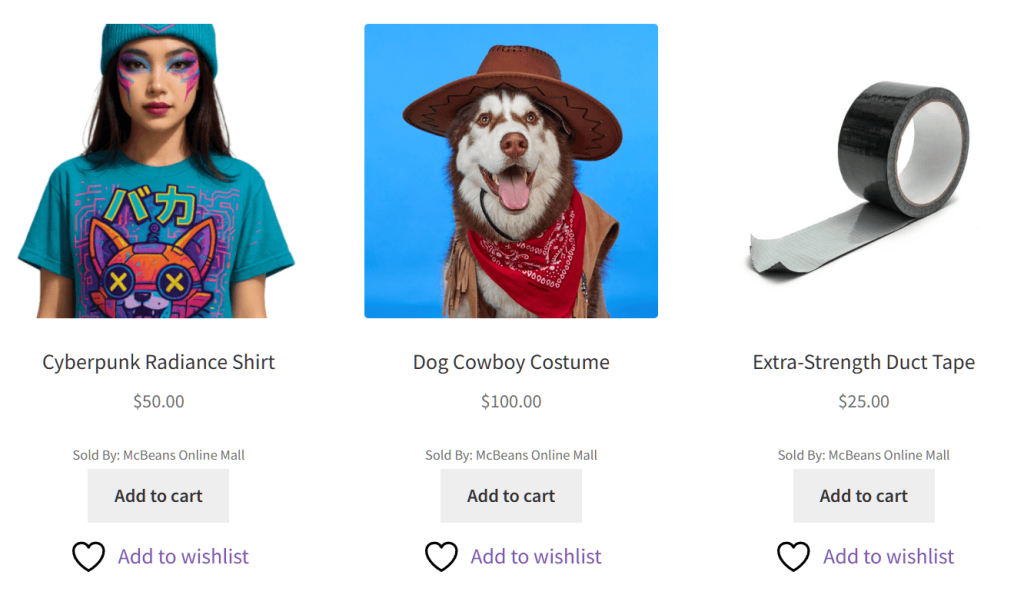
The premium version of YITH WooCommerce Wishlist is where it really shines. You get multiple wishlists, advanced privacy controls (public, shared, or private lists), email notifications for price drops, and detailed wishlist analytics.
It also includes an internal promotional email system and an “Ask for an Estimate” feature, which is perfect for stores that sell custom or high-priced items. If your store needs deep integration with email marketing tools, or if you want to run promotions based on exactly what customers are saving, YITH Wishlist’s premium version gives you a complete feature set.
Because YITH has been established for over a decade, its wishlist tool relies on a more traditional codebase. It’s significantly heavier than newer alternatives. In tests, it added approximately 311.8 KB of code to the frontend and 21 additional server requests. That’s a meaningful performance hit, especially for shoppers on mobile phones.
The free version provides a more limited set of starting features. For instance, customers can’t change the quantity of an item directly on their wishlist; they have to wait until they are on the checkout page. Also, guest wishlists rely on simple browser cookies. Therefore, if a guest clears their internet history, their saved items won’t be retained.
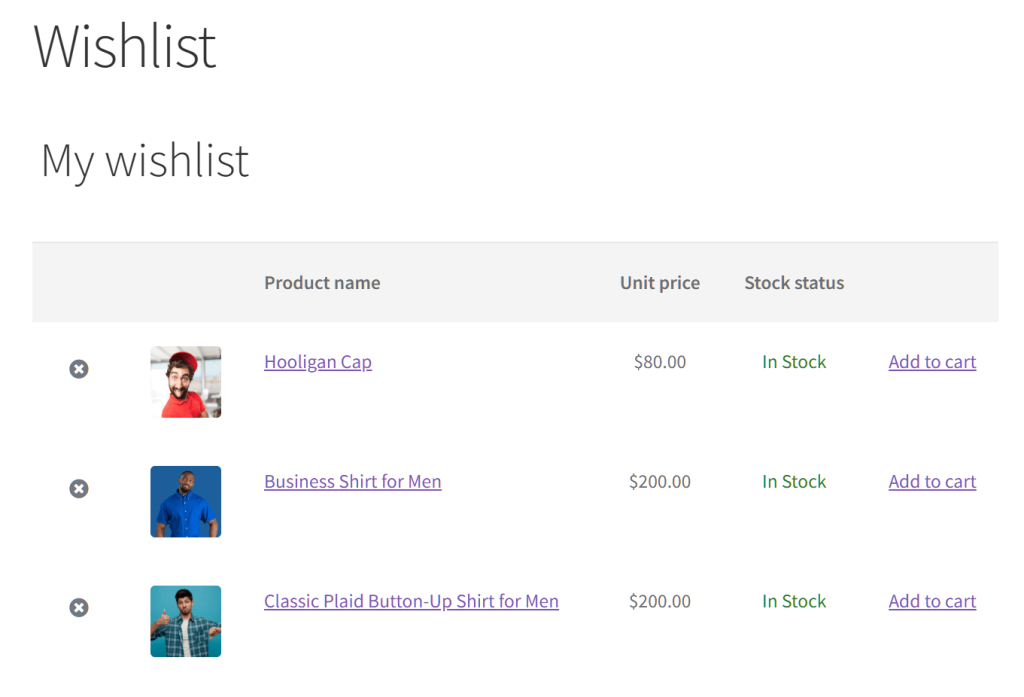
Lastly, the plugin relies on legacy shortcode architecture rather than modern Gutenberg blocks. If you’re building your store with a block theme, this will limit your layout flexibility.
🔍️ One thing we commonly see: Store owners install YITH WooCommerce Wishlist for its feature list but later struggle with page speed scores. If Core Web Vitals are a priority for your SEO strategy, weigh this trade-off carefully.
Pricing: YITH WooCommerce Wishlist has a free yet limited version. Its premium tier has an annual cost of €99.99 (around $118 USD as of writing).
TI WooCommerce Wishlist offers a solid middle ground between price and features. Its premium version is one of the more affordable paid options in this category. Moreover, the free version gives you a lot of ways to change how things look.
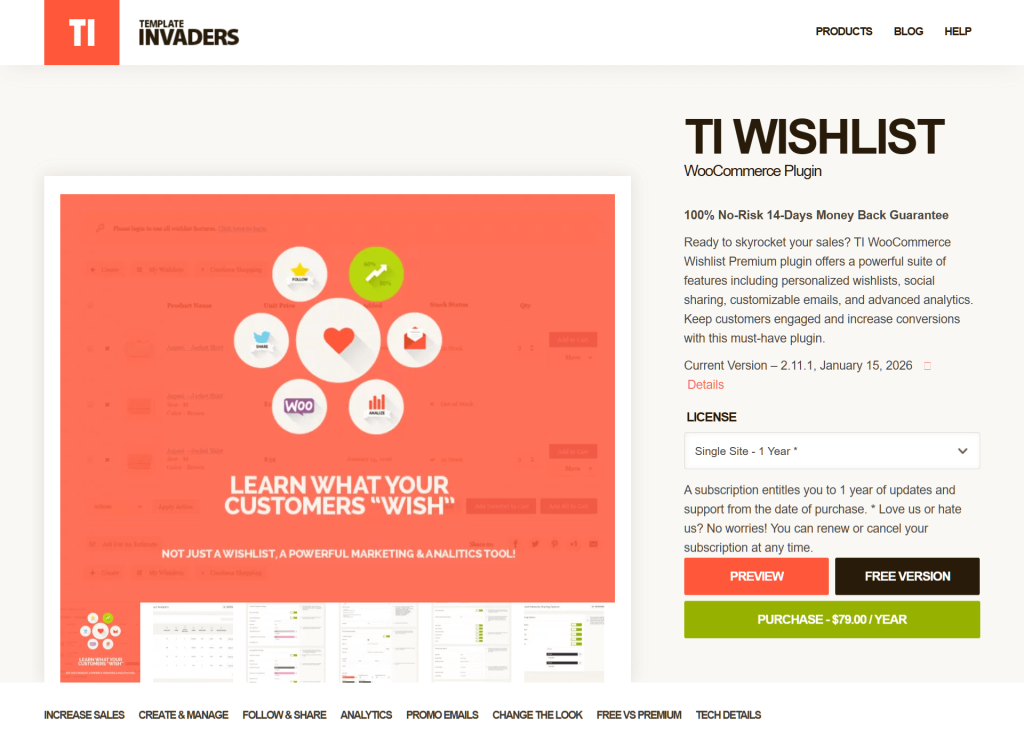
The free version of TI WooCommerce Wishlist includes:
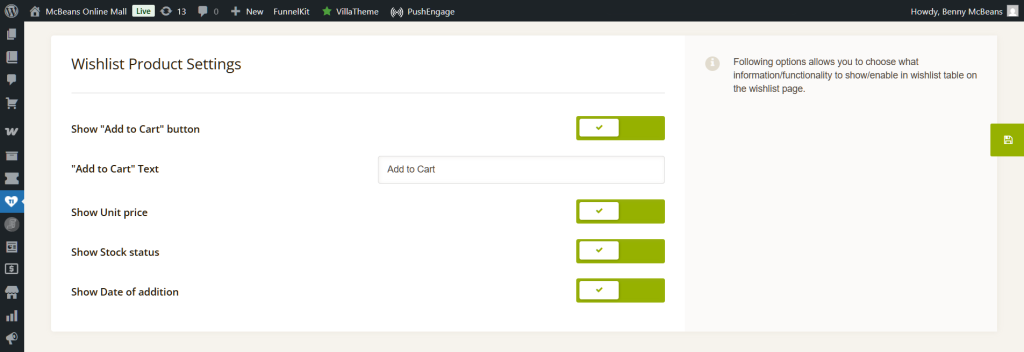
TI WooCommerce Wishlist Premium unlocks multiple wishlists, product analytics, and even more styling options for $79 per year. That is lower than YITH WooCommerce Wishlist while still covering the tools most stores need.
Its setup process is very simple, and the free version gives you over 60 customization options to test the waters before committing to the paid plan. If you want a traditional wishlist with deep control over how your tables and icons look, TI Wishlist is a great choice.
In performance testing, TI WooCommerce Wishlist added approximately 6.1 KB and 4 additional server requests per page. It’s lighter than YITH WooCommerce Wishlist but heavier than SaveTo Wishlist.
Like YITH Wishlist, TI Wishlist relies on older shortcodes rather than modern native Gutenberg blocks. If you’re building your website with a block theme, this means you might have to do more manual copying and pasting to place your buttons exactly where you want them.
Also, guest wishlists rely on simple browser cookies. If a visitor clears their internet history before creating an account, their wishlisted products won’t be retained.
Finally, the free version will show ads for the pro version inside your WordPress dashboard. Features like multiple wishlists, saving a whole shopping cart, and changing item quantities directly on the list require a premium upgrade.
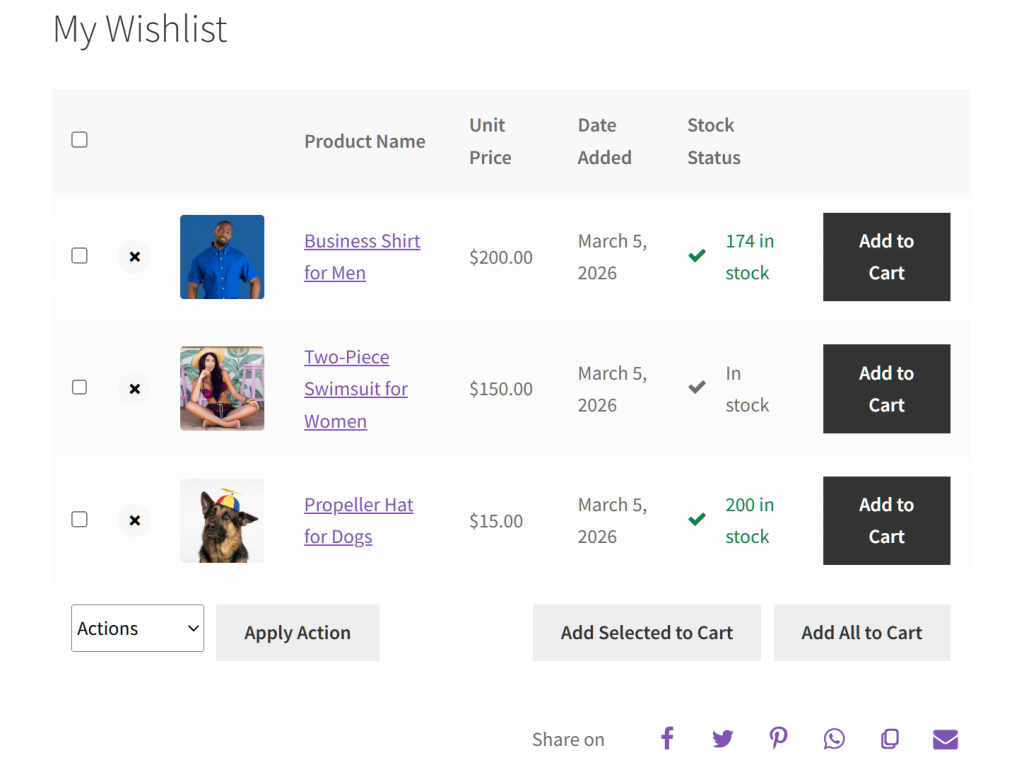
Pricing: TI WooCommerce Wishlist offers a free tier. Its premium version costs $79 per year.
WPC Smart Wishlist for WooCommerce is built with developers in mind. It offers extensive hooks, filters, and customization options that technical users will appreciate.
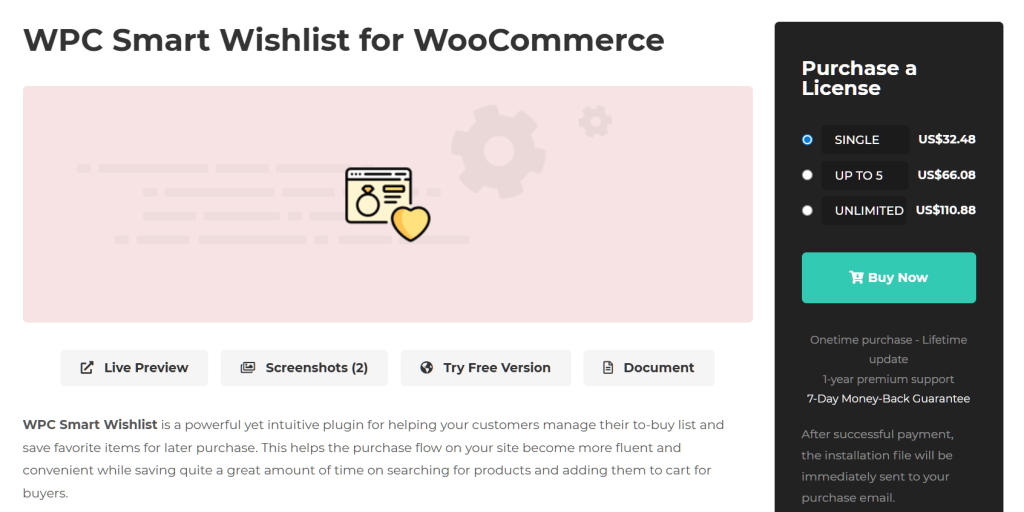
The free version of WPC Smart Wishlist for WooCommerce includes:
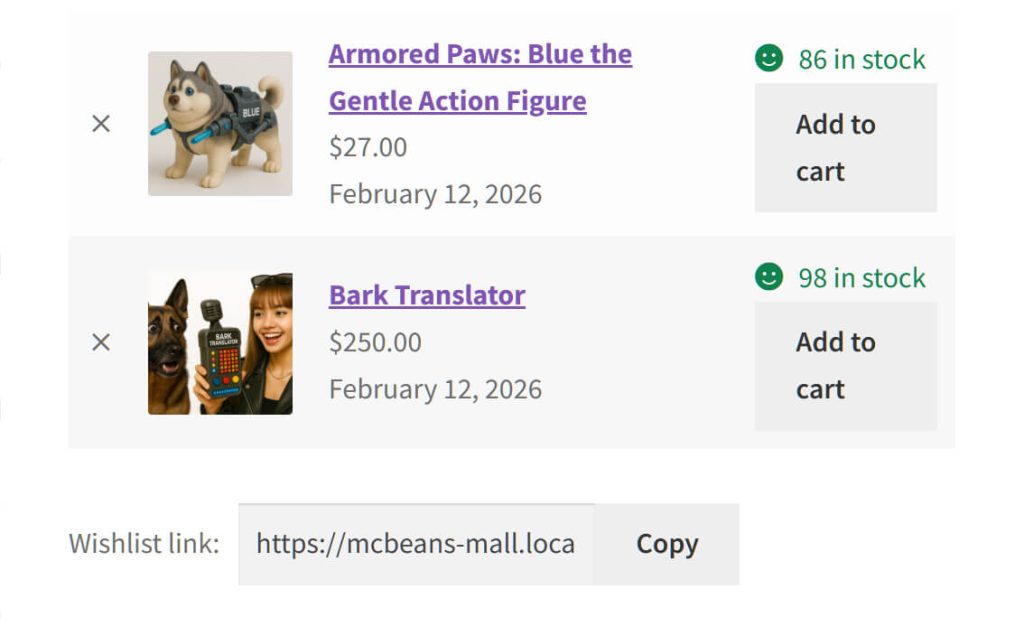
The popup style is great for keeping shoppers focused on your product pages.
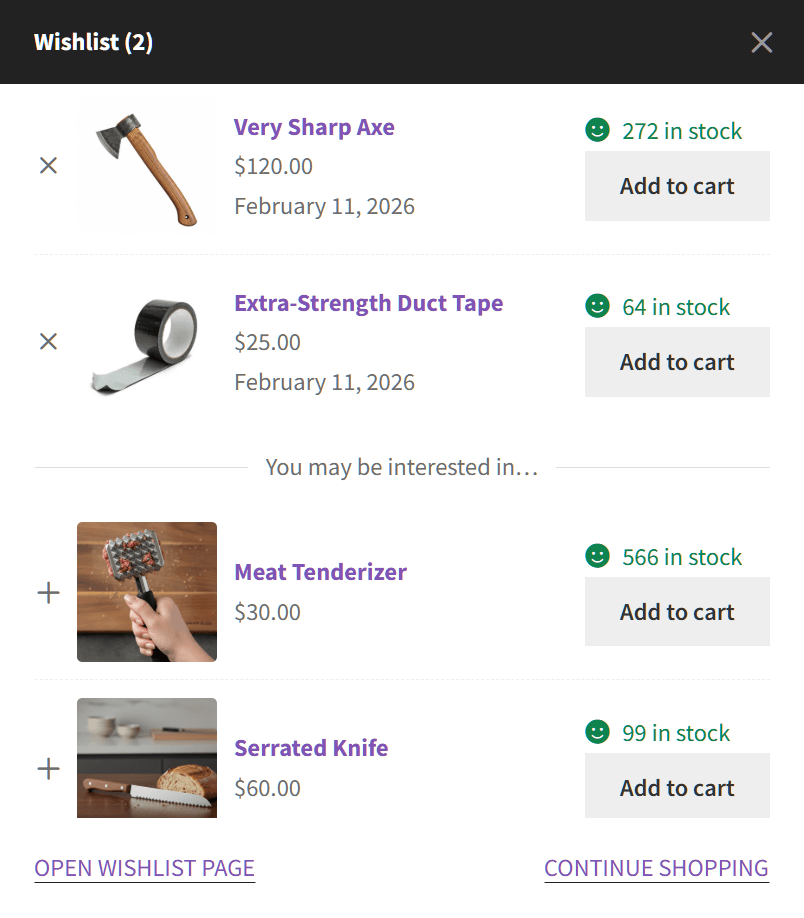
The plugin also features built-in product recommendations right inside the wishlist window. As shown in the image, it can display a “You may be interested in…” section directly below a customer’s saved items, making it easy to suggest related products and boost your sales.
If you’re a developer (or you have one on your team), WPC Smart Wishlist for WooCommerce gives you the most control over how the wishlist behaves behind the scenes. Its codebase is well-documented with hooks and filters for customization.
It is also very budget-friendly. The premium version starts at just $32.48, making it the cheapest paid upgrade on this list.
In testing, WPC Smart Wishlist for WooCommerce added approximately 11 KB and 7 additional server requests. It’s lighter than YITH WooCommerce Wishlist but heavier than both SaveTo Wishlist and TI WooCommerce Wishlist.
The free version offers a more streamlined, basic experience for the shopper. Customers can’t rename their list, delete it, or change the quantity of items directly on the list (they have to add the item to their cart first to change the number). Guest wishlists also rely on simple browser cookies, meaning if a user clears their browser data, their saved items won’t carry over.
Finally, multiple wishlists require the premium version, and the plugin primarily uses legacy shortcodes rather than modern Gutenberg blocks. For non-technical store owners who just want a highly visual, modern wishlist that works out of the box, this developer-focused tool might feel a bit complex.
Pricing: WPC Smart Wishlist for WooCommerce Free is available at no cost. WPC Smart Wishlist Premium starts at $32.48 per year.
Here’s how all four WooCommerce wishlist plugins stack up across the metrics that matter most:
| Feature | SaveTo Wishlist | YITH WooCommerce Wishlist | TI WooCommerce Wishlist | WPC Smart Wishlist |
| Frontend size | +2.5 KB | +311.8 KB | +6.1 KB | +11 KB |
| Server requests | +1 | +21 | +4 | +7 |
| Free multiple wishlists | Yes (unlimited) | No (premium only) | No (premium only) | No (premium only) |
| Free guest saving | Yes (with auto-merge) | Limited (cookie-based) | No | No |
| Gutenberg blocks | Yes (native) | No (shortcodes) | No (shortcodes) | No (shortcodes) |
| Premium price/yr | $49.50 first yr, $99/yr thereafter | €99.99/yr | $79/yr | $32.48/yr |
| Best for | Speed and value | Feature depth | Budget premium | Developers |
There’s no single “best” WooCommerce wishlist plugin for every single store. Ultimately, the right choice depends on exactly what you need.
Here’s a quick breakdown of the alternatives:
Choose YITH WooCommerce Wishlist if:
Choose TI WooCommerce Wishlist if:
Choose WPC Smart Wishlist for WooCommerce if:
When you compare speed, price, and features, SaveTo Wishlist is the best WooCommerce wishlist plugin you can choose for your store in 2026. Here’s exactly why it wins:
While other WooCommerce wishlist plugins offer these shopping tools exclusively in their paid tiers, SaveTo Wishlist gives you a professional, high-speed experience right out of the box. For this reason, it’s the clear winner for 2026.

Yes, WooCommerce wishlist plugins can slow your store down. The performance impact varies wildly from tool to tool. In our testing, the lightest option (SaveTo Wishlist) added just 2.5 KB and 1 request, while the heaviest (YITH WooCommerce Wishlist) added 311.8 KB and 21 requests. Always check the plugin’s impact on your page speed after installing.
SaveTo Wishlist is the only major WooCommerce wishlist plugin on this list that offers unlimited multiple wishlists in the free version. YITH WooCommerce Wishlist, TI WooCommerce Wishlist, and WPC Smart Wishlist for WooCommerce all require their premium versions for this feature.
It depends on the tool. WooCommerce wishlist plugins like SaveTo Wishlist allow guest wishlist saving with automatic account sync. When a guest later registers, their items transfer automatically. Other plugins either don’t support guest saving in the free version or use cookie-based storage that doesn’t survive browser changes.
For stores that prioritize speed and simplicity, yes. SaveTo Wishlist Pro offers a clean, performant alternative. However, if you need advanced features like detailed wishlist analytics or complex email triggers, YITH WooCommerce Wishlist Premium still has the deeper feature set. SaveTo Wishlist Pro is newer and continuing to add features.
Not all of them. SaveTo Wishlist offers native Gutenberg block support. YITH WooCommerce Wishlist, TI WooCommerce Wishlist, and WPC Smart Wishlist for WooCommerce primarily use shortcodes, which work in block themes but don’t offer the same layout flexibility as native blocks.
Yes, most of the top options are built to support multiple languages. For example, WooCommerce wishlist plugins like SaveTo Wishlist are translation ready right out of the box, making it easy to display your shopping tools in your customers’ native language.
Choosing the right WooCommerce wishlist plugin comes down to your priorities. Speed, features, price, and developer flexibility all pull in different directions.
Here’s a quick recap of what we covered:
For most store owners who want a fast, reliable WooCommerce wishlist plugin without stretching their budget for premium features, SaveTo Wishlist is the strongest option in 2026.
If you just need a reliable, free WooCommerce wishlist, you can download the base version to try it out for yourself. And when you’re ready to upscale, check out SaveTo Wishlist Pro!

Copyright © StoreOwnerTips.com. All Rights Reserved.
