Weekly ecommerce tips, deals & news.

Some stores launch a WooCommerce affiliate program and bring in sales right away without spending a dollar on ads. By contrast, others launch one and see zero sales for months.
The difference isn’t the plugin. It’s who you recruit and how you set up commissions. I’ve seen this play out again and again: the tool matters far less than the effort behind it.
Done properly, affiliate marketing gives you one of the best returns on investment out there. So this guide covers the complete setup based on what actually works. We’ll help you pick a plugin, plan commissions, and find the right people.

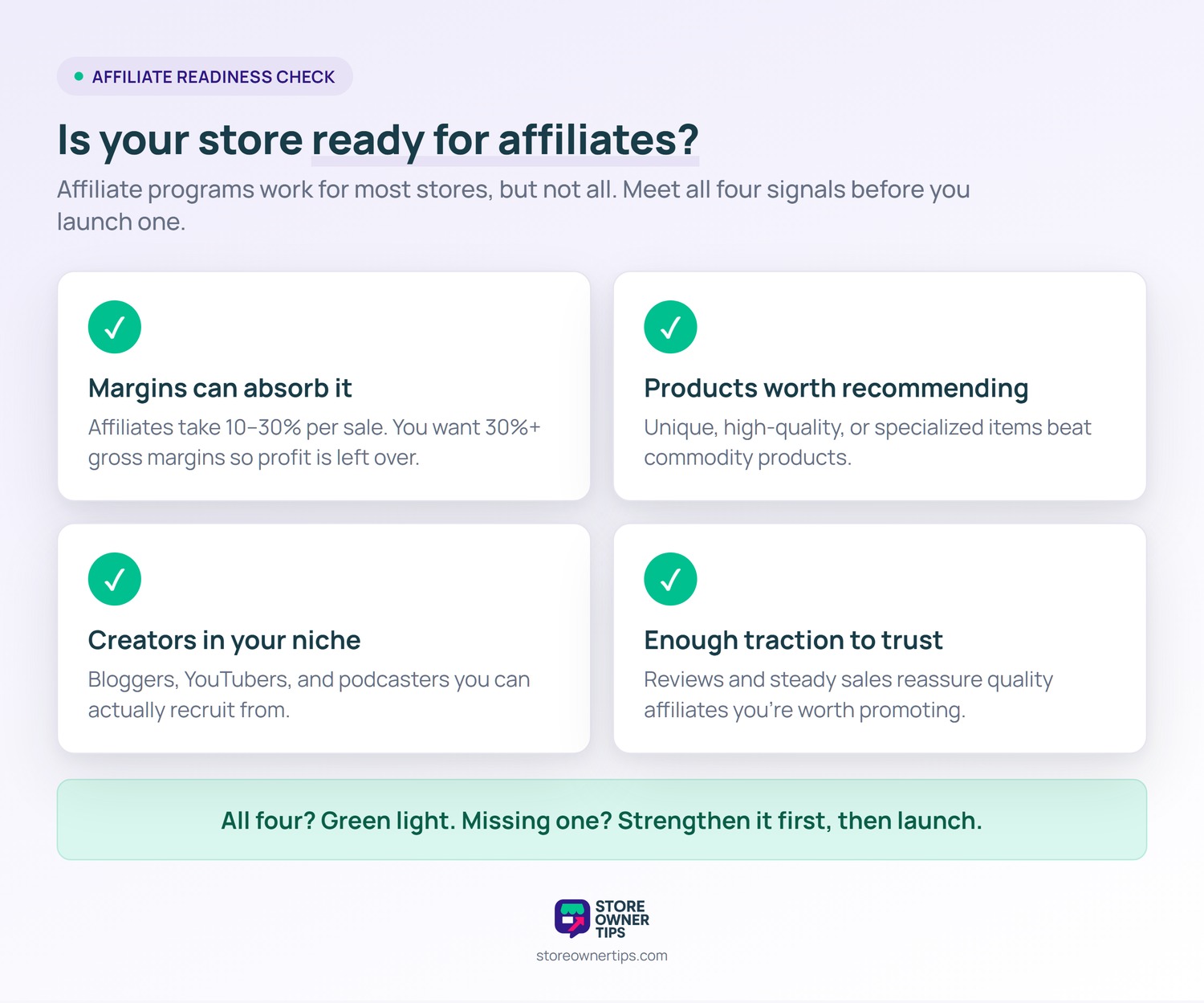
Affiliate marketing programs work for most stores, but not all. Consider whether:
If your store meets all four, a WooCommerce affiliate program can drive real revenue growth. If not, focus on other acquisition channels first.
Four plugins dominate WooCommerce affiliate programs. Here’s how they stack up.
| Plugin | Starting Price | Commission Tiers | Coupon Code Tracking | Real-Time Stats |
|---|---|---|---|---|
| AffiliateWP | $149.50/yr (renews $299) | Yes (pro addons) | Yes | Yes |
| YITH WooCommerce Affiliates | $179.99/yr | Yes | Yes | Yes |
| Post Affiliate Pro | $129/mo | Yes | Yes | Yes |
| SliceWP | $229/yr (often on sale) | Yes (pro) | Yes | Yes |
Pricing shown is approximate as of mid-2026. Still, introductory discounts often apply to the first year, with renewals at full price.
AffiliateWP is the most popular WooCommerce affiliate plugin. Built by Sandhills Development (creator Pippin Williamson) and now maintained under Awesome Motive, it’s been actively developed since 2014.
What stands out:
Pros:
Cons:
Best for: Most WooCommerce stores. If you want one affiliate plugin that covers most needs, AffiliateWP is the default choice.
YITH’s affiliate plugin ships as a single premium plan with solid core features. Plus, it’s part of the YITH ecosystem, so it plays well with other YITH plugins (coupons, points and rewards, email marketing).
What stands out:
Pros:
Cons:
Best for: Stores already in the YITH ecosystem, or those wanting flexible commissions without addon fees.
Post Affiliate Pro is an enterprise-focused affiliate platform. It runs as a SaaS, separate from your WordPress install, but integrates with WooCommerce.
What stands out:
Pros:
Cons:
Best for: Enterprise WooCommerce stores running large-scale affiliate programs.
SliceWP is a newer WordPress-native affiliate plugin with a modern UI and clean setup.
What stands out:
Pros:
Cons:
Best for: Stores that value modern UI and want an AffiliateWP alternative.
Setting up a WooCommerce affiliate program is one of the smartest ways to grow sales. After all, you only pay for marketing when it actually works. Instead of hoping Facebook ads pay off, you give content creators a reason to promote your products.
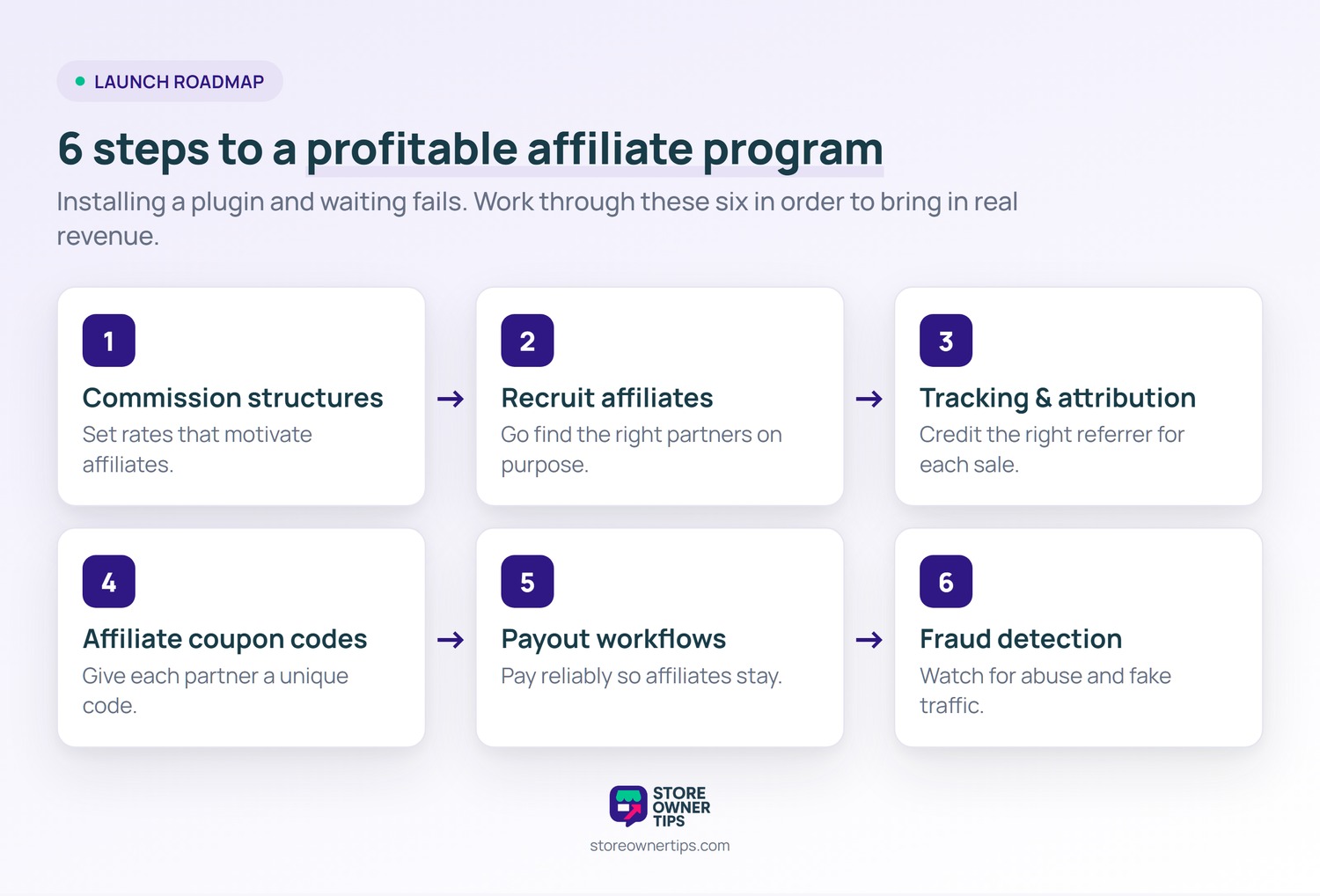
However, installing a plugin and waiting for people to show up is a recipe for failure. A successful program needs attractive commission rates. Plus, you have to actively recruit the right partners and set up reliable tracking.
With that in mind, here are six essential steps to launch a program that actually brings in revenue.
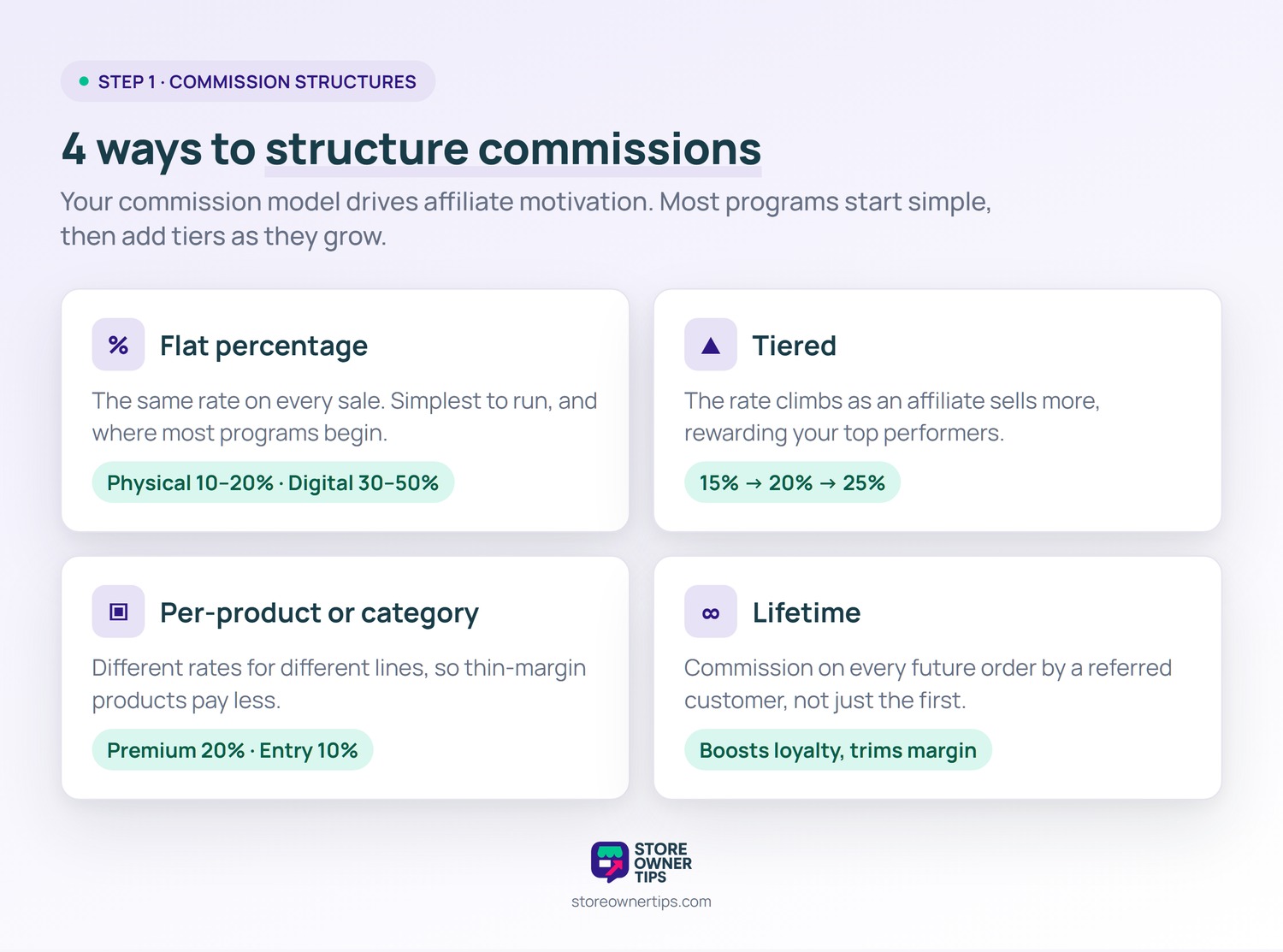
Your commission strategy affects affiliate motivation directly.
Every affiliate earns the same percentage on every sale. In fact, it’s the simplest to understand and manage. So most programs start here.
Typical rates:
Top performers earn higher rates. For example:
Tiered structures reward your top affiliates and reduce churn among high performers.
By contrast, different commission rates apply to different products. In practice, this helps when margins vary a lot (premium products might pay 20%, entry products 10%).
The affiliate earns commission on all future purchases by referred customers, not just the first order. This lifts affiliate motivation sharply, but it reduces your long-term margin.
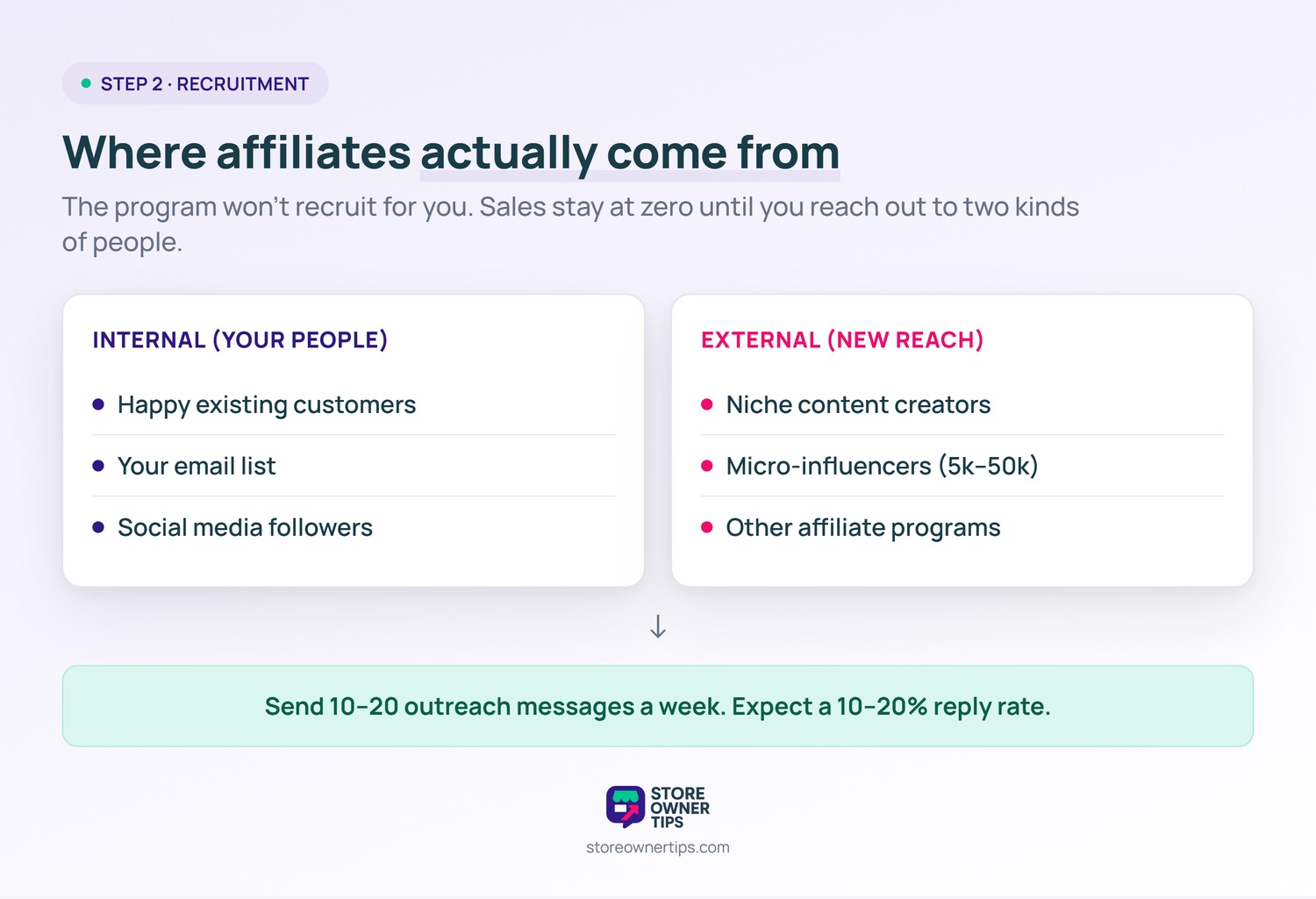
Most stores launch a program and wait. As a result, zero sales happen until you actively recruit. So the program doesn’t generate affiliates; you do.
Turning loyal buyers into promoters is classic referral marketing.
Keep it simple and specific:
Hey [Name], I’ve followed your content on [specific topic] for a while. We just launched an affiliate program for [product]. It pays [commission rate] with a [cookie length] cookie. I thought it might interest you, and I’d be happy to set you up with priority approval and some free product to review. Want the details?
Send 10-20 outreach messages per week. Typically, expect a 10-20% response rate.
Tracking affiliate sales correctly is essential. Here are the key attribution concepts:
Use coupon code tracking alongside link tracking. That way, it catches conversions when customers clear cookies or switch devices.
For overall sales tracking, set up Google Analytics on your store.
Affiliate-only coupon codes are an underused tactic. Still, don’t rely on a standard tracking link alone. Give each affiliate a unique code like “JANE10” for 10% off. As a result, it tracks conversions and gives shoppers a reason to buy.
Advanced Coupons integrates with most affiliate plugins to create affiliate-specific coupons automatically. When an affiliate signs up, they get their own code that tracks back to them.
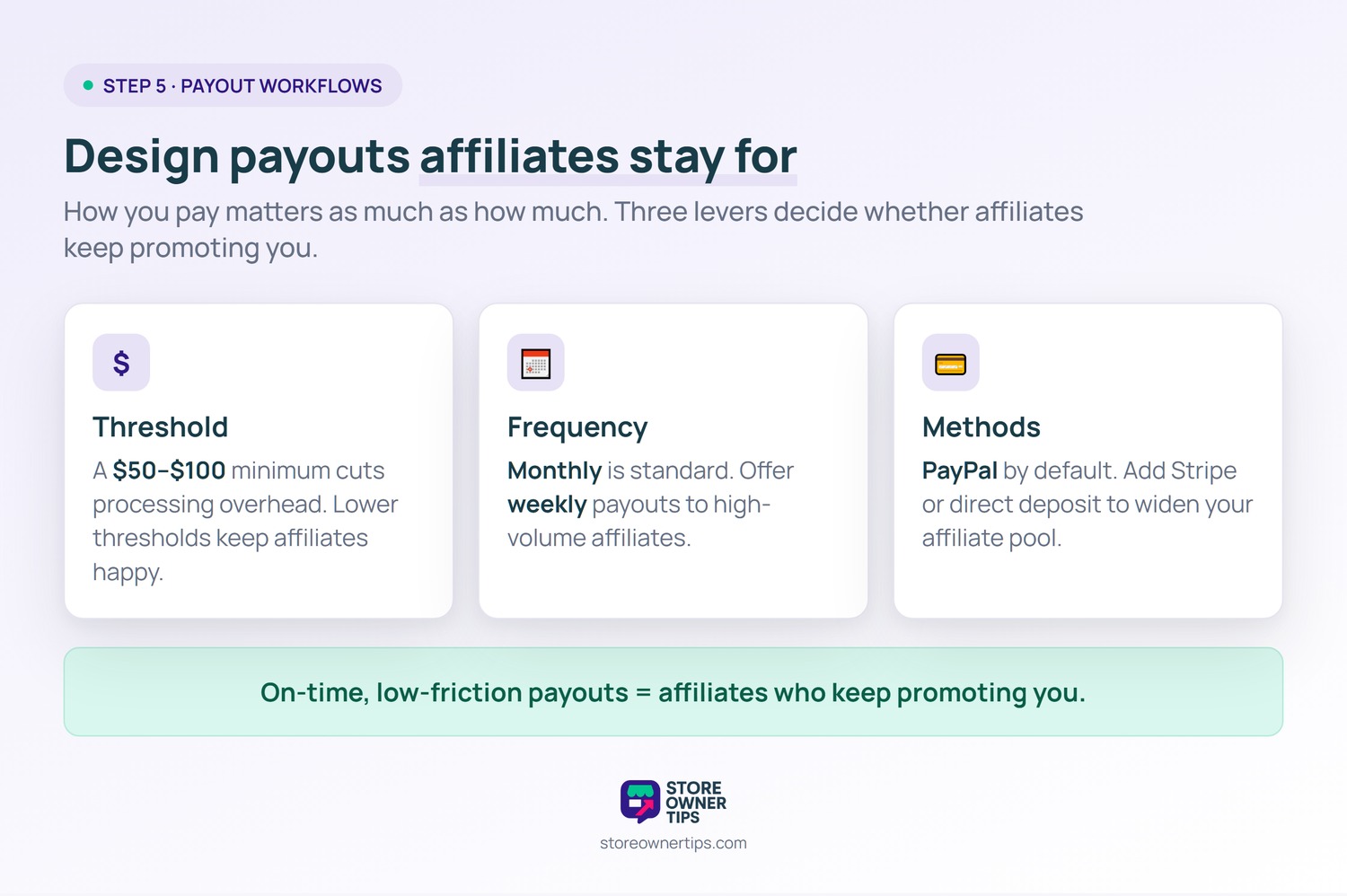
How you pay affiliates affects retention.
WC Vendors covers payout methods and schedules in a detailed guide.
A minimum payout amount (typically $50-100) reduces payment processing overhead. That said, lower thresholds improve affiliate retention.
Typically, monthly payouts are standard. Still, some programs offer weekly payouts for high-volume affiliates.
PayPal is the default. That said, some plugins support direct deposit, Stripe, or other methods. As a result, the more methods you support, the broader your affiliate pool.
Affiliate fraud exists. Watch for:
AffiliateWP includes built-in fraud detection. For larger programs, consider dedicated anti-fraud services.
Advanced Coupons also has a guide on preventing coupon fraud.
AffiliateWP suits most stores. Meanwhile, YITH WooCommerce Affiliates works for flexible-commission setups. By contrast, Post Affiliate Pro fits enterprise-scale programs.
Physical products: 10-20%. Digital products: 30-50%. Subscriptions: 10-20% recurring or 30-50% first-month. Start with flat rates, then add tiers as the program matures.
30-60 days is common. Generally, longer cookies help affiliates but reduce your margin control. That said, too short (under 7 days) hurts affiliate motivation.
Focus on creators already covering your niche. Then, reach out with specific, personalized messages. Offer competitive commission rates. Also, provide marketing materials (banners, email templates, product images) to make promotion easier.
Yes, but create affiliate-only codes rather than letting them use general coupons. In short, affiliate-specific codes track commissions correctly. They also stop affiliates from gaming public discount codes.
Launch once your store has some traction: your first 1,000 customers, steady monthly revenue, and enough reviews and social proof that new affiliates will trust promoting you.

A WooCommerce affiliate program can drive real revenue growth if you approach it actively. First, install the right plugin, design commission structures that motivate, and recruit affiliates on purpose. Still, passive launch-and-wait strategies fail.
Here’s what to do next:
Ready to launch a WooCommerce affiliate program? Start with AffiliateWP and pair it with Advanced Coupons for affiliate-only coupon tracking. Then commit to recruiting 10 affiliates in your first month. That’s where affiliate revenue actually comes from.

Copyright © StoreOwnerTips.com. All Rights Reserved.
