Weekly ecommerce tips, deals & news.
Coupon stacking is when a shopper applies more than one coupon to a single order. Two discounts combine on one cart instead of competing. WooCommerce blocks this on any coupon marked individual use only. So allowing it is a deliberate choice rather than an accident.
Coupon stacking works by letting one cart hold several valid coupons at once. First each coupon calculates its own discount. Then the cart totals them, which is where the arithmetic can surprise you.
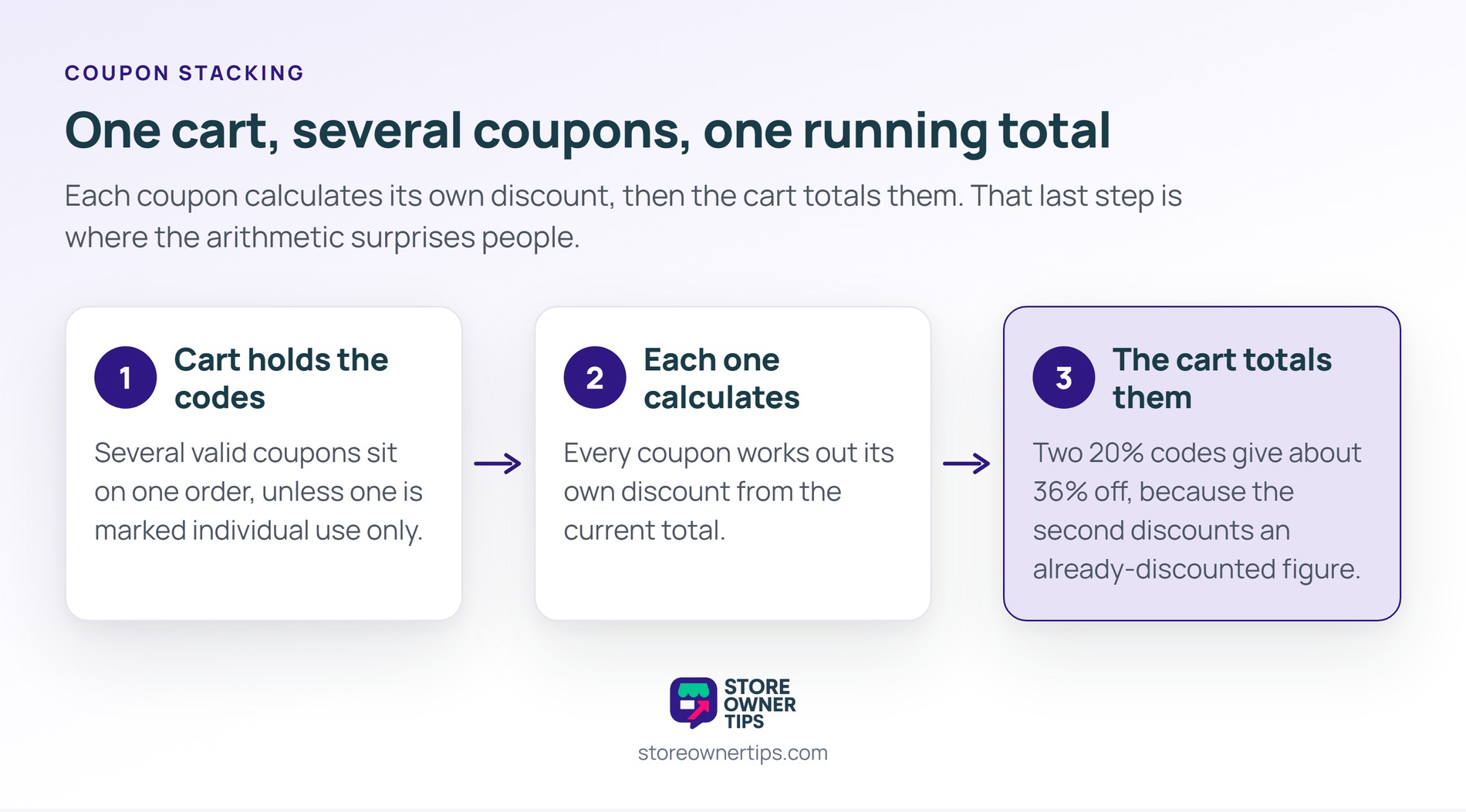
WooCommerce puts an individual use only checkbox on every coupon. So checking it means that coupon refuses to sit alongside any other one.
Consequently a store that never touched the setting may already allow stacking on some coupons and not others. In practice that inconsistency causes most of the surprises.
Advanced Coupons goes further with per-coupon combination rules. Its guide to coupon stacking benefits and risks covers when allowing it makes sense.
Two 20% coupons do not make 40% off. Instead each one applies to the running total, so the second discounts an already-discounted figure.
That sounds reassuring until a fixed-amount coupon joins in. A $20 off code stacked onto a percentage code can take a cart below what the goods cost you.
Therefore write the worst case down before you enable anything. The arithmetic is the entire risk here.
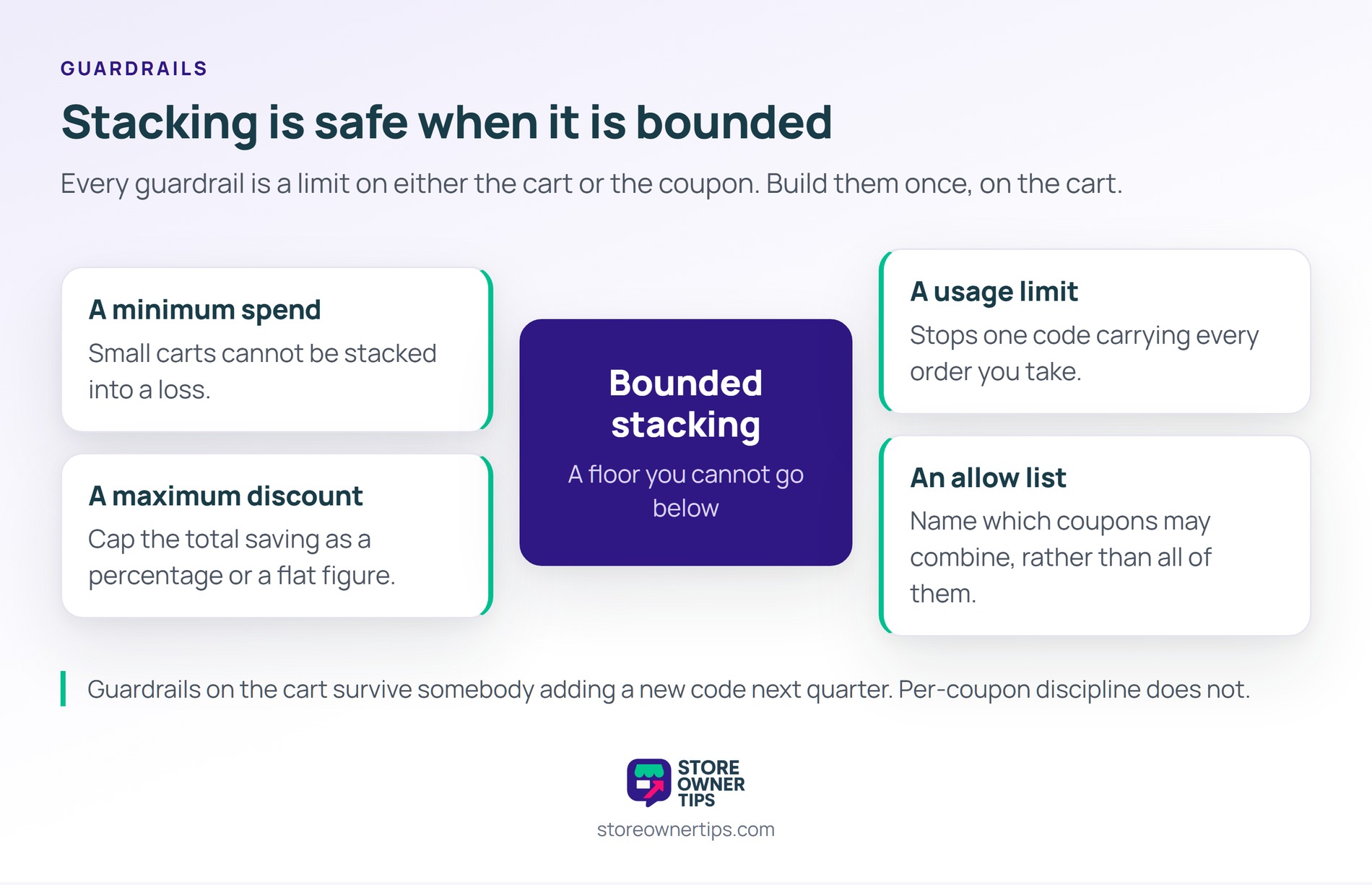
In practice stacking is safe when it is bounded. Every guardrail is a limit on either the cart or the coupon.
Also, watch your gross margin per product rather than per order. A stacked cart full of low-margin items is the case that actually hurts.
Guardrails work best on the cart rather than on each coupon. A cart-level cap survives somebody adding a new code next quarter. Therefore build the limit once, then stop relying on per-coupon discipline.
Enabling stacking is a five-minute change. Testing it properly takes longer, and skipping that step is where the losses come from.
Run each case as a real order on a staging site. Then compare the final total against your cost, not your list price.
Also, write the results somewhere your future self will find them. Six months later nobody remembers which combinations were approved.
Shopper behavior around codes is well researched, and it argues for automation. Baymard found that 83% of sites do not apply eligible discounts automatically, which leaves customers to go hunting.
Also, that hunt is expensive. Baymard’s abandonment research pins 40% of abandonment on extra costs being too high. A shopper who leaves your checkout to find a code often does not come back.
Coupon tooling is common on WooCommerce. Advanced Coupons, our own coupon plugin, reports 20,000+ active installations. Still, none of those figures tell you what your own margin can absorb.
Note what these numbers do not settle. Neither Baymard figure is about stacking specifically, and no public benchmark exists for it. So your own order data is the only source that counts here.
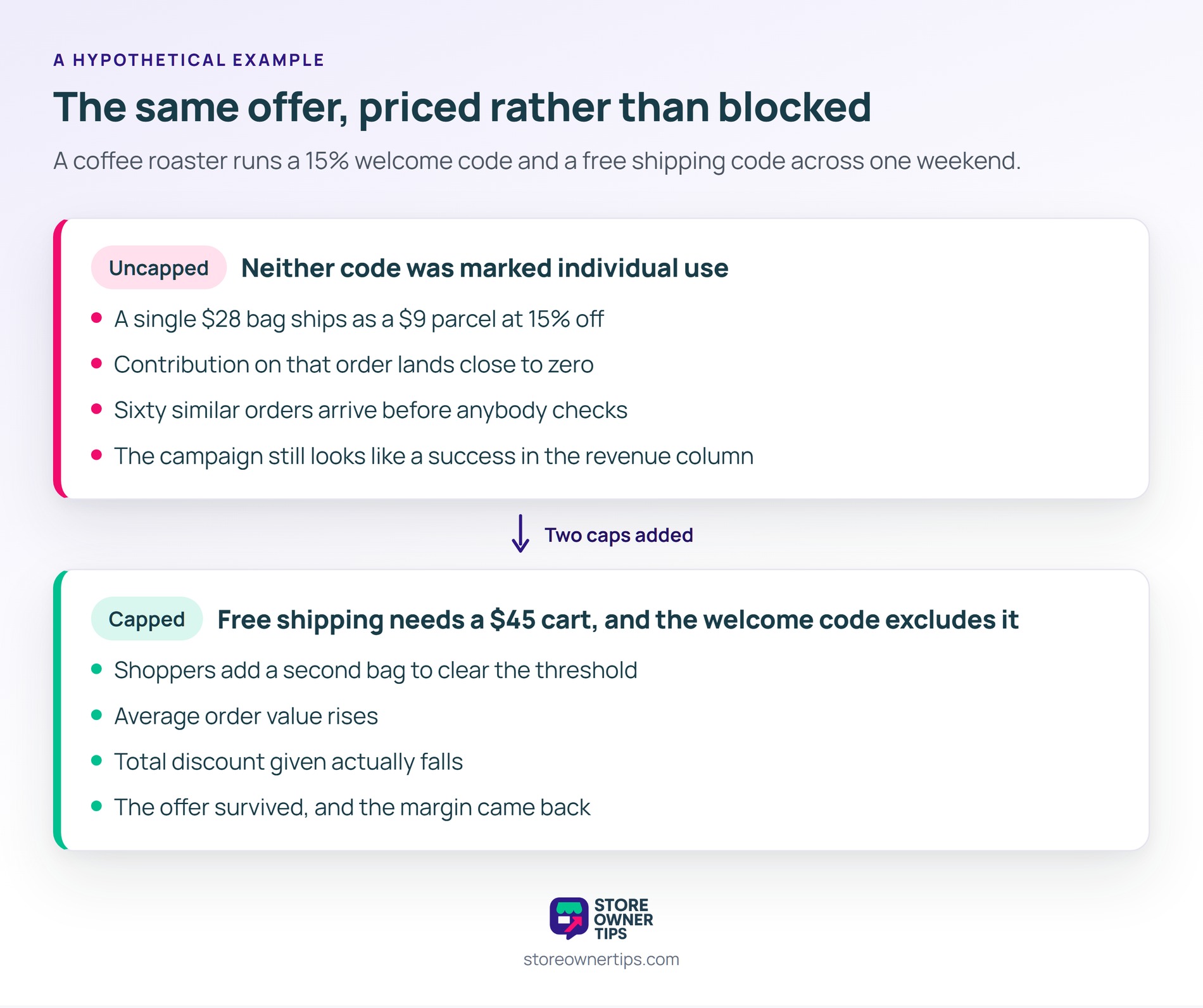
Here’s a hypothetical example. So picture a coffee roaster running a 15% welcome code and a free shipping code across the same weekend.
Neither code was marked individual use. First a customer applies both of them. Then the order ships a $9 parcel at 15% off a single $28 bag.
Contribution on that order is close to zero. Consequently 60 similar orders arrive before anybody checks. Meanwhile the campaign looks like a success in the revenue column.
Next, they keep both codes and add two limits. Free shipping now needs a $45 cart, and the welcome code excludes it.
Then the same weekend runs again. Average order value rises, because shoppers add a second bag to clear the threshold.
Total discount given actually falls. Instead of blocking the stack, they priced it. In short, the offer survived and the margin came back.
Also, a deal site had already published the old combination. So shoppers kept attempting it for weeks after the change.
Each attempt failed at the cart with a message nobody had written. Therefore they wrote one, explaining the minimum plainly. Even so, a few customers emailed to complain about it.
Their own staff discount stacked as well, which nobody had considered. So a handful of internal orders went out below cost before the allow list caught them.
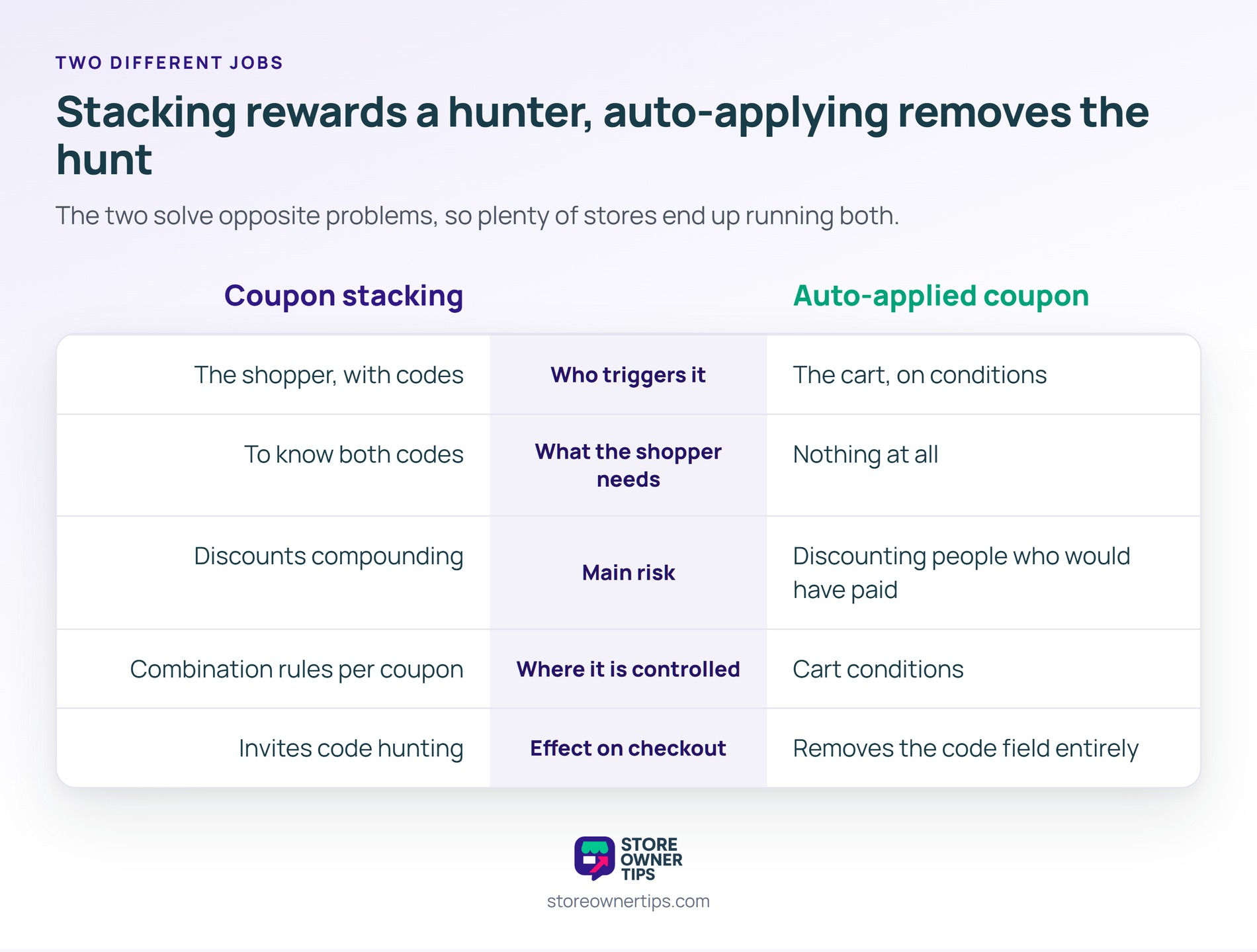
| What you’re comparing | Coupon stacking | Auto-applied coupon |
|---|---|---|
| Who triggers it | The shopper, with codes | The cart, on conditions |
| What the shopper needs | To know both codes | Nothing at all |
| Main risk | Discounts compounding | Discounting people who would have paid |
| Where it is controlled | Combination rules per coupon | Cart conditions |
| Effect on checkout | Invites code hunting | Removes the code field entirely |
The two solve opposite problems, and plenty of stores want both. Stacking rewards a shopper who already found your offers, while an auto-applied coupon removes the reason to go looking.
Also, an auto-applied discount can itself stack with a typed code. Consequently your guardrails belong on the cart, not only on the coupon.
In practice most stores auto-apply the offer they want everyone to get. Then they keep codes for the offers that should be earned. That split is easier to defend than one rule covering everything.
Partly. A cart can hold several coupons unless one of them is marked individual use only. That checkbox is the switch most store owners are actually looking for, and it sits under the coupon’s usage restrictions.
No. Each coupon applies to the running total, so the second takes 50% of what is left. The result is 75% off rather than 100%. Fixed-amount coupons behave differently, though, and those are the ones worth testing.
Only with a cap. A minimum spend plus a maximum total discount keeps the offer generous without letting it compound. Without limits, your worst case is an order you lose money on.
Coupon stacking matters because it turns two separate decisions into one number you never approved. Each coupon looked fine on its own. Together they set a price nobody signed off.
So the real question is not whether to allow it. It is knowing your floor, then writing rules that cannot go below it. Meanwhile shoppers still get an offer that feels generous.
Copyright © StoreOwnerTips.com. All Rights Reserved.
