Weekly ecommerce tips, deals & news.
Over 2.77 billion people shopped online in 2025, and the ecommerce industry is expected to hit $8 trillion by 2027. There’s no better time than now to build your online presence, especially if you’re a small business owner ready to grow!
First things first: where do you start?
I’ve got you! In this guide, I’ll walk you through the best ecommerce platforms for small businesses. Each review includes personal insights, standout features, and clear recommendations so you can pick the right one based on your needs, skills, and goals.
Let’s get right into it!
Short on time? Check out this quick overview:
| Platform | Pricing | Key Features | Best For | AI Tools |
|---|---|---|---|---|
| WooCommerce | Free plugin + hosting + optional paid extensions/plugins | High customization, huge plugin/theme ecosystem, full ownership of store/data | WordPress users, full control | Plugins like StoreAgent |
| Shopify | From ~$39/month | Fast setup, app marketplace, polished themes, multi‑channel selling | Beginners, fast launch | Shopify Magic |
| Wix | From ~$27/mo | Drag‑and‑drop editor, visual design freedom, templates, includes analytics & marketing tools | Creatives, design-first stores | AI Writer and Website Builder |
| Squarespace | From ~$27/month | Elegant templates, built‑in SEO & analytics, all‑in‑one, good design control | Aesthetic brands, small stores | Squarespace Blueprint AI and AI content |
| BigCommerce | From ~$39/mo | Unlimited products, strong B2B/wholesale features, APIs & integrations, built‑in multi‑channel selling | Scaling brands, wholesale | BigAI tools |
| Magento (Open Source) | Free software + hosting + optional premium themes/dev costs | Code-level control, multi-store management, extremely advanced catalog and inventory | Tech-savvy businesses with developers, massive catalogs | Third-party extensions |
| PrestaShop | Free software + hosting + premium add-ons | Intuitive dashboard, robust built-in CRM, excellent multi-language/currency support | Mid-sized businesses wanting an accessible open-source option | Third-party modules |
| Ecwid | Free (up to 5 items) to ~$15/month | Seamless embedding into existing sites, POS integration, social media native selling | Bloggers, creators, and established website owners | App marketplace integrations |
| Adobe Commerce | Custom enterprise pricing (thousands/year) | Drag-and-drop Page Builder, advanced B2B features, fully managed cloud hosting | Rapidly scaling enterprises, complex B2B/B2C hybrid brands | Adobe Sensei AI |
Regardless of what type of product you decide to sell online–digital goods, handmade crafts, physical inventory, or even services–you’ll need a storefront to showcase them, accept payments, and manage orders. That’s what ecommerce platforms are for. Simply put, they’re tools that help you launch and manage an online store.
Most ecommerce platforms offer the basics out of the box: product listings, shipping setup, payment options, and promotional tools like coupons or discounts.
While comparing these platforms, I quickly realized that there’s one for every kind of store owner. Some tools were easy to use but lacked flexibility. Others had powerful features but felt overwhelming to set up. That’s why it’s crucial to choose a platform that matches not just your products, but also your budget, tech experience, and long-term goals.
Here’s why picking the right ecommerce platform matters:
As a small business owner, your time and energy are limited as you often wear multiple hats. That said, you’ll want a platform that supports your goals and won’t overwhelm you with unnecessary complexity.
These are the key areas I paid close attention to while testing the best ecommerce platforms for small businesses:
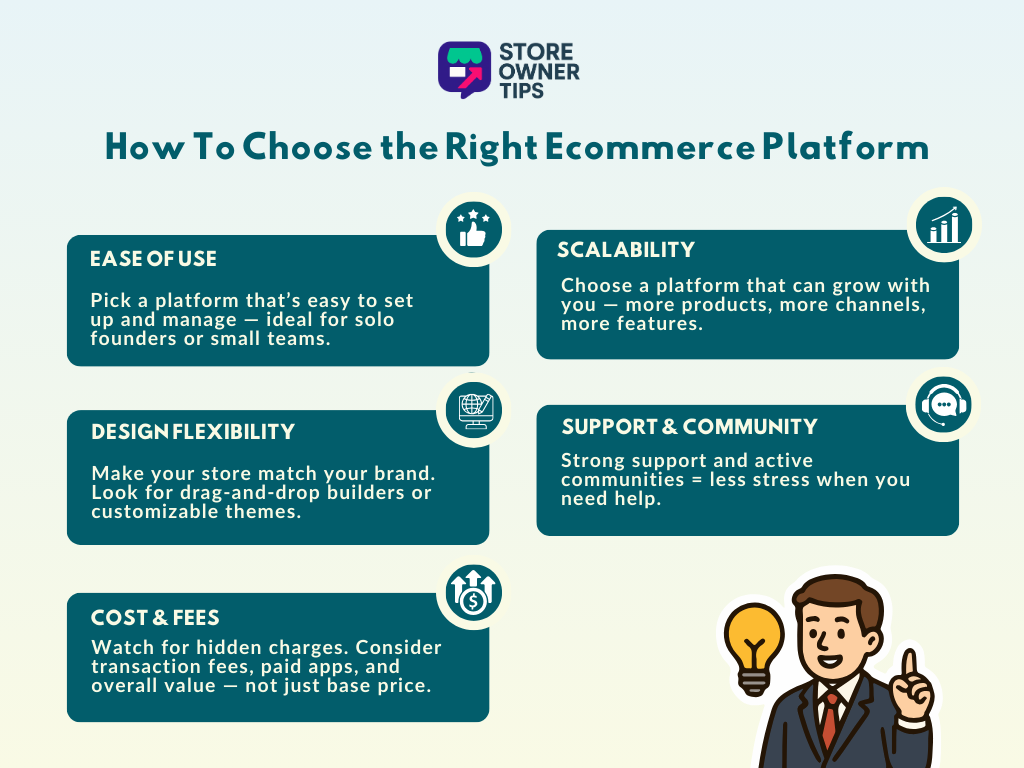
One of the first things I checked was how quickly I could get started. The best platforms guide you step-by-step, making it easy to add products, update pages, and track orders. If you’re a solo founder or working with a small team, this one factor alone can save you hours each week.
Look for ecommerce platforms with intuitive dashboards, easy-to-follow onboarding flows, and helpful documentation or live chat support (more on this later).
Your storefront should be able to reflect your brand. Some platforms offer drag-and-drop builders, while others offer customizable themes. Both can work, but the key is finding a platform that gives you control without overcomplicating things.
If you’re looking to scale, having the option to expand your design later (like adding custom sections or switching layouts) is a huge plus!
Cost is a huge consideration when you’re just starting out. Thankfully, you have a lot of options: some platforms offer low-cost plans that work well for simple setups, or monthly pricing tiers that can scale with your needs. It’s not always about choosing the cheapest option, but more so which gives you the best value based on how you plan to sell.
💡 POWER TIP: Factor in payment gateway fees, hidden transaction percentages, and the cost of premium themes or apps. They can add up, especially when you’re beginning to scale.
Can your platform support you when you’re starting to scale? I kept an eye on platforms that offer extra room for growth. For example, some tools make it easy to upgrade your plan or integrate with social media channels and marketing systems.
If you plan to launch more products along the way or sell across multiple channels, scalability will save you from having to migrate to a whole new system later.
For small business owners who might not have a tech team to lean on, solid support and an engaged community can make a huge difference. Some platforms offer live chat support and thorough documentation that guides you step-by-step. Community forums are also a huge plus. Sometimes, the best tips come from fellow users!
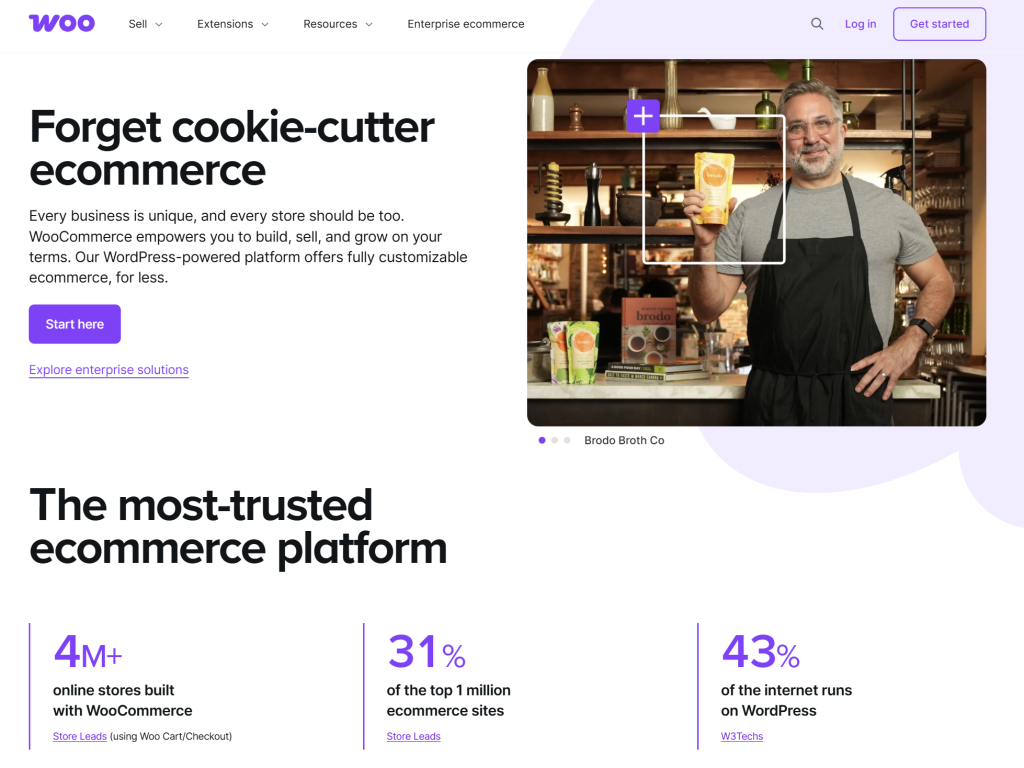
At present, WooCommerce powers over 4 million stores, making it one of the most popular ecommerce platforms out there. It’s a free, open-source plugin for WordPress that transforms your website into an online store. If you’re already familiar with the WordPress ecosystem (or plan to build your website there), WooCommerce is likely the most natural starting point!
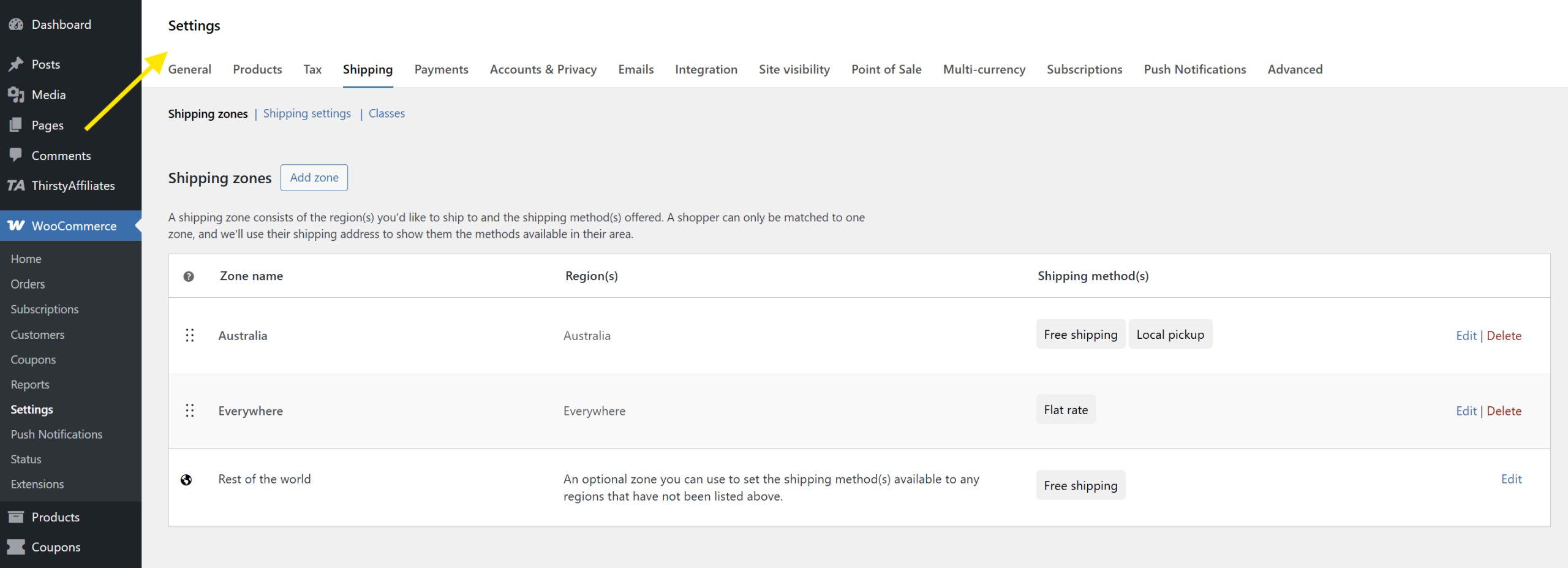
The plugin itself was easy to activate. After installing it on my test site, I was guided through a setup wizard that helped me configure basic store details, like currency, shipping options, and payment gateways. From there, I could explore other plugins and extensions for advanced features like discount rules, loyalty programs, or wholesale pricing.
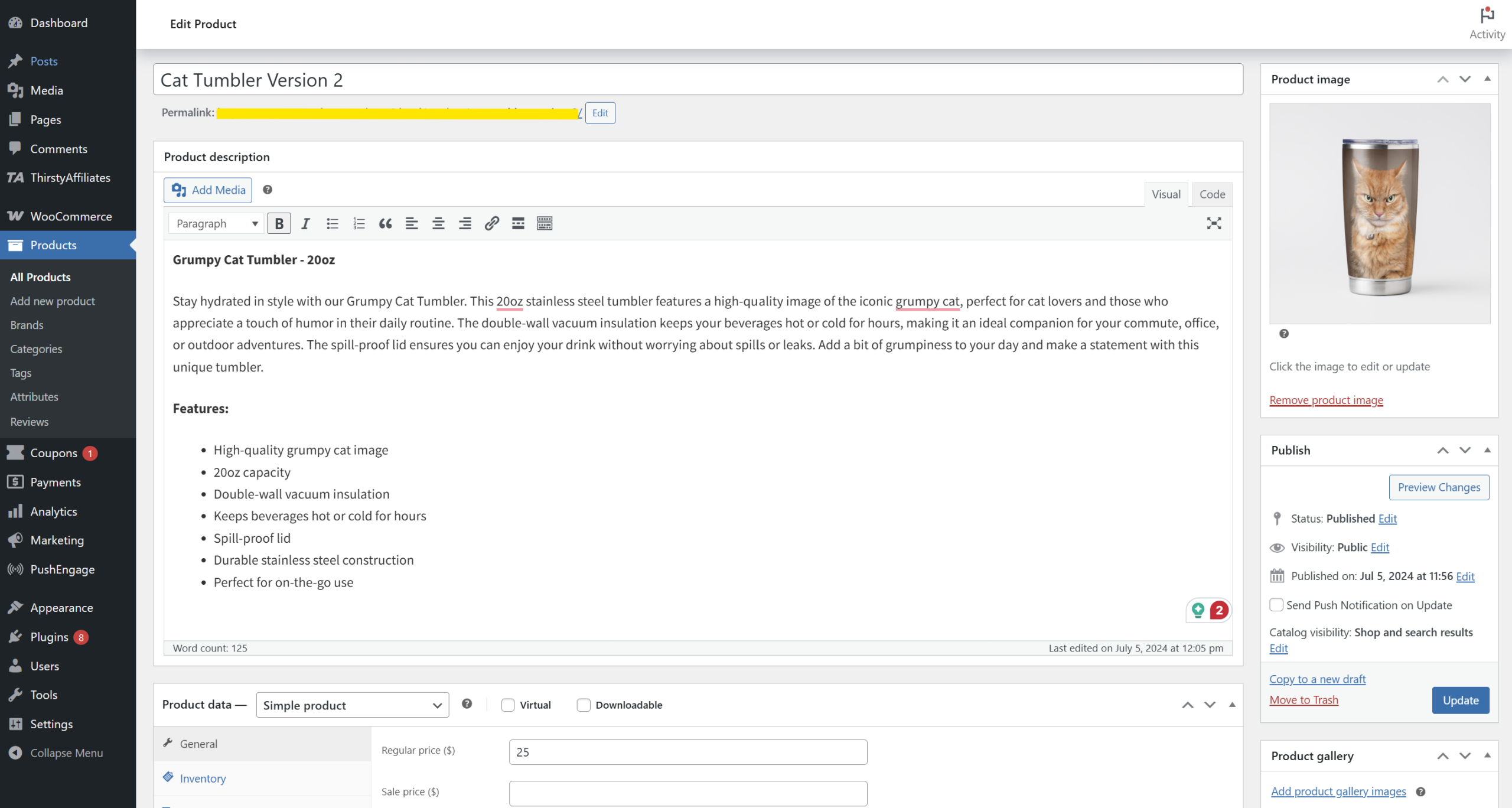
What stood out to me immediately was this platform’s flexibility. I could change layouts, add custom sections, and even install marketing plugins directly inside WordPress. The tradeoff is that there’s a slightly steeper learning curve if you’re new to using WordPress. However, once you get past that, the level of control and customization is commendable.
| Pricing: | Free plugin (self-hosted) Hosting starts around $5–$15/month Optional premium extensions range from $0–$300+ |
| Standout Features: | ✅Seamless integration with WordPress ✅Highly customizable with thousands of plugins and themes ✅No platform lock-in: you own your store and data ✅Large global community and developer support |
| Who I’d Recommend This For | Store owners who already use WordPress or want full control over their store’s design, features, and data. Great for bloggers, creators, and brands that plan to scale with content or custom workflows. |
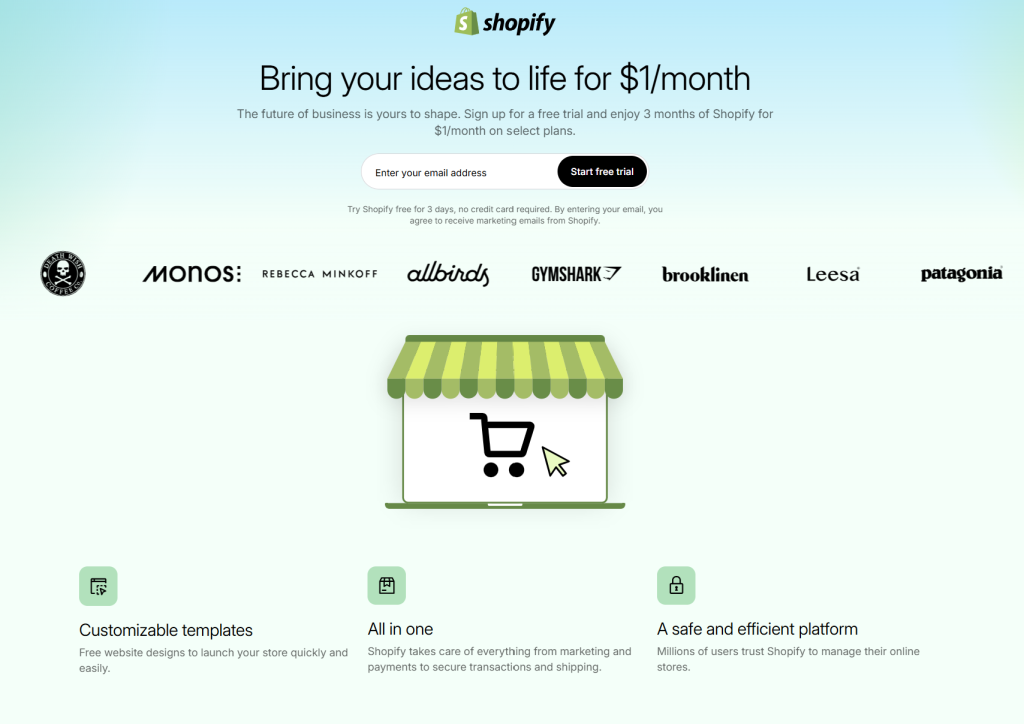
Shopify is one of the most beginner-friendly platforms I’ve tested, and I get why it’s considered one of the best ecommerce platforms for small businesses.
After signing up, I was immediately walked through an easy, step-by-step onboarding flow: choose your store type, give it a name, add your first product, set up payments, and launch. Everything felt thoughtfully designed for first-timers.
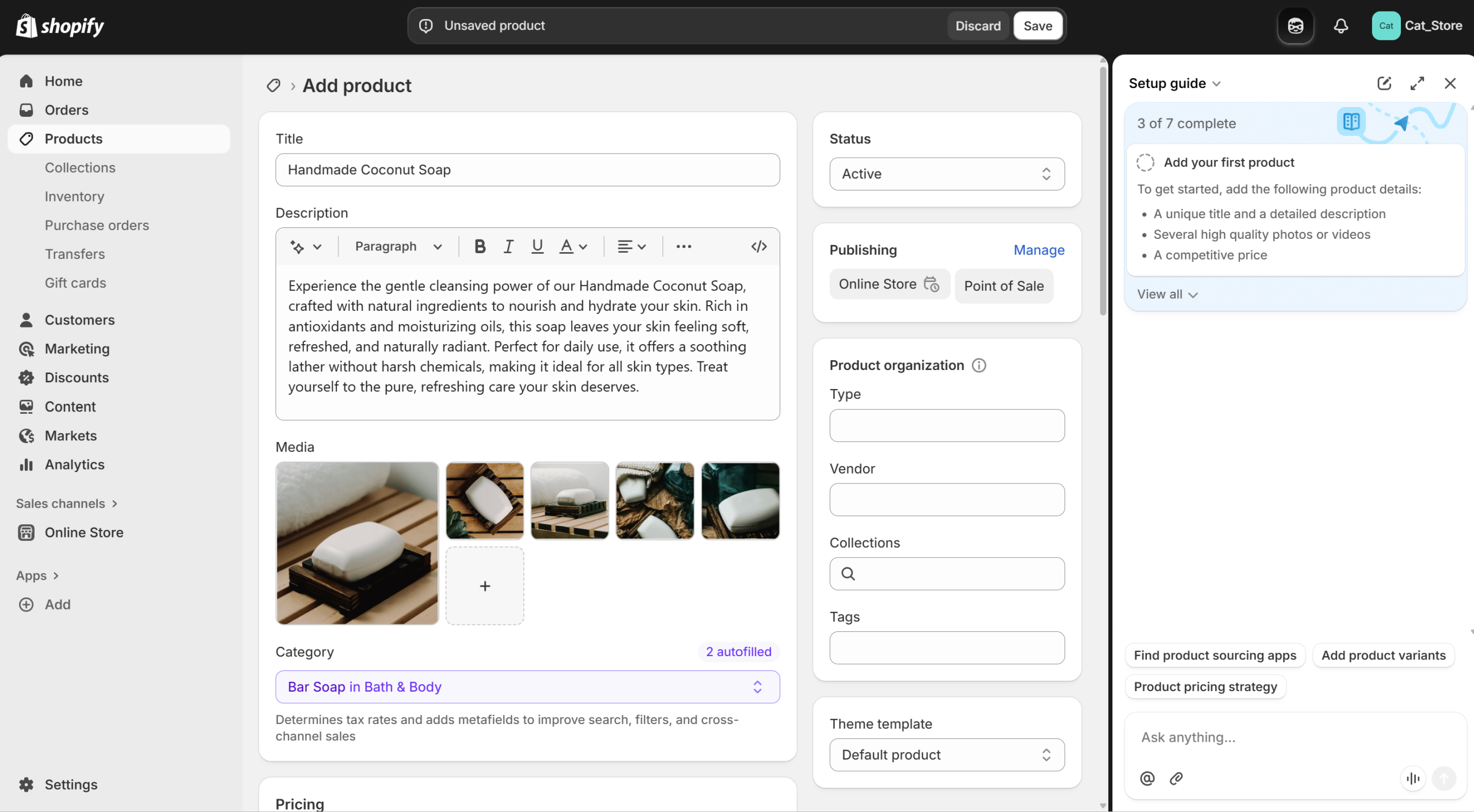
The store dashboard is intuitive, with clearly labeled sections and helpful tooltips. I also appreciated how they offer AI tools to help you create optimized product descriptions. It’s a huge time saver, especially if you have a large catalog.
Of course, this simplicity comes with some trade-offs. You can’t always customize certain store details (like checkout design or B2B functionality) unless you upgrade to a higher-tier plan or install apps. However, if your priority is launching fast and focusing on sales without getting stuck in tech headaches, Shopify is a strong contender.
| Pricing: | 🔹Free trial for 3 days, then starts at $19/month (Basic plan) 🔹2.9% + $0.30 per online transaction with Shopify Payments 🔹Optional additional costs for premium themes and paid apps |
| Standout Features: | ✅Fast, beginner-friendly setup with guided onboarding ✅Modern themes (with both free and premium options) ✅Central dashboard for products, orders, shipping, and payments ✅Huge app marketplace for extra features |
| Who I’d Recommend This For: | Small business owners who want to launch quickly and don’t want to deal with the tech-heavy side of running a store. It’s ideal for people who value design, simplicity, and having everything managed from one clean dashboard. |
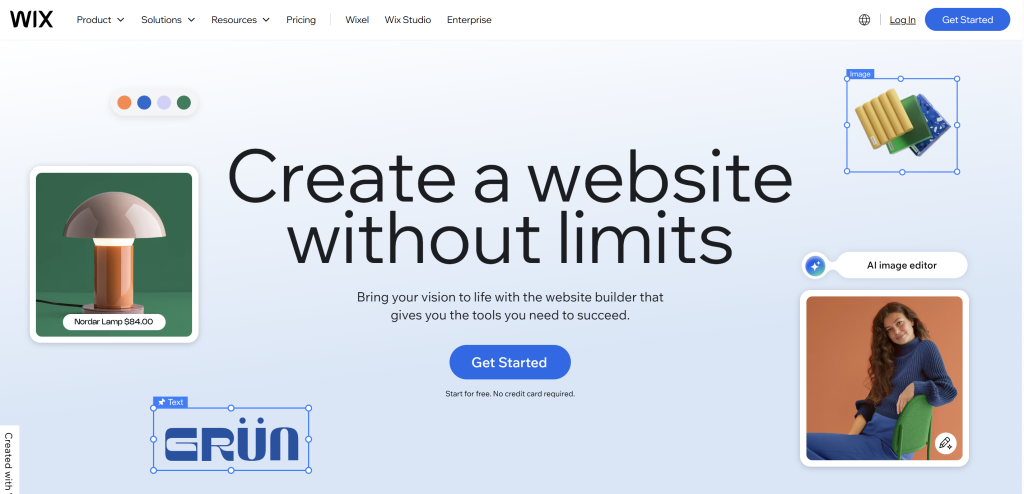
Wix is another popular beginner-friendly website builder. What stood out to me while testing was how easy it is to turn a “blank canvas” into a beautiful online store. It features an intuitive drag-and-drop editor, AI tools, and templates that make setup easier. I appreciated the option to use Wix’s AI assistant to describe my business and customize my store based on the type of products I planned to sell.
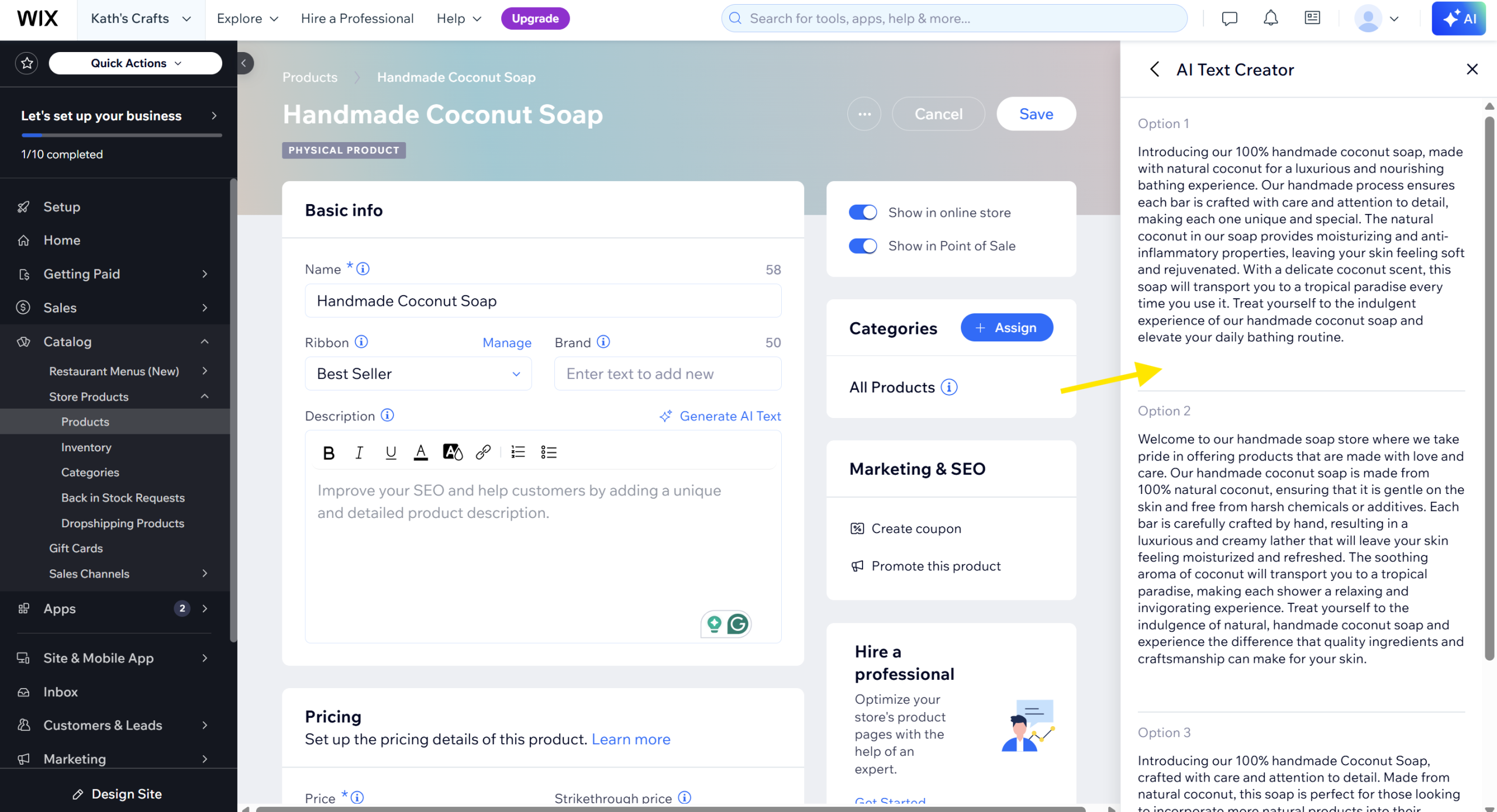
After the initial setup, you gain access to a clean dashboard and a step-by-step store setup guide that makes navigation easy. For product creation, I tried their AI-text creator tool, which saved me tons of time when writing my mock listings.
Take note that some advanced features (especially things like very custom filtering or specific checkout modifications) require higher‑tier plans or extra apps. But for small stores that want a smooth design experience without heavy tech work, Wix delivers a strong all-in-one solution.
| Pricing: | Paid ecommerce plans start at around $27/month (Core Plan), with higher tiers unlocking more storage, analytics, and advanced features. |
| Standout Features: | ✅Drag-and-drop site builder with full visual control ✅AI-powered store setup and product description tools ✅Built-in features for product variants, coupons, and analytics ✅Huge theme library with beautiful, modern designs App marketplace for extending functionality |
| Who I’d Recommend This For: | Small business owners, creatives, or solo founders who want a visually polished storefront without needing to touch code. Perfect for boutique shops, lifestyle brands, and anyone who values design freedom and fast setup. |

Squarespace is a platform that helps store owners build their websites quickly. As I was testing this platform, I was impressed by how elegant and intuitive the interface felt.
Setup was smooth: the platform offers a “Blueprint AI” functionality that walks you through the initial design process. I answered a few questions about my brand, selected my fonts, color palette, and layout. After setting the basics, I was redirected to a dashboard where I could start adding products and setting up shipping and tax settings.
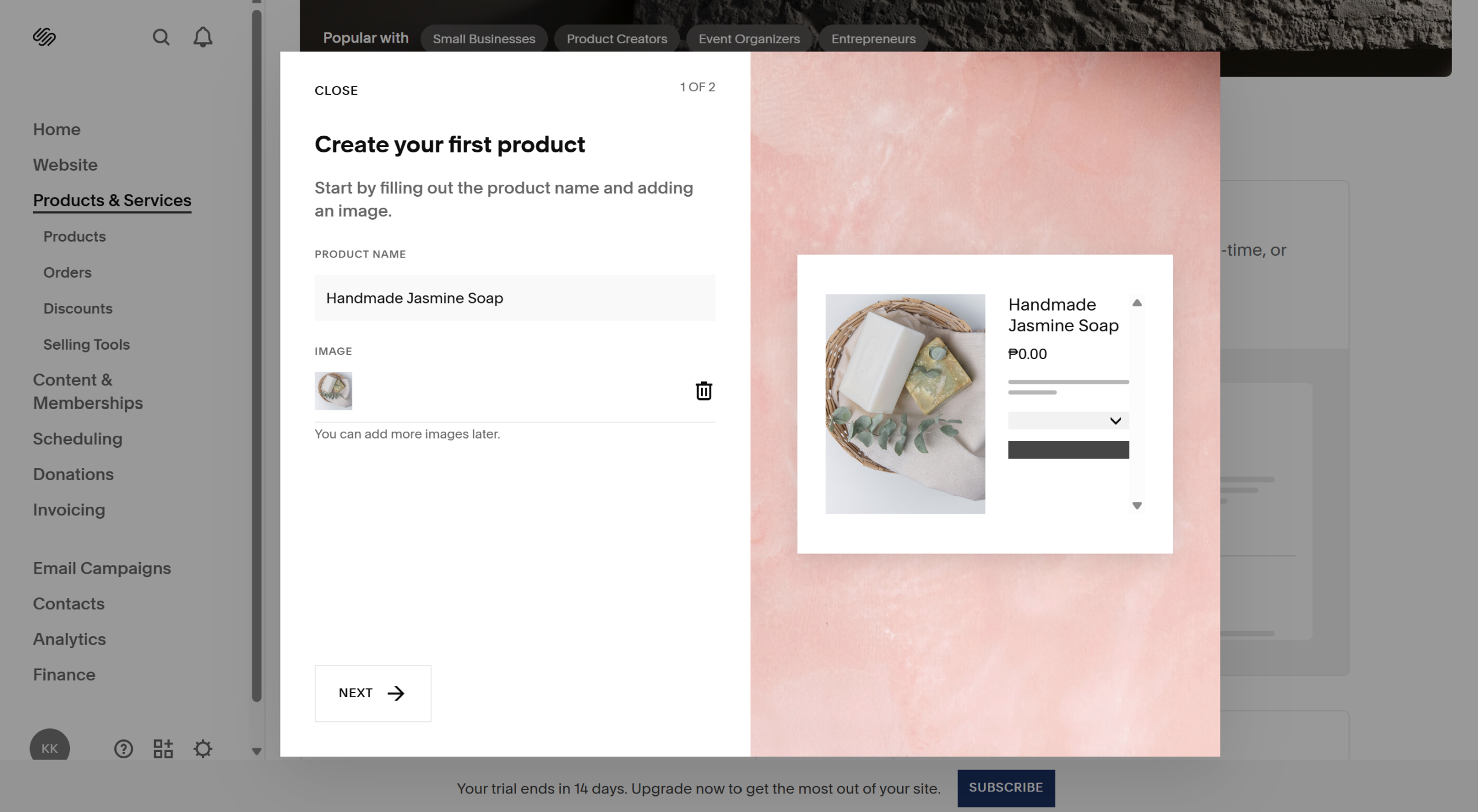
What I liked was how many features are built in from the get‑go (SEO settings, SSL, marketing tools), so I didn’t feel like I needed a ton of add‑ons just to get started. It’s a strong choice for small to mid‑sized stores that prioritize aesthetics and basic ecommerce function.
However, if you plan to have very large product catalogs, very custom checkouts, or require lots of third‑party integrations, you might hit limitations unless you upgrade plans or supplement with external tools.
| Pricing: | 🔹Free for 14 days, then starts at $14/month (Personal Plan), but ecommerce features begin at $20/month (Business Plan). 🔹Higher-tier plans like Commerce (Basic & Advanced) offer more tools for growing stores and advanced checkout features. |
| Standout Features: | ✅Sleek, mobile-optimized templates ✅Built-in SEO, marketing, and analytics tools ✅AI-powered “Blueprint” setup flow ✅All-in-one platform (hosting, SSL, domain, blog, ecommerce) |
| Who I’d Recommend This For: | Squarespace is among the best ecommerce platforms for small businesses that prioritize design, simplicity, and speed. If you’re launching a visually-driven brand and want an elegant online presence without the overwhelm, this is a great option. |
BigCommerce is packed with powerful ecommerce features and is marketed for fast-growing businesses or brands with ambitious goals. It’s clearly made for store owners who want to expand and scale.
What impressed me most was how many advanced tools were available right out of the box. After inputting my basic store information, I was redirected to a centralized dashboard where I could manage products, set up payment gateways, configure shipping zones, and explore multi-channel selling options (like Google Shopping, Facebook, and Amazon).
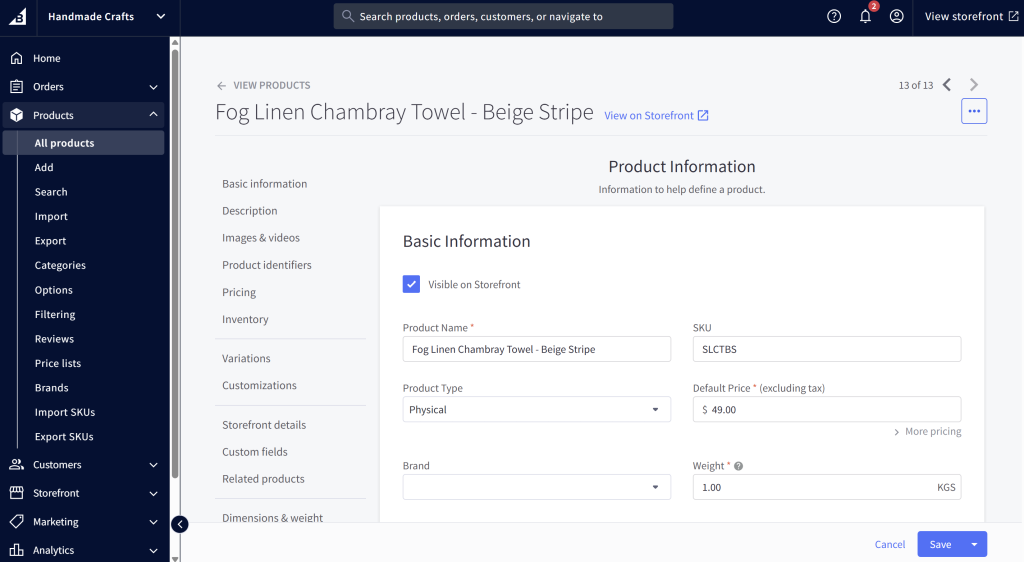
The options available felt robust, which can feel a little bit overwhelming if you’ve never used a full-featured ecommerce system before. Still, the layout is clean, and most sections come with helpful tooltips and links to documentation. For testing, I also explored their B2B features like customer group pricing and found them to be fairly easy to set up.
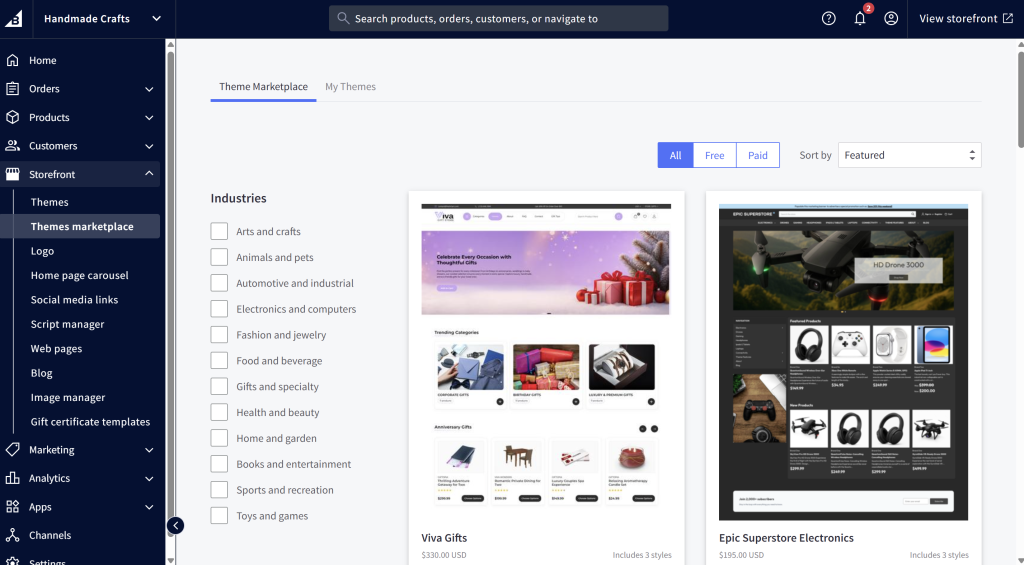
BigCommerce might have a steeper learning curve than Shopify or Squarespace. Advanced features (such as complex filtering or B2B functions) might take more time to master. You may also occasionally run into limitations in how much you can customize page layout without paying for higher plans or specific theme capabilities.
But for small businesses looking to scale or sell in different marketplaces, BigCommerce is worth checking out.
| Pricing: | 🔹Starts at $39/month (Standard Plan). 🔹 Higher plans unlock features like advanced filtering, custom pricing, and priority support. No additional transaction fees, which is great for scaling stores. |
| Standout Features: | ✅Unlimited products and staff accounts across all plans ✅Built-in tools for B2B/wholesale pricing, real-time shipping, bulk discounts ✅Multi-channel selling with native integrations for Amazon, eBay, Meta, and Google ✅Strong SEO control (custom URLs, sitemaps, metadata, etc.) ✅Headless commerce support for advanced customization (for dev-savvy teams) |
| Who I’d Recommend This For: | BigCommerce is ideal for small to medium-sized businesses that already have traction and want to scale, especially those planning to sell across multiple channels or launch wholesale/B2B options later on. |
Magento is one of the most robust platforms I’ve tested, and it’s well-known in the ecommerce space for its sheer power. It’s a free, open-source platform (similar to WooCommerce) that gives you absolute control over your storefront, but it definitely brings a much steeper learning curve to the table.
After downloading and setting it up on my test server, I quickly realized that this isn’t a platform for complete beginners. Unlike Shopify or Wix, there isn’t a simple drag-and-drop wizard to hold your hand. However, once I navigated past the initial technical setup, the depth of features was incredible. I was able to configure highly complex product variants, multi-store setups, and deep inventory management rules right out of the box.
If you have a developer on your team—or possess the technical chops yourself—the customization possibilities here are truly limitless. Just keep in mind that while the software itself is free, you will need to budget for dedicated hosting, security maintenance, and likely some development help.
| Pricing | 🔹 Free to download and use (Open Source). 🔹 Hosting, premium themes, and developer costs can range from $50 to several hundred dollars a month. |
| Standout Features | ✅ Complete code-level control and ownership of your store ✅ Ability to manage multiple storefronts from a single backend ✅ Extremely advanced inventory and catalog management ✅ Huge marketplace of highly specialized extensions |
| Who I’d Recommend This For | Tech-savvy small business owners or growing brands that have a dedicated developer. It’s ideal for stores with massive, complex product catalogs that have outgrown simpler, hosted platforms. |
PrestaShop sits somewhere comfortably between WooCommerce and Magento. It’s another open-source platform, but I found its user interface to be surprisingly more intuitive than Magento’s when I first logged into the dashboard.
Setting up my test store was a relatively smooth experience. The onboarding process guided me through the basics of adding my first few products and setting up payment gateways. I was particularly impressed by how many essential features were baked right into the core platform, including robust inventory tracking and customer relationship management (CRM) tools.
The catch? While the core platform is free to download, PrestaShop relies heavily on “add-ons” (their version of apps or plugins) to extend functionality. During my testing, I noticed that many of the high-quality modules for things like advanced SEO or specific marketing integrations can be quite pricey. Still, for store owners who want open-source freedom without feeling entirely overwhelmed by code, it’s a fantastic middle-ground.
| Pricing | 🔹 Free to download (self-hosted). 🔹 You’ll need to pay for your own hosting (starting around $10/month), and premium add-ons can range from $30 to $100+ each. |
| Standout Features | ✅ Intuitive, highly visual store management dashboard ✅ Thousands of customizable themes and add-ons ✅ Built-in marketing and promotional tools ✅ Excellent multi-language and multi-currency support |
| Who I’d Recommend This For | Small to medium business owners who want the flexibility of an open-source platform but prefer a more approachable, user-friendly daily management dashboard than Magento offers. |
Ecwid takes a completely different approach to ecommerce, and testing it was a breath of fresh air. Instead of building a brand-new website from scratch, Ecwid acts as a widget that seamlessly “plugs into” your existing website—whether it’s built on WordPress, Weebly, Squarespace, or even a custom HTML site.
Setting it up was brilliantly simple. I connected it to a test blog I had running, and within minutes, my content-heavy site had a fully functioning storefront. I didn’t have to worry about migrating my existing content or redesigning my pages. I also tested their social media integrations, and syncing my mock inventory to a Facebook and Instagram shop took just a few clicks.
While it doesn’t offer the deep, code-level customization of Magento or the massive standalone theme library of Shopify, its simplicity is its biggest strength. If you already have a website with a loyal following and just want to start selling products immediately, Ecwid is hard to beat.
| Pricing | 🔹 Free forever plan (up to 5 products). 🔹 Paid plans start at $15/month (Venture plan) for more products and advanced features. |
| Standout Features | ✅ Embeds into any existing website platform seamlessly ✅ Native integrations for selling on Instagram, Facebook, and TikTok ✅ Point-of-Sale (POS) integration for in-person selling ✅ Automated tax calculations and easy shipping setup |
| Who I’d Recommend This For | Content creators, bloggers, or small business owners who already have an established website and want to add an online store without migrating to a new platform or learning a complex new system. |
If Magento Open Source is the engine, Adobe Commerce is the luxury vehicle built around it. While testing the market, I had to look at this premium, fully hosted version of Magento to see what the upgrade actually gets you.
Right away, the difference is in the enterprise-grade tools. While the backend feels familiar to the open-source version, Adobe Commerce comes packed with advanced, AI-driven features (like Adobe Sensei) that handle product recommendations and advanced data analytics. I found the drag-and-drop Page Builder incredibly powerful—it allowed me to create highly customized, visually stunning landing pages without touching a single line of code, which is a stark contrast to the open-source version.
This platform is definitely overkill for a brand-new, solo-run small business. However, if your “small business” is rapidly scaling into a medium or large enterprise, dealing with high transaction volumes, or operating a complex B2B and B2C hybrid model, the dedicated support and cloud infrastructure here are top-tier.
| Pricing | 🔹 Custom pricing based on your store’s average gross sales volume. 🔹 Typically starts in the thousands per year, making it an enterprise-level investment. |
| Standout Features | ✅ Drag-and-drop visual Page Builder for easy layout design ✅ Adobe Sensei AI for personalized customer shopping experiences ✅ Fully managed, highly secure cloud hosting infrastructure ✅ Advanced, out-of-the-box B2B functionality |
| Who I’d Recommend This For | Rapidly scaling businesses, established wholesale brands, or companies that have outgrown their current platforms and need an enterprise-grade, highly secure, and fully supported ecosystem. |
This depends on your specific goals and tech experience. Platforms like Shopify and Wix are often easiest to start with for beginners. WooCommerce is a strong contender if you’re already familiar with WordPress or want to have full control and flexibility over your store.
Start by identifying your goals, budget, tech comfort level, and where your business is at. The best ecommerce platforms for small businesses are the ones that match your stage and vision. If you want full control and flexibility, go for an open-source solution like WooCommerce. If your priority is launching quickly and easily, Shopify, Wix, or Squarespace are strong options. And if you’re planning to scale fast or offer wholesale pricing, BigCommerce is worth exploring.
WooCommerce is often the most affordable if you already have a WordPress site. The plugin itself is free, and you can choose your own hosting, themes, and add-ons based on your budget. Platforms like Wix and Shopify Starter also offer entry-level plans, but the features vary, so compare what’s included before deciding. Just keep in mind that costs can add up with paid themes, apps, and transaction fees, so take some time to look at what’s included in each plan before committing.
Not at all! Hosted platforms like Shopify, Wix, and Squarespace are specifically designed for users with zero coding experience. They offer intuitive drag-and-drop builders and beautiful pre-designed templates that make launching a store as easy as setting up a social media profile. However, if you want complete, under-the-hood control and choose an open-source platform like Magento or WooCommerce, having some basic coding knowledge—or a budget to hire a developer—will definitely be necessary.
Great question! A hosted platform (like Shopify, Wix, or BigCommerce) acts as an all-in-one package. You pay a monthly fee, and the company handles the software, web hosting, security, and updates for you. It’s hassle-free.
An open-source platform (like WooCommerce, Magento Open Source, or PrestaShop) gives you the core software for free, but you are responsible for finding your own web hosting, installing security patches, and managing technical updates. Open-source platforms give you limitless customization and data ownership, while hosted options prioritize convenience and peace of mind.
Yes, you absolutely can! Migrating your store from one platform to another is very common as businesses scale. Many platforms offer built-in migration tools, and there are plenty of third-party services (like Cart2Cart) designed to help you seamlessly move your product data, customer lists, and order history. That said, migrating can sometimes be a technical headache and a time-consuming process, so it’s always best to try and choose a platform that gives you room to grow right from the start!
Most modern ecommerce platforms make this super easy out of the box. They integrate seamlessly with popular third-party payment gateways like Stripe, PayPal, and Square. Additionally, platforms like Shopify and Wix have their own native payment processors built right in (Shopify Payments and Wix Payments), which allow you to start accepting credit cards almost immediately upon launch. Just keep in mind that regardless of the platform you choose, almost all payment gateways will charge a small transaction fee (usually around 2.9% + $0.30) for every sale you make.
Probably one of the most important decisions you’ll make as a store owner is which ecommerce platform to use. As we’ve seen, the best option really depends on your needs, goals, budget, and stage of business growth.
In this guide, I tested five of the most popular platforms to understand what it feels like to set up a store as a beginner:
Each one has its strengths, and I hope this walkthrough helped you get a clearer picture of what’s possible. 😊

Copyright © StoreOwnerTips.com. All Rights Reserved.
