Weekly ecommerce tips, deals & news.

A customer wants a refund. You could send the cash straight back to their card and watch that revenue leave your store for good. Or you could offer store credit and keep most of it in-house for their next order. The catch is that the moment you go looking for a WooCommerce store credit plugin, half the options want $79 to $129 a year before you can issue a single credit.
That price gap is the real story here. Store credit is a retention feature, not a luxury one. It shouldn’t cost more than the rest of your coupon stack combined. The good news is that at least two solid options handle store credit for free, and a few paid tools earn their fee with wallet-style checkout and refund automation.
I’ve set up and tested the main contenders below. Here’s how the free and paid options actually compare, which one fits which kind of store, and what to watch for before you commit.

Store credit is a balance attached to a customer’s account that they can spend on future orders. Think of it like a running tab in their favor. Instead of refunding cash to a card, you add the amount to their store credit. They then apply it at checkout next time.
It’s easy to confuse three things that overlap, so here’s the quick distinction:
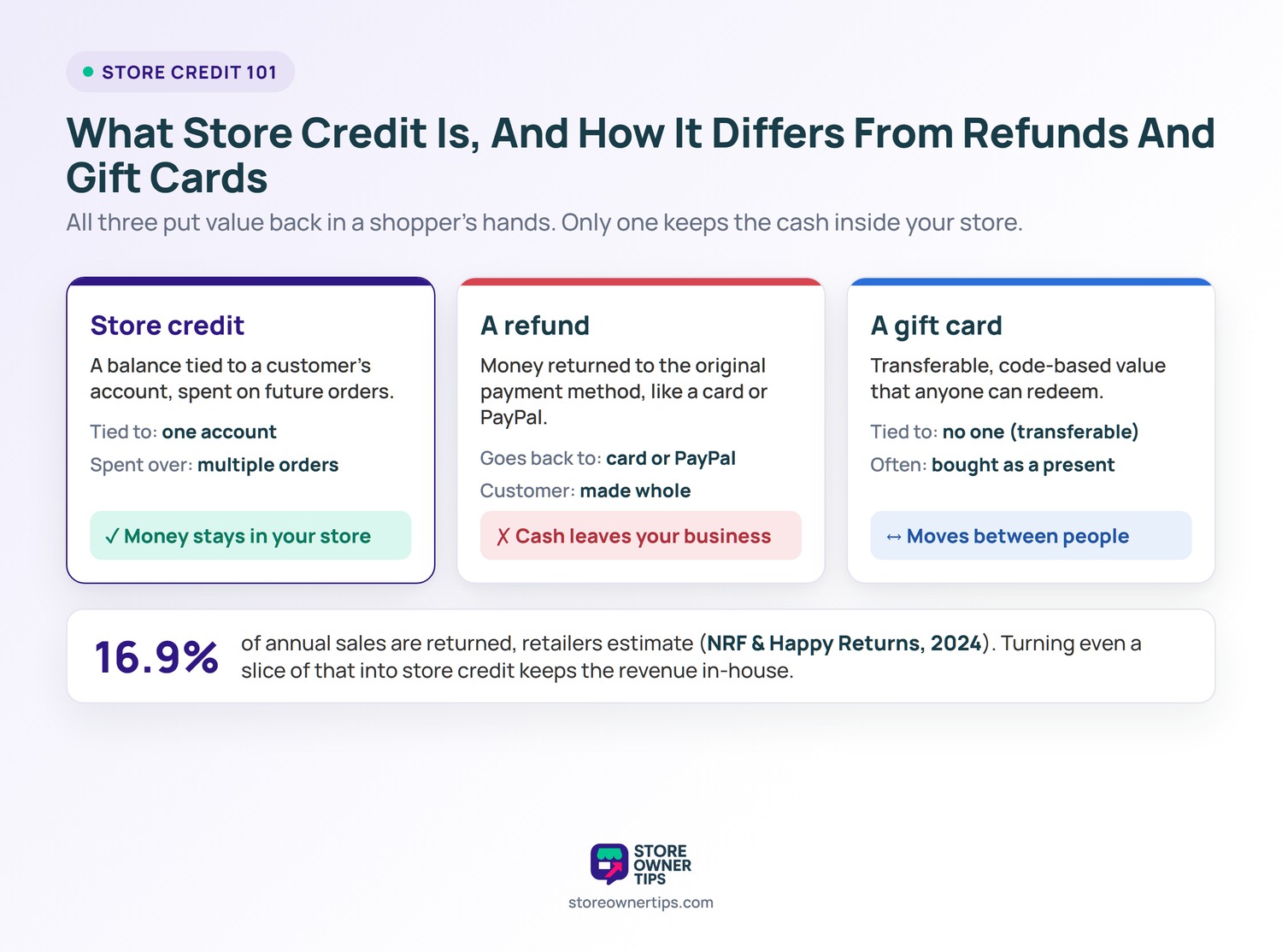
The practical difference matters for your books. A cash refund is gone. Store credit keeps the money inside your store and gives the customer a reason to come back. According to the National Retail Federation and Happy Returns 2024 returns report, retailers estimate that 16.9% of annual sales are returned. When that much of your revenue is at risk of walking out the door as refunds, converting even a slice of it into store credit protects real money.
In practice, a store credit plugin adds a balance field to each customer’s account. It also adds a way to apply that balance during checkout. You (or an automated rule) top up the balance, and the customer draws it down on future orders.
Most plugins handle store credit one of two ways:
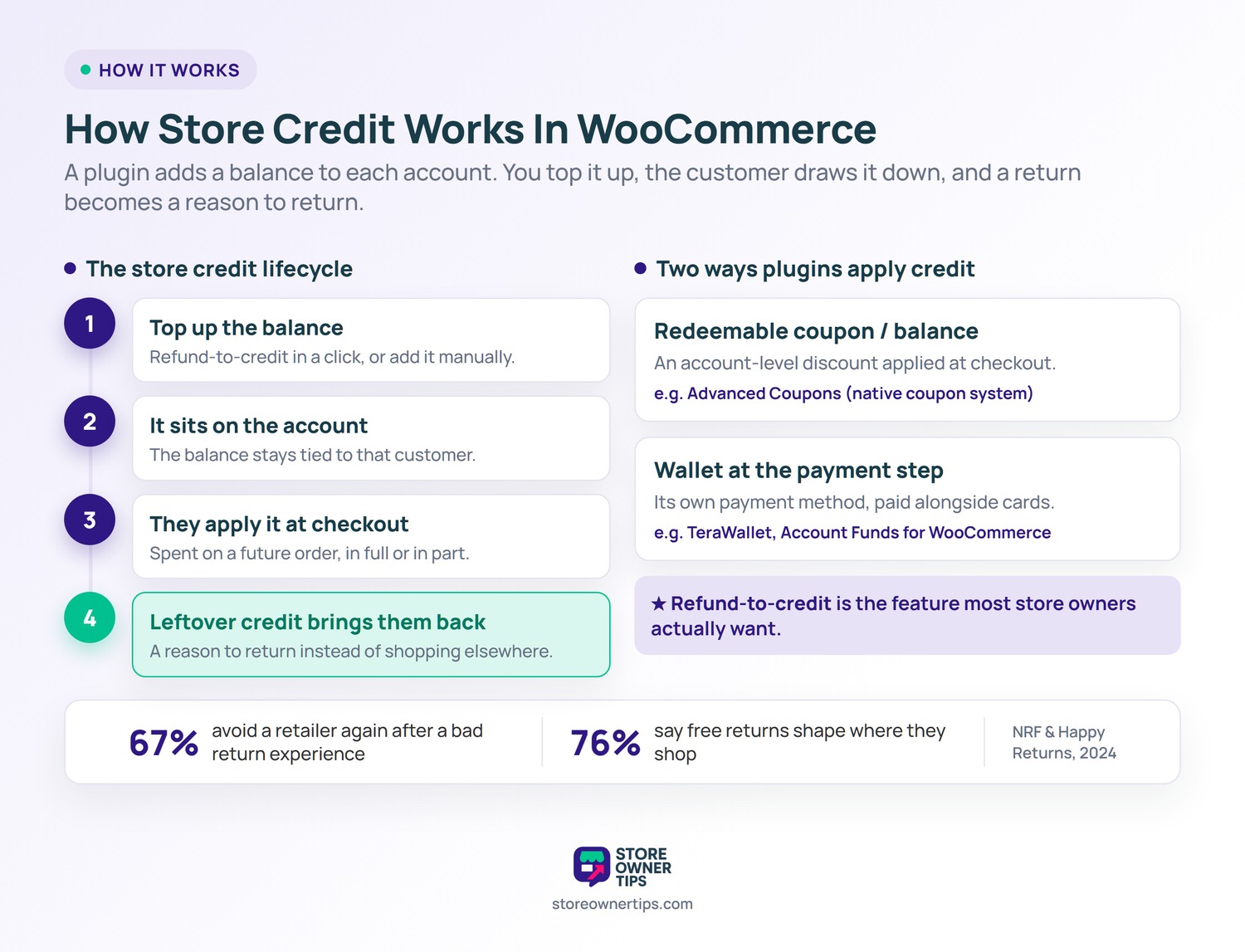
Refund-to-credit is the feature most store owners actually want. Instead of refunding cash, you push the order total to the customer’s credit balance in a click or two. Some tools also let you set a maximum percentage of an order payable with credit. Others add expiry dates or allow partial redemption across several purchases.
The retention payoff is real, because the return experience shapes where people shop next. According to the same NRF and Happy Returns 2024 survey, 67% of consumers say a negative return experience would discourage them from shopping with a retailer again. On top of that, 76% consider free returns a key factor in deciding where to shop. A smooth refund-to-credit option turns a return into a reason to come back rather than a reason to leave.
Before picking, weigh these features against how your store actually runs:
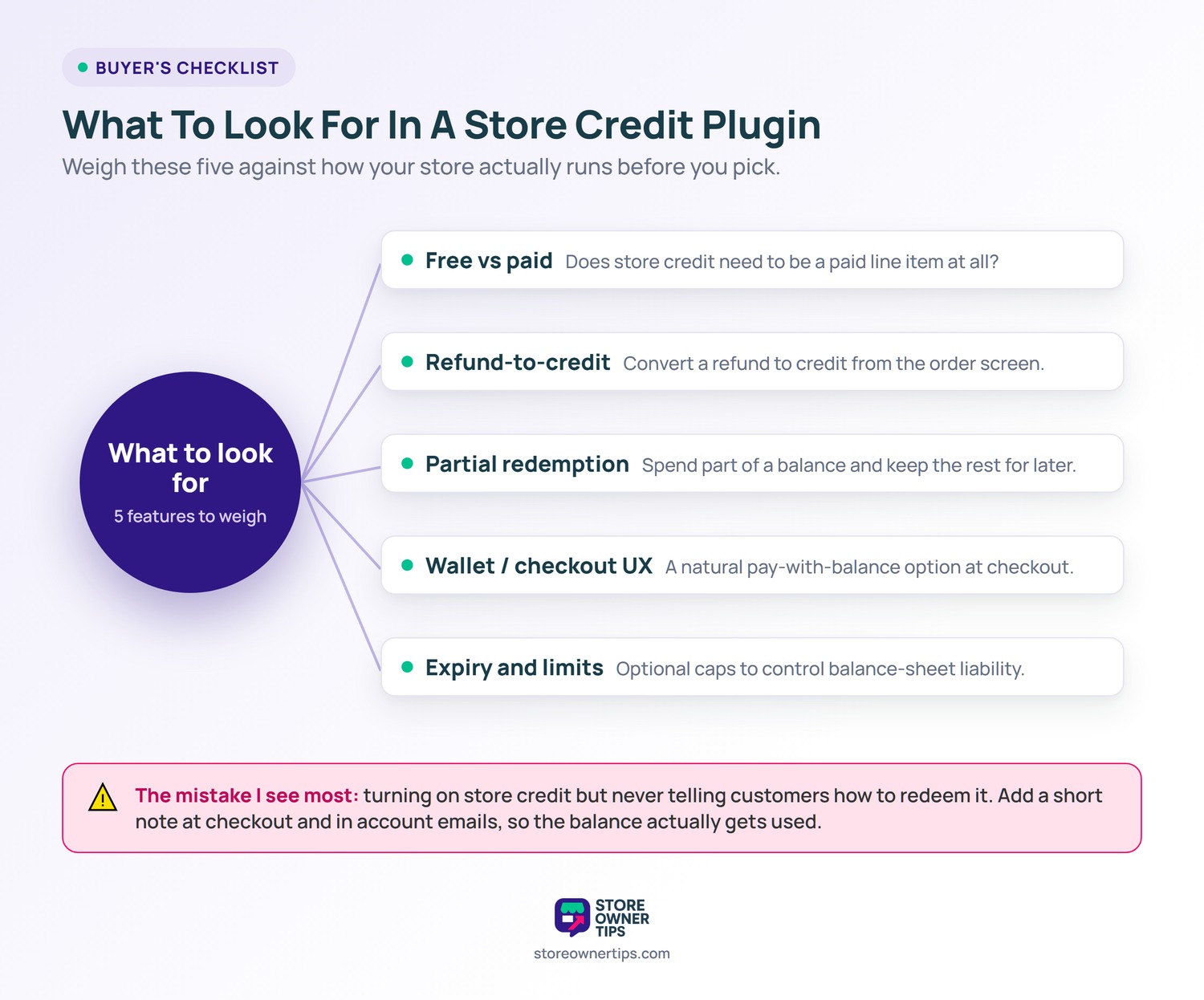
🔍️ What we’ve seen: Store owners usually turn on store credit, issue a few balances, then forget to tell customers how to redeem it. The credit sits unused, the retention benefit never lands, and they assume the feature doesn’t work. Add a short note at checkout or in your account emails explaining how to apply a balance. The plugin is only half the job; the customer has to know the credit is there.
We’ve grouped these by the line that matters most: free versus paid. Advanced Coupons and TeraWallet anchor the free side, while the remaining three are standalone paid tools.
Best for: most WooCommerce stores that want store credit without a separate subscription.
Advanced Coupons is our top pick because store credit is included in its free plugin. The vendor confirms this on the Advanced Coupons store credit page. You can grant a balance to any customer, refund orders to store credit, and let shoppers apply that balance at checkout. All of that works without paying for a premium tier. Standalone rivals charge $79 to $129 a year for the same core function.
In testing, the store credit balance lives inside the standard WooCommerce coupon system rather than a bolt-on wallet. So it slots into the coupon screen you already use. We also noticed customers can apply a balance and pay the remaining difference with another method on the same order. That keeps partial redemption simple.
Because it’s built into the same free plugin that handles Buy One Get One deals, auto-apply, cart conditions, and scheduling, you’re not stitching together separate tools. If you later want loyalty points or gift cards, those exist as paid add-ons. Store credit itself stays free. For a deeper look at how credit stacks up against gift cards specifically, the store credit vs gift card breakdown is worth a read.
Best for: stores that specifically want a wallet-style balance and don’t need a coupon suite.
TeraWallet is the strongest free standalone wallet option. Its core plugin is available on the TeraWallet listing on WordPress.org. It gives customers a wallet balance they can top up and spend at checkout as a payment method. Paid add-ons extend it, but the wallet itself is free.
When we set it up, the wallet appeared as its own payment option at checkout. That reads naturally to shoppers familiar with prepaid balances. Admin top-ups and refund-to-wallet are handled from the customer’s profile. The trade-off is focus: TeraWallet does wallets well but doesn’t bring the coupons, BOGO rules, or scheduling that Advanced Coupons bundles alongside store credit.
Best for: stores already invested in the official WooCommerce.com marketplace ecosystem.
Store Credit for WooCommerce by Kestrel is a paid extension sold on the WooCommerce.com marketplace. It’s listed at $99 per year for a single site. It issues store credit as coupons that customers redeem at checkout across multiple purchases.
In our hands-on look, credit is delivered as redeemable coupon codes rather than an account wallet. That suits stores that think in coupons. It also positions credit as a refund or compensation tool, so it fits return-heavy stores. The honest catch is the recurring fee: you’re paying yearly for a function Advanced Coupons includes for free.
Best for: stores that want a true prepaid wallet customers fund in advance.
Account Funds for WooCommerce by Kestrel is a paid standalone wallet, listed at $89 per year on the official marketplace. Its angle is the checkout payment method. Customers deposit funds, sometimes with a bonus incentive, then spend that balance like cash at checkout.
Testing it, the standout is the pay-with-funds option that appears as its own payment method. You can also reward deposits with extra credit. It’s the most wallet-first tool here. The downside is scope: it’s built specifically as a prepaid wallet. So if you mainly want refund-to-credit and coupons, you’re paying for a model wider than you need.
Best for: stores in the YITH ecosystem that want deposit incentives.
YITH WooCommerce Account Funds is a paid wallet plugin. Like the Kestrel wallet, it lets customers preload funds, often rewarded with a discount for depositing more.
We found its deposit-incentive setup is its main draw. You can offer, say, $100 of credit for a $90 deposit to encourage larger top-ups. Redemption works as a checkout balance. As with the other paid wallets, the core retention job is the same one Advanced Coupons does for free. So the deciding factor is whether you’re already standardized on YITH plugins.
For broader context, all-in-one coupon suites include store credit too. StoreApps Smart Coupons (around $129 per year) and WebToffee Smart Coupons (from $89 per year) both bundle it. The difference is that the credit sits inside a larger paid suite rather than a free standalone feature, which is where Advanced Coupons keeps the edge.
Here’s how the five plugins line up on the features that matter for store credit. Prices are list prices at the time of writing and should be reconfirmed on each vendor’s site.
| Feature | Advanced Coupons | TeraWallet | Store Credit for WooCommerce (Kestrel) | Account Funds for WooCommerce (Kestrel) | YITH WooCommerce Account Funds |
|---|---|---|---|---|---|
| Free version | Yes (store credit free) | Yes (free core) | No | No | No (paid) |
| Standalone vs bundled | Bundled in coupon suite | Standalone wallet | Standalone | Standalone | Standalone |
| Refund-to-credit | Yes | Yes | Yes | Yes | Yes |
| Partial redemption | Yes | Yes | Yes | Yes | Yes |
| Checkout payment method | Coupon/balance | Wallet | Coupon | Wallet | Wallet |
| Expiry options | Yes | Add-on | Yes | Yes | Yes |
| Starting price (list) | Free | Free | ~$99/yr | ~$89/yr | Paid (yearly) |
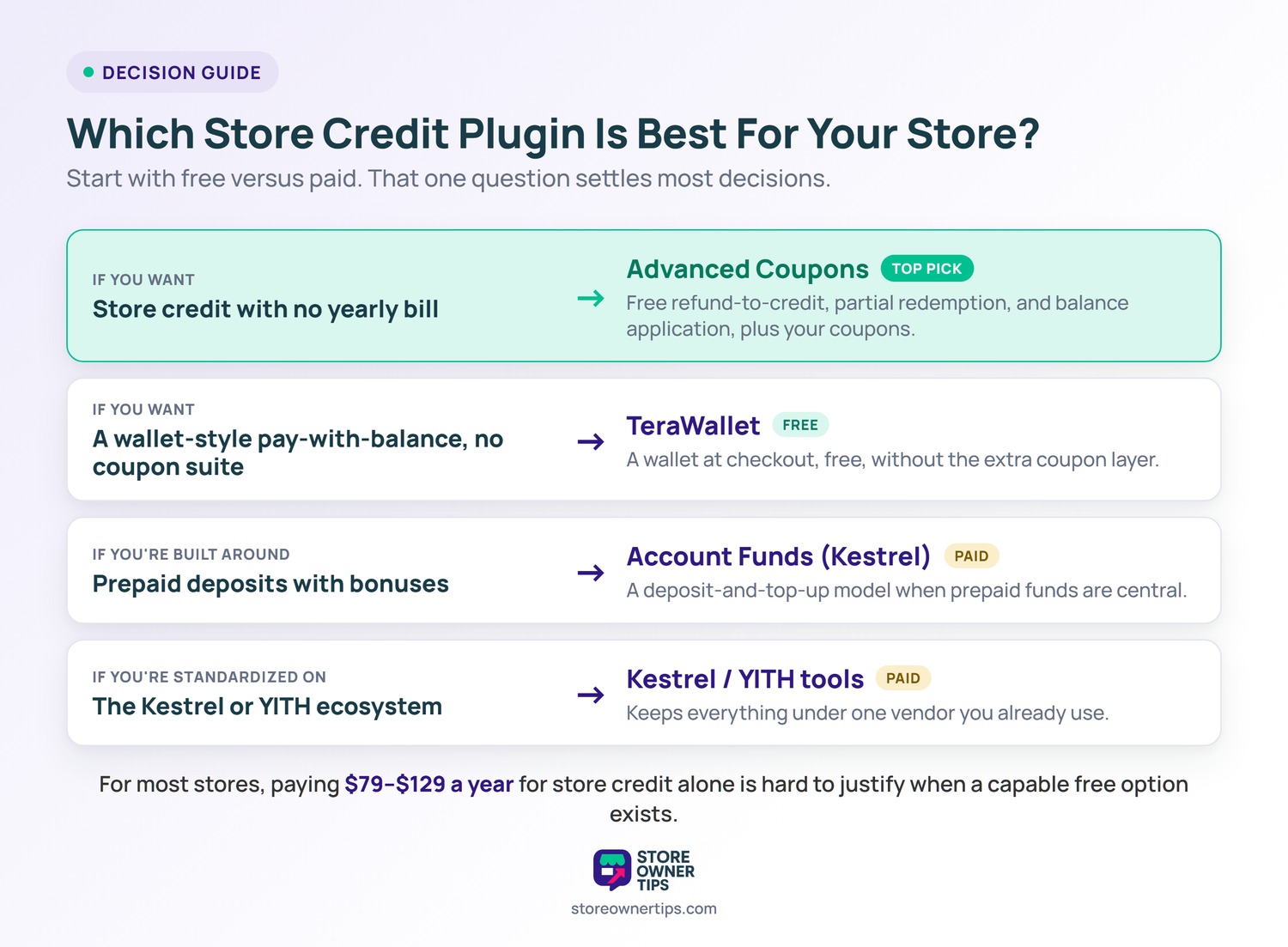
Start with the free-versus-paid question, because it settles most decisions. If you want store credit without adding a yearly bill, Advanced Coupons is the clearest answer. It bundles refund-to-credit, partial redemption, and balance application into a free plugin that also covers your coupons and deals.
If you specifically want a wallet-style pay-with-balance experience and don’t need a coupon suite, TeraWallet gives you that for free. Choose a paid option only when you have a reason the free tools don’t cover. Account Funds for WooCommerce by Kestrel makes sense if prepaid deposits with bonuses are central to your model. The Kestrel or YITH tools fit if you’re already standardized on those ecosystems and want everything under one vendor.
For most stores, paying $79 to $129 a year for store credit alone is hard to justify when a capable free option exists.
Yes. Advanced Coupons includes store credit in its free plugin, so you can grant balances and refund orders to credit without a paid tier. TeraWallet also offers a free core wallet. Most other dedicated store credit and wallet tools charge a yearly fee, typically $79 to $129, for the same core function.
Store credit is a balance tied to one customer’s account and spent on their own future orders. A gift card is a transferable, code-based value anyone can redeem, often bought as a present. Store credit suits refunds and loyalty; gift cards suit gifting and reaching new buyers.
Yes. Most store credit plugins let you convert a refund into account credit instead of returning cash to the customer’s card. This keeps the revenue in your store for a future purchase. Advanced Coupons, TeraWallet, and the Kestrel and YITH tools all support refund-to-credit.
It can, if the plugin supports expiry dates. Several tools let you set an expiry on issued credit to limit how long a balance stays on your books. Whether you should add expiry depends on your policy. Some stores keep credit open-ended to maximize the retention benefit.
No. A free option like Advanced Coupons or TeraWallet covers refund-to-credit, partial redemption, and checkout application. Paid wallets earn their fee mainly with prepaid deposit incentives or by fitting an existing vendor ecosystem, not because store credit itself requires payment.
Store credit isn’t a premium add-on. It’s a basic retention tool that should cost you nothing to turn on. The free-versus-paid divide is the single most useful way to choose a WooCommerce store credit plugin.
If you’d rather not pay a yearly fee just to keep refund money in-house, start with the free Advanced Coupons store credit feature and add a balance to a customer this week.

Copyright © StoreOwnerTips.com. All Rights Reserved.
