The Best WooCommerce Subscription Plugins Compared (2026)
June 1, 2026
When a client asked me to add subscriptions to their coffee store, I expected to install the official plugin, WooCommerce Subscriptions, and move on. Two days and $279 later, I realized their store didn’t need everything the official plugin offered. It needed about 60% of it, at 40% of the price.
After testing six WooCommerce subscription plugins on real stores, I’ve learned the “best” plugin depends entirely on the kind of subscriptions you’re selling. Subscription boxes, memberships, SaaS billing, and pay-as-you-go all have different ideal tools. This guide breaks down the top six WooCommerce subscription plugins, what they actually do differently, and which one fits your store.
Why A Subscription Plugin Matters For Recurring Revenue
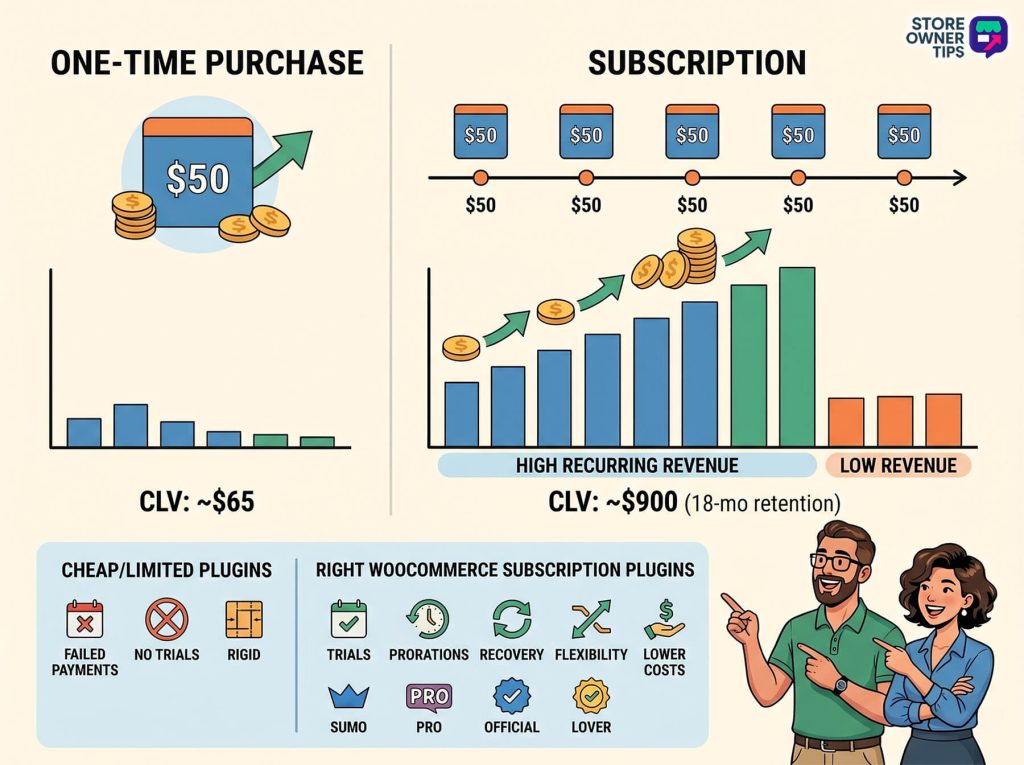
Recurring revenue is the single most valuable asset in an ecommerce store’s P&L. A $50 product with 30% repeat purchases has a customer lifetime value around $65. A $50 subscription with 18-month average retention is worth $900.
The right subscription plugin makes or breaks that math. Cheap WooCommerce subscription plugins handle basic billing but fall apart on trials, prorations, payment failure recovery, or custom renewal cycles. Expensive plugins include everything but charge you for features you might not need.
One thing we commonly see: stores default to WooCommerce Subscriptions because it’s the “official” plugin, then struggle with its rigid checkout flow and expensive renewal cost. If you need unique subscription UX or tight budget control, alternatives like SUMO or SubscriptionPro give you more flexibility for less money.
Choosing the right WooCommerce subscription plugins can significantly increase your customer’s lifetime value compared to relying on one-time purchases (click to zoom).
Quick Comparison Table
Here’s the short version:
Plugin
Starting Price
Best For
Payment Gateway Compatibility
WooCommerce Subscriptions
$279/yr
Complex subscription models
Widest compatibility
Sublium Subscriptions
Free (Pro from $99.50/yr)
Custom subscription UX
Stripe, PayPal, Authorize.net
SUMO Subscriptions
$49 (one-time)
Custom subscription UX
Stripe, PayPal, Authorize.net
YITH WooCommerce Subscription
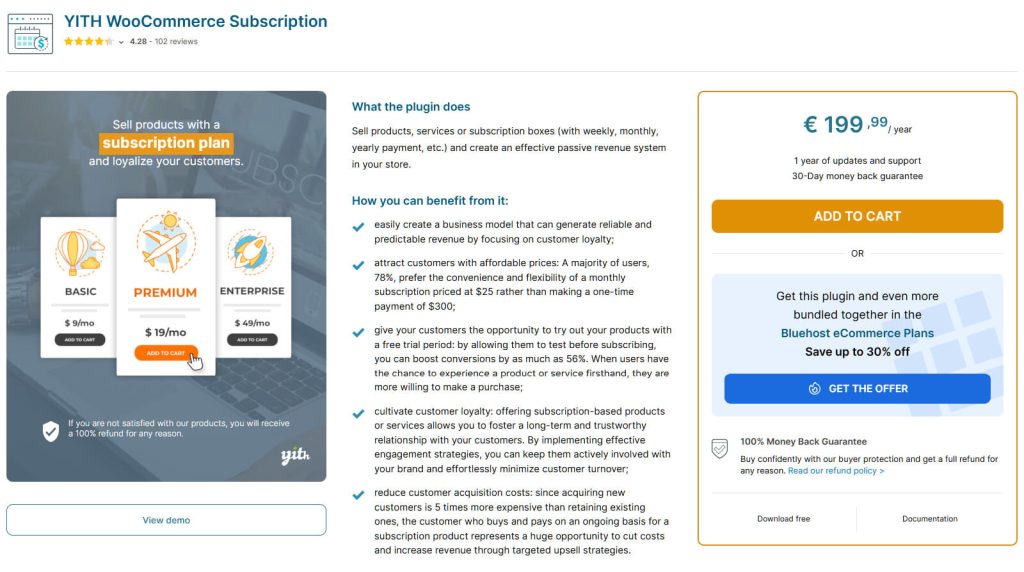
€199.99/yr
Mid-complexity stores
Stripe, PayPal, Braintree
SubscriptionPro
$39 (one-time)
Budget-conscious stores
Stripe, PayPal
All Products for Subscriptions
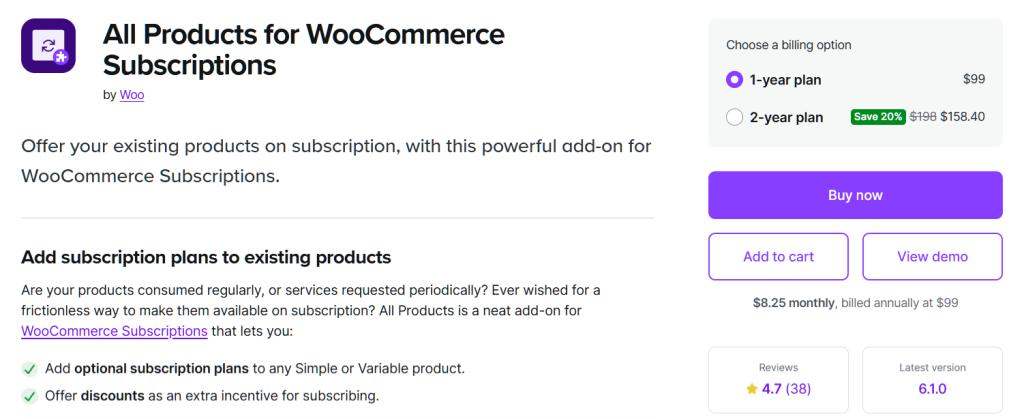
$99/yr (add-on)
Adding subscription option to existing products
Widest compatibility
Pricing shown is approximate as of early 2026 for these WooCommerce subscription plugins. Check each plugin’s website for current rates and licensing limits.
Top 6 WooCommerce Subscription Plugins To Consider
Choosing the right tool to handle regular payments can feel overwhelming, especially when every store has different needs. Whether you’re selling a monthly box of coffee, special access to a community, or a simple “subscribe and save” discount, the plugin you pick will run your entire billing system.
Instead of just buying the most expensive option, it’s smart to find the one that fits exactly what you want to do. With that in mind, here are the six best tools to help you manage subscriptions, along with a breakdown of what makes each one special:
1. WooCommerce Subscriptions (Official)
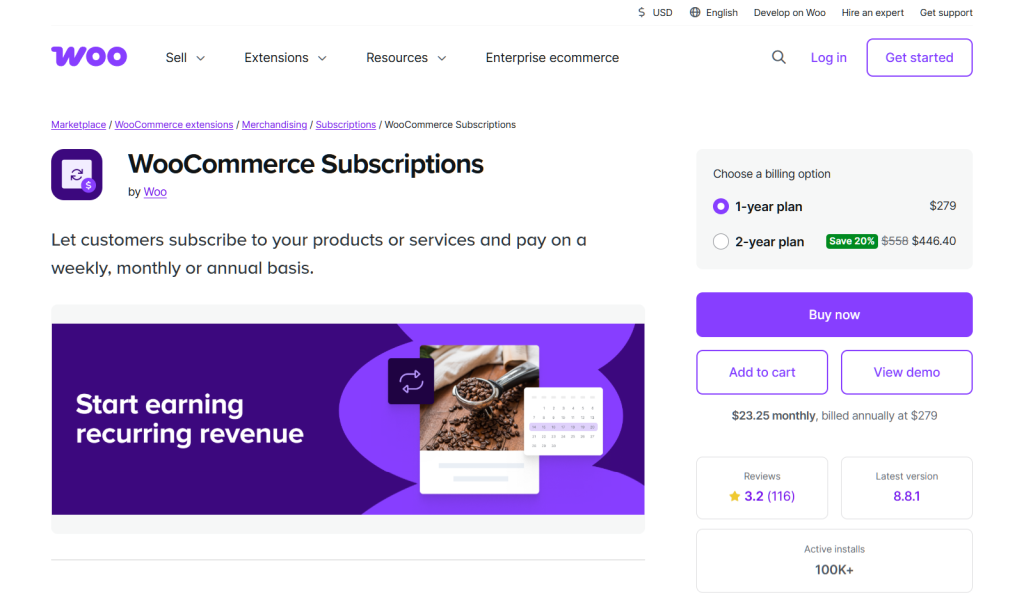
WooCommerce Subscriptions is the official plugin built by the same team that maintains WooCommerce. It’s the most feature-complete option on the market, and the default recommendation for a reason.
This premium extension is the most complete of the WooCommerce subscription plugins, though it’s quite expensive (click to zoom).
What I noticed in practice:
The subscription product type integrates seamlessly with every WooCommerce extension. Payment gateway compatibility is broader than any third-party subscription plugin.
Renewal emails, failed payment retries, and dunning management are configurable without extra add-ons.
Pros:
Broadest gateway support: Works with 25+ payment gateways including Stripe, PayPal, Braintree, and Authorize.net.
Switching and upgrades: Customers can upgrade, downgrade, or switch between different subscription plans mid-cycle without losing their billing history.
Variable subscriptions: Support for subscription products with variations (sizes, colors, quantities).
Cons:
Expensive: $279/year for a single site, renewed annually.
Rigid checkout flow: Customizing the subscription signup UX is hard without additional plugins.
Best for: Stores with complex subscription models (tiered pricing, upgrades, variable products) or those using less common payment gateways.
2. Sublium Subscriptions
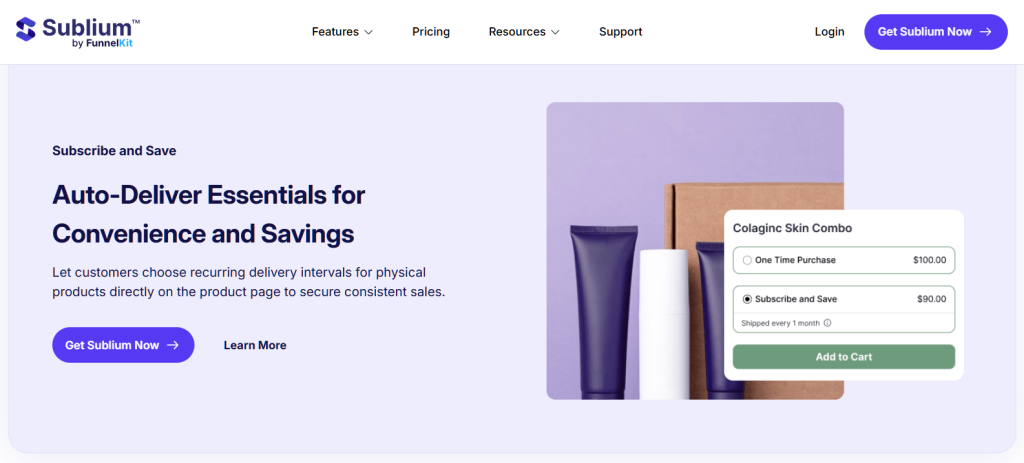
Built by the team at FunnelKit, Sublium Subscriptions is the newest heavyweight in the space, and it approaches things differently. Instead of just being a billing engine, it’s built end-to-end to manage retention and actually grow your recurring revenue.
This powerful tool stands out from other WooCommerce subscription plugins because it’s built to actively manage customer retention and reduce churn (click to zoom).
What I noticed in practice:
Instead of a customer clicking a button and disappearing, the cancellation flow intercepts them with an exit survey and dynamically offers alternatives like pausing the subscription or applying a discount.
It completely removes a massive conversion hurdle by allowing guest checkouts for subscriptions, something the official WooCommerce plugin natively blocks.
Pros:
Retention & analytics: Built-in exit surveys and win-back offers actively reduce churn, while the native dashboard tracks MRR, cohort retention, and lifetime value without needing extra SaaS tools.
Built-in installments: Split high-ticket orders (like a $1,000 course) into fixed 3- or 6-pay installments without needing a secondary plugin.
Guest checkout: Customers can buy a subscription without being forced to create an account or log in, removing a massive conversion hurdle.
Cons:
Advanced features are gated: The full retention and analytics stack requires the $199.50/year “Scale” plan, which makes it just as expensive as the official plugin if you want the best tools.
Gateway coverage: Native integration focuses heavily on major players (Stripe, PayPal, Square, Apple Pay). If you use a regional or obscure gateway, the official plugin is still your best bet.
Best for: Stores that already have traction and want to aggressively reduce their churn rate, or high-ticket sellers needing native installment plans.
3. SUMO Subscriptions
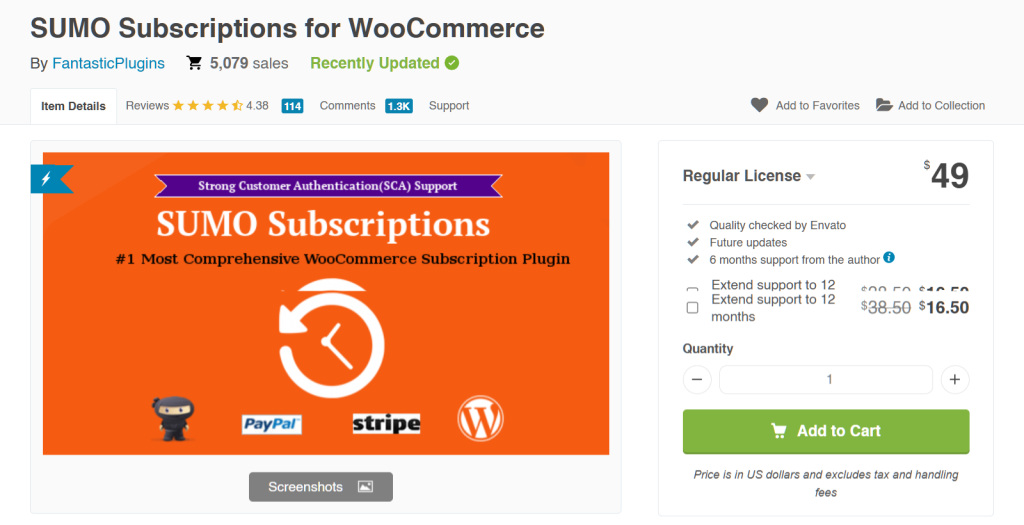
SUMO Subscriptions (from CodeCanyon) is the most flexible third-party WooCommerce subscription plugin. It’s a one-time $49 purchase with lifetime updates, and its feature set rivals the official plugin at a fraction of the cost.
This budget-friendly option provides lifetime updates, and it’s much more customizable than many other WooCommerce subscription plugins (click to zoom).
What I noticed in practice:
The subscription customization options are more granular than WooCommerce Subscriptions. You can configure signup fees, trial periods, sync dates, and renewal discounts without workarounds.
The UI for customers to manage their subscriptions is cleaner than the default WooCommerce account page.
Pros:
One-time purchase: $49 lifetime vs $199/year for the official plugin.
Smaller ecosystem: Fewer third-party integrations than the official plugin.
Documentation is dated: Some setup guides haven’t been refreshed in a while.
Best for: Stores that need highly customized subscription UX (subscription boxes, tiered memberships) on a budget.
4. YITH WooCommerce Subscription
YITH WooCommerce Subscription sits between WooCommerce Subscriptions (expensive, official) and SUMO (cheap, independent). It’s a solid middle-ground option with YITH’s clean UI and straightforward setup.
A clean interface and easy setup make this a fantastic middle-ground choice when you’re comparing WooCommerce subscription plugins (click to zoom).
What I noticed in practice:
Setup took about half the time of WooCommerce Subscriptions. The admin UI is genuinely intuitive.
The customer subscription management page is one of the best I’ve seen. Customers can pause, resume, and skip renewals without contacting support.
Pros:
Easy to set up: Cleanest admin UI of the six plugins tested.
Customer self-service: Pause, resume, skip, and change subscription options without support tickets.
Part of the YITH ecosystem: Integrates well with other YITH plugins (gift cards, coupons, etc.).
Cons:
Limited payment gateway support: Works with Stripe, PayPal, and Braintree but not smaller gateways.
Annual license: €199.99/year renewal, less expensive than official but not a one-time buy.
Best for: Stores already using the YITH ecosystem, or those wanting an easier admin experience than WooCommerce Subscriptions.
5. SubscriptionPro (Free Alternative)
SubscriptionPro is a budget-friendly subscription plugin that covers the basics without the premium features of official or SUMO options. It’s a solid starting point if you just need to accept recurring payments without fancy features.
You can test basic recurring payments with this simple tool before you’re ready to commit to more expensive WooCommerce subscription plugins (click to zoom).
What I noticed in practice:
Setup is simple but thin on options. If you need anything beyond basic subscriptions (trials, prorations, pauses), you’ll hit limits quickly.
It handles the core subscription flow reliably for straightforward subscription products.
Best for: Stores testing a subscription offering for the first time before committing to a more robust plugin.
6. All Products For WooCommerce Subscriptions
This is technically an add-on rather than a standalone subscription plugin. It requires WooCommerce Subscriptions and adds the ability to turn any existing product into a subscription offering, not just subscription-only products.
You can easily add a “subscribe and save” toggle to your existing physical products, but you’ll need the base plugin to run it (click to zoom).
What I noticed in practice:
For stores with an existing product catalog that want to offer flexible subscription plans through a “subscribe and save” model on physical products, this is the cleanest solution.
It surfaces a subscription toggle on product pages that customers can opt into at checkout.
Pros:
Works with any product: Turn physical products into subscriptions with a toggle.
Customer choice: Shoppers can pick one-time purchase or subscription at the product level.
Subscribe and save discounts: Offer a percentage discount for choosing subscription.
Cons:
Requires WooCommerce Subscriptions: Not a standalone plugin.
Additional cost: $99/year on top of the base subscription plugin.
Best for: Stores with existing physical product catalogs that want to add “subscribe and save” as a customer option.
Which Subscription Plugin For Which Use Case?
Picking the right choice among the many WooCommerce subscription plugins depends on what you’re actually selling and how complex your subscription logic needs to be.
Subscription box (coffee, snacks, curated goods): SUMO Subscriptions. Flexible delivery scheduling and box customization at a reasonable price.
Growing stores hyper-focused on retention and analytics: Sublium Subscriptions. The built-in smart cancellation flows and MRR dashboards are unmatched for the price point.
High-ticket courses or coaching: Sublium Subscriptions. It handles fixed installment plans natively without needing an extra add-on.
Membership site (content access, community): WooCommerce Subscriptions + Paid Memberships Pro, OR SUMO for tighter budget.
SaaS with complex billing tiers: WooCommerce Subscriptions. The broad gateway support and variable subscriptions matter.
Physical product subscriptions (“subscribe and save”): WooCommerce Subscriptions + All Products for Subscriptions add-on.
Setup Walkthrough: Creating A Subscription Product
Regardless of which plugin you choose, the basic setup flow looks similar:
Install the subscription plugin and activate your license key.
Create a new product and select “Subscription” (or equivalent) as the product type.
Set the billing interval (daily, weekly, monthly, yearly).
Configure trial period (if offering one).
Set signup fee and subscription length (or leave as ongoing).
Configure tax, shipping, and payment settings at the product level.
Publish and test the full signup flow end-to-end.
Before going live, review your payment gateway setup to make sure it supports recurring payments. Not all gateways do, and discovering this mid-launch is painful.
Frequently Asked Questions
Is WooCommerce Subscriptions worth $279 per year?
For stores with complex subscription models (variable products, multiple gateways, customer switching between plans), yes. For simpler stores, SUMO or YITH offer 80% of the features at 25-50% of the cost.
Can I switch subscription plugins later?
In theory yes, in practice it’s painful. Each plugin stores subscription data differently, and migrating active subscribers is rarely clean. Pick your subscription plugin carefully before you have paying subscribers.
Which payment gateways work with WooCommerce subscription plugins?
Stripe and PayPal work with all the WooCommerce subscription plugins on this list. More gateways (Braintree, Authorize.net, 2Checkout) are supported by WooCommerce Subscriptions. Smaller plugins support fewer gateways.
Do subscription plugins handle failed payments?
All six plugins in this list handle failed payment retries. WooCommerce Subscriptions and SUMO offer the most granular control over retry schedules and dunning workflows.
Can customers pause or skip subscriptions?
YITH and SUMO support customer-initiated pause/skip actions natively. WooCommerce Subscriptions requires additional plugins (like Subscription Downloads Manager) to enable customer-facing pause/skip.
What’s the best free subscription plugin for WooCommerce?
There isn’t a great free option for serious subscription stores. Most free plugins handle only one-time charges with manual renewals. If budget is tight, SubscriptionPro at $39 is your cheapest viable option.
Can I use WooCommerce subscription plugins to sell WooCommerce memberships?
Yes, most WooCommerce subscription plugins allow you to sell access to restricted content. Some require a separate “Memberships” add-on. However, others like SUMO can handle basic WooCommerce memberships by granting user roles upon purchase.
Pick The Right WooCommerce Subscription Plugin
The best of the WooCommerce subscription plugins isn’t necessarily the most expensive. It’s the one that matches your subscription model. For most stores, that’s going to be SUMO Subscriptions (if you need flexibility on a budget) or WooCommerce Subscriptions (if you need the broadest gateway and integration support).
If you’re ready to add recurring revenue to your store, download a trial of SUMO Subscriptions or WooCommerce Subscriptions. Then, set up a test subscription, and run through the full checkout flow before committing. Your future self will thank you!