Weekly ecommerce tips, deals & news.
B2B procurement is the whole, organized system a business uses to find, negotiate with, and buy from the suppliers it needs to run. It’s not just a quick, one-time buy. It’s a start-to-finish journey.
B2B procurement begins way before money changes hands and ends long after you pay the bill. It makes sure companies get the right items at the best price. At the same time, it focuses on risk management to keep the business safe and protect the budget.
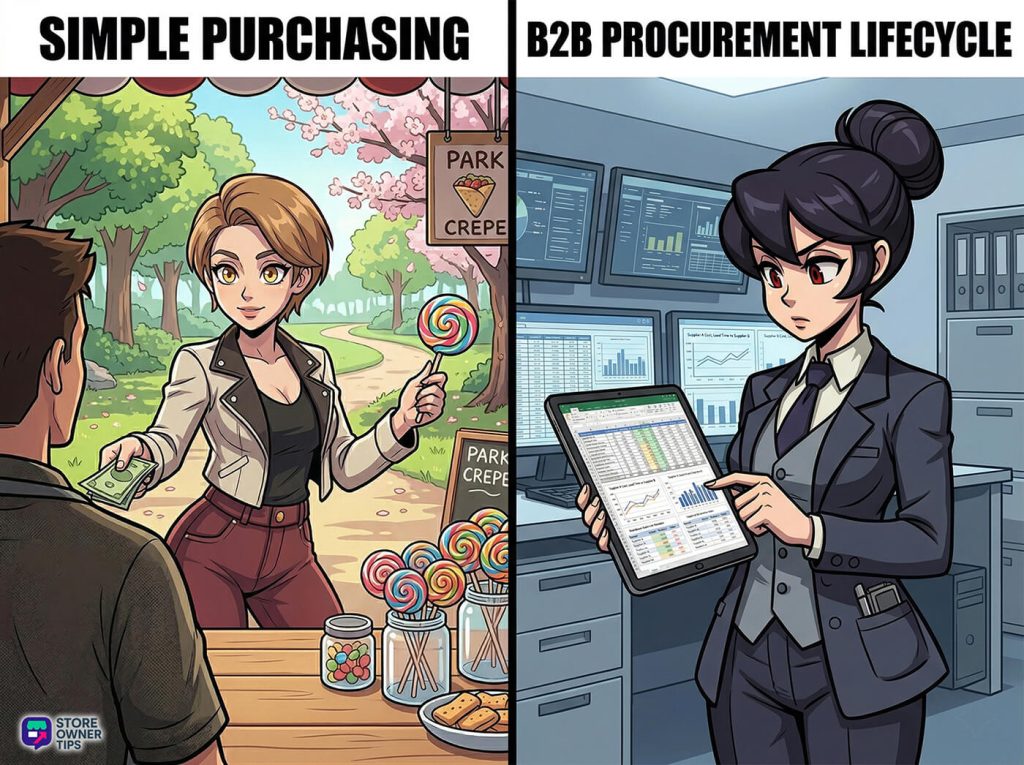
To really get B2B procurement, think about planning a huge wedding instead of just grabbing a burger. Buying a burger is simple “purchasing.” On the other hand, planning a wedding, which involves setting a budget, tasting cake, and signing contracts, is “procurement.”
In the online sales world, this setup relies on three main things: process, people, and paperwork. The process is the exact steps you take. The people are your team members (like the boss or the finance head) making the calls. The paperwork is the paper trail, like orders and bills, that keeps your money safe.
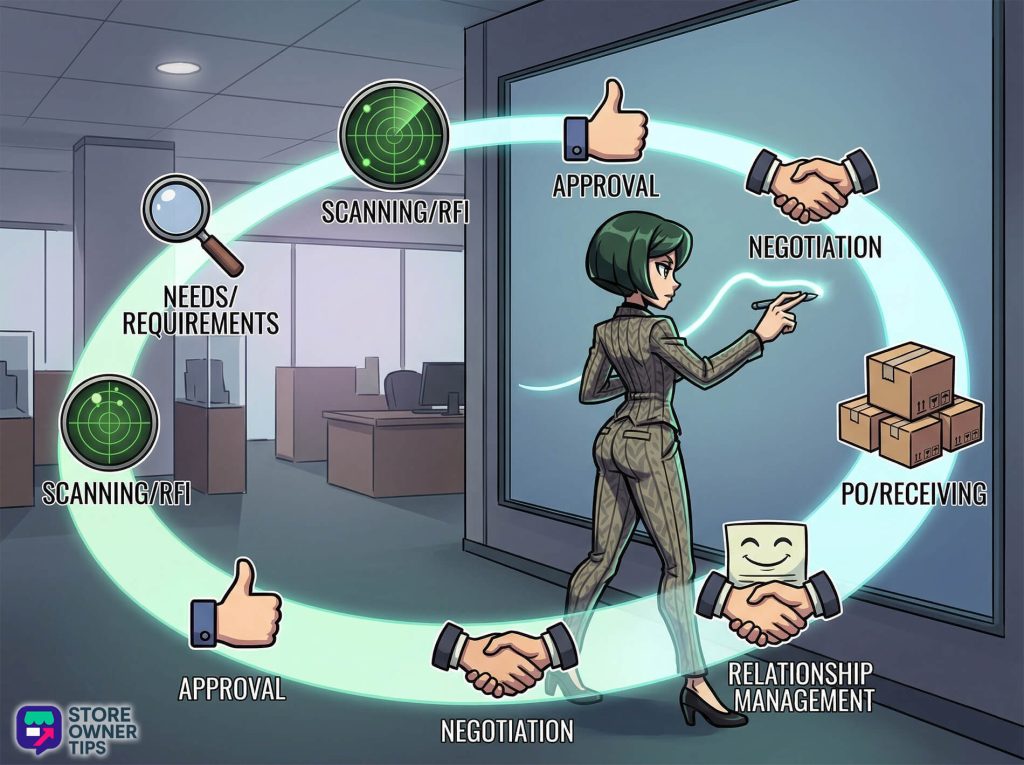
To stop wild spending, businesses follow a strict 12-step path.
Online stores like Shopify Plus and WooCommerce handle this heavy lifting differently than regular shops. Shopify Plus treats buying like a relay race. A single company account might have ten different workers buying things. Features like Shopify Flow can automatically give your best buyers 30 extra days to pay. They also let a buyer fill a cart and send it to their boss for approval before paying.
WooCommerce uses something called a “Price Waterfall.” Think of it like a secret VIP menu. If a buyer has a special deal with you, the system only shows them their lower, hidden price. It hides the regular, higher price everyone else sees. This keeps their profit margins private.
Why do platforms do this? Because of how B2B buyers think. Buyers are terrified of messing up. If they pick a bad supplier, the whole factory might stop running, and they could get fired. They don’t care about flashy “Sale ends in 1 hour!” countdown timers. They care about deep trust. In fact, 92% of buyers already have a specific seller in mind before they even start searching.
Imagine Summit Peaks, a company that makes high-end camping tents. They need special waterproof zippers. However, they can’t just click “Add to Cart” on a random site. What they need is a rock-solid B2B procurement plan to protect their factory and keep their supply chain moving.
Summit Peaks sees their new winter tent needs 50,000 tough zippers (Finding the Need). Their top builder writes down the exact metal strength they need (Listing the Details). Sarah, the buyer, looks around for a factory that makes extreme weather gear (Checking the Market).
Since trust is everything, Sarah remembers a zipper maker who wrote a great guide on waterproofing. Because they proved they knew their stuff early on, she sends them a quick message to see if they can handle 50,000 zippers (Asking for Info).
Once she knows they can do it, Sarah uses her company’s online system to ask for the budget. Her boss gets a ping, checks the money, and hits approve. Sarah then asks the factory for a final price. They talk the price down and agree to pay 60 days after the zippers arrive.
The factory uses WooCommerce. Thanks to that VIP “Price Waterfall” trick, Sarah doesn’t see the normal $2.00 price when she logs in. The system knows who she is and shows her special $1.15 price. She clicks a button, and the system makes a formal order document.
Weeks later, 50,000 zippers hit the Summit Peaks warehouse. The receiving team checks the boxes. Now, the computer does a huge check: the Three-Way Match. The software instantly checks Sarah’s first order, the delivery log, and the final bill. Everything matches perfectly.
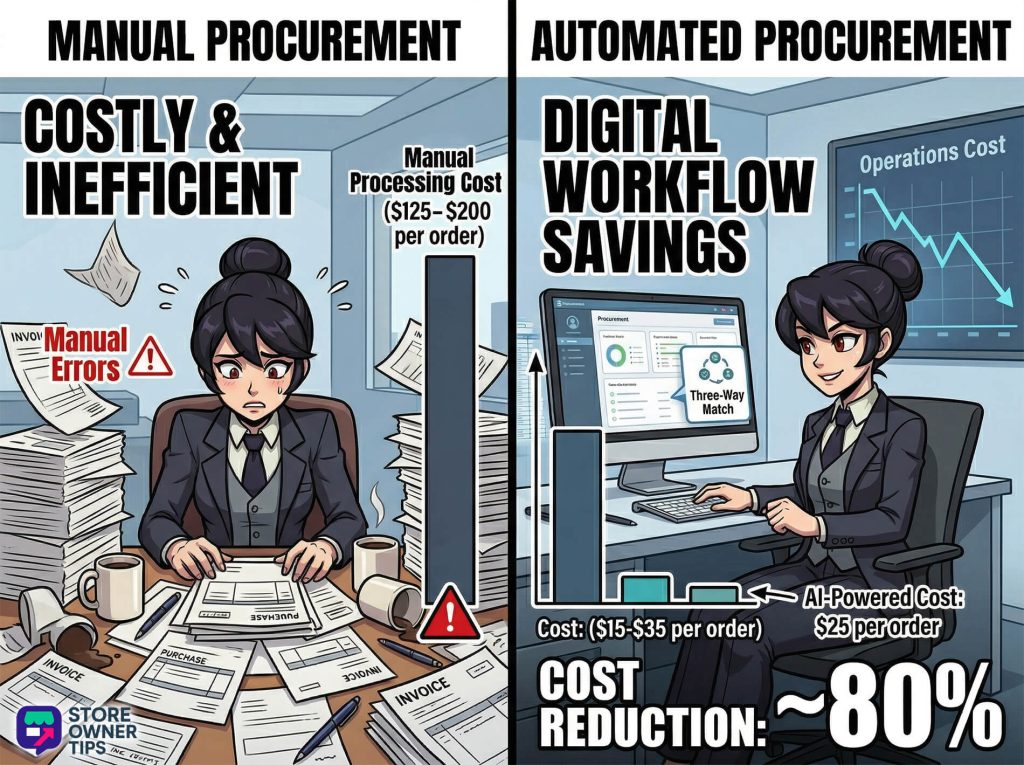
If Summit Peaks still used paper, this one order would take 8 to 12 hours of emails and cost about $150 in labor. Because they use a smart computer system, it takes just 15 minutes and costs about $25. Their mistake rate drops from a scary 7% to under 1%. By sticking to a solid procurement process, Summit Peaks builds their tents on time, saves money, and makes a new trusted partner.
In the B2B world, what you buy changes how you buy it. You mainly deal with two types of spending:
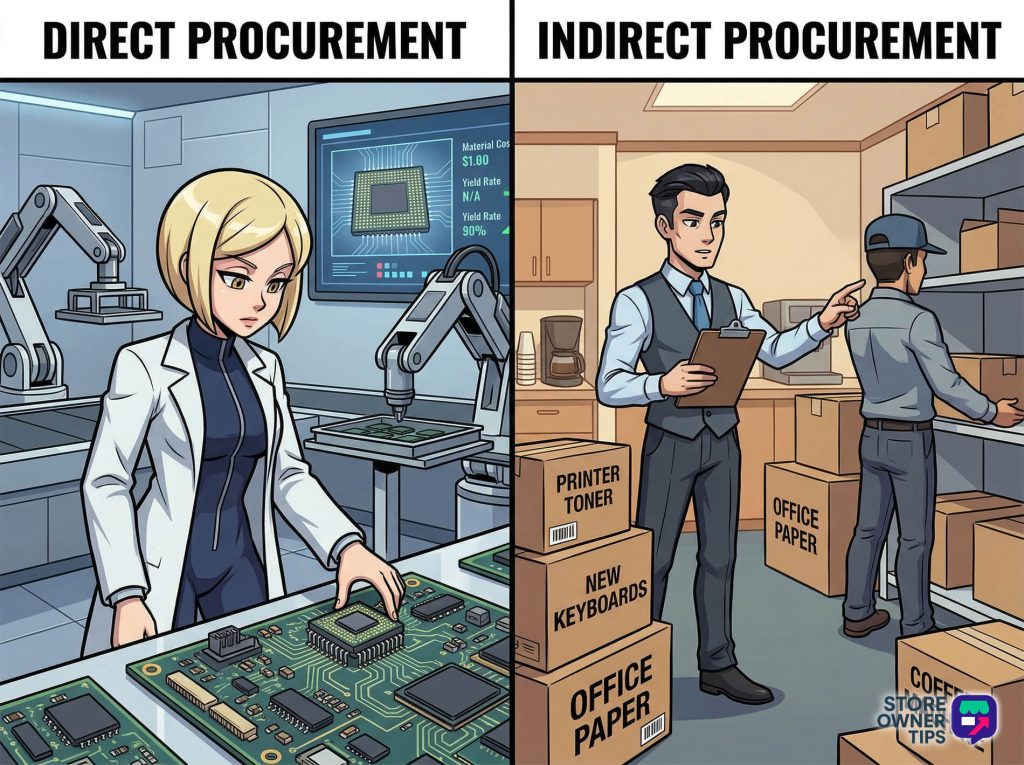
| Feature | Direct Procurement | Indirect Procurement |
| Main Goal | Keeps the factory running and makes sure the product is good. | Keeps the office running day-to-day. |
| Supplier Bond | Deep, long-term teamwork. | Quick, focused on saving a buck. |
| Stock Style | Keeping a stash so you never run out. | Buying just enough, just in time. |
| Who Runs It | Supply Chain or Factory teams. | HR, IT, or Office Managers. |
Moving to a fully digital buying system is great, but it takes work. Here is what you need to weigh before making the leap.
The biggest win is saving a ton of money. Companies using smart systems cut their order costs by 65%. Manual paper tracking can cost $125 to $200 per order in wasted time. Smart procurement software drops that to just $15 to $35.
To see this, businesses use a formula to find the total cost of a Purchase Order (PO):

Besides saving money, digital systems stop scams. The computer’s automatic three-way match stops you from paying the same bill twice. Paying twice by accident can cost a business over $350 every single time it happens!
The hardest part is getting started. Building a custom B2B online store is super expensive. It can cost anywhere from $100,000 to over $500,000. It also takes a long time—usually 3 to 7 months for mid-sized companies to link the new store to their old inventory tracking. If you rush it, your whole business might go offline.
There’s a human cost, too. Workers often fight against new, strict buying rules. Also, if your whole business relies on one computer system, a single crash stops everything. Finally, swapping friendly phone calls for computer screens can annoy older, loyal suppliers if you don’t build helpful features into the system.
If you rely too much on one area, you need to look around for new partners in places like Vietnam or Thailand. Don’t just blast them with a massive 50-question form, though. Smaller factories want to get to know you first. Take time to build a real relationship before you start haggling over price.
When your order, the delivery slip, and the bill don’t line up, you have a problem. This usually means the supplier charged the wrong price or forgot half your items. To fix this, put the bill on hold so it doesn’t get paid. The best fix is using a shared digital system. That way, your warehouse and the supplier always see the exact same shipping numbers.
A PunchOut catalog lets a B2B buyer shop on your website straight from their own company’s buying software. Think of it like a secret tunnel between their computer system and your store. This is a big deal if you want to sell to massive enterprise companies. It makes sure their order perfectly follows their boss’s strict rules. It also stops messy typos, which heavily boosts your chances of winning their business.
Mastering B2B procurement turns your simple online store into a rock-solid partner for other businesses. By fixing your steps and upgrading your tech, you’ll win trust, score bigger orders, and slash costly mistakes. It takes time and money to set up, but the headaches you save make it completely worth the effort.
Copyright © StoreOwnerTips.com. All Rights Reserved.
