Weekly ecommerce tips, deals & news.
JavaScript is the invisible engine that makes your online store interactive without forcing your web pages to constantly reload. It is the technology that lets a customer instantly add an item to their cart, filter product categories, or see real-time error messages while typing, making your website feel like a fast, modern app.
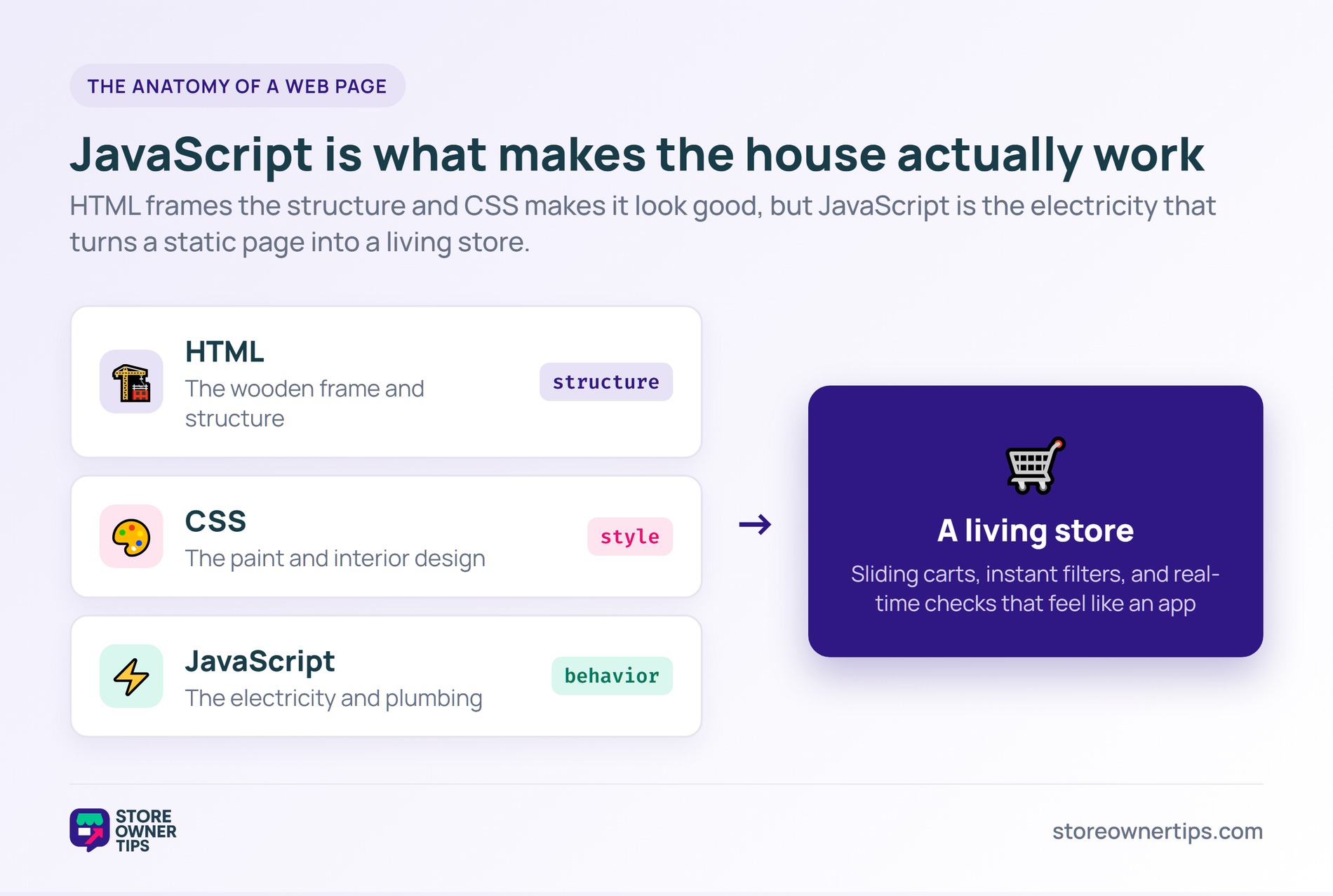
Think of your e-commerce website as a house you are building. The HTML is the wooden frame that gives the house its basic structure and shape. The CSS is the paint, wallpaper, and interior design that makes it look appealing. JavaScript, however, is the electricity and plumbing. It is what makes the house actually “work” when you flip a switch or turn on a faucet. In digital commerce, this versatile programming language transforms a static digital brochure into a living, breathing software application.
For a store owner, JavaScript dictates what happens after a page has initially loaded. When a shopper clicks “Add to Cart,” JavaScript captures that click and slides open a mini-cart panel instantly. It does this without the browser flashing a blank white screen to load a brand new page. This smooth experience relies heavily on Application Programming Interfaces (APIs). Think of an API as a waiter in a busy restaurant. You (the shopper) give your order to the waiter (the API), who takes it to the kitchen (the server), and brings exactly what you asked for back to your table without making you walk back to the kitchen yourself.
This entire setup uses Asynchronous JavaScript and XML (AJAX). In simple terms, this means your site can talk to the backend server in the background while the shopper keeps happily browsing. In Shopify, this sends a small package of data called a JSON payload to update the cart. The server does the necessary math, sends back raw data, and JavaScript surgically updates just the cart icon number, leaving the rest of the visual page entirely alone.
However, this magic comes with a heavy performance cost. Unlike HTML and CSS, which load very easily, JavaScript forces the shopper’s phone or computer to work extremely hard to read and execute the code. We call this the Main-Thread Execution. Imagine a single-lane highway where only one car can pass at a time. If a massive, slow-moving truck (a heavy JavaScript file) blocks the lane, all the fast little sports cars (shopper clicks and taps) get stuck in a traffic jam. This creates a frozen, glitchy screen that frustrates buyers.
There is also deep psychology at play here. Today’s digital consumers hate waiting, and every millisecond of delay breaks their buying momentum. JavaScript removes this friction by using Inline Form Validation during checkout. This is when a green checkmark appears instantly after you type a correctly formatted email address. It gives the shopper a tiny hit of dopamine and confidence to keep going.
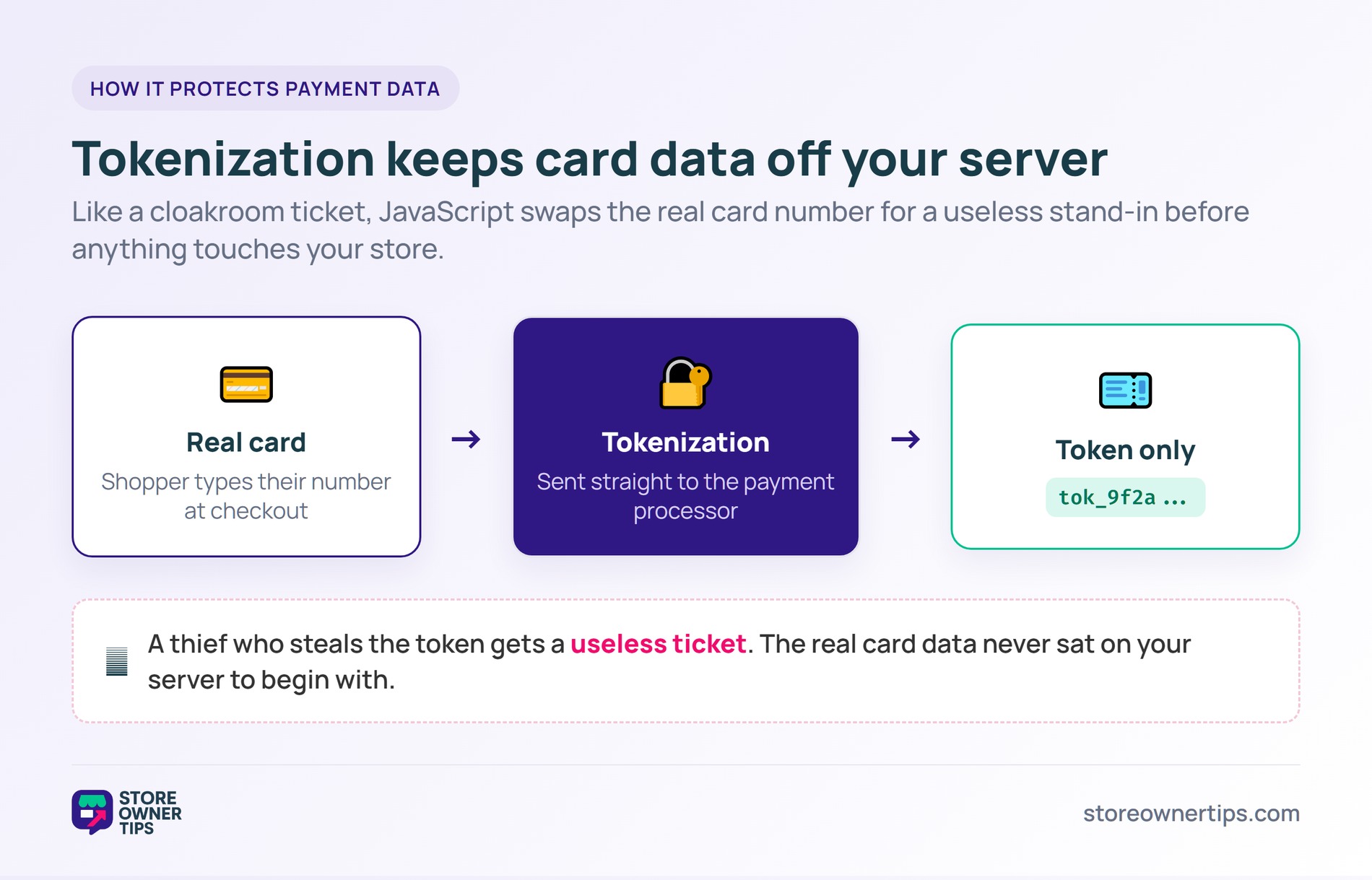
Security is another critical factor. Handling raw credit card numbers directly on your own server is a massive legal liability. JavaScript tools use a process called Tokenization to keep you safe. Think of tokenization like handing your expensive coat to a cloakroom attendant and getting a generic plastic number ticket in return. A thief might steal the ticket (the token), but it is completely useless to them without the actual coat (the credit card data).
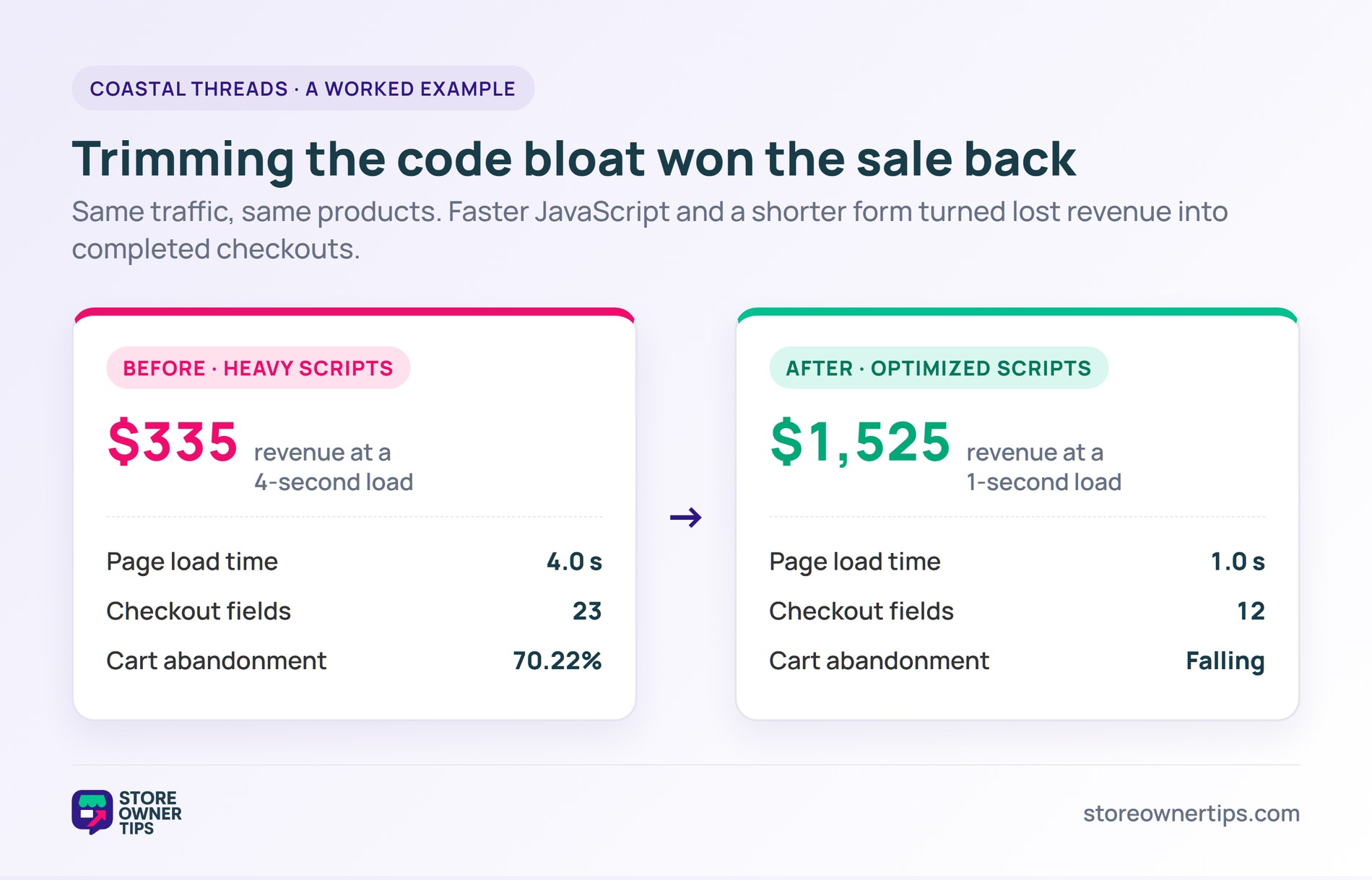
Imagine a mid-sized apparel brand called Coastal Threads. They recently launched a huge summer sale, but their analytics show a massive global cart abandonment rate of 70.22%. Shoppers are adding premium jackets to their carts, but they are dropping off right before paying. The store owner digs into their performance metrics and realizes they have a critical problem with their site speed and JavaScript setup.
First, the owner notices that the median mobile page on their site is bogged down with 251 kilobytes of completely unused JavaScript. This code is sitting there doing absolutely nothing, but shoppers’ mobile phones still have to download and process it. Because of this heavy code bloat, the site takes a painful 4 seconds to load. Based on e-commerce benchmarks, a 4-second load time with their traffic volume results in a mere $335 in revenue. If they could optimize their scripts and hit a lightning-fast 1-second load time, that exact same traffic would generate $1,525. They are leaving massive amounts of money on the table simply because the site is too heavy.
Next, the owner looks closely at the checkout page. The average checkout flow has an overwhelming 23.48 form fields. Coastal Threads hires a developer to use JavaScript to smartly condense their form down to an ideal 12 fields. They also activate Inline Form Validation. Previously, shoppers would fill out the entire page, click submit, and get a frustrating red server error because they missed a single digit in their phone number. The form would clear out entirely, forcing them to start over from scratch.
This single error caused many of the 17% of shoppers who abandon carts due to “complicated checkouts” to leave in anger. Now, as a shopper types a zip code, JavaScript instantly checks it in real-time. If it is too short, the box turns red right away. If the final submission fails for another reason, JavaScript gracefully saves all the typed data and smoothly auto-scrolls the shopper right to the exact mistake. By fixing the unused code bloat and making the checkout form responsive, Coastal Threads drastically cuts down their 70.22% abandonment rate.
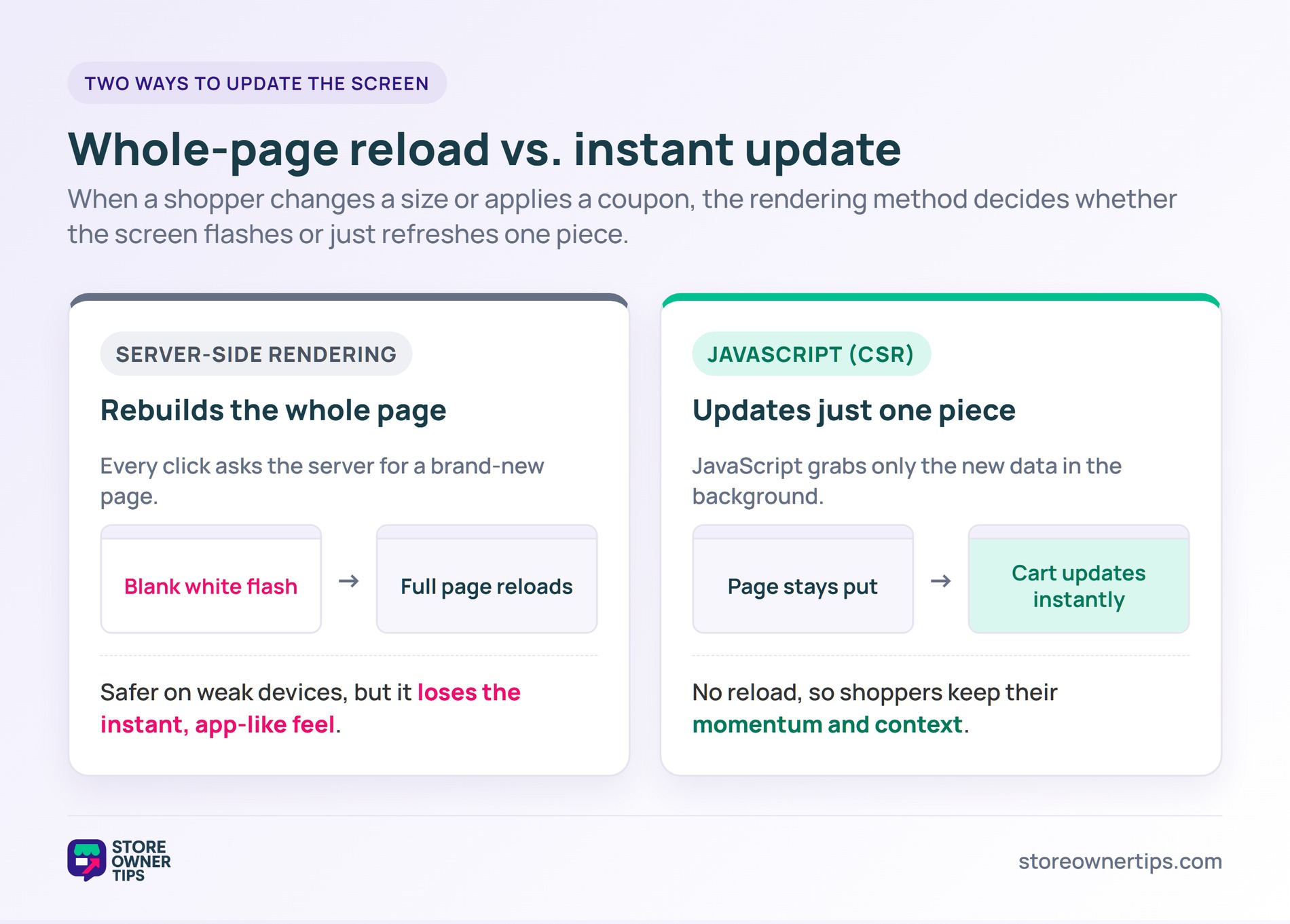
The main technical alternative to a highly interactive JavaScript site is Server-Side Rendering (SSR). In a pure SSR setup, the shopper’s web browser acts as a simple, passive display screen. Every time the user does anything—like changing a shirt size from Small to Large or applying a coupon—the browser has to ask the backend server for an entirely new web page.
The server has to recalculate everything, build a fresh HTML document from scratch, and send it over the internet. The browser must then flash a blank white screen before loading the new page from top to bottom. JavaScript uses Client-Side Rendering (CSR) instead. After the first page loads, subsequent clicks do not trigger hard page reloads. The JavaScript talks to the server silently in the background, grabs only the necessary raw data, and changes just that specific part of the screen.
SSR is fantastic for shoppers on older mobile phones or weak internet connections because it forces the powerful backend server to do all the heavy lifting. However, SSR completely lacks the smooth, instant app-like feel that modern shoppers demand. You simply cannot have a sliding mini-cart or instant typing checks without JavaScript, making it the prevailing standard for competitive online stores today.
Why does my store pass Core Web Vitals for LCP but fail INP specifically on mobile devices?
Your site likely loads the main hero images very quickly, which helps you pass the Largest Contentful Paint (LCP) test. However, Interaction to Next Paint (INP) measures the exact time between a shopper tapping a button and the screen actually responding. Because mobile processors are much weaker than desktop computers, heavy JavaScript from analytics pixels or third-party apps easily clogs up the phone’s processing power in the background. When the user taps the screen, the phone is too busy reading code to respond right away, pushing your INP score over the acceptable 200-millisecond threshold.
What causes the “Uncaught ReferenceError: jQuery is not defined” error, and why does it break my WooCommerce checkout?
This error happens when your JavaScript files load in the wrong chronological order. Many stores try to speed up initial load times by pushing heavy core files, like jQuery, to the very bottom of the page. If a custom checkout widget tries to run early and needs jQuery to function, it panics because the foundational jQuery library has not finished downloading yet. This triggers a fatal error that completely stops all other scripts from running, which often leaves your checkout button totally dead and unresponsive.
Why is my Shopify store still experiencing slow JavaScript execution after deleting multiple third-party apps?
When you delete an app from your Shopify admin dashboard, the platform severs the connection, but it routinely fails to automatically remove the actual code snippets the app injected into your theme files. Your customers’ browsers are still wasting precious network data and processing power downloading and trying to read this “dead” code on every single page load. A developer usually needs to manually audit your theme files and permanently delete this orphaned code to fix the slow performance.
JavaScript is the non-negotiable heartbeat of modern e-commerce, delivering the frictionless, instant interactions that today’s digital consumers demand to complete a purchase. However, it must be managed with absolute precision to avoid crippling page bloat, crashed checkout buttons, and severe Google search penalties.
Copyright © StoreOwnerTips.com. All Rights Reserved.
