Weekly ecommerce tips, deals & news.
JavaScript SEO is the practice of making content built with JavaScript easy for search engines to crawl, render, and index. Many modern stores load their products, prices, and text through JavaScript instead of plain HTML. If search engines cannot run that code well, they may miss the content entirely. Good JavaScript SEO closes that gap.
Think of a web page as a meal. Plain HTML is a plate that arrives fully cooked. JavaScript is more like a recipe card that the kitchen must follow first. Search engines handle both, but the recipe takes extra work.
That extra work is the whole story of JavaScript SEO. On a plain HTML page, the content is right there in the file. On a JavaScript page, the content only exists after code runs. So the crawler has to act like a browser, not just a reader.
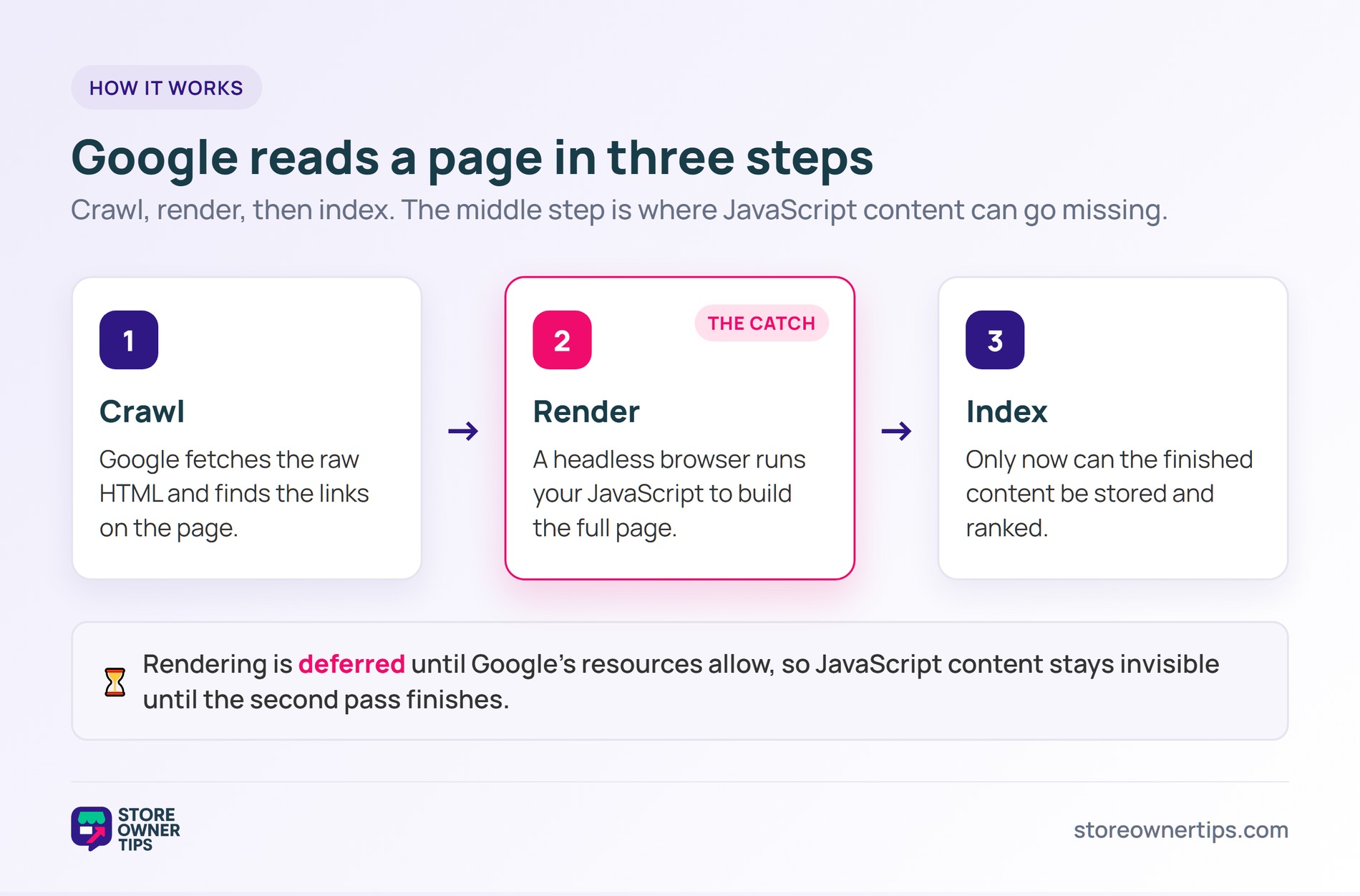
When Google processes a webpage, it works in three steps: crawling, rendering, and indexing. First, it crawls the raw HTML and finds links. Next comes rendering, where a headless browser runs your JavaScript to build the full page. Only then can the content be indexed.
That middle step is the problem. Google itself says rendering is deferred and happens “once Google’s resources allow”. Until then, JavaScript content stays invisible to the index. In short, the crawler files the empty shell first and the real content later.
This is why a page can look perfect to you but thin to Google. Your browser runs the code instantly. The crawler, by contrast, may run it minutes or hours after the first visit.
The headless browser is just Chromium running quietly in the background. It loads your page, runs the scripts, and reads the result. If a script is slow, blocked, or broken, the crawler may give up and index whatever it managed to build.
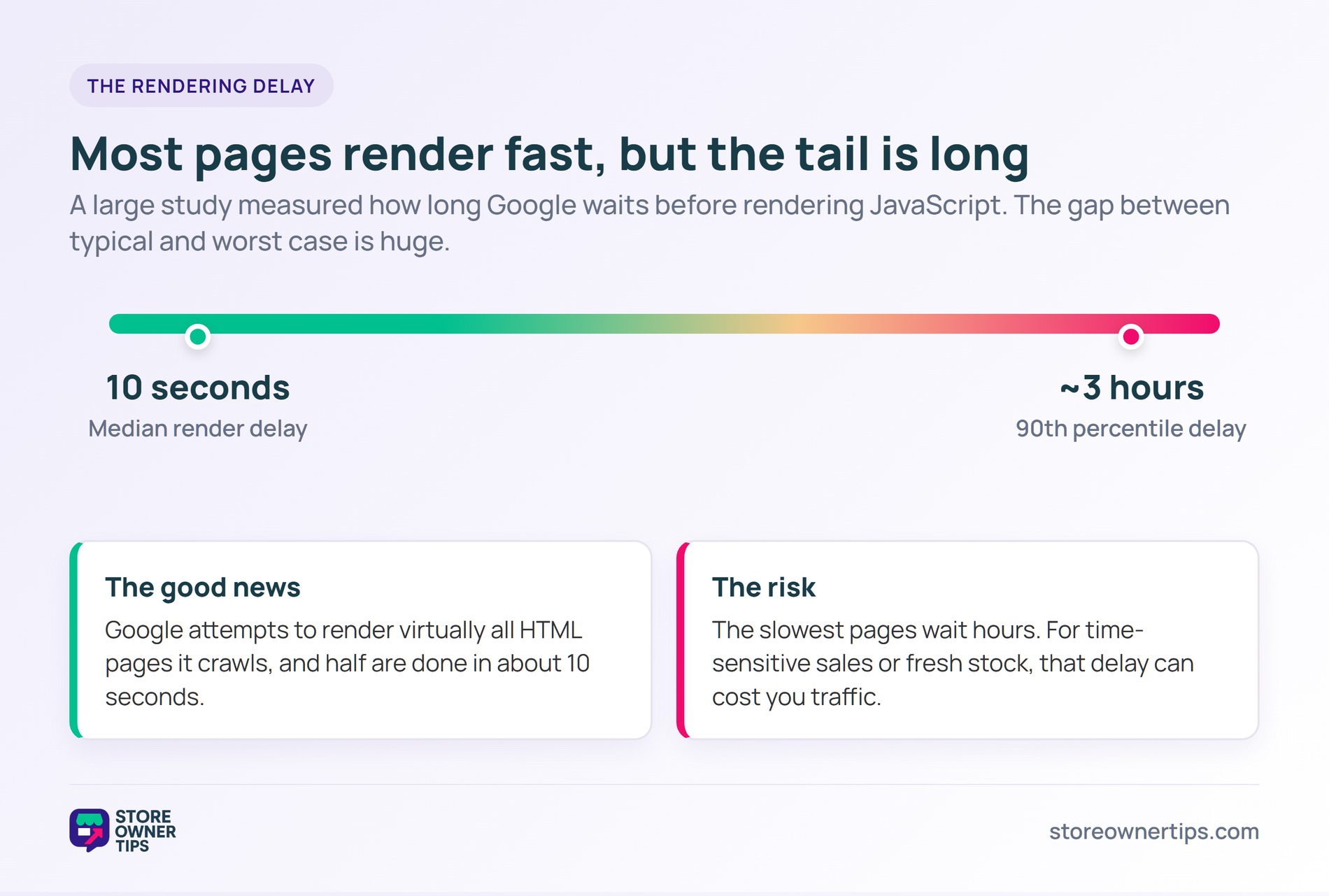
The good news is rendering is faster than the old myths claim. A large study found the median render delay was 10 seconds. The same study showed Google attempts to render virtually all HTML pages it crawls.
Still, the tail is long. That same research put the 90th percentile delay at around three hours. For a store pushing time-sensitive sales or fresh stock, even a short delay can cost sales. New content sits unseen until the second pass finishes.
The delay also affects how often pages get refreshed. If a price or title only appears after rendering, your search snippet can lag behind reality. As a result, your meta description and other signals may show stale details for a while.
The cleanest fix is server-side rendering, where your server sends finished HTML. Pre-rendering works too, building static pages ahead of time. Google calls server-side or pre-rendering a great idea, since it speeds things up for users and crawlers alike.
A few habits also help. Give each page a unique title and description, even if scripts generate them. Use real links and proper status codes, not fake 404s. Then test the result so nothing important hides behind a script.
When key content depends on JavaScript, you gamble with visibility. Product descriptions, prices, and internal links can all go missing. Your JSON-LD structured data may not be read on time either. That hurts how rich your listings look in search.
Broken JavaScript rendering also weakens your internal linking. If links only appear after a script runs, crawlers may never follow them. As a result, deep pages stay undiscovered. Strong JavaScript SEO keeps every important page reachable.
There is a trust angle too. Missing content makes it harder to prove your experience, expertise, authoritativeness, and trustworthiness. It can also cost you a featured snippet, since Google cannot quote text it never rendered.
The fix is rarely about removing JavaScript. Instead, it is about making sure crawlers get the same content people get. When that match is clean, your scripts and your search visibility can both thrive.
Imagine a mid-sized outdoor gear store called Summit Trail. Its developer rebuilds the site as a flashy single-page app. Everything loads through JavaScript, including product text and category links.
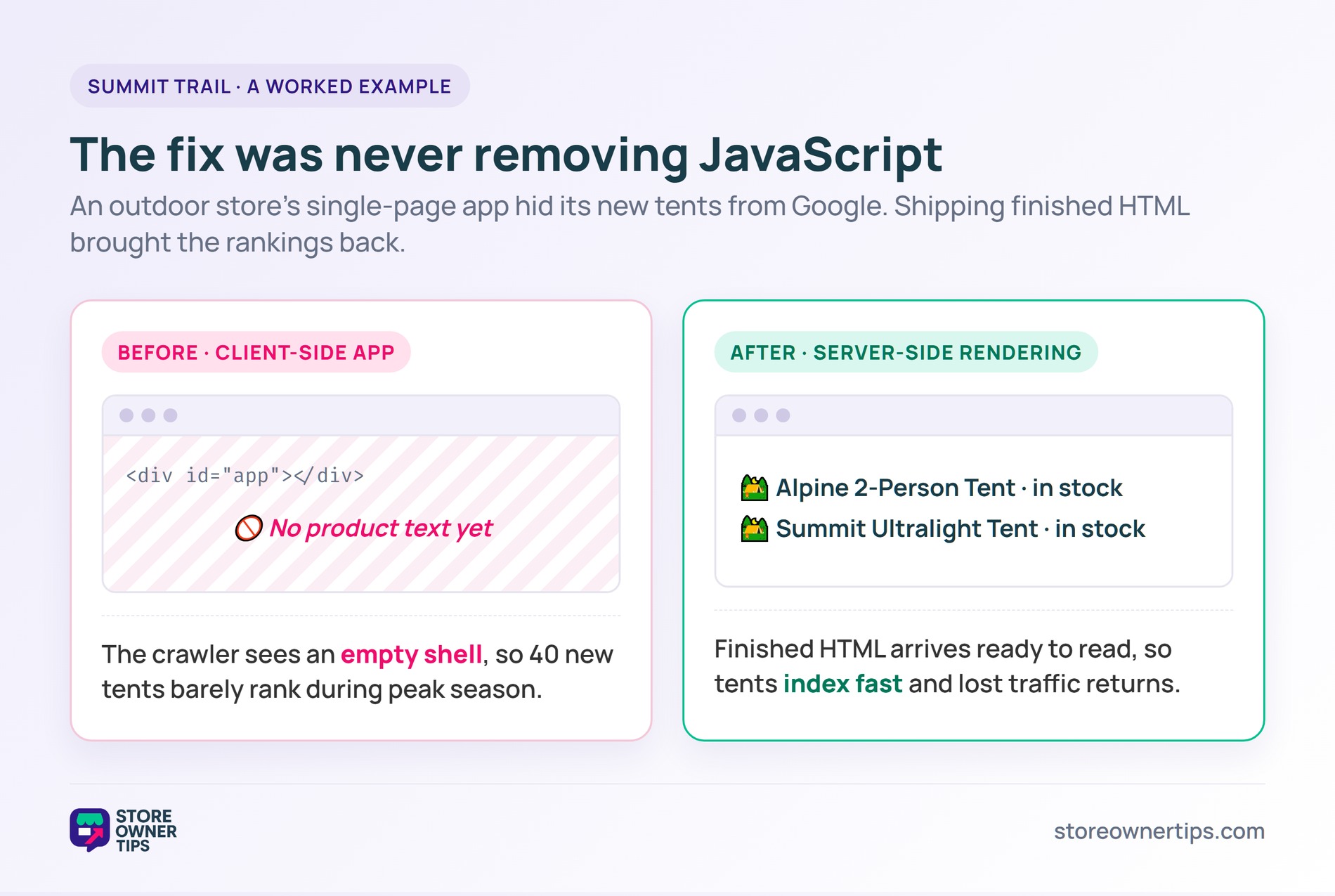
At first, traffic looks fine. Then the team launches 40 new tents for peak season. Weeks pass, and the new pages barely rank. The raw HTML the crawler first sees is nearly empty, so there is little to index right away.
The team checks Google Search Console and spots the trouble. The URL Inspection tool shows blank product areas in the rendered view. In other words, Google sees the frame but not the gear inside it.
Because rendering is deferred, the fresh product copy waits in line. With a median delay of 10 seconds and a 90th percentile near three hours, most pages catch up. But the slowest ones lag for hours during the busiest selling window.
Summit Trail also feels a speed penalty. Heavy scripts slow the first paint, and Google’s research shows bounce probability jumps 123% as load time grows from one to ten seconds. Shoppers leave before the gear even appears.
The fix is server-side rendering. The developer ships finished HTML to crawlers and visitors alike. Now the tents show up in the index fast, and pages load quicker too. As a result, that lost peak-season traffic returns within a few weeks.
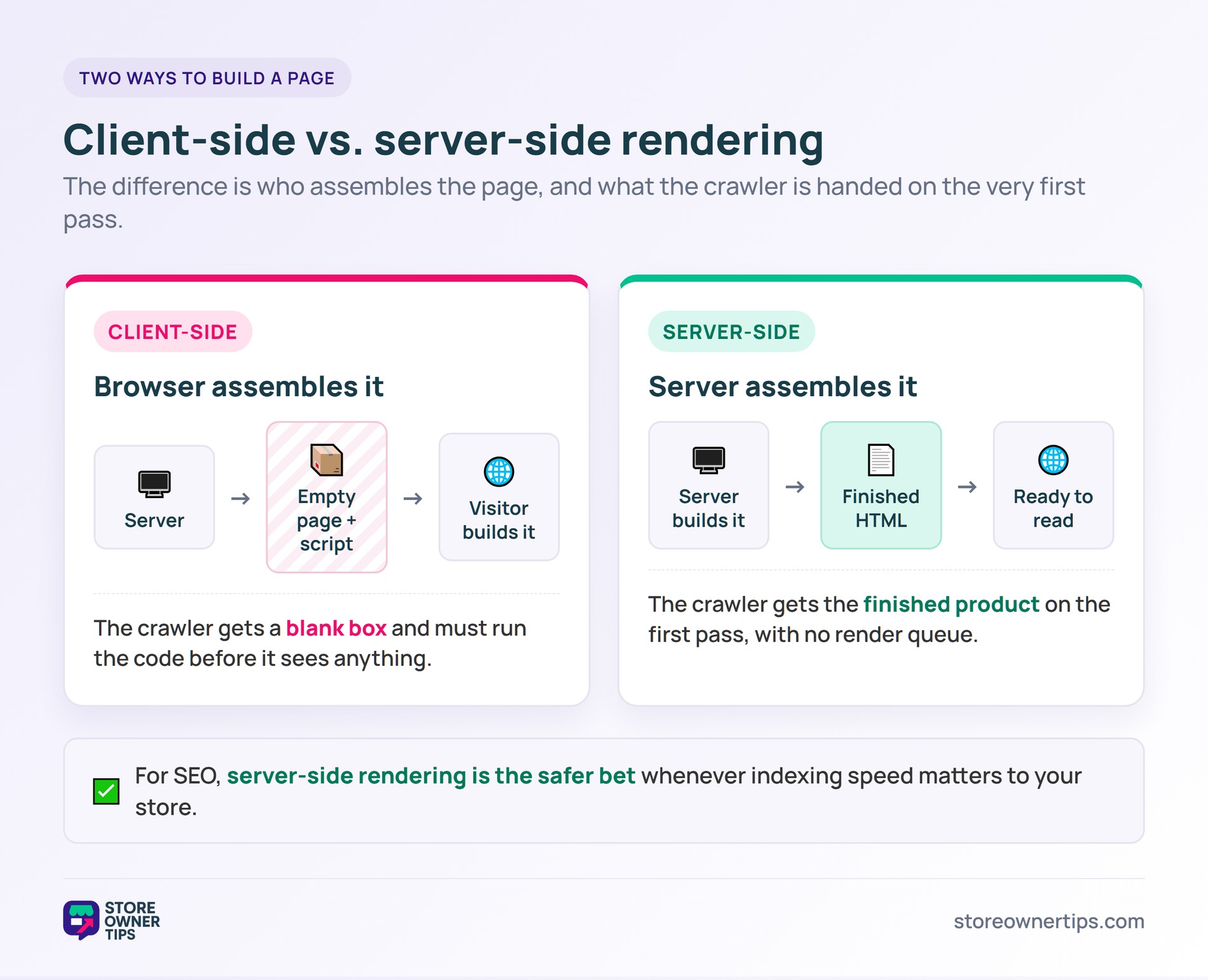
These two approaches sit at the heart of JavaScript SEO. Client-side rendering sends a near-empty page plus a script. The visitor’s browser then builds the content. Server-side rendering builds the full page first, so finished HTML arrives ready to read.
Picture the difference at the door. With client-side rendering, the crawler is handed a blank box and a set of instructions. With server-side rendering, it is handed the finished product. One asks the visitor to assemble the page, while the other delivers it ready to use.
For SEO, server-side rendering is the safer bet. Crawlers see your content on the first pass, with no waiting on a render queue. Client-side rendering can still work, but it leans on Google running your code well and quickly. When indexing speed matters, the finished-HTML approach wins.
There is a middle path called dynamic rendering. It sends rendered HTML to crawlers and the live app to people. Google treats this as a workaround, not a long-term plan. For most stores, plain server-side rendering is simpler and more reliable.
Yes, Google can run JavaScript and index what it creates. It uses a headless browser to render pages. However, that rendering step is deferred, so the content is not always indexed instantly. Other crawlers may not run JavaScript at all.
Use the URL Inspection tool in Google Search Console. It shows the rendered HTML the crawler actually sees. If your key text or links are missing there, your JavaScript is the likely cause. Fix the rendering, then test the page again.
Most standard WooCommerce themes render content in HTML, so they are usually fine. The risk grows with heavy JavaScript builds or custom single-page front ends. Plugins like Yoast or AIOSEO help with tags, but they cannot fix a rendering gap.
JavaScript builds great shopping experiences, but search engines need clean content to rank you. Strong JavaScript SEO, led by server-side rendering, keeps your products visible and your organic traffic growing over the long haul.
Copyright © StoreOwnerTips.com. All Rights Reserved.
