Weekly ecommerce tips, deals & news.
Keyword cannibalization happens when two or more pages on the same site compete for the same search intent. They split your ranking signals instead of stacking them. The result is weaker rankings for every page involved. It’s about overlapping intent, not just repeating the same keyword.
Most store owners hear the term and assume the worst. They think any two pages using the same keyword are fighting and creating severe keyword cannibalization issues. That’s the biggest myth about cannibalization. The thing that actually matters is search intent, not the exact words on the page.
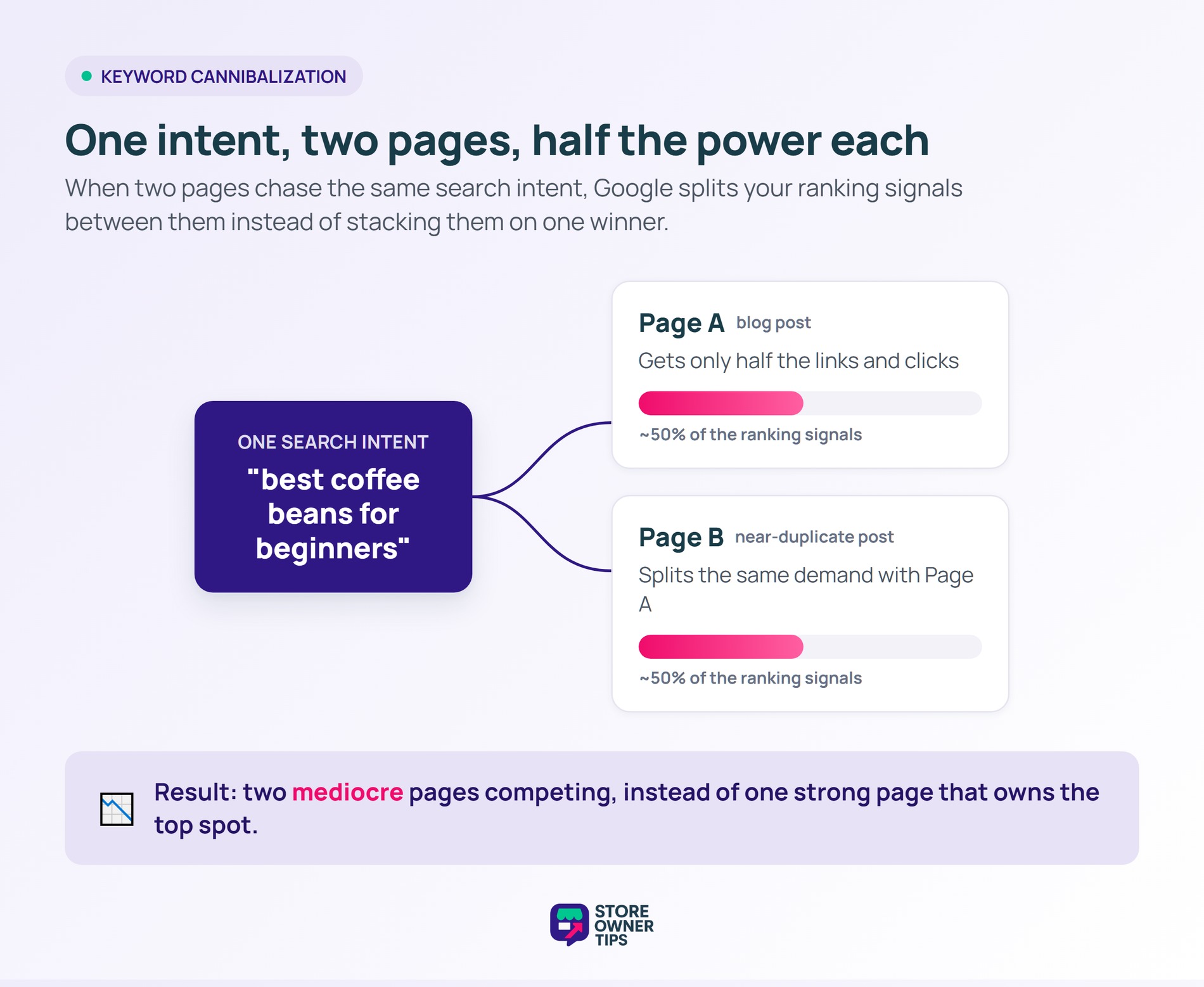
Think of it like two of your own salespeople pitching the same customer at once. They talk over each other and confuse the buyer. Neither makes a clean sale. When two pages chase the same goal, they compete the same way.
The word “cannibalization” sounds dramatic, but the mechanism is simple. Your pages eat into each other’s potential. Instead of one strong page, you end up with several mediocre ones splitting the same demand.
You can use the same keyword on several pages without any problem. The trick is that each page must answer a different question. A blog post explaining “how to choose coffee beans” and a product page selling beans both use “coffee beans.”
Those two pages serve different intents, so they coexist fine. Real cannibalization shows up when two pages try to do the exact same job. For example, two near-identical blog posts both targeting “best coffee beans for beginners” will clash.
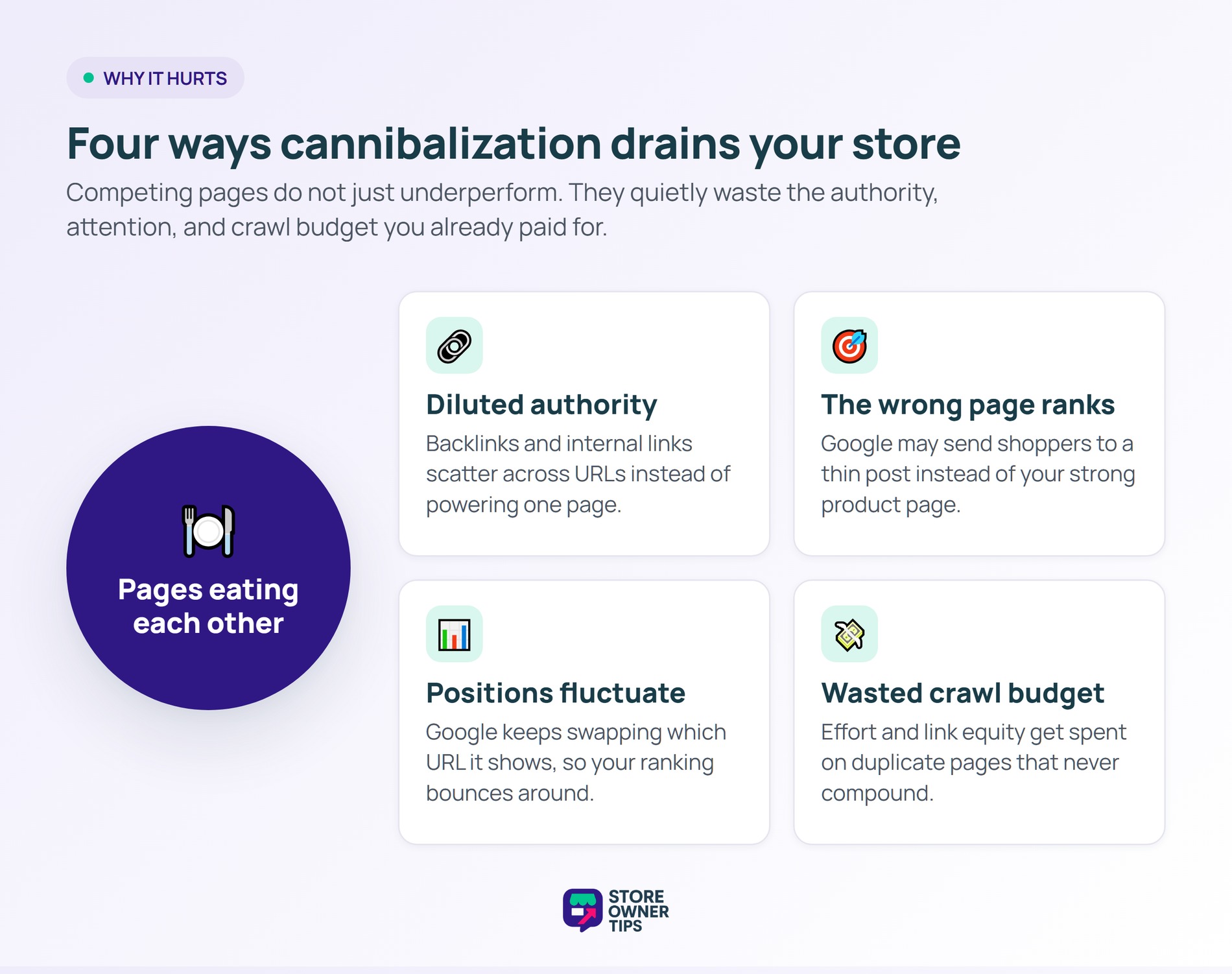
First, your authority gets diluted. Backlinks and internal links that should point power at one page get scattered across several. Next, Google may rank the wrong page, sending shoppers to a thin post instead of your strong product page.
On top of that, your positions tend to fluctuate. Google keeps swapping which URL it shows, so your ranking bounces around. That instability makes it hard to build steady traffic or plan content around a reliable winner.
Meanwhile, crawl budget and link equity get wasted on duplicate pages instead of fresh ones. Google itself notes that consolidating duplicate URLs helps it focus signals on one preferred page. In short, you’re paying for effort that never compounds.
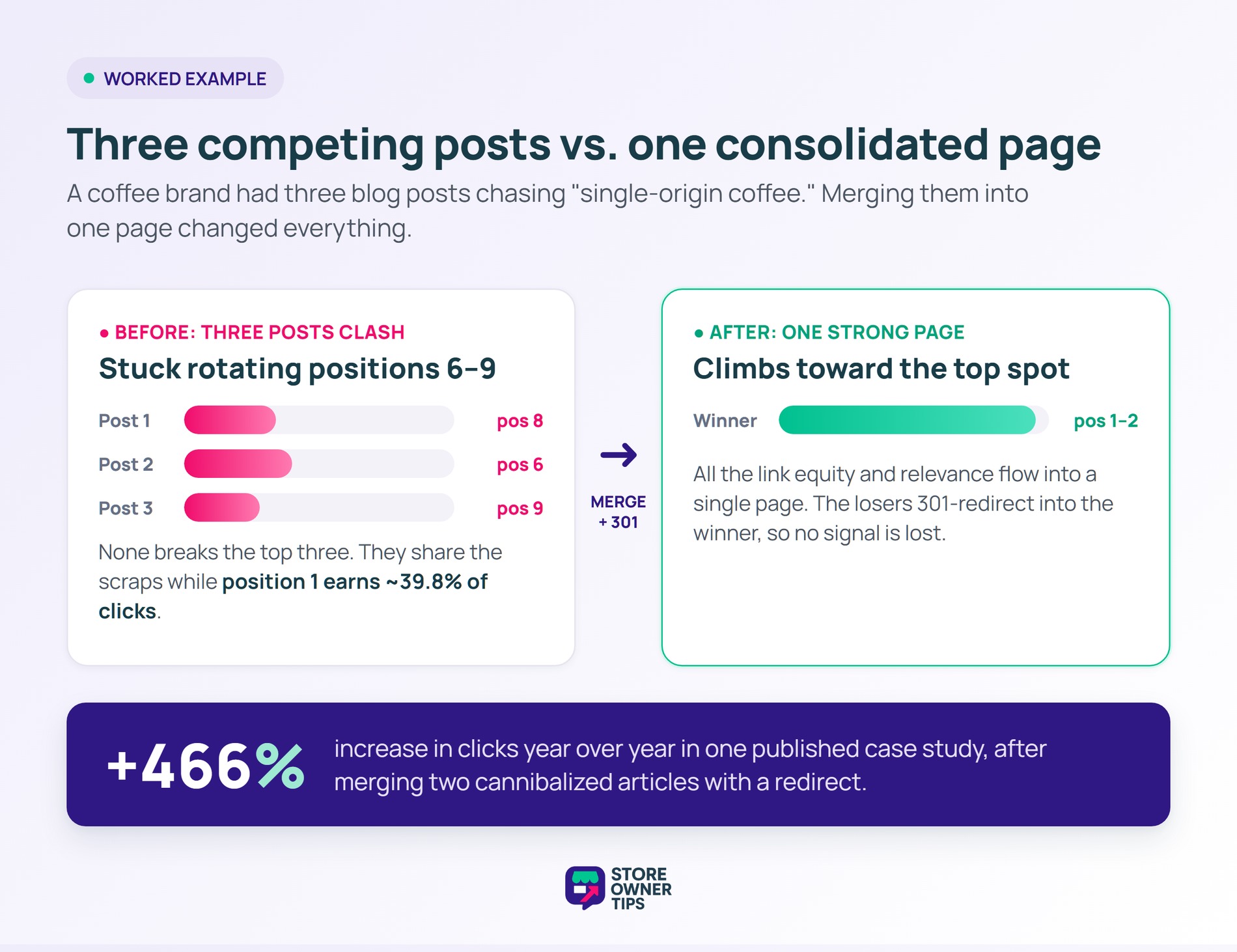
Imagine a mid-sized coffee roasting brand called Mugbloom. Over two years, their team wrote three blog posts about “single-origin coffee.” Each one targets nearly the same intent. None of them ranks well on its own.
Google can’t decide which post deserves the top spot. So it keeps rotating all three between positions 6 and 9. Their best post never breaks into the top three.
That matters a lot. The top organic position earns an average click-through rate of 39.8%, while position 2 drops to 18.7%. Stuck at position 6 or lower, Mugbloom captures only a tiny slice of that traffic. Three competing posts share the scraps instead of one page owning the top.
The team picks the strongest post and merges the other two into it. Then they 301-redirect the weak URLs to the winner. As a result, all the link equity and relevance flow into one page.
Within months, the combined page climbs toward the top. This kind of consolidation is not just theory. One published case study saw a 466% increase in clicks year over year. That gain came from merging two cannibalized articles with a redirect.
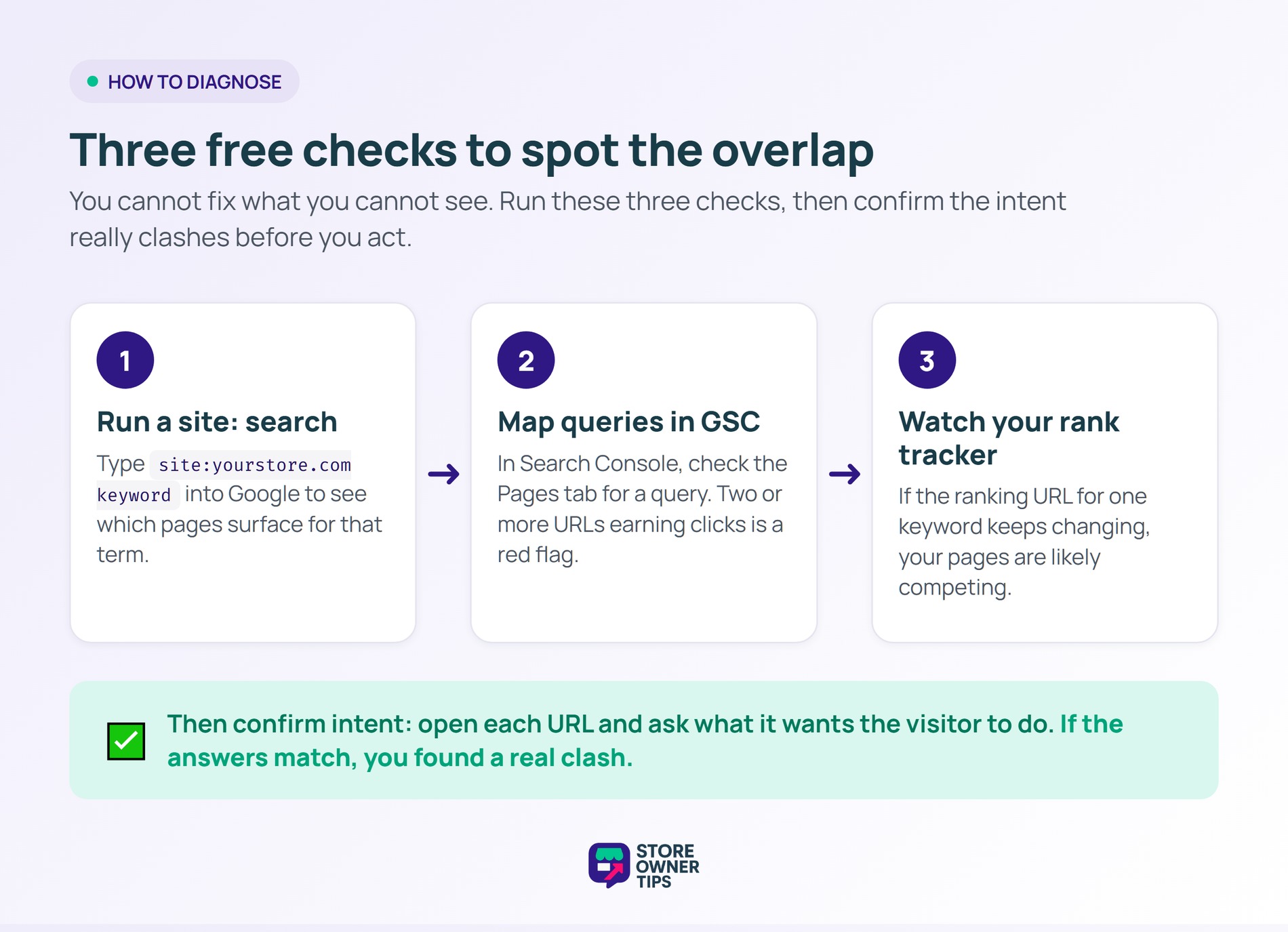
You cannot fix what you cannot see. Luckily, spotting cannibalization is straightforward with a few free checks. Here is where to start.
site:yourstore.com keyword into Google to see which pages surface for that term.Once you find overlap, confirm the intent actually matches before acting. Two pages on the same topic with different goals are fine. Only true intent clashes need a fix.
For example, open each competing URL and ask one question. What is this page trying to get the visitor to do? If the answers match, you have found a clash worth fixing.
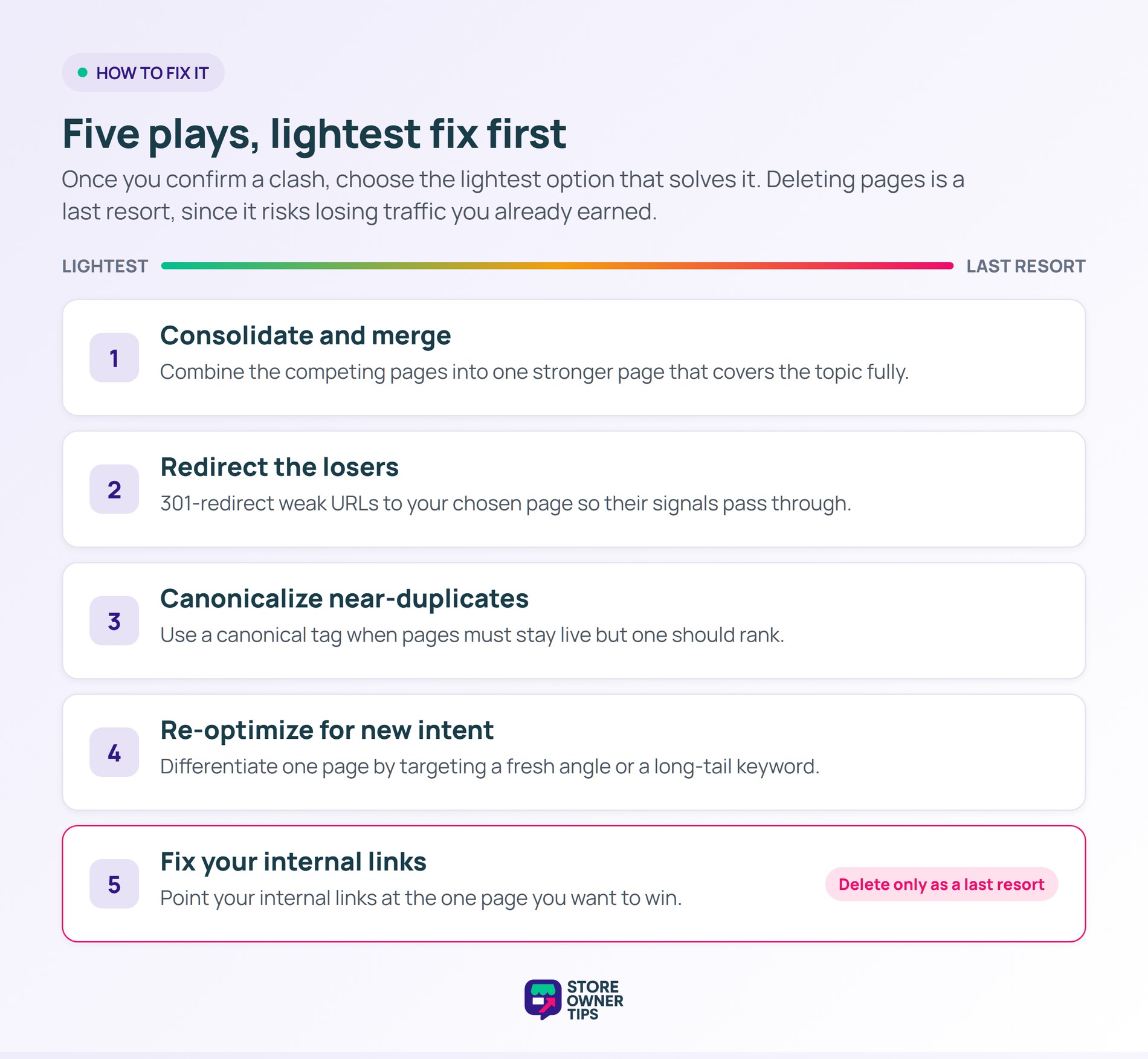
Once you confirm a clash, pick the cleanest fix to resolve your cannibalization issues. Most cases fall into one of these five plays. Choose the lightest option that solves the problem. Deleting pages should be a last resort, since it risks losing traffic you already earned.
In a WooCommerce store, this often means sorting out category, product, and blog pages. For instance, a category page and a buying-guide blog post may both chase “organic coffee.” Decide which one owns that term, then differentiate the other. Typically, the category page should win commercial searches, while the blog earns informational ones.
No, it is not always a problem. Two pages can share a keyword if they serve different search intents. Cannibalization only hurts when pages chase the exact same goal. Branded terms, where you may want several pages ranking, are usually fine too.
Not exactly. Google understands each page and still picks one to rank. The real issue is that it may pick your weaker page. That choice splits your potential organic traffic and softens your overall performance.
Plan your content around intent before you publish. Give each category, product, and blog page a clear, separate job. Map your target keywords in a simple sheet first. Then check for overlap before adding any new page.
While Google Search Console is the most reliable free tool to spot overlapping URLs and fluctuating clicks, many store owners also use paid third-party rank trackers to get daily updates on whether multiple pages are competing for the exact same term.
Keyword cannibalization quietly caps your growth by making your own pages compete. Fixing it consolidates your authority so the right page ranks and earns its full traffic. For long-term store growth, clear intent beats keyword repetition every time.
Copyright © StoreOwnerTips.com. All Rights Reserved.
