Weekly ecommerce tips, deals & news.
Every couple of months a store owner asks me the same thing: “Should we go headless?” Usually they’ve just read a Medium post that made it sound like the future of ecommerce.
Here’s the honest truth. Headless WooCommerce solves specific problems like performance, mobile apps, and omnichannel experiences. That said, it also adds new costs and complexity that most stores simply don’t need.
This guide explains what headless WooCommerce actually is in plain English. I’ll cover when it makes sense, and when traditional WooCommerce is still the smarter choice.
Table of Contents
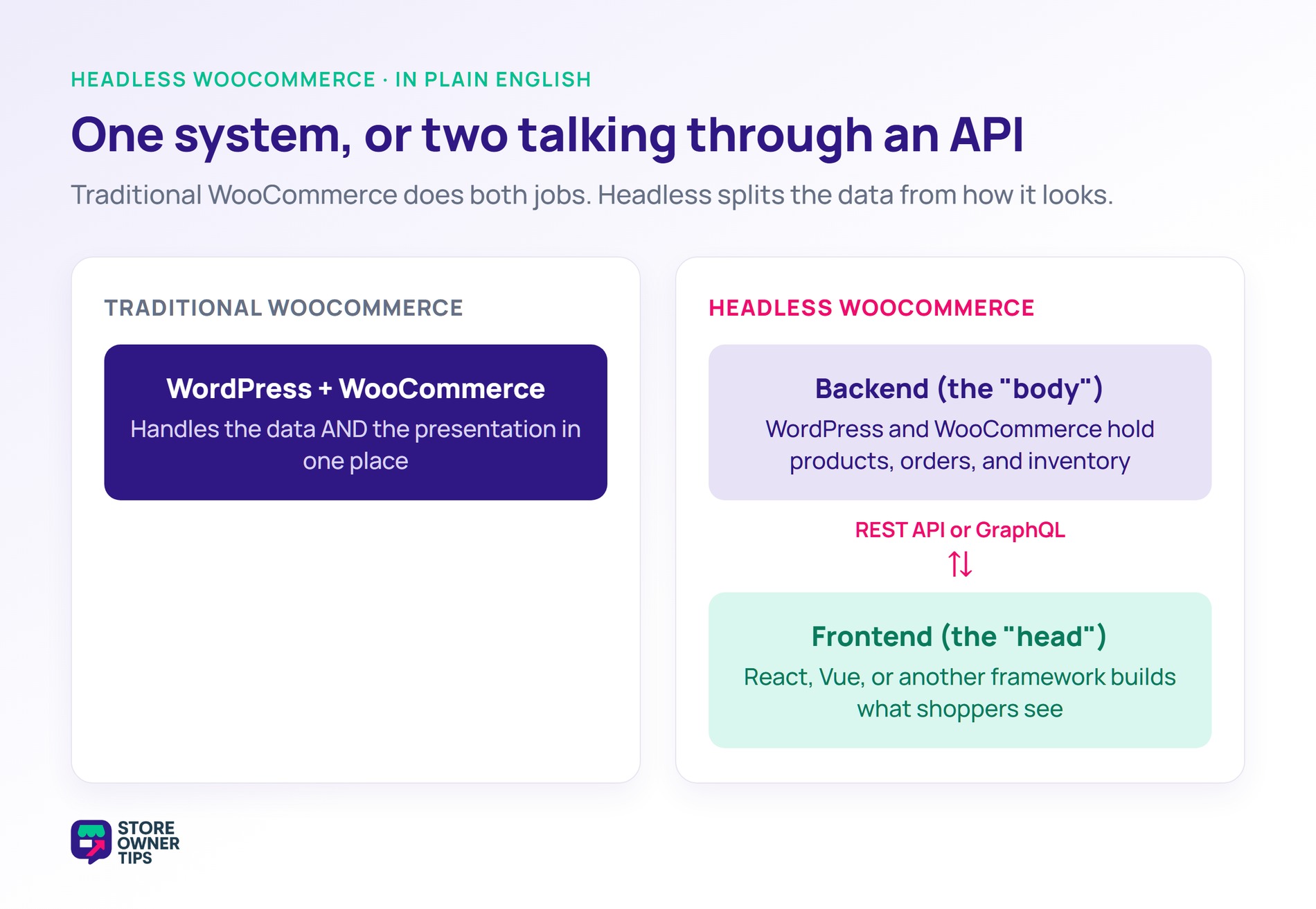
Traditional WooCommerce stores work like this. WordPress generates the HTML for every page, including product pages, cart, and checkout. The customer’s browser receives that HTML and displays it. So one system (WordPress) handles both the data and the presentation.
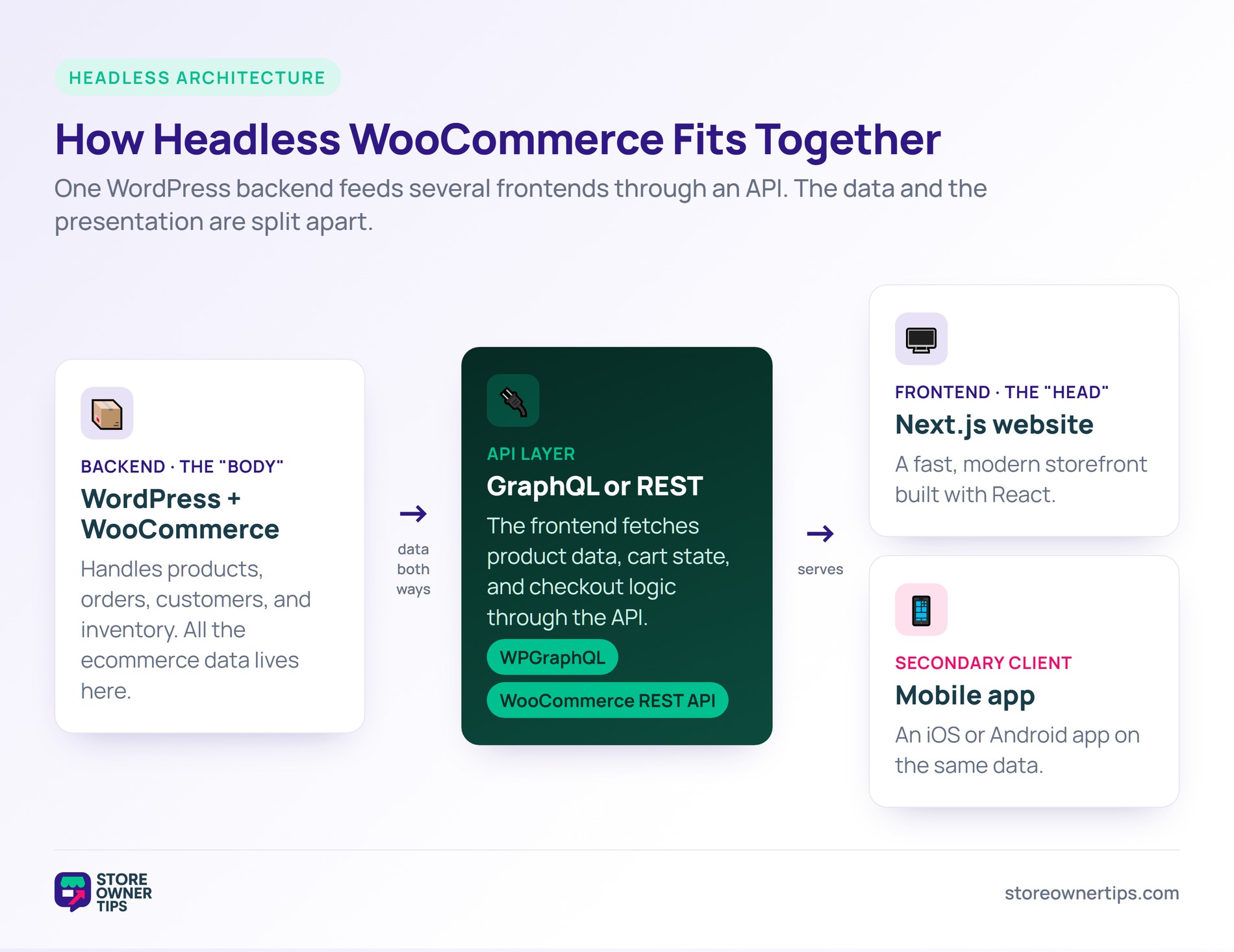
Headless WooCommerce splits those two jobs apart:
These two talk to each other through an API. That’s usually the WordPress REST API or GraphQL via WPGraphQL.
The customer visits a URL and gets a page from the modern frontend. Behind the scenes, that frontend fetches product data, cart state, and checkout logic from WooCommerce through the API. It’s fast and flexible, but also more complex.
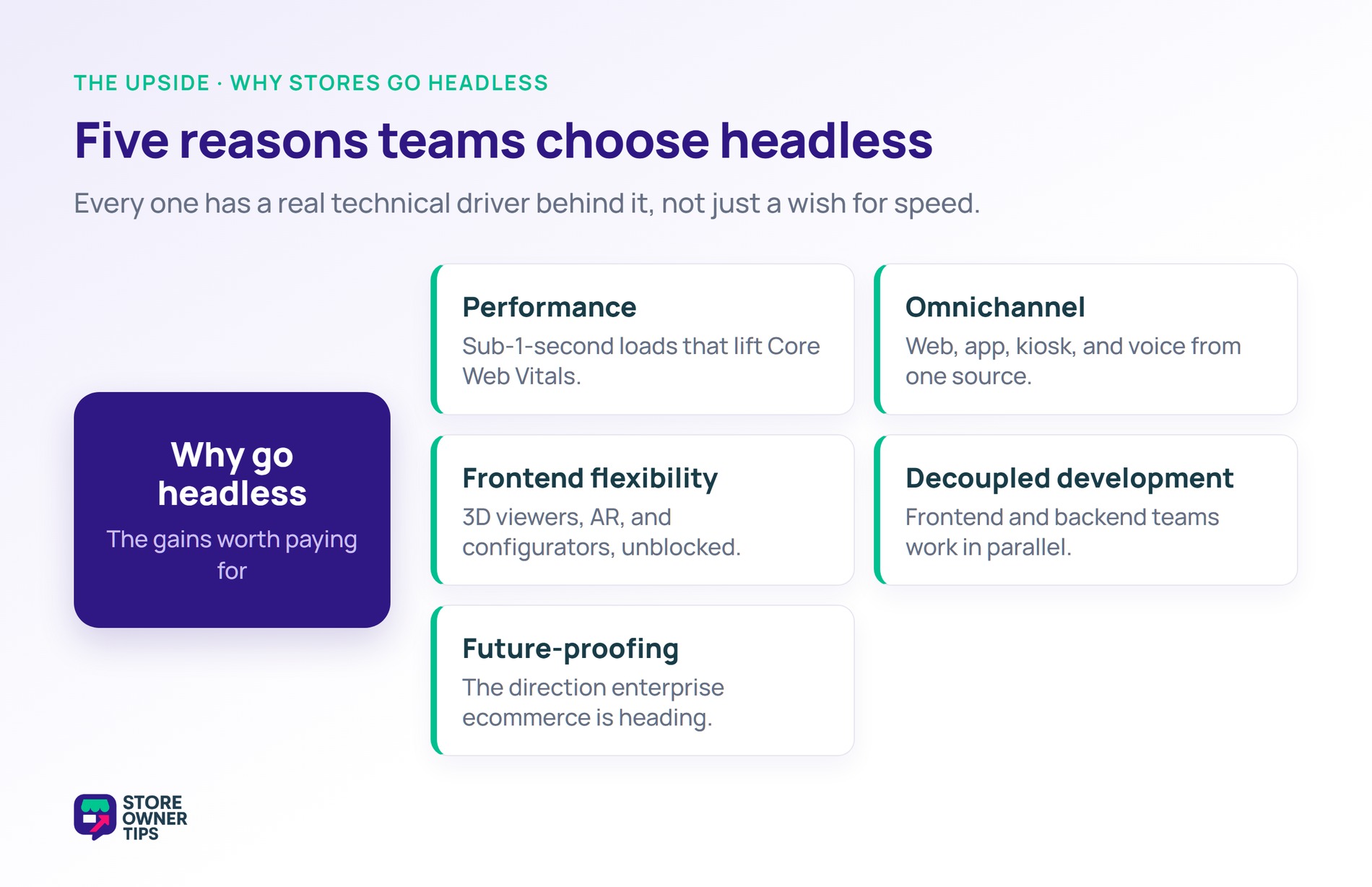
Modern frameworks like Next.js and Gatsby, both built on React, can deliver much faster page loads than WordPress-generated pages. Done well, headless stores can hit sub-1-second load times even on heavy catalogs. That directly helps your Core Web Vitals scores.
With a headless backend, you can build several frontends that share the same product data. Your main website, a mobile app, an in-store kiosk, and a voice interface can all pull from one WooCommerce source of truth.
Want custom interactive features, 3D product viewers, complex configurators, or AR experiences? Headless gives you the full power of modern web frameworks. You get all that without fighting WordPress themes.
Frontend developers can work on the customer experience without touching WordPress. Meanwhile, backend developers can optimize WooCommerce without breaking the design.
Headless architecture is the direction a lot of enterprise ecommerce is moving. Going headless now means you’re ready for whatever comes next.
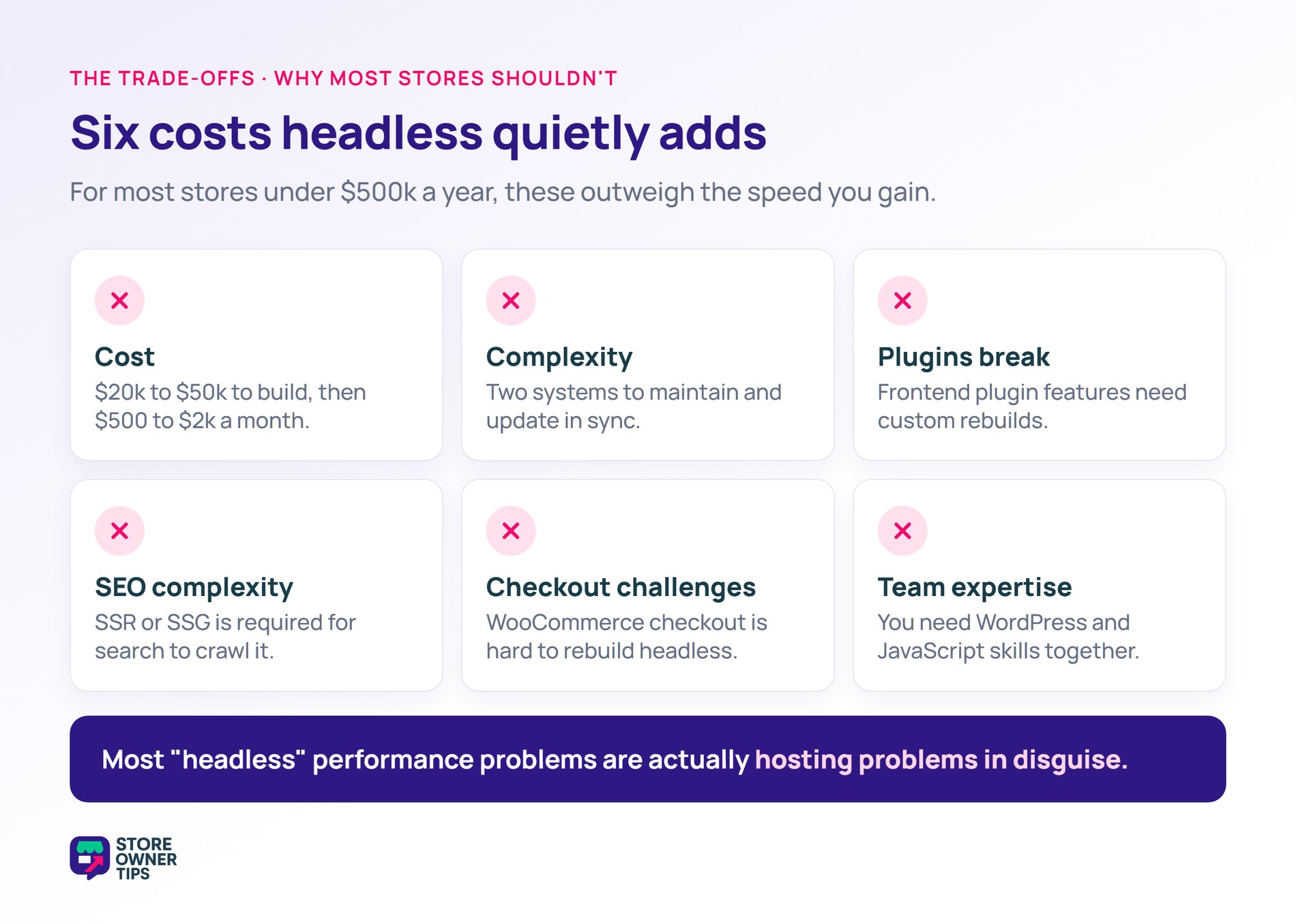
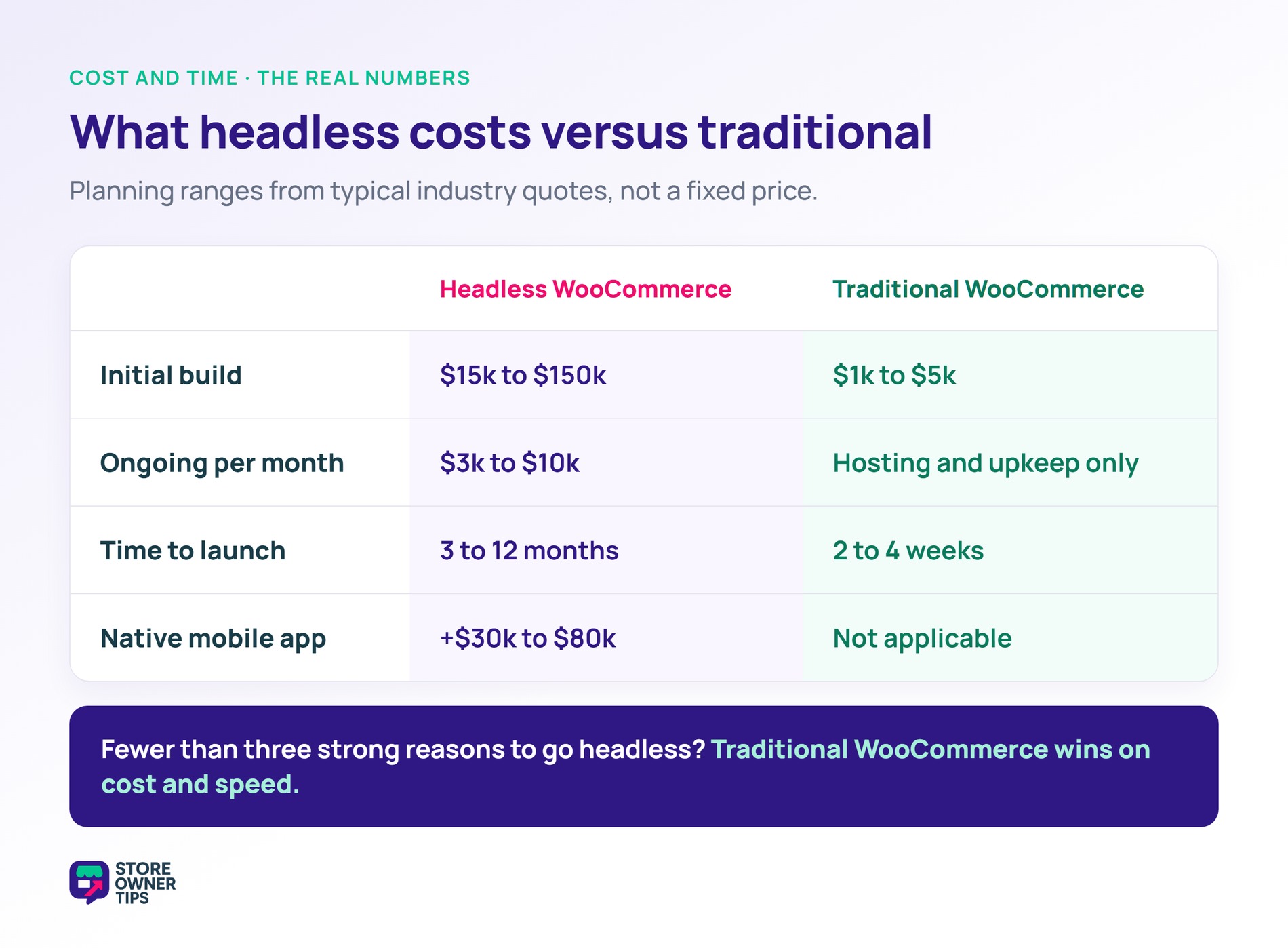
Headless WooCommerce usually needs a frontend developer, ongoing maintenance, and extra infrastructure. Agencies typically quote around $15,000 to $30,000 for a simple initial build, while complex projects with custom checkout and advanced features can run to $150,000 or more. Then expect roughly $3,000 to $10,000 a month in ongoing costs. For a $10k/month store, the ROI math rarely works out.
You now have two systems to maintain instead of one. Updates need coordination between the frontend and backend. Debugging means understanding both WordPress and the frontend framework.
Most WooCommerce plugins expect to render content on WordPress templates. Headless sites can’t use those plugins’ frontend features. As a result, you’d need custom development to replace that plugin functionality.
Server-side rendering (SSR) or static site generation (SSG) is required for SEO. Without it, search engines can’t crawl your JavaScript content properly. That adds another layer of architectural complexity.
WooCommerce’s checkout flow is tightly coupled to WordPress. Recreating it in headless takes significant development work. The alternative is redirecting to a WordPress-hosted checkout, which partly cancels out the headless benefits.
Your team or agency needs both WordPress and modern JavaScript skills. That expertise costs more, and it’s harder to hire for.
Many stores spend a lot going headless to gain just a little page speed. Often they could get a bigger speed boost simply by upgrading hosting for a few dollars a month. Most “headless” speed problems are really hosting problems in disguise.
That said, headless WooCommerce genuinely earns its keep in a handful of situations. Here are the ones where I think it’s worth the investment.
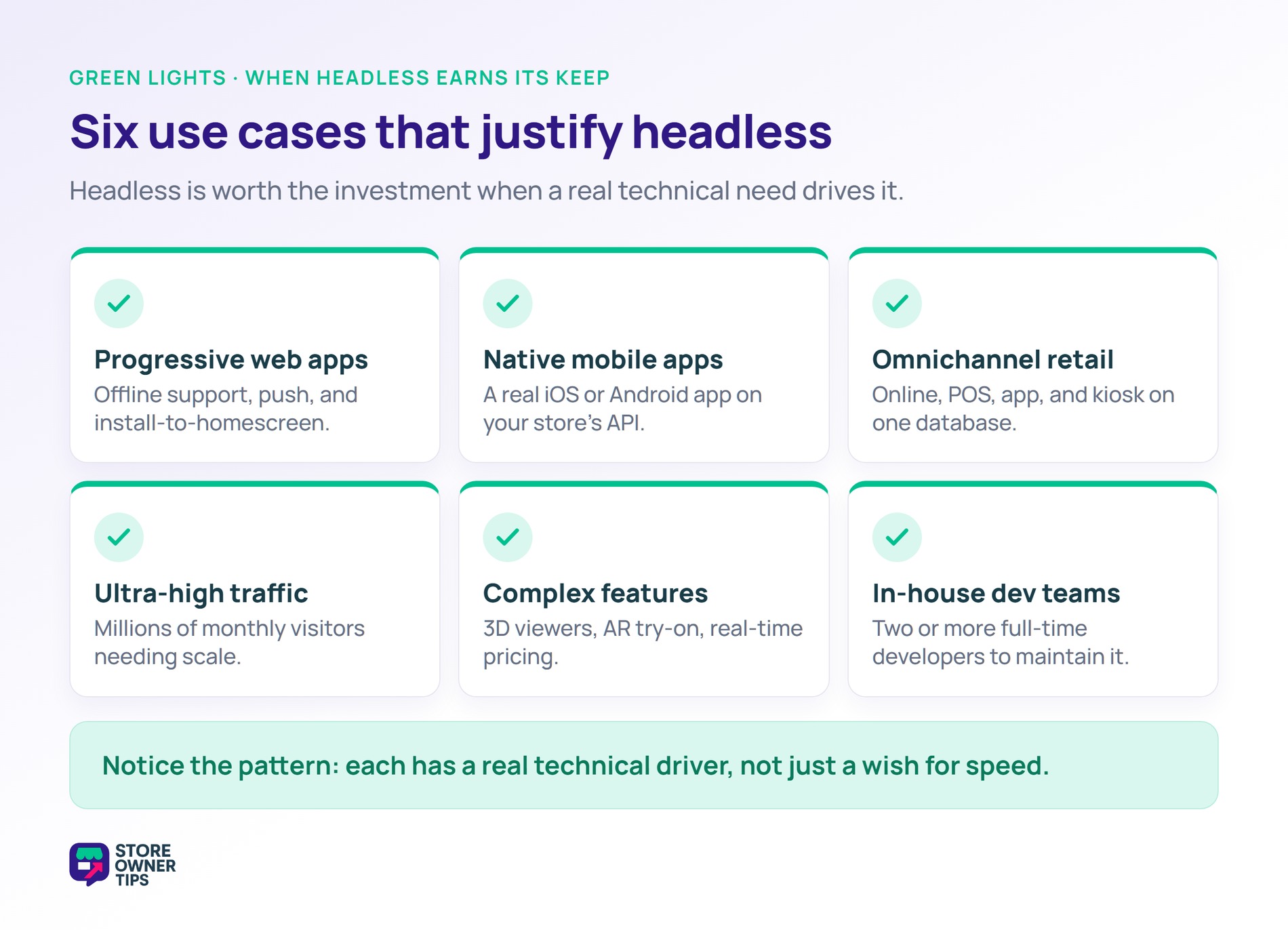
You want a mobile-app-like experience built from your store. Think offline support, push notifications, and install-to-homescreen. Headless gives you the framework support you need for that.
If you want a real iOS or Android app backed by your WooCommerce store, headless is the standard architecture. The app simply consumes your WooCommerce API.
Some stores run online, in-store POS, a mobile app, and kiosk touchpoints together. When they all share a single product database, headless is the natural fit. AdTribes has a helpful guide on multichannel selling if you list products across several channels.
Stores doing millions of monthly visitors can benefit from the scalability of headless architecture. Below that volume, regular WooCommerce on good hosting handles the traffic fine.
Think 3D product viewers, AR try-on, advanced configurators, and real-time pricing engines. Headless makes these much easier to build than they would be inside a standard WordPress theme.
Some stores have dedicated engineering teams who can maintain the complexity. If you have two or more full-time developers, headless becomes viable.
Notice the pattern here. Every one of these has a real technical driver behind it, not just a wish for speed.
If you’re serious about headless WooCommerce, here are the common building blocks. Let’s start with the frontend.
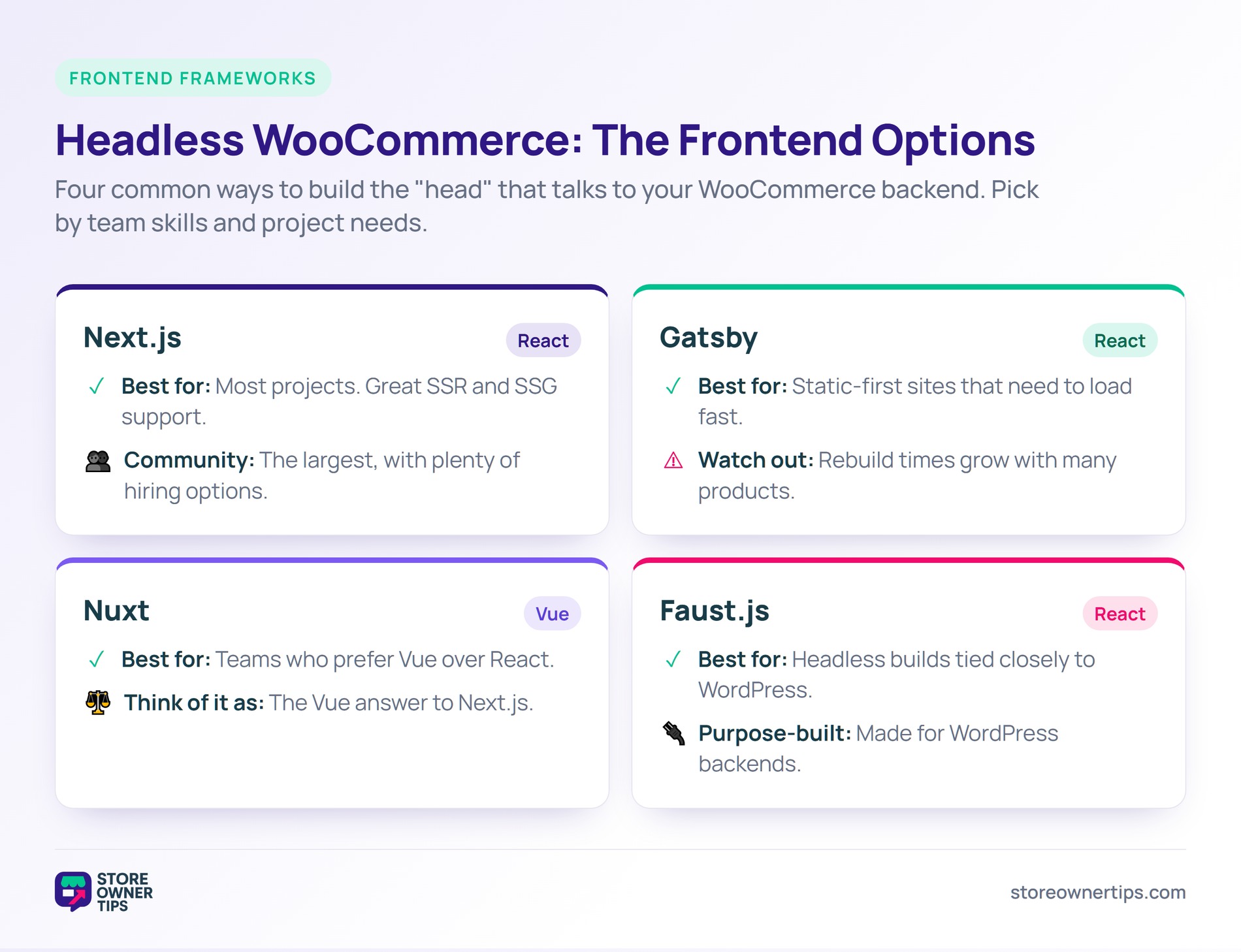
One note on older tooling. Frontity used to be a popular WordPress-specific React framework. It’s no longer under active development, so I’d steer clear of it for new projects.
WooCommerce ships with a built-in REST API. It’s usable for headless, but less efficient than GraphQL for complex queries.
Let’s talk real numbers. These are typical industry estimates, so treat them as a planning range rather than a fixed quote.
A simple headless project usually takes 3 to 6 months. A complex one runs 6 to 12 months.
Now compare that to a traditional WooCommerce store. Many launch for around $1,000 to $5,000 in just 2 to 4 weeks.
Here’s a simple gut check. Answer yes to at least three of these before you seriously consider headless.
Fewer than three yeses? Stay with traditional WooCommerce. Then spend that money on marketing, better products, or an improved customer experience instead.
It can be, significantly. Modern JavaScript frameworks can deliver sub-1-second page loads. Regular WooCommerce typically lands around 1 to 3 seconds. Still, much of that speed gain also comes from better WooCommerce hosting.
No. Traditional WooCommerce handles SEO well on its own. Headless actually takes more work to keep SEO intact, since proper SSR or SSG is essential.
No. Headless replaces the WordPress theme entirely. Your custom frontend handles all the presentation instead.
Plugins that only affect backend logic still work, like payment gateways and tax calculation. Plugins that render frontend content need custom integration or a replacement. That includes page builders, reviews, and search.
No. The underlying architectural pattern is real and here to stay. That said, most stores don’t need it. For the majority of WooCommerce users, traditional architecture remains the right choice.
Next.js with WordPress is a common headless stack. Next.js handles the React-based frontend. WordPress and WooCommerce power the backend through the REST API or WPGraphQL.
Headless WooCommerce is a powerful choice for the right situation. It’s just not right for most stores. For stores under $500k a year without dedicated engineering, traditional WooCommerce is almost always the better call.
Here’s what I’d do next:
If you’re weighing headless, start with serious hosting, a lightweight theme, and standard performance optimization first. Many stores chasing headless speed get their gains from those changes alone. And they do it for a tiny fraction of the cost of going headless.

Copyright © StoreOwnerTips.com. All Rights Reserved.
