Weekly ecommerce tips, deals & news.
The top WooCommerce plugins for 2026 are Advanced Coupons for promotions and loyalty, Wholesale Suite for B2B pricing, AdTribes Product Feed PRO for Google Shopping and multi-channel selling, WC Vendors for building a multi-vendor marketplace, SaveTo Wishlist for customer wishlists, and StoreAgent for AI-powered support and content. These plugins cover the core growth areas every WooCommerce store needs — marketing, B2B sales, product distribution, marketplace capability, customer engagement, and AI automation.
We know how hard it is to run a WooCommerce store. It’s even tougher to make it succeed on your own. However, with the help of the top WooCommerce plugins on the market, you can stop wasting energy on manual chores and start focusing on hitting your revenue goals.
As industry veterans, we’ve used and tested hundreds of WooCommerce extensions to see what actually works. In this guide, we recommend six of the best tools you can use to boost your sales. These picks will help you build a successful business.
WooCommerce is a fantastic platform, but it’s effectively a blank canvas. To be specific, it gives you the basics to sell products, but it doesn’t include every marketing tool you need to succeed. Therefore, to turn a simple shop into a sales machine, you need to add extra functionality.

The top WooCommerce plugins bridge that gap perfectly. They let you add advanced features — like popups, loyalty programs, or detailed analytics — without hiring a developer. They make your store look and feel professional, which builds trust with your visitors immediately.
Most importantly, these tools save you massive amounts of time. They automate tasks that would take hours to do manually, like sending abandoned cart emails or updating product feeds.
Remember, when you use the right WooCommerce extensions, you can work smarter, not harder. As a result, instead of spending hours on challenging, repetitive tasks, you can focus on what matters most: growing your business.
With thousands of cool WooCommerce plugins available, it’s hard to know which ones are safe. You don’t want to install something that breaks your site.
We use a simple checklist to decide if a tool is worth using. Here are the main things you should look for:
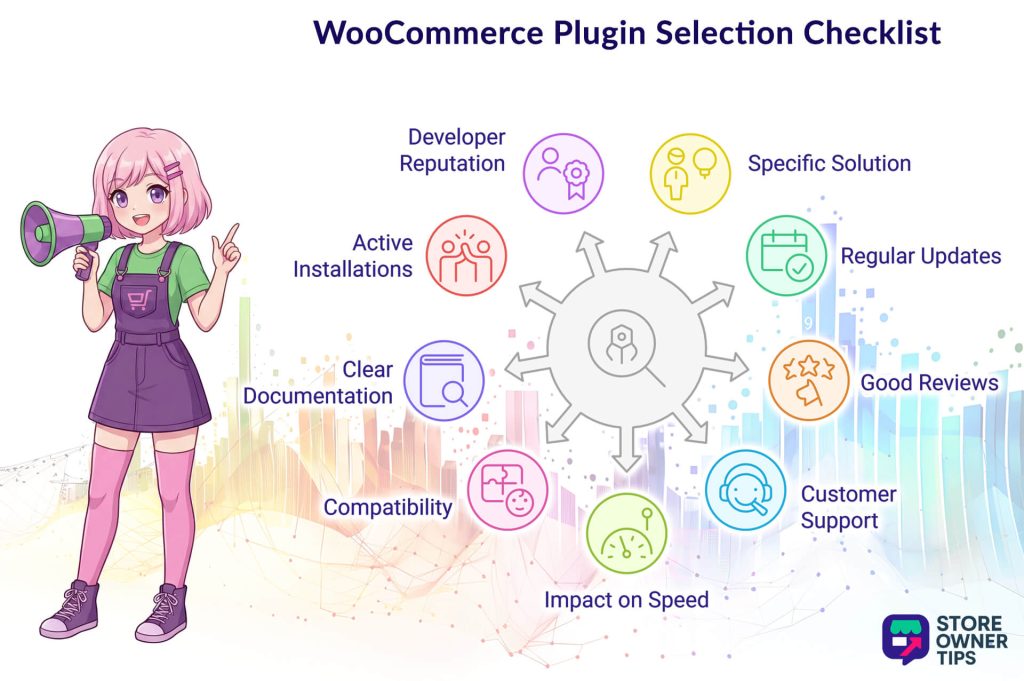
You need to fix a real problem affecting your store and your business. Thus, don’t install plugins just because they look cool or have many features. Instead, make sure the tool directly helps you sell more, work faster, or solve a specific pain point immediately.
You need to keep your store safe. Therefore, check the “Last Updated” date on the download page. Reliable Woocommerce extensions are updated often to fix bugs and close security holes.
See what other store owners are saying. Look for a high star rating and read the recent comments. If many people complain about the same bug, you should probably stay away.
Things will go wrong eventually. You need to know there’s a team ready to help you. Check if the developer offers email support or a help forum before you buy.
A slow site loses sales. Some tools add too much code and slow down your pages. Thus, you want lightweight plugins that add features without slowing down your store.
You don’t want your site to crash. Therefore, you should ensure the plugin works with your version of WordPress and your specific theme.
You need to know how to use it. The top WooCommerce plugins come with easy-to-read guides and tutorials so you don’t get stuck.
There’s safety in numbers. If a tool has thousands of active users, it’s usually a safer bet than one with just a few.
Sometimes a great tool is new and has few installs. In that case, look at the developer’s other WooCommerce plugins. If they have other top-rated items with many downloads, their new tool is likely safe and high-quality.
We used these exact standards to select the top WooCommerce plugins below, so you can be confident they’re safe and effective for your business.
| Plugin Name | Category | Price | Rating | Best For |
| OptinMonster | Lead Generation | ~$9/mo | 4.9/5 | Capturing abandoning visitors and growing email lists |
| Advanced Coupons | Marketing & Promotions | ~$59.50/yr | 5/5 | BOGO deals, loyalty programs, and advanced discounts |
| MonsterInsights | Analytics | ~$199.50/yr | 4.6/5 | Viewing Google Analytics data directly inside WordPress |
| SaveTo Wishlist | Customer Experience | ~$49.50/yr | 5/5 | Tracking buyer intent and automating price-drop emails |
| All-in-One SEO (AIOSEO) | SEO | ~$49.50/yr | 4.7/5 | Boosting organic search rankings and product visibility |
| AdTribes | Multi-Channel Marketing | ~$99.50/yr | 4.5/5 | Creating automated product feeds for Google and Facebook |
| WooCommerce Subscriptions | Recurring Billing | ~$279/yr | 4.5/5 | Selling subscription boxes, services, and memberships |
| FunnelKit | Sales Funnels | ~$99.50/yr | 4.9/5 | Building custom checkouts and frictionless one-click upsells |
| WPForms | Form Builder | ~$49.50/yr | 4.9/5 | Creating drag-and-drop order and wholesale inquiry forms |
| Jetpack | Security & Performance | Free / ~$9.95/mo | 4/5 | Real-time automated backups and malware scanning |
| Metorik | Reporting & Management | ~$50/mo | 5/5 | Deep profit tracking and advanced customer segmentation |
| WooCommerce Payments | Payment Gateway | Free (+ trans. fees) | 4.5/5 | Processing credit cards and digital wallets natively |
OptinMonster is a powerful tool designed to turn your visitors into subscribers and paying customers. It lets you use smart popups and targeted offers to capture attention right when it matters most. Therefore, you can stop people from leaving your site without taking action.

One of the most impressive features is the Exit-Intent Technology. This smart tool tracks when a user moves their mouse to close the browser tab. Just as they’re about to leave, it displays a special offer or discount to encourage them to stay and buy.
We also value the TruLead Verification feature for keeping your marketing data clean. This automatically checks email addresses to ensure they’re real, filtering out spam bots and fixing common typing errors. The result? Your email list stays full of actual people who are genuinely interested in your products.

Here’s a sampling of OptinMonster’s game-changing tools:
🚀 Power Tip: Use the Floating Bar to easily increase your average order value. Simply set it to display a “Free Shipping” message at the top of the screen. As customers add items, the bar can update to tell them exactly how much more they need to spend to qualify for the deal.
The premium plan starts at $9 per month (billed annually).
Advanced Coupons gives you much more control than the standard WooCommerce settings. We find it perfect for running complex sales and keeping customers loyal. Furthermore, this plugin lets you easily set up the kind of deals that usually need expensive custom coding.

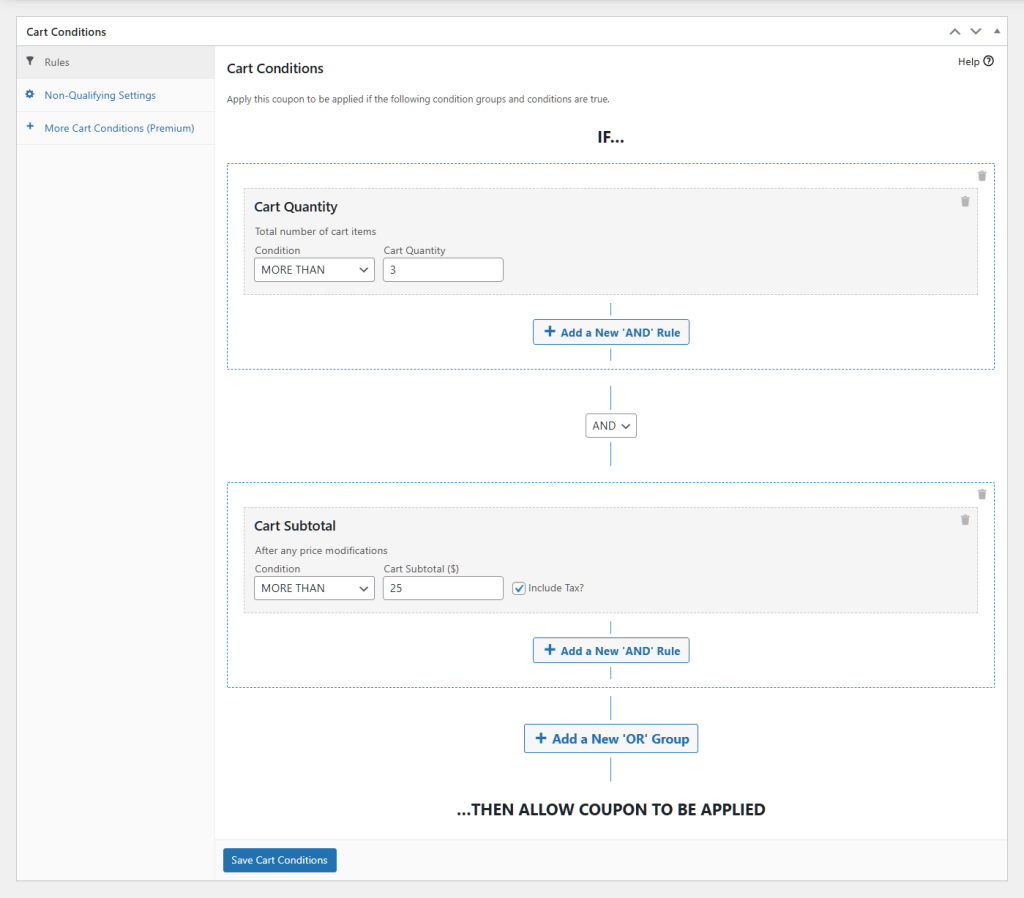
The Cart Conditions feature is particularly robust. Basically, this lets you check for specific rules before a coupon works. For instance, you can require a minimum spend or force certain items to be in the cart, which protects your profits while offering discounts.
Another favorite is the flexible BOGO (Buy One, Get One) system. You can easily create deals like “Buy a shirt, get a hat for free.” The plugin can even add the free item to the customer’s cart automatically so they don’t miss out.
Advanced Coupons’ tools include but are not limited to:
🚀 Power Tip: You can use the BOGO feature to clear out old stock without losing money. For example, you can create a deal that gives away a slow-selling item for free when someone buys a popular product. This moves the inventory and makes the customer feel special.
The premium plan starts at $59.50 per year.
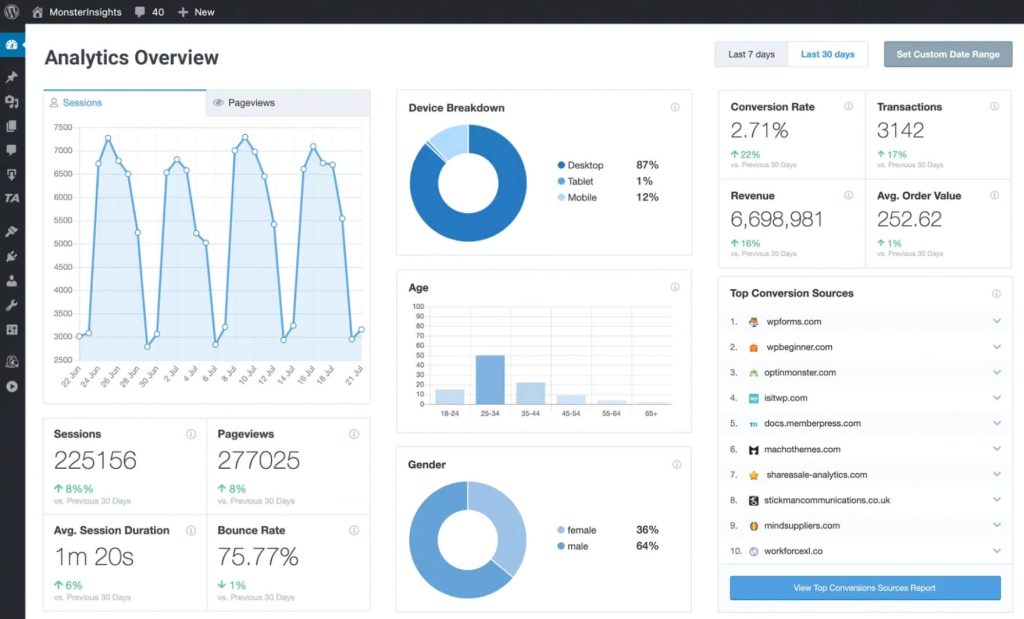
MonsterInsights is the best way to see exactly how people are using your store. We find it extremely useful because it connects your site to Google Analytics without the confusion. Thus, you get clear, easy-to-read reports right inside your WordPress dashboard.

The User Journey Report is incredibly useful for understanding buyer behavior. It shows you every single step a customer took before they finally bought something. You can see which pages they visited and how long they stayed, helping you spot what works.
Another standout feature is the Popular Products widget. It uses your real data to automatically show your best-selling items to new visitors. You can place this on your blog posts to guide shoppers straight to the products they’re most likely to want.
Some of MonsterInsights’ features are:
🚀 Power Tip: We recommend using the User Journey Report to fix leaks in your sales funnel. Look for the specific pages where many people leave without buying anything. Then, you can improve those pages to keep them shopping longer.
The premium plan starts at $199.50 per year.
SaveTo Wishlist is much more than just a simple “save” button; as a growth engine for your store, it tracks what your customers want to buy. Thus, instead of letting potential sales slip away, it gives you the data and tools to bring those shoppers back. As a result, it turns passive wishlists into active sales.
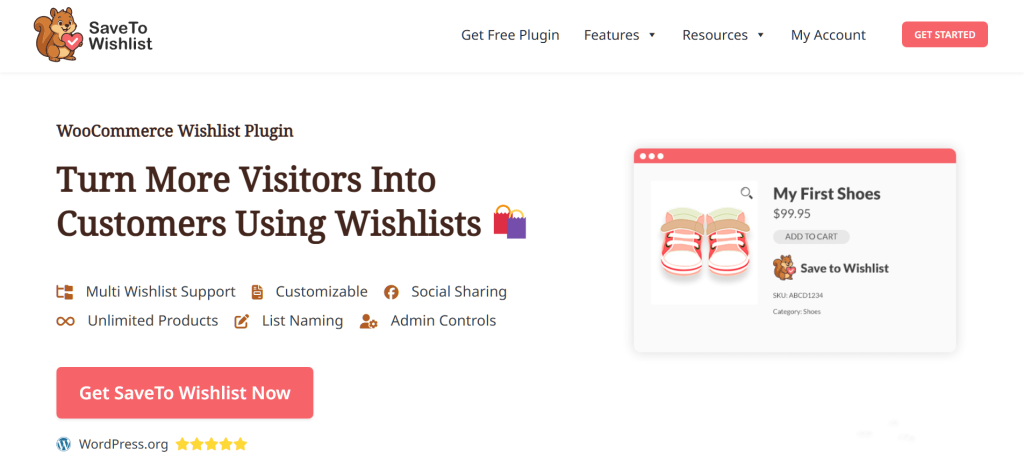
The advanced Wishlist Analytics feature is a game-changer for understanding buyer intent. It shows you which products are “trending” in wishlists, revealing what customers are interested in but haven’t purchased yet. This lets you make smarter decisions about stock levels and future sales based on real demand, not just guesses.
Meanwhile, the Wishlist Automations let you automatically send price-drop or back-in-stock alerts to customers who saved specific items, giving them the perfect nudge to buy. Plus, it connects seamlessly with tools like Mailchimp and Klaviyo, so you can sync this high-value data to your email marketing campaigns instantly.
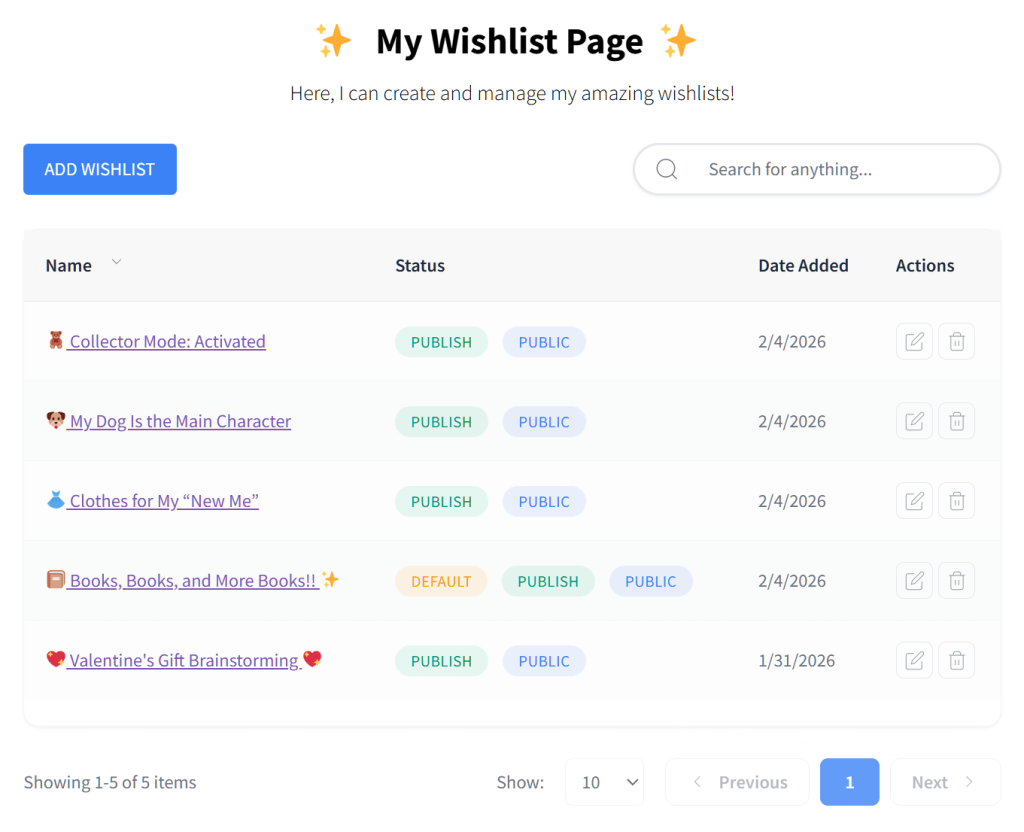
Here’s a glimpse at what to expect from SaveTo Wishlist:
🚀 Power Tip: Use Wishlist Automation to boost sales during slow periods. If you see a product is sitting in many wishlists, lower the price slightly. The plugin will automatically email everyone who saved it, creating an instant rush of sales from people who were already interested.
The premium plan starts at $49.50 per year.
All-in-One SEO (AIOSEO) is among the best WooCommerce extensions to help your store rank higher in search results like Google. We love it because it handles the complicated technical parts of SEO automatically, so you can focus on selling products instead of worrying about code.

One of our favorite features is the Dynamic Attribute Integration (Smart Tags). Instead of writing a unique title and description for every single product manually, you can set up “smart” rules that do it for you. For instance, if you update a price or product name, the search listing updates automatically to match.
We’re also impressed by the Schema Markup tools. This feature helps Google understand exactly what you’re selling, allowing it to show star ratings, prices, and “In Stock” labels right in the search results. This extra detail makes customers much more likely to click on your store over a competitor’s.

Take a peek into AIOSEO’s toolset:
🚀 Power Tip: Use the Link Assistant (available in Pro) to boost sales on new items. It will automatically suggest links from your older, popular blog posts to your new product pages. This sends high-quality traffic from pages that already rank well directly to the items you want to sell.
The premium plan starts at $49.50 per year.
AdTribes is the best tool for getting your products seen on other big shopping sites. It connects your WooCommerce store to platforms like Google Shopping, Facebook, and TikTok, putting your items in front of millions of new customers.
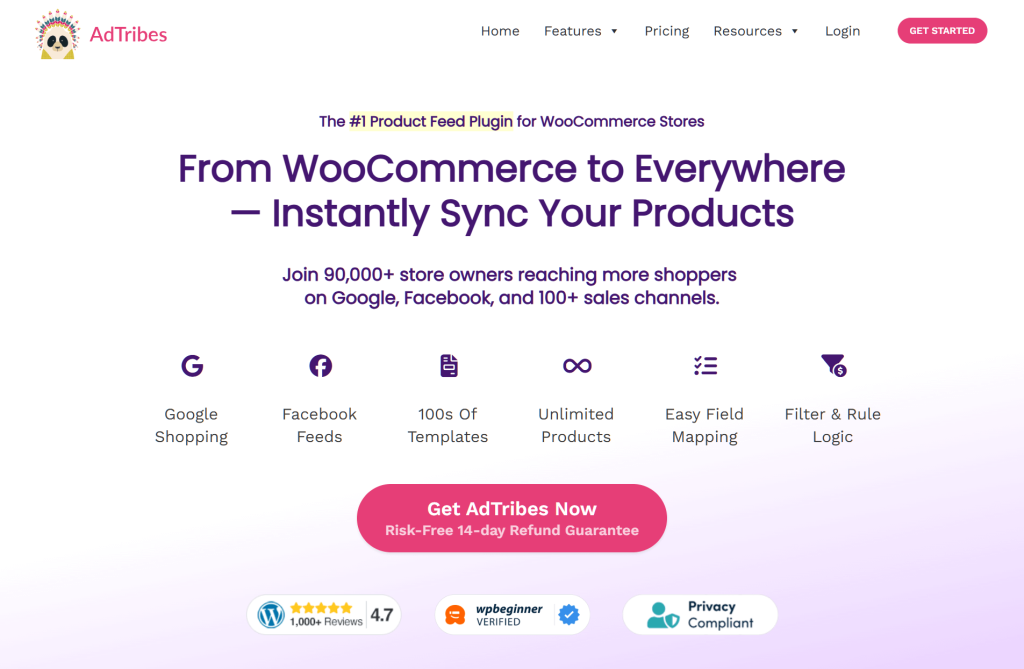
We love how the Pre-made Feed Templates make the setup process incredibly simple. You don’t need to be a developer to create the complex files these platforms require; just select one of the 100+ ready-to-use templates, and the plugin does the heavy lifting for you.
One of our favorite features is the Filters and Rules system. It gives you total control over which products you send to other sites. You can easily set a rule to exclude products that are low on stock or have a low profit margin, ensuring you never waste money advertising items that don’t make you a good return.
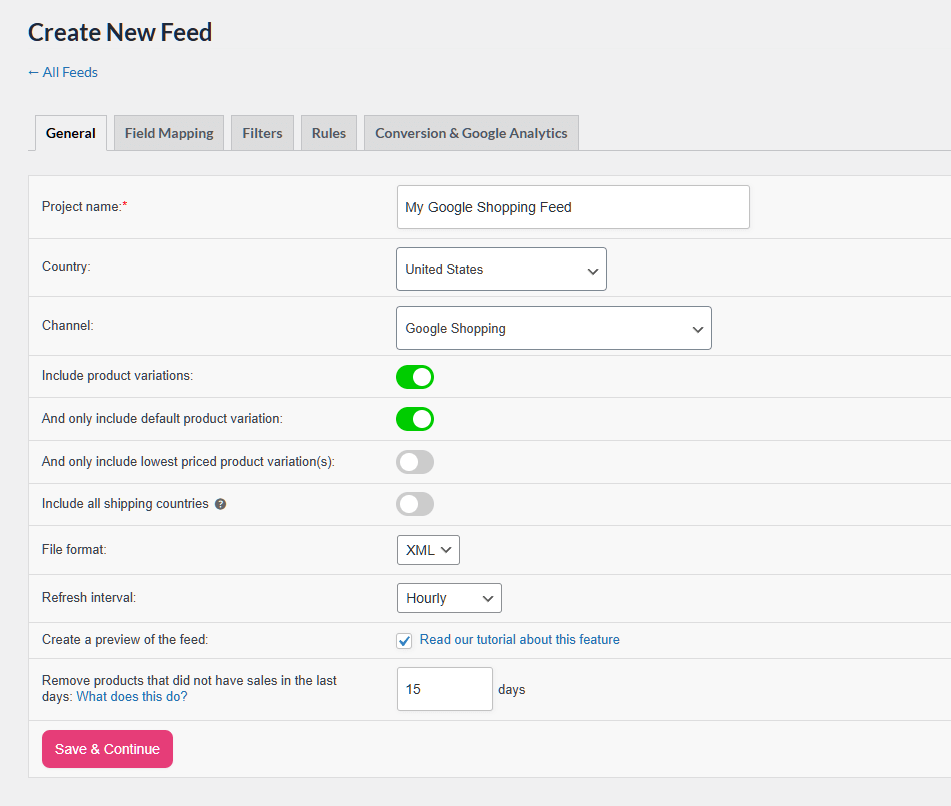
Here are some of AdTribes’ powerful features:
🚀 Power Tip: You can use Filters and Rules to highlight specific products. For example, you can prominently display Halloween items during Halloween month, or create a specific feed just for your bestsellers to push them to social media catalogs.
The premium plan starts at $99.50 per year.
WooCommerce Subscriptions is the ultimate tool for generating recurring revenue. We find it essential for stores wanting to offer subscription boxes, memberships, or any product that requires regular billing. It transforms one-time buyers into loyal, long-term customers.
The flexible billing schedules feature is incredibly powerful. Basically, it allows you to customize exactly how and when you charge customers, whether that’s daily, weekly, monthly, or annually. This makes it a perfect fit for almost any recurring business model.
Another standout is the automated subscriber management system. It empowers your customers to upgrade, downgrade, or pause their own subscriptions directly from their account page, which saves you countless hours of customer support.
Here’s a sampling of WooCommerce Subscriptions’ game-changing tools:
🚀 Power Tip: Use the free trial feature on your most popular subscription tier. Letting customers experience the value for a week or a month for free is one of the most effective ways to lower the barrier to entry and capture long-term subscribers.
The premium plan starts at $23.25 per month (billed annually).
FunnelKit (formerly WooFunnels) is our top pick for building high-converting sales funnels directly inside WordPress. We love it because it replaces the default, clunky WooCommerce checkout with optimized, conversion-focused designs that are proven to sell more.
One of the most impressive features is the One-Click Upsells. After a customer completes their purchase, you can immediately offer them a complementary product. They can add it to their order with a single click, without having to re-enter their credit card details.
We also highly value the Order Bumps feature. It lets you place targeted, easy-to-add offers directly on the checkout page, encouraging customers to impulsively add a little extra to their cart right before paying.
Take a peek into FunnelKit’s toolset:
🚀 Power Tip: Add a high-margin, low-cost order bump (like priority processing, a warranty, or premium packaging) to your checkout page. Since the customer is already prepared to buy, these low-friction additions instantly increase your profits.
The premium plan starts at $99.50 per year.
WPForms is the most beginner-friendly drag-and-drop form builder for WordPress. We find it extremely useful because it goes way beyond simple contact forms, allowing you to create custom order forms, user surveys, and wholesale inquiry pipelines in minutes.
The visual Drag-and-Drop Builder is a lifesaver. You don’t need to know any code to create complex, multi-step forms. You can easily add fields, rearrange them, and publish a beautiful form that perfectly matches your store’s theme.
We are also impressed by the Abandoned Form Recovery addon. If a user starts filling out a lengthy form but leaves before clicking submit, the plugin captures the partial entry so you can follow up with them later.
Some of WPForms’ features are:
🚀 Power Tip: Use the Abandoned Form Recovery feature on your B2B or wholesale inquiry forms. If a high-value customer gets distracted halfway through the form, you’ll still have their contact info to reach out personally and close the deal.
The premium plan starts at $49.50 per year.
Jetpack is an all-in-one security, performance, and marketing toolkit built by Automattic, the team behind WordPress itself. We recommend it because it bundles dozens of essential site management features into one plugin, keeping your store fast, secure, and running smoothly.
The Automated Backups (VaultPress) feature is incredibly useful for store owners. It saves your store’s data in real-time as changes happen. This means you never have to worry about losing order data if your site crashes or gets hacked.
Another standout is the built-in Image Content Delivery Network (CDN). It automatically optimizes your product photos and serves them from global servers, which dramatically speeds up your store’s loading time for international shoppers.
Here’s a glimpse at what to expect from Jetpack:
🚀 Power Tip: Use the real-time automated backups for ultimate peace of mind. If a rogue plugin update ever breaks your WooCommerce checkout, you can restore your site to the exact minute before the crash with just one click.
The core plugin is free, while premium security and backup plans start around $9.95 per month.
Metorik is a powerful reporting and dashboard tool designed exclusively for WooCommerce. We find it to be a massive upgrade over WooCommerce’s default analytics because it provides real-time, actionable insights into your store’s performance without the usual clutter.
The Custom Reports builder is a game-changer for understanding your true profitability. It lets you dig deep into your data, filtering by specific products, categories, or date ranges, giving you a crystal-clear picture of your store’s health.
We also love the powerful Segmenting Engine. It allows you to group customers based on their behavior—such as lifetime value, order count, or specific items bought—making it incredibly easy to send targeted marketing campaigns.
Metorik’s tools include but are not limited to:
🚀 Power Tip: Use Metorik’s segmenting engine to find your top 5% most valuable VIP customers. Export this list and send them a highly personalized, exclusive discount code to guarantee repeat purchases and boost brand loyalty.
Plans start at $50 per month, tiered based on your store’s monthly order volume.
WooCommerce Payments is the official payment gateway built directly by the WooCommerce team. We love it because it lets you securely accept major credit cards and digital wallets directly on your site, keeping customers on your store instead of redirecting them to a third-party page.
The fully Integrated Dashboard is incredibly useful. Instead of having to log into a separate processor like Stripe or PayPal, you can manage all your charges, refunds, and bank deposits directly from your WordPress admin panel.
Another favorite is the Multi-Currency Support. It automatically detects where your shopper is located, displays product prices in their local currency, and accepts the payment natively, which massively increases international conversions.
Take a peek into WooCommerce Payments’ toolset:
🚀 Power Tip: Enable Apple Pay and Google Pay via the express checkout settings immediately. Mobile shoppers are notorious for abandoning carts because typing out credit card numbers on a tiny screen is tedious; express options solve this instantly with a single tap.
The plugin is free to install, with standard transaction fees starting at 2.9% + $0.30 per successful card charge (fees vary by country).
Finding the right tools doesn’t have to be hard. We hope this list of the top WooCommerce plugins helps you take your store to the next level. Whether you need better SEO, smarter coupons, or a powerful wishlist, these options deliver real results.
To recap, this article covered 10+ top WooCommerce plugins:
We recommend that you don’t need to install these WooCommerce extensions all at once. Just pick the one that solves your biggest problem today and watch your sales grow!
The must-have WooCommerce plugins for 2026 are Advanced Coupons (coupons, BOGO deals, loyalty programs), Wholesale Suite (B2B wholesale pricing), AdTribes Product Feed PRO (Google Shopping and multi-channel product feeds), WC Vendors (multi-vendor marketplace), SaveTo Wishlist (customer wishlists), and StoreAgent (AI chatbot and content generation). Together, these cover the essential growth categories for any WooCommerce store.
WPBeginner recommends Advanced Coupons as #4 and Wholesale Suite as #12 in their “Best WooCommerce Plugins” roundup. Both are built by Rymera Web Co and are trusted by thousands of WooCommerce stores worldwide.
Advanced Coupons is the best WooCommerce plugin for increasing sales. It adds BOGO deals, auto-apply coupons, store credit, loyalty programs, and gift cards to WooCommerce’s native coupon system. Used by 25,000+ stores, it’s the most complete promotional toolkit for WooCommerce.
Yes. Several top WooCommerce plugins offer free versions with substantial features. Advanced Coupons Free adds BOGO and cart conditions, AdTribes Product Feed PRO is free for unlimited products and feeds, SaveTo Wishlist Lite includes unlimited wishlists and guest support, and WC Vendors Free lets you launch a basic marketplace — all without paying for premium plans.
If you choose the right ones, no. Good plugins are made to be lightweight so they do not slow down your pages. However, if you install too many plugins at the same time, your site might get sluggish. It is smart to only add the tools you really need to keep your store running fast.
Not at all! The plugins on this list are made for everyday users. You can set them up and use all their features just by clicking through your WordPress dashboard. You will not need to hire a web developer or learn any confusing computer code.
There is no magic number, but less is usually better. As the article suggests, you should not install everything all at once. Start by picking one or two plugins that fix your biggest problems today. Once you are comfortable with those, you can add more if your store needs them.
Before adding any new plugin to your store, always check its details. Look for high star ratings, recent update dates, and a large number of active users. This shows that the creator is actively fixing bugs and keeping the tool secure for your business.
Don’t panic! Plugin conflicts are a common part of running a WordPress site. If a new addition causes issues, the best first step is to deactivate all of your plugins except for WooCommerce itself. Then, turn them back on one by one until the problem reappears—that will identify the culprit. If you’re using a tool like Jetpack (which we mentioned above), you can also simply restore your site from a real-time backup to get your store back online instantly while you troubleshoot.
Not necessarily. Many of the top-tier tools on our list offer robust free versions that are fantastic for brand-new stores. For example, plugins like Jetpack, WPForms, and even Rymera’s SaveTo Wishlist have free or “Lite” versions that pack a punch. However, as your store scales, upgrading to premium versions often unlocks advanced automations and deep analytics that pay for themselves by directly boosting your revenue and saving you hours of manual work.
You should aim to update your plugins regularly—checking your dashboard at least once a week is a great habit. Developers constantly release updates to patch security vulnerabilities, fix bugs, and ensure their tools play nicely with the latest core versions of WordPress and WooCommerce. Just remember: it is always a best practice to run a quick backup of your store before hitting the “update all” button!
If you are using a free plugin downloaded from the official WordPress directory, the best place to start is the plugin’s dedicated support forum on WordPress.org. If you have purchased a premium plugin, you typically get access to priority email, ticket, or live chat support directly from the developer’s team. Additionally, reputable plugin creators will always have a comprehensive library of documentation, FAQs, and setup guides on their website to help you navigate any roadblocks.

Copyright © StoreOwnerTips.com. All Rights Reserved.
