Weekly ecommerce tips, deals & news.
A shopper spends ten minutes browsing your store, adds nothing to their cart, and leaves. You’ll never know what caught their eye, and you have zero way to bring them back.
Now imagine that same shopper clicks a little heart icon, saves three products to a wishlist, and gives you their email in the process. Suddenly, you’ve got a warm lead, a window into what they want, and a direct line to reach them when the time is right.
That’s what product wishlists do for store owners, and the sales impact might surprise you. Most WooCommerce stores treat wishlists as a “nice to have” UX feature. But we’ve been digging into the data, and wishlists are actually one of the most underrated conversion and retention tools you can add to your store.
In this guide, we’ll cover the store-owner benefits, the real data behind WooCommerce wishlists, and a quick setup walkthrough that’s straightforward to follow. No fluff, all practical.
🔍️ What We’ve Seen: Across the WooCommerce stores we’ve worked with, adding a wishlist feature consistently increases return visit rates. But the real unlock is the email list it builds: shoppers who save items are telling you exactly what they want to buy, and that makes your follow-up emails dramatically more relevant. We’ve watched stores go from generic blast emails to hyper-targeted price-drop alerts, and the difference in click-through rates is night and day.
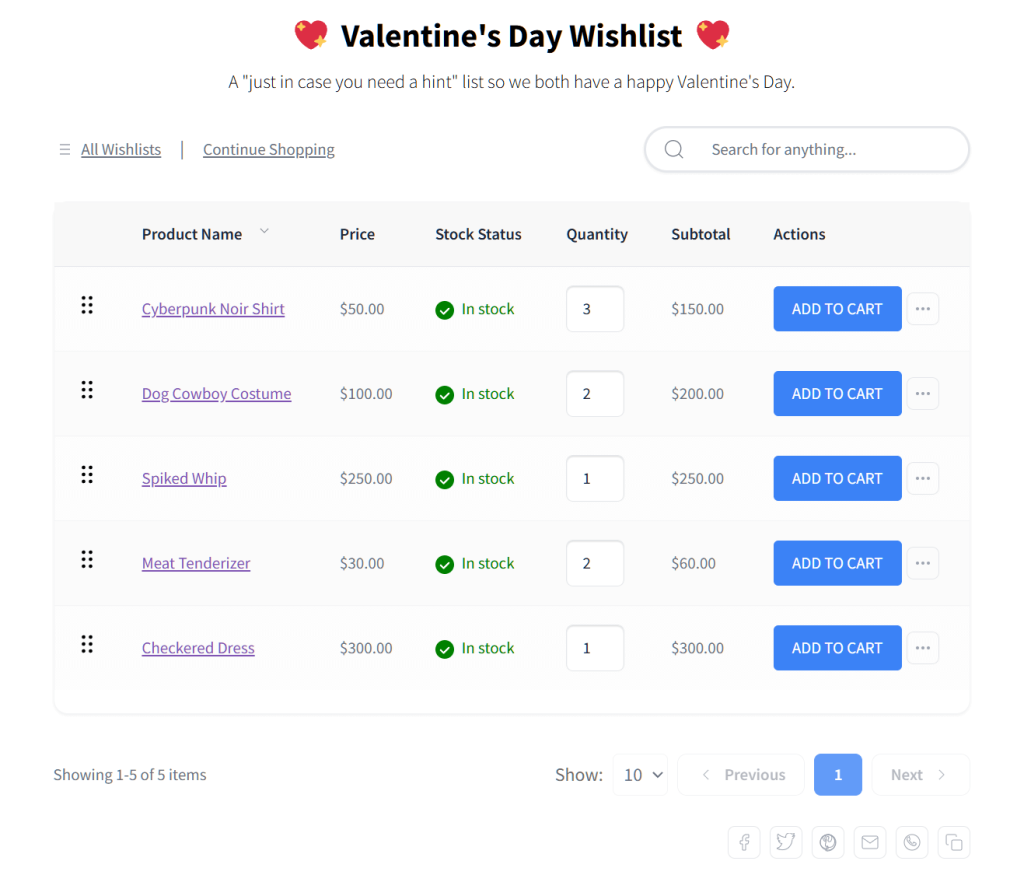
Here’s the thing most people get wrong about wishlists: they think it’s a feature for the customer. And sure, shoppers love the ability to save products for later. But the real value is what wishlists do for you as a store owner.
1. Email capture. When a shopper creates a wishlist, you can ask them for an email to save their items. This turns a casual browser into a warm lead, giving you a smart way to grow your list with people who already want to buy.
2. Product demand intelligence. Your wishlist data shows you exactly which products are getting saved the most. That’s free market research. You’ll know what to promote, what to restock, what to put on sale for maximum impact, and which items to bundle together as related products.
3. Higher purchase intent. Wishlist users aren’t casual browsers. After all, they’ve actively flagged products they want, which means they really want to buy. Real-world data from digital platforms shows that about 10.5% of wishlisted items turn into actual sales, because these users return with a specific product in mind.
4. Reduced cart abandonment. Without a wishlist, a shopper who isn’t ready to buy has two options: add to cart (and probably abandon it) or leave with nothing. A wishlist gives them a third option: save for later without the commitment of a cart. This keeps them in your funnel instead of bouncing entirely.
Let’s talk numbers. The case for wishlists isn’t just theoretical; there’s solid data behind it.
Cart abandonment rates sit at an average of 70.22% across e-commerce (Baymard Institute, 2024). But that number hides a bigger problem, making lightweight wishlists crucial. It also changes by industry—pet care sits at a low 54%, while luxury items hit 82%. Wishlists won’t magically eliminate abandonment, but they do catch shoppers who hate forced account creation or just want to browse.
This is where wishlists go from “nice feature” to “revenue engine.” When you pair wishlist data with email automation, you unlock some of the highest-converting triggers in ecommerce.
🚀 Power Tip: Set up a price-drop alert automation for wishlisted items. It’s the highest-converting email trigger we’ve seen for wishlist-enabled stores. After all, you’re telling someone the exact thing they want just got cheaper. We’ve watched these emails hit open rates above 40%. While the new normal for standard e-commerce emails is around 33-35%—thanks to Apple’s privacy features automatically opening emails in the background—price-drop alerts still pull ahead. More importantly, these alerts drive real action, getting shoppers to click and buy at much higher rates.
Wishlists aren’t just a private tool. They’re also shareable, and that’s free marketing.
When customers share their wishlists with friends and family for birthdays, holidays, or gift registries, they’re exposing your products to entirely new audiences. Each shared wishlist is essentially a curated product recommendation page with built-in social proof (“my friend wants this, so it must be good”).
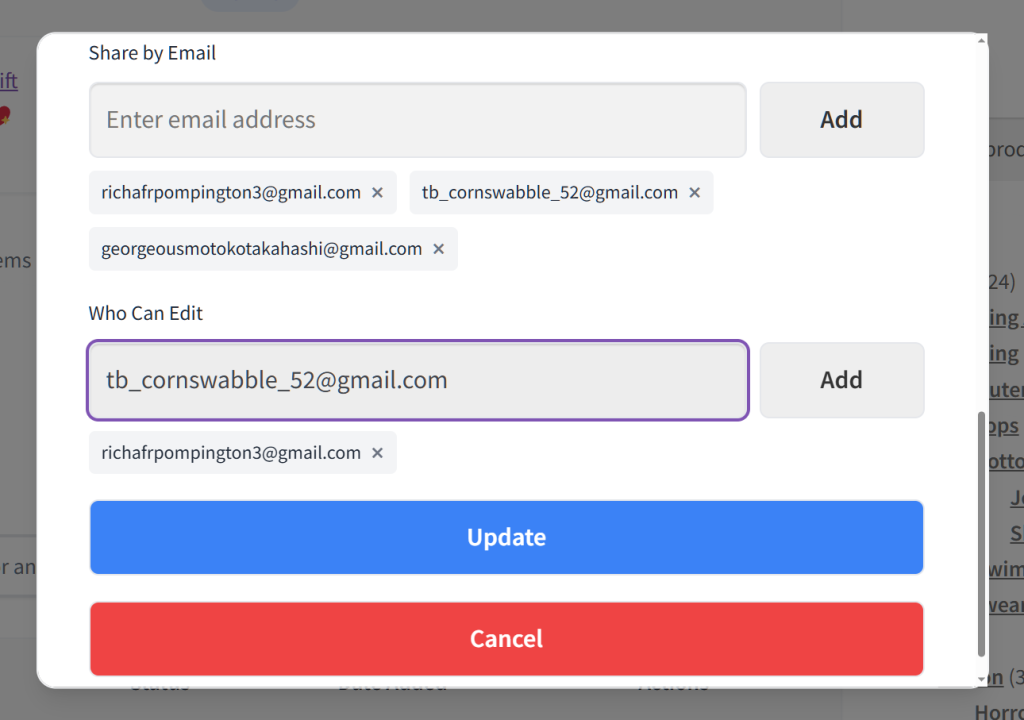
The gifting use case is particularly powerful during Q4. Shareable wishlists remove the guesswork from gift buying, which means fewer returns and happier customers on both sides.
We’ve noticed that stores promoting wishlist sharing during November see a measurable bump in referral traffic. It’s subtle but consistent.
The psychology here is straightforward: “save for later” is less stressful than “buy now.”
When a shopper isn’t ready to commit, adding to cart feels like a step toward checkout they’re not prepared to take. Many will just leave instead. A wishlist gives them a low-commitment option that keeps them engaged with your store.
Think of it this way: wishlists are a proactive complement to reactive cart recovery. Your abandoned cart emails catch people who almost bought. Your wishlists catch people who weren’t ready to buy yet — but will be.
Here’s a quick-reference table for how each wishlist benefit maps to revenue impact:
| Benefit | How It Works | Impact on Revenue | Key Metric to Track |
|---|---|---|---|
| Email capture | Wishlist creation prompts email/account | Grows retargeting list | New wishlist signups/week |
| Product demand intelligence | See which items are saved most | Informs inventory and promos | Most-wishlisted products |
| Higher conversion rate | Wishlist users return with purchase intent | Direct revenue lift | Wishlist-to-purchase rate |
| Price-drop alerts | Automated email when saved item goes on sale | High-converting trigger | Price-drop email open/click rate |
| Back-in-stock alerts | Notify when wishlisted item returns | Recovers missed sales | Back-in-stock conversion rate |
| Social sharing | Customers share wishlists with friends/family | Free word-of-mouth traffic | Referral visits from shared lists |
| Reduced abandonment | “Save for later” catches would-be bouncers | Keeps shoppers in your funnel | Bounce rate on product pages |
Ready to add wishlists to your store? Here’s how to get up and running with SaveTo Wishlist, our go-to recommendation for WooCommerce wishlists. The whole process is quick to set up, and there’s no code required.
Head to your WordPress dashboard, go to Plugins > Add New, search for SaveTo Wishlist, and install it. Activate and you’re ready to configure.
First, you must design your wishlist button’s appearance. SaveTo Wishlist makes this easy by giving you 12 preset templates to choose from.
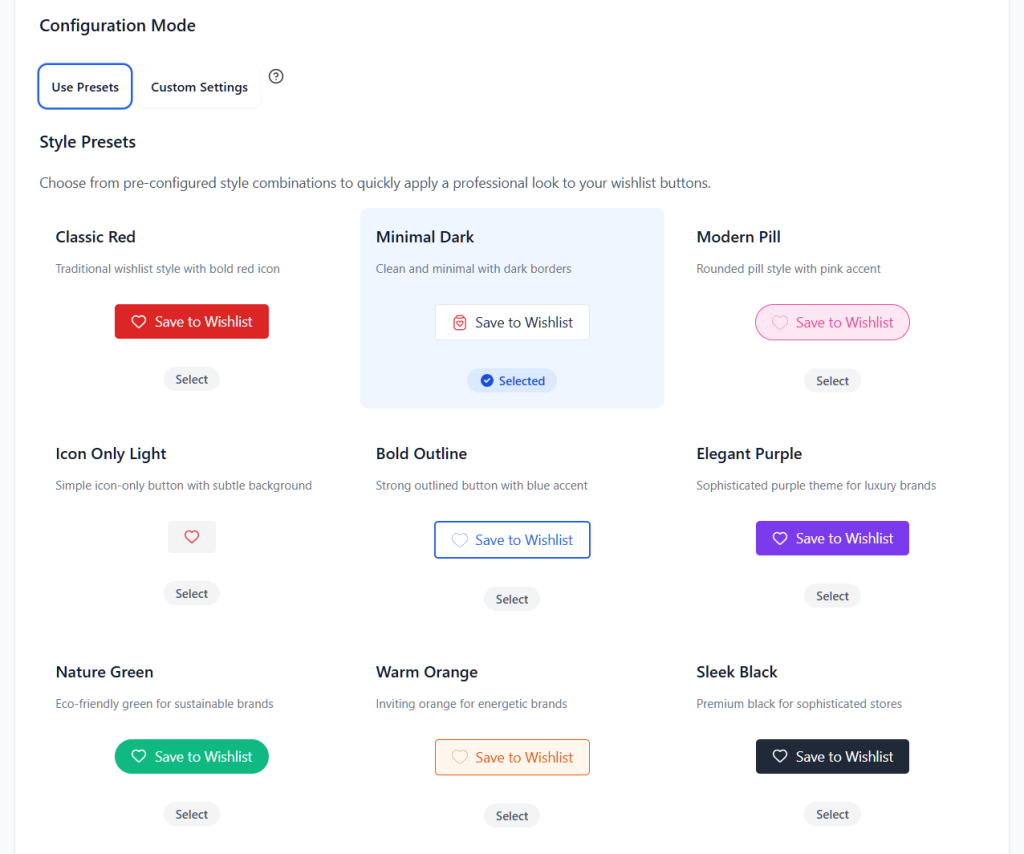
Alternatively, you can customize every detail on your wishlist button, including its font size and design.
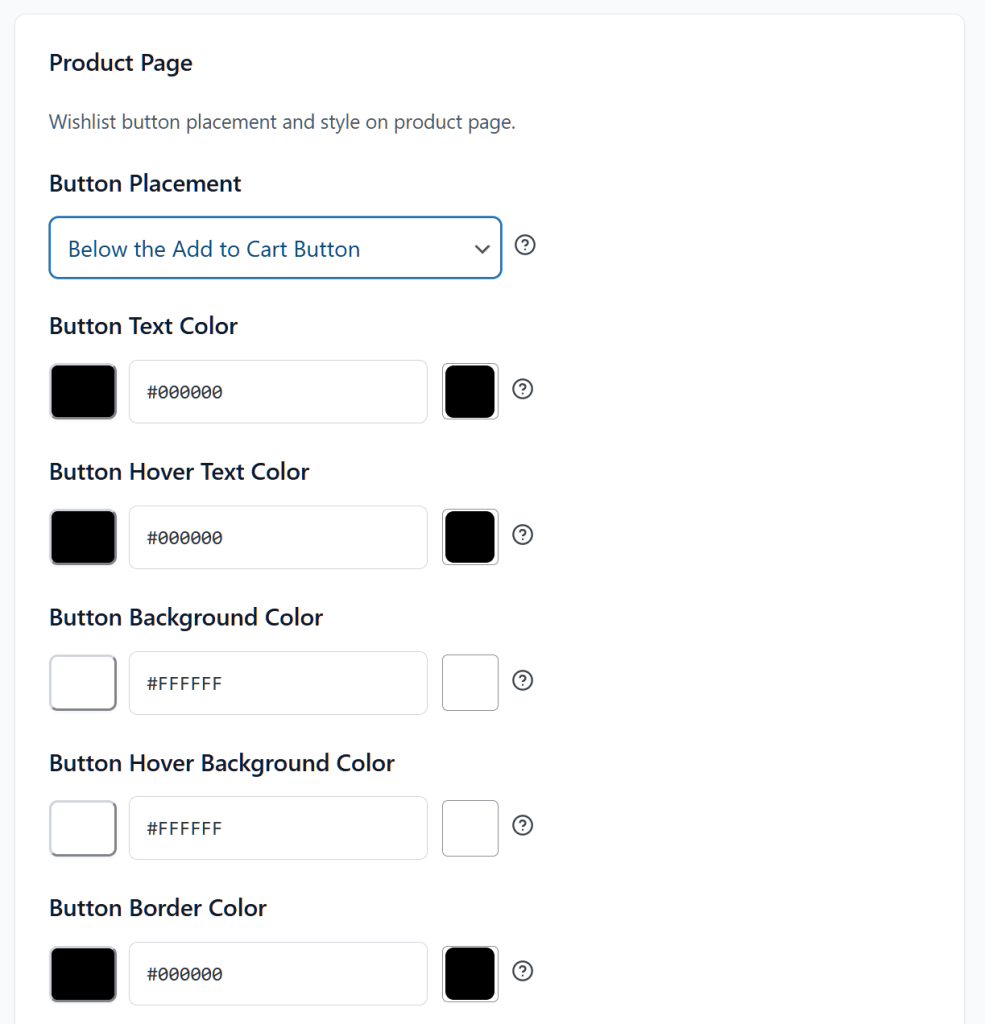
Next, choose where the heart icon / “Add to Wishlist” button appears: product pages, shop/archive pages, and quick view modals.
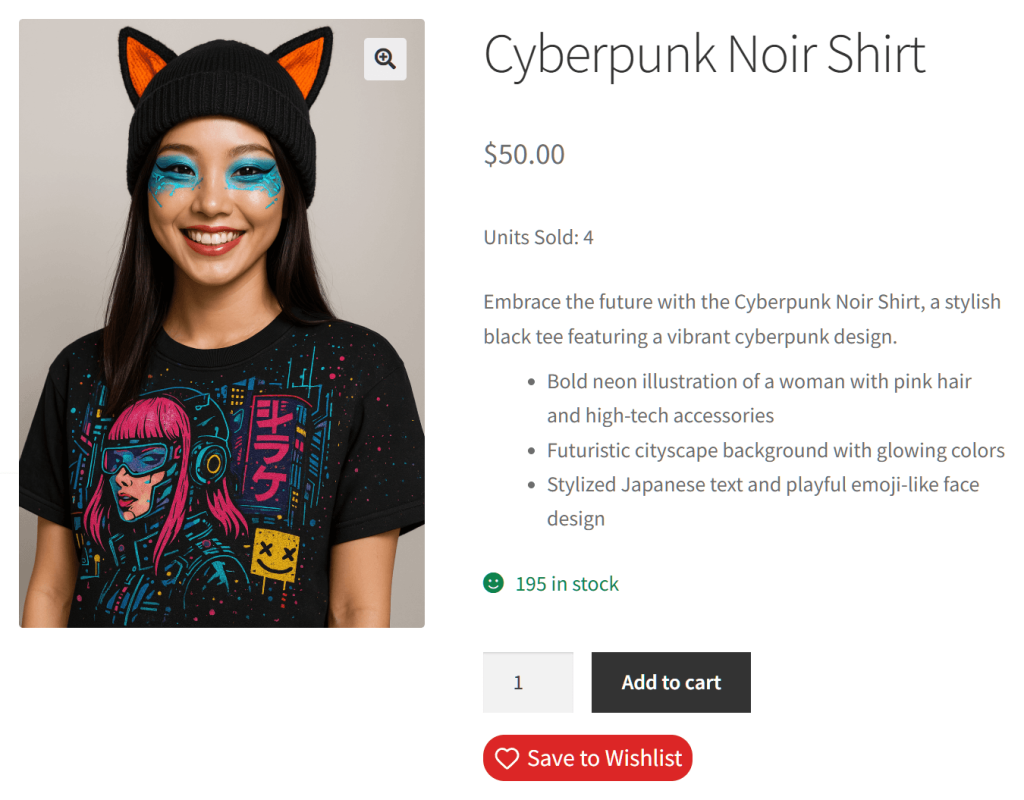
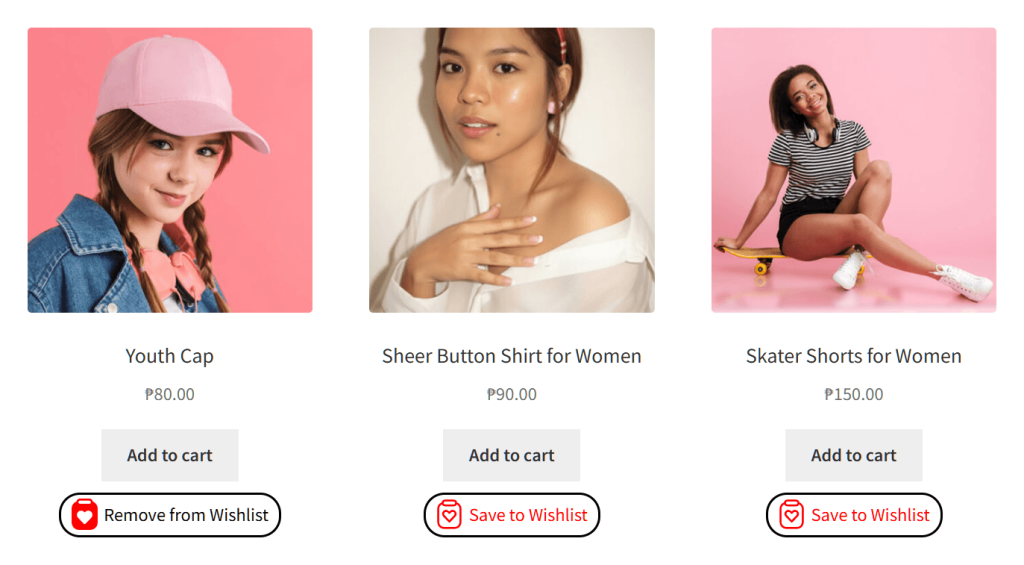
We recommend enabling it on product pages at minimum, and shop pages if your theme supports it well.
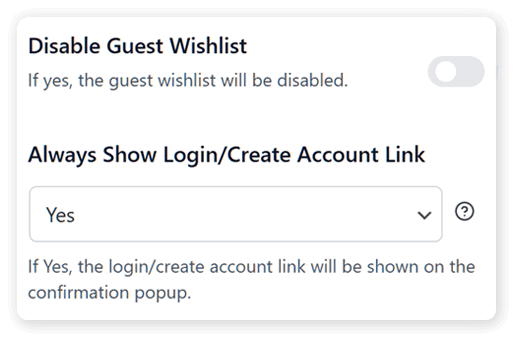
Decide whether guests can save wishlists (stored in browser cookies) or if you want to require account creation. We’d lean toward allowing guest wishlists with a gentle prompt to create an account. You capture more users that way without creating friction.
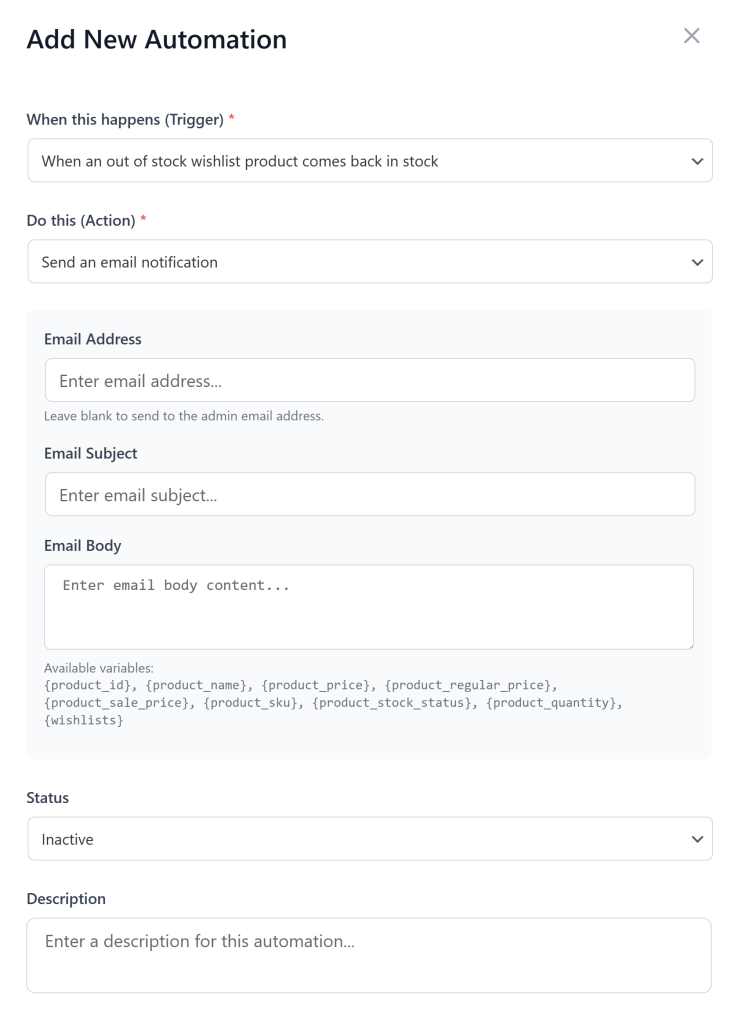
This is where the magic happens. Configure your price-drop alerts and back-in-stock notifications so customers get emailed when their saved products change status. This is the revenue engine we talked about earlier.
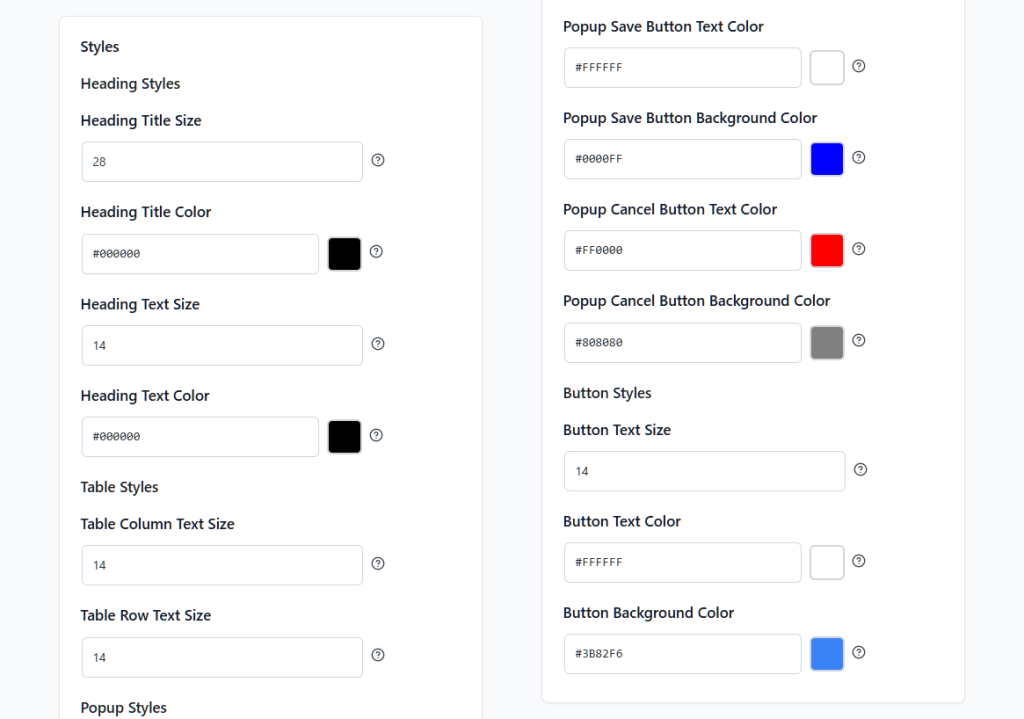
Match the wishlist page to your store’s branding. SaveTo Wishlist lets you adjust colors, layout, and button styles so it doesn’t look like an afterthought.
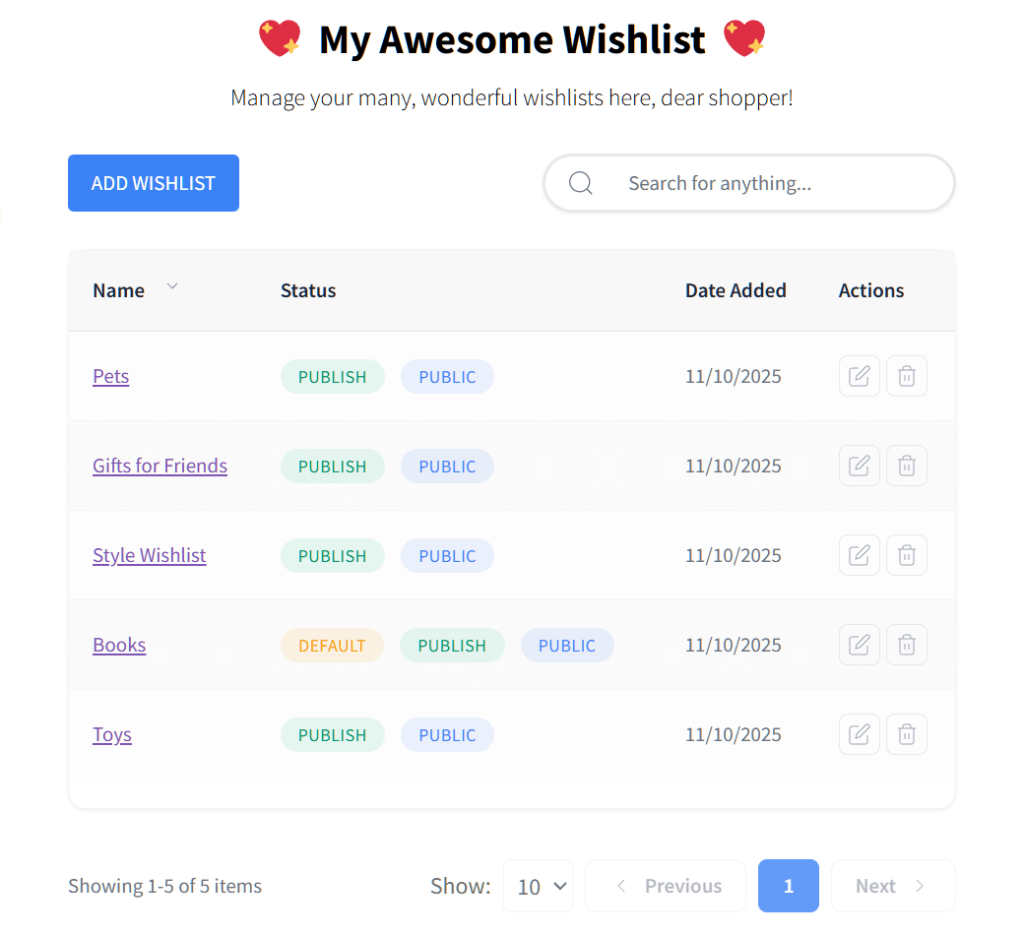
Browse your store, save a few products, check the wishlist page, and make sure the email notifications fire correctly. We always run through this as a guest and as a logged-in user to catch any edge cases.
That’s it. Fifteen minutes and you’ve got a fully functional wishlist that’s capturing intent data, building your email list, and setting up automated triggers.
Wishlists are a sales tool, not just a feature. They capture purchase intent, grow your email list, power high-converting automations, and reduce cart abandonment, all with minimal setup effort.
The sooner you get wishlists live, the sooner you’re collecting that intent data and putting it to work. Every day without a wishlist is a day you’re losing visibility into what your shoppers actually want.
To recap, this guide explored the following concepts about WooCommerce wishlists:
Ready to add wishlist functionality to your store? Start with SaveTo Wishlist for free to see what it can do for you. And if you want analytics and automations, you’ll need the Growth plan, which costs $49.50 for your first year, then automatically renews at $99.00 a year. It comes with a 14-day money back guarantee, so there’s no risk in trying it.
Yes. While you shouldn’t expect a magical 3x multiplier, real-world data shows that about 10.5% of wishlisted items turn into actual sales. Wishlists work as a conversion tool because they capture purchase intent from shoppers who are interested but not ready to buy immediately.
It depends on the plugin. SaveTo Wishlist allows both guest and registered wishlist creation. Guest wishlists are stored via browser cookies, while registered users get persistent wishlists that sync across devices. For maximum adoption, we recommend allowing guest wishlists with a gentle prompt to create an account or provide an email to save their list permanently. This reduces friction while still capturing contact information.
SaveTo Wishlist is our top recommendation for WooCommerce stores. It is purpose-built for WooCommerce, offers clean integration with most themes, and includes email automation features that turn wishlists into a revenue driver. It supports social sharing, price-drop alerts, and analytics to track wishlist activity.
Connect your wishlist plugin to your email marketing tool to send targeted campaigns based on wishlist activity. The highest-converting emails are price-drop alerts (when a wishlisted item goes on sale), back-in-stock notifications (when a wishlisted out-of-stock item returns), and low-stock urgency emails. These triggered emails see significantly higher open and click rates than generic promotional campaigns because they are highly relevant to each recipient’s demonstrated interests.

Copyright © StoreOwnerTips.com. All Rights Reserved.
