Your wishlist page loads slowly, and customers keep asking why they can only keep one list. You check YITH and find that multiple lists are a premium feature. So you start searching for YITH WooCommerce Wishlist alternatives, and then a harder question hits you.
Meanwhile, hundreds of customers have already saved products in YITH. Those saved items are buying signals you worked hard to earn. Pick the wrong replacement and those lists stay behind in the old plugin’s database.
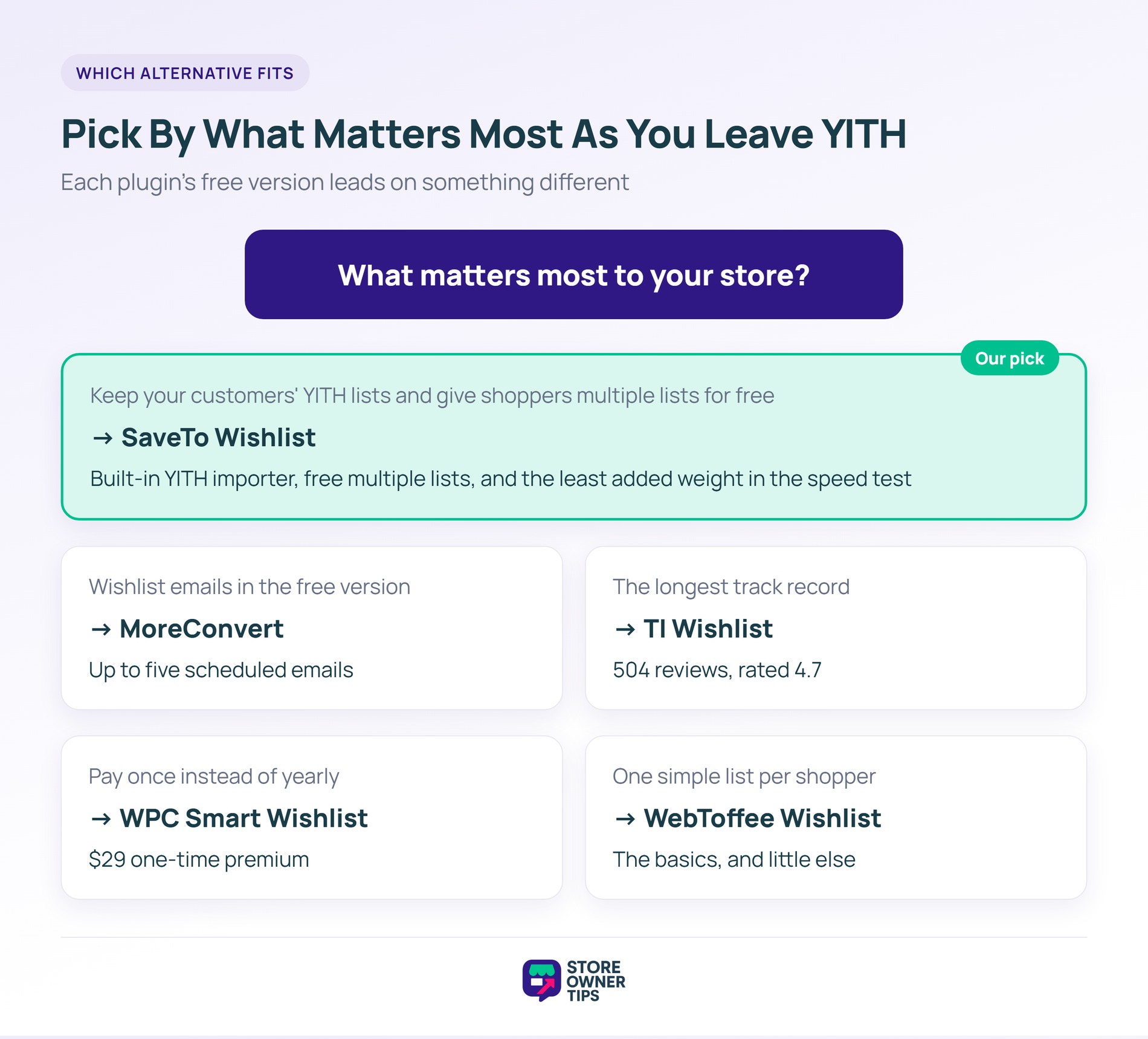
We compared five alternatives on what matters most when you’re leaving YITH. SaveTo Wishlist is our pick for most stores. It’s the only one that imports your existing YITH lists. It also gives shoppers multiple lists for free.
Meanwhile, TI WooCommerce Wishlist has the longest track record, and MoreConvert has the strongest free email tools.
Jump to:

Stores usually leave YITH over free-version limits, page weight or ratings. Still, it’s the biggest name in the category, with 400,000+ active installs on its WordPress.org listing. That’s why so many stores have years of wishlist data sitting in it.
None of this makes YITH a bad plugin. It’s actively maintained, with an update on November 12, 2026. That said, if any of these limits affect your shoppers, a switch is worth planning carefully.
We judged each plugin on what a store leaving YITH actually needs, not on the longest feature list. After all, a plugin that leaves your customers’ saved items behind doesn’t belong on a list of YITH WooCommerce Wishlist alternatives.
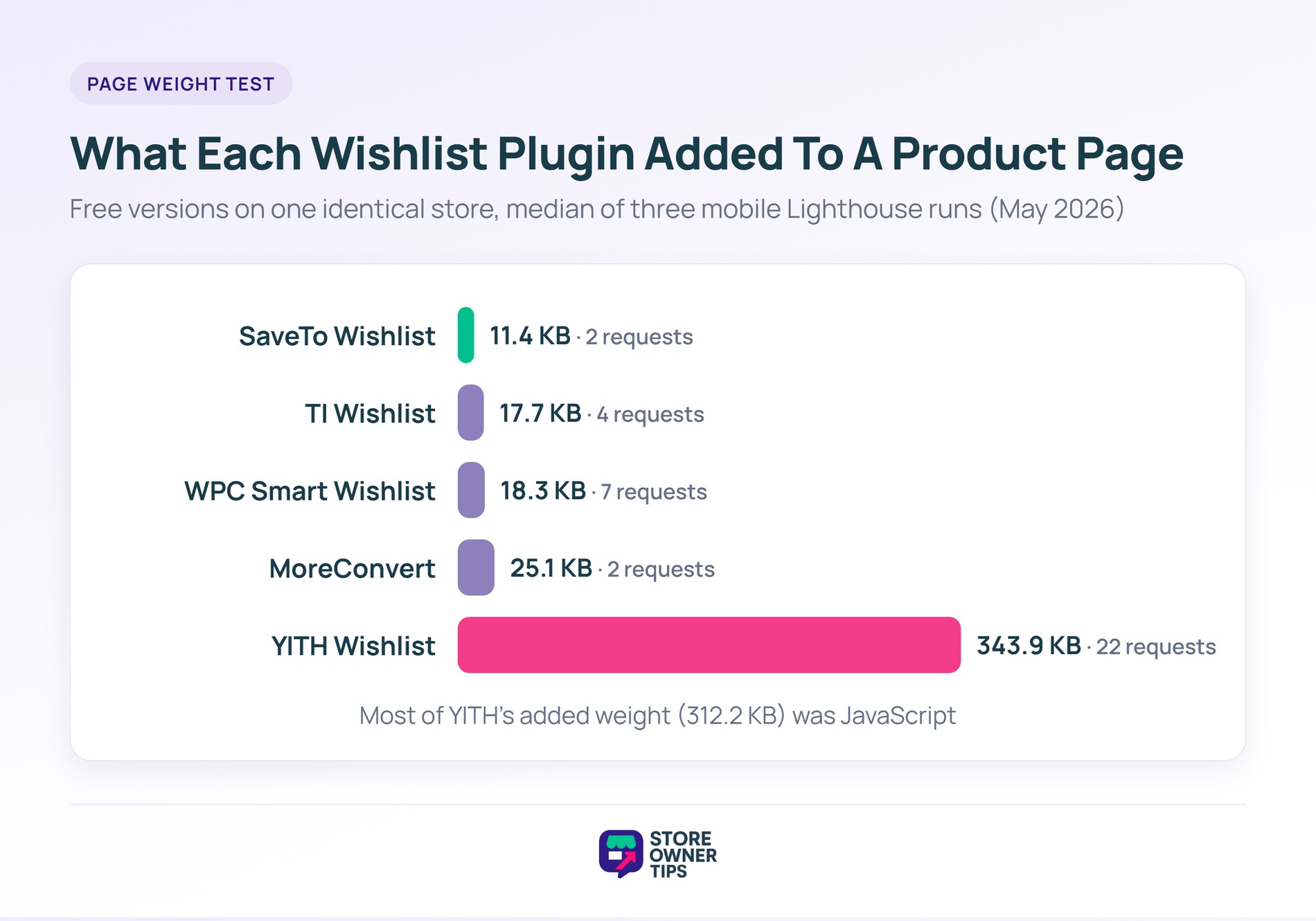
Install counts, ratings and update dates come from each plugin’s WordPress.org listing, checked on November 22, 2026. Likewise, prices come from each vendor’s own site on the same day. Page-weight figures come from the May 2026 speed test linked above, so newer versions may score a little differently. WebToffee’s plugin wasn’t part of that test.
One disclosure: Store Owner Tips is run by Rymera, the team that makes SaveTo Wishlist. So we’ve kept every claim about competitors to what their own listings and pricing pages say.
Here are the five alternatives, starting with the best fit for a store that already has YITH data.
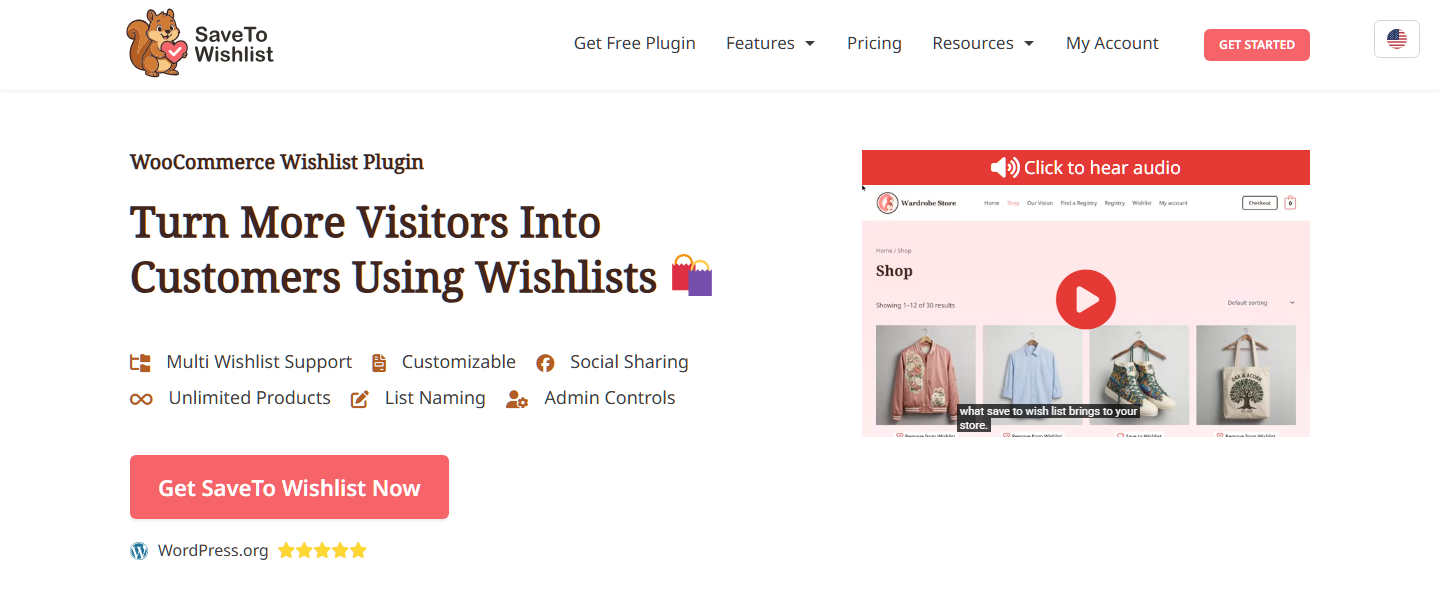
SaveTo Wishlist Lite is a free wishlist plugin built around the two things YITH users ask for most. Shoppers get multiple named lists for free, and you get a built-in importer for your existing YITH data.
Where it stands out:
What to keep in mind: It’s the newest plugin here, with 600+ active installs and a 4.2 rating from 11 reviews. In short, you’re trading a long track record for a fuller free version and an easier move. When you want more, price-drop and back-in-stock alerts, analytics and automations are in SaveTo Wishlist Pro. The Growth plan is $49.50 for the first year, then renews at $99 a year.
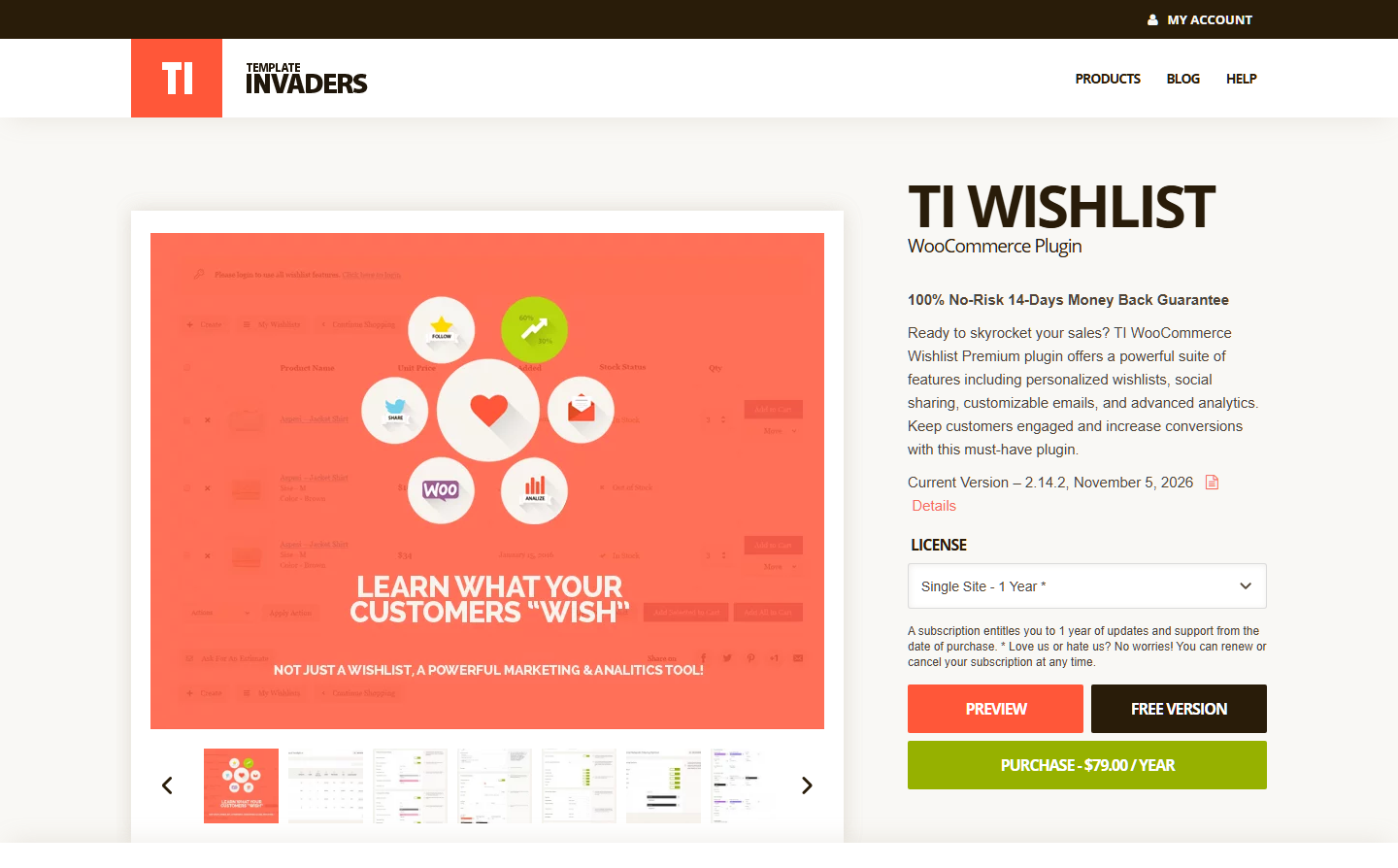
TI WooCommerce Wishlist is the safe, established choice. It has 100,000+ active installs and a 4.7 rating from 504 reviews, the most reviews of any plugin here.
Where it stands out: Its listing promises over 60 appearance options, a REST API and more than 50 plugin integrations. It also states compatibility with caching plugins like WP Rocket. Plus, its recent changelog shows ongoing work on moving guest wishlists into customer accounts.
What to keep in mind: As on YITH, multiple wishlists per user are a premium feature. Premium starts at $79. It also unlocks list privacy, product analytics, promotional emails and an “Ask for an estimate” button. There’s no YITH importer listed, so your customers would start their lists from scratch.
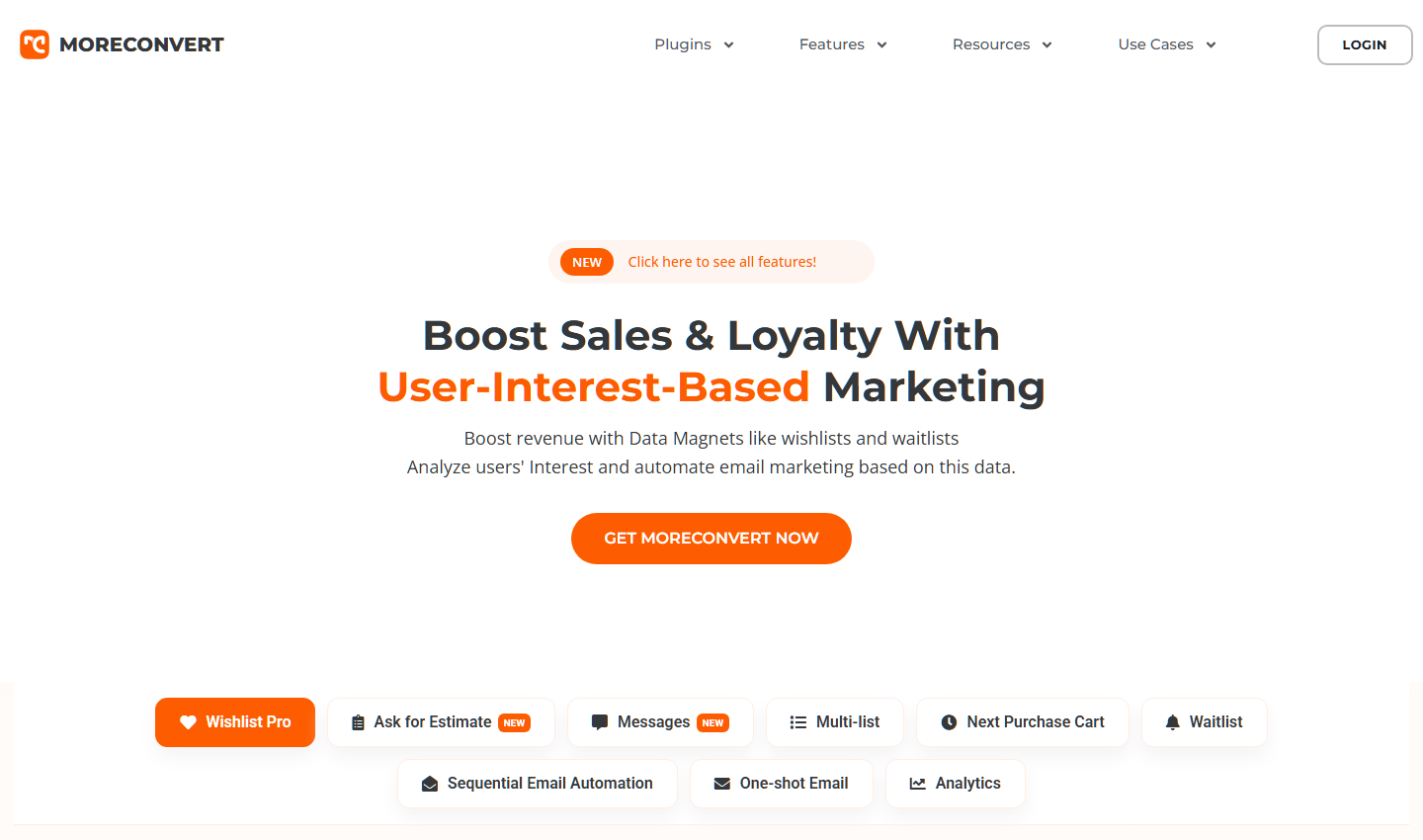
MoreConvert Wishlist for WooCommerce is the pick if wishlist emails matter more to you than anything else. Its free version can schedule up to five customizable wishlist emails, and the automation stops once a coupon is used.
Where it stands out: It has the highest rating here, 4.9 from 121 reviews, and it was updated on November 21, 2026. In the May 2026 test it added 25.1 KB but no JavaScript, since its weight was mostly CSS and images.
What to keep in mind: Unlimited lists sit in the premium plans. Premium is $89 a year for one site, or $209 for a lifetime license. It also adds a back-in-stock notifier, saved carts, advanced analytics and email campaigns. However, its listed import and export tool covers plugin settings, not your customers’ YITH lists.
WPC Smart Wishlist for WooCommerce suits stores that want a quick popup wishlist and dislike yearly renewals. It has 100,000+ active installs and a 4.8 rating from 34 reviews.
Where it stands out: The free version shows the title, price, stock status and date added for each saved item. It also lets you limit the wishlist button to chosen categories. Premium is a one-time $29 for a single site, with lifetime updates and a year of support.
What to keep in mind: Multiple wishlists per user are a premium feature, along with a note field for each saved product. In the May 2026 test, it added 18.3 KB and 7 requests. There’s no YITH data importer listed either.
WebToffee’s Wishlist for WooCommerce is the minimalist option. It sticks to saving products and showing them back to the shopper.
Where it stands out: It covers the basics well. You get wishlist buttons on product and shop pages, a wishlist page and a My Account tab. If one simple list is all your shoppers need, it stays out of the way.
What to keep in mind: It has 800+ active installs and 6 reviews. Its listing doesn’t mention multiple lists, sharing or an importer. As a result, it suits a new store better than one moving years of YITH data.
🔍️ What We’ve Seen: Store owners often compare free feature lists and forget about the lists their customers already built. The new plugin goes live, the old one gets deleted, and every saved product quietly disappears. Shoppers notice when they come back for that item, and many don’t bother rebuilding the list.
SaveTo Wishlist is the only plugin here with both free multiple lists and a YITH importer. Beyond that, the table shows where the others draw their lines.
| Plugin | Imports YITH lists | Multiple lists | Added page weight (May 2026) | Rating (reviews) | Active installs | Paid version |
|---|---|---|---|---|---|---|
| SaveTo Wishlist | Yes, free | Free | 11.4 KB / 2 requests | 4.2 (11) | 600+ | From $49.50 first year, renews at $99/yr |
| TI WooCommerce Wishlist | Not listed | Premium | 17.7 KB / 4 requests | 4.7 (504) | 100,000+ | From $79 |
| MoreConvert Wishlist | Not listed | Premium | 25.1 KB / 2 requests | 4.9 (121) | 8,000+ | $89/yr or $209 lifetime |
| WPC Smart Wishlist | Not listed | Premium | 18.3 KB / 7 requests | 4.8 (34) | 100,000+ | $29 one-time |
| WebToffee Wishlist | Not listed | Not listed | Wasn’t tested | 4.7 (6) | 800+ | Free plugin reviewed |
| YITH WooCommerce Wishlist | (the source) | Premium | 343.9 KB / 22 requests | 3.9 (263) | 400,000+ | Premium on YITH’s site |
Ratings, installs and features from each plugin’s WordPress.org listing and prices from vendor sites, checked November 22, 2026. Page weight from SaveTo Wishlist’s May 2026 Lighthouse test.
Prices are the single-site options shown on each vendor’s page, and WebToffee wasn’t part of the speed test. “Not listed” means the plugin’s listing doesn’t mention the feature in its free version.
With SaveTo Wishlist, you run the move from your dashboard while YITH is still active. The importer only detects source plugins that are switched on, so don’t deactivate YITH first.
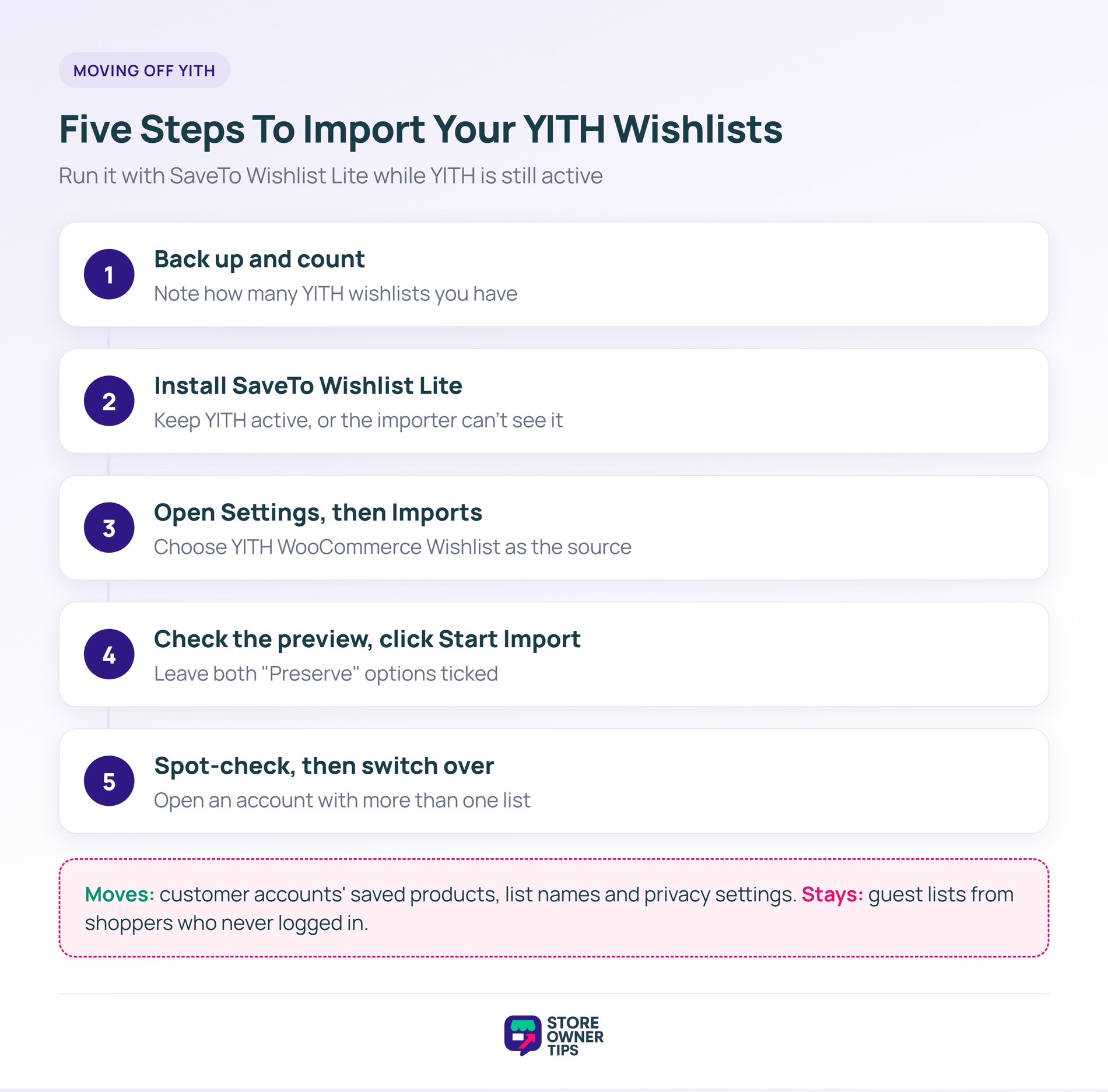
If you need to run it again, lists that were already imported are skipped. Our sister site has the full walkthrough in its guide to migrating from YITH Wishlist. For a broader look at what moves between plugins, see how to switch WooCommerce wishlist plugins without losing data.
🔍️ What We’ve Seen: Guest wishlists are the part of a switch that catches people out. The importer brings over lists that belong to customer accounts. However, lists from shoppers who never logged in stay with YITH. If guest lists matter to your store, nudge those shoppers to create an account before switch day.
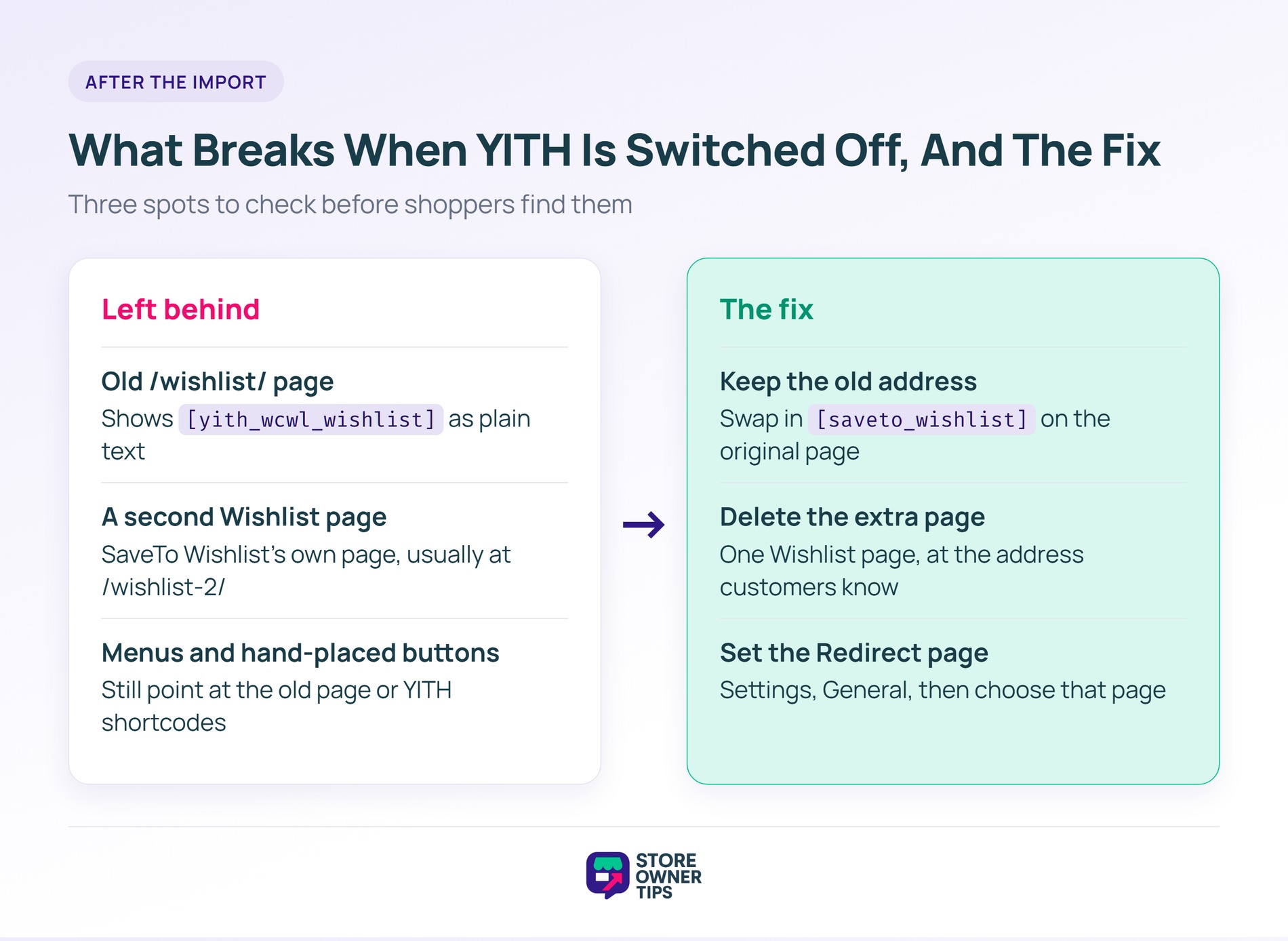
Deactivating YITH doesn’t remove the pages and shortcodes it left behind. Three spots are worth a quick check before shoppers find them.
The easiest fix keeps the address your customers already know. Swap the YITH shortcode on the original page for [saveto_wishlist], then delete the extra page. After that, open SaveTo Wishlist > Settings > General and choose that page under Redirect page. Shoppers then land on it after saving an item.
That said, switching isn’t always the right call. If you already pay for YITH WooCommerce Wishlist Premium and use its extras, the case for moving is much weaker.
If none of those apply, one of these YITH WooCommerce Wishlist alternatives can give your shoppers lighter pages and free multiple lists.
SaveTo Wishlist is our top pick for most stores leaving YITH. Its free version gives shoppers multiple named lists and includes an importer that brings over your customers’ existing YITH wishlists. TI WooCommerce Wishlist is the established option with the most reviews, and MoreConvert has the strongest free email automation.
Yes, SaveTo Wishlist Lite includes a free importer for YITH wishlists. It moves customer accounts’ saved products, list names and privacy settings. Keep YITH active while you run it, because the importer only detects active plugins. Guest lists from shoppers who never logged in don’t transfer.
No. YITH lists “Allow users to create as many wishlists as they want” as a premium feature. TI WooCommerce Wishlist, WPC Smart Wishlist and MoreConvert also keep multiple lists in their paid plans. SaveTo Wishlist Lite is the free option here that includes them.
SaveTo Wishlist’s May 2026 Lighthouse test compared five plugins. SaveTo Wishlist added the least, at 11.4 KB and 2 requests. YITH was the heaviest, adding 343.9 KB and 22 requests. WebToffee’s plugin wasn’t part of that test.
It depends on whether their lists come with them. With an importer, logged-in customers find their saved products and list names waiting after the switch. Without one, every list starts empty. Either way, update your wishlist page, buttons and menu links so shoppers land in the right place.

The right pick among YITH WooCommerce Wishlist alternatives isn’t only the one with the most free features. It’s the one that keeps the lists your customers already trusted you with. That’s why SaveTo Wishlist is our top pick for stores leaving YITH. It’s the newest name on this list, but it’s the one built for the move.
Ready to switch? Get SaveTo Wishlist Lite free and bring your customers’ YITH wishlists with you. For a wider look at the category, see our guide to the best WooCommerce wishlist plugins.

Copyright © StoreOwnerTips.com. All Rights Reserved.
