Weekly ecommerce tips, deals & news.

Out-of-stock products quietly drain revenue from WooCommerce stores. Retailers lose close to $1 trillion in sales a year to items that aren’t on the shelf, according to IHL Group research. In fact, most of that loss is avoidable.
WooCommerce pre-orders turn that gap into revenue. They let customers buy a product before it’s available. So you capture the sale instead of losing it to a competitor.
Pre-orders aren’t just for new launches. Instead, they’re a quiet revenue unlock most stores ignore.
This guide covers three use cases for pre-orders. It walks through which plugin to pick and how to handle payment timing. Plus, it shows the communication workflow that keeps pre-order customers from canceling.
Table of Contents
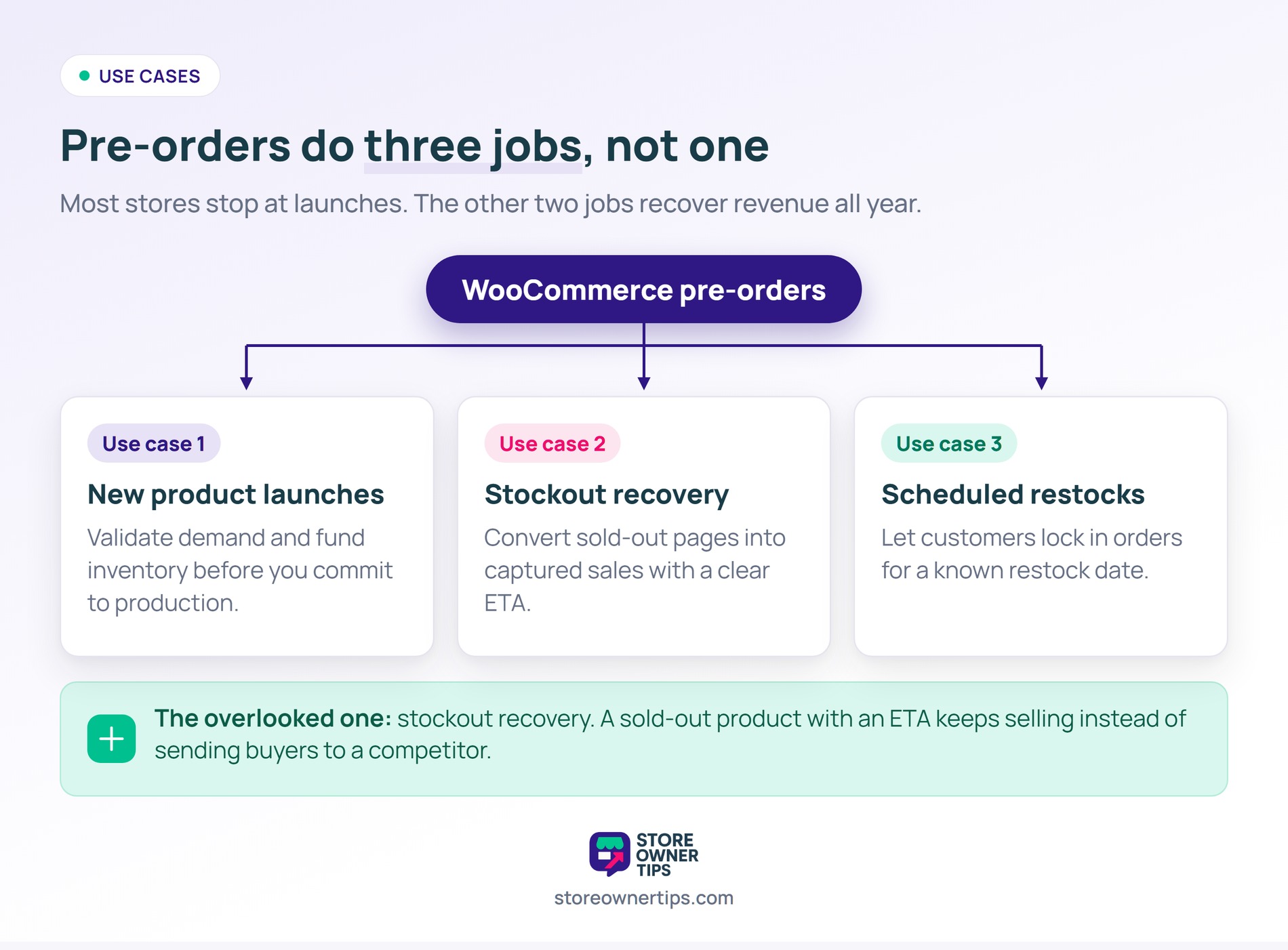
Most stores associate pre-orders with new product launches. That’s one use case. Still, two more deserve attention.
This is the classic pre-order model. You’re launching a new product. Ultimately, you want to gauge demand and generate revenue before committing to full inventory.
Benefits:
Your popular product is out of stock. Instead of losing the sale, convert it to a pre-order with a clear ETA.
Benefits:
The pattern I see most often is store owners tying pre-orders to launches only. However, the bigger opportunity is stockout recovery. When a product sells out, convert it to a pre-order or backorder with a clear ETA. As a result, many stores recover a real share of otherwise-lost revenue this way.
You know a product will be back in stock on a specific date. Then pre-order lets customers lock in their order for that date.
Useful for:
Three plugins lead the WooCommerce pre order space. Here’s how they stack up on price and payment features.
| Plugin | Starting Price | Payment Timing Options | Partial Deposits | Scheduled Launches |
|---|---|---|---|---|
| YITH Pre-Order for WooCommerce | $99/yr (free version available) | Yes | Add-on only | Yes |
| WooCommerce Pre-Orders (official) | $179/yr | Yes | No | Yes |
| Advanced Pre-Order and Backorder (Addify) | $129/yr | Yes | No | Yes |
Pricing is current as of July 2026 and set by each vendor.
Choosing the right pre-order plugin can transform how you handle upcoming launches and out-of-stock items. However, because every online store has different workflows, budgets, and payment processing preferences, the perfect tool depends heavily on your specific business goals.
Some plugins specialize in handling partial down payments, while others excel at bridging the gap between backorders and pre-orders. Here’s a close look at the three best pre-order plugins we evaluated so you can pick the right fit for your storefront.
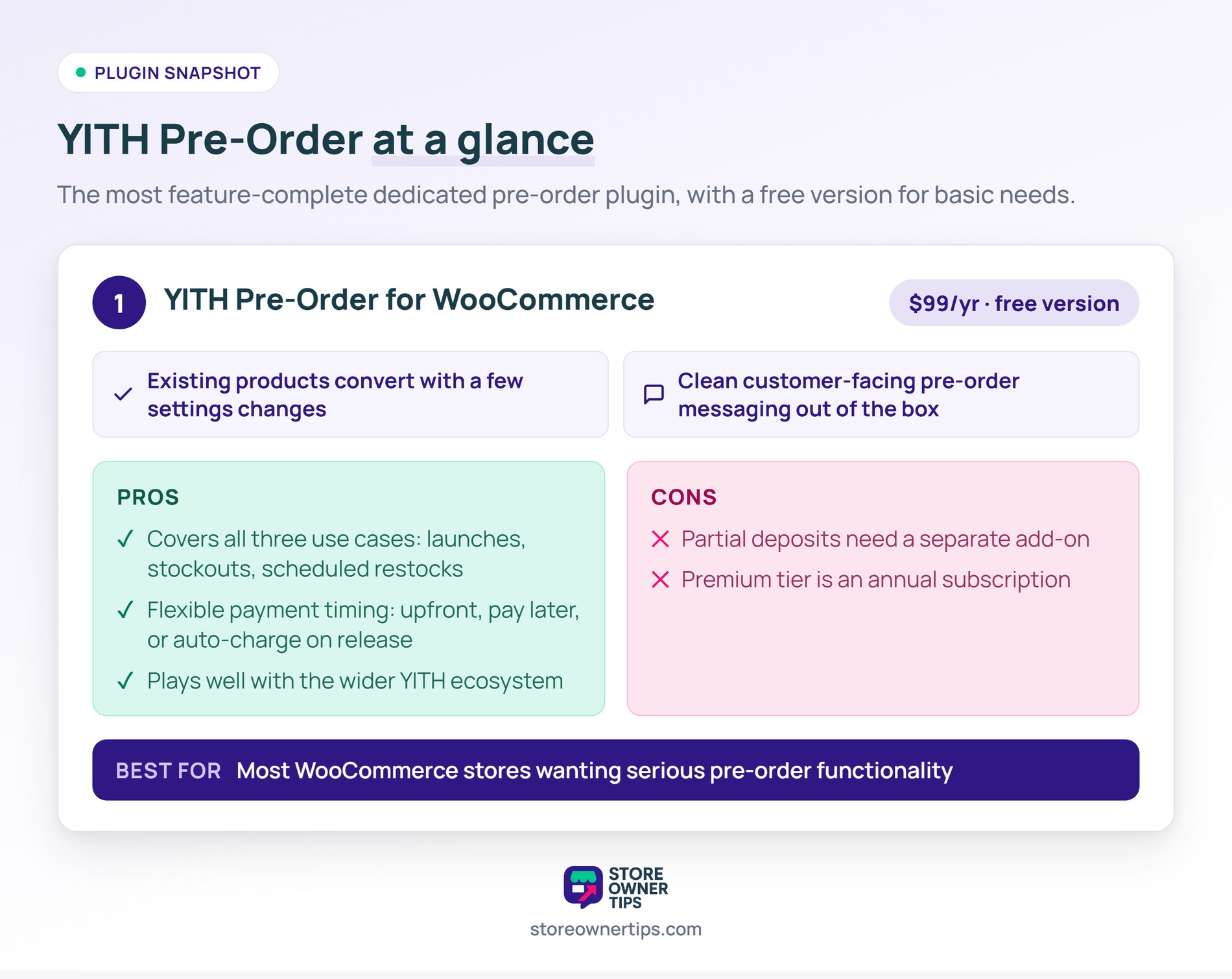
YITH’s plugin is the most feature-complete dedicated pre-order option. In addition, it has a clean UI and a free version on WordPress.org for basic needs.
What stands out:
Pros:
Cons:
Best for: most WooCommerce stores wanting serious pre-order functionality.
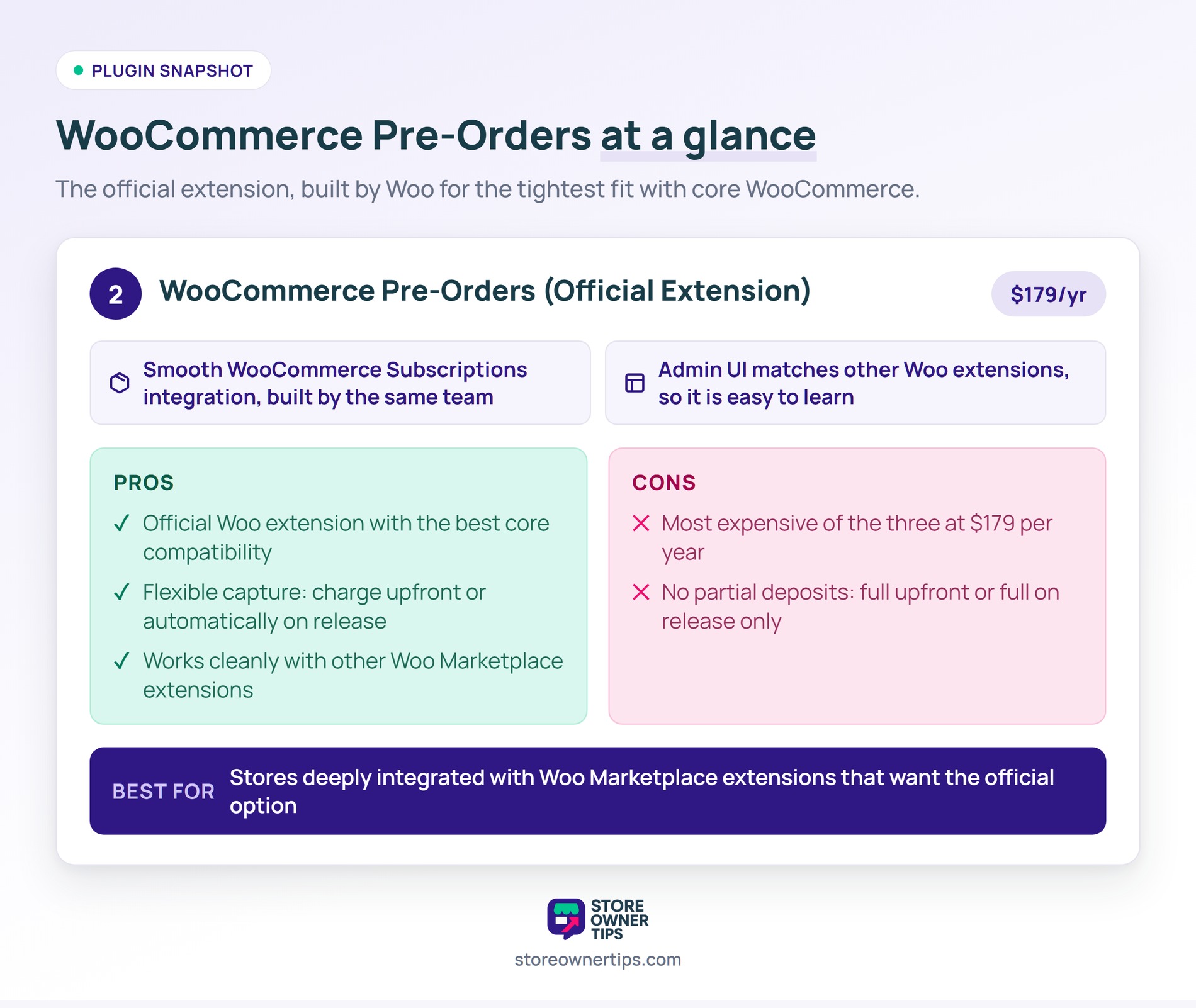
Built by Woo, this is the official pre-order extension. Of course, it integrates cleanly with core WooCommerce and other Woo extensions.
What stands out:
Pros:
Cons:
Best for: stores deeply integrated with Woo Marketplace extensions that want the official option.
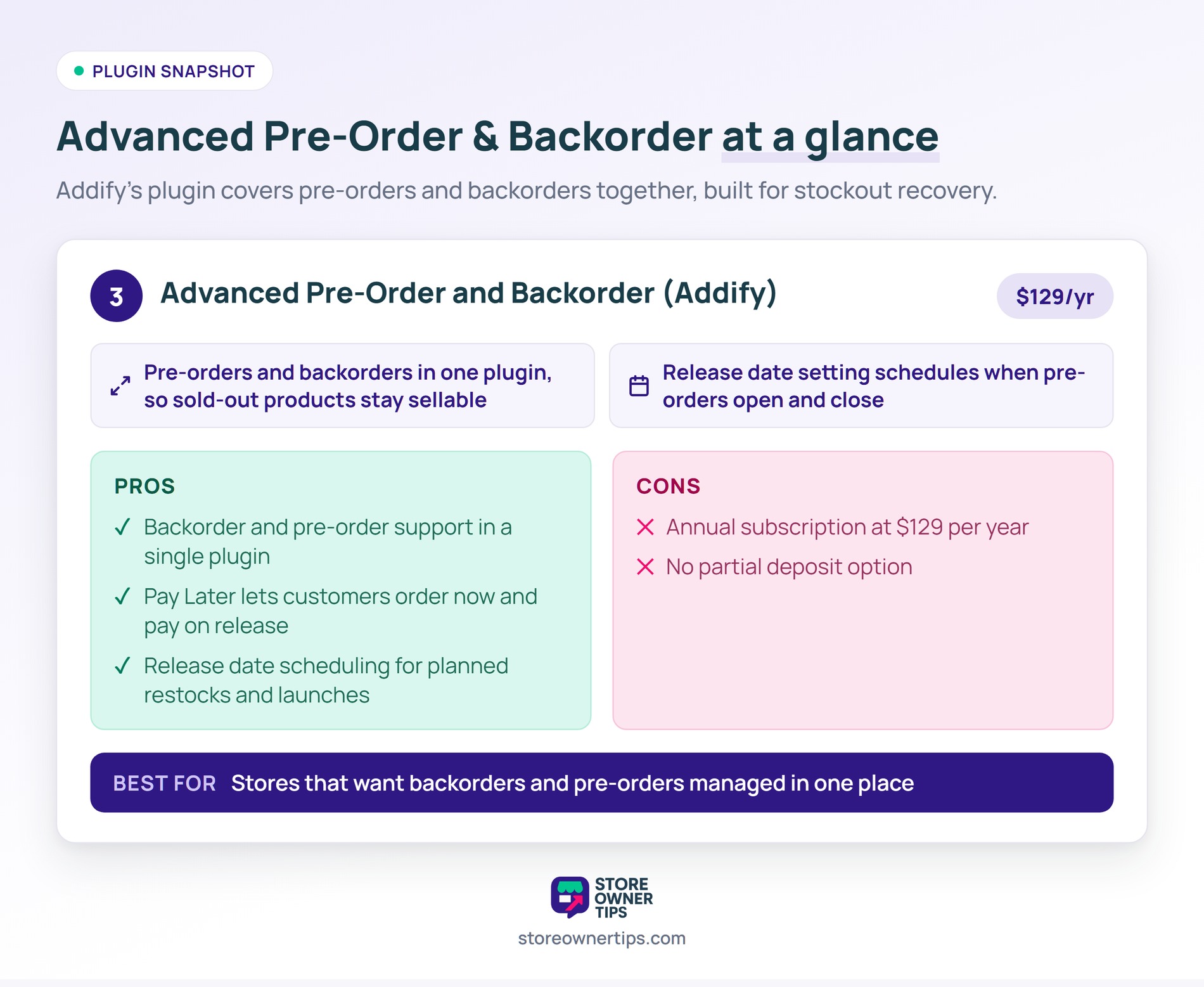
Addify’s plugin handles pre-orders and backorders together. Consequently, that makes it a strong pick if stockout recovery is your main goal.
What stands out:
Pros:
Cons:
Best for: stores that want backorders and pre-orders managed in one place.
Selling products before they land on your shelves is an incredible way to capture revenue, but a successful pre-order campaign requires careful planning.
If you leave your settings on default or fail to communicate with your buyers, you risk getting buried in order cancellations and support complaints. By taking control of your payment structures, pricing strategy, and shipping timelines upfront, you can build a smooth launch experience that keeps customers excited for delivery day.
Follow these five steps to set up your pre-order framework the right way.
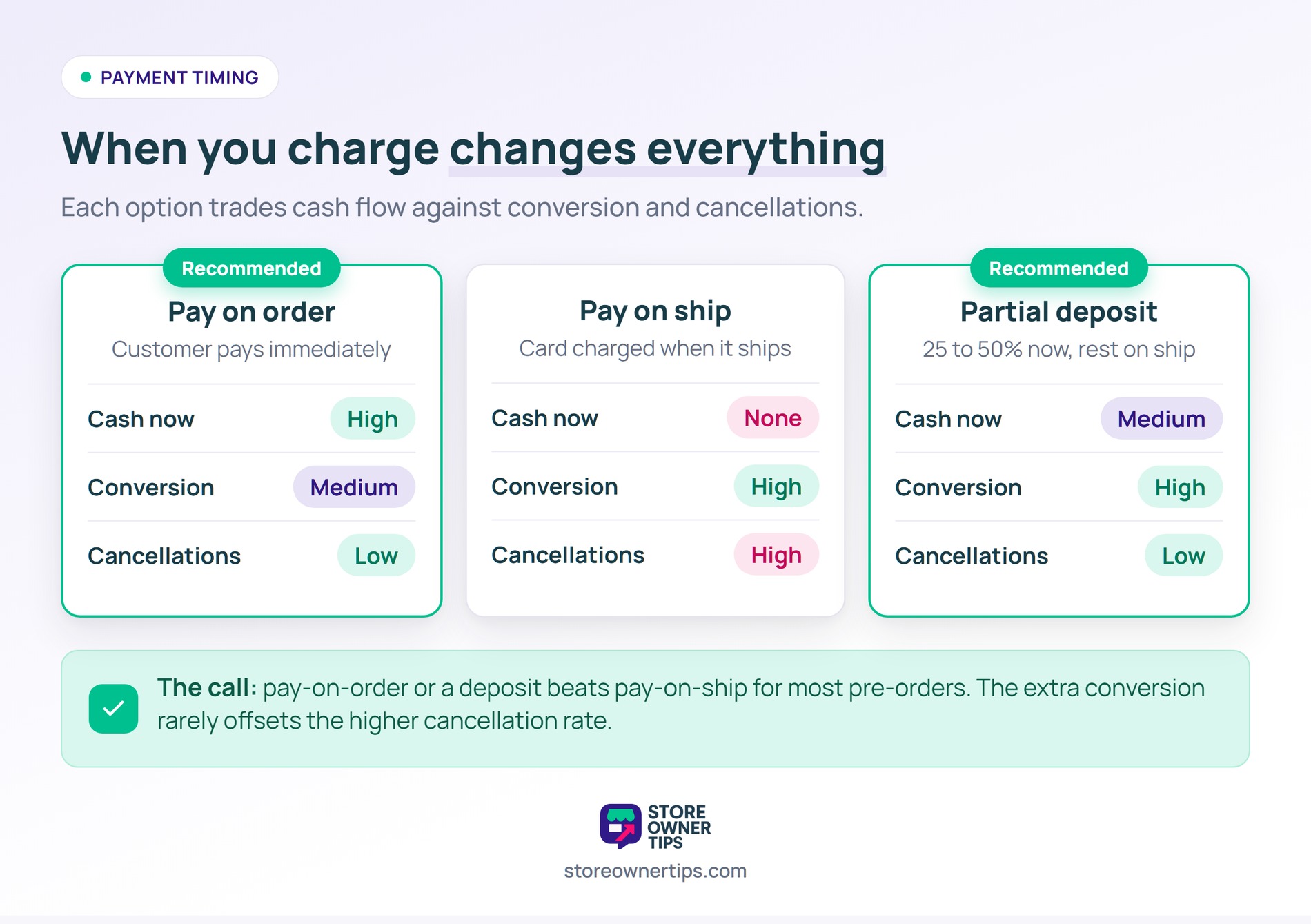
The biggest decision for pre-orders is when you capture payment. In short, each option trades revenue timing against conversion.
The customer pays immediately when placing the pre-order.
Pros:
Cons:
The customer places a pre-order with no payment. Then their card is charged when the product ships.
Pros:
Cons:
The customer pays a deposit now (25 to 50%). The balance is then charged on ship.
Pros:
Cons:
For most pre-orders, payment-on-order or partial deposit work better than payment-on-ship. The extra conversion from “no payment until ship” rarely offsets the higher cancellation rate.
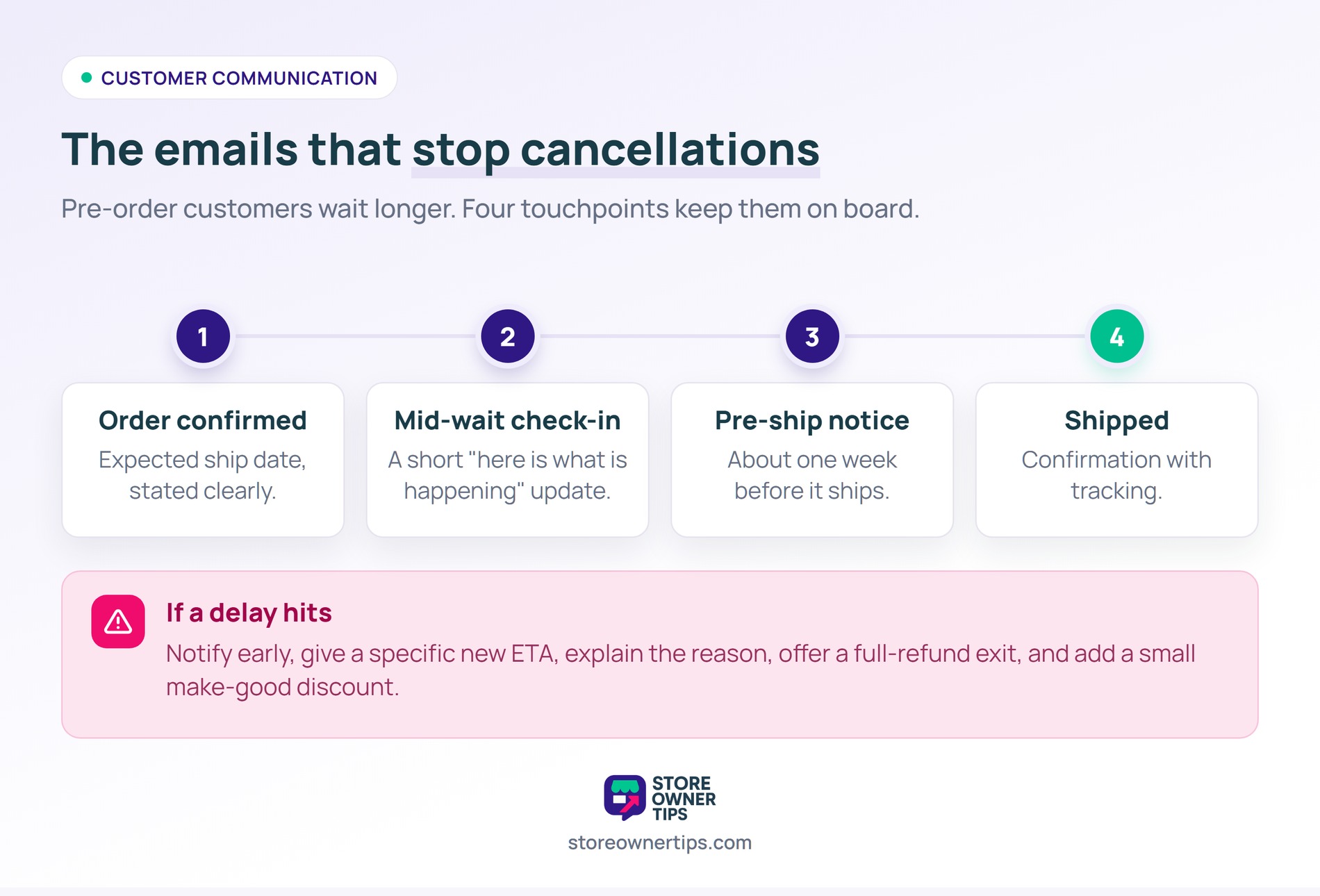
Pre-order customers wait longer than regular customers. Therefore, communication during the wait determines whether they cancel.
Email customers at key moments:
Delays happen. Ultimately, how you handle them determines customer retention.
Good delay communication includes:
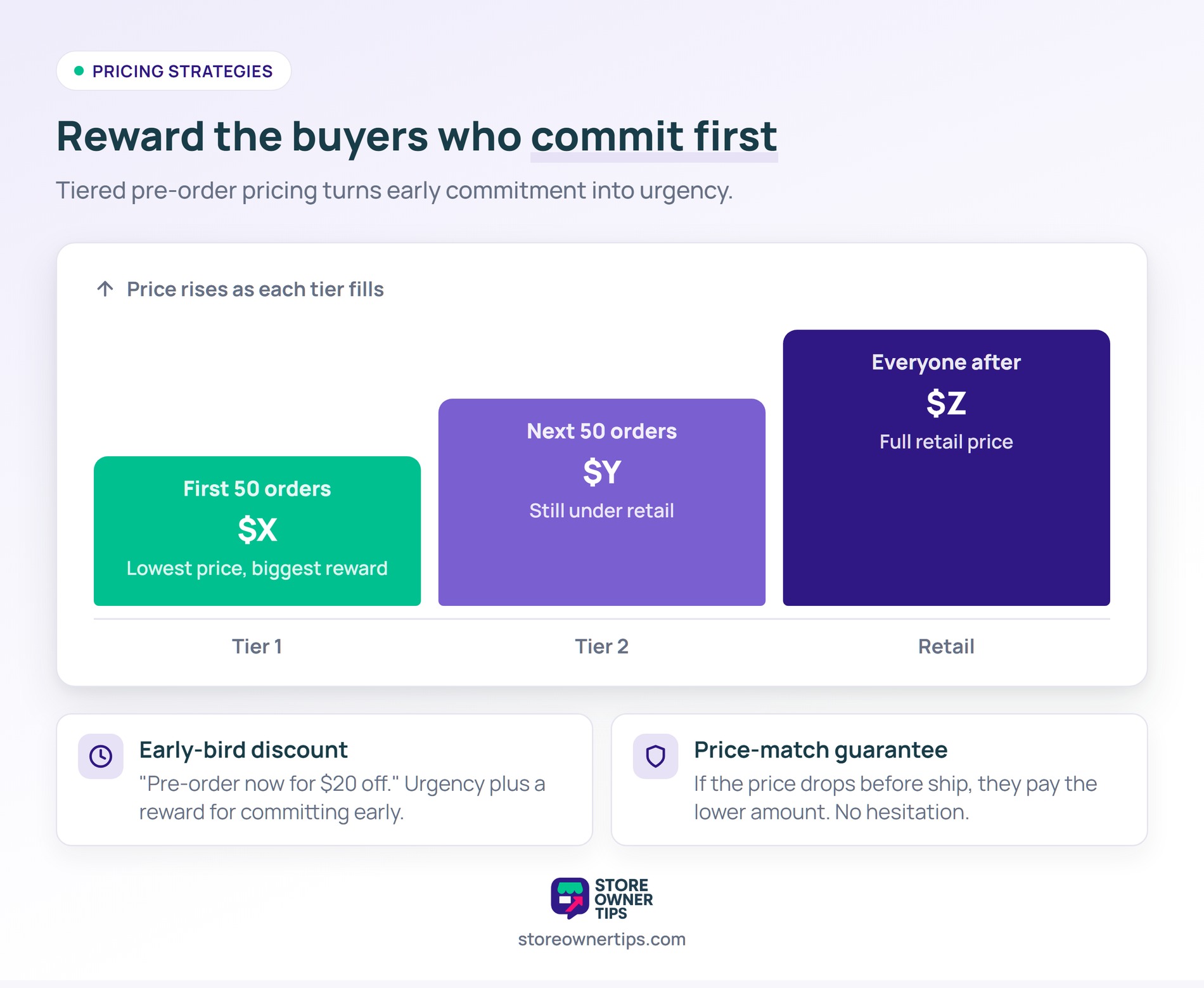
Beyond payment timing, pre-order pricing can also drive extra conversion. A well-timed early-bird coupon rewards the customers who commit first.
“Pre-order now for $20 off regular price.” This creates urgency and rewards commitment.
Works well for:
“Pre-order at today’s price. If the price drops before ship, you pay the lower amount.” This removes hesitation about pricing changes.
“First 50 pre-orders at $X, next 50 at $Y, retail at $Z.” This creates urgency for early adopters without complex logic.
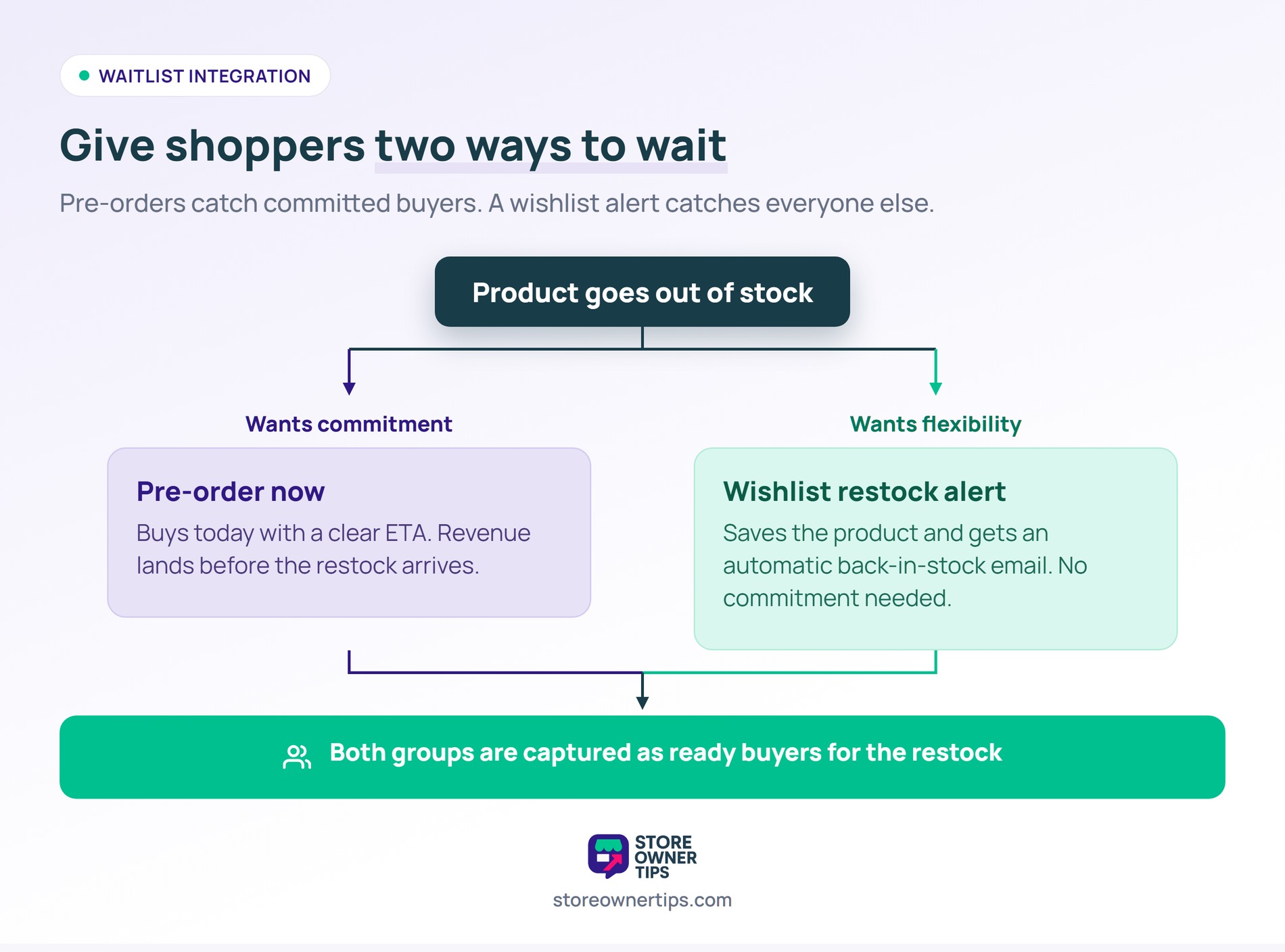
For stockout scenarios, pair pre-orders with a waitlist. Customers who don’t want to commit to a pre-order can still get notified when products return.
SaveTo Wishlist handles back-in-stock notifications well. Customers add out-of-stock products to their wishlist, get notified when restocked, and can buy instantly.
The workflow:
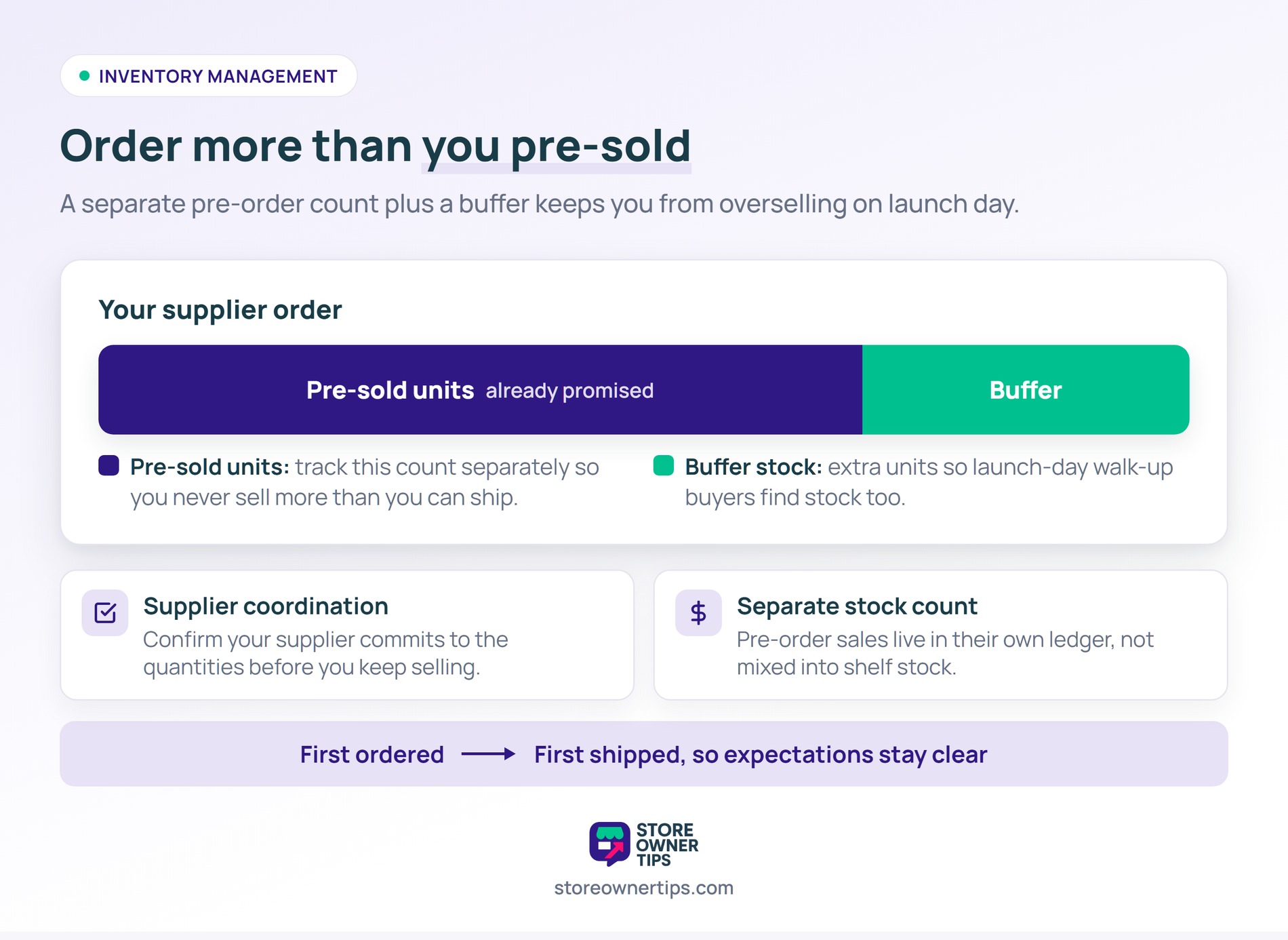
WooCommerce pre-orders require careful inventory tracking. Still, a few habits keep you from overselling.
YITH Pre-Order suits most stores. The official WooCommerce Pre-Orders extension fits stores deep in the Woo ecosystem. Addify’s Advanced Pre-Order and Backorder is best when you need backorders too.
Charge on order for most scenarios. Plus, you get revenue right away and cancellation rates stay lower. Use charge-on-ship only when the wait is very long (3 months or more) or supply risk is high.
Yes. In fact, most pre-order plugins let you enable pre-order mode on out-of-stock products. Customers can order with an ETA instead of just seeing “sold out.”
There’s no technical limit. Still, cancellations tend to rise the longer people wait. Aim for windows of 30 to 60 days when you can. Also, longer waits need more frequent customer updates.
Usually yes, when the order is placed and payment is captured. That’s because tax obligations often trigger at the point of payment. Rules vary by location, so check your local tax guidance.
Yes, if your plugin supports it. You’ll need to decide whether to hold the whole order until pre-order items ship or split into multiple shipments. Most stores split shipments so customers don’t wait longer than necessary.
WooCommerce pre-orders unlock revenue you’re otherwise leaving on the table. That covers new launches, stockout recoveries, and scheduled restocks. The setup takes a few hours, and the revenue continues across every product cycle.
Here’s what to do next:
When you’re ready, start with a dedicated preorder plugin that fits your budget and payment needs. Pair it with SaveTo Wishlist for customers who want restock notifications without a pre-order commitment. Between both tools, you capture the full spectrum of interested buyers during any stockout or upcoming launch.

Copyright © StoreOwnerTips.com. All Rights Reserved.
