Weekly ecommerce tips, deals & news.
To sell products in ChatGPT, you publish an OpenAI product feed listing your catalog with the required attributes. Then you keep it refreshed as prices and stock change. The mechanism is a product feed, the same discipline that already powers shopping channels.
Plenty of store owners are asking whether they need to “do something about ChatGPT” right now. I’ve seen that question turn into weeks of strategy talk when the real answer is fairly ordinary. It’s the same work as a shopping feed, with a different field list and a few new flags.
That said, the field list is where most of the confusion sits. Several attributes described online as required are actually optional. One that gets quoted often doesn’t appear in OpenAI’s spec at all.
So this guide covers the fields that are genuinely required. It also covers how to generate the feed from WooCommerce, and whether it’s worth doing yet.
Jump to:

ChatGPT shopping is a set of features that let people research and buy products inside ChatGPT. There’s no need to click through to a search engine first.
In practice, a shopper asks for something like “waterproof walking boots under $150”. They get product results with images, prices and merchant links, drawn from product data that merchants supply. OpenAI has also built in-conversation checkout, so some purchases complete without leaving the chat.
Two things follow from that, and they’re the reason this matters to a store owner.
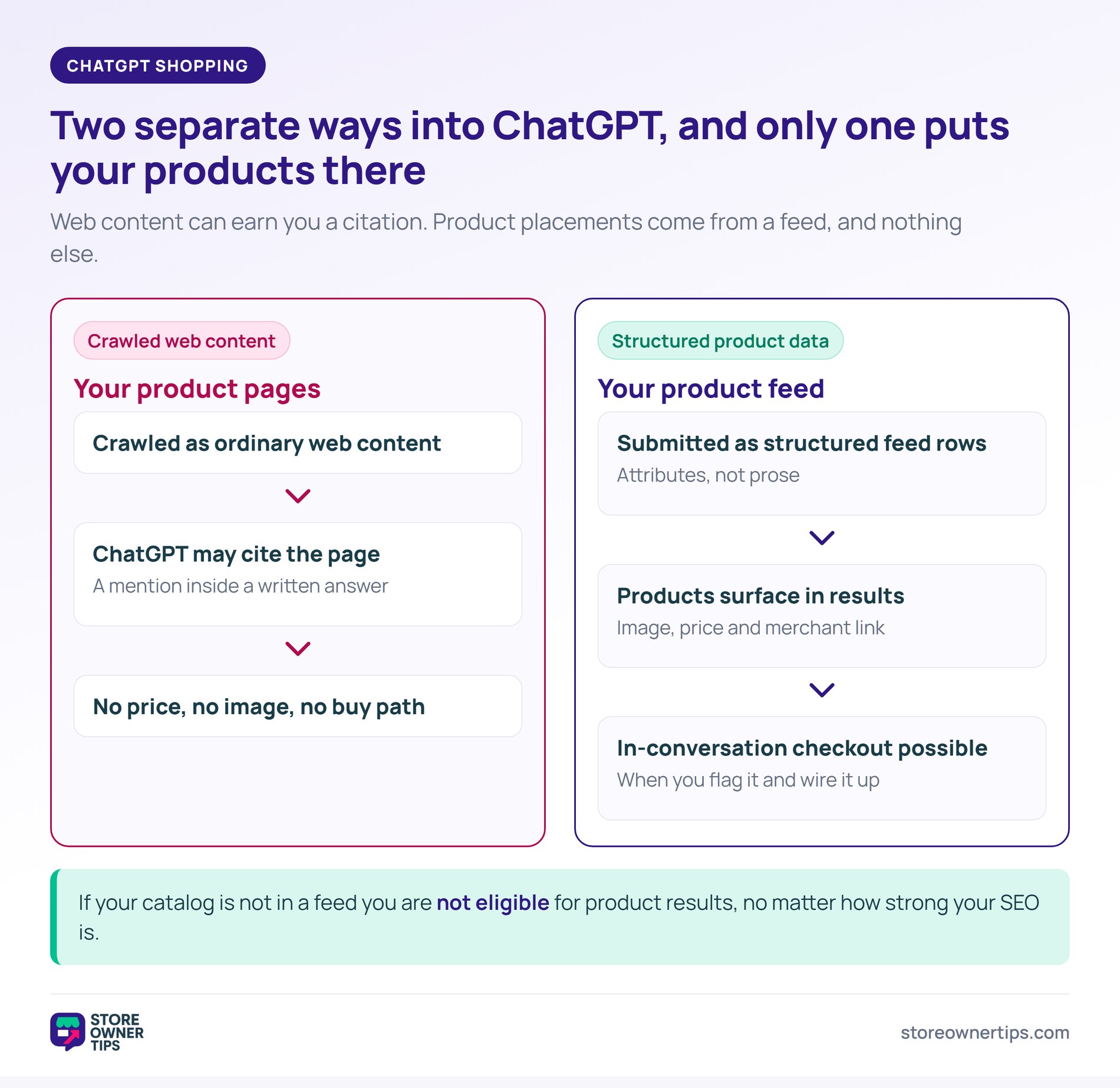
First, the results are built from structured product data, not from crawling your product pages. If your catalog isn’t in a feed, you’re not eligible, no matter how good your SEO is.
Second, the surface behaves like a comparison context. The shopper sees several options together. So your data quality decides whether you look credible next to the alternatives. That means accurate price, correct availability and a clear title.
This is a different mechanism from being cited in a ChatGPT answer, which happens through web content. Product surfacing runs on the feed.
A product data feed is a structured file listing your products with defined attributes. It’s generated on a schedule and read by an external platform.
If you’ve set up Google Shopping, you already know the pattern. Catalog goes in, feed comes out, platform reads it, products appear. The OpenAI version follows the same shape. Our guide to selling on Google Shopping with WooCommerce covers that groundwork if it’s new to you.
Where it differs is the field list and the emphasis.
What’s the same: a unique identifier per product, accurate pricing, availability, images and a clear title. Plus the discipline of keeping the feed synchronized with reality.
What’s different: OpenAI’s feed carries some merchant-level detail in the rows themselves. Your terms and privacy policy URLs sit in the feed once checkout eligibility is on. Each product also carries flags controlling where it may appear, which a shopping feed handles through account settings instead.
One caveat is worth knowing before you start mapping. OpenAI replaces any seller_name you upload with the merchant name registered to your account. In other words, your store identity comes from your account, not from that field.
The broader shift this sits inside is agentic commerce, where software acts on a buyer’s behalf. Feeds are how a store makes itself legible to that software. Owners can use the same kind of software on their side: connect ChatGPT to WooCommerce through an MCP server, and it can help run the store itself, from updating products to checking orders.
OpenAI’s product feed spec splits its attributes into required, conditionally required and optional. Getting that split right saves real time, because a feed missing a required field fails validation.
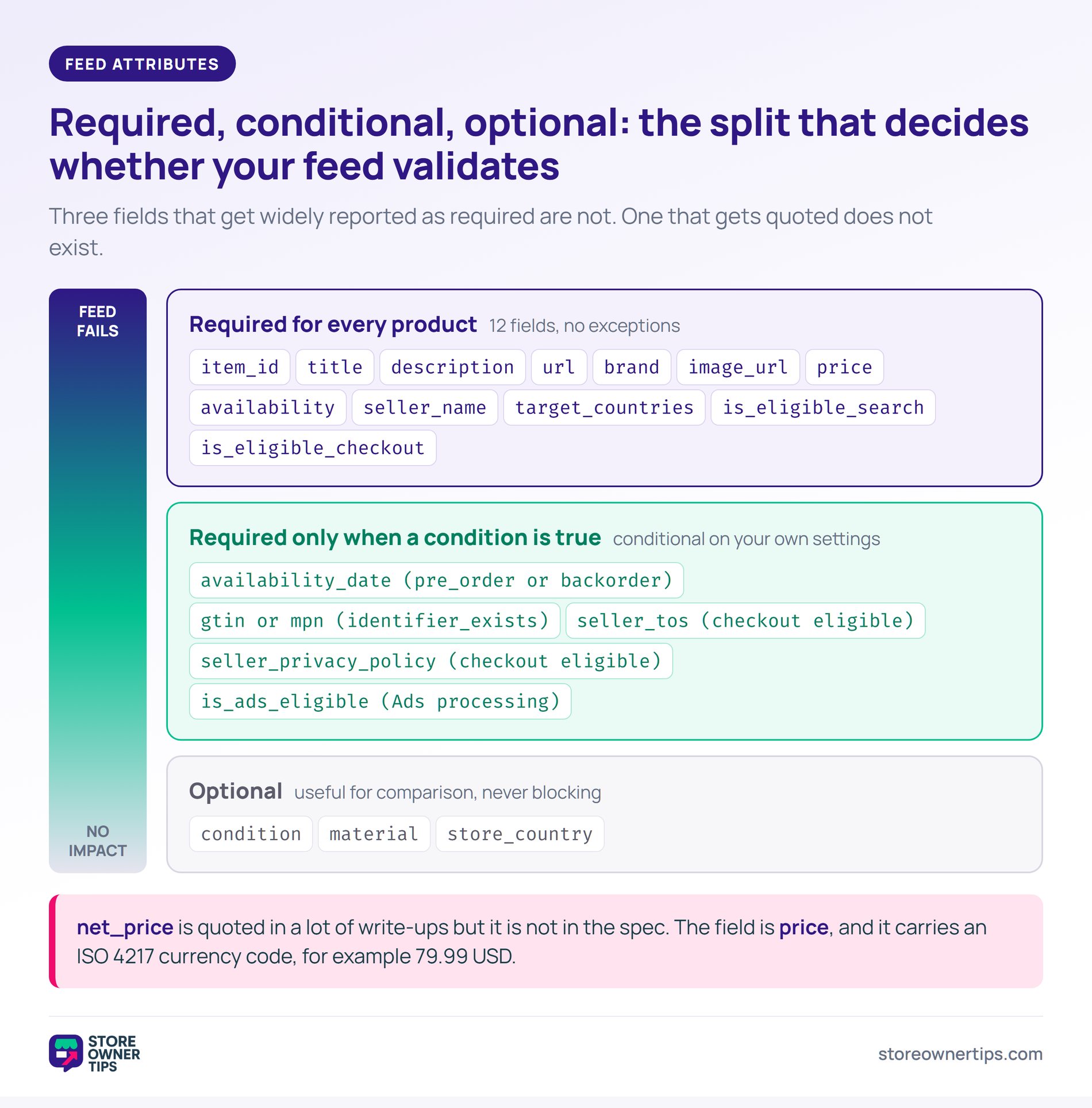
These attributes are required for every product:
| Attribute | What it is | Watch out for |
|---|---|---|
item_id | Your product ID, up to 100 characters | It has to stay stable, so don’t regenerate IDs on a catalog rebuild |
title | Product title, up to 150 characters | Truncation that cuts the detail shoppers search on |
description | Full description, up to 5,000 characters, plain text | Passing HTML straight through instead of plain text |
url | The product page URL | It must resolve with a 200, so check redirects |
brand | Product brand, up to 70 characters | Left blank on own-label products that do have a brand name |
image_url | Main product image | Placeholder or watermarked images |
price | Regular price with an ISO 4217 currency code, for example 79.99 USD | Sending a bare number with no currency code |
availability | One of in_stock, out_of_stock, pre_order, backorder, unknown | Free text instead of one of the accepted values |
seller_name | Your merchant display name | OpenAI overrides it with your registered merchant name |
target_countries | ISO 3166-1 alpha-2 codes for where the offer is valid | Defaulted to your base country, excluding markets you serve |
is_eligible_search | Whether the product may appear in ChatGPT search results | Left unset on the assumption a default applies |
is_eligible_checkout | Whether the product may be bought in-conversation | Switched on before the checkout integration exists |
A second group is required only in specific cases:
availability_date is required if availability is pre_order or backorder.gtin or mpn is required when identifier_exists is omitted or set to yes.seller_tos and seller_privacy_policy are required when is_eligible_checkout is true.is_ads_eligible is required for Ads processing and optional otherwise. is_eligible_ads is a legacy alias for it.Three fields that plenty of write-ups list as required are optional in the spec: condition, material and store_country. They’re still worth filling in where they’re genuinely relevant, since they help a shopper compare. A feed doesn’t fail validation without them, though.
Three areas cause most of the trouble in practice.
Price and currency. The field is price, and it takes a number plus an ISO 4217 currency code, like 79.99 USD. You may see net_price referenced elsewhere, but it isn’t in OpenAI’s spec.
The spec also doesn’t say whether the price should include tax. So if you sell tax-inclusive, match what your storefront displays. Then keep that choice consistent across the catalog.
The seller URLs. seller_tos and seller_privacy_policy become required the moment you flag a product eligible for checkout. Both need to point at real, live pages. It’s a common gap, particularly where a redesign changed the URLs, so check them before you build the feed.
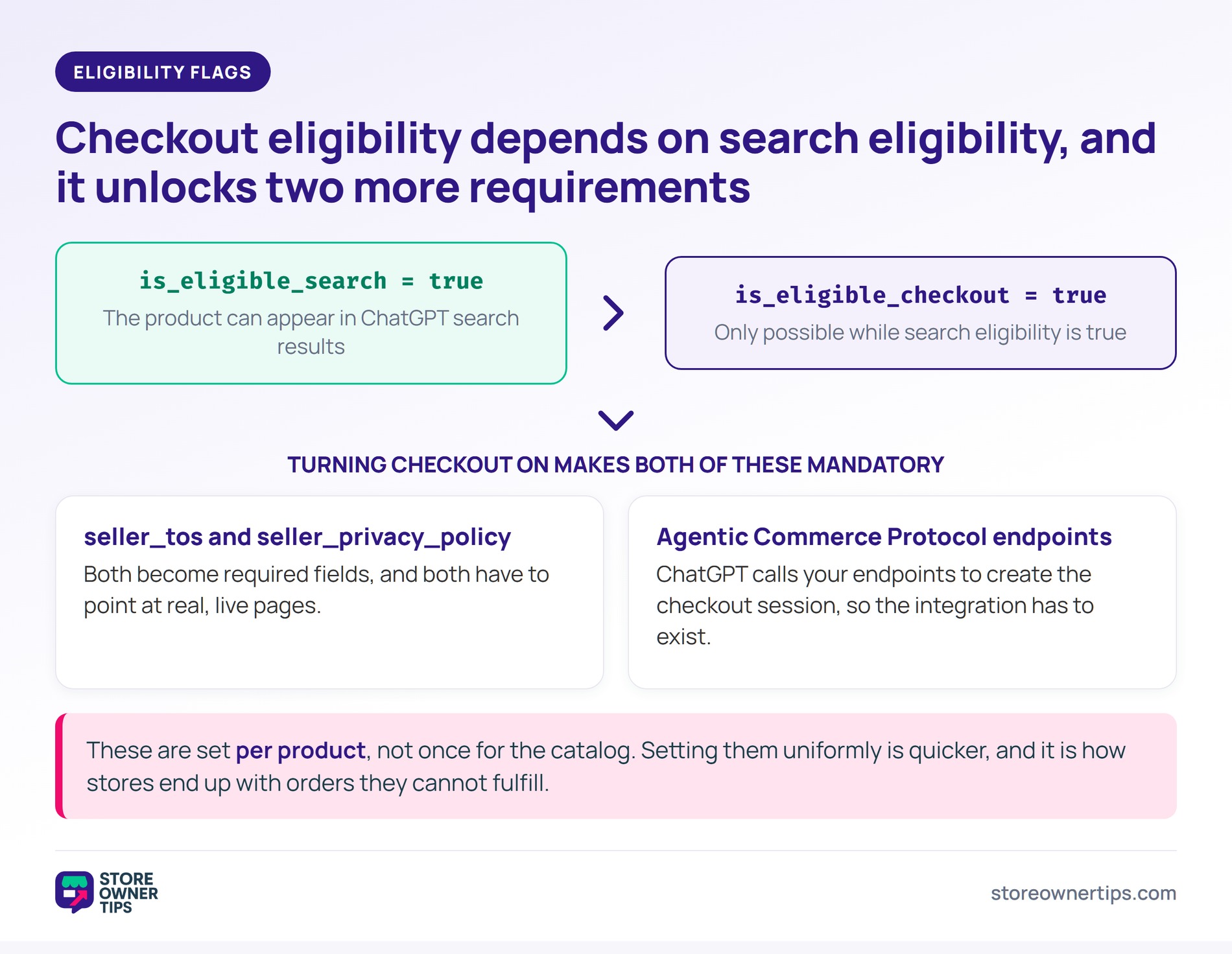
The eligibility flags. These are set per product, and is_eligible_checkout depends on is_eligible_search being true. So a product can’t be bought in-conversation without being searchable first.
In-conversation checkout also needs more than a flag. ChatGPT calls your Agentic Commerce Protocol endpoints to create the checkout session. Setting the flags uniformly across the catalog is quicker, but it’s how stores end up with orders they can’t fulfill.
WooCommerce doesn’t produce an OpenAI feed natively, so you need a feed plugin that supports the channel.
AdTribes offers a dedicated OpenAI product feed for WooCommerce template. The required attributes and their expected values are already defined. You map fields instead of researching which fields exist.
That’s the practical argument for a channel-aware tool over a generic exporter. The field list is opinionated and it changes, so keeping up with it becomes the tool’s job.
Worth checking which plan covers the channel before you commit. AdTribes splits features between its free plugin and the paid Elite tiers.
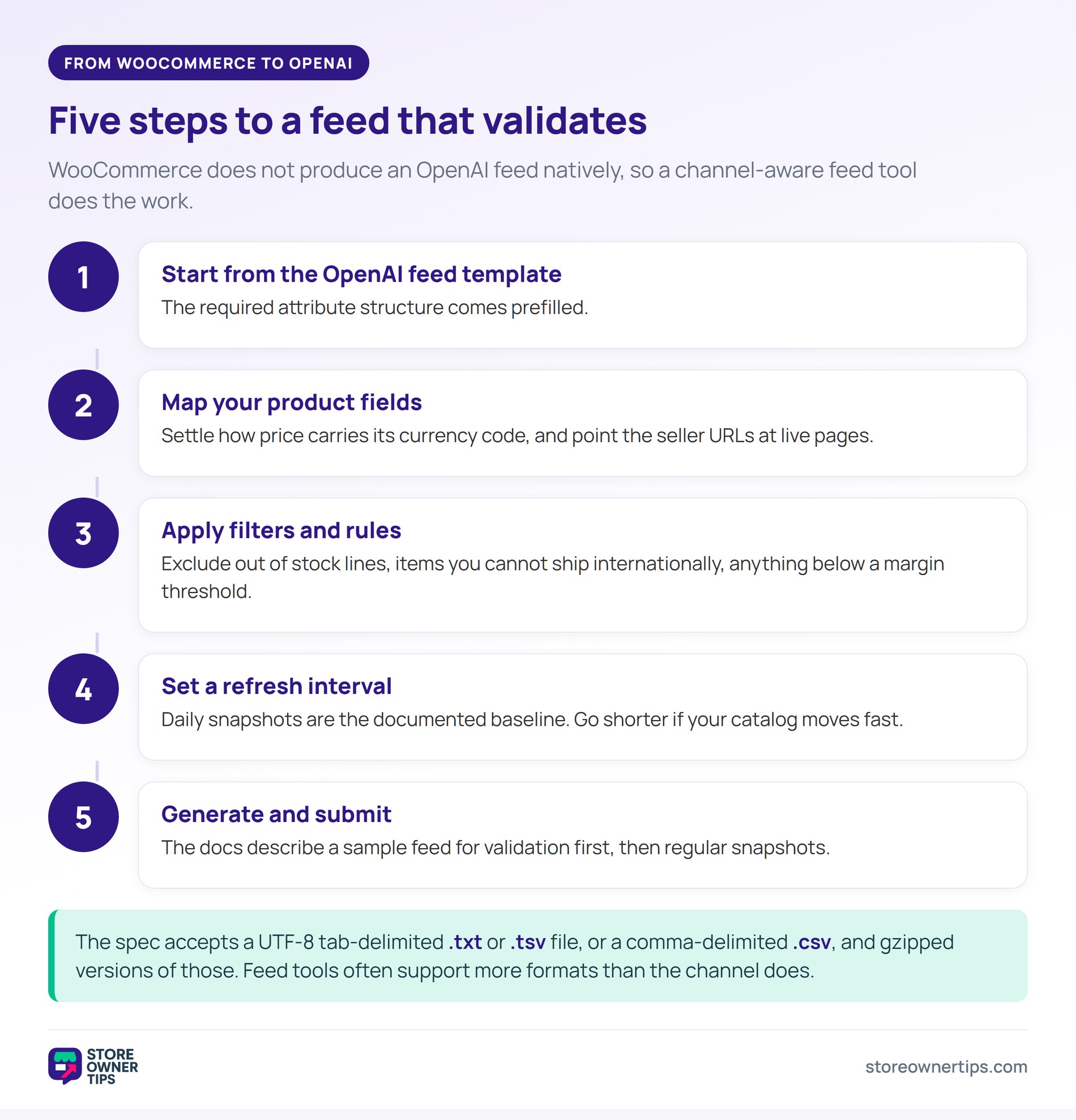
Once installed, the process runs like this:
price carries its currency code, and point seller_tos and seller_privacy_policy at live pages.On file format, the spec accepts a UTF-8 tab-delimited .txt or .tsv file, or a comma-delimited .csv. Gzipped versions of those work too. Feed tools often support more formats than the channel does, so check the spec when you set it up.
If you’re already running feeds for other channels, this is an additional channel rather than a separate system. That’s the main reason the effort is low for stores that already do this. Our roundup of WooCommerce product feed tools covers the alternatives if you’re choosing a feed plugin from scratch.
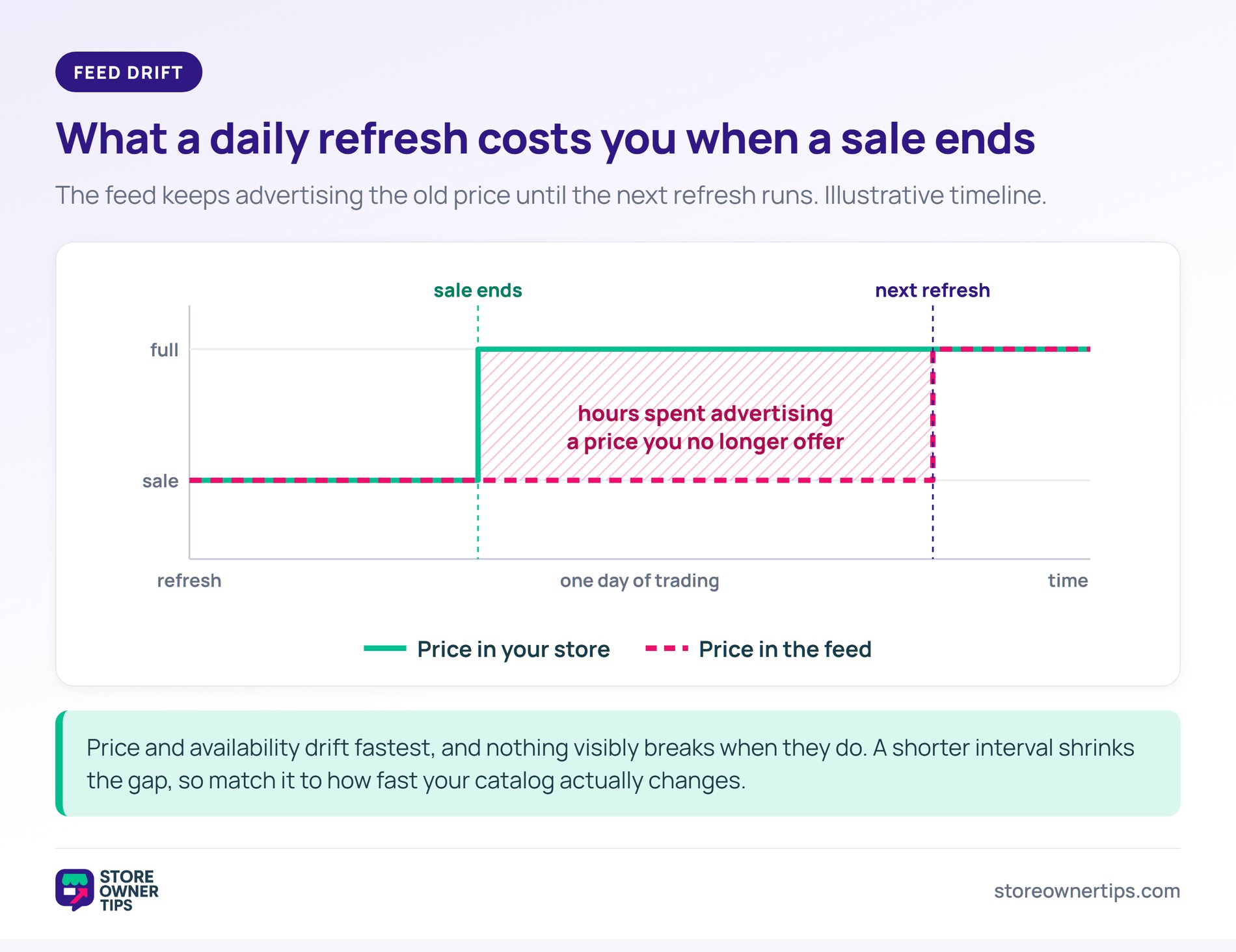
A feed’s value is entirely a function of whether it matches reality, and feeds drift quietly.
Price and availability drift fastest. A sale ends and prices go back up. A feed refreshing daily can then spend hours advertising a price you no longer offer. Meanwhile stock runs out, and products keep showing as available until the next refresh.
OpenAI’s docs describe daily snapshots as the baseline cadence. Above that floor, set the interval against how fast your catalog actually changes. A store running frequent promotions needs a shorter interval than one with stable pricing.
🔍️ What we’ve seen: stores set up a feed, verify it once, then never look at it again. Six months later it’s advertising discontinued products at last season’s prices. Nothing visibly broke, so nobody noticed. A recurring reminder to spot-check ten products against the live store takes five minutes and catches drift early.
Validation tooling helps here too. AdTribes added an OpenAI feed validator in August 2026. It checks required fields, accepted values, price and date formats, URLs and conditional requirements. It flags the specific records that need fixing, runs on a schedule, and separates errors from warnings.
Note that it sits on the Elite Plus and Business plans rather than the free plugin.
The consequence of an inaccurate feed is worse in a conversational surface than in a search result. A shopper shown a price that turns out to be wrong at checkout doesn’t just abandon. They learn the merchant is unreliable, in a context where the assistant is implicitly vouching for you.
Getting product data out of WooCommerce cleanly is a related skill. Visser Labs’ guide to exporting WooCommerce products walks through pulling your catalog out for review.
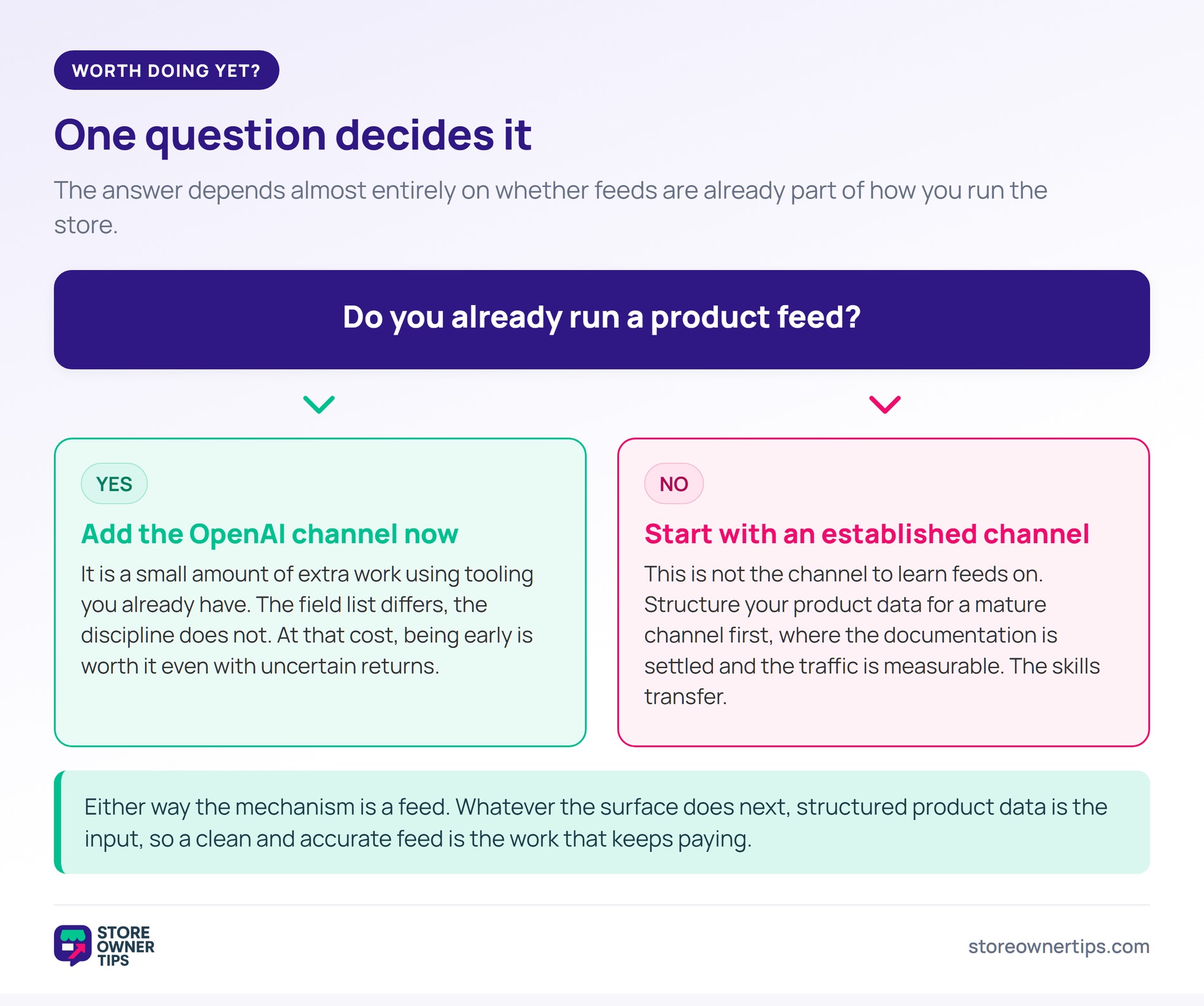
Honest answer: it depends almost entirely on whether you already run product feeds.
If you already run a shopping feed, adding an OpenAI channel is a small amount of extra work. You’ll be using tooling you already have. The field list differs, the discipline doesn’t. At that cost, being early is worth it even with uncertain returns.
If you’ve never run a feed, this isn’t the channel to learn on. Get your product data structured for an established shopping channel first. There the documentation is mature and the traffic is measurable. The skills transfer directly.
What is measurable is the direction of the underlying shift. In the second quarter of 2026, online sales hit 17.1% of total U.S. retail. That’s per the U.S. Census Bureau’s August 2026 release. E-commerce grew 12.2% year on year, against 6.7% for retail as a whole.
Online keeps taking share, and each new online surface is somewhere that share can move to.
Two things to be realistic about. The channel is new, so there’s little reliable public data on what volume it delivers. Any conversion figure you’re quoted deserves a hard look. Plus eligibility and requirements are still moving, so expect the field list to change.
What’s not speculative is that the mechanism is a feed. Whatever the surface does next, structured product data is the input. A store with a clean, accurate feed is positioned for it.
Publish a product feed containing your catalog with the required attributes. That list covers item_id, title, description, url, brand, image_url, price, availability, seller_name, target_countries and the two eligibility flags. Product surfacing runs on structured feed data rather than on crawling your website. So a feed is the mechanism, regardless of how well your product pages rank.
The discipline is the same, but the field list differs. Both need unique identifiers, accurate pricing, availability and images. The OpenAI feed also carries per-product eligibility flags, plus your terms and privacy policy URLs once checkout eligibility is on. Your merchant identity, though, comes from your registered account rather than the feed.
WooCommerce doesn’t generate one natively, so you need a feed plugin that supports the channel. A channel-aware tool is worth choosing over a generic exporter. The required attributes are specific and subject to change, and keeping current with them is what the tool is for.
OpenAI’s docs describe daily snapshots as the baseline. Above that floor, match the interval to how fast your catalog changes. Stores running frequent promotions or fast-moving stock need shorter intervals, because price and availability drift first. The cost of a stale feed is showing prices you don’t offer.
They control where each product may appear: in ChatGPT search results, in in-conversation checkout, and in advertising. They’re set per product, which lets you exclude items you can’t fulfill through a particular route. Checkout eligibility also depends on search eligibility being true. Setting the flags uniformly across the catalog is faster, but it produces orders you may not be able to service.

The useful conclusion is that this isn’t a new discipline. It’s an existing one pointed at a new surface. Stores that already treat their product data as a maintained asset will find this straightforward. Stores that treat it as a one-time setup will meet the same problems they meet everywhere else.
If you already generate feeds for other channels, adding this one is mostly configuration. The OpenAI product feed template in AdTribes covers the required attribute structure, field mapping and refresh scheduling. So the field list stays the tool’s problem rather than yours.

Copyright © StoreOwnerTips.com. All Rights Reserved.
