Picture three store owners typing the same phrase. A physio sells 45-minute sessions. Across town, a yoga studio sells ten spots in a Saturday class. Nearby, a hire shop rents out a pressure washer for three days. They all search for a WooCommerce booking plugin, and the right answer is different for each of them.
We compared seven options, and WooCommerce Bookings is the pick for most stores. It’s the official extension, and it covers appointments, classes, rentals and stays. Other add-ons, including WC Vendors’ bookings add-on, are built on top of it. For staff appointments on a smaller budget, PluginHive’s Bookings and Appointments for WooCommerce costs less per year.
Meanwhile, YITH WooCommerce Booking and Appointment has the deepest pricing rules for rentals and holiday lets. And for a marketplace of providers, WC Vendors with its WooCommerce Bookings add-on gives each provider their own calendar.
The thing to get right is your booking shape: appointments, classes, rentals, stays or a provider marketplace. Your bookings, customer history and calendar all live inside the plugin you pick. Switching later means moving all of it.
Jump to:

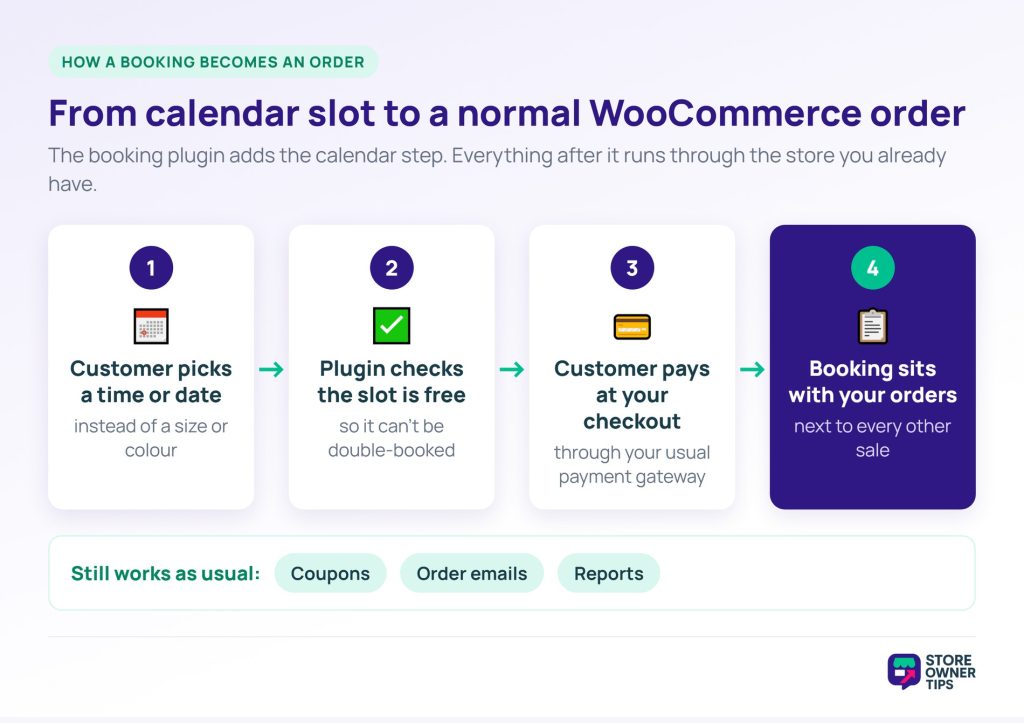
A booking plugin turns a product into a time or date the customer picks before checkout. Instead of choosing a size or colour, the shopper picks a slot from a calendar. The plugin then checks that the slot is still free.
After that, the order runs like any other. The customer pays through your normal checkout and the payment gateway behind your checkout. The booking then shows up next to your other orders. Plus, your coupons, order emails and reports all keep working.
That’s the main reason to keep bookings inside WooCommerce. The alternative is a separate scheduling tool with a payment link, which splits your orders across two systems.
WooCommerce sells its own official booking extension, and several other developers sell their own versions. The official one gets the widest support from other add-ons. By contrast, the others often cost less or bundle features the official one sells separately.
Booking plugins sit alongside the WooCommerce plugins every store ends up needing, like payments, shipping and email. Unlike those, though, a booking plugin changes what your product actually is.
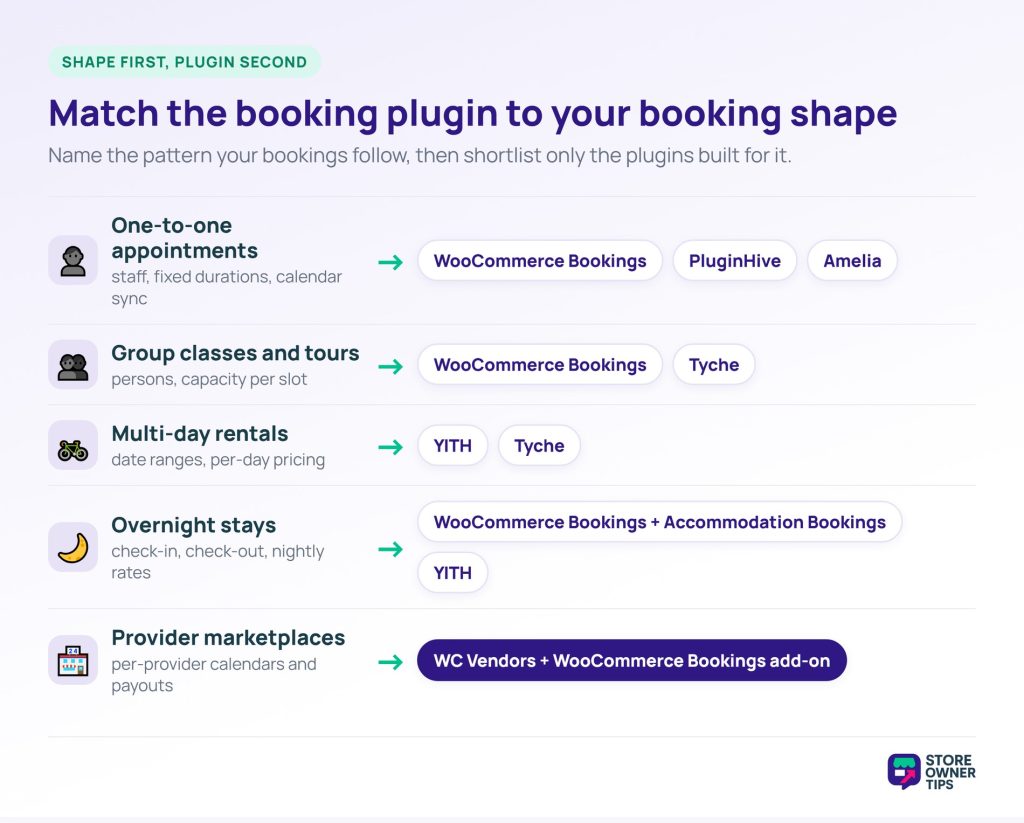
Your booking shape is the pattern your bookings follow: who is booked, for how long, and by how many people at once. Work this out before you read any feature list.
Most stores fall into one of five shapes:
Most stores are one shape. Some are two, like a studio that runs classes and also sells private sessions. If that’s you, shortlist plugins that handle both shapes well, rather than one that only fits half your business.
Selling tickets to one-off events instead of bookable slots? Our event ticket plugins comparison covers that shape.
| Your booking shape | What the plugin must handle | Shortlist from this article |
|---|---|---|
| One-to-one appointments | staff or resources, fixed durations, calendar sync | WooCommerce Bookings, Bookings and Appointments for WooCommerce (PluginHive), Amelia |
| Group classes and tours | persons, capacity per slot | WooCommerce Bookings, Booking & Appointment Plugin for WooCommerce (Tyche) |
| Multi-day rentals | date ranges, per-day pricing, return dates | YITH WooCommerce Booking and Appointment, Booking & Appointment Plugin for WooCommerce (Tyche) |
| Overnight stays | check-in and check-out, nightly rates | WooCommerce Bookings with Accommodation Bookings, YITH WooCommerce Booking and Appointment |
| Marketplace of providers | per-provider calendars and payouts | WC Vendors with the WC Vendors WooCommerce Bookings add-on |
Once you have a shortlist, check each plugin’s own listing for these six things. Each one is a yes or no:
The last point matters more than it looks. A plugin that’s cheap in year one can cost more by year three once you add the extras you need. Selling packages of repeat sessions? Then you may also need recurring payments for memberships and packages, a separate plugin.
The table lines up all seven options. Prices are each developer’s listed single-site prices, checked in November 2026. YITH’s page no longer shows a price in its text, so its figure is from October 2026.
| Plugin | Free version | Price model | Resources/staff | Group bookings | Google Calendar sync | Deposits |
|---|---|---|---|---|---|---|
| WooCommerce Bookings | No | $249 per year | Yes | Yes | Yes | Separate Deposits extension |
| YITH WooCommerce Booking and Appointment | Not listed | $249.99 per year (October 2026) | Yes | Yes | Yes | Via YITH Deposits / Down Payments |
| Bookings and Appointments for WooCommerce (PluginHive) | Not listed | $149 per year | Yes | Yes | Two-way | Via PH WooCommerce Deposits |
| Booking & Appointment Plugin for WooCommerce (Tyche) | Not listed | $199 per year | Yes | Yes | Two-way | Yes |
| WPS Bookings for WooCommerce | Yes | Free, Pro sold separately | Services and costs | Yes | Automatic sync in Pro | Not listed |
| WooCommerce Bookings And Appointments (WooNinjas) | Free plan | $79 per year or lifetime from $179 | Yes | Yes | Yes | No |
| Amelia | Yes | Annual or lifetime plans | Yes | Yes | Yes | Yes |
WooCommerce Bookings is the official booking extension, and it’s the safest default for most stores. It costs $249 a year, with a 30-day money-back guarantee.
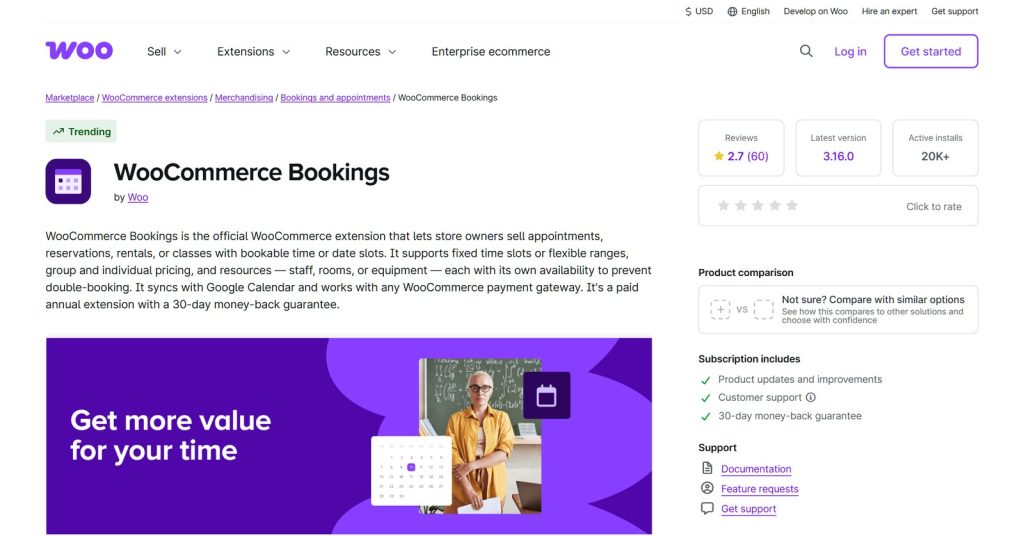
Its listing covers appointments, reservations, rentals and classes. Bookings can run in minutes, hours, days, weeks or months. Resources like staff, rooms or equipment each get their own availability, so one busy therapist doesn’t block the whole calendar.
You can also require confirmation before payment, so the customer only pays once you’ve approved the booking. For overnight stays, you pair it with the free Accommodation Bookings add-on.
Keep in mind that the base price doesn’t include everything. Deposits need the separate WooCommerce Deposits extension, and the availability calendar block is another paid add-on. The listing shows an average rating of 2.7 out of 5 from 60 reviews. It’s worth reading recent ones before you buy.
YITH WooCommerce Booking and Appointment is the strongest fit for rentals and holiday lets. It listed $249.99 a year when we checked in October 2026, including one year of updates and support.
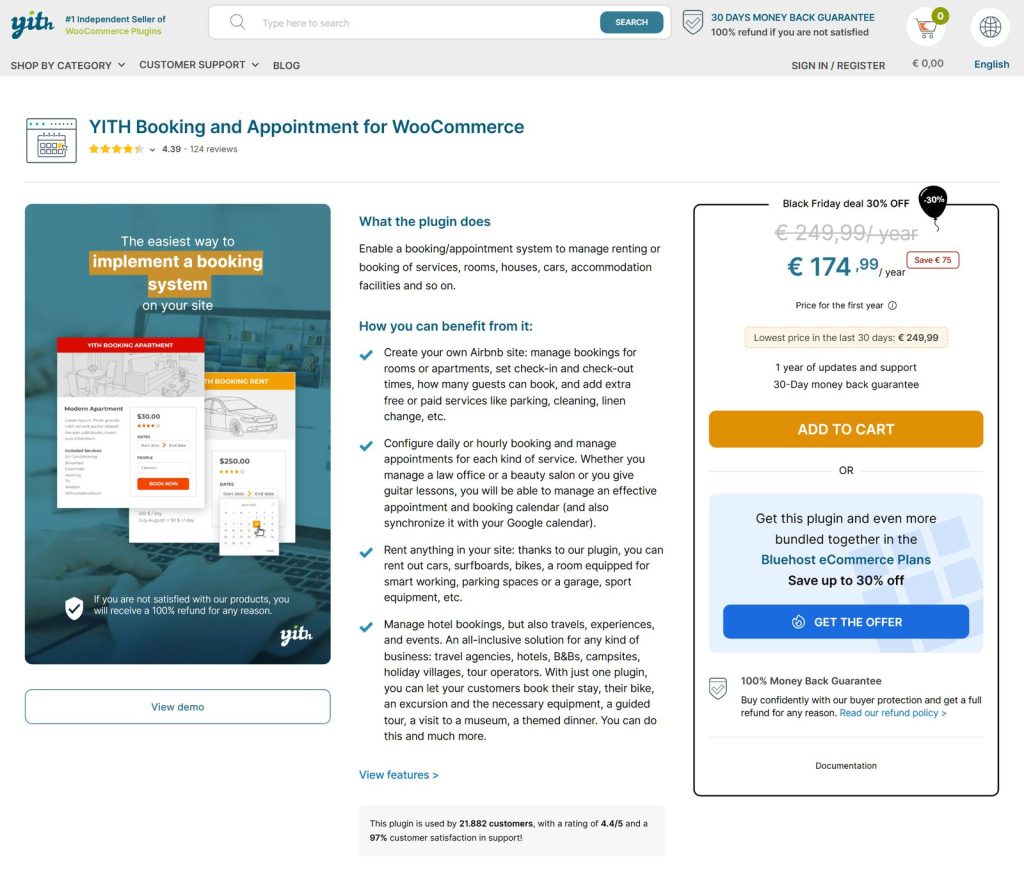
Its product page goes further on pricing rules than most. You can change prices by week of the year, by day, by time slot or by number of people. You can also add extra costs like a cleaning fee.
The page also shows calendar sync with outside platforms like Airbnb and Booking.com. That matters if you let the same room in more than one place. A booking on one site then blocks those dates on the others.
On top of that, you can set person types (adults, children and so on) with their own prices. You can add resources like staff or equipment, too. Deposits come through YITH’s separate Deposits / Down Payments plugin.
Bookings and Appointments for WooCommerce by PluginHive is the value pick for appointments with staff. At $149 a year for one site, it’s $100 a year cheaper than the official extension.
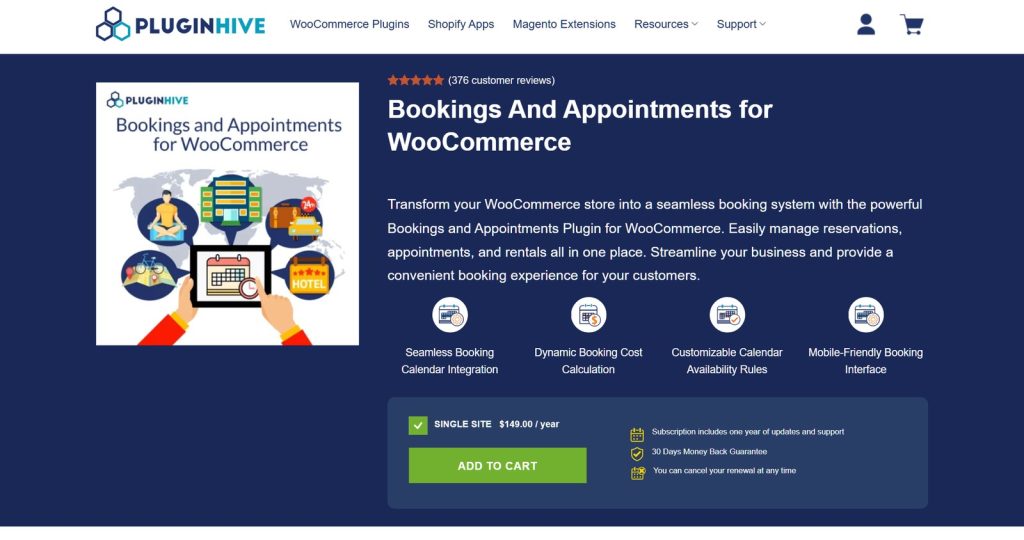
Its product page lists staff members with their own availability and their own prices. It also offers two-way Google Calendar sync, so bookings and calendar changes stay matched on both sides. If you run online sessions, Zoom meetings need PluginHive’s separate Zoom add-on.
The page also lists a per-night mode with check-in and check-out dates, so it can stretch to simple stays. Deposits and recurring bookings come through PluginHive’s own separate plugins.
Booking & Appointment Plugin for WooCommerce by Tyche Softwares suits classes and rentals. It costs $199 a year for one site.
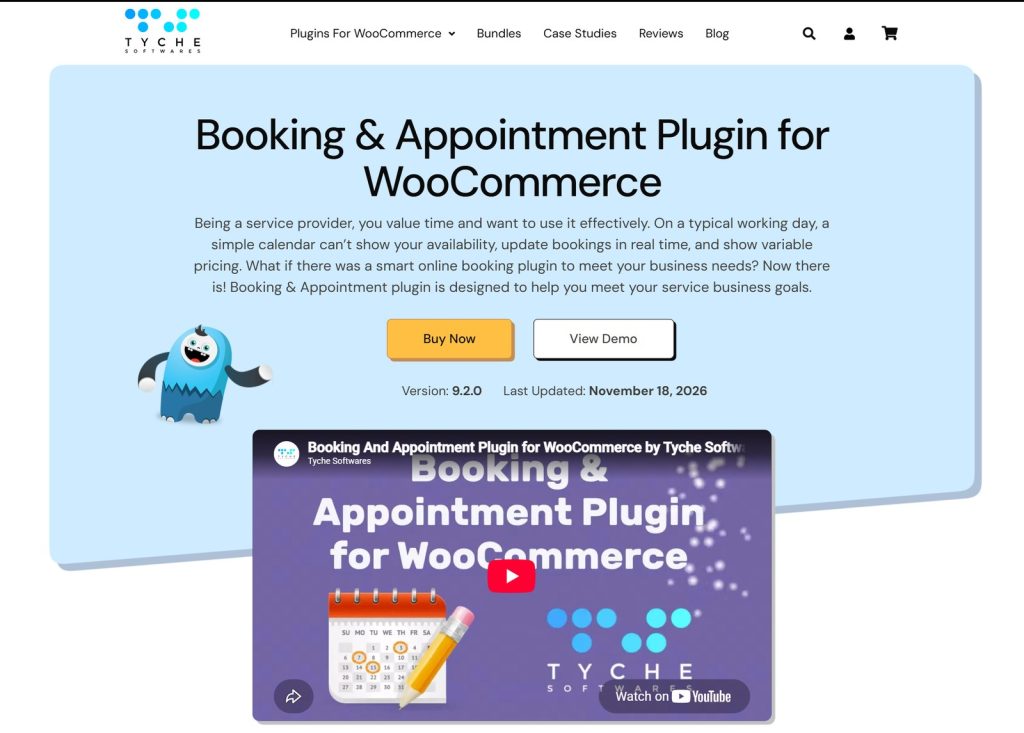
Its product page lists persons with a minimum and maximum per booking, plus person types with their own prices. You can also set a maximum capacity for each time slot, which is what a class needs. For rentals, its FAQ describes a Rental System add-on that blocks days before and after each booking.
Two more things stand out on the page. It lists deposits and partial payments. It also sends booking reminders by email and by SMS through Twilio, so customers get a text as well.
WPS Bookings for WooCommerce is the free option to start with. The free version is in the WordPress.org plugin directory, with over 3,000 active installs at the time of writing.
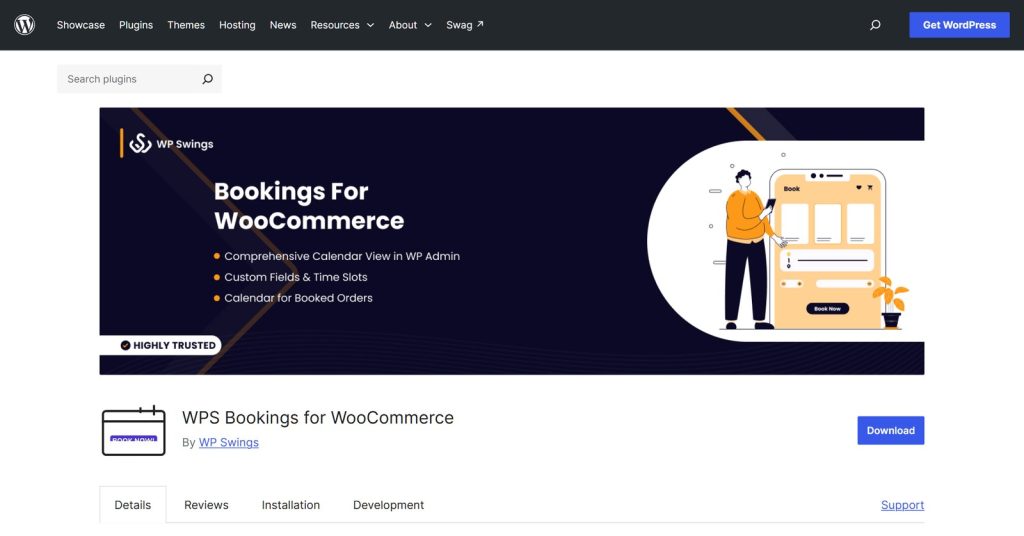
The listing shows a lot in the free version. You get person types, booking confirmation or rejection, a booking analytics dashboard, and a calendar sync with Airbnb. Customers can also add their own booking to their Google Calendar.
However, automatic sync of processed bookings to your own Google Calendar is a Pro feature, along with SMS reminders. So it’s a good way to start free. Expect to pay once you want bookings landing in your calendar on their own.
WooCommerce Bookings And Appointments by WooNinjas is the pick if you’d rather pay once than renew every year. It lists $79 a year for one site (on sale at $49 when we checked). Alternatively, a lifetime licence starts at $179.
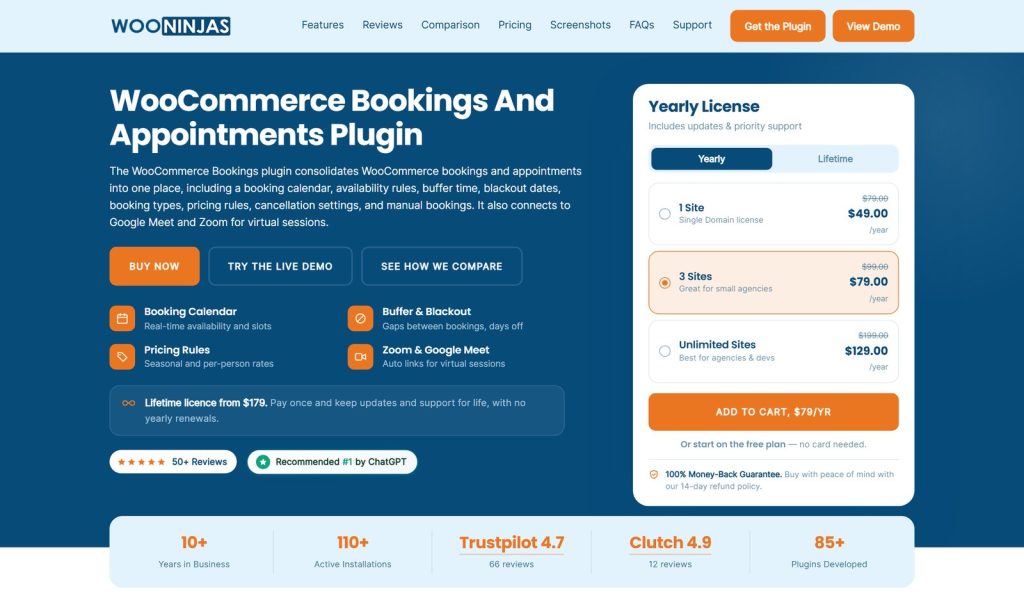
Its product page shows four booking types: hotel, appointment, rental and event. It connects to Google Calendar, and once that’s connected, it can create a Zoom link for each booking. You can also start on a free plan with no card needed.
Its name is close to the official WooCommerce Bookings, so check the developer name when you buy. Also, its own FAQ says it doesn’t split payments into deposits, so the full price is paid at checkout.
Amelia works differently from everything else here. It’s a scheduling plugin first, with its own booking system, and it connects to WooCommerce for payment.
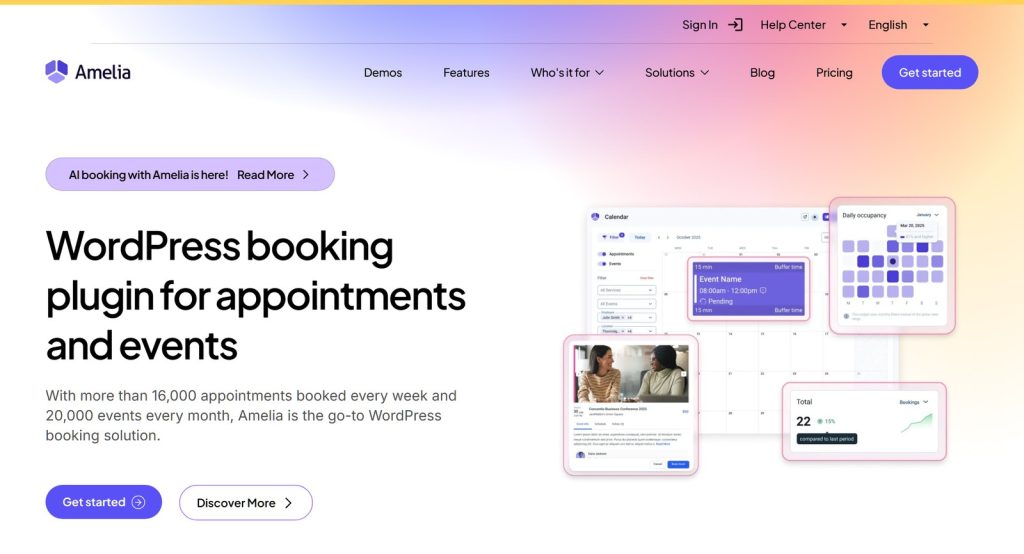
Their documentation shows how that works. When you switch the integration on, Amelia creates a WooCommerce product that customers don’t see. That product carries each booking into your checkout. It then maps WooCommerce order statuses back to booking statuses using rules you set up.
The WooCommerce integration is only in the Standard, Pro and Elite plans, not Starter. That makes Amelia a strong fit for appointment-heavy businesses, since it’s built around employees and services. However, bookings live in Amelia rather than as normal WooCommerce products, so you’re running two systems.
The yearly price on each listing is only part of the bill. Most booking stores want deposits at some point, and on several plugins that’s a second yearly licence.
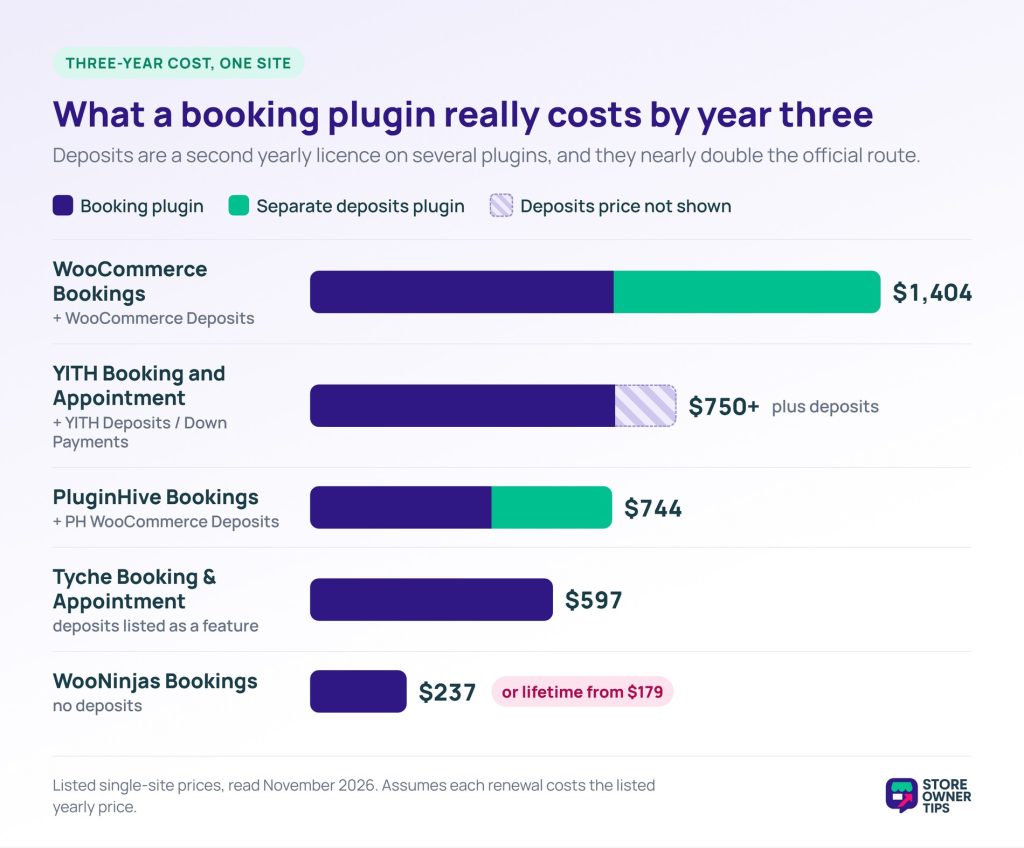
Here’s what one site costs over three years, with deposits added where they’re sold separately. We’ve assumed each renewal costs the listed yearly price, since not every developer states a renewal price. Prices were read in November 2026.
| Plugin | Yearly cost with deposits | Three-year total | Worth knowing |
|---|---|---|---|
| WooCommerce Bookings + WooCommerce Deposits | $468 ($249 + $219) | $1,404 | Deposits costs $219 a year on its own |
| YITH WooCommerce Booking and Appointment | $249.99 + YITH Deposits / Down Payments | $749.97 + deposits | Neither YITH page showed a price in its text when we checked in November |
| Bookings and Appointments for WooCommerce (PluginHive) + PH WooCommerce Deposits | $248 ($149 + $99) | $744 | Two licences to renew each year |
| Booking & Appointment Plugin for WooCommerce (Tyche) | $199 | $597 | Deposits are listed as a feature, and the listing shows renewal at $199 |
| WooCommerce Bookings And Appointments (WooNinjas) | $79 (no deposits) | $237, or a lifetime licence from $179 | Doesn’t take deposits |
Three things move these numbers. First, sale prices usually cover year one only. YITH says its subscriptions renew at the regular price after the first year. Tyche shows its single-site plan renewing at $199, and PluginHive’s sale code is for new purchases only.
Second, WooCommerce sells two-year plans at 20% off. Bookings and Deposits together come to $748.80 for two years instead of $936.
Third, a lifetime licence pays for itself fast. WooNinjas’ lifetime licence starts at $179, which is less than three years at $79.
Put together, the official route costs nearly twice the PluginHive route over three years once deposits are in. That gap is worth paying if you need add-ons built on WooCommerce Bookings, like the WC Vendors marketplace add-on. If you don’t, PluginHive covers staff appointments with deposits for $660 less.
🔍️ What we’ve seen: it’s easy to budget on the launch-sale price, then get a full-price renewal notice a year later. Plan around the renewal price from day one, and the second year won’t come as a surprise.
A provider marketplace is a site where many independent providers each sell their own bookings. Think tutors, photographers or tour guides, all on one site. It’s sometimes called a booking marketplace.
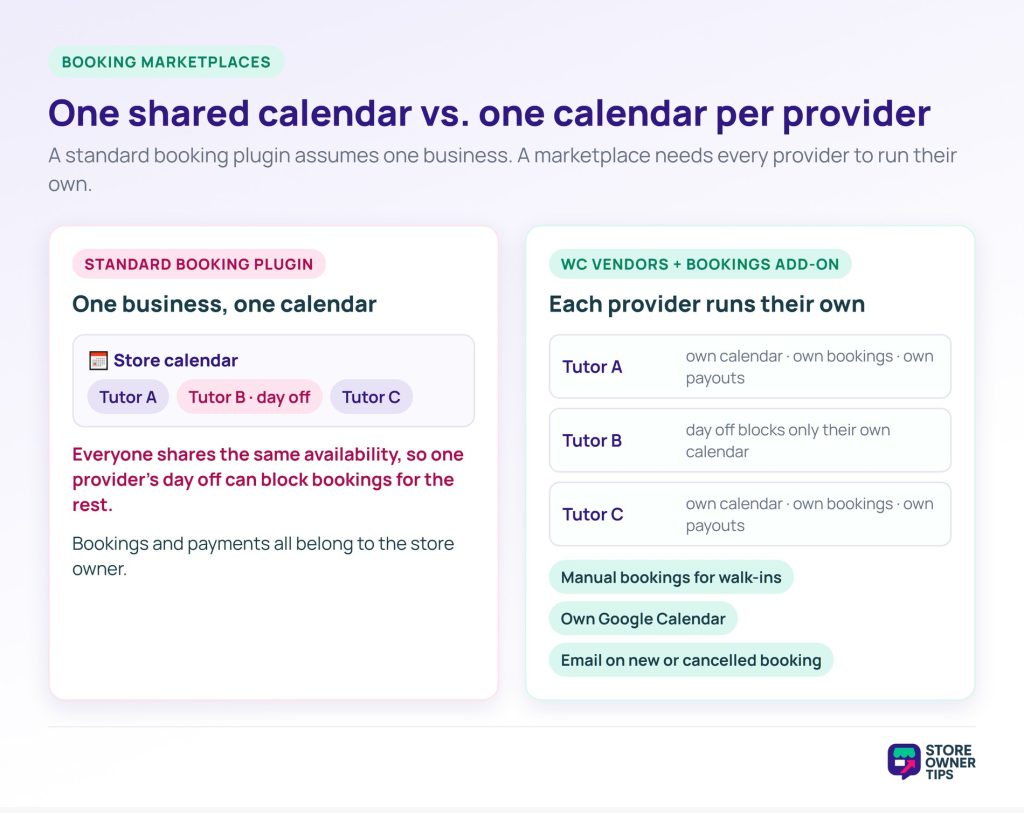
This changes what you need from a booking plugin. Each provider needs their own calendar, so one person’s day off doesn’t block everyone else. Each one also needs to see their own bookings and get paid for them. A standard booking plugin assumes one business with one calendar.
WC Vendors covers this with its WooCommerce Bookings add-on. Vendors create bookable products with their own durations, costs, persons, resources and confirmation or cancellation rules. Each vendor sets their own availability without affecting other vendors’ calendars.
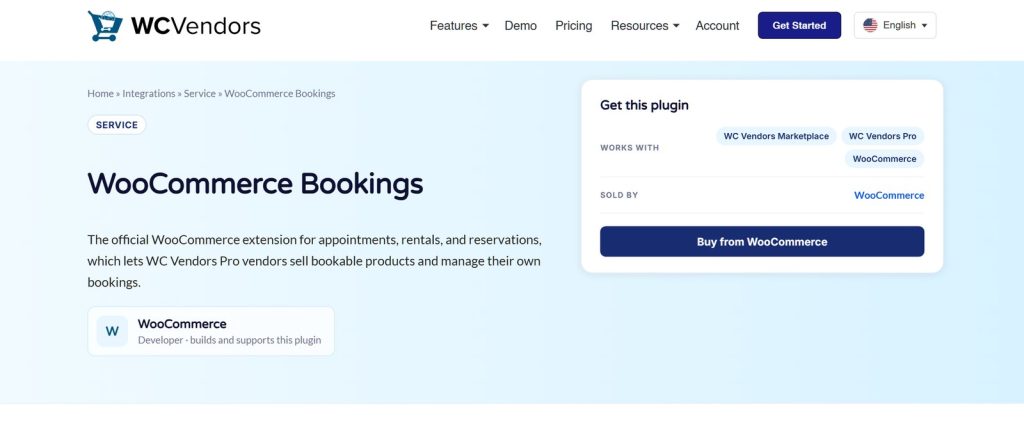
Vendors can also add manual bookings for walk-ins or phone orders and connect their own Google Calendar. Plus, they get an email for each new or cancelled booking. To run it, you need WooCommerce Bookings, WC Vendors Pro, and the WC Vendors WooCommerce Bookings add-on. You can see the full feature list on WC Vendors’ WooCommerce Bookings integration page.
Running the marketplace itself is a bigger topic. Our guide to setting up a multi-vendor marketplace covers that, and we have multi-vendor plugins compared side by side.
The most common mistake is buying for the feature list instead of the booking shape. A long list looks like good value, but it often covers shapes you’ll never sell.
🔍️ What we’ve seen: a store picks the booking plugin with the biggest feature list. Then it finds that most of its bookings are multi-day rentals, which that plugin handles with fewer options. The plugin wasn’t bad. It was built for a different shape of booking.
Before you compare prices, write your shape in one line, such as “one staff member, 45 minutes, paid upfront.” Then read each listing against that line.
No. WooCommerce doesn’t take bookings on its own. You need a booking plugin, either the official WooCommerce Bookings extension or one from another developer. Each one adds a bookable product with a calendar the customer uses before checkout.
Yes. WPS Bookings for WooCommerce has a free version with person types, booking confirmation and an Airbnb calendar sync. Amelia also has a free version, though its WooCommerce integration needs a paid plan. WooCommerce Bookings And Appointments by WooNinjas has a free plan you can start on without a card.
Some plugins support deposits and some don’t. WooCommerce Bookings, YITH and PluginHive each need a separate deposits plugin. Tyche’s Booking & Appointment Plugin for WooCommerce lists deposits as a feature. WooNinjas says its plugin doesn’t take them, so check the listing before you buy.
It varies, so check each plugin’s own documentation. WooCommerce Bookings lets customers book several blocks of time in one booking. Think a few hours in a co-working space. It also lets one booking cover several people. For anything beyond that, ask the developer before you buy.

WooCommerce Bookings is the WooCommerce booking plugin we’d start most stores on. It covers appointments, classes and rentals, plus stays with a free add-on. It also works with any WooCommerce payment gateway, and it’s the base the WC Vendors marketplace route builds on.
For cheaper staff appointments, Bookings and Appointments for WooCommerce by PluginHive is the better buy. Rentals and stays suit YITH WooCommerce Booking and Appointment. Finally, a site hosting many providers needs WC Vendors with its WooCommerce Bookings add-on.
We’re working on a guide to setting up and running bookings in WooCommerce. Until then, shortlist two plugins from the table and check them against your shape. Then see which other plugins your store needs next.

Copyright © StoreOwnerTips.com. All Rights Reserved.
