Weekly ecommerce tips, deals & news.
Cross-selling is the practice of recommending extra products that go with what a shopper is already buying. Think of a phone case offered alongside a new phone. The goal is a bigger, more useful order, not a pushier one. In WooCommerce, cross-sells usually appear on the cart page. Done well, they raise your average order value while helping customers finish their purchase.
Cross-selling starts with linking products that naturally belong together. In WooCommerce, you set this up under a product’s Linked Products tab. You choose the cross-sell items, and they appear on the cart page. WooCommerce and Shopify both support this, though Shopify usually leans on apps.
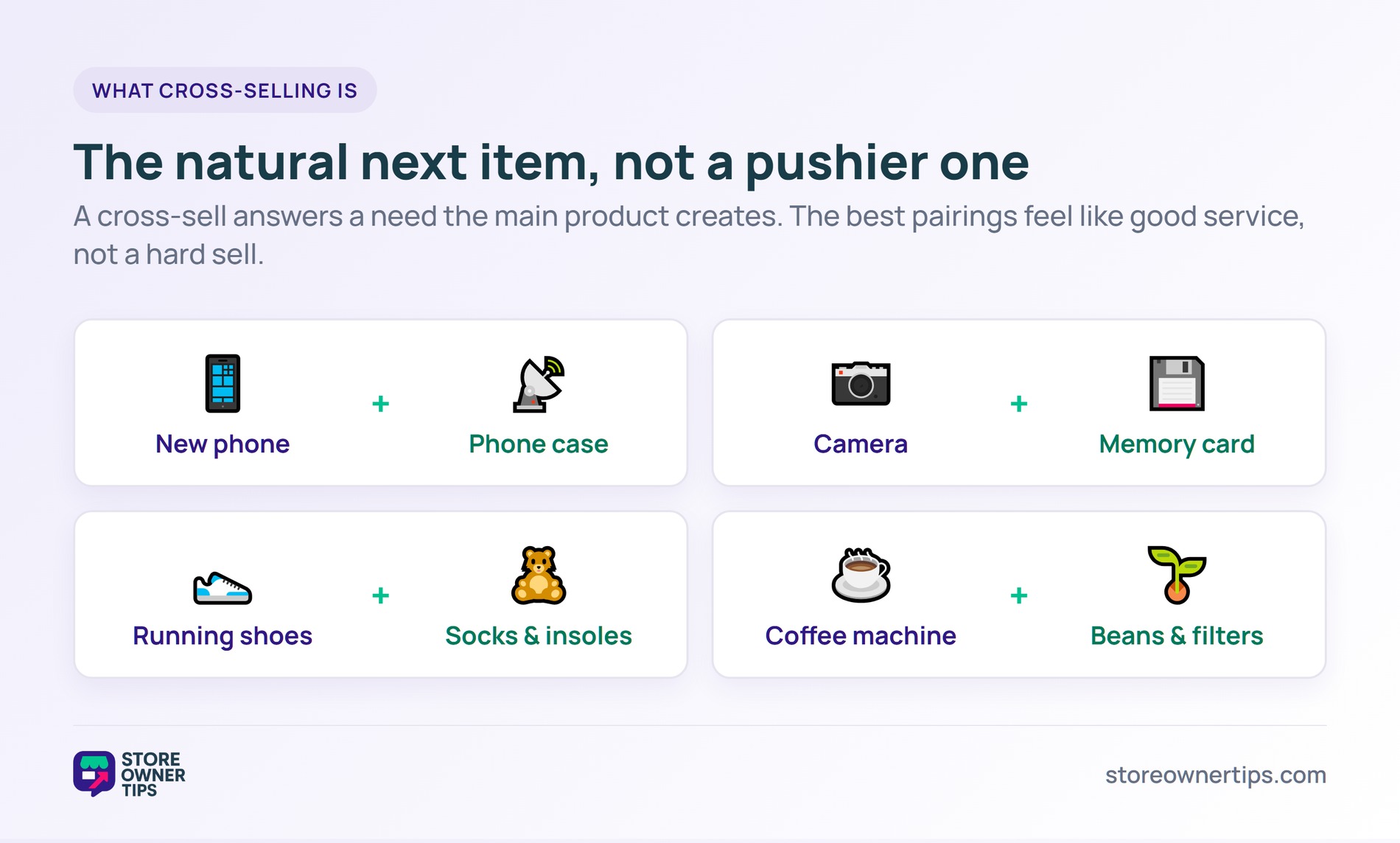
Cross-sells differ from related products, which WooCommerce generates on its own from shared categories and tags. A cross-sell is a deliberate pick, not an automatic one. That control is what makes it powerful. You decide exactly which filter pairs with each coffee machine.
The setup itself is quick. Open a product, scroll to the Product data box, and open the Linked Products tab. In the Cross-sells field, type and select the items you want to suggest. Save the product, and those offers show on the cart page whenever it is in the cart.
By default, WooCommerce only shows a cross-sell when its linked product is in the cart. That keeps each suggestion tied to a real choice the shopper just made. It also means mismatched carts stay clean and focused.
You can also choose how cross-sells get picked. Selecting them by hand gives you full control over each pairing. Automated tools instead use browsing and purchase data to surface matches at scale. Many stores blend both, hand-picking hero pairings and automating the rest.
Cross-selling works because it solves a need the shopper hasn’t named yet. Someone buying running shoes still needs socks and insoles. Offering them at the right moment feels helpful, not salesy. It taps the same instinct as an impulse purchase near the register.
Timing matters as much as the offer itself. In the cart, you catch the shopper while their wallet is already open. The main purchase also acts as an anchor. Next to a $120 machine, a $14 add-on feels small.
Convenience seals the deal. One combined order means the shopper avoids a second search later. That ease is part of the value you’re offering. A good cross-sell saves time as much as it sells a product.
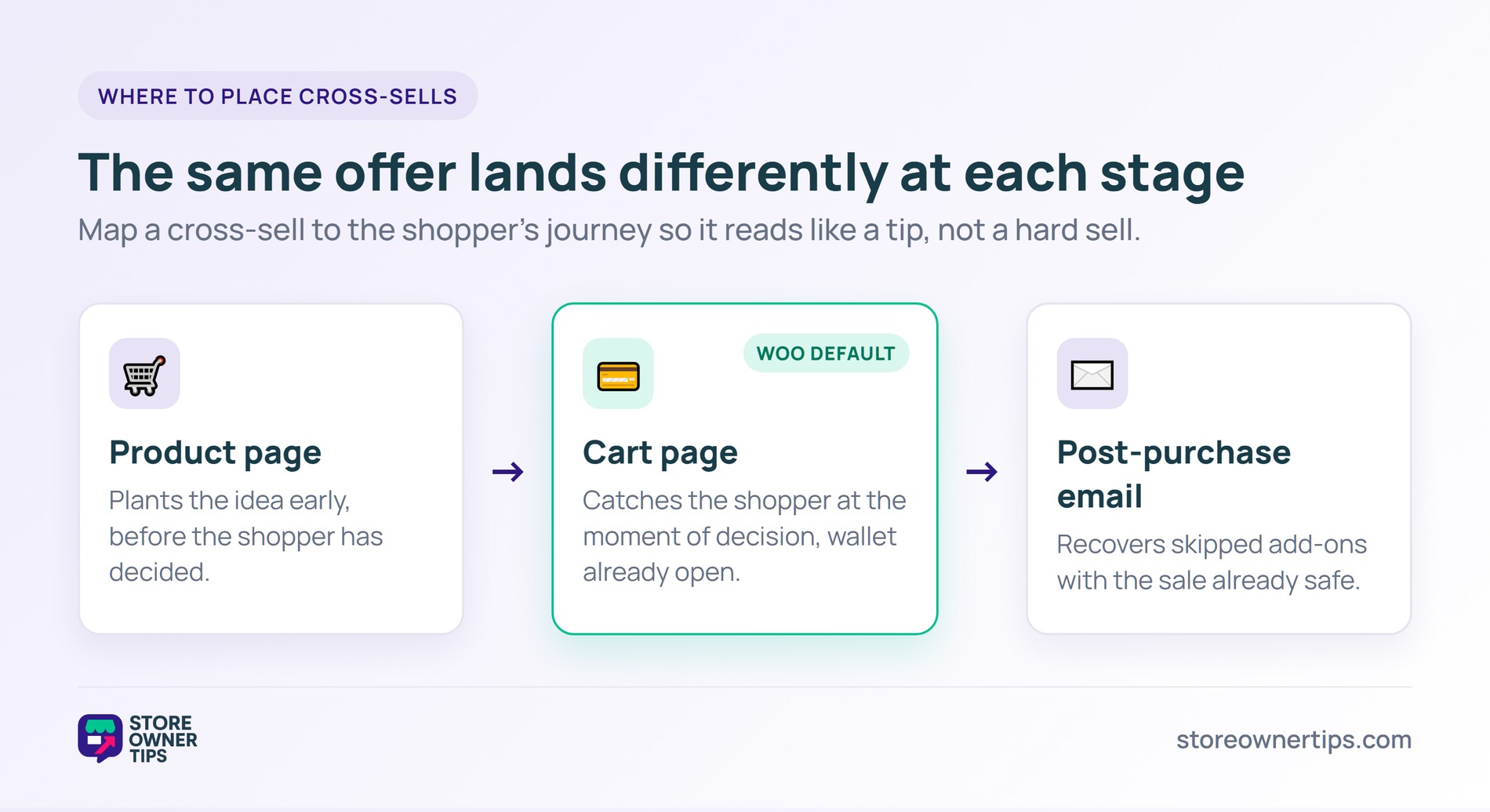
The same offer can feel helpful or pushy depending on where it lands. So it helps to map cross-sells to each stage of the visit. On the product page, a cross-sell plants an idea early. In the cart, it catches the shopper at the moment of decision.
Post-purchase offers are easy to overlook. After checkout, a short email can recover the add-ons a shopper skipped. The sale is already safe, so there’s no risk of derailing it. A follow-up suggesting filters for a new machine often converts well.
Wherever it appears, a cross-sell should read like a tip, not a hard sell. A single, well-matched suggestion beats a wall of options. Frame it around the shopper’s goal, not your inventory. The right nudge in the right spot does the rest.
Relevance is the line between helpful and annoying. The best cross-sells answer a need the main product creates. A camera needs a memory card. A dress pairs with a clutch.
Use real signals to choose them. Purchase history, what others bought together, and simple category logic all help. AdTribes breaks this down in its guide to ecommerce product recommendations. Avoid pushing something a shopper would never want next to their cart.
A few habits quietly drag down results. Crowding the cart with offers triggers choice overload, so shoppers freeze. Pricing the add-on near the main item makes it feel like a second purchase. Review what actually converts, then retire the pairings that don’t.
Context also shapes relevance. A gift buyer wants wrapping or a card, while a power user wants accessories. The same product can call for different add-ons depending on who is buying. Smart stores tailor the pairing to the shopper, not just the product.
Cross-selling targets people who are already buying from you. That matters, because acquiring a new customer costs five to 25 times more than keeping one. You’ve already paid to bring this shopper to the cart. A relevant add-on pulls more value from the same visit.
It also compounds over time. Larger orders raise your average order value and your lifetime value. Most stores want a healthy LTV to CAC ratio. Shopify pegs 3:1 as a good target.
The effect builds with every order. A customer who adds beans to each machine purchase is worth far more than a one-time buyer. Relevant add-ons also signal that you understand their needs. That trust is what brings shoppers back.
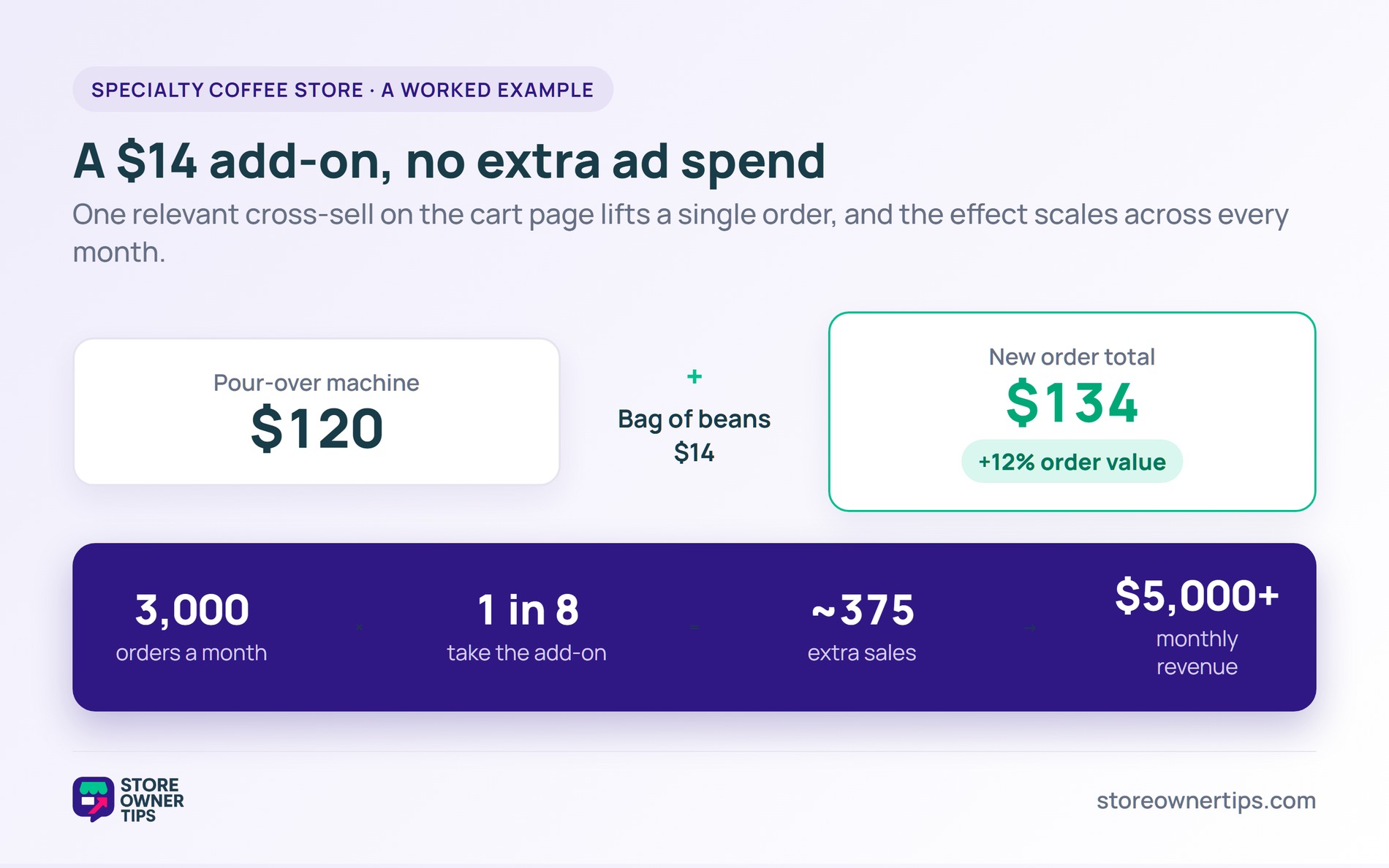
Imagine a mid-sized store that sells specialty coffee gear. A shopper adds a $120 pour-over machine to the cart. On the cart page, the store shows two cross-sells. One is a $14 bag of beans, the other a $9 pack of filters.
The shopper grabs the beans. The order climbs from $120 to $134. That’s a 12% lift with no extra ad spend. Small wins like this add up fast.
Timing helped too. The offer appeared right as the shopper reviewed the cart. That is the exact moment they had already decided to buy. A nudge then feels natural rather than disruptive.
Here’s why it scales. Recommendations reach a small share of shoppers but punch above their weight. Salesforce found the 6% of shoppers who used recommendations drove 32% of digital revenue one Black Friday.
Now scale the coffee store. Say it processes 3,000 orders a month. If one in eight shoppers takes the $14 add-on, that’s about 375 extra sales. That’s over $5,000 in monthly revenue from suggestions alone.
Relevance carried the whole result. Beans and filters are exactly what a pour-over buyer needs next. A random phone charger in that cart would have been ignored. None of it needed a new ad campaign.
Cross-selling and upselling get mixed up constantly, but they pull different levers. Cross-selling adds a separate, complementary product to the order. Upselling swaps the chosen item for a pricier or upgraded version.
A burger example makes it clear. Want fries with that is a cross-sell. Want to go large is an upsell.
Picking between them comes down to the shopper’s mindset. If someone wants the best single item, upselling fits. If they’re building toward a complete setup, cross-selling fits. Reading that intent is the real skill.
In practice, the line often blurs. A frequently bought together block can mix an upgrade with an add-on. What matters is that each suggestion genuinely helps. Both can overlap with product bundling, where items sell together as a set.
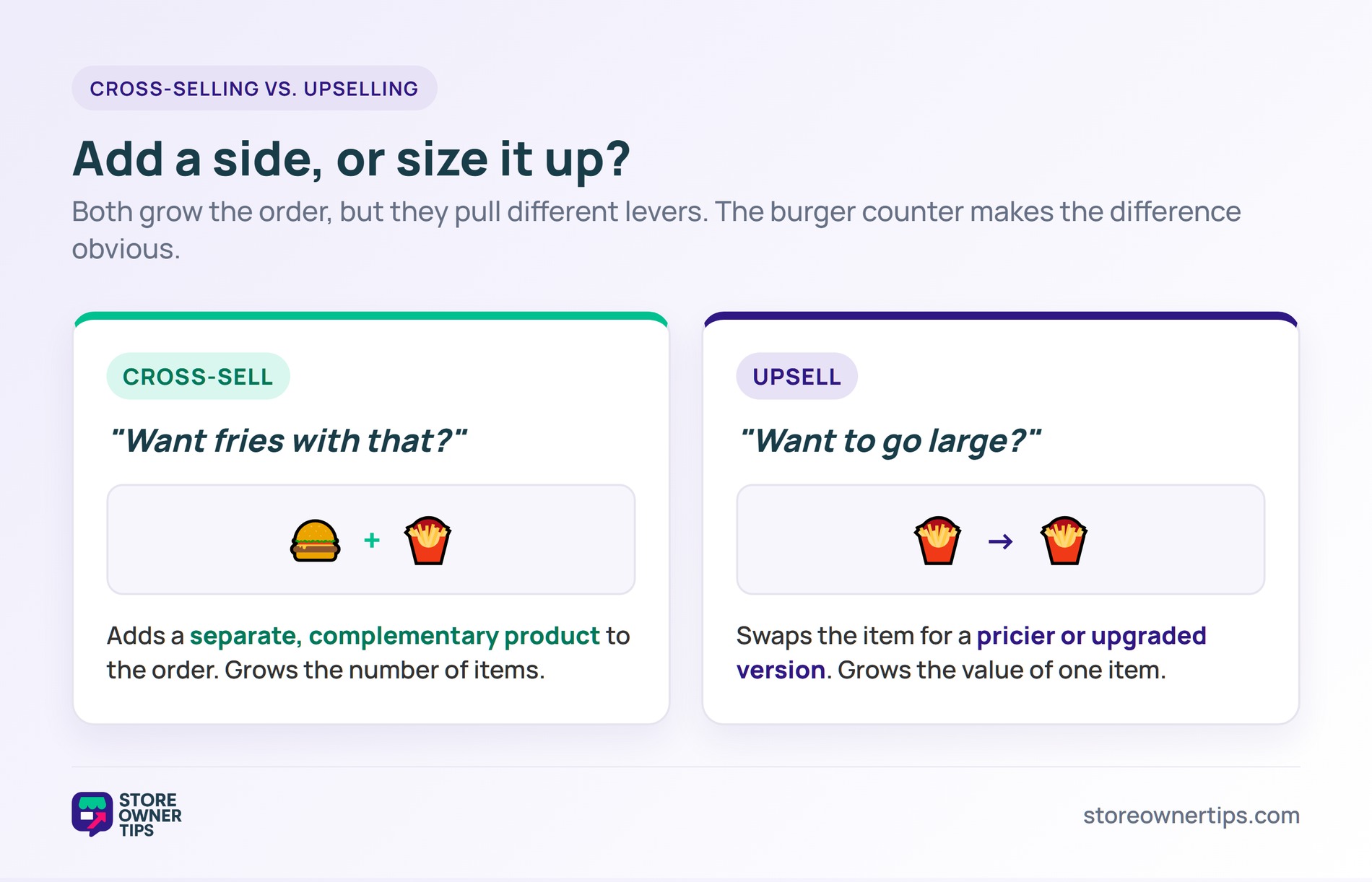
Cross-selling adds a complementary product, like socks with shoes. Upselling offers a better or pricier version of the same product. Cross-selling grows the number of items, while upselling grows the value of one item. Think of upselling as a bigger burger and cross-selling as adding fries.
By default, WooCommerce shows cross-sells on the cart page, below the listed items. You set them per product under the Linked Products tab. They only appear when a linked product is already in the cart. This keeps each suggestion tied to what the shopper picked.
Keep it short, usually two to four items. Too many choices trigger decision fatigue and can hurt conversions. Pick add-ons that genuinely pair with the main product. Test a couple of pairings and keep the ones that lift your order value.
Cross-selling is one of the cheapest ways to grow revenue, because it works on customers you already have. When the suggestions are relevant, they help shoppers and lift your order value at the same time. The stores that win treat each order as a chance to be useful, not just to sell more. Treat it as a service, not a sales pitch, and it pays off for years.
Copyright © StoreOwnerTips.com. All Rights Reserved.
