Weekly ecommerce tips, deals & news.
Gift options are the store settings that let a shopper mark an order as a gift and personalize it. Gift options usually cover three things: gift wrapping, a gift message, and hiding prices from the recipient. Stores can show them on the product page, in the cart, or at checkout. Those choices then travel with the order so the packing team handles it correctly.
Gift options work by attaching extra instructions to a product or an order, then carrying those instructions through to fulfillment. A shopper ticks a box, picks a wrap, or types a message. The store saves that input against the line item or the whole order. Warehouse staff then see it on the packing slip.

Gift options fall into four common types, and most stores offer some mix of them. First, gift wrapping is the paid or free add-on that changes how the item is packed. A gift message is free text printed on a card or the receipt. Hidden pricing removes costs from anything the recipient will see.
Next comes the plain gift marker. A gift marker is a simple yes or no flag on the order. In practice, that flag is what triggers everything else. For example, it can suppress the price column and swap the shipping label wording.
A gift card is a related but separate product. Gift options decorate a physical order, while a gift card replaces the item choice entirely.
Gift options can appear at three points, and each point does a different job. First, on the product page, they tell the shopper that gifting is even possible. In the cart, they let a shopper gift one item and keep another for themselves. At checkout, they collect the message and confirm the wrap.
Placement is not a cosmetic choice. In practice, most benchmarked stores hide gifting information from the product page entirely. Many also offer no way to designate a gift in the cart. As a result, shoppers who cannot find the feature assume the store does not have it.
Mixed carts are the hardest case. A shopper buying one gift and two personal items needs per-item control, not a single order-wide switch.
Gift data rides along with the order as metadata, which is simply extra information stored beside the normal order fields. Think of metadata as a sticky note taped to the box. The note is not part of the product, but it follows the box everywhere it goes.
In WooCommerce, that note is saved against the order or the individual line item. From there, it reaches three places. It appears in the admin order screen, on the packing slip, and often in the confirmation email.
Still, breakage almost always happens at the last step. A store can collect a beautiful gift message and still print a packing slip that ignores it. Gift options are only as good as the order fulfillment process behind them. Test the printed output, not just the checkout form.
Gift options are one of the least implemented features in mainstream e-commerce, and the research is unusually clear on it. The Baymard Institute benchmarks 344 top-grossing US and EU sites against its cart and checkout guidelines. Within that work, gifting has its own dedicated section.
Baymard’s gifting findings are blunt. Nearly half of benchmarked sites offer no gift ordering at all. Most sites that do support it hide the feature until checkout. During testing, some shoppers who could not mark an order as a gift abandoned it instead.
Baymard also found that hiding order costs and adding a personal message were the top priorities for gift senders. That ranking matters. In short, the cheapest gift option to build is also the one shoppers want most.

Here’s a hypothetical example. Imagine a mid-sized candle brand that sells heavily during the December run-up. The store has no gifting features at all. Shoppers who want to send a candle to a friend must ship it to themselves first.
The team adds three things in order of effort. First comes a gift checkbox on the product page. Next comes a message field in the cart. Finally comes a rule that strips prices from the packing slip whenever the gift flag is set.
Meanwhile, wrapping is added as a paid add-on at a flat rate per item. The team deliberately keeps the wrap choices short. Two papers and one ribbon is enough to feel considered without slowing the checkout down.
Two changes show up quickly in this scenario. Orders shipping to a different name and address stop generating support emails asking to remove the invoice. Average order value rises slightly on gift-marked orders, because the paid wrap is an easy yes.
Even so, the quieter win is operational. Warehouse staff no longer guess which boxes need a card. The gift flag prints on the slip, so packing is a rule rather than a judgment call.
The scenario also exposes a trap worth planning for. Gift buyers are often first-time visitors who never return to that store again. Treating them as a one-off audience, rather than as future regulars, keeps the follow-up email honest.

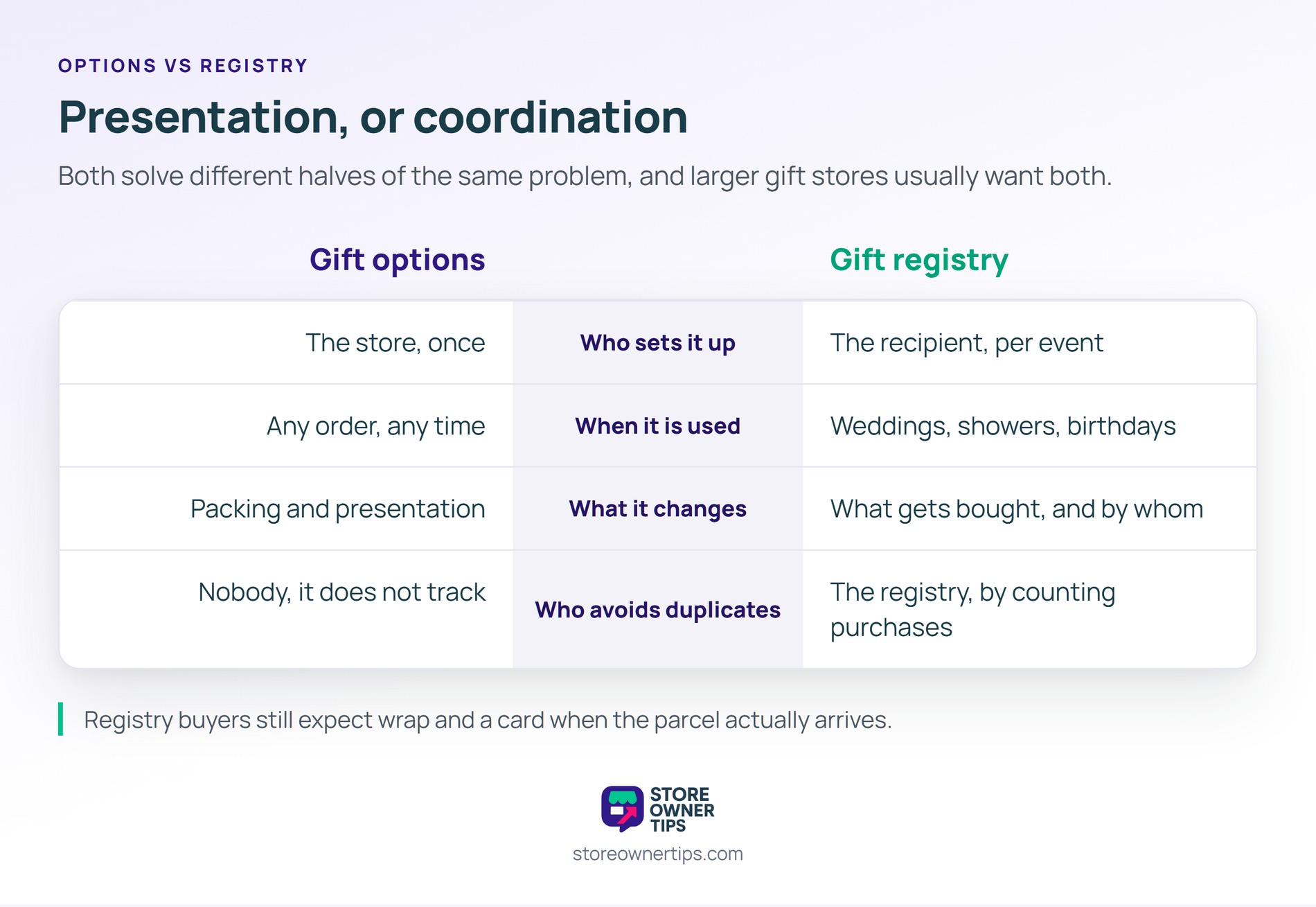
| What you’re comparing | Gift options | Gift registry |
|---|---|---|
| Who sets it up | The store, once | The recipient, per event |
| When it’s used | Any order, any time | Weddings, showers, birthdays |
| What it changes | Packing and presentation | What gets bought, and by whom |
| Who avoids duplicates | Nobody, it does not track | The registry, by counting purchases |
By contrast, gift options and a gift registry solve different halves of the same problem. Gift options handle presentation, so any order can arrive looking like a gift. A gift registry handles coordination, so a group of buyers does not send four of the same blender.
That said, stores serving wedding registry or baby registry demand generally want both. Registry buyers still expect wrap and a card when the parcel arrives.
Either works, but the pricing has to be obvious before checkout. In practice, paid wrap is common and adds margin on orders that already carry gifting intent. Free wrap is a positioning choice for premium brands. The failure case is ambiguity, where a shopper cannot tell what the wrap costs until the total changes.
Yes, and they should. Gift buyers are frequently one-time purchasers who have no reason to make an account. Baymard found that 18% of shoppers abandon carts because a site wanted them to register. Pairing gift options with guest checkout avoids stacking two obstacles onto the same order.
Start on the product page, then repeat in the cart. For example, the product page mention tells shoppers gifting exists while they are still choosing. The cart is where per-item control belongs, since carts often mix gifts and personal items. Checkout is the wrong place to introduce the idea for the first time.
Gift options matter because a large share of e-commerce orders are bought for somebody else. As a result, a store without them quietly pushes that demand elsewhere. Adding gift wrap, a message field, and hidden prices is a small build that removes a genuine reason to abandon. During holiday wishlist curation season, that gap is most expensive.
Copyright © StoreOwnerTips.com. All Rights Reserved.
