Weekly ecommerce tips, deals & news.
A knowledge base is a self-service help library for your online store. It’s a searchable hub of articles, FAQs, how-to guides, and videos that answer common shopper questions. Customers use it to solve problems on their own, day or night. They get answers fast, without waiting on an email or a live agent.
Think of a knowledge base like the instruction manual that comes with a new appliance. Instead of calling the maker, you flip to the page that answers your question. A store’s knowledge base does the same job online, but it’s searchable and always open.
It usually lives at a “Help Center” or “Support” link in your site’s footer or header. Inside, you’ll find articles grouped by topic, a search bar, and short answers to the questions shoppers ask most. The goal is simple: get the shopper to the right answer in seconds.
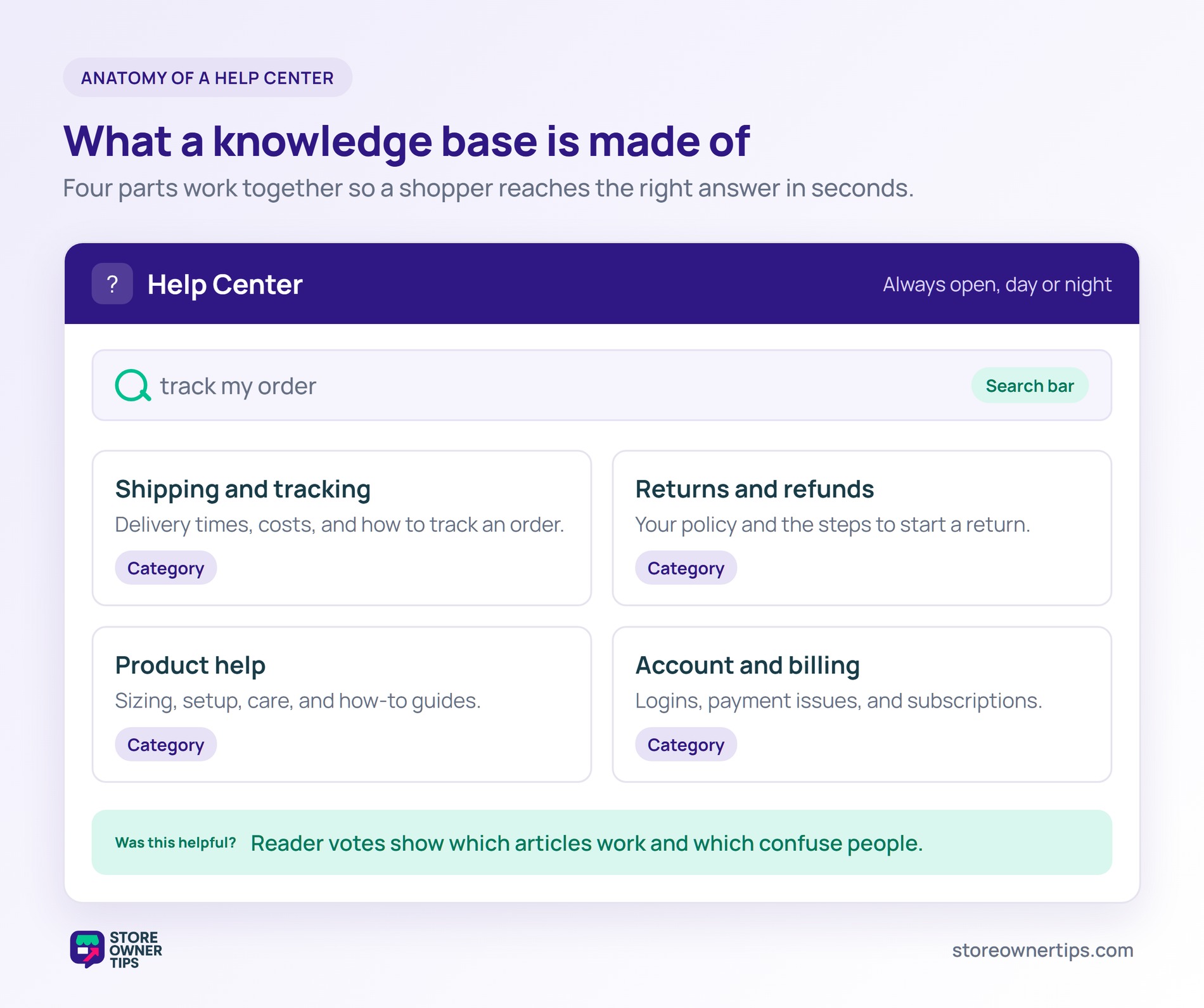
A good knowledge base covers the questions shoppers ask before and after they buy. The exact mix depends on what you sell. Still, a few categories show up in almost every store. Start with these and add more as new questions come up.
On WooCommerce, you build a knowledge base with a dedicated plugin or a documentation theme. Shopify stores often use an app or a built-in help center page. Either way, each article is its own page that search engines can index.
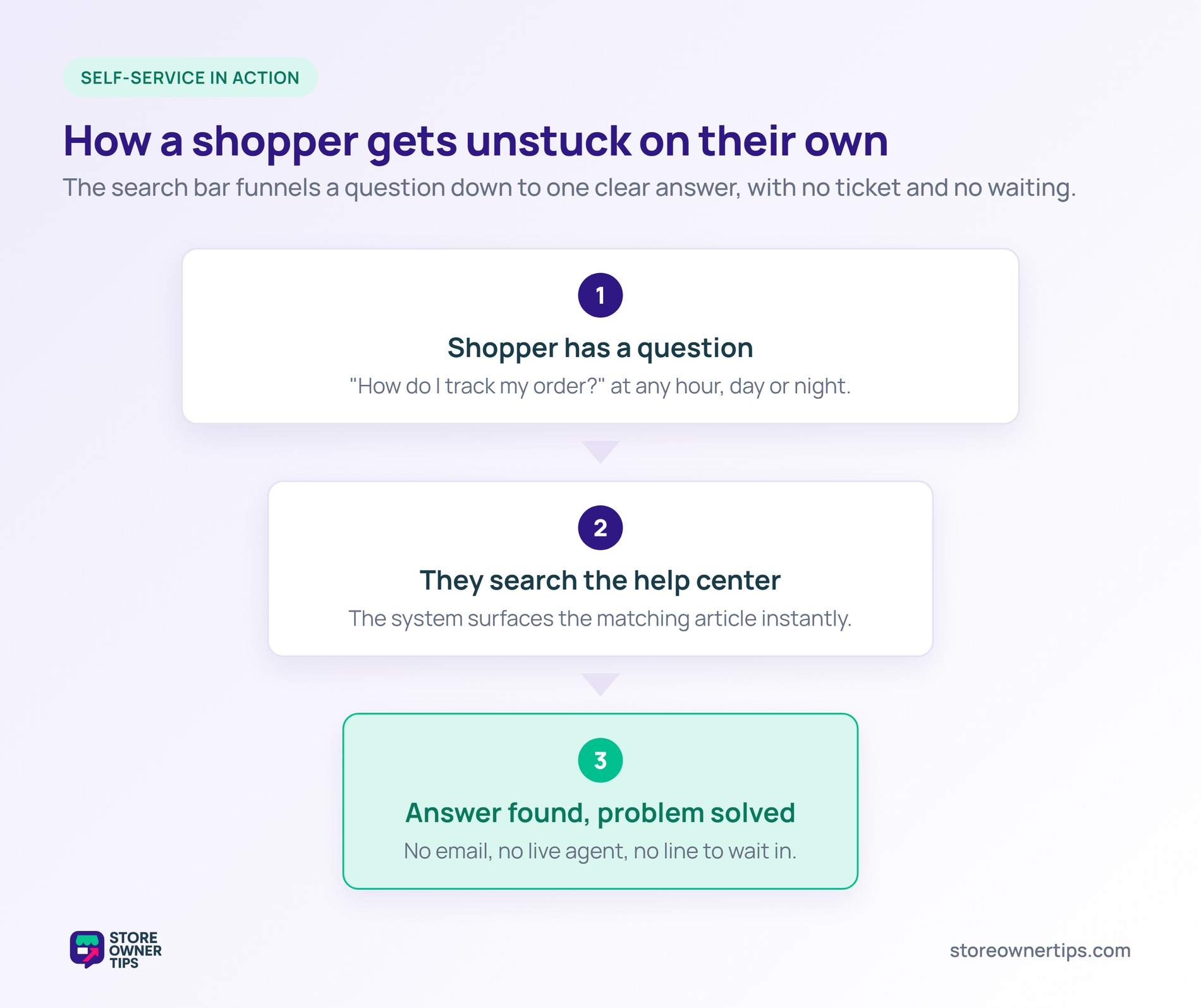
The real engine is the search bar and the way articles are organized. When a shopper types “track my order,” the system surfaces the matching article. That’s why clear titles and simple categories matter so much.
Many help centers also tag articles as helpful or not. Those votes show you which guides work and which confuse people. Over time, that feedback turns a rough library into a sharp one.
Most shoppers would rather fix a small problem themselves than wait for help. In fact, 81% of all customers try to handle matters on their own before reaching a live rep. A knowledge base respects that instinct.
This habit keeps growing over time, too. Use of help and FAQ pages among online adults climbed to 81% in tracked surveys. People reach for self-service first and a phone call last.
Speed is the other driver here. For example, when the answer is one search away, shoppers feel in control. That good feeling then carries straight over to your brand.
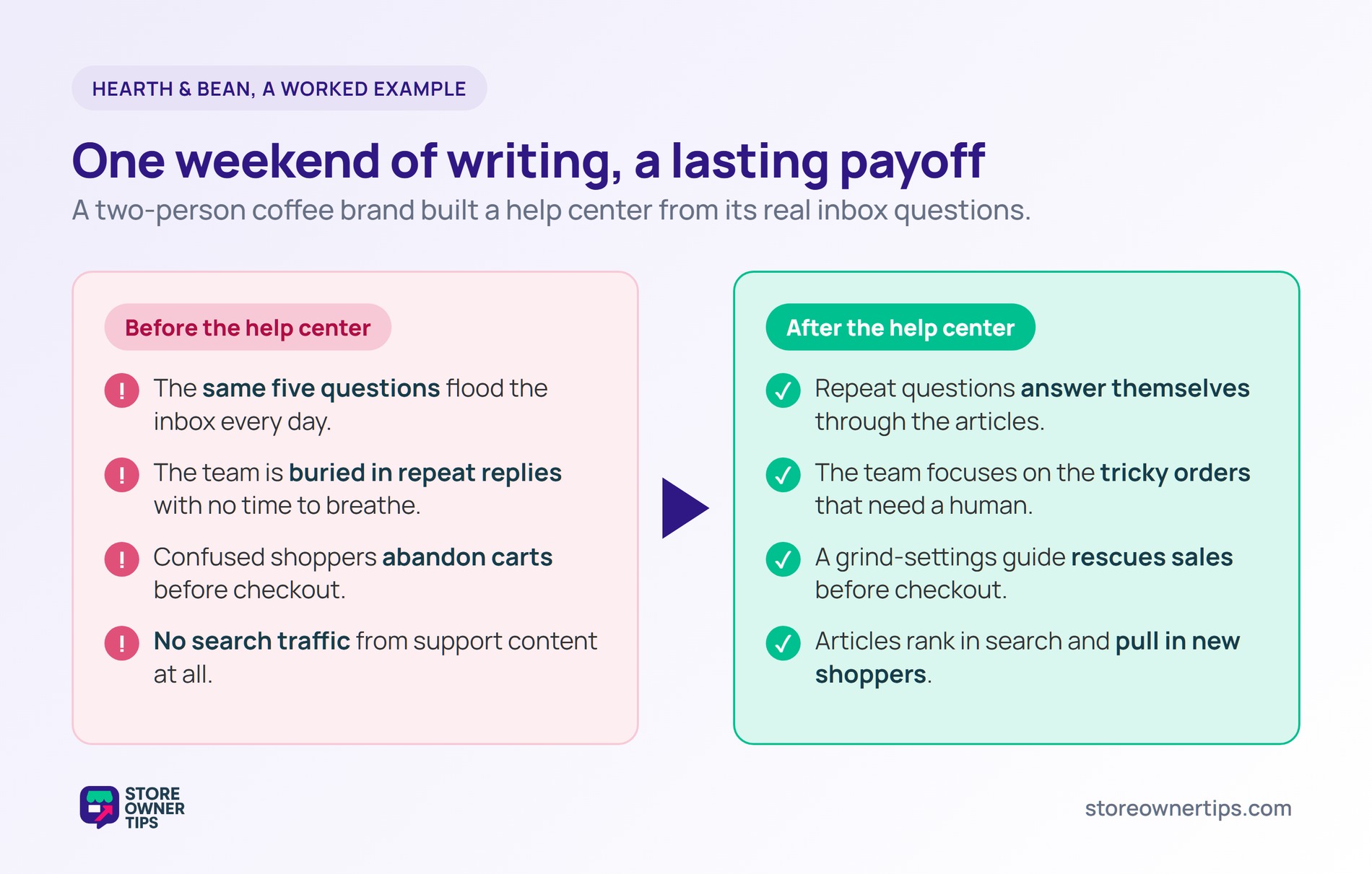
Imagine a mid-sized coffee roasting brand called Hearth & Bean. They sell beans, grinders, and subscriptions. Their two-person team is buried under the same questions every day.
Most emails ask the same five things. People want to know shipping times, how to pause a subscription, and grind settings. The team writes one clear article for each topic and adds a Help Center link to the header.
They keep each article short and add a screenshot where it helps. Next, they add a search bar so shoppers can find answers fast. They also link each article from the product pages it relates to.
The whole project takes a weekend to launch. No developer is needed, just a clear head and the real questions from their inbox.
First, the inbox quiets down. The repeat questions now answer themselves through the help center. As a result, the team spends its time on the tricky orders that truly need a human.
The help center also rescues sales, not just support hours. Research shows 53% of online adults will abandon a purchase if they can’t find a quick answer. Hearth & Bean’s grind-settings guide now answers that doubt before checkout.
This matters because shoppers already abandon carts at high rates. The documented average sits at 70.22% across e-commerce. Removing one common worry helps a few of those shoppers follow through to checkout.
On top of that, the articles start ranking in search. New shoppers find Hearth & Bean while looking up “best grind for a French press.” That’s free traffic the team never had before.
Notice what changed for Hearth & Bean. They didn’t hire anyone or buy pricey tools. They simply wrote down answers they already knew.
That small effort now works for them every single day. It answers shoppers at midnight, saves carts before checkout, and pulls in new search visitors. Meanwhile, the team finally has room to breathe.
The lesson is that a knowledge base pays you back long after launch. Each article you write keeps earning its keep. For a small team, that kind of leverage is rare and worth chasing.
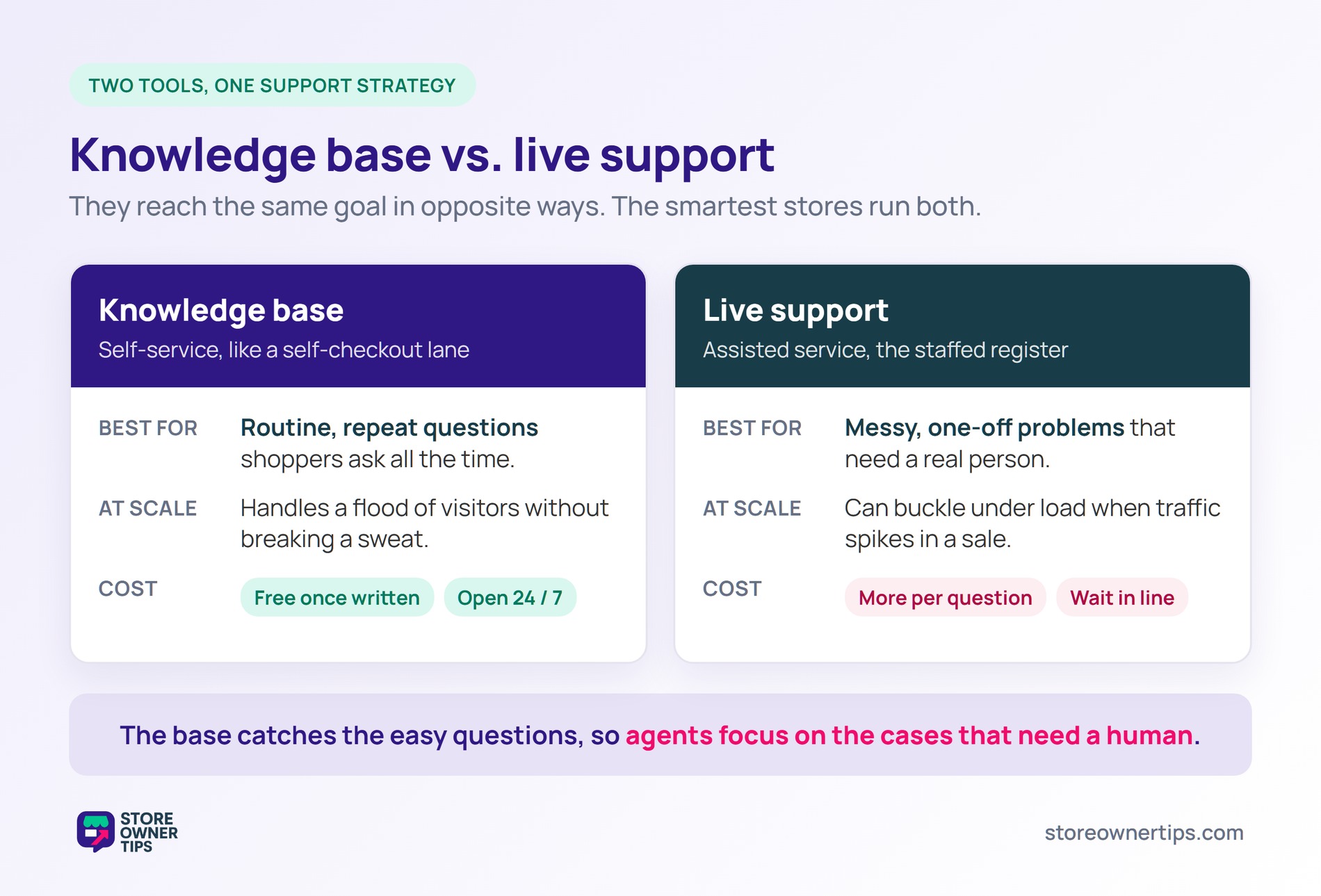
A knowledge base and live support reach the same goal in opposite ways. One is self-service, and the other is assisted service. The smartest stores use both, not one or the other.
The difference shows up most at scale. When traffic spikes during a sale, live support can buckle under the load. By contrast, a knowledge base handles a flood of visitors without breaking a sweat.
Still, a knowledge base scales for free once it’s written. It answers thousands of shoppers at once, at 3 a.m. or on a holiday, without extra cost. The trade-off is that it can’t handle messy, one-off problems.
Live support through email, chat, or phone is personal and flexible. A human can read a frustrated tone and fix an odd situation. However, it costs more per question and makes people wait in line.
Here’s a simple way to picture it. A knowledge base is like a self-checkout lane, fast for the routine stuff. Live support is the staffed register for when something needs a real person.
In practice, the two work as a team. The knowledge base catches the easy questions and eases your queue management load. Then your agents focus on the cases that truly need a human touch. That blend keeps both your costs and your wait times down.
An FAQ is a short list of quick answers to common questions. A knowledge base is bigger and more organized. It holds full articles, categories, search, and guides. Think of an FAQ as one page and a knowledge base as the whole library. In fact, an FAQ page often lives inside a knowledge base as one section.
Start by listing the questions your support team answers most. Write one clear article for each, with simple steps and a screenshot. On WooCommerce, a documentation plugin handles the rest. Then add a Help Center link so shoppers can find it easily. Begin small with your top ten questions, then grow the library from there.
Yes, when it’s built well. Most shoppers prefer to solve problems on their own first. If your articles answer their question clearly, they never open a ticket. The key is keeping the content accurate and easy to search. Watch which articles get the most views, since those are deflecting the most tickets.
A knowledge base is one of the highest-leverage tools in e-commerce support. It serves shoppers instantly, lowers your support costs, and even pulls in fresh search traffic. Build it from the real questions your shoppers already ask. Then keep it updated as your store grows and changes. For any growing store, it’s not a nice-to-have, it’s a quiet engine for loyalty and sales.
Copyright © StoreOwnerTips.com. All Rights Reserved.
