Weekly ecommerce tips, deals & news.
A multi-vendor cart is a single shopping basket that holds products from several different sellers at once. The shopper adds items from any vendor, then checks out one time and makes one payment. Behind that single checkout, the marketplace splits the purchase into separate orders, shipments and payouts for each seller involved.
A multi-vendor cart works by tagging every item with the seller it came from. Then it acts on those tags at checkout. The cart itself looks completely ordinary to the shopper. Meanwhile, the complexity sits underneath, where one transaction has to satisfy several sellers.

Think of a food court. You walk around with one tray and collect a noodle dish from one counter. Then you add a coffee from another, and pay once at a single till. Each kitchen still cooks its own order, and each gets paid for what it sold.
So a multi-vendor cart is that tray. Every product carries a hidden label naming its seller. Usually the shopper never has to think about those labels, which is the entire point of the design.
Three separate things divide the moment a multi-vendor cart is paid for, all at once. In practice, getting all three right separates a working marketplace from a support headache.
On WooCommerce, that money split is usually handled by a connected payment provider. Manual transfers do not scale past a handful of sellers. WC Vendors documents this pattern in its guide to Stripe Connect for marketplaces. In short, the marketplace defines the rules once and every transaction follows them.
Just as important is what does not split. The shopper keeps one payment method, one billing address and one receipt. Also, they get a single order number to quote if something goes wrong. That asymmetry is deliberate: complexity for the operator, simplicity for the buyer.
Multi-vendor carts fail most often at the shipping line, not the payment. First, shoppers read one basket as one delivery charge. However, when three sellers each add their own, the total jumps at the worst possible moment.
That matters because unexpected cost is the biggest single reason carts get abandoned. Baymard Institute found 40% of abandonments come down to extra costs being too high. In short, split shipping is exactly that risk, built into the model.
Instead, the fix is disclosure rather than concealment. First, show the per-vendor breakdown early. Next, label which items ship together. Shoppers accept two parcels far more readily than one surprise total.
Meanwhile, refunds are the second trouble spot. A single return can touch one sub-order, one seller’s payout and your own commission at once. Therefore it pays to decide, before launch, who absorbs return shipping. Otherwise every refund becomes a negotiation.
Multi-vendor carts sit underneath a very large share of online trade. Digital Commerce 360 research puts the top 100 global online marketplaces at a projected $3.832 trillion in gross merchandise value. Therefore every one of those sales passed through machinery that had to split something.
Meanwhile, the pattern reaches far smaller stores too. WC Vendors, our own marketplace plugin, reports 3,000+ active installations on its free listing. Those are independent WooCommerce marketplaces, each running the same split-at-checkout logic at a modest scale. In other words, multi-vendor carts are not only an enterprise concern.

Here’s a hypothetical example. Picture a marketplace selling homeware from independent makers, with roughly 40 active vendors signed up.
A shopper browses and fills one basket. She adds a ceramic mug from a studio in one city. Next comes a linen tea towel from a weaver in another. Then she adds a scented candle from a third maker.
Her cart shows three items and a subtotal of $74.
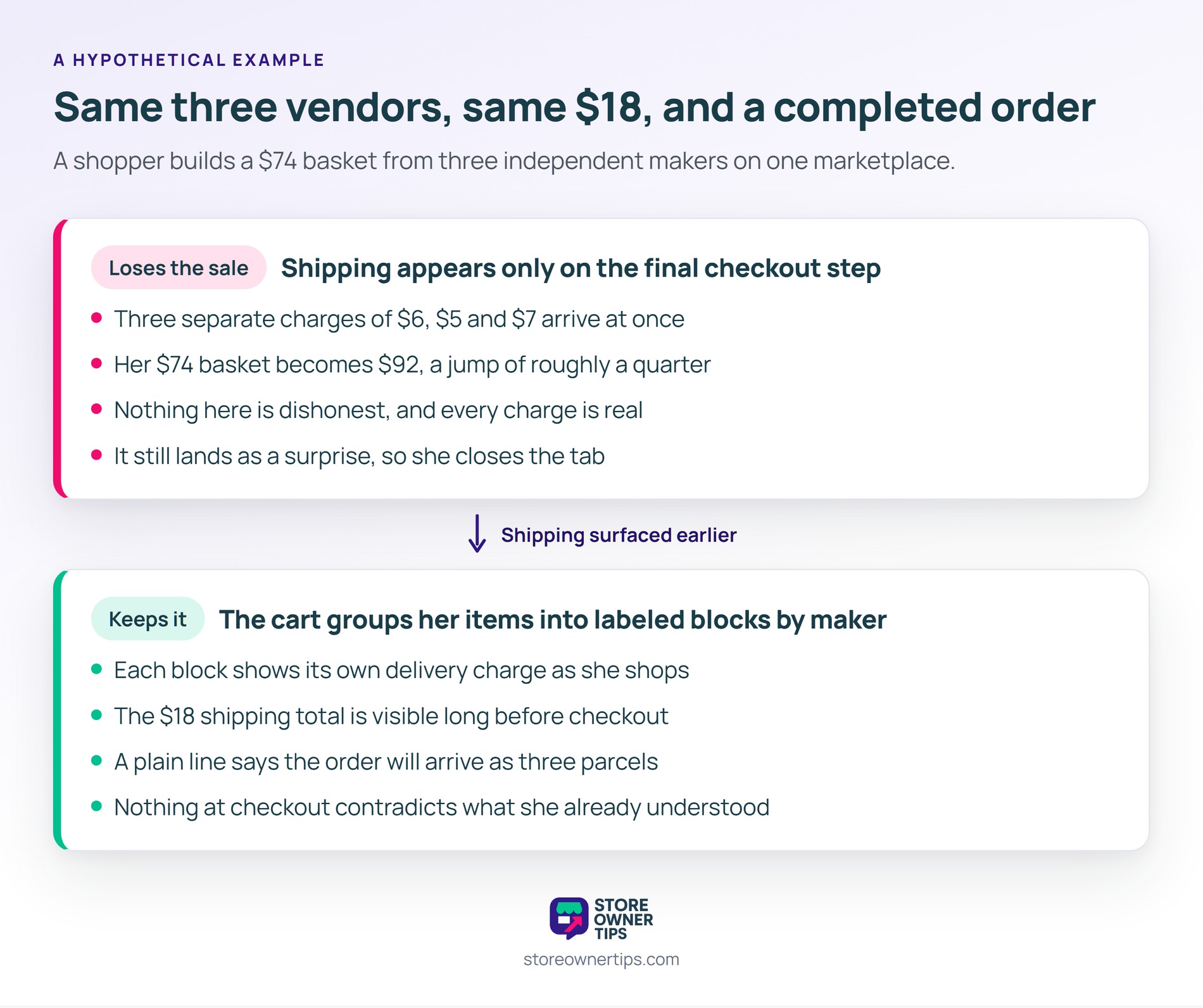
In the first version, the marketplace shows shipping only on the final checkout step. Three separate charges of $6, $5 and $7 appear at once. As a result, her $74 basket becomes $92, a jump of roughly a quarter.
Even so, nothing here is dishonest, and every charge is real. Still, it lands as a surprise, which is precisely the abandonment trigger described above. So she closes the tab.
In the second version, the cart groups her three items into labeled blocks by maker. Each block shows its own delivery charge as she shops. Consequently, the $18 shipping total is visible long before checkout.
She also sees a plain line saying the order will arrive as three parcels. Therefore nothing at checkout contradicts what she already understood. Same three vendors, same $18, and a completed order.
On the vendor side, that one order arrives as three unrelated jobs. The studio sees a mug to pack and nothing else. Meanwhile the weaver and the candle maker each see only their own item.
Also, none of them needs to know what else was in the basket. Each simply ships their parcel and waits for their share. In short, the marketplace absorbed all the coordination so nobody else had to.
| What you’re comparing | Multi-vendor cart | Single-vendor cart |
|---|---|---|
| Sellers per basket | Several at once | One only |
| Orders created | One parent plus a sub-order per seller | A single order |
| Shipping charges | Calculated per seller | One calculation |
| Money handling | Payment split and routed onward | Straight to the store |
| Setup effort | Higher, needs payout rules | Standard checkout |
A multi-vendor cart differs from a single-vendor cart in what happens after payment, not before it. Therefore choose it only if you genuinely host other sellers, because the payout and shipping rules carry real overhead. For stores selling their own stock, a single-vendor cart remains the right default.

Usually yes, because each seller ships from their own location. A multi-vendor cart calculates a rate per vendor, then adds them together. That said, some marketplaces absorb the difference or set a flat basket-wide rate instead. Whichever you choose, show the breakdown while the shopper is still browsing.
Both, in a sense. A multi-vendor cart normally creates one parent order for the shopper and a sub-order for each vendor. The customer sees a single order number and a single receipt. Meanwhile, each seller sees only the items they need to pack.
Yes, if your marketplace allows guest checkout. Splitting a multi-vendor cart depends on the vendor tags attached to items, not on who the buyer is. That said, an account makes it easier for shoppers to track several parcels from one purchase.
Ultimately, a multi-vendor cart is the difference between a marketplace and a directory. Without one, shoppers pay each seller separately, and most give up partway. With one, a marketplace grows its catalog by adding sellers rather than buying stock.
Copyright © StoreOwnerTips.com. All Rights Reserved.
