Weekly ecommerce tips, deals & news.
YouTube Shopping is a set of tools for selling on YouTube. Creators and brands can tag products inside videos, Shorts, and live streams. Viewers can tap a tagged item and buy it without leaving the app for long. It connects a store’s product catalog to video content, turning watch time into a shopping path. In short, it brings the storefront to where people already spend hours every day.
Think of YouTube Shopping like a TV shopping channel built into the videos you already watch. The host shows a product, and a tag pops up so you can buy it. Instead of writing a phone number on the screen, the video shows a clickable item. That small shift turns passive viewing into an active path to purchase.
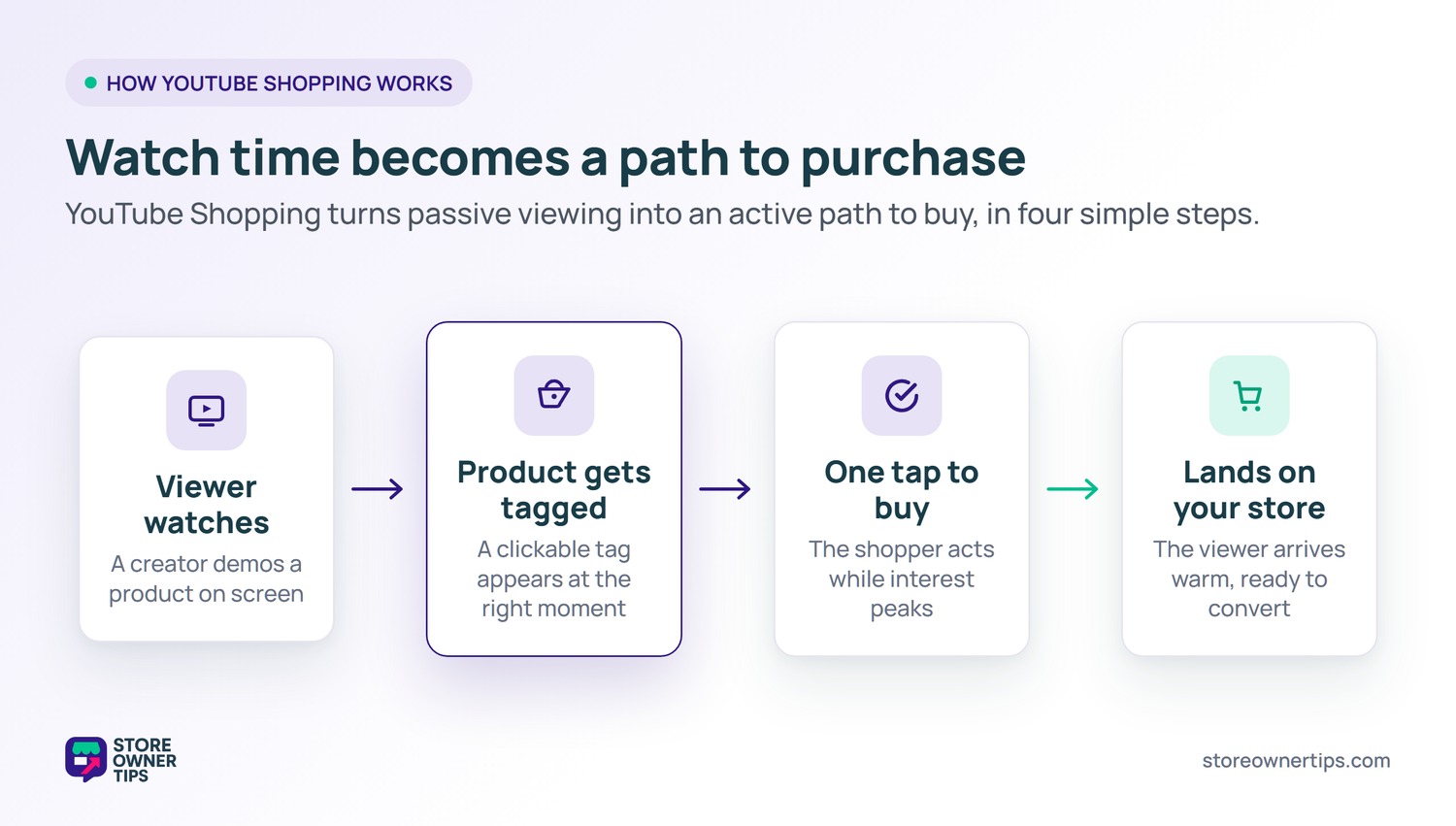
This matters because video is now how many people research products. Wyzowl found that 96% of people have watched an explainer video to learn about a product. On top of that, 63% say they would most like to learn through a short video. YouTube Shopping simply removes the gap between that learning moment and the buy button.
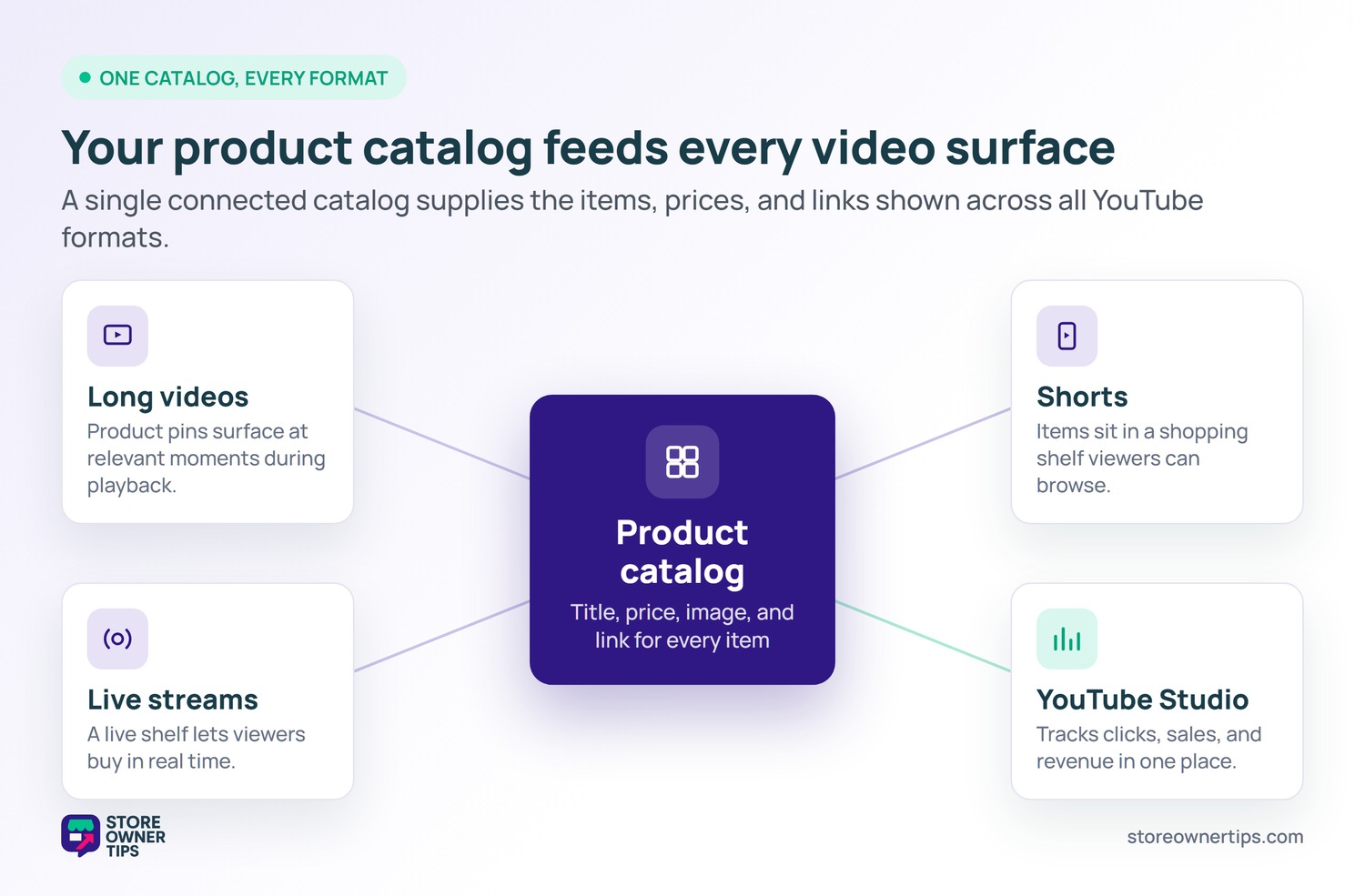
Behind the scenes, the system links a product catalog to a creator’s channel. A catalog is just a structured list of your products, like a digital menu a kitchen works from. Each entry holds the title, price, image, and a link back to your store. When a creator tags an item, YouTube pulls those details straight from that feed.
For a WooCommerce store, the path is usually a product feed that mirrors your catalog. The feed acts like a translator between your store and YouTube’s shopping shelf. Most feed tools update prices and stock on a schedule, so your tags stay accurate. As a result, you avoid showing a sold-out item or an old price on screen.
Each format displays products a little differently. In long videos, product pins appear at relevant moments during playback. For Shorts and live streams, items sit in a shopping shelf viewers can browse. Meanwhile, creators track clicks, sales, and revenue inside YouTube Studio.
The pull of video commerce is trust plus timing. A viewer watches a creator demonstrate a product, which works like a friend’s recommendation. That live demonstration is a powerful form of social proof. By the time interest peaks, the buy button is already on screen.
Timing is the quiet hero here. Most shopping journeys lose people between interest and action. Tagging the product at the exact moment of curiosity shortens that gap to a single tap. In practice, fewer steps usually means fewer chances to lose the sale.
YouTube Shopping is a sales channel, not a whole business plan. A channel is just one doorway customers use to reach your store. Smart store owners spread their reach across several doorways. That way no single platform controls all your sales.
This is where catalog reuse pays off. The same clean product feed that powers your website can feed video, search, and other channels. So setting up YouTube Shopping often strengthens your other channels too. For example, fixing messy product titles helps everywhere at once.
The goal is to meet shoppers where they already are. Some research on a search engine, and others discover through video. By tagging products in content, you capture demand that ads alone might miss. Meanwhile, your store stays the central hub all channels point back to.
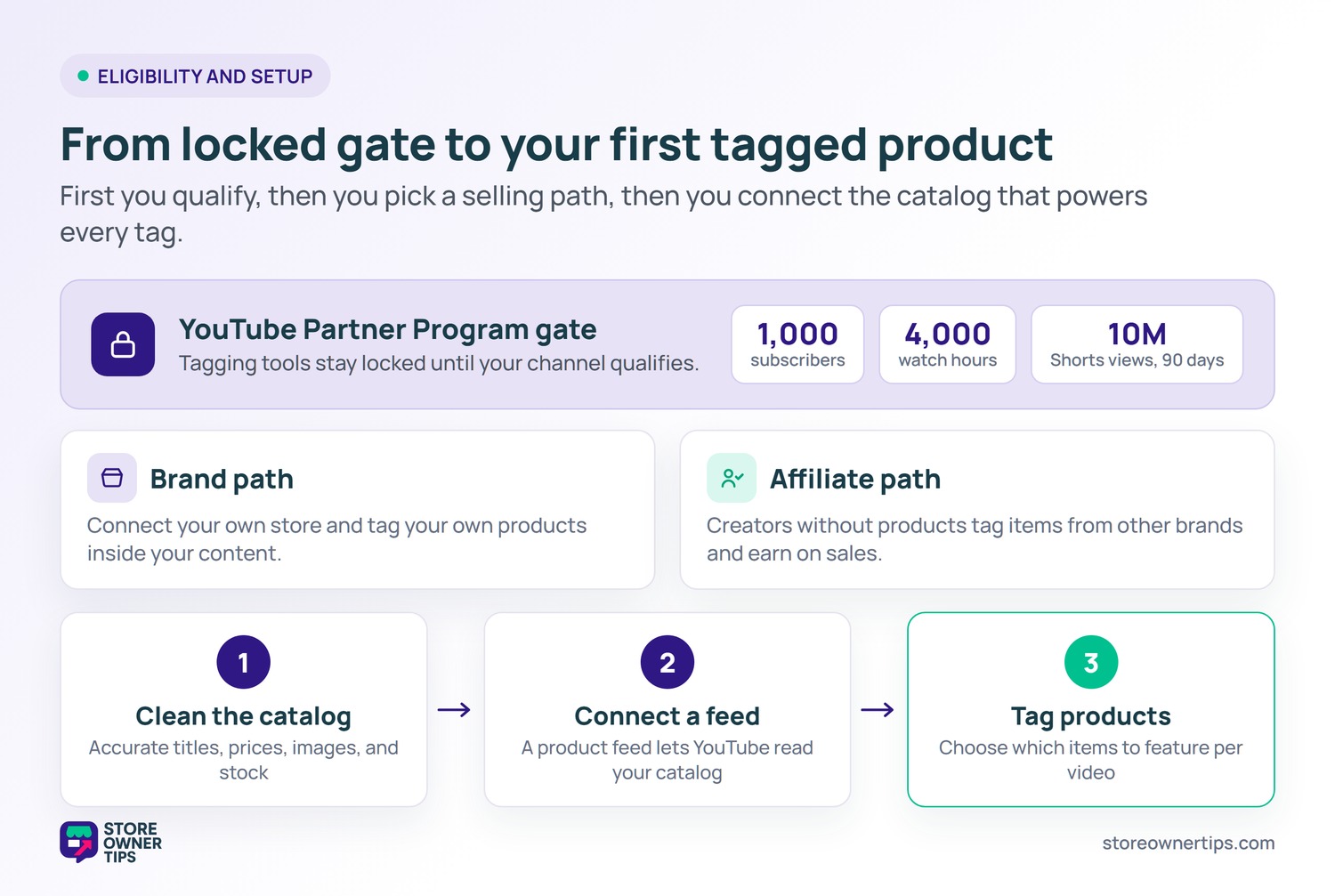
You cannot tag products the day you open a channel. YouTube gates these tools behind the YouTube Partner Program. To join, a channel needs 1,000 subscribers plus 4,000 valid watch hours. A Shorts-based path of 10 million views in 90 days also qualifies.
There are two main ways to sell. Brands can connect their own store and tag their own products in content. Creators without products can join the affiliate program and tag items from other brands. Either way, the catalog connection is the engine that makes tags work.
For a WooCommerce store owner, the practical first step is a clean catalog. Make sure titles, prices, images, and stock levels are accurate. Then connect that catalog through a product feed so YouTube can read it. After that, tagging products is mostly a matter of choosing items per video.
A product feed sounds technical, but the idea is simple. It is one file that lists every product with the details YouTube needs. Most feed tools generate and refresh this file for you automatically. So once it is set up, the maintenance is light.
Keep the feed honest and your tags stay trustworthy. A wrong price or a sold-out item on screen frustrates buyers fast. Syncing stock and price on a schedule prevents most of those slips. As a result, the shopping experience feels reliable instead of broken.
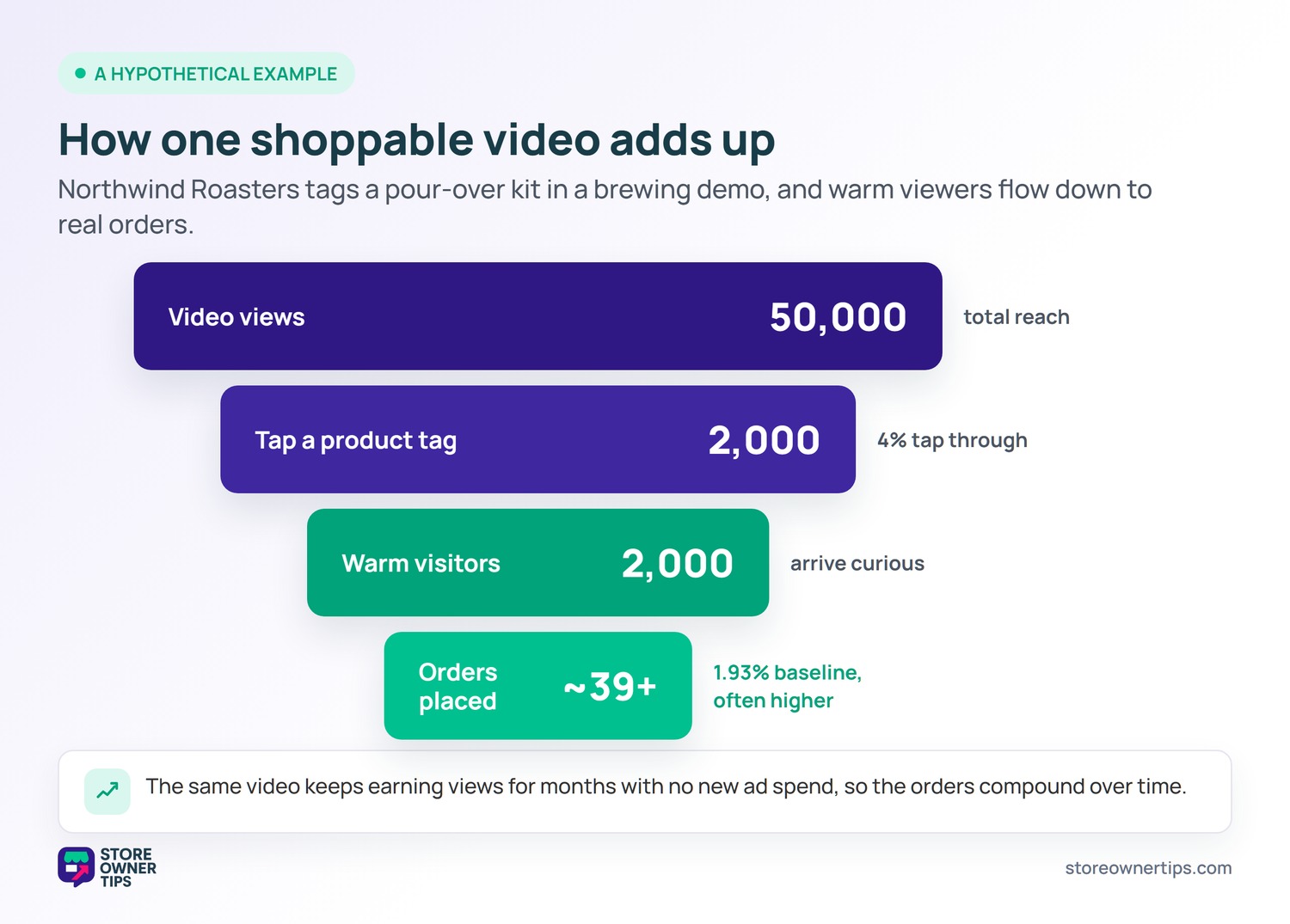
Imagine a mid-sized coffee roasting brand called Northwind Roasters. They run a WooCommerce store and post weekly brewing videos. Their site converts at a typical rate. Across e-commerce, the average conversion rate sits near 1.93%, so Northwind lives in that range.
One video teaches viewers how to use their pour-over kit. Northwind tags the kit, the grinder, and a bag of beans. A viewer watches the demo, sees the kit work, and taps the tag. That tap lands them on the product page at the exact moment of interest.
Say the video draws 50,000 views and 4% tap a tag. That is 2,000 highly curious visitors arriving warm, not cold. Even at the site’s normal rate, that traffic adds meaningful orders. Because these viewers already saw the product in action, many convert above the baseline.
The bigger win is reach without new ad spend. Northwind is not paying per click here, so its customer acquisition cost stays low. The same video keeps earning views and sales for months. That long tail is what makes video commerce compelling for small stores.
Northwind can also lift results with simple tweaks. Clearer video titles help the right shoppers find the demo. Pinning the kit at the exact brewing step catches peak interest. Then a quick look at YouTube Studio shows which products actually sold.
Over time, those small gains compound into a habit loop. Each new video adds another shoppable asset to the library. Older videos keep sending warm visitors to the store. Because the work feeds conversion rate optimization, the whole funnel slowly improves.
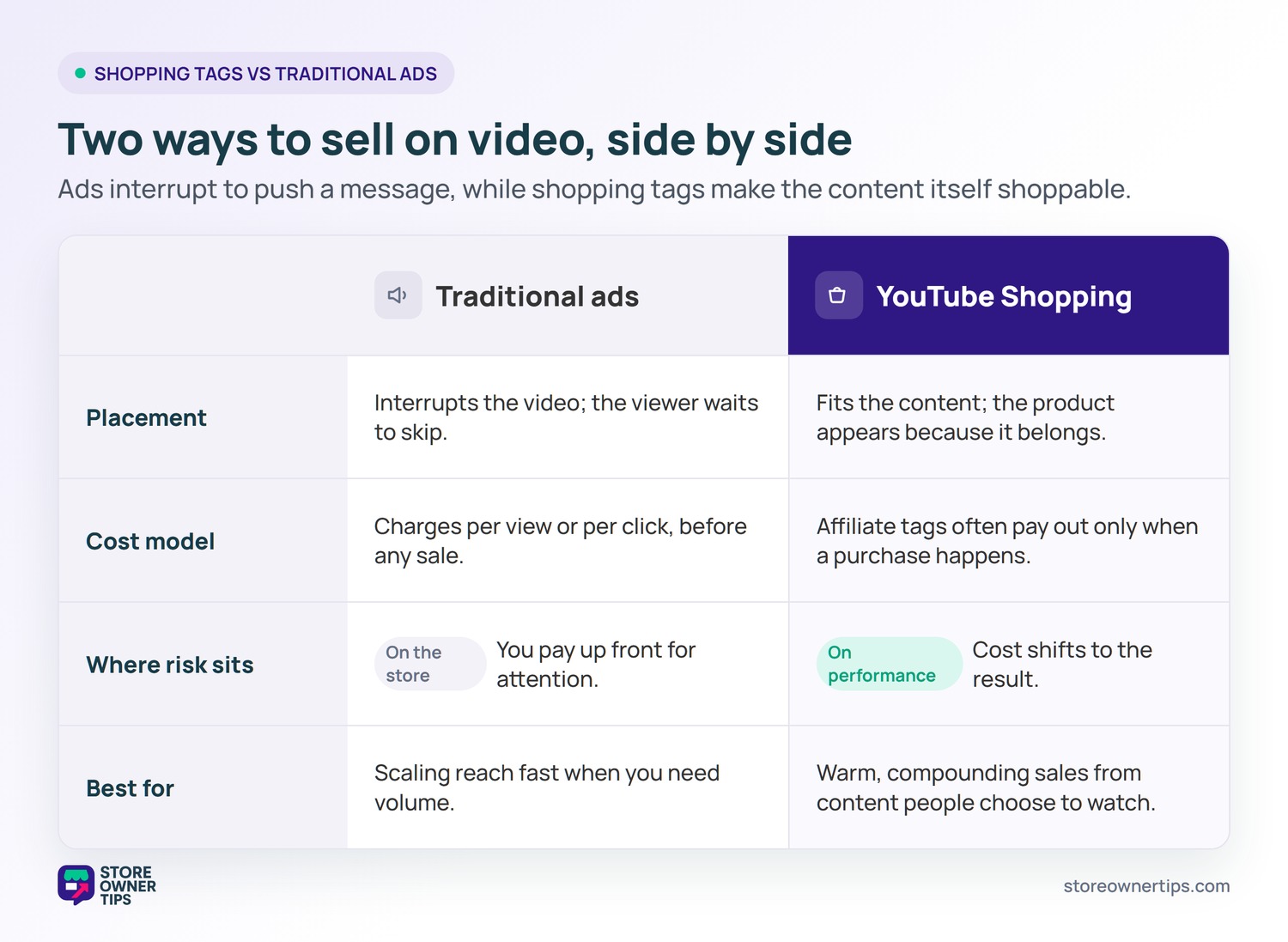
A traditional video ad interrupts content to push a message. The viewer often waits for the skip button. YouTube Shopping flips that model by making the content itself shoppable. The product shows up because it fits the video, not because a timer forced it in.
Cost structure differs too. Ads usually charge per view or per click before any sale happens. Shopping tags, especially affiliate ones, often pay out only when a purchase occurs. By contrast, that performance model shifts risk away from the store. Still, ads can scale reach faster when you need volume quickly.
Yes, there is a floor. Most product tagging sits behind the YouTube Partner Program. That program generally requires 1,000 subscribers and 4,000 watch hours. A Shorts path of 10 million views in 90 days also counts. So you need real momentum first.
You connect through a product catalog feed. The feed is a structured file that lists your products and details. A feed tool keeps that file synced with your WooCommerce store. Then YouTube reads the feed to power the tags shown in your videos.
It can be, if you already make video. Video is how many shoppers research, and demos build trust fast. Tagging products turns that trust into a clear path to buy. For stores without video, the time cost may outweigh the gain.
YouTube Shopping closes the gap between watching a product and buying it. For WooCommerce store owners, it turns a clean catalog and a few good videos into a working sales channel. Treated as one piece of a wider plan, it can earn quiet, compounding sales for years. With US social commerce set to pass $100 billion in 2026, the channel is only getting bigger.
Copyright © StoreOwnerTips.com. All Rights Reserved.
