Weekly ecommerce tips, deals & news.
It’s a classic hurdle: a retailer emails asking to buy 200 units of your best-selling product at a bulk discount. Instantly, you’re scrambling to draft a manual quote, sort out tax exemptions, and arrange a wire transfer outside your normal checkout. Sound familiar?
There’s a better way. With the right setup, your WooCommerce store can handle wholesale orders just as smoothly as retail ones. That means dynamic pricing, dedicated registration, and professional payment terms.
If you’ve been selling retail through WooCommerce, you’re sitting on an untapped revenue channel. Starting a WooCommerce wholesale store means selling in bulk to other businesses at discounted prices. It can lift your average order value without a matching jump in ad spend.
We’ve helped store owners add wholesale to their WooCommerce shops for years. In this guide, I’ll walk you through the full setup. You’ll see how to pick a model, set tiered pricing, build a registration form, and offer payment terms.
Before we get into the how, let’s talk about the why. The business case for wholesale is genuinely compelling.
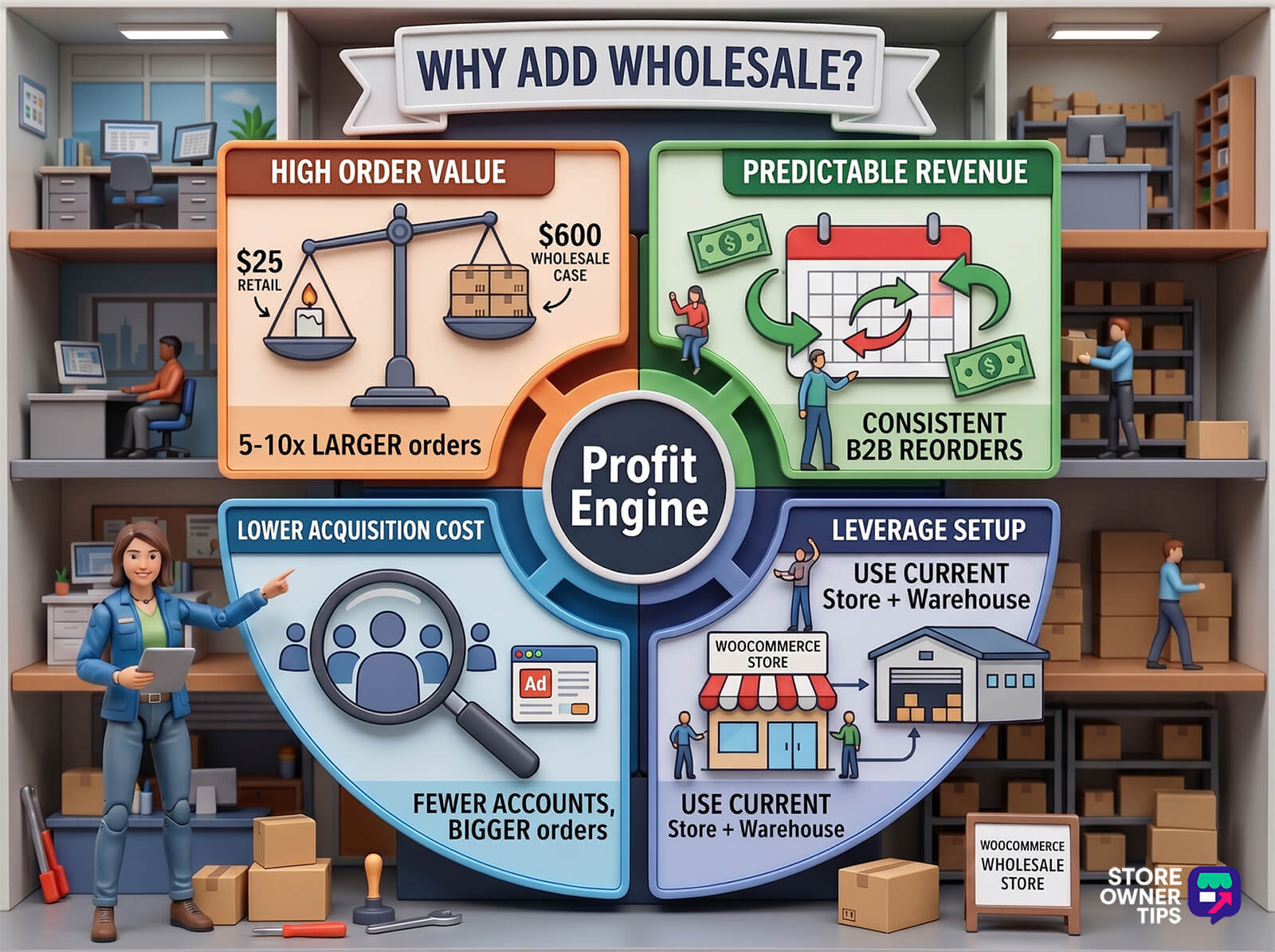
Higher average order values. Wholesale orders are often 5 to 10 times larger than retail orders. Instead of selling one candle for $25, you’re selling a case of 48 for $600. Same product, very different revenue per transaction.
Predictable, recurring revenue. B2B buyers don’t shop like retail customers. They reorder consistently, often monthly or quarterly. According to Digital Commerce 360, US B2B ecommerce sales hit $2.641 trillion in 2024, up roughly 16% year over year.
Lower customer acquisition cost. Instead of running ads to win hundreds of retail customers, you pick up a handful of wholesale accounts. Each one places large, recurring orders. Fewer customers, bigger orders, lower marketing spend.
Leverage your existing setup. You don’t need a separate storefront, warehouse, or fulfillment system. Your existing WooCommerce store can handle wholesale with the right plugin in place.
🔍️ What We’ve Seen: Store owners who add a wholesale channel often see a meaningful revenue lift inside the first quarter, without changing the product catalog. A mid-sized home goods brand might run at $8K per month in retail-only sales. Adding a B2B tier with role-based pricing can push that closer to $14K per month within a few months. The wholesale orders carry most of the new revenue with minimal extra marketing.
This is the most important decision you’ll make before setting anything up. Get this right and the rest of the configuration flows naturally.
B2B-only store. Your entire WooCommerce site is dedicated to wholesale. Every visitor sees wholesale pricing, and there’s no retail storefront. This model works best for manufacturers and distributors who sell exclusively to other businesses.
Hybrid store (retail plus wholesale). Your WooCommerce store serves both retail customers and wholesale buyers. Regular visitors see retail prices. Approved wholesale accounts log in and see discounted wholesale pricing. We recommend this model for most store owners.
Here’s a side-by-side comparison:
| Factor | B2B-Only | Hybrid (Retail + Wholesale) |
|---|---|---|
| Best for | Manufacturers, distributors | Existing retail stores adding B2B |
| Store setup | Single storefront, all wholesale | Single storefront, role-based pricing |
| Catalog management | One price list | Two price tiers (retail and wholesale) |
| Complexity | Lower | Slightly higher |
| Revenue potential | Wholesale only | Both channels compound |
| Recommended approach | Niche use case | Most WooCommerce stores |
🚀 Power Tip: If you’re already running a retail store, go hybrid. You don’t need a second website, just a second pricing tier. Wholesale Suite supports both models, so you’re not locked into one approach.
Before we get into configuration, make sure you have these pieces in place.
Wholesale Suite is a powerful set of WooCommerce wholesale plugins that adds full B2B functionality to WooCommerce. The core bundle includes three plugins:
Two more plugins sit in the All Access bundle: Wholesale Payments (Net 30/60/90 invoicing via Stripe) and Wholesale Quotes (quote request and approval). We’ll come back to Wholesale Payments in Step 6.
Installation follows the standard WordPress flow. Upload the plugins, activate them, and enter your license key.
Once activated, head to your Wholesale Suite settings inside WooCommerce for the initial configuration. The key options to set are:
In our experience, the interface is approachable for non-developers. The official documentation fills in the gaps if a specific setting trips you up.
This is where it gets interesting. Wholesale Prices Premium gives you four levels of pricing control, from broad to granular.
Global percentage discount. The quickest method. Set a single discount (say, 30% off retail) that applies to every product in your WooCommerce wholesale store. Great for getting started fast.
Category-level pricing. A middle ground. Set different discounts for different product categories. For example, 25% off accessories but 35% off bulk consumables.
Per-product wholesale prices. Useful when margins differ across products. You set a specific WooCommerce wholesale pricing on each product’s edit page alongside the retail price.
Tiered pricing. Volume-based discounts that reward bigger orders. For example:
McKinsey research found that 86% of B2B buyers prefer self-service tools for reordering over talking to a sales rep. That means clear, predictable pricing isn’t a nice-to-have. It’s what B2B buyers expect now.
🚀 Power Tip: Start with a global discount to get your wholesale channel live. Then refine product prices as you learn which items your B2B buyers order most. Perfection is the enemy of launched. You can always adjust pricing later based on real order data.
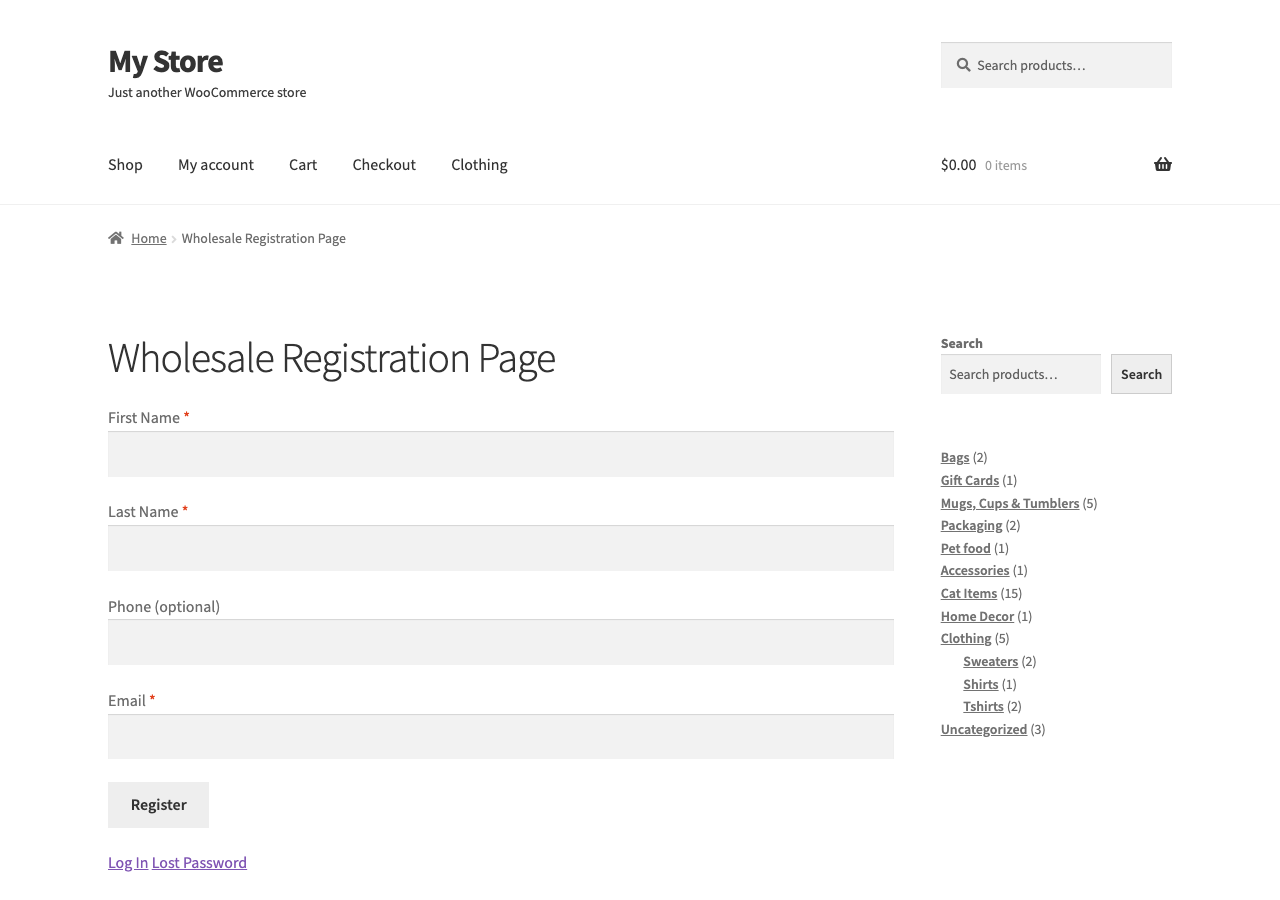
You don’t want just anyone accessing your wholesale prices. A dedicated registration form lets you vet buyers, collect business information, and keep the exclusivity that makes wholesale work.
Wholesale Lead Capture (part of the Wholesale Suite bundle) gives you a form builder built for B2B registration. Key fields to include:
Auto-approve versus manual approval is the next call. Here’s the trade-off:
After approval, set a redirect so new wholesale customers land on your wholesale order form or a welcome page with ordering instructions.
Minimums protect your margins and keep the wholesale channel profitable. Without them, someone could register as a wholesale buyer and order a single unit at your discounted price.
You have two options.
Minimum order quantity (MOQ) per product. Require buyers to order at least X units of each item. For example, 12 units per SKU.
Minimum order subtotal. Require the total cart value to meet a threshold before checkout. For example, $250 minimum per order.
In our experience, a minimum cart subtotal beats per-product minimums for stores with large catalogs. It gives buyers flexibility to mix and match products. A $250 minimum is a common starting point, but adjust to fit your product prices and margin structure.
Both options live inside Wholesale Prices Premium’s minimum order requirements settings.
Many wholesale buyers are tax-exempt because they’re resellers who’ll collect sales tax from the end customer. Charging them tax on top of wholesale pricing is a quick way to lose their business.
Here’s how to handle it in WooCommerce.
Important compliance note. Always verify tax-exemption certificates before granting exempt status. Requirements vary by state and country. Accepting invalid certificates can create liability for your business.
This isn’t legal advice. Consult an accountant familiar with resale tax law in your jurisdiction before you set up any of this.
Imagine a buyer placing a $2,000 order and expecting to pay in 30 days. In the retail world that sounds absurd. In B2B, it’s completely normal.
Payment terms like Net 30 (payment due within 30 days of invoice) and Net 60 are standard in wholesale. If you want serious B2B buyers, you’ll need to offer them.
Wholesale Payments (part of the All Access bundle) handles this through Stripe. It supports Net 30, Net 60, and Net 90 terms, plus custom installment plans. Configuration is straightforward:
For broader payment configurations beyond wholesale, see our guide on WooCommerce payment gateways.
🚀 Power Tip: Start with Net 30 for new wholesale accounts. Extend to Net 60 only after they’ve completed a few orders on time. Trust is earned. We’ve also seen stores offer a small early-payment discount (around 2% for paying within 10 days, called 2/10 Net 30 in accounting). That can encourage faster cash flow.
Here’s something we’ve learned from working with B2B buyers: they hate browsing a retail-style shop page. After all, they already know what they want. They just need to place their order as fast as possible.
That’s where the Wholesale Order Form plugin comes in. It replaces the typical WooCommerce shop page with a clean, catalog-style order form. Think spreadsheet, not shop window.
Key features that B2B buyers actually care about:
This kind of bulk-buyer behavior is well documented. The same McKinsey research that found 86% of B2B buyers prefer self-service reordering shows that a clean, fast order form is what makes that self-service actually work.
No, and that’s one of the biggest advantages of using Wholesale Suite. You can run both retail and wholesale from the same WooCommerce installation. Wholesale prices show only to users assigned the wholesale role. Your retail customers never see the discounted pricing.
The standard range is 30 to 50% off retail. The right number depends on your margins. Calculate your cost per unit, add your desired margin, and that’s your wholesale price. If that leaves room for the retailer to mark it up and still be competitive, you’re in the right range.
Yes. Wholesale Prices Premium supports unlimited wholesale user roles. You can create tiers like Silver Wholesale at 25% off and Gold Wholesale at 40% off. That lets you reward your best wholesale customers with deeper discounts as their order volume grows.
Start with your existing customer base. You’d be surprised how many of your current buyers are small businesses who’d love wholesale pricing. Beyond that, attend trade shows in your industry and list on wholesale marketplaces like Faire or Tundra. Optimize your site for wholesale search terms so B2B buyers can find you organically.
Set clear return policies specifically for wholesale accounts. Include them in your registration or onboarding process. Most wholesale businesses have stricter return policies than retail. Common examples are no returns on custom orders and restocking fees for opened cases. Whatever your policy, make it explicit upfront.
Here’s a quick recap of the 7-step process:
| Step | Action | Tool |
|---|---|---|
| 1 | Install Wholesale Suite | Wholesale Suite bundle |
| 2 | Set wholesale pricing (global or per-product) | Wholesale Prices Premium |
| 3 | Build registration form | Wholesale Lead Capture |
| 4 | Configure minimum order rules | Wholesale Prices Premium |
| 5 | Set up tax exemptions | WooCommerce tax settings |
| 6 | Enable payment terms | Wholesale Payments |
| 7 | Create wholesale order form | Wholesale Order Form |
You don’t need to get everything perfect on day one. Launch your WooCommerce wholesale store with pricing and registration first. Then layer on minimums, tax exemptions, and payment terms as your channel grows.
The stores that succeed with wholesale start simple and iterate. Get your first B2B customer through the door, learn what they need, and refine from there.
Get started on your WooCommerce wholesale store with Wholesale Suite today! Check out the pricing, or download Wholesale Prices for free.

Copyright © StoreOwnerTips.com. All Rights Reserved.
