A countdown timer is a live clock on a page, banner or email showing the time left before a deadline. Stores use it to show when a sale ends, when holiday shipping closes, or when a product launches. When the clock hits zero, the offer or option should end too.
A countdown timer compares a set end time with the shopper’s current time, then shows the shrinking gap. Most timers run in the browser with a short script, so the numbers update every second without reloading the page. In short, the timer only displays a deadline. The store still has to end the discount, close the offer or switch the shipping message when time runs out.
Think of a countdown timer like the departure board at a train station. The board doesn’t move the train, but everyone can see exactly how long they have to reach the platform. That clarity is why timers show up so often during a flash sale or a weekend Black Friday event.
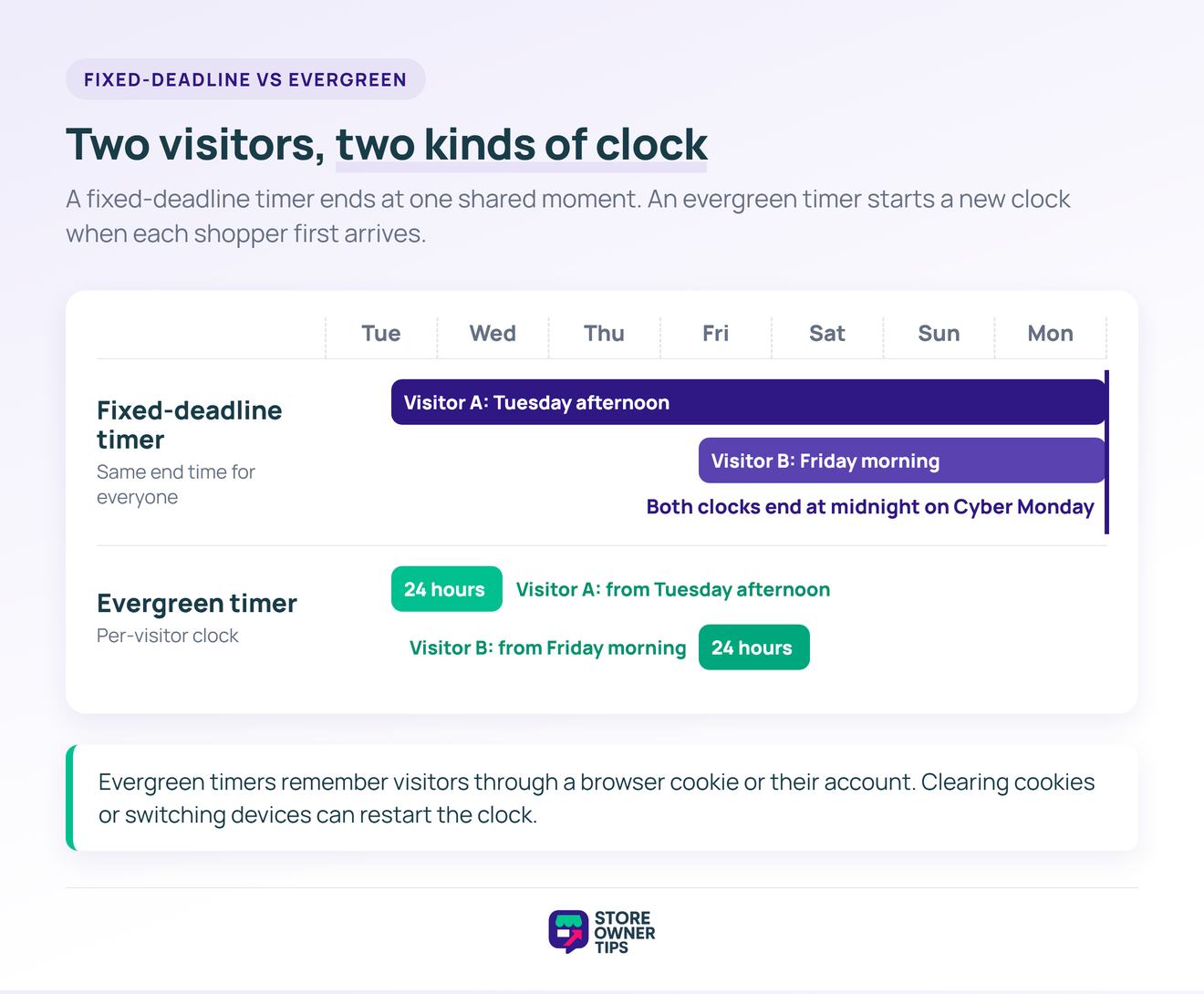
A fixed-deadline countdown timer counts down to one shared moment, such as midnight on Cyber Monday. Everyone who visits sees the same end time, adjusted to their own time zone. As a result, these timers fit store-wide sales, launches and shipping cutoffs, because the deadline exists in the real world.
An evergreen countdown timer, sometimes called a per-visitor timer, starts a new clock when each shopper first arrives. For example, one visitor might get 24 hours from Tuesday afternoon, while another gets 24 hours from Friday morning. In practice, the timer usually remembers the visitor through a browser cookie or their account. So, clearing cookies or switching devices can restart the clock, which is where honesty problems begin.
Stores place a countdown timer wherever a shopper is close to deciding. The most common spots are listed below.
Pre-sale clocks deserve a mention, because they flip the usual job. Instead of pushing a purchase, they build anticipation, as in a countdown-to-Black-Friday campaign. Meanwhile, an Black Friday planning timeline suggests a floating header bar with a timer during the sale itself.
WooCommerce lets you schedule a sale price with start and end dates on each product. However, core WooCommerce doesn’t display a ticking clock for that schedule. Stores add the visible timer with a plugin, a page builder block or a popup and banner tool.
That said, the best setups read the discount’s own end date. That way, the clock and the price expire together.
Countdown timers are common, and many of them aren’t honest. Princeton researchers crawled about 11,000 shopping sites and checked each timer’s behavior over repeated visits. They found 157 of the 393 countdown timers they recorded were deceptive. In other words, the clock reset on a live offer, or the offer outlasted the timer.
European regulators found the same pattern years later.
The European Commission and national consumer authorities screened 399 online shops. Of those, 42 used fake countdown timers to push specific purchases.
Timing matters too. For example, Adobe Analytics reported shoppers spent $16 million every minute during Cyber Monday’s peak evening hours. That’s exactly when last-chance timers tend to run.
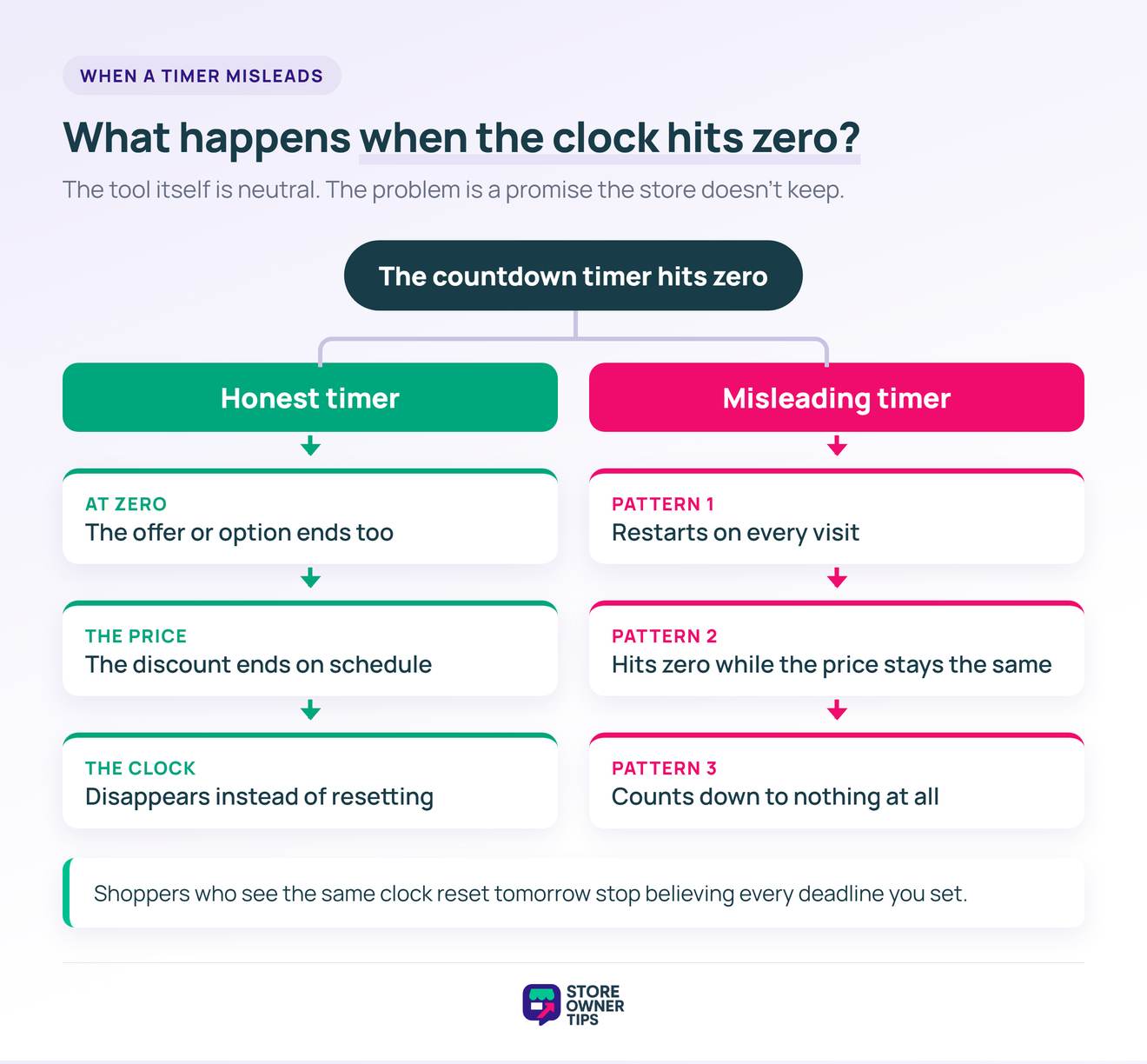
A countdown timer becomes misleading when the deadline it shows isn’t real. For example, some clocks restart on every visit. Others hit zero while the price stays the same, or count down to nothing at all.
The tool itself is neutral. Instead, the problem is a promise the store doesn’t keep.
Regulators have taken notice. In the UK, the Competition and Markets Authority secured undertakings from deals site Wowcher. Wowcher agreed to use only clear and accurate countdown timers.
Wowcher gave those commitments voluntarily and without admitting wrongdoing, under the UK’s Consumer Protection from Unfair Trading Regulations 2008. Meanwhile, a US Federal Trade Commission staff report on dark patterns described timers built to make offers look time-limited. That report is guidance, not a rule, but it says such practices may violate the law.
On top of that, trust matters as much as the law. Shoppers who see the same clock reset tomorrow stop believing every deadline you set. SaveTo Wishlist’s guide to honest urgency cues for wishlist shoppers makes the same point. Show a genuine countdown to the real end of the sale.
Here’s a hypothetical example. Imagine Wrenfield Tea Co., a small online shop selling loose-leaf tea and gift tins on WooCommerce. The owner plans a 72-hour Black Friday sale. However, the shop needs two timers, one for the sale and one for holiday delivery.
First, the owner schedules 20% off every gift tin, starting Friday at 12:00 a.m. and ending Monday at 11:59 p.m. A fixed-deadline timer goes in a site-wide bar and on each tin’s product page. Both read the same end date as the scheduled sale price. Next, a second timer goes on the cart page, counting down to the shop’s holiday shipping cutoff of December 18.
The owner also builds a last-chance email for Monday morning. It carries a timer image plus the deadline in plain text. Finally, the owner decides what happens at zero. The discount ends on schedule, and the sale timer disappears instead of resetting.
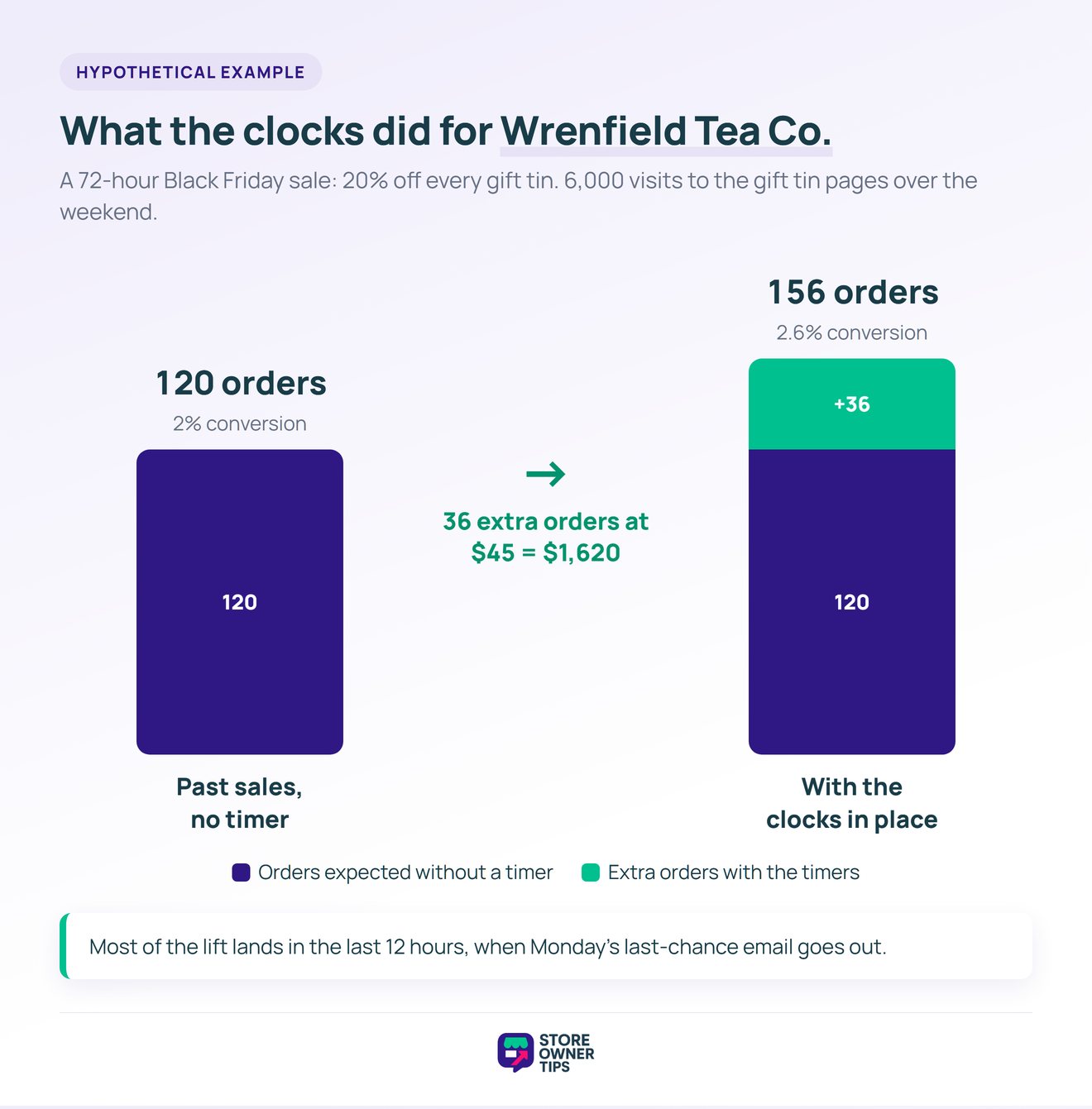
Over the weekend, Wrenfield Tea Co. gets 6,000 visits to its gift tin pages. In past sales without a timer, about 2% of those visitors ordered, which would mean 120 orders. With the clocks in place, conversion climbs to 2.6%, or 156 orders. At an average order of $45, those 36 extra orders add $1,620.
Most of the lift lands in the last 12 hours, when Monday’s email goes out. Then, in December, the shipping timer keeps doing quiet work. Orders bunch up before December 18 instead of trickling in late. As a result, fewer customers email to ask if gifts will arrive.
| What you’re comparing | Countdown Timer | Stock Counter |
|---|---|---|
| Pressure it creates | Time pressure: the offer ends soon | Quantity pressure: units are running out |
| What it displays | Hours, minutes and seconds left | Units left, such as “Only 4 left” |
| What triggers the end | A set date and time | The last unit selling |
| Best fit | Sales, launches, shipping cutoffs | Limited runs, popular sizes, low inventory |
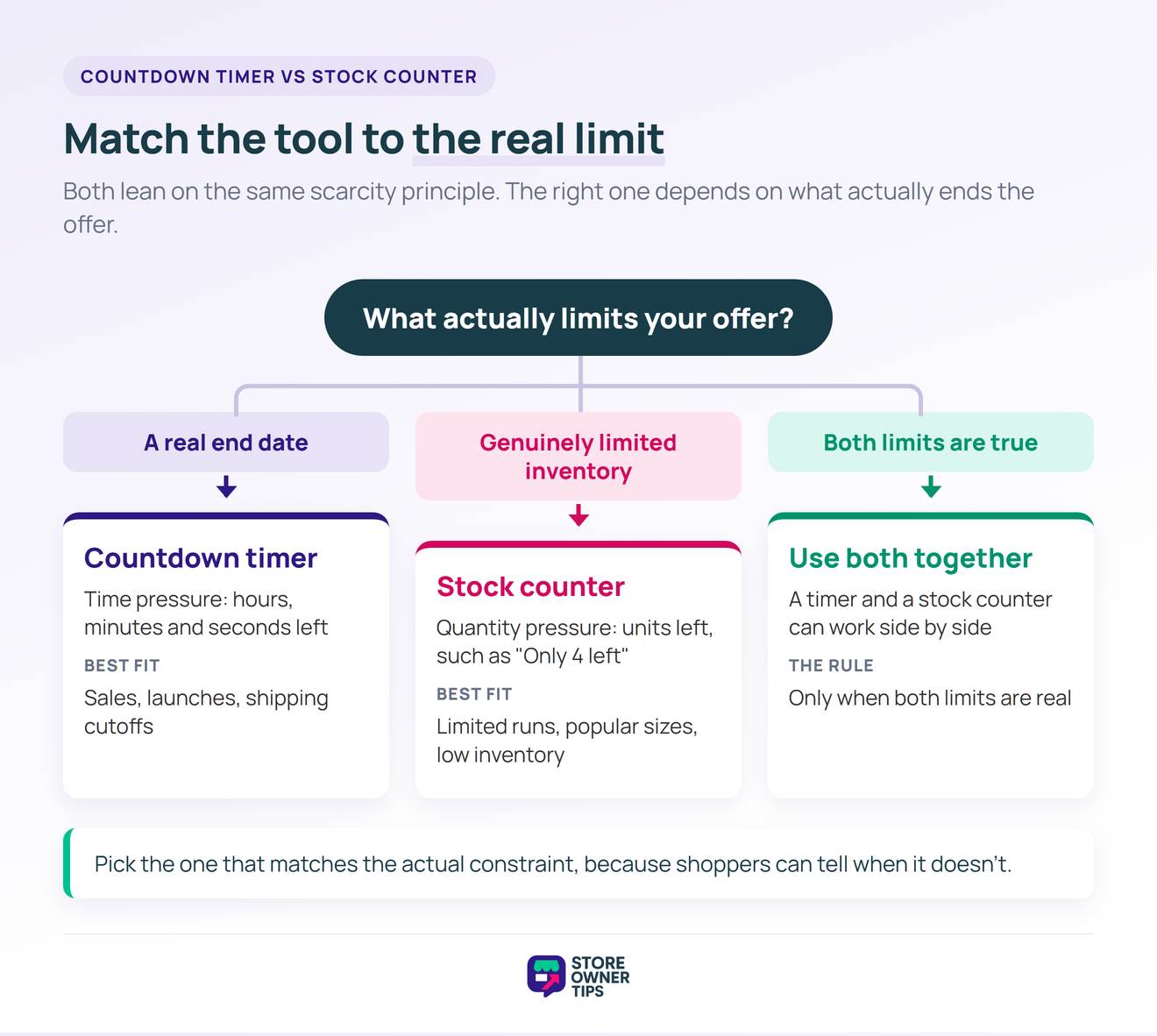
A countdown timer suits any offer with a real end date, while a stock counter suits genuinely limited inventory. Both lean on the same scarcity principle, so they can work together when both limits are true. Either way, pick the one that matches the actual constraint, because shoppers can tell when it doesn’t.
Countdown timers can lift sales when the deadline is real and the offer is worth acting on. However, a timer cannot rescue a weak offer. Instead, test it on one campaign against a similar sale without a clock. Keep the timer only if the numbers move.
Evergreen countdown timers are not banned in themselves. Still, a timer that resets while the same offer stays open can mislead shoppers. Regulators in the UK and the EU have acted against fake deadlines. In short, the safe rule is simple: when an evergreen timer hits zero, that visitor’s offer must actually end.
A countdown timer in an email works best for last-chance messages, like a sale’s final day or a shipping deadline. Email timers are usually images generated when the email is opened, so the clock shows the real time left. Plus, keep the deadline in plain text, because some email apps block images by default. Never send a timer for a sale you plan to extend.
A countdown timer matters because it turns a deadline into something shoppers can see and act on. Used honestly during Black Friday Cyber Monday and holiday shipping season, it lifts conversions and cuts confusion. Pair it with a four-week Black Friday prep plan, and keep every clock tied to a deadline you’ll actually enforce.
Copyright © StoreOwnerTips.com. All Rights Reserved.
