Weekly ecommerce tips, deals & news.

A shopper opens your hoodie category, ticks “black”, “medium” and “under $60”, then waits. On a big catalogue, that wait is where filter plugins really differ.
We compared seven WooCommerce product filter plugins, and Filter Everything comes out on top. It filters any content type, not just products. Plus, its free version already includes AJAX filtering and noindex on filtered pages.
It’s also widely used, with around 50,000 active installs and a 92/100 rating. So most of its edge cases have already been found by someone before you.
When store owners ask about WooCommerce product filter plugins, the question is rarely which one looks best. It’s which one is fast. After all, every plugin here can put checkboxes in a sidebar. The difference is what happens in your database when a shopper ticks three.
Jump to:
A product filter is a database query, and its cost grows faster than your catalogue does.
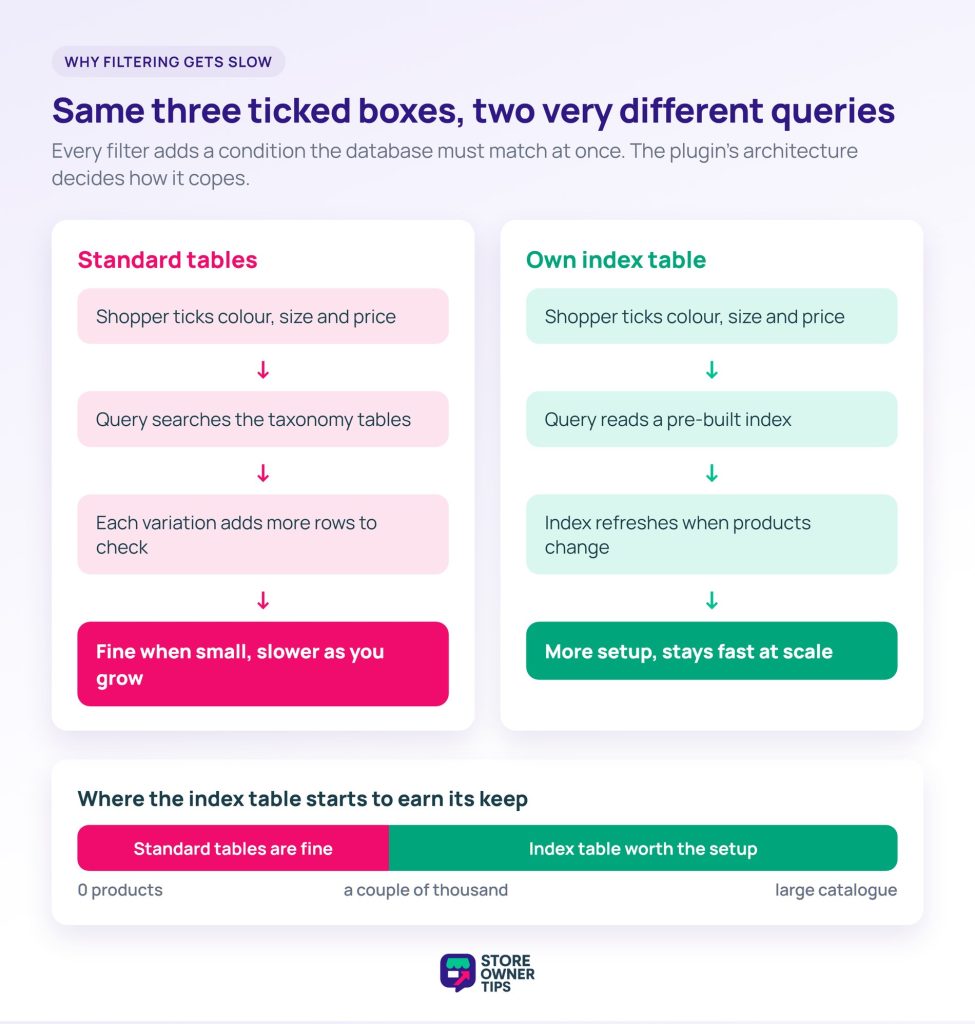
Filtering by one attribute is cheap. However, three attributes plus a price range is different. The query must now match all four conditions at once. On top of that, WooCommerce stores attributes as taxonomy terms, in tables that weren’t designed for this kind of lookup.
Variations then multiply the work, since a variable product with twelve combinations is twelve rows to check.
That’s why WooCommerce product filter plugins split so sharply on architecture. Some query the standard tables and accept the cost. By contrast, others build their own index table. They trade setup work and a re-index step for queries that stay fast as you grow.
Neither approach is wrong. In practice, an index table earns its complexity somewhere past a couple of thousand products. Below that, it’s over-engineering.
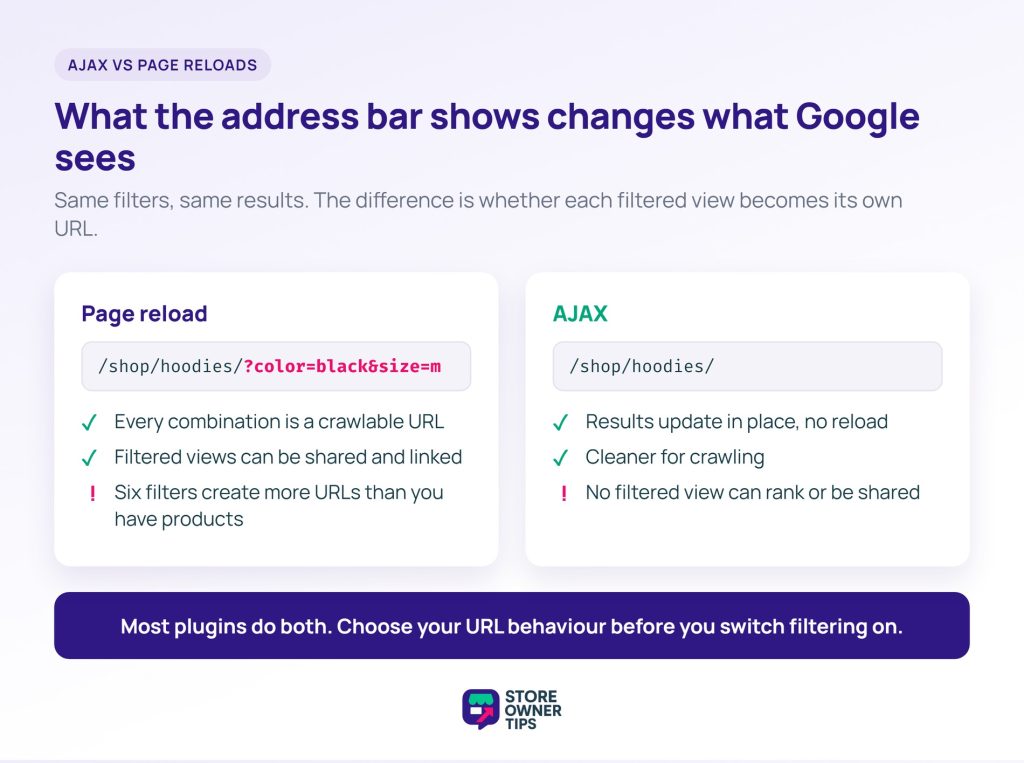
AJAX filtering updates results without reloading the page. It feels faster to shoppers, and it changes what search engines can see.
With a page reload, each filter combination is its own URL. That URL can be crawled, indexed and linked to. Occasionally that’s useful. More often it’s a problem, because six filters create more URL combinations than you have products.
By contrast, with AJAX, results change in place and the URL may not change at all. That’s cleaner for crawling. On the other hand, no filtered view can rank or be shared as a link.
Most WooCommerce product filter plugins do both, with a setting that controls whether filter state goes into the URL. So decide which behaviour you want before you switch filtering on. Changing it later means cleaning up whatever got indexed in the meantime.
We ranked these WooCommerce product filter plugins on four things, and none of them is how the filters look:
We haven’t benchmarked all seven on identical catalogues, and we won’t imply otherwise. Instead, what follows draws on each plugin’s documentation, pricing page and public ratings. We also read the code of the free versions and the recurring themes in support threads. Ratings, prices and settings were checked on 5 October 2026 and change over time.
Here’s how the seven compare on the four things we ranked on, plus price. Each entry below explains the detail behind its row.
| Plugin | Free version | Index or cache | Filtered-page indexing | Variation filtering | Mobile layout | Paid from |
|---|---|---|---|---|---|---|
| Filter Everything | Yes | 12-hour results cache | Noindex by default; SEO Rules in Pro | Pro | Collapsed widget; pop-up in Pro | $69/yr |
| HUSKY | Yes | Turbo Mode and a count cache, free | Noindex setting; 2 SEO URL rules free | In-stock search across variations | Slide-out panel | $49/yr or $99 lifetime |
| Product Filter by WBW | Yes | Own index tables, free | Noindex setting, free | Variation attributes free; variations as products in Pro | Mobile-only filters; pop-up in Pro | $59.99/yr or $99.99 lifetime |
| Product Filters for WooCommerce | No | Cache tool | Filters in URL; no SEO controls documented | Not documented | Not documented | $79/yr |
| Themify | Free only | None | Canonical to unfiltered page; no noindex | Variations Display setting | Collapsible groups only | No paid tier |
| Search & Filter | Basic form only | Indexer, Pro | Not documented | Pro, with the Indexer | Not documented | $49/yr |
| XforWooCommerce | No | Not documented | Not documented | Not documented | Responsive, slide-in sidebar | $39 one-time |
Read the mobile column twice. In Baymard’s 2025 benchmark of 170+ ecommerce sites, 78% scored “poor” to “mediocre” on mobile product list UX. On desktop, that figure was 58%.
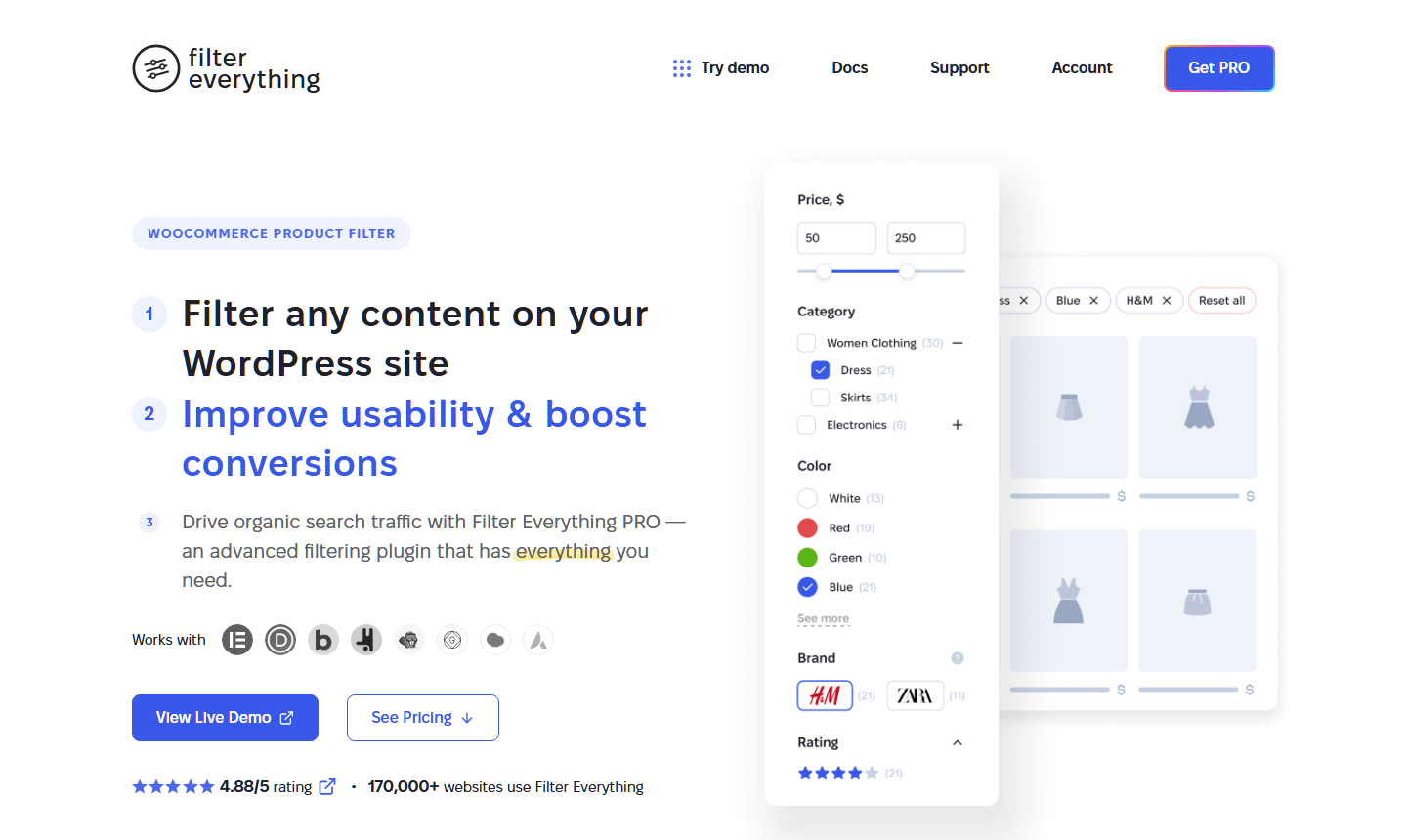
Around 50,000 active installs at 92/100. Its documentation describes filtering any content type, not only WooCommerce products, across every filter type and layout.
That any-content-type reach is half the reason it tops this list. After all, stores are rarely only a catalogue. If you also run a blog or listings, one engine means one thing to configure, style and debug. Search & Filter shares that reach, but it needs Pro for AJAX.
For a store that’s genuinely nothing but products, that breadth is neutral. In that case, you could reasonably pick on layout preference instead.
Best for: sites that filter more than just products.
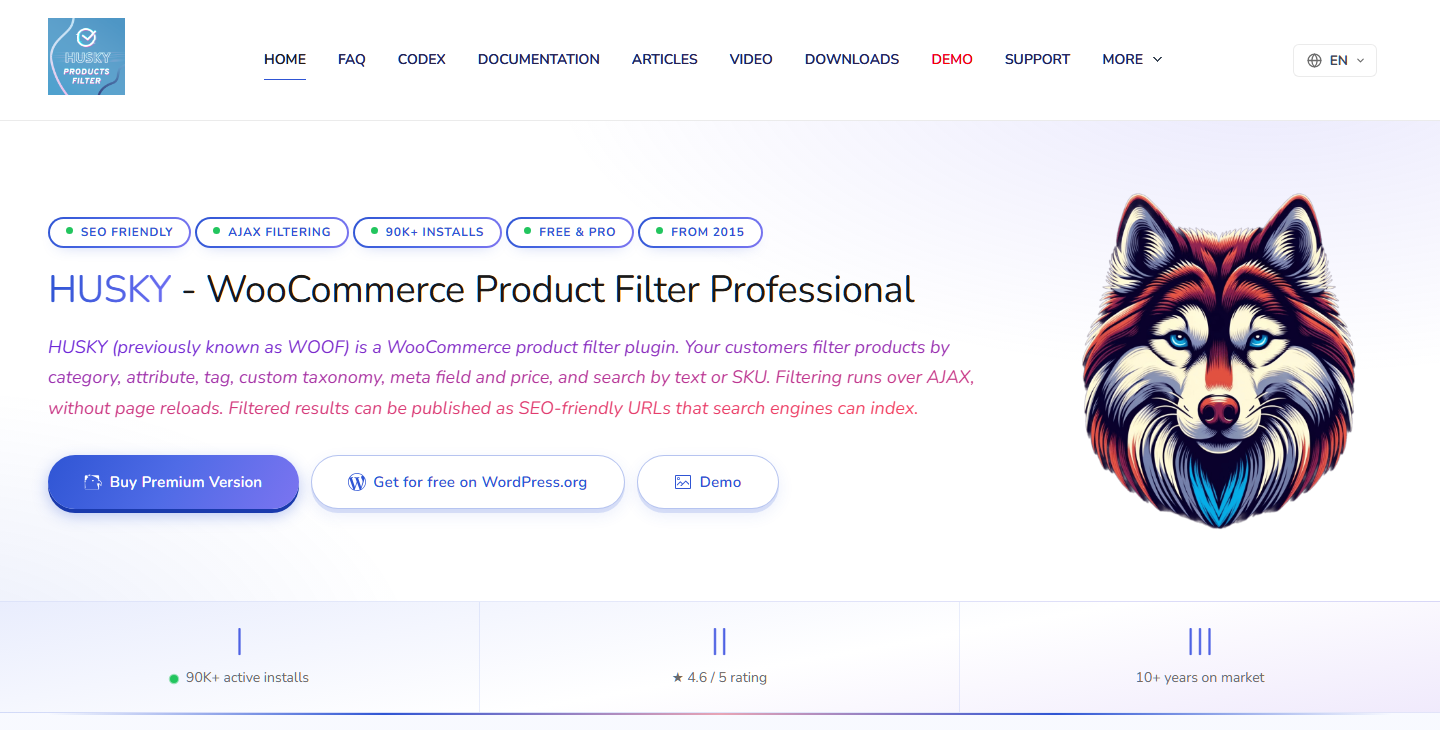
Roughly 80,000 active installs at 92/100, the largest install base here. It was formerly known as WOOF, and its documentation covers filtering by categories, attributes, tags and more.
That long history cuts both ways. On one hand, a plugin this widely deployed has had its edge cases found. Its documentation also reflects years of options. On the other hand, store owners often describe the options screen as overwhelming at first.
Best for: larger catalogues that need the deepest configuration options, with someone willing to learn them.
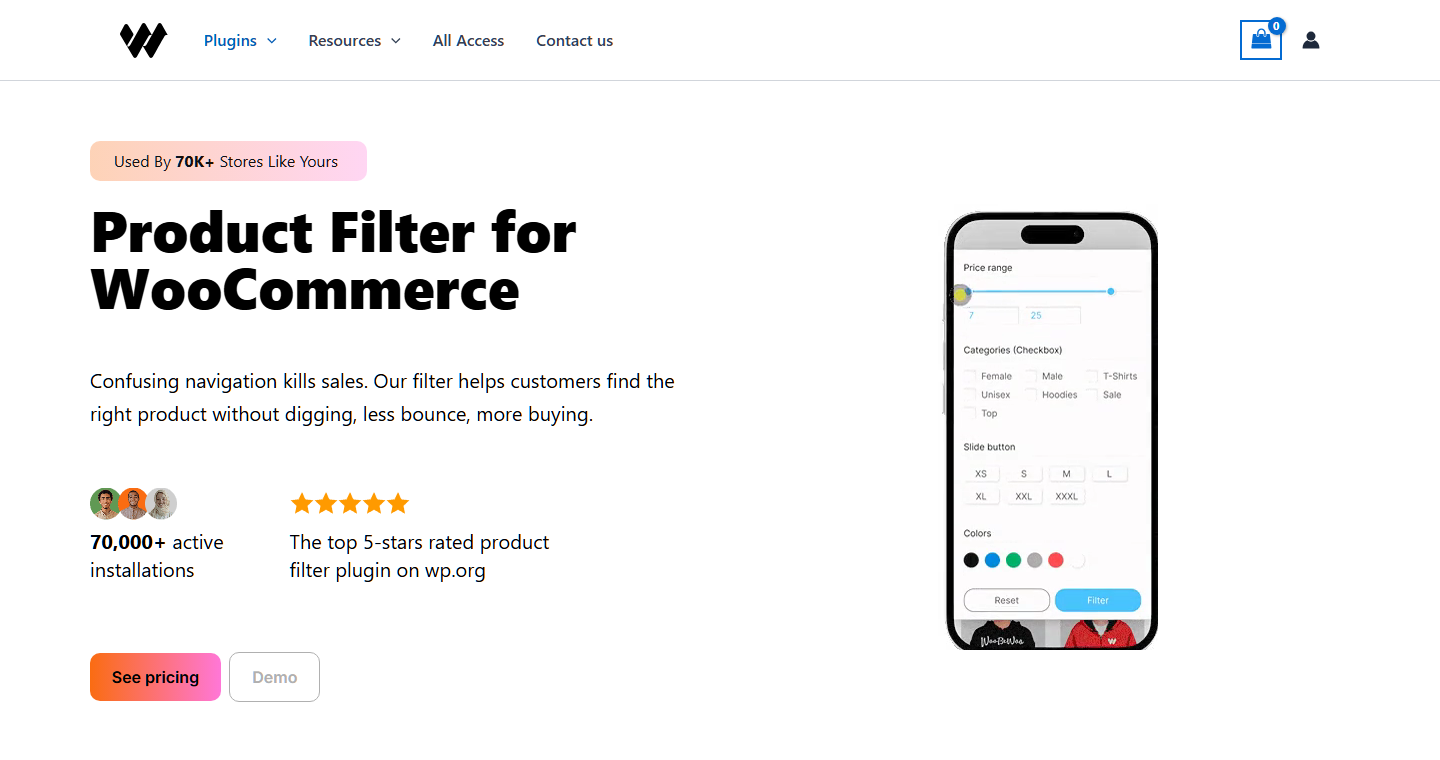
Around 50,000 active installs and the highest rating in this group, at 96/100 from 324 reviews. Its documentation covers price, categories, tags, taxonomies and attributes, with stated Elementor compatibility.
The Elementor note matters more than it looks. That’s because filters have to render inside whatever builds your category page. If the two don’t cooperate, layouts can break at exactly the screen widths shoppers use. So if your store is built in Elementor, start here.
Best for: Elementor-built stores, and anyone who wants the top-rated option in the category.
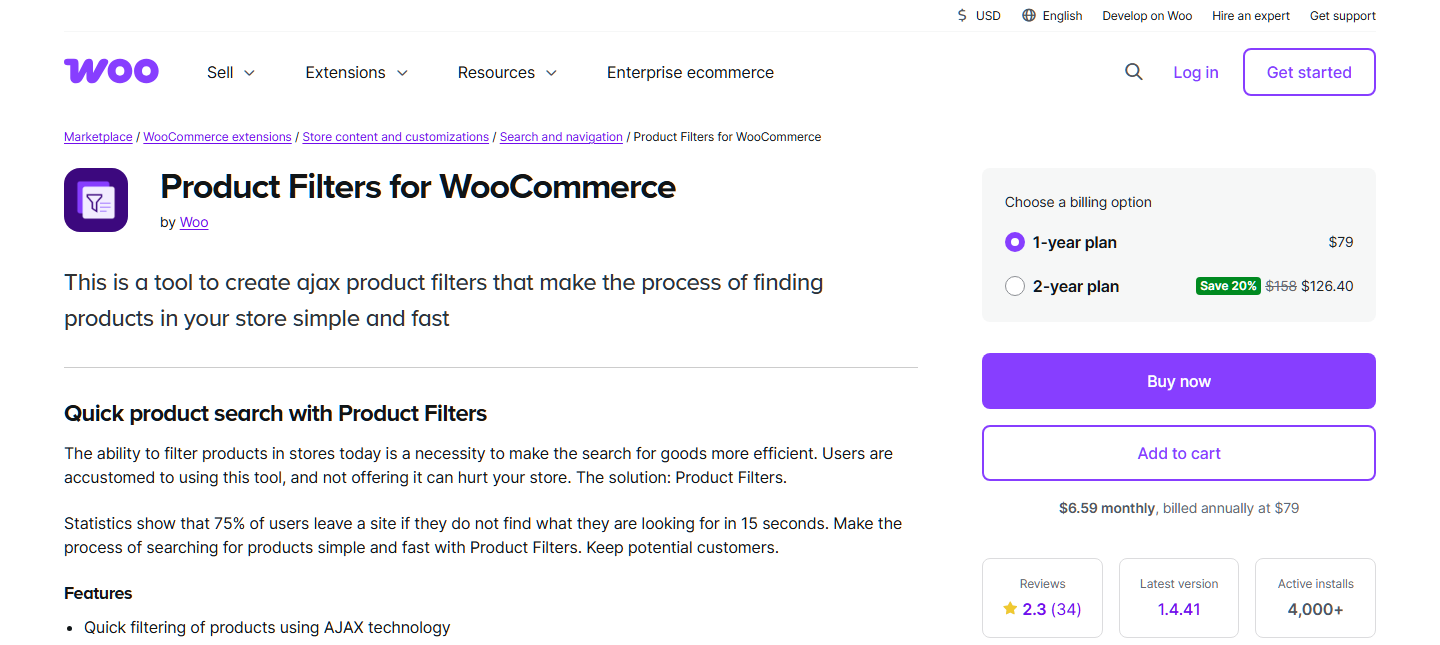
The official extension, built by Woo itself. It’s the safe institutional choice, with setup, widgets and shortcodes covered in its own documentation.
Being official means it tracks platform changes and has a clear owner for support. However, it isn’t the fastest or the most configurable. On both counts, the plugins above give you more. So choose it when knowing exactly who supports it is the deciding factor.
?brands=, using IDs or slugs. No noindex or SEO controls are documented.Best for: stores that want a first-party extension and are willing to trade configurability for that.

About 20,000 active installs at 70/100, the lowest rating among the directory-listed plugins here. It’s included because it’s a genuinely different shape: filtering built by a theme company.
It’s designed to sit inside a themed layout rather than be styled to match one. As a result, if you already run a Themify theme, it’s the path of least resistance. If you’re not on Themify, the higher-rated plugins above are a better place to start.
Best for: stores already on a Themify theme.
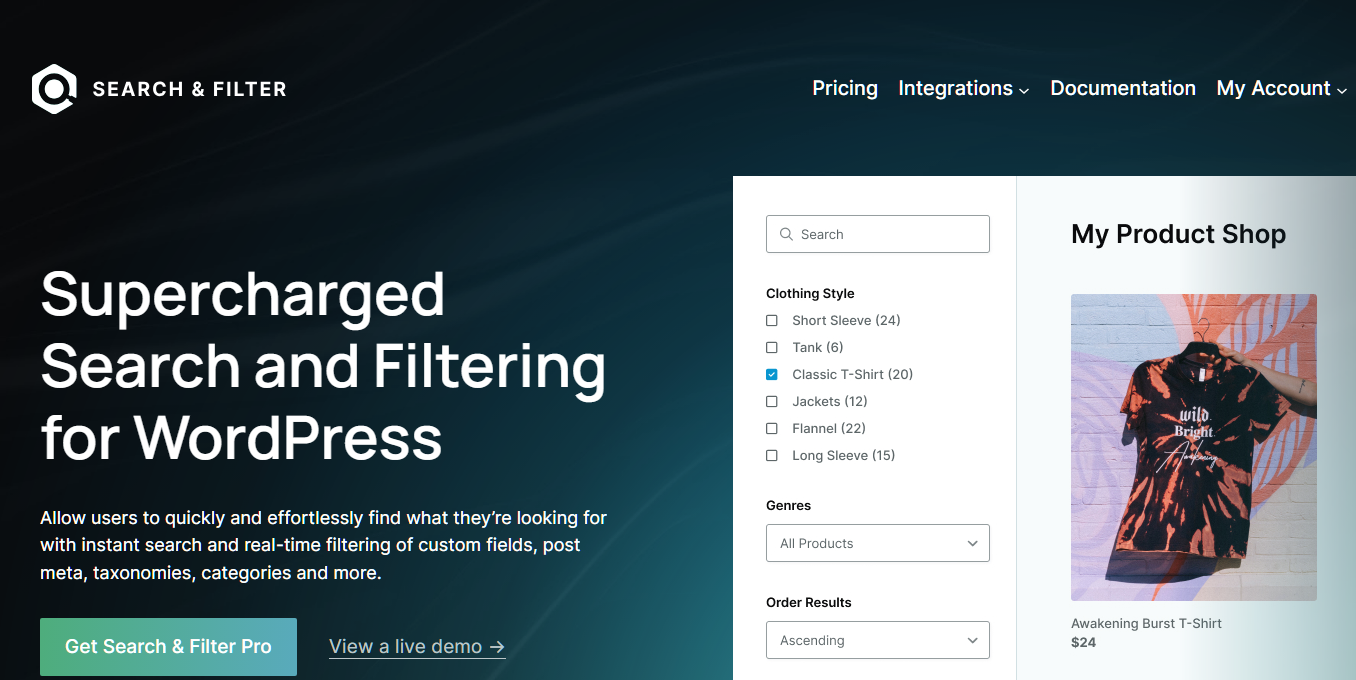
Around 50,000 active installs at 90/100, from Code Amp. Like Filter Everything, it filters any post type, so one setup can cover your shop, blog and custom listings.
The free version is a basic search form. In practice, it reloads the page on submit, with no AJAX, no index and no variation filtering. For a WooCommerce store, the real product is Search & Filter Pro. The vendor’s own docs recommend Pro for stores.
Pro’s headline feature is its Indexer. With it on, product searches only return variation combinations that actually exist. That solves the red-shirt-for-blue problem covered in the FAQ below.
Best for: stores that filter several post types and are happy to pay for Pro from day one.
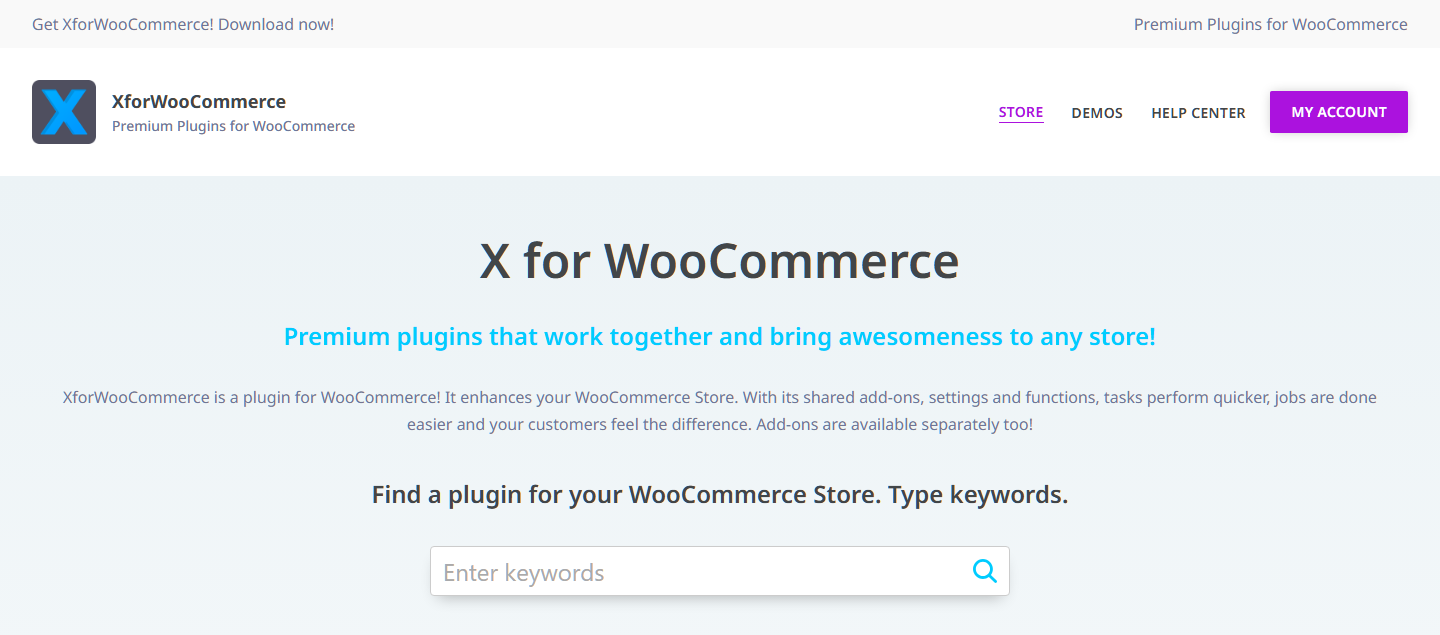
It’s sold through a commercial marketplace rather than the plugin directory. That means no public install count and no free tier to try. Still, it shows up consistently in search results for this category.
The marketplace route brings a different support model and a one-time price instead of an annual renewal. For some stores, that’s a plus. However, the update cadence is less visible than for a directory plugin. Check the last update date before you buy.
Best for: stores that prefer a one-time purchase to an annual licence.
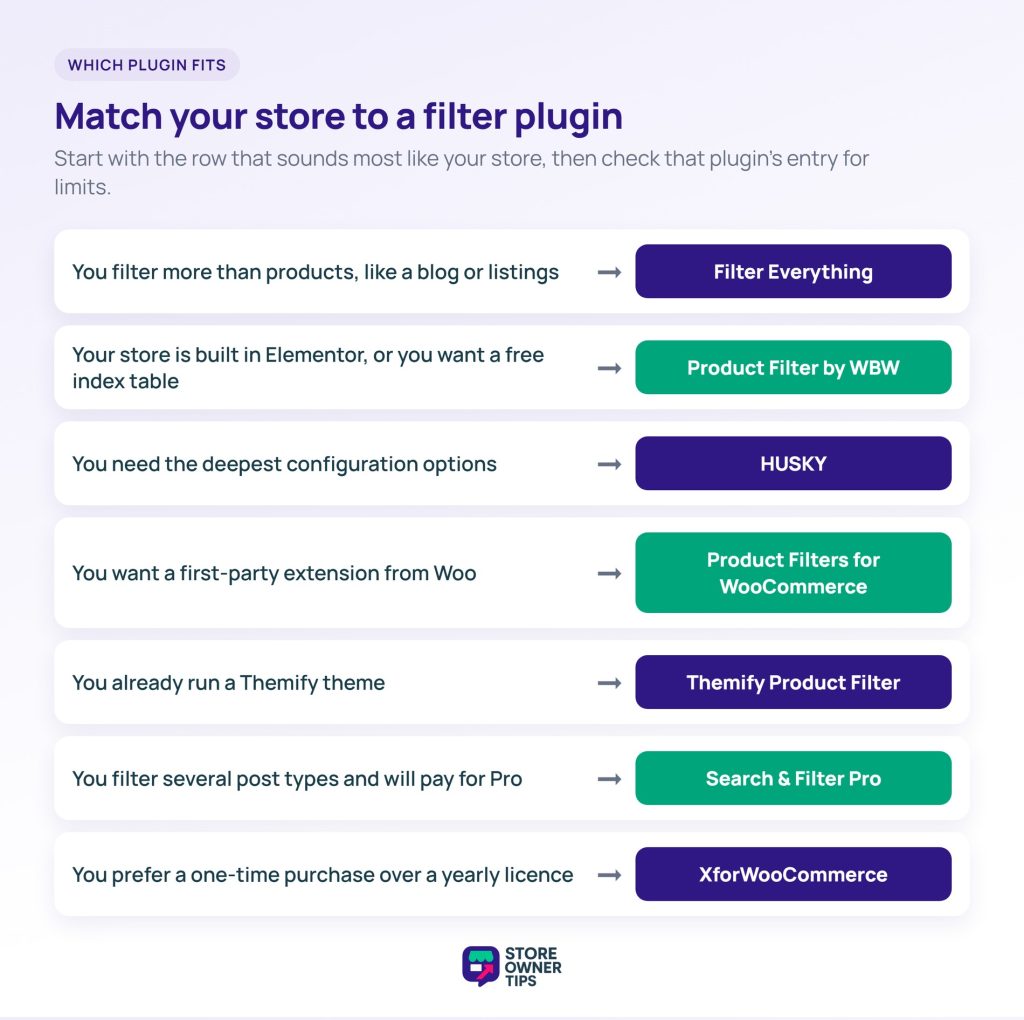
If you’re stuck between two WooCommerce product filter plugins, go back to the table. Match your catalogue size first, then test your pick on a staging site.
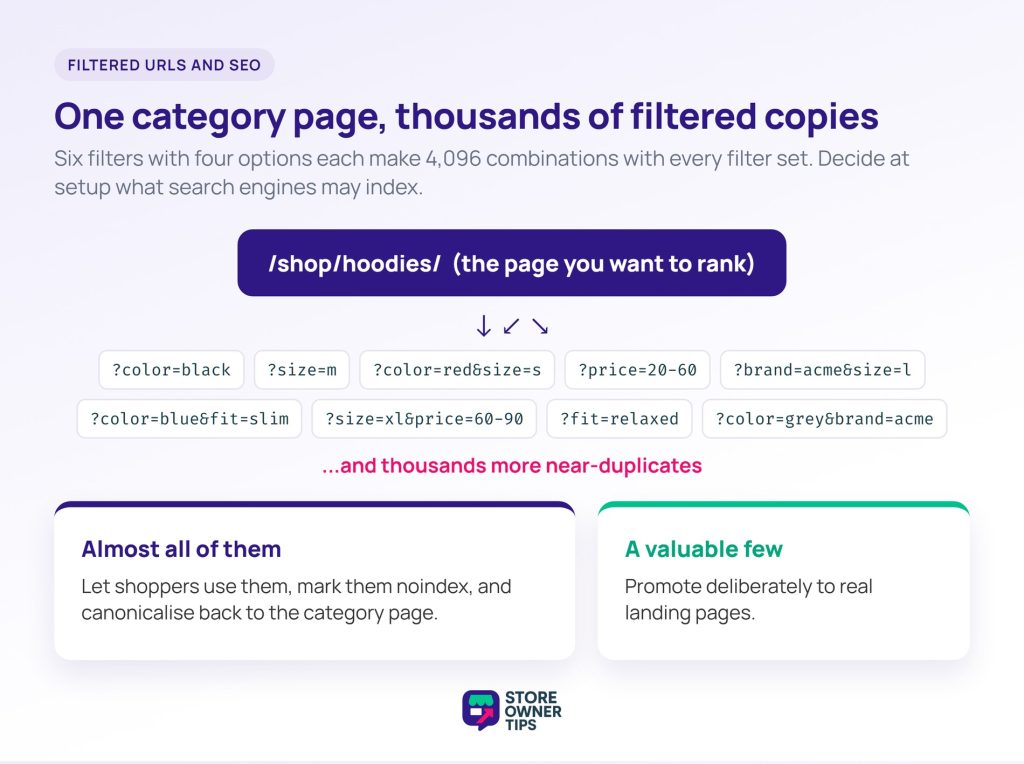
Filtered URLs can quietly generate thousands of thin, near-duplicate pages. Fortunately, the fix is a decision you make once, at setup.
Six filters with four options each produce more combinations than most stores have products. Now imagine every combination is crawlable and indexable. Search engines get a pile of near-identical pages. Each one looks almost exactly like the category page it came from.
This is the classic faceted navigation problem. The usual answer is to let filtered views render for shoppers without making them indexable. Then canonicalise them to the parent category. A handful of valuable combinations can be promoted to real landing pages, which is a much smaller job.
🔍️ What we’ve seen store owners get wrong: turning on URL parameters and leaving every default alone. Months later, the category page they wanted to rank is competing with hundreds of its own filtered variants. The traffic doesn’t vanish. It spreads across pages nobody meant to publish.
Handle this alongside the rest of your WooCommerce SEO work, not as a filter-plugin setting. The canonical and indexing decisions are the same ones you make everywhere else on the store.
One related note: the attributes that power your filters also feed your shopping channel listings. So attribute quality pays twice. If your filters are thin because your attributes are thin, fixing them improves both. Missing attributes are also a common reason products don’t show on Google Shopping, which AdTribes covers in detail.
Under a few hundred products, you probably don’t need a filter plugin. In fact, adding one can make the experience worse.
A shopper facing forty products doesn’t want to narrow them down. They want to see them. Meanwhile, a filter sidebar takes up space the products should use. Good categories and a working search box handle small catalogues better.
A sensible threshold is the point where a category no longer fits on two or three screens. Below that, spend the effort on how shoppers find products across the store. The product page they land on deserves that effort more than filtering does, too.
Since WooCommerce 9.9, core includes a Product filters block. So WooCommerce product filter plugins are no longer the only way to filter without page reloads.
The block runs on the Interactivity API. It updates results in place. Even so, it still writes each filter into the URL as a query parameter.
That said, the catch is your theme. On a classic theme, WooCommerce turns off in-place updates on shop and category pages, so every filter reloads the page. The older “Filter Products by Attribute” and “Filter Products by Price” widgets always reload too.
Core has its own speed fix for attribute filters as well. Go to WooCommerce > Settings > Products > Advanced and check that “Enable table usage” is ticked. It tells WooCommerce to use the product attributes lookup table for catalogue filtering, instead of the slower taxonomy tables.
Still, what core doesn’t give you is SEO control. There’s no noindex setting for filtered pages and no SEO landing pages. On a block theme with a modest catalogue, test the block before buying anything. On a classic theme, or when you need indexing rules, the plugins above earn their place.
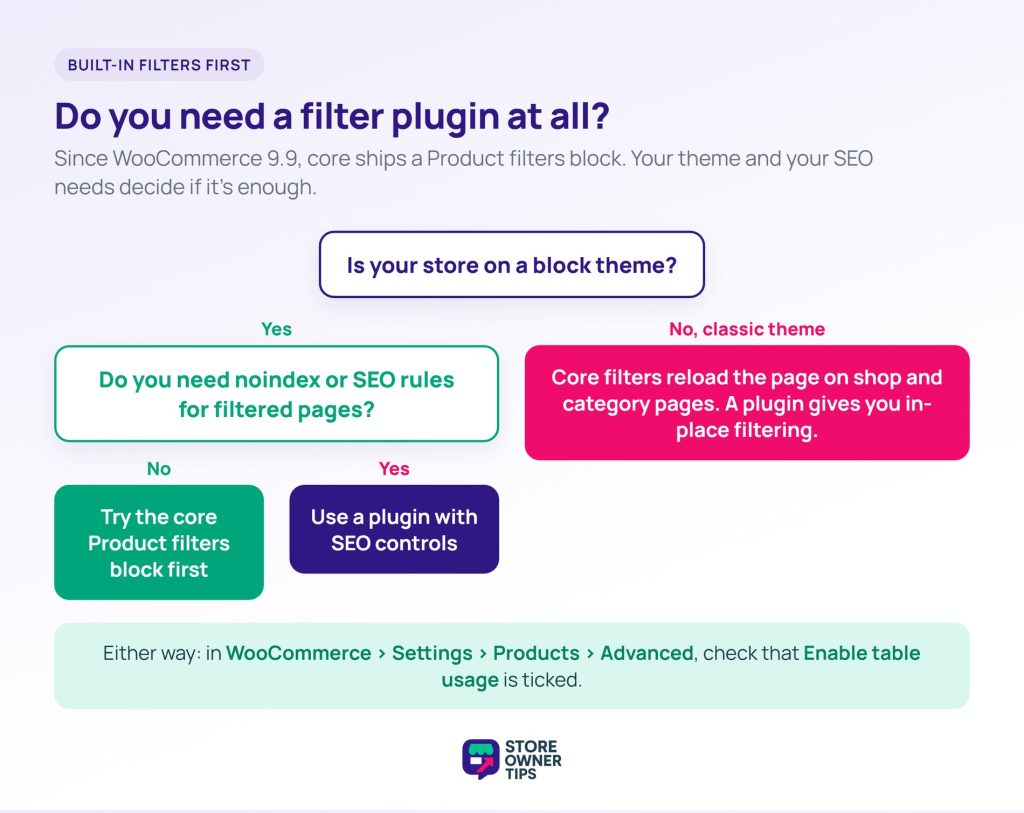
Yes. Since WooCommerce 9.9, core includes a Product filters block that updates results without reloading the page on block themes. Classic themes and the older filter widgets still reload the page. Neither adds the SEO controls most plugins here offer.
They can, and how much depends on catalogue size and the plugin’s architecture. A plugin that queries the standard tables suits a small catalogue and struggles on a large one. A plugin with its own index table takes more setup, but it holds its speed as you grow.
Generally no. Most filter combinations produce thin pages that compete with the category page they came from. Keep them usable for shoppers but non-indexable, and canonicalise them to the parent category. Promote only the few combinations that deserve to be real landing pages.
Most do, but they behave differently: some filter at product level and some at variation level. At product level, a product shows if any variation matches. That can surface a red shirt when the shopper filtered for blue. If your catalogue is variation-heavy, check which behaviour a plugin uses.
Fewer than you think. Each filter adds query cost for your server and decision load for the shopper. Start with what people actually choose by, usually price and one or two product properties. Then add more only when you can see them being used.
The plugin matters less than two decisions you make around it. First, whether filtered views become indexable URLs. Second, whether your catalogue is big enough to need an index table.
Get those right and most WooCommerce product filter plugins will serve you well. Get them wrong, and even the top pick in the category won’t save you.
Here’s what to do next:
Filters are only worth adding once the catalogue underneath is in order. A slow store stays slow whichever plugin you choose, so read this alongside our guide to store speed. Filtering is one of the WooCommerce plugins every store ends up needing, though rarely the first to reach for.

Copyright © StoreOwnerTips.com. All Rights Reserved.
