Weekly ecommerce tips, deals & news.
Most WooCommerce stores don’t have a traffic problem. They have an ecommerce product discovery problem. Shoppers land, poke around for a minute, and leave. They never find the thing they half-wanted.
The painful part is that those shoppers were interested. They weren’t browsing idly. Some hit a search box that returned nothing, or a category page with 340 unfiltered products. Others found something they liked but weren’t ready to buy.
Either way, every one of those moments is a sale that quietly expires. I’ve seen this pattern in store after store. The fix is rarely more traffic.
This guide covers how shoppers find products, and where WooCommerce stores lose them. It also covers the habit most stores skip: giving people somewhere to put what they found.
Jump to:

Ecommerce product discovery is everything between a shopper arriving and finding a product worth buying. It covers site search, category browsing, filters, recommendations, and the tools people use to save items.
It’s broader than search. Search is one path, used by shoppers who already know what they want. Discovery also covers the larger group browsing with only a vague idea.
That distinction matters, because the two groups need different things. A searcher needs accurate results fast. By contrast, a browser needs structure, comparison, and a way to keep a shortlist.
Meanwhile, online retail keeps growing, so the cost of poor discovery grows with it. In the second quarter of 2026, US retail e-commerce sales hit $340.2 billion. That’s up 12.2 percent year over year, and 17.1 percent of all retail sales. Those figures come from the U.S. Census Bureau.
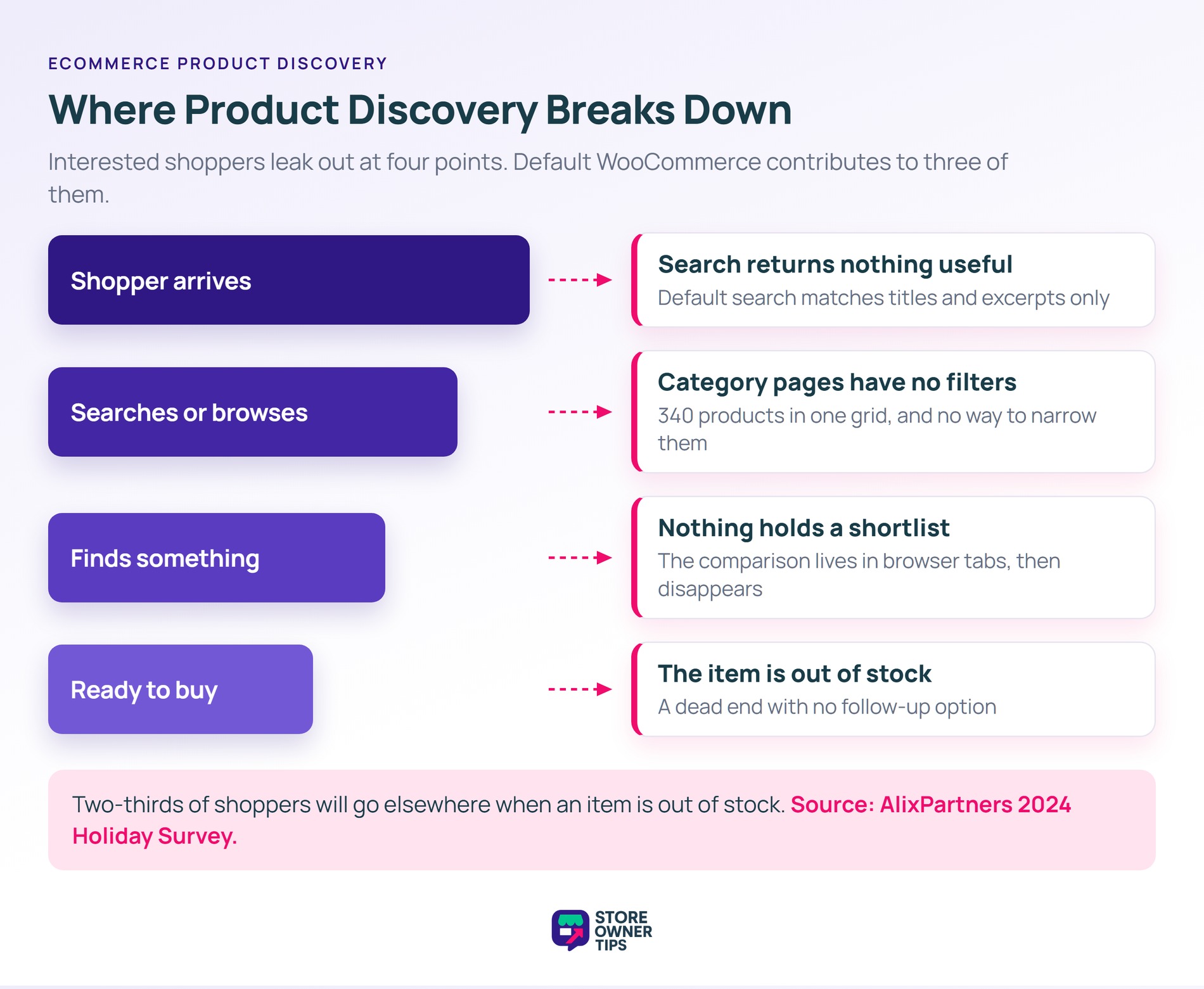
Discovery usually breaks in one of four places. Default WooCommerce contributes to three of them. The stock setup is fine for a small catalog. However, it starts creaking past a hundred products.
That last one is expensive. AlixPartners’ 2024 Holiday Survey found that two-thirds of shoppers will go elsewhere when an item is out of stock.
🔍️ What we’ve seen: store owners spend months on ads, and almost nothing on the search box beside them. Internal search logs are usually the first place to look. Two things tend to surprise people there. How many searches return zero results, and how many are for products stocked under a different name.
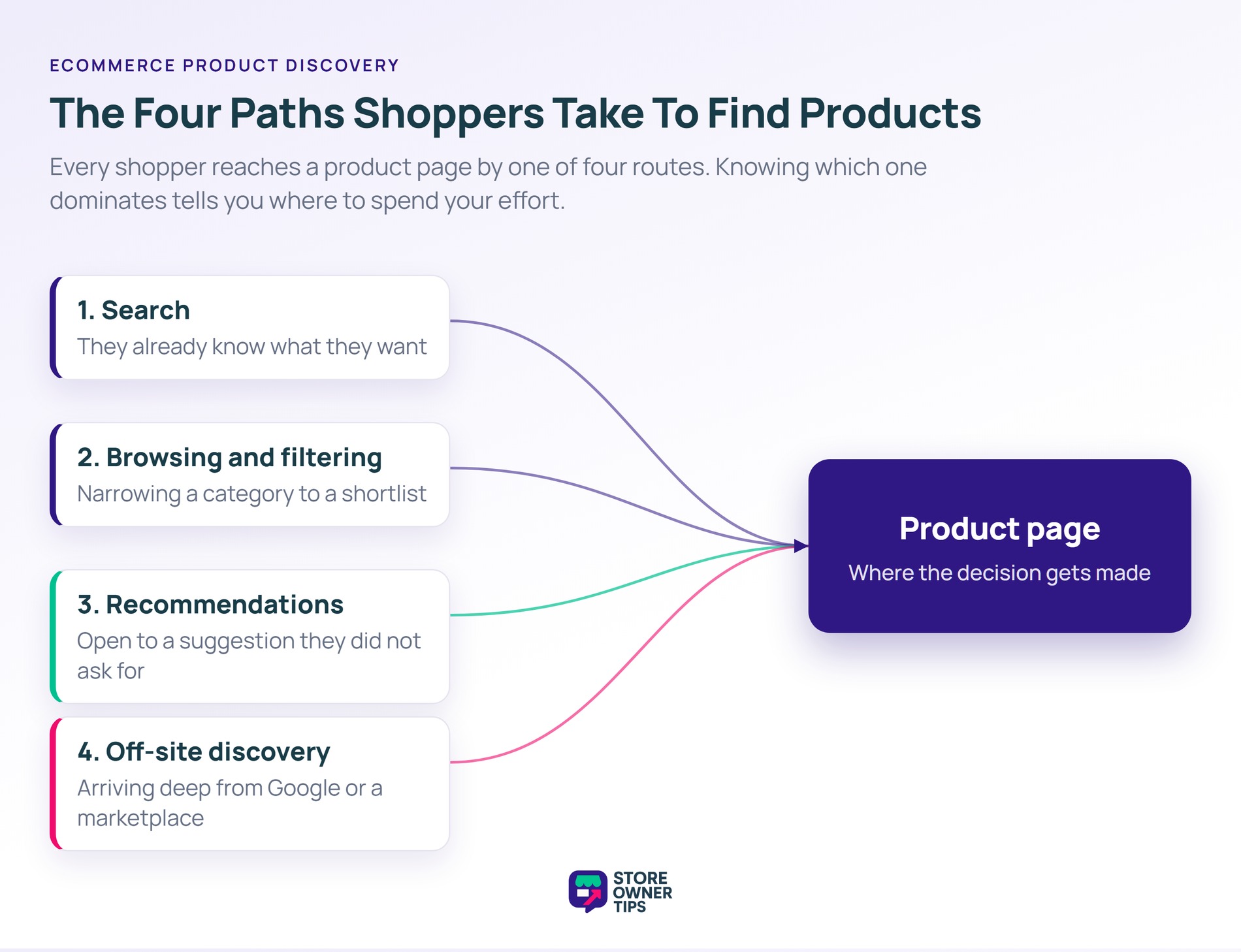
Shoppers reach a product page by one of four routes. Knowing which one dominates in your store tells you where to spend effort.
These are your highest-intent visitors. They type a name, a model, or a specific attribute. If your search can’t handle synonyms, plurals, or typos, you lose your likeliest buyers.
These shoppers work from a category down to a shortlist. They need faceted navigation that filters by attributes they care about. Price and rating alone won’t cut it.
Related products, recently viewed items, and “customers also bought” blocks extend a session. They work best when suggestions come from real behavior. In other words, a list nobody has reviewed since launch won’t help.
Plenty of shoppers find a product through Google, a marketplace, or a shared link. They land deep in your store with no category context. Structured product data helps, and our WooCommerce SEO guide covers the markup.
Search and filters read from the same place: your product attributes. Fix either one without fixing the data underneath, and you’ll get a faster route to the same incomplete answer.
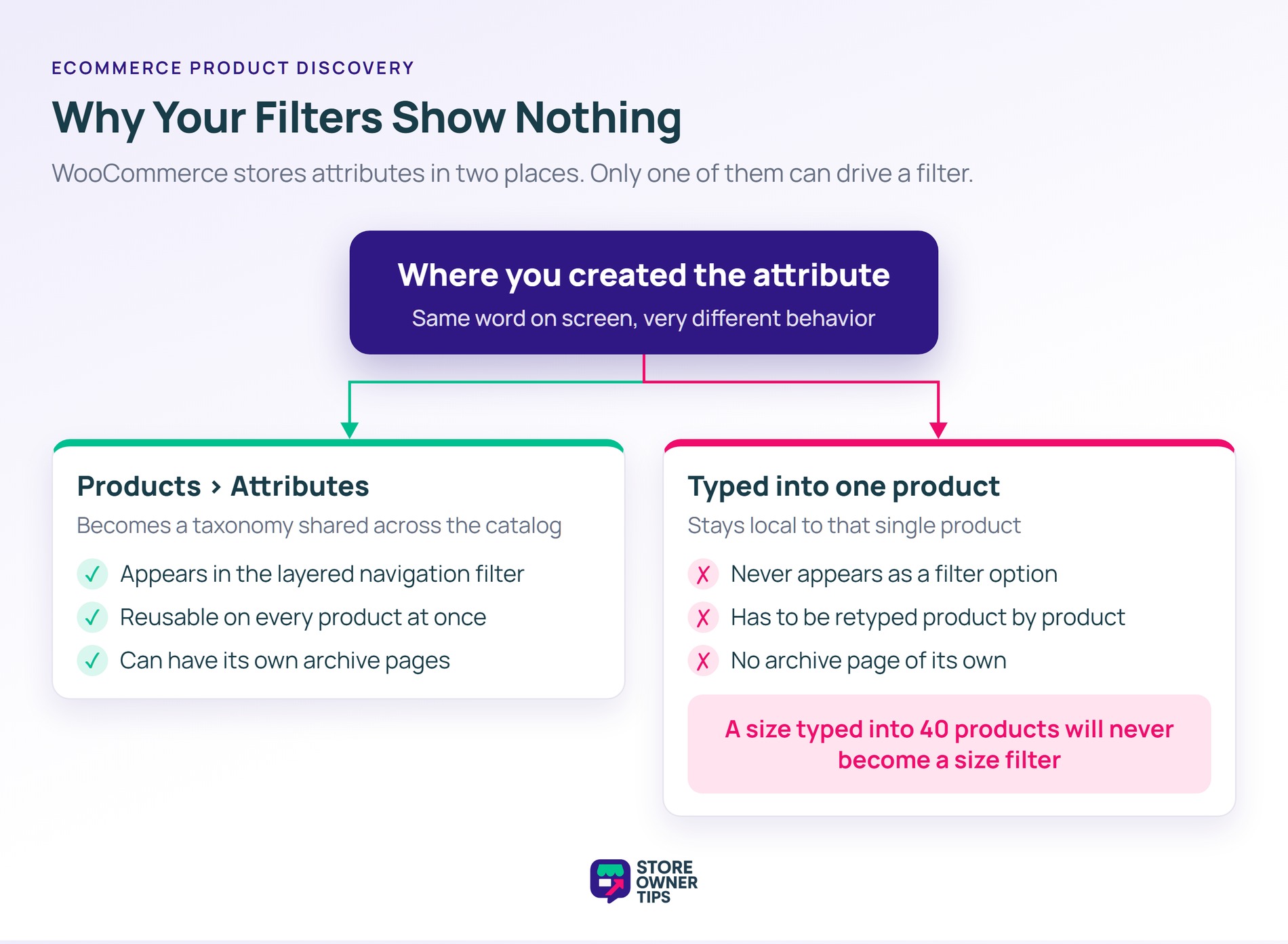
WooCommerce stores attributes in two ways, and the difference decides what your filters can do. An attribute created under Products > Attributes becomes a taxonomy shared across your product catalog. An attribute typed into a single product stays local to it.
Only the first kind can drive a filter. WooCommerce’s layered navigation widget builds its list from registered attribute taxonomies. So a size typed into forty individual products will never appear as a filter.
🔍️ What we’ve seen: this one’s easy to miss. The attributes show on every product page and look fine. So filtering gets written off as a theme limitation. The fix is usually to rebuild three or four attributes as global ones, then reassign them.
Global attributes also carry an “Enable archives?” setting. WooCommerce describes it as enabling product archives for that attribute. Turn it on for attributes people shop by, and leave it off for internal ones.
Site search is the highest-leverage fix here, because the traffic is already there and already qualified. A shopper who searches has told you what they want, in their own words.
Start by reading your search logs. Sort by frequency, then look at the searches that returned nothing. Each one is a product you should stock, a product named differently, or a missing synonym.
In practice, search and saving work together more than most stores realize. SaveTo Wishlist documents how its buttons appear inside Search & Filter results. A shopper can shortlist an item without losing their place.
Category pages are where browsers narrow down, and most WooCommerce category pages are a bare grid. The job is to help someone go from forty options to three.
Filters should reflect how customers choose, not how your warehouse is organized. For example, in a clothing store that means size, color, and fit. Supplier and collection year come second.
Still, sort order matters as much as filtering. A default of “newest first” buries your proven sellers. A default of “price low to high” trains shoppers to anchor on your cheapest item.
Add a quick view so shoppers can check details without leaving the grid. In addition, put a save control on every product tile. SaveTo Wishlist covers the layout side in its guide to shop page best practices.
Once a shopper reaches an individual product, the same principle applies. Our guide to WooCommerce product page optimization goes deeper on that step.
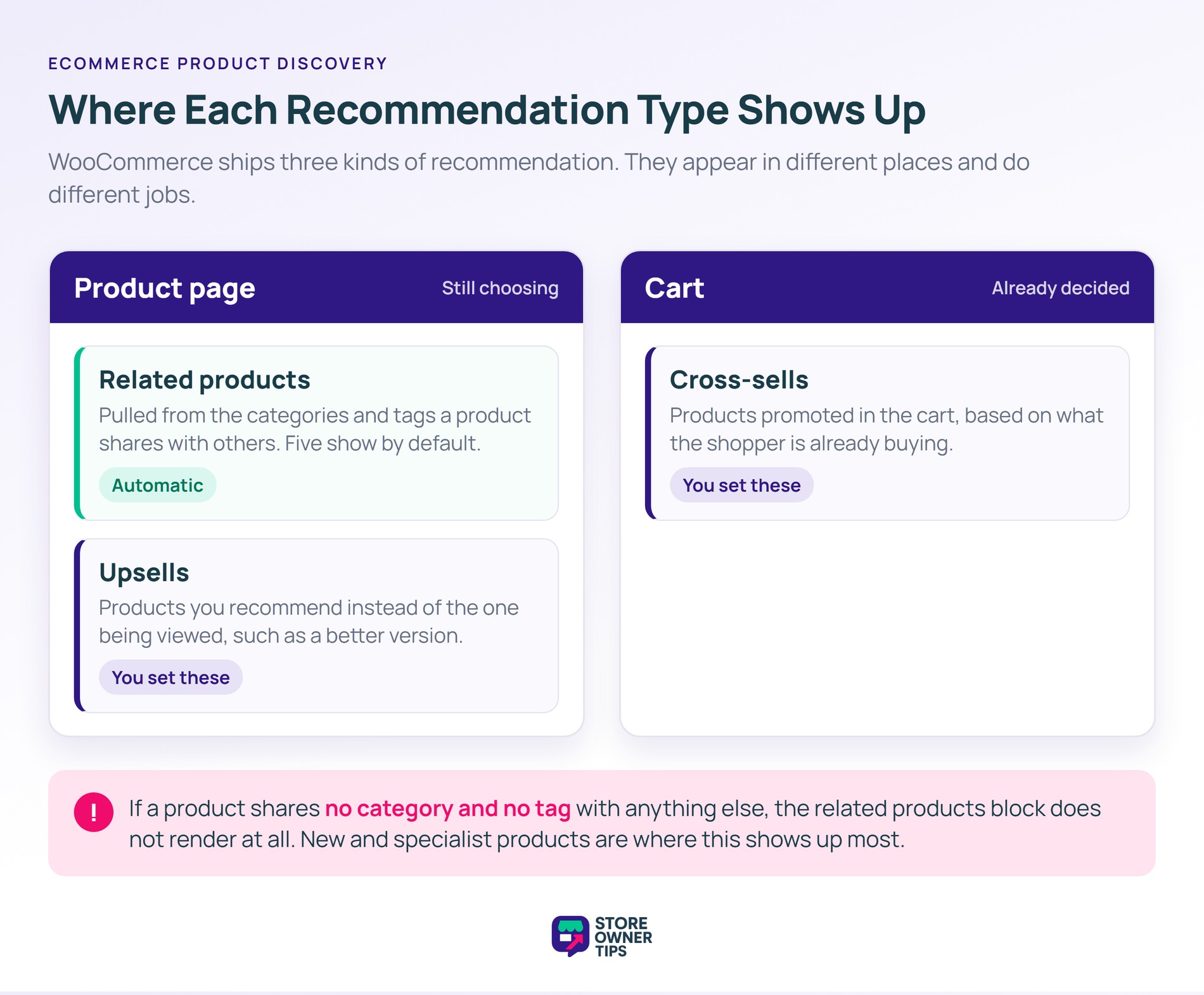
Recommendations are the third discovery path, and WooCommerce ships three kinds. Knowing which is which decides where your manual effort is worth spending.
The automatic one has a failure mode worth knowing. If a product shares no category and no tag with another, the related block won’t render.
🔍️ What we’ve seen: this turns up most often on new or specialist products. They tend to get one narrow category and no tags. Nobody notices, because an empty block looks the same as a theme without one.
Because related products follow categories and tags, your taxonomy is also your recommendation engine. Tags are the cheaper lever here. Adding a shared tag links a group of products without disturbing your categories.
As a result, it’s worth setting upsells and cross-sells by hand on your highest-traffic products. For the thinking behind both, see our guides to upselling and cross-selling.
One caveat applies to all three. None of them know what a shopper has already saved. A returning visitor can see the same suggestions they passed over last time. SaveTo Wishlist covers closing that loop in its guide to personalization with wishlists.
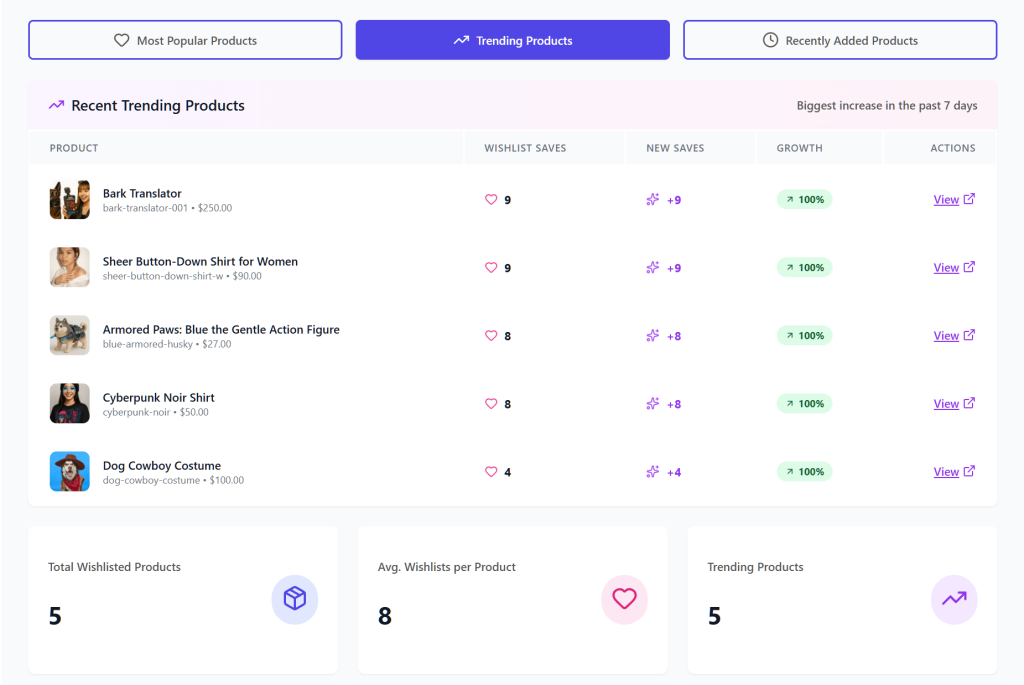
This is the step most stores skip, and it’s the one that turns discovery into revenue. Finding a product isn’t the same as being ready to buy it.
A store with no save function forces every shopper into a binary choice. Buy now, or lose it.
In fact, most shoppers aren’t ready. The average documented cart abandonment rate is 70.22 percent, across 50 studies collected by the Baymard Institute. A large share of that is people still deciding.
A product wishlist gives those shoppers a place to park items. It’s worth knowing the difference between a wishlist and a save for later list. SaveTo Wishlist breaks down both patterns in its comparison of the two.
Three details decide whether saving actually gets used:
If you’re weighing up options, we maintain a roundup of WooCommerce wishlist plugins.
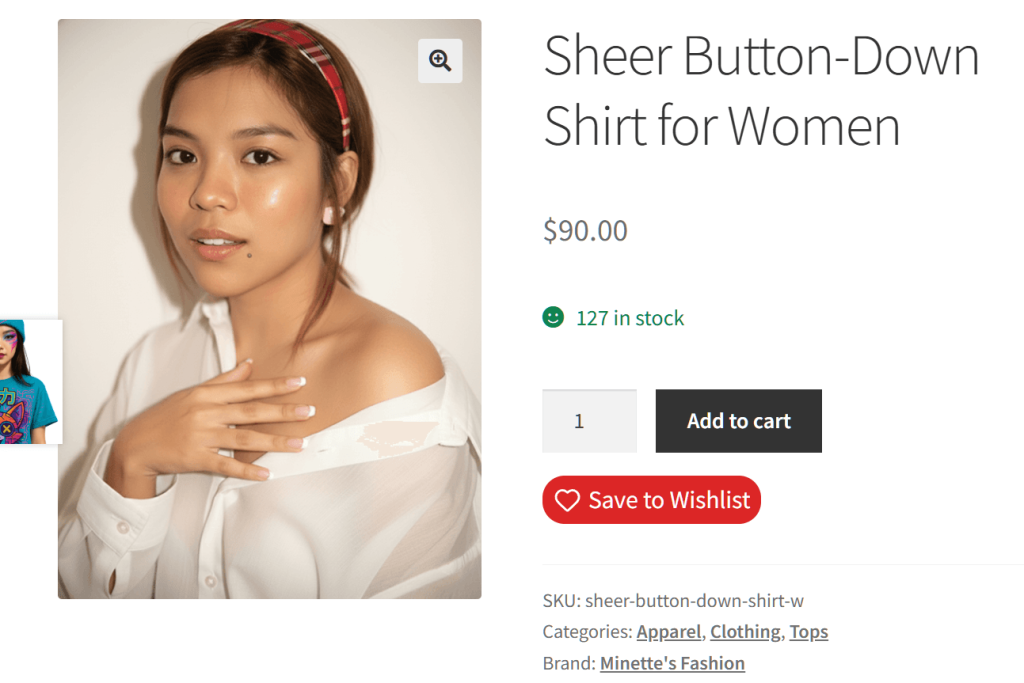
A saved item is a standing instruction. This shopper wants this product, at the right moment. That makes saved lists the most specific follow-up trigger in your store.
Two triggers do most of the work. The first is price. When a saved product goes on sale, the person who saved it is the obvious one to tell. SaveTo Wishlist documents this in its guide to wishlist price drop alerts.
The second is availability. Rather than losing the two-thirds who leave on a stockout, capture them with a restock alert. SaveTo Wishlist covers the setup in its restock notifications guide.
Beyond those two, saved-item data sharpens follow-up email generally. SaveTo Wishlist’s guide to wishlist email marketing walks through the core workflows. The same signals feed better product recommendations.
Getting this right protects margin on the other side too. Salesforce reported $181 billion in global returns over the 2025 holiday season. That was 14 percent of all purchases. Shoppers who deliberate and come back tend to be surer than impulse buyers.
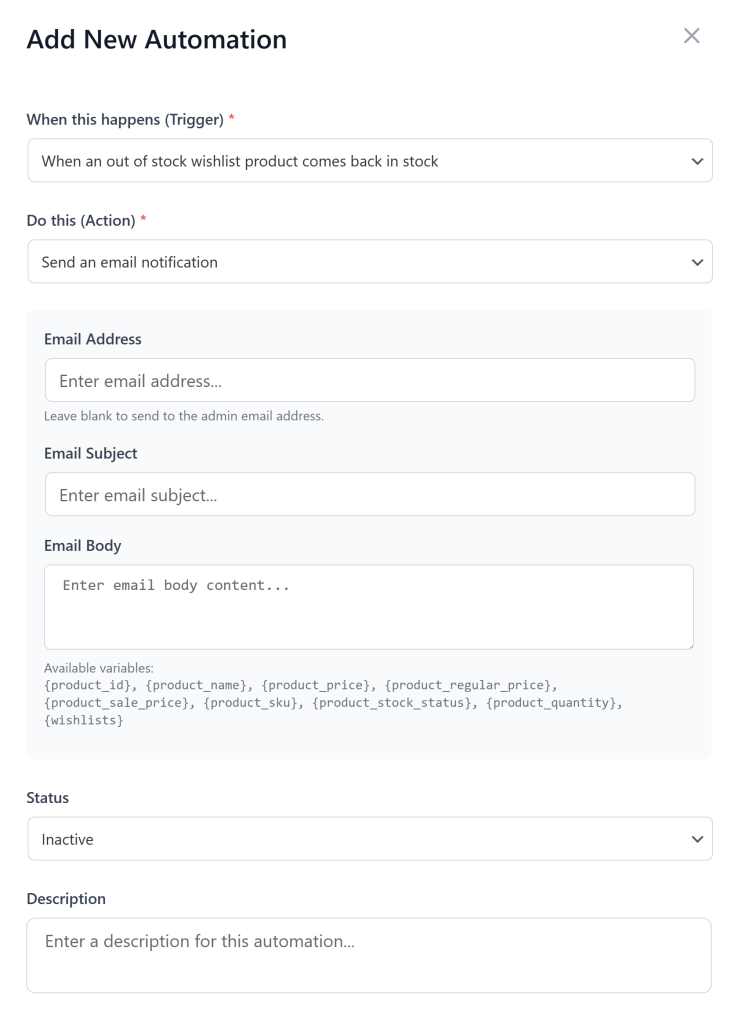
You can’t fix discovery without measuring it, and four numbers cover most of the picture. Track them monthly, because discovery changes slowly.
| Metric | What it tells you | Where to act |
|---|---|---|
| Zero-result search rate | How often search fails outright | Synonyms, indexed fields, stock gaps |
| Search exit rate | Whether results are relevant enough to click | Result ranking, thumbnails, sort order |
| Add-to-wishlist rate | Interest that is not yet a purchase | Save button placement and visibility |
| Wishlist-to-purchase rate | Whether saved interest converts | Price and restock alerts, follow-up email |
Two of these need a tool before they exist. WooCommerce Analytics reports on orders, products, categories, customers, coupons, stock, taxes and revenue. It has no search report, so internal search terms aren’t recorded for you.
To get them, turn on site search tracking in your analytics platform. Alternatively, a search plugin that logs queries and flags empty results does the same job.
The two wishlist metrics are the ones stores rarely track. Our glossary entry on add-to-wishlist rate explains how to calculate it. SaveTo Wishlist covers reporting in its guide to wishlist analytics.
Meanwhile, watch for browse abandonment patterns alongside these. A high save rate with a low purchase rate usually means the follow-up is missing.
One honest caveat: this work stays partly manual. Synonym lists and zero-result reviews need revisiting as your catalog changes. For the wider conversion argument, SaveTo Wishlist has collected the case in how wishlists increase conversion.
It’s the whole process of a shopper finding a product worth buying on your store. That includes site search, category browsing, filtering, recommendations, and the tools people use to save items. It’s broader than search alone, because most shoppers browse rather than search.
Site search is one path within discovery, used by shoppers who already know what they want. Discovery also covers shoppers with only a vague idea. They rely on categories, filters, and recommendations instead. A store can have good search and still lose browsers who never use it.
It improves what happens after discovery. A wishlist lets shoppers keep items they found but aren’t ready to buy. That stops the interest disappearing when the tab closes. It also gives you a record of demand you can act on later.
Start with your zero-result searches, because they point at qualified shoppers you’re already losing. Fix the synonyms and indexed fields behind those searches. Then add filters to your busiest category pages. Add a save option once those two are working.
Track four numbers monthly: zero-result search rate, search exit rate, add-to-wishlist rate, and wishlist-to-purchase rate. Falling zero-result rates and rising save rates mean shoppers are finding more. Rising wishlist-to-purchase rates mean your follow-up is working.
They shouldn’t. Requiring registration at the moment someone wants to save an item loses most of those saves. Wishlist tools that support guest saving let shoppers build a list first. They can attach it to an account later if they register.

Ecommerce product discovery isn’t a single feature you switch on. It’s the sum of how easily someone finds a product, compares it, and holds onto it.
Most stores are strongest at the first part and weakest at the last. That said, the fastest wins are usually unglamorous.
Read your search logs. Add the synonyms your customers already use. Then stop making interested shoppers choose between buying now and losing the product.
Here’s what to do next:
Ecommerce product discovery ends when a shopper has somewhere to keep what they found. If that’s your missing piece, start with SaveTo Wishlist Lite. It’s free, and it shows how much saved interest your store is currently missing.

Copyright © StoreOwnerTips.com. All Rights Reserved.
