Weekly ecommerce tips, deals & news.
A plugin conflict is when two plugins work fine alone but break something once both are active. Each one behaves correctly on its own. Together they fight over the same job.
Plugin conflicts show up as a blank page, a button that stops responding, or a checkout that silently fails. In practice, the hard part is not fixing the conflict. It is working out which two plugins are arguing.
A plugin conflict works because WordPress lets every plugin edit the same thing in turn. Think of a filter as a document passed from desk to desk. Then each person may cross out a line and write their own.

Nothing stops two people editing the same line. So the last desk in the queue decides what the page finally says.
Plugin conflicts come from a handful of repeatable causes. First, two plugins can attach to the same hook and overwrite each other’s output. In practice, whichever runs later wins, and load order is not obvious.
Priority numbers are supposed to settle that order. A plugin with a high priority number runs after one with a low number. Still, most plugins accept the default priority, which leaves the outcome down to whichever loaded first.
Next comes the scripting layer. Two plugins may each load their own copy of the same JavaScript library, at different versions. As a result, one plugin quietly breaks the other’s buttons and pop-ups.
Then there are plugins that replace an entire template rather than adjust it. A checkout plugin that rebuilds the page can drop the hook another plugin was relying on. Meanwhile caching adds a final twist, because a cached page can serve output the current settings would never produce.
Finding a plugin conflict means removing variables until the fault disappears. So start with a staging copy of the store, never the live site. Then deactivate everything except WooCommerce and confirm the problem is gone.
Then reactivate one plugin at a time and retest after each one. So the plugin that brings the fault back is half of your answer. For example, a systematic basic debugging routine follows exactly this pattern.
Also switch to a default theme at some point, because themes cause plenty of these faults too. If a fatal error locks you out entirely, WordPress can email an admin a recovery link. That link opens the dashboard with the offending code disabled, and guides on WordPress site recovery walk through the rest.
Plugin conflicts are not equally expensive, and location decides the damage. For example, a conflict on a blog sidebar is an annoyance. By contrast, the same conflict on your checkout is a closed shop.
Checkout and cart pages attract the most plugins, which makes them the most crowded desks in the queue. Shipping calculators, coupon logic, payment gateways and analytics scripts all want the same moment. So that is where conflicts concentrate.
Worse, these failures are usually silent. Still, nobody emails you to say the pay button did nothing. Instead the order simply never appears, and the shopper is counted as ordinary cart abandonment.
One more wrinkle is worth knowing. A conflict can affect one device and leave another untouched. For example, a script error may only surface on mobile, or only for logged-out visitors.
Plugin conflicts are hard to count directly, but the surrounding numbers explain the exposure. WordPress runs 40.7% of all websites tracked by W3Techs. Plus nearly all of that functionality arrives as plugins rather than core code.
Patchstack catalogues disclosed security issues across the WordPress ecosystem each year. Its report found 91% of new vulnerabilities sat in plugins rather than themes. That is a security figure, not a conflict figure.
Even so, it tells you where the moving parts live. Meanwhile Baymard finds that a site with errors or crashes is the stated reason for 17% of abandonments. Plenty of those errors are two plugins disagreeing.

A plugin conflict in practice tends to arrive the day after an unrelated update. Here is a hypothetical example. Imagine a homewares store running 24 plugins on a busy storefront.
First, the store adds a new delivery-date picker to its checkout. It also runs a coupon plugin, a page builder and a caching layer. Every one of them was working the previous week.
Then the date picker loads its own copy of a calendar script. Unfortunately the page builder already loads an older version of the same script. So on the checkout page, only one of the two gets to work properly.
Desktop shoppers see the delivery calendar but cannot apply a coupon. The coupon field accepts a code and then does nothing at all. Meanwhile no error appears anywhere in the admin.
As a result, the store takes 61 fewer orders than usual over ten days. Support tickets mention a broken discount, but only from the handful of people who bothered to write in. Meanwhile everybody else assumed the sale had ended and left.
Meanwhile the owner spends the first week blaming the promotion itself. In short, a scripting clash gets diagnosed as a marketing failure.
The store clones itself to staging and starts switching plugins off. Within an hour the pairing is obvious, because the coupon field recovers the moment the date picker sleeps. Then the fix is a settings change telling one plugin to skip its bundled script.
Finally the store adds two habits. Updates land on staging first, and the checkout gets a test order after every plugin change. That second habit costs about two minutes a week.
It also writes down the plugin list with a note on what each one does. That way the next conflict starts with a shortlist instead of 24 suspects.

| What you are comparing | Plugin conflict | Plugin bug |
|---|---|---|
| When it appears | Only in a specific combination | On its own, every time |
| Who can reproduce it | Often only you | The vendor, in their own tests |
| Who fixes it | Usually you, by changing settings | The vendor, in an update |
| First useful step | Deactivate and retest in pairs | Report it with your error log |
A plugin bug is broken code, while a plugin conflict is two pieces of working code colliding. The distinction decides who can help you.
Support teams can only fix what they can reproduce. So telling a vendor which other plugin triggers the fault turns an unanswerable ticket into a solvable one.
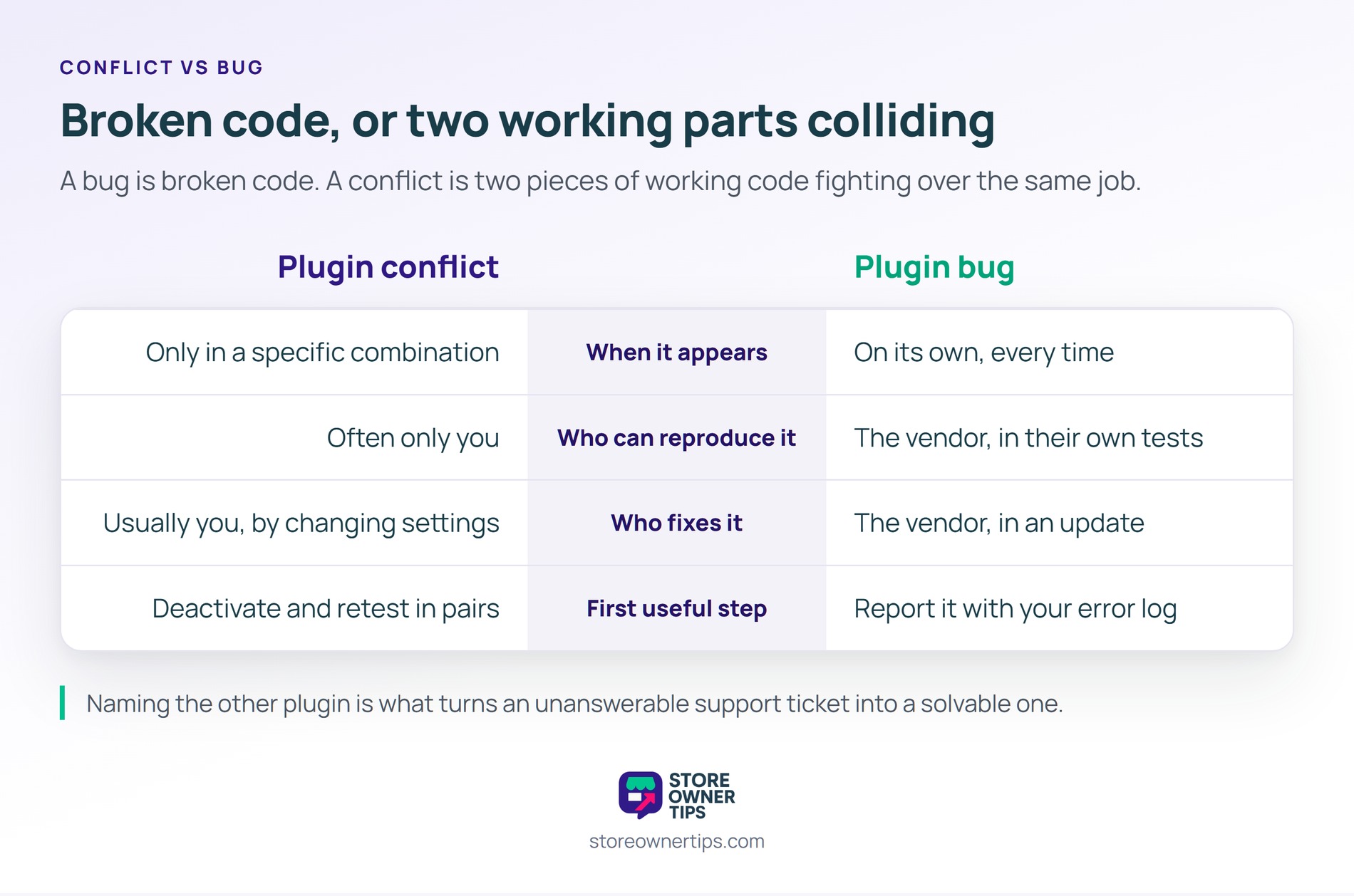
Both plugins are competing for the same job. They may edit the same value, load rival versions of one script, or rebuild the same template. Individually each one completes its task without interference.
That is also why the fault never showed up in either vendor’s testing. Nobody tests every possible combination, because the number of combinations is effectively endless.
Yes, and you should. A staging copy of your site lets you deactivate plugins freely with no risk to live orders. Also, most decent hosts create one in a couple of clicks.
Failing that, some troubleshooting tools disable plugins for your own browser session only. So your visitors keep seeing the normal site while you test.
Deactivating a plugin leaves its settings and records in your database untouched. So reactivating it normally restores everything as it was. That is what makes deactivation a safe diagnostic step.
By contrast, deleting is the riskier action, because some plugins remove their data. So take a backup before deleting anything you might want back.
A plugin conflict matters because it breaks revenue quietly, without ever announcing itself. Nothing in your reports says two plugins disagreed, so the lost orders get filed under weak demand. Instead the damage surfaces as a soft conversion rate nobody can explain. Plus the fix is usually a setting rather than a rebuild.
In short, a store that test-orders after every plugin change catches these in minutes instead of weeks.
Copyright © StoreOwnerTips.com. All Rights Reserved.
