Weekly ecommerce tips, deals & news.
A webhook is an automated message your store sends to another app the moment something happens. Instead of that app constantly asking your store for news, your store pushes the update itself. Picture a new order coming in, then your shipping app hearing about it instantly. It’s the quiet messenger that keeps your tools in sync in real time.
To see why webhooks matter, picture how apps used to share data. One app had to keep asking another, over and over, if anything had changed. Webhooks flip that around. The source app speaks up on its own the moment news breaks.
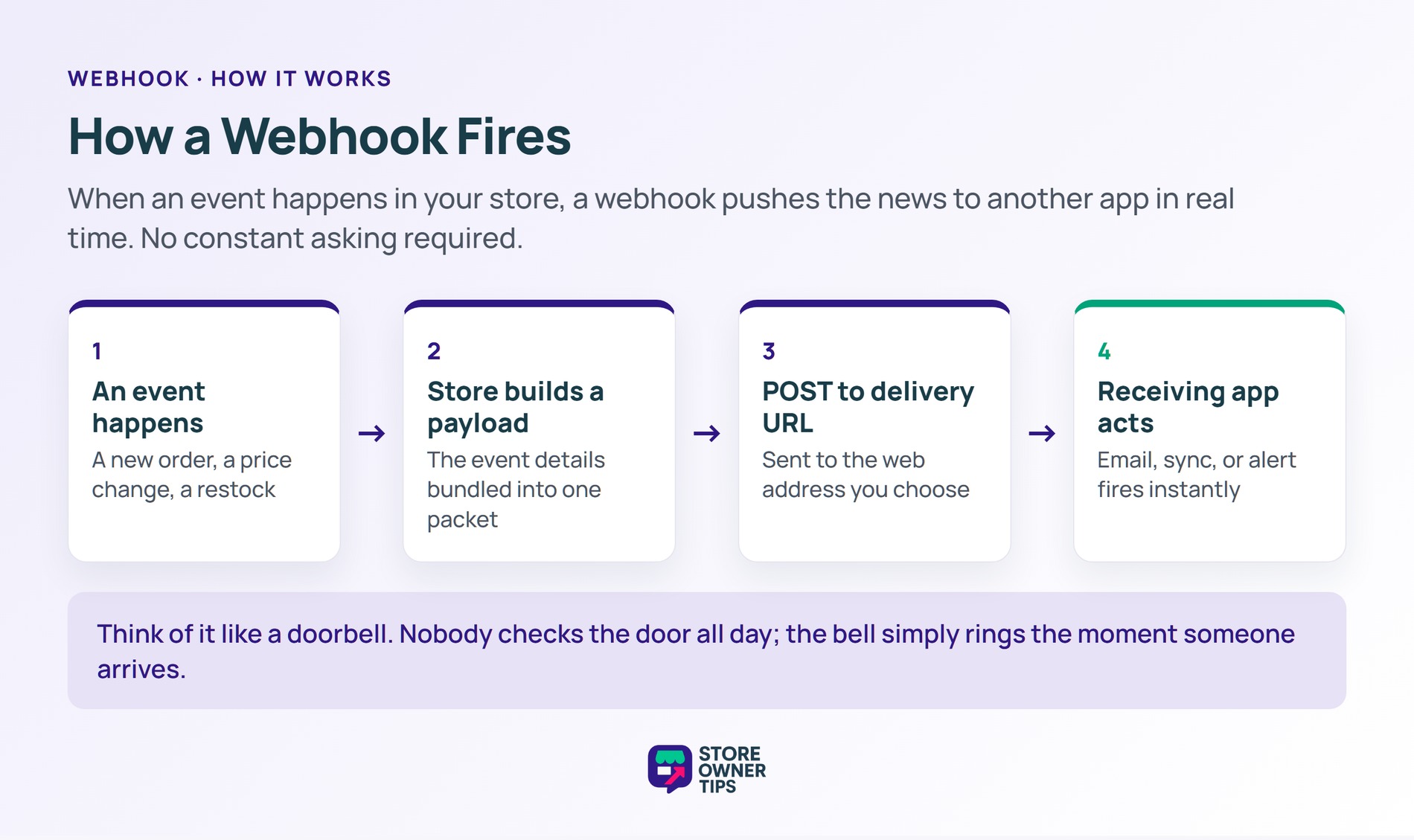
Every webhook watches for one specific event. In WooCommerce, that event is called a topic, like order.created or product.updated. When the event happens, your store bundles the details into a small data packet called a payload. Then it sends that payload to a web address you choose, known as the delivery URL.
Think of it like a doorbell. Nobody stands at the door checking for visitors all day. The bell simply rings the instant someone arrives. A webhook is that ring for your store’s data.
In a WooCommerce store, topics cover orders, products, customers, and coupons. Each one can fire on create, update, or delete. That gives you precise control over which exact moments trigger a message to your other tools.
The old way is called polling, where one app asks another on a fixed timer. Most of those checks come back empty, because nothing changed since the last one. As a result, polling wastes requests on both sides and adds delay. A webhook removes the waiting, since the update arrives within moments of the event.
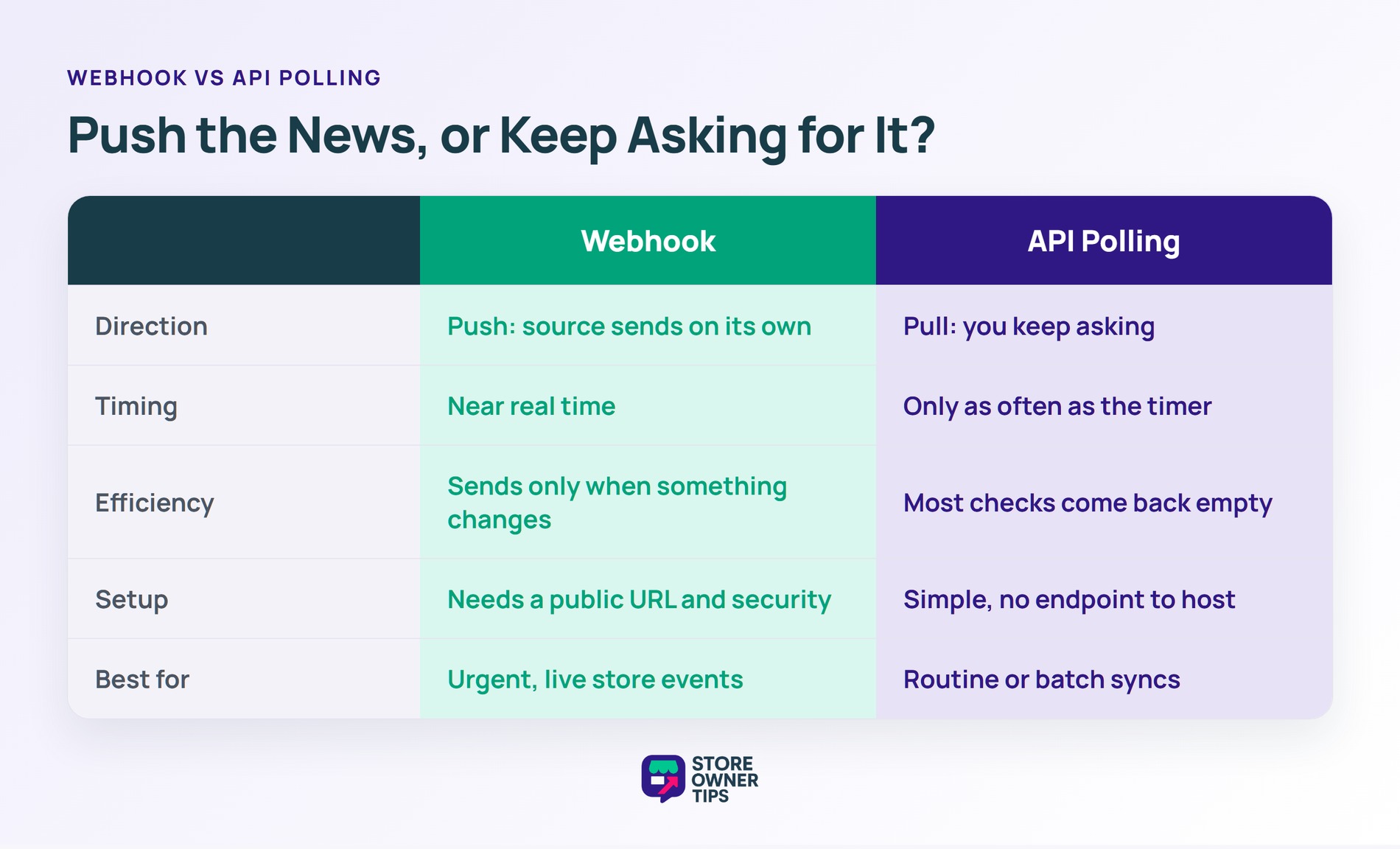
Webhooks travel over the open web, so two safeguards matter. First, your store signs each payload with a secret key, creating a hash the receiver can check. That proves the message really came from you and was not faked.
Second, stores retry failed deliveries instead of giving up. WooCommerce automatically disables a webhook after five straight delivery failures, counting any response that is not a success code. Shopify takes a similar approach, retrying a failed webhook up to eight times over four hours. After that, it drops the subscription. These limits stop a broken endpoint from firing forever.
WooCommerce also pings the delivery URL the first time you save an active webhook. After that, it logs every single delivery. So you can review exactly what was sent and how the receiving server replied.
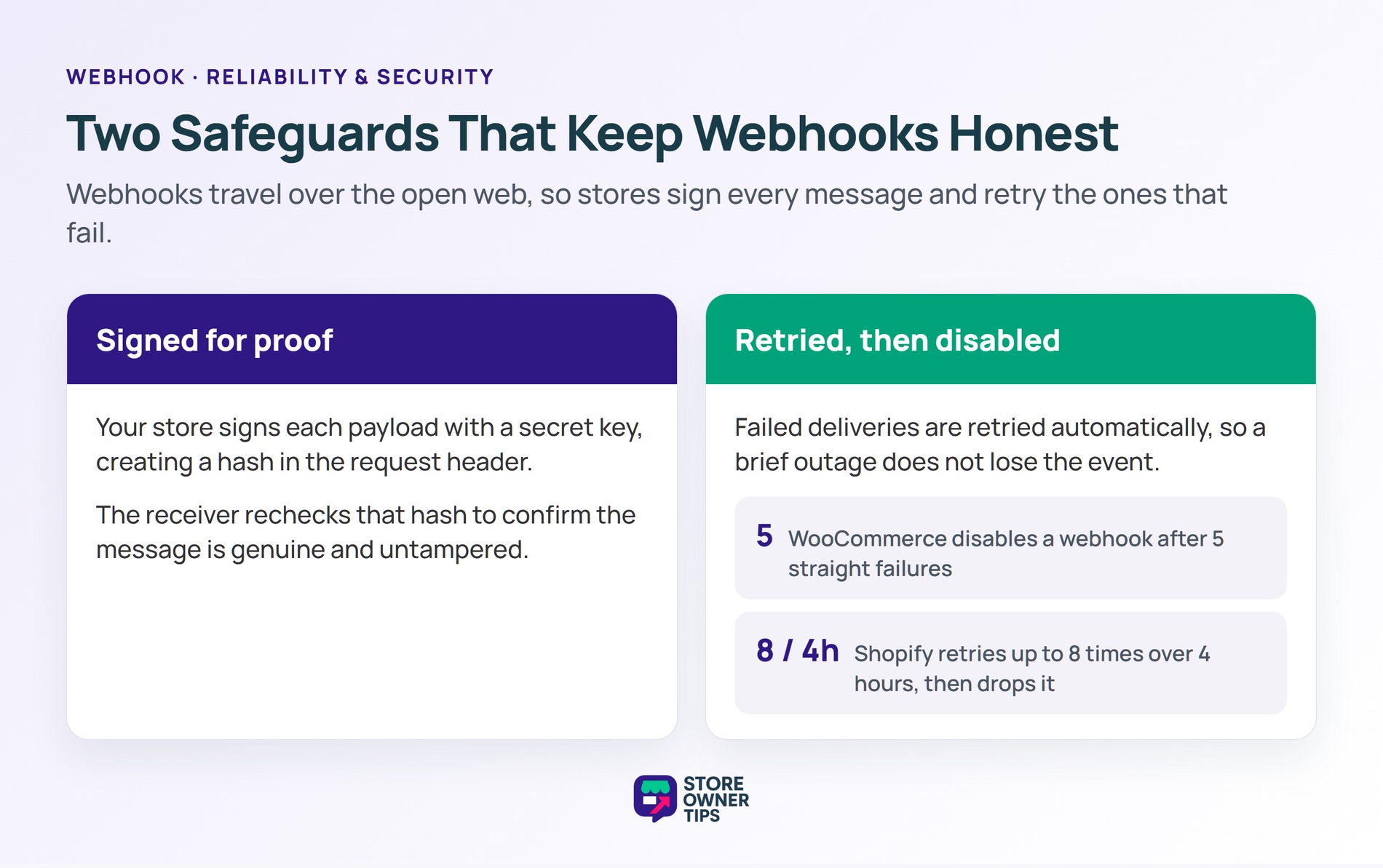
Imagine a mid-sized coffee roasting brand called Brew Theory. They want to win back shoppers who leave without paying. So they set up a webhook on the cart abandonment event.
Abandonment is brutal across e-commerce, averaging 70.22% based on 50 studies. Say Brew Theory gets 1,000 checkouts started in a month. At that rate, about 702 of those carts get abandoned before payment.
Here is where the webhook earns its keep. The second a cart is abandoned, the webhook fires and triggers a recovery email. There is no long polling delay, so the reminder lands while the coffee is still on the shopper’s mind. And if the email tool blips offline, the retry schedule simply resends the event later.
Brew Theory then adds a second webhook for stock. When a sold-out roast is restocked, the event fires an instant back-in-stock alert to waiting customers. Both flows run on their own, with no staff refreshing dashboards. In short, faster triggers catch more shoppers before they forget or buy elsewhere.
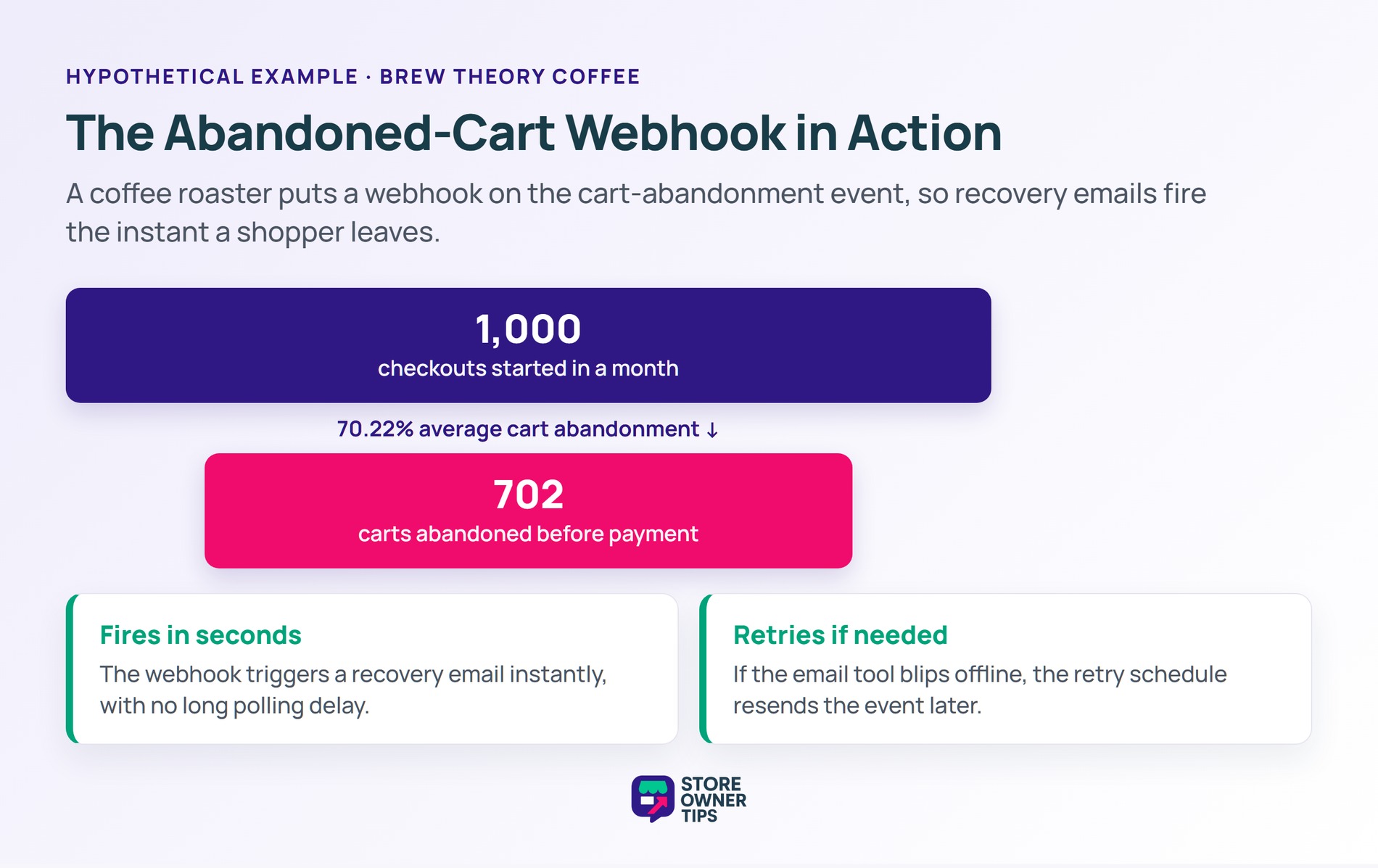
People often mix up webhooks and API polling, but they solve the same problem in opposite ways.
For most live store events, the webhook wins on both speed and efficiency. Polling still helps when you can’t host a public endpoint, or when batch updates are good enough. Many busy stores actually run both, using webhooks for urgent events and polling for routine syncs.
An API is the full set of rules two apps use to talk on demand. A webhook is one feature of that system, but it works in reverse. Instead of you asking the API for data, the webhook sends data to you when an event happens. In short, you call an API, but a webhook calls you.
Start with the delivery URL, since a typo or a private address blocks every message. Next, check that the event you expect actually maps to the webhook’s topic. Then confirm the webhook is still active. WooCommerce disables one automatically after several failed deliveries, so a past outage may have switched it off.
Yes, as long as you verify them. Your store signs each payload with a secret key, creating a hash in the request header. Your receiving app then rechecks that hash to confirm the message is genuine. Always use an HTTPS delivery URL too, so the data stays encrypted on the way.
Webhooks are the quiet engine behind a modern, automated store. They replace slow, wasteful status checks with instant, event-driven updates. Set them up with signed payloads and retries, and your tools stay in sync without manual work. That speed is what turns a basic shop into a responsive business.
Copyright © StoreOwnerTips.com. All Rights Reserved.
