
Picture three returns landing in one morning. A jumper comes back in the wrong size, and a kettle has stopped working after five months. Then a guest checkout customer wants their money back. Core WooCommerce handles all three with one tool, the Refund button, and none of the paperwork.
We compared five plugins, and the best WooCommerce returns plugin for most stores is Return Refund and Exchange For WooCommerce. Its free version gives customers a refund request form with photo uploads. Pro adds exchanges, guest requests and refunds to a store wallet.
For warranty claims, Returns and Warranty Requests for WooCommerce is the stronger pick, because you set warranty periods per product. On a zero budget, ClaimPress covers warranty, exchange and guest claims for free, though it only launched in November 2025.
Picking well comes down to how your returns arrive. Change-of-mind returns, faulty products and guest orders each need something different, yet they often get treated as one job. This guide separates them first, then ranks each plugin against them. It’s part of our look at the WooCommerce plugins every store ends up needing.
Jump to:

WooCommerce handles the refund and little else before it. You can refund an order from its admin screen. Out of the box, though, customers can’t ask for one inside your store.
WooCommerce’s refunds documentation describes a refund as something you start yourself. You open the order, click Refund and enter the amount. If your payment gateway supports it, the money goes back automatically. If it doesn’t, you record the refund manually and send the money outside WooCommerce.
Everything before that click happens somewhere else, which is the gap a WooCommerce returns plugin fills. There’s no return status, no approval queue and no record of the warranty a product came with. Unless you switch on the optional withdrawal form covered next, requests arrive by email. The history then lives in your inbox.
The volume makes this worth planning for. The NRF and Happy Returns 2025 returns report estimated that 19.3% of online sales would be returned in 2025.
That’s the gap returns management tools fill. It’s also why returns tend to swamp a customer service setup that scales once order volume grows. A returns plugin adds the missing front half: a request form, an RMA status and an approval queue. It also emails customers about where things stand.
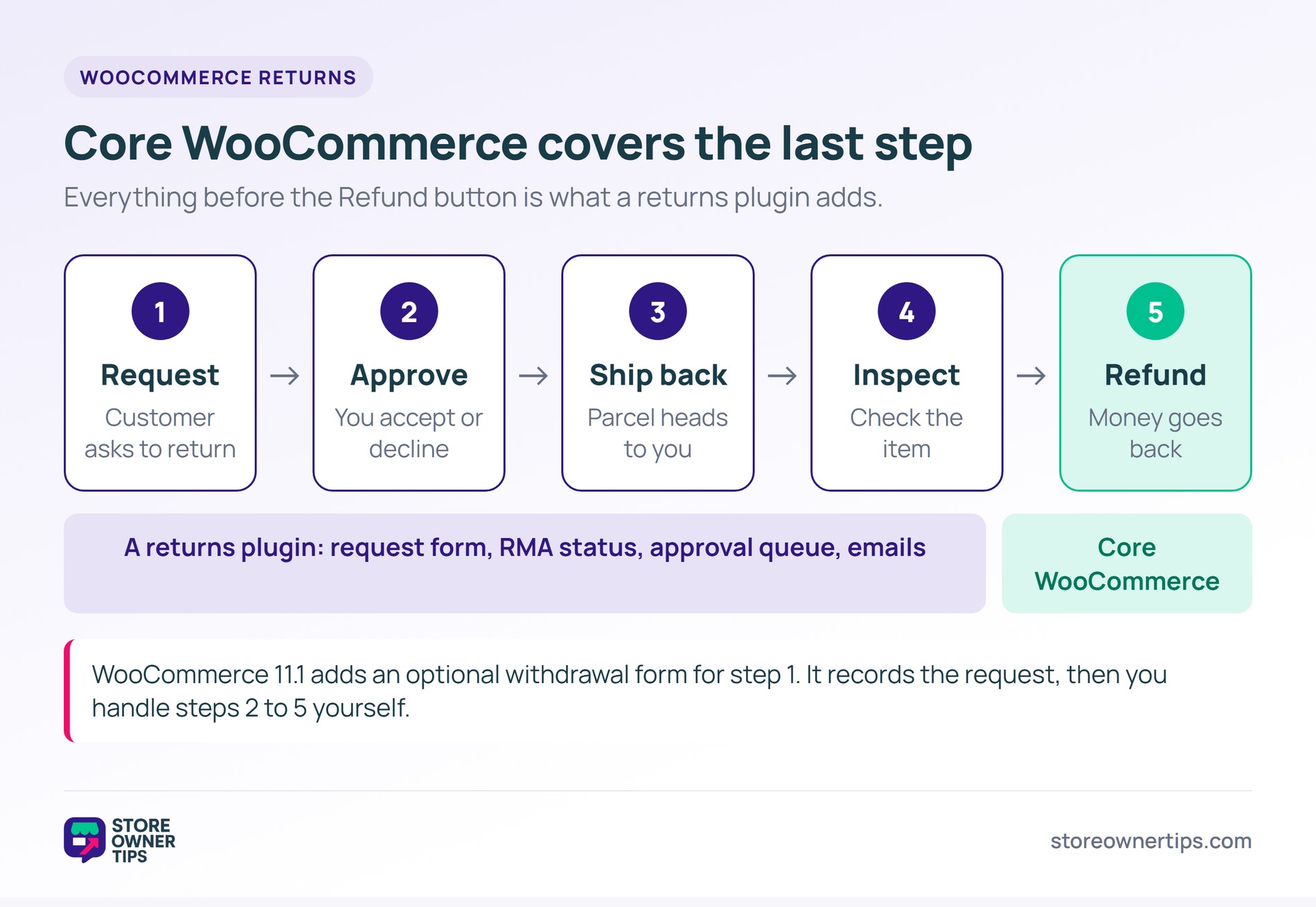
If your returns are rare and mostly EU withdrawals, you may not need a WooCommerce returns plugin yet. WooCommerce 11.1 added an optional Order withdrawal feature. It’s off by default, and you switch it on under WooCommerce > Settings > Advanced > Features.
Once it’s on, customers get a public form at /my-account/withdraw-order/. WooCommerce’s source code shows how it behaves:
That 14-day check counts from the date the order was placed. Under the EU’s Consumer Rights Directive, though, the withdrawal period for goods runs from delivery. So a slow-shipping order can show the warning while the customer is still within their rights. Check the delivery date before you reply.
The form records a request and stops there. It doesn’t refund, cancel or change the order status. It has no reason list, photo upload, approval queue, exchange option or warranty clock. Those are the gaps the plugins below fill.
Three decisions separate one WooCommerce returns plugin from another. They’re who starts a return, where the money goes, and how warranties are handled. Check those first, and the feature lists get much shorter.
Many stores take guest checkouts. If a plugin only shows its return button in My Account, a guest has nothing to click. So they end up emailing you anyway.
Plugins solve this in different ways. Some add a public form that checks the order number and billing email. Others send guests a claim link in the order email, and a few don’t support guests at all.
A public form also needs guarding against return fraud, so look for limits on who can submit and how often. The same NRF report found 9% of all returns are fraudulent.
There are three destinations, and plugins differ a lot on which they support:
Free versions usually cover the first one only.
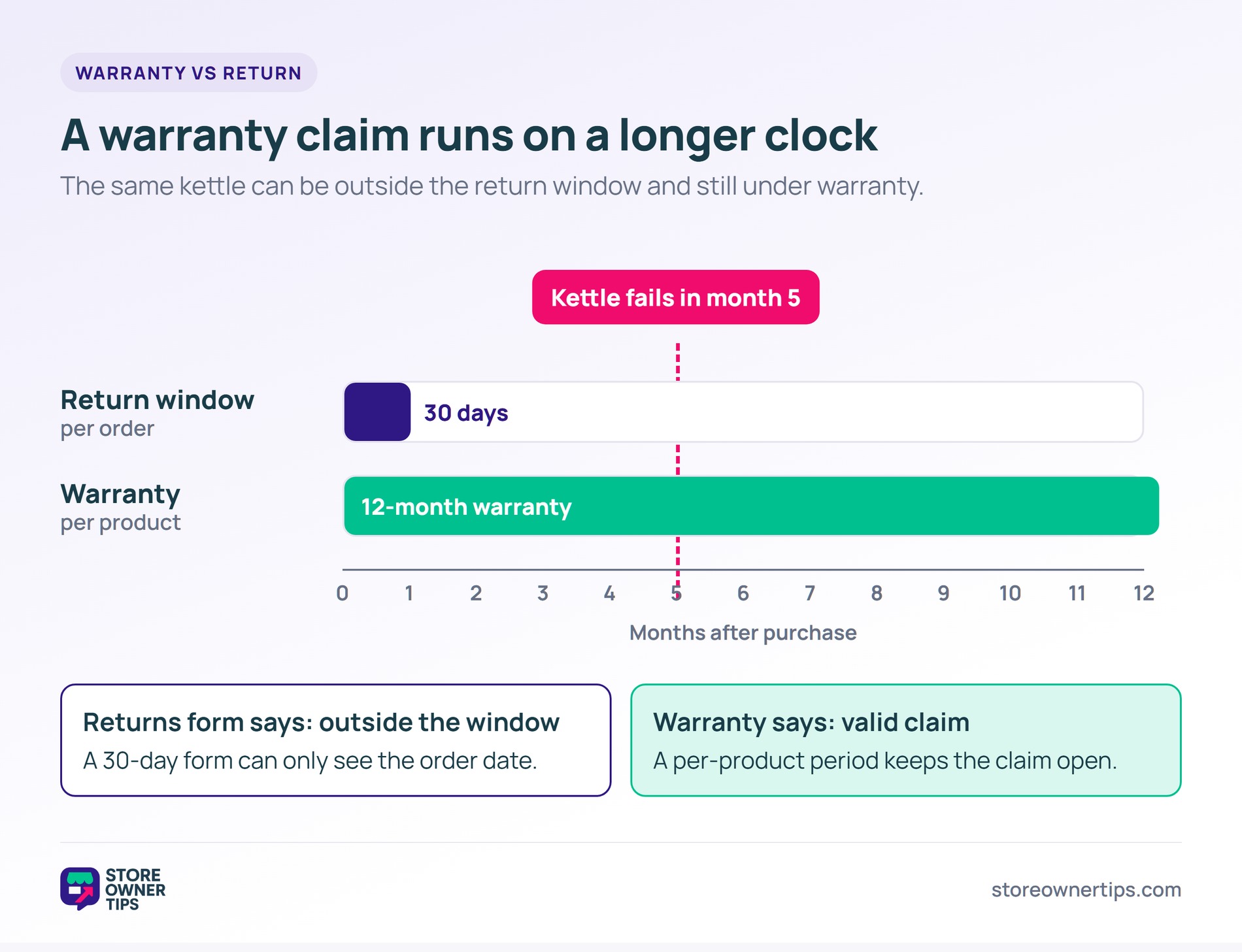
A warranty claim runs on months or years, not a 30-day window. It needs proof of purchase, and the fix is often a repair or replacement rather than money back. A plugin that handles warranties sets a period per product. That way, a claim stays open as long as the cover does.
Beyond those three, check for status emails, photo uploads and return shipping labels. If returns already mean a stack of parcels, plan how return labels and fulfilment fit around your plugin.
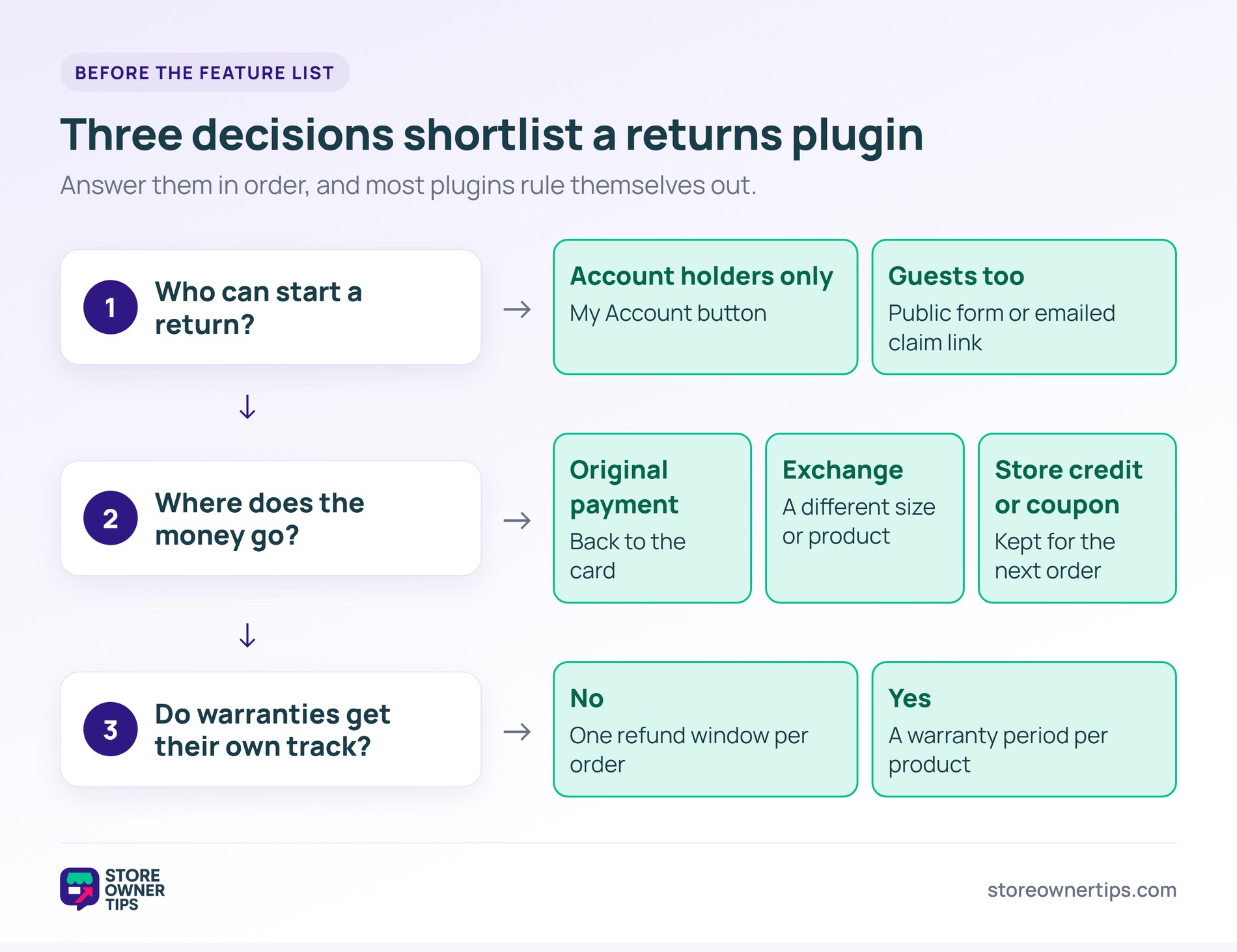
We ranked each WooCommerce returns plugin on the three decisions above. Then we looked at how much of that sits in the free version.
We haven’t run all five on a test store, and we won’t pretend otherwise. Instead, we read each plugin’s own listing, product page, documentation and changelog. Every observation below points back to one of those sources, so you can check it yourself.
We first checked ratings, install counts and prices on 22 October 2026, then rechecked them on 24 November 2026. They change often, so confirm the current price on each plugin’s own page before you buy.
The table compares each WooCommerce returns plugin on the three decisions, and each entry below explains its row.
| Plugin | Free version | Guest returns | Refund, exchange or credit | Warranty claims | Customer request form |
|---|---|---|---|---|---|
| Return Refund and Exchange For WooCommerce | Yes | Pro only | Refund free; exchange and wallet in Pro | No per-product warranty terms | Yes |
| Returns and Warranty Requests for WooCommerce | No ($99 a year) | Yes, claim link by email | Returns and exchanges | Yes, per product or variation | Yes, with form builder |
| Flexible Refund for WooCommerce – EU One Click Return | Yes | PRO only | Refund free; coupon in PRO | Repair and complaint forms in PRO | Yes |
| YITH Advanced Refund System for WooCommerce | No (€79.99 a year) | No | Refund, or a coupon instead | No | Yes, in My Account |
| ClaimPress | Yes | Yes | Refund and exchange | Yes, per product | Yes |
Return Refund and Exchange For WooCommerce, by WP Swings, is the most complete free starting point here. Customers request a refund from their order, attach photos or video, and message you about it on the order. The paid tier is RMA Return Refund & Exchange For WooCommerce Pro. It adds exchanges, partial requests, guest requests and refunds to a store wallet.
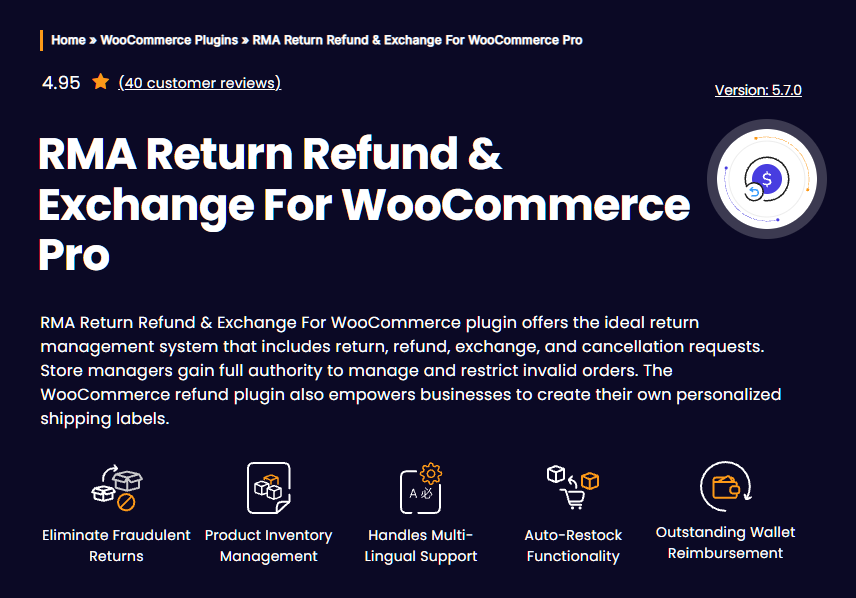
Two things stand out in its documentation:
The listing shows 4,000+ active installs and a 4.7 out of 5 rating from 124 reviews. Pro starts at $79 a year for one site, and its product page describes return labels through ShipStation and ShipRocket. What it lacks is warranty terms set per product, so treat it as a returns tool first.
Returns and Warranty Requests for WooCommerce is Woo’s own extension, and it’s the only paid option here built around warranties. You give each product or variation a warranty type: none, included, or a paid add-on bought at checkout. Included warranties are lifetime or limited to a set number of days, weeks, months or years.
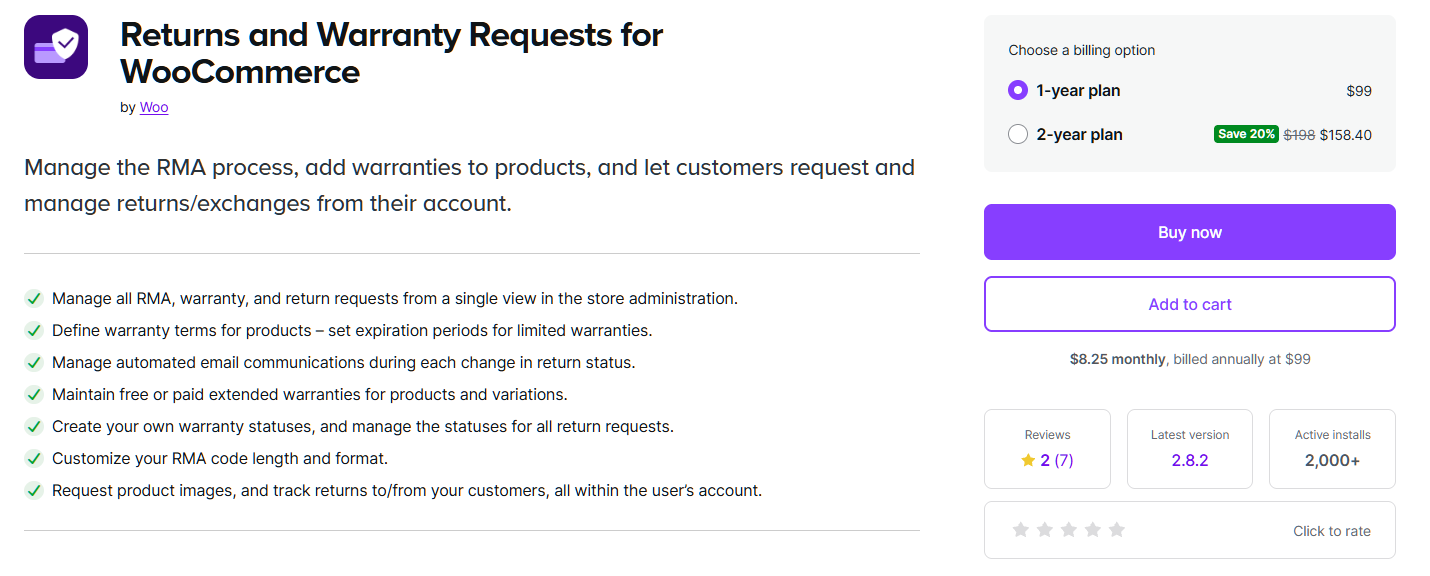
Two observations from its product page:
It also supports custom RMA codes, a form builder with file uploads, and permissions by request status. That way, different staff can own different stages.
It costs $99 a year. Its rating is worth a look first: 2 out of 5 from seven reviews when we checked. Read the recent ones so you know what other stores ran into.
Flexible Refund for WooCommerce – EU One Click Return, by WP Desk, suits stores selling into the EU. The free version lets customers request a refund from My Account through a form you build from five field types. Approving a request creates a normal WooCommerce refund and asks WooCommerce to restock the items.
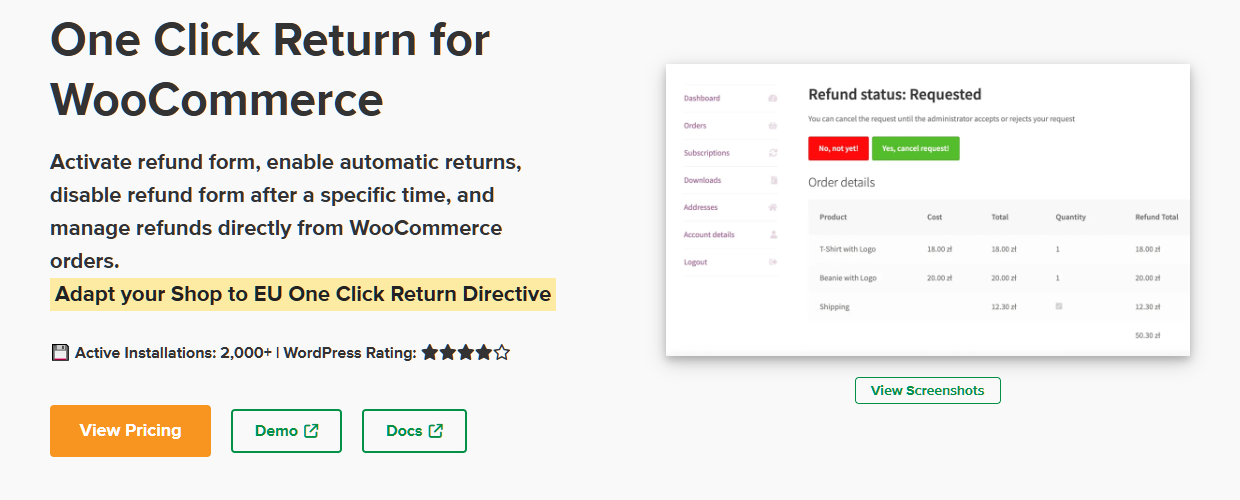
From its listing:
PRO can also generate a WooCommerce coupon once a refund is approved. It costs $59 a year for one site on WP Desk’s pricing table. The free listing shows 2,000+ active installs and a 4 out of 5 rating, though from only four reviews.
YITH Advanced Refund System for WooCommerce is a refund-request tool for stores where every customer has an account. Customers ask for a refund on the whole order or single products, and you accept or reject it. You can also let requests be accepted automatically.
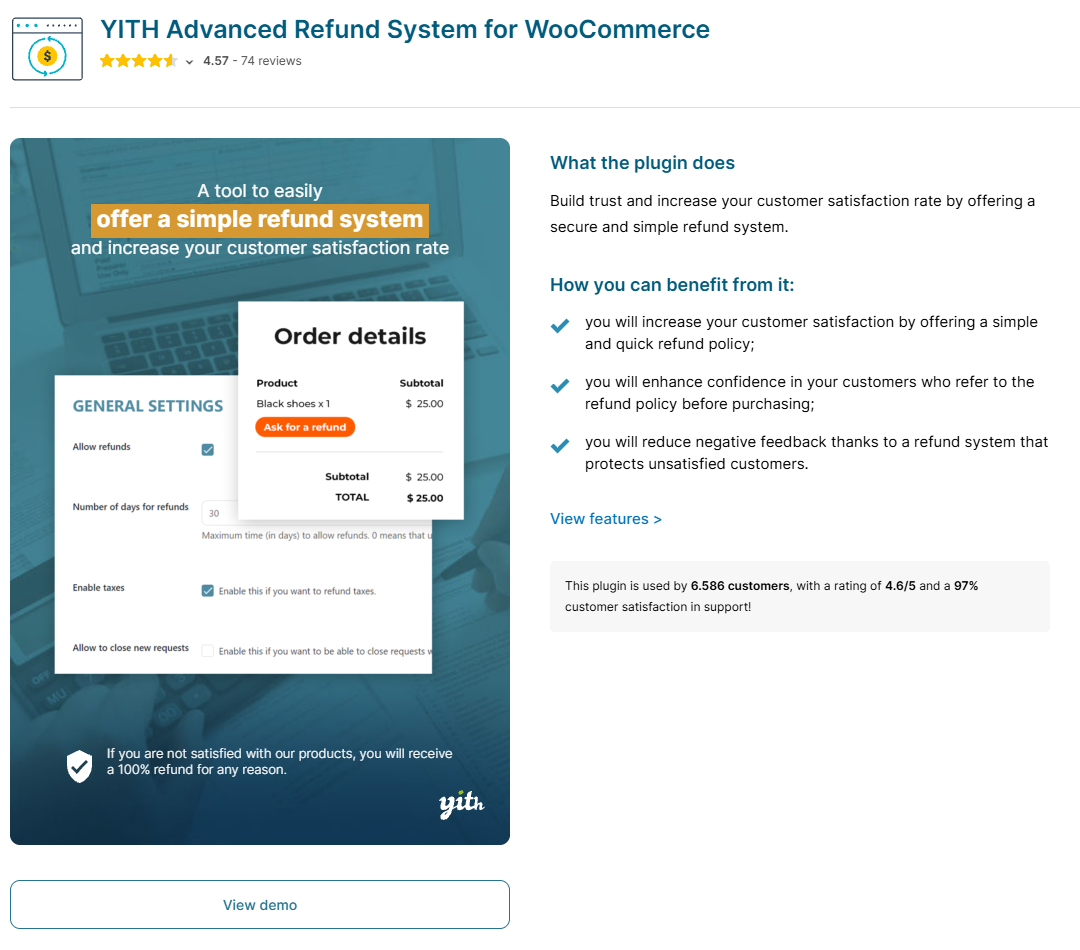
Two details from its product page and FAQ:
On 22 October 2026, it was listed at €79.99 a year, excluding VAT. It holds a 4.57 out of 5 rating from 74 reviews. There’s no exchange workflow and no warranty tracking, so it fits stores that only issue refunds.
ClaimPress is the free pick for warranty claims, with a caveat about its age. Its full name is ClaimPress – Advanced Warranty, Return, Refund & Exchange for WooCommerce. Its free version lets you switch on warranty, exchange and return or refund per product, each with its own duration.
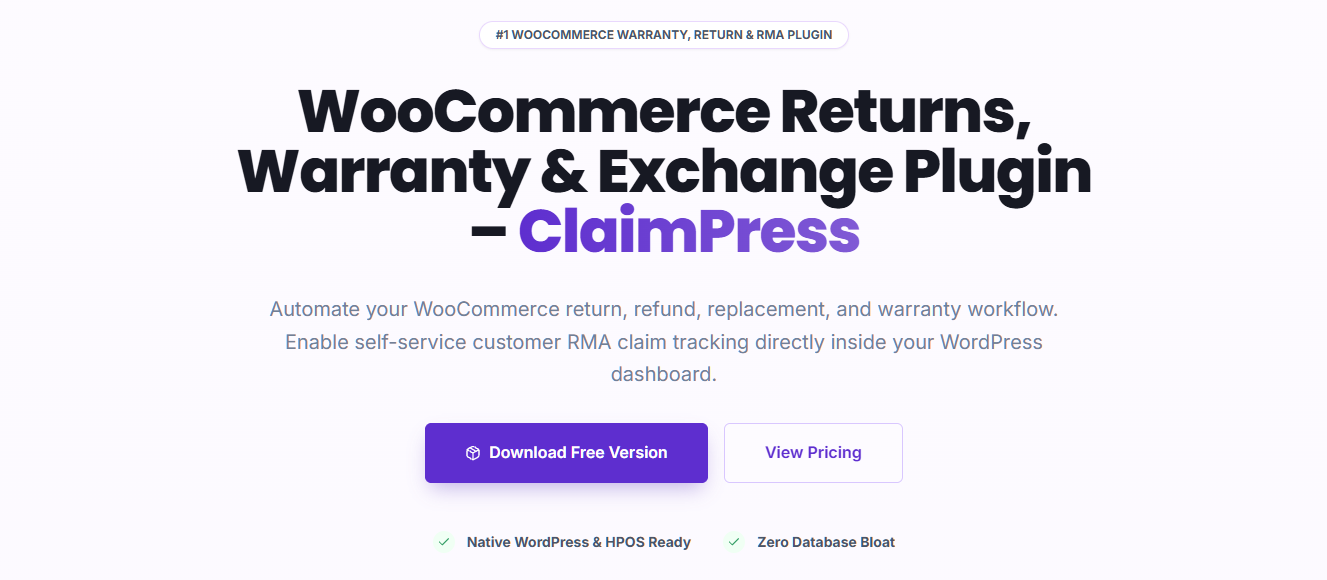
From its listing:
Photo uploads, restocking fees and unlimited paid warranty tiers are Pro features. It’s young, first listed in November 2025, with 60+ active installs and two ratings. So test it on a staging site before you use it for live claims.
If every customer has an account and you only issue refunds, any WooCommerce returns plugin here covers the basics. Guest returns, exchanges and warranty terms are what really separate them.
A warranty claim runs on a different clock from a return. A return is a customer changing their mind within a short window. A warranty claim says the product failed within its promised life.
That difference changes three things:
Of the five plugins, two treat warranties as their own job. Check this before you choose a WooCommerce returns plugin. Returns and Warranty Requests for WooCommerce and ClaimPress both set warranty periods on each product. Flexible Refund for WooCommerce – EU One Click Return gets close in PRO. Its repair and complaint forms close without a refund.
Return Refund and Exchange For WooCommerce and YITH Advanced Refund System for WooCommerce are built around refund windows.
If you sell electronics, appliances or furniture, that split matters more than any other feature in the table.
🔍️ What we’ve seen: warranty claims often end up going through a 30-day returns form. A customer whose kettle fails in month five gets an automatic “outside the return window” message. Yet the kettle is still under warranty. The claim was valid, but the form had no way to know that.
Store credit is a refund destination. Instead of sending money back to a card, you add it to the customer’s balance for a later order. It suits exchanges where the right size is out of stock, or customers who’ll shop with you again.
The free Advanced Coupons plugin does this from the order screen. With store credits switched on, the WooCommerce refund panel gains a “Refund $X to Store Credits” button. The customer then sees the balance in My Account and can spend it at checkout. Its knowledge base shows how to refund an order as store credit.
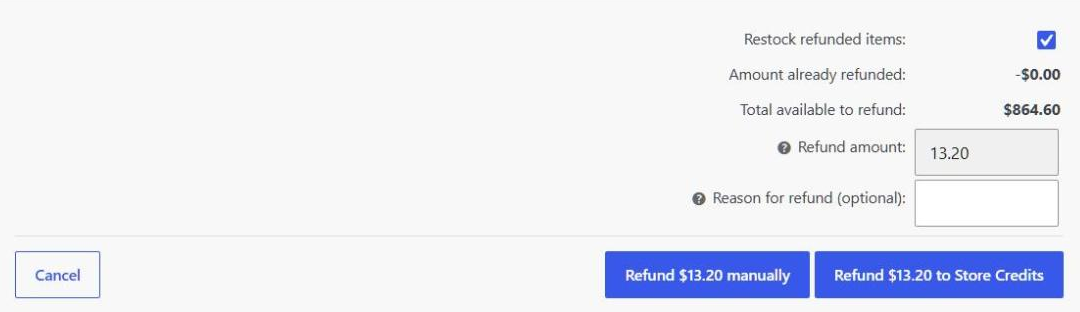
Advanced Coupons isn’t a WooCommerce returns plugin, though. It doesn’t collect return requests or track RMA status, so pair it with one of the plugins above. Store credit is held against a registered customer account, so guest orders still need a normal refund. For other ways to run a credit balance, see WooCommerce store credit plugins compared.
Only the basics. WooCommerce lets you refund an order from the admin screen, automatically through a supported gateway or manually. Since version 11.1, it also offers an optional withdrawal form for 14-day requests. It has no RMA status, approval queue or warranty tracking, so you keep track of each return by hand.
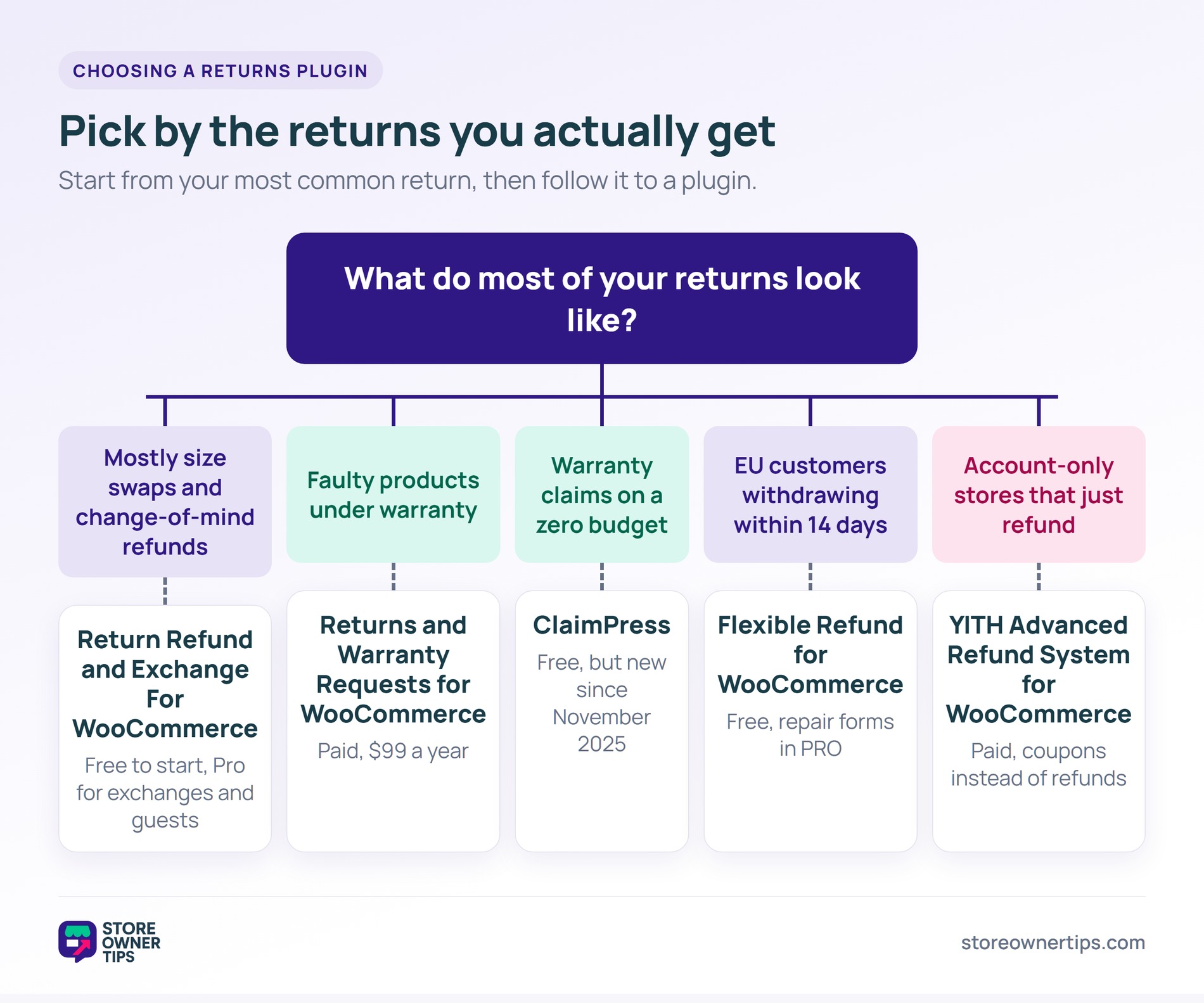
Return Refund and Exchange For WooCommerce has the most useful free version for change-of-mind returns. Customers request refunds from their order with photo attachments, and you get fraud limits and stock handling. If warranty claims matter more, ClaimPress includes warranties and guest claims free, though it’s much newer.
It depends on the plugin. Returns and Warranty Requests for WooCommerce emails guests a claim link, and ClaimPress offers a guest form free. Return Refund and Exchange For WooCommerce and Flexible Refund support guests in paid tiers only. YITH Advanced Refund System for WooCommerce doesn’t support guest requests.
Yes, if the order belongs to a customer account. The free Advanced Coupons plugin adds a “Refund $X to Store Credits” button to the WooCommerce refund panel. The customer then spends the balance at checkout. Guest orders can’t receive store credit, so they need a normal refund.
Some do. Returns and Warranty Requests for WooCommerce and ClaimPress set warranty periods per product. A claim then stays valid as long as the cover lasts. Others, like YITH Advanced Refund System for WooCommerce, only work within a refund window counted from the order date.
The right WooCommerce returns plugin is the one that matches the returns you already get. If most are size swaps and change-of-mind refunds, start free with Return Refund and Exchange For WooCommerce. Then upgrade when you need exchanges or guest requests. Where faulty products under warranty are a big share, Returns and Warranty Requests for WooCommerce is built for that job.
Once your plugin is in, our guide to running WooCommerce returns as a routine covers the process around it. Then round out your stack with the other WooCommerce plugins every store ends up needing.

Copyright © StoreOwnerTips.com. All Rights Reserved.
